Info Overload And Affiliate Marketing
One of the things I hated when I was growing up was when I was sick, and I had to stay home from school. Now today, kids have all kinds of things to do, but back then, there was only like three channels on the TV to choose from. You had like soap operas, you had The Price Is Right, if you remember that. That was always on when I was sick. And then you usually had like a movie channel that had some old outdated movie or something like that. For me I remember, it was always like Mr. Mom. Every time I was sick that was on TV, so I ended up watching that several times when I was staying home from school.
I remember in that movie there was a scene where the guy, he takes over the role of the mom, and he goes grocery shopping. He’s never been grocery shopping, so he doesn’t really know how that works, ’cause his wife always did it. He goes to the deli counter to order some meat from the list that his wife had given him, and he goes to the deli counter and there’s this big long line of people behind him in the deli counter, and they’re all annoyed, just like the deli counter at mos grocery stores.
And they’re all annoyed and they’re like, “Okay, we don’t want to wait. We want our stuff.” And he’s the guy at the front that’s holding up the line and he goes, “You know, I want some ham.” And she goes, “Well do you want black forest ham, do you want glazed ham, do you want honey ham, do you want baked ham, do you want this kind?” He’s like, “I don’t know, just give me some ham.” “Well, what kind do you want?” “All right fine, give me some turkey.” “Well do you want glazed turkey, do you want fried turkey, do you want baked turkey?” And he’s just overwhelmed. Finally he’s like, “Well just give me some cheese.” And she’s like, “Well do you want American cheese, do you want cheddar cheese, do you want … You know, what kind of cheese do you want?”
He gets so overwhelmed, and I think he ends up with like a pack of bologna, which should never be consumed by humans, terrible stuff. But at any rate he ends up with this pack of bologna and he’s like, “Okay, well I don’t know how to do this.” What we see here is a very, very good example of information overload. What I’m going to do in this video is I’m going to talk to you about information overload, because a lot of people come to me and they say, “Marcus, I want to make money online with affiliate marketing. I want to make money on the internet, but there’s so much information that I get bogged down, and I end up not doing anything, and I end up frustrated, and I end up not knowing what to do, where to go, how to set it up, and all that.”
And what I’m going to do in this video is I’m going to show you how to end information overload once and for all. I’m going to show you why information overload isn’t really your problem. And, I’m going to show you how to start making money online with simple little tasks that you can start right away. And we’re starting, right now.
Hey there affiliate marketing dudes and dudettes, and welcome back. Today what I want to do, is I want to talk to you about info overload. How you can get past it, and how you can start making money online with affiliate marketing. Because it’s not that hard. People make it a lot harder than it is, but it’s actually quite easy to get to $10 a day, $50 a day, $100 a day, or even $1,000 a day online in profit. I’ve done it, thousands of other people have done it, and you can do it too if you pay attention.
Now, results are not guaranteed, nothing in life is guaranteed. You may make nothing, you may make a lot. I have no idea what you’re going to make. This is informational only. With that said, I want you to go ahead and, if you are interested in this kind of stuff and you want to make money with affiliate marketing, I want you to hit that subscribe button, then I want you to click the bell notification icon. Why do I want you to click the bell? Well the bell gives you notifications when I come out with a new video, and every Wednesday at 10:00 AM, when we do a livestream where you can come in and ask questions about affiliate marketing, you’re going to get a notification so that you can show up live, which is really cool.
With that mouthful said, what we’re going to do is we’re going to talk about information overload. What is information overload? As I talked about in the beginning, information overload is like that guy in the grocery store who’s trying to choose something, but there’s way too many options. Information overload in and of itself, is not a problem. No one suffers from information overload. What they struggle from, is inability, enable to make a decision, okay? Enable to make a decision.
Where we had our guy there, and he’s at the grocery store, and he’s like, “I want some ham,” and she raddles off the 50 different types of ham he can get. He’s not overloaded by the ham, he just isn’t able to make a decision. If the lady behind the counter only had one type of ham, he’d be like, “Well I want that one.” But because he doesn’t know all the different types and everything like that, he’s unable to make a decision.
So, what we want to look at here is information overload, is tied to inability to make a decision. Now, in affiliate marketing, being an entrepreneur, starting your own business, you need to be able to make decisions. That is what separates us from the other people. You might see someone, maybe you know someone like this. And they work for a company, and they do all the work, right? My brother, he used to go in there, and he was a salesmen for companies. He would sell millions of dollars worth of stuff and he’s like, “Well, why is my check only like five grand when I sell millions of dollars worth of stuff?”
Well the reason is, is because he is not the decision maker, right? There’s a guy sitting behind a desk who started this business, and he makes the decisions. He says, “I’m going to buy this much patio furniture so that we can sell it.” Or, “I’m going to charge this much.” Or, “I’m going to be open from nine to five.” Or, “I’m going to do this.” What he is, is a decision maker.
Now, the problem with many people that want to be affiliate marketers, is they’re not decision makers. They come to me and they say, “Marcus, show me how to make money.” And I’m like, “Here you go.” “Well what should I do?” “Well I just told you what to do.” “Well, what niche should I go in? How much should I do this? What should I do for this? What should I do for that?” And they’re unable to make a decision based on the information.
That’s why so many people who buy courses, are unable to follow through with them, because they can’t make the decision. What I want to do is I want to show you how this works in a real world way. Decision number one, right? Decision number one is a very simple one, okay? You have seen that I’ve made millions of dollars online with affiliate marketing. You see that affiliate marketing is fairly low risk, right? I could setup an affiliate marketing website for less than $100, sometimes free if you follow some of the free stuff I teach. We can get links from affiliate companies for free. We can get traffic for free, and we can make it work. It’s very, very easy to do. The playing field is level, there’s no difference between me and you, other than I made some decisions that made me a lot of money based on the knowledge I have.
Now, lucky for you, I share this knowledge in my course at SimpleSitesBonus.com. If you want to be trained by me, if you say, “Hey Marcus, your stuff is good, I like these videos. Help me out.” That’s what we’re going to do. Decision number one is do you want to be an affiliate marketer, okay? That’s decision number one, ’cause a lot of people come to me and they’re like, “Well should I invest in BitCoin, should I do that? Should I do this? I heard about this, I heard about that.” And those are good. Lots of people have made a lot of money on BitCoin. Unfortunately it’s really high right now, so it’s hard to get into. A lot of people have made money with Amazon, a lot of people have made money with other things.
Now, affiliate marketing is where you take your site, and you drive people through an affiliate link, and you get paid, right? Really cool. If my brother, instead of standing in a store all day and making pennies on the dollar was able to say, “Hey, I want to make a decision. I want to start a website about patio furniture, and I want to get all these people that are interested in all these patio furniture’s, and I want to sell it.” Okay? He could go in there, and he could be an affiliate and get like three to 10%.
Now, with CPA affiliate marketing, you can actually get a lot more. Sometimes we get paid for a sale, a lead, a download, or whatever, okay? So first and foremost, you want to ask yourself, number one, decision number one, “Do I want to be an affiliate marketer?” Okay? Great, that’s your first decision. Can you make it? If the answer is yes, okay? We go onto the next step. Very simple, this is what we’re doing, we’re breaking it down. See how there’s no info overload? Do you want to do this, yes or no? Great. If it’s no, go watch a video on whatever else you do want to do, okay?
Number two, the second thing you want to ask yourself is a lot like the example with my brother, “What market do you want to go into?” Okay now, here on my channel I teach you a lot of ways to find niche markets, and this is the number one place that most people get stuck. They come to me and they say, “Marcus, I want to be in weight loss.” I’m like, “That’s good, but it’s not really a niche. That’s a market, okay?” A niche would be like lose 10 pounds in a week, or lose belly fat, which I kind of need to do. Or, something like that, okay? So the second thing is choose, I think I spelled that right. I don’t know if it has two O’s or one. Choose market, okay? Choose market, or niche, okay? So that’s number two.
Now, choose a market or niche. Now, if you are watching the videos we have here on YouTube, a video all about how to find niche markets. What is a niche market, what do we do with a niche market, everything like that, okay? So number two is choose your niche market, okay? That would be the second one, okay? Once we choose our niche market, we have a little criteria that we go through in the Simple Sites Program that says, “Hey, this market’s going to be good.” Or, “This market’s going to be not as good.” Okay? Very simple. You see how instead of asking, ’cause a lot of people come to me and they say, “Marcus, what about websites or blogs. What kind of hosting should I get? What should my landing page look like? How many affiliate offers should I have? What kind of traffic should I get?”
Notice how that makes you tense, and it makes you not know what’s going on because you’re like, “Well what am I going to do here?” Okay? That’s why we choose our market in number two. Number three, I don’t know how big it’s going to be, hopefully it fits in there, right? Number three is going to be, your traffic method, okay? Traffic, traffic and offers, okay? Traffic and offers. Okay, the reason traffic and offers are on the same one is because we don’t want to know what offers we’re going to do till we know what market we’re going into. For example, if I’m going into six pack abs, okay? Let’s say we go into six pack abs. I’m like, “Okay cool, that looks like a good market. Great.” Then I say, “Well what kind of offers are there? Well I got this ab thing over here that pays me $90 for a free trial. I got this Click Bank book that pays me 70 bucks or whatever. Okay, I got a toolbar that pays me three bucks or whatever,” okay? And we look at these, great.
Now, notice how we are making decisions as we go. The decisions are what stops the info overload, okay? If you’re struggling with the info overload, you need to learn to make decisions, and we’ll help you with that, and I want to talk to you about one of our best offers for that as well. I think we have a ladybug trying to fly down here. It looks very dangerous, so hopefully I make it out of this video alive, right?
So we have traffic and offers, okay? Also, you want to choose your traffic based on your market. You say, “Well, six pack abs. Is it inexpensive on paid traffic? Great, let’s go for that. Is it easy to get on free traffic? Great, let’s go for that. Are people looking it up on Pinterest? Great, let’s use that.” Okay? But you don’t answer any of the questions till you make your decisions, and the decisions are very important.
Next we say, “What kind of site are we going to setup?” Okay? We’re like, “Okay cool, now we’re going to do what kind of site.” Okay? And you’ll notice that a lot of the stuff is laid out. If you’re like, “Okay, well I want to go down and check the list, and make this thing work.” Then you’re going to want to check out my other videos, you’re going to want to check out SimpleSitesBonus.com for our Simple Sites Software, which is like our do it yourself kind of course, okay?
Number four, we’re going to do site/landing page. Now, the reason we ask this, a lot of people say, “What kind of landing page should I make?” “Well what niche are you in?” “Well I don’t know.” “Well then you should have no landing page, because you don’t have a niche. Therefore you don’t need a landing page.” Now, we have to look at this and we have to say, “Well what kind do we need?” For example, if I’m in six pack abs, maybe I could make a simple one to three page review site, okay? Maybe I could do that. Or, maybe if I’m in the bible toolbar downloads, maybe I could just make a one page site with these little bibles, that lead to the offer.
This is an example, I did the review type thing with the ab niche. I made like 120, to $140 a day. I did the bible niche, one page website. I think we had like a disclaimer page and stuff like that, terms and conditions page. It was technically a three page site, but it was very simple, okay? Very simple, it was based on a blog platform. I used the tools that are in the Simple Sites course to set that up, and this one was making hundreds of dollars a day in downloads as well, and I didn’t even have to sell anything. I just gave away bibles, okay?
Now, that’s what you do, you decide. Do I want an authority site, do I want a landing page? And again, this is going to be based on your traffic and your offers. If you say, “Well Marcus, I just want a one page site,” and you’re trying to rank in Google, it’s probably not going to work. Now, it might work on pay per click and banners, but probably not ranking on Google, and Yahoo, and stuff like that, okay? So you might need something a little more elaborate.
That’s why we answer the questions as we go along, okay? Info overload’s up here. This is info overload/I can’t decide. You gotta ask yourself … Decide, okay? You gotta ask yourself, “Do I want to be a decision maker, or do I want to work a job?” Okay? Because if you want to work a job, there’s jobs out there, I heard that the job market’s bad. I don’t know. Bu there’s jobs out there, and you could go work, and you could get paid by the hour, you could get paid by the year, and you can do that. And there’s very little decisions required. Someone’s going to come up and say, “Well, go mow this lawn,” or, “Go paint this house,” or whatever. No decisions. But also, where you can’t make decision, can’t decide, decide, right? The pay is lower, okay? Very low.
The better decisions you make, or the more decisions you make that are based on good things, okay? Let’s do decide, decision maker, okay? The decision maker gets paid a lot of money. Now, I have been doing affiliate marketing, internet marketing for almost 20 years now, all right? This is my 19th year, 18th full time, all right? Our first year we did like I think 60,000 bucks, and by my second year we were doing about 160 grand, and we did a million our sixth year, and then it’s been great, so it’s excellent. But I’ve been doing this a long time, and the reason I say that is one, because you want to trust someone, you want to go to someone whose been doing this.
You don’t want to go to someone who just teaches it and has never done it, because that’s not going to help, right? A guy who writes a textbook on a bike is not the best person to teach you to ride a bike. The best person is a guy who rides a bike, right? Very simple. We got to look at that. So, the decision making’s … Like for me, I wake up every day, I have for the last 19 or 20 years, and I say, “What the hell am I going to do today?” No one came in here and said, “Marcus, make a video about info overload.” No one told me to do that. I decided to do it.
Now, is it going to be a good decision? Probably, right? We’ll get thousands of views on this video, and out of those thousands of views let’s say I get 100 people to fill out opt in forms, that’s 100 leads. And let’s say out of those 100 leads I probably get three people to buy something, or whatever. And it’s going to result in lifetime customer value, probably 10 to $30,000 or something like that if we pan it out. So, we gotta look at that. Or actually, probably like one to 5,000 in the first couple of years or something like that, okay?
So we’ve got to look at that, and we’ve got to say, “Okay cool, that’s how it works.” Now, that decision is something that I had to come up with. These decisions are something that you’re going to have to do. Now, the cool thing about this is you don’t have to do it alone. The number one place that people get struggling with, or have trouble with, right? Isn’t deciding to be an affiliate marketer. That’s easy. “Do I want to make money online? Do I want to do it in one of the easiest ways possible, that’s simple, that’s passive, that I can do from home, that doesn’t cost a lot of money, that people have done before? Yes.” Good, okay. So that’s easy. It’s like, “Yeah, I want to do that.” If you don’t want to do that, I don’t know why you’re still watching this.
Number two, choose your market. This is the number one place people are stuck. Why? Because they are afraid that the market won’t work. They say, “How do I know it’s going to work?” Well if we knew something was going to work, if it was guaranteed to work, then you gotta go over here and you gotta get a job. Because if you go to your work, you’re pretty much guaranteed you’re going to get a paycheck, very simple. Now, you won’t have to make decisions, you won’t have to worry about failing, you just go to work. Well you might have to worry about failing, I don’t know. I haven’t worked a normal job in many, many years, and even then they were little off jobs.
But, where the decisions are lacking, the money is low. Do you want to be paid low and go to work, or do you want to learn to make these decisions? Because what I want to do is I want to teach you to make these decisions, and the best way that I know how to teach you, how to choose your market first, and choose the right market, is through what I call our, “High Ticket Niche Program.” Okay? This comes with the Simple Sites course, right? You can either get the Simple Sites course on its own, or you can get the High Ticket Niche, which also includes the Simple Sites course, okay? The Simple Sites is the software that gives you the tools, the training, everything like that. Very good, if you’re on a budget and you want to kind of learn this on your own with me helping you out as much as possible in that course.
Now, the High Ticket Niches is something that’s a step higher. How, what this does, is you say, “Marcus, I want you to decide the first one for me.” Obviously you guys have seen my decision track record for niches, is pretty good, all right? So what we do is we go through and I say, “Well, here is your niche.” Okay? You’re going to come to me and you’re going to say, “Marcus, here’s three things I like. I like basketball, I like mortgages, and I like mowing the lawn.” Weird things to like, but hey, to each his own. Let me make sure my recorder’s still going. Looks like we’re going, good.
All right, so that’s what we have here. And you’re going to come back and I’m going to say, “Hey, check it out. Mowing the lawn ain’t that great, but I found a good one for you in mortgages. Do you want it?” You’ll say, “Yes.” Then what I do, is I give you a highly selective niche, within mortgages. Remember how I said that weight loss is not a niche? Sick pack abs might be. What I do is I go through and I find you a niche that’s non competitive, or low competition, okay? We go through, and we find this niche for you. Then I go through, and I give you a domain, okay? Now these domains, this is another decision you have to make. You’ve got to find a good domain. So what I do is I give you a domain.
Now, these domains, the last one I gave away as part of this was like valued at $2,187 by one of the biggest domain valuing companies out there. It was valued at like 2,100. Now, is yours going to be worth that, will you be able to sell it like that? I don’t know, it’s just an evaluation, we have no idea, right? They could say your house is worth something, but it’s really only worth what someone’s willing to pay. But, the moral of the story, is these things are worth money? Okay. It’s not just some cheap, stupid domain that is like, “BobsMortgageBurgers.com,” or whatever. This is something good, so we’re going to give you that domain, okay?
Next what we’re going to do, is we are going to go ahead and find your offers, okay? I’m personally going to find your offers. I’m going to go through and I’m going to be like, “Hey, check it out. On this mortgage one, I found you over here at this affiliate network, they have this mortgage forms. If someone fills it out, you get 40 bucks. That’s going to be perfect for your niche.” Okay? So I’m going to find your offers for you, I’m going to have my team setup your blog, okay? Now this is going to be setup with all my tools on it, okay? So you’re going to get all my custom tools on your blog, and you’re going to be ready to go.
We’re also going to setup content, and your landing page, okay? Really cool. So we setup content and your landing page. So now, we look at this and a lot of these decisions are made for you. Now, why do I do this? These cost me quite a bit to make, they take a lot of time to make, but it’s one of our best programs. The reason it’s one of the best programs, is because when you see me make these decisions, it takes the heat off of you. You’re like, “Okay well I could watch him do it, and then on my next one I’ll be able to do it myself. Or, maybe I’ll just make money with this one.” Whatever you want to do, right?
So we look at this, and the High Ticket Niche is the one program that my top affiliate people training students, end up getting because it gives them a headstart, right? We go through, and we help them make these decisions, so gone are the days of info overload. And you could either decide, “Hey, check it out. I’m going to be an affiliate marketer. Boom, I want Marcus to choose my niche,” okay? Some people might not be able to do that, some people are on a budget, whatever the reason is. You can learn to do this stuff yourself in my other courses, or on my videos here on YouTube.
But, if you want me to take you by the hand, walk you step by step, give you a paint by numbers system and say, “This is what I want you to do with the niche, it’s already ready to go, here’s what you do.” Then this is the best for you, right? Very good, and it’s going to conquer info overload. Now, if you’re interested in that, they’re 997 for niches. We might be raising the price this year, because it’s so demanding, and I didn’t know that the domains were worth this much till just this year.
But, we might be raising the price, so you want to get in right now. It’s 997. You’re going to get a domain, you’re going to get a niche, you’re going to get the site setup, you’re going to get the offers, and everything. If you want to learn about this, go to HighTicketNiches.com, there’s a little thing on the sidebar that shows you all the bonuses you’re going to get, and in addition you get the Simple Sites course, which is 300 bucks on its own, so you can see that you are getting a heck of a value, and you’re not going to have to deal with info overload, or AKA, “I can’t make a decision.”
So, first decision, do you want to be an affiliate marketer? Next decision, do you want me to help you with your first one, so that you have a leg up on the competition, and you can get started right away? Yes, no? Second, if you want to choose your market on your own, you can do that. Choose your traffic, choose your offers. But only do it in this order. Otherwise you’re going to be up here, and you’re going to have so much stuff to decide it’s not even funny. What I want you to do is I want you to decide to be a decision maker, right? First decision, do I want to do affiliate? Second, do I want to do the market? Hey, if you want to bypass these and go straight to go, collect your site and everything like that, you can go to HighTicketNiches.com. Choose your market, choose your traffic and your offers, choose your site and your landing page.
Then, number five, test it out. Test, okay? Everything you do in life, everything you do in marketing, is a test. So many people look at this test as success or failure. They say, “Marcus, I setup my site and I ran $100 worth of traffic to it, and nothing happened.” I say, “Well first of all, we need to set these up so we know something’s going to happen.” Right? That’s what I’ve been doing for 18 years. I know usually pretty good, what’s going to happen. I could tell you, “Okay, most people are going to click on this, most people are going to click on that, most people are going to do this.” And, usually I’m dead on correct.
When I go buy banner ads on sites, I make my own banners, and every time I do, the owner of the site says, “How the hell do you do that? All the other guys are getting like three clicks, and you’re getting like 300.” Right? Same price and everything like that. So we look at that and we’re like, “Okay, cool.” That’s how it works. What we want to do is we want to set this up in a way that works, and then test it knowing what we predict the outcome to be. I know if I setup my bible site like this, chances are more than 75% of the people will click on the bible banners. Actually, what happened was we got about 93% to click. I know on the review site I’m probably going to get one out of 100 to order, okay? If I’m doing an opt in page, I know I’ll probably get one out of 30 … Or one out of, what would that be? It’s 30%, so three out of 10 to opt in, right? That’s my leads, and stuff like that. So we’ve got to look at that.
This is how it works, you just have to be able to make decisions. Now, I want you to really look at this because a lot of people struggle, and the struggle isn’t info overload. The struggle is making a decision, and if you need help making a decision, what I would advise is go to SimpleSiteBonus.com, pick up the Do It Yourself course. Or, go to HighTicketNiches.com, get yourself a High Ticket Niche, and then ask me, right? We’re here for you. We’ve got people that are standing by on live chat, that are actually local. One of them moved back to California, so it’s not that local, but you know. It doesn’t matter where we’re at, we’re on the internet. And we go through, and we’re here to help you. So you can go on live chat, you can ask us questions, you can get the help you need, and you could get someone to look over your shoulder while you’re making the decision so that we can guide you to what makes you profit.
I hope you enjoyed this video, and I hope your good takeaway is not only that info overload isn’t about information, it’s about decisions. And, that if you go down the list here, and you make decisions in order of how things go, things are going to be a lot easier for you, and you’ll be able to make money right away, using this stuff if you follow it. Again, nothing’s guaranteed, I don’t know if you’ll make money. But, what’s the alternative? The alternative is not learning this stuff, not doing anything, not making a decision, and going and getting a job.which, personally for me, I like my life the way it is. I get to stay home, make my own decisions, call my own shots, and make a heck of a lot of money while doing it.
So, here you have it. Information overload is a figment of your imagination. It is only the inability to make a decision. What I want you to learn to do is start making decisions the right way. Thanks again for watching. I’m Marcus here at AffiliateMarketingDude.com. I hope you enjoyed this, and I hope you go through and pick up one of our courses, either at SimpleSitesBonus.com where you get our training course, or HighTicketNiches.com, where we help you make a lot of those decisions. Thanks again for watching, make sure you subscribe, and I’ll see you on Wednesday at 10:00 AM Eastern time for our next live training. Thanks again, and I’ll see you soon.
Profit 2018 Welcome
thank you for your interest in marcus profit 2018 class.
we are still deciding on several issues… how many people will be accepted, price points and total length of course ect.
if you are super serious about joining… locate the “live chat” link at the bottom of this page and talk to us live or put in a ticket at pcmoneymaking.com
thanks and here is to a profitable 2018 🙂
Marcus
Most Profitable Traffic Sources for Affiliate Marketers
Most Profitable Traffic Sources for Affiliate Marketers: Cold or Warm Traffic — Which is Best? — affiliatemarketingmc at YouTube.com
NOTE: Simple Sites Anniversary Edition Is Coming Soon… When It Does The Price Will Be $997… You Can Get The Current Version And The Anniversary Upgrade Here Now And Save BIG!
All traffic is not created equal. I’ll show you how to tap into the most profitable traffic sources out there.
There are two types of traffic sources: Cold traffic and warm traffic.
Cold traffic that doesn’t know anything about you. It’s very passive. Warm traffic knows something about you, or at least about your offer. Warm traffic is actively searching for solutions to their problems. We’ll be talking about your most valuable cold traffic source and your most valuable warm traffic source.
Most Valuable Cold Traffic Source: Search Engine
This is your overall most valuable traffic source, and a good entry point into affiliate marketing. Here, someone uses a search engine and searches for specific keywords. To get this traffic, you target those keywords. With most cold traffic, you have to get a lot of traffic to make a little bit of money. But with search engine traffic, you get a little bit of traffic and you can make a lot of money.
This works with other forms of cold traffic too. But first, if you want to build a business from the ground up, you do it with search engine traffic. Focus on people who are actively looking for what you have to offer. They want to buy what you have right now.
Most Valuable Warm Traffic Source: Email
The second most important traffic is email traffic. Here, you email people who already know who you are and already want your information. To do this, you need to build a relationship with your market. The more bonding you do with your following, the more valuable every click will be. Your market will know you anticipate good content from you. When you send out an email they’ll click on it, and your email traffic will be worth a lot of money.
If you don’t have a relationship with your market, they won’t want to click on your emails, and they won’t care. So you have to make them care. There’s a different mindset between people casually browsing and people actively searching. If you can get inside the mindset of why people do what they do, you can be successful.
One More Valuable Cold / Warm Traffic Source: Social Media
Social media can be a very profitable traffic source. Sometimes the traffic is cold, and sometimes it’s warm. Social media platforms (Facebook, Twitter, Pinterest, Instagram, etc.) can be examples of cold traffic sources. People use these platforms for different things, but they might not actively be looking for your types of information. When people on social media are mostly looking at pictures and posting content of their own, they’re not searching for your products.
Once people on social media know who you are as an advertiser, then the traffic is warm traffic. Users actively search for your information. Once you get your traffic from different sources, then you can direct your traffic to your own social media platforms. Using paid traffic and email traffic for this can boost your social media following.
So when you’re discerning what types of traffic to go after, ask yourself this question: Are your visitors ready and able to take action? If the answer is yet, then get going.
For more information, go to www.AffiliateMarketingDude.com.
Create a New Blog Post: Blog Post Ideas
Create a New Blog Post: Blog Post Ideas — affiliatemarketingmc at Youtube.com
Today we’re talking about how to create a blog post the right way. This is an important part of affiliate marketing. If you can do this successfully, you can start making money, getting rankings, and driving what puts money in your pocket. So let’s begin.

Find a Reason for Your Post
You want to take into consideration the niche market you’re in, the keywords you’re using, and the reason you’re doing your blog post in the first place. You don’t want to just blindly set something up and hope it will work. You want work with a purpose, and you want to decide that purpose right up front. So take a look at your niche market and find a reason for your blog post. Here are several reasons why you might be creating a post.
- You want to bond with your readers. Perhaps you could tell your visitors to check out a cool video you found. Or perhaps you can make a top ten list, or tell them the five tools you use to build a mailing list, or five ways to get traffic. There are a lot of different things you can do to bond with your readers.
- You want to rank on the search engines. Perhaps you found a good keyword, and you want to pick up some extra traffic or some extra rankings.
- You want to syndicate content with other sites. For example, you could put up a blog post and drive a bunch of press-release traffic or pay-per-click traffic. Or, perhaps I could share it with other people’s lists, such as sharing it on Facebook.
- You want to create a backlink or opt-in bait. You may want to create something that other sites are going to link back to. You could also make other sites that are linked back to your post, or you could try and get people to opt-in.
No matter what, you want to add value every step of the way. The idea is to get people used to your content, get them to like what you’re putting out, get them to click on other things, and get them back to your site.
Types of Blog Posts
Once you decide the reason for your post, you can choose the type of post you’ll make.
- Straight content with ads. On your website, you could have content written by other writers or content that you write yourself. Then you would go in and add some affiliate links.
- Teaser copy with a call to action. You could have some teaser content on your website, inviting visitors to get more custom content by putting their name and email into an opt-in box.
- Opt-in bait. This is much like number two, but it’s structured without the teaser copy. You could give your visitors half of a report, and then tell them to opt in if they want the other half.
- Step by step with affiliate offers. This works really well when you’re trying to rank on the search engines. You create some sort of tutorial, and with each step, you send your visitors to an affiliate offer. You show them exactly what they want to do.
- Hybrid post. This is a combination of all the above. You can include videos, sales links, whatever you like, and it’s another good way to get ranked in the search engines.
Don’t overthink this. Just make content that not only fits the needs of your headlines, but also gives value and makes your visitors want to read more. You don’t want to just put content on your blog to in order to have a blog post. You want to do it with a specific method in mind.
Create a Title for Your Post
This title is going to depend on what you did in the first steps. You’ll want to take into consideration the reason for your post and the post type. For example, if you’re going for ranking on the search engines and you’re going to do a step-by-step type post, then you’d want a title that has your keyword in it.
When you’re creating a title, remember these three points.
- Curiosity drives clicks. If you get your visitors to be curious about something, if you get them wanting to know more, then they will be more likely to click.
- Keywords trigger rankings. When you have your keyword as a title and it matches the content of your site, that is a big plus.
- Promises create the desire to consume. If you make a promise that a visitor will get something or learn how to do something, that will make them want to read further.
Create Your Post
There are three different ways you might want to create your post.
- Use keywords (but not too much). When you’re creating your post, you want to see what people are searching for and use keywords related to your content. If you try a word that isn’t targeted or doesn’t get you many results, then you’ll want to deliberately make your post fit one of the higher-ranking keywords.
- Link to other stuff on your blog. You can add links on your blog that send readers to more of your content, such as other blog posts or videos.
- Do a good job – or outsource it. Once you’ve decided what you’re doing, you can do some research and create your own content, or you can have your content created by someone else.
Submit Your Post and Syndicate
Once you’ve created your blog post, you can submit it to other blogs and start to syndicate your content. If you do this every day, or once a week, or even once a month, you’ll start to grow your income big time.
The plugins that help make this happen come with your Simple Sites Big Profits desktop software. If you use what you’re learning with the software, you’ll be simply unstoppable. You’ll be ready to make money each and every day at the drop of the hat.
To get your Simple Sites Big Profits course, go to SimpleSitesBigProfits.com.
BLACK FRIDAY CYBER MONDAY SALE
WANT TO SAVE SOME CASH AND GET SOME OF MARCUS’ BEST PRODUCTS???
Here Is How To Submit Your Offer For Our Black Friday Cyber Monday Holiday Sale…
Have Questions… Check Out The Black Friday Webinar Here
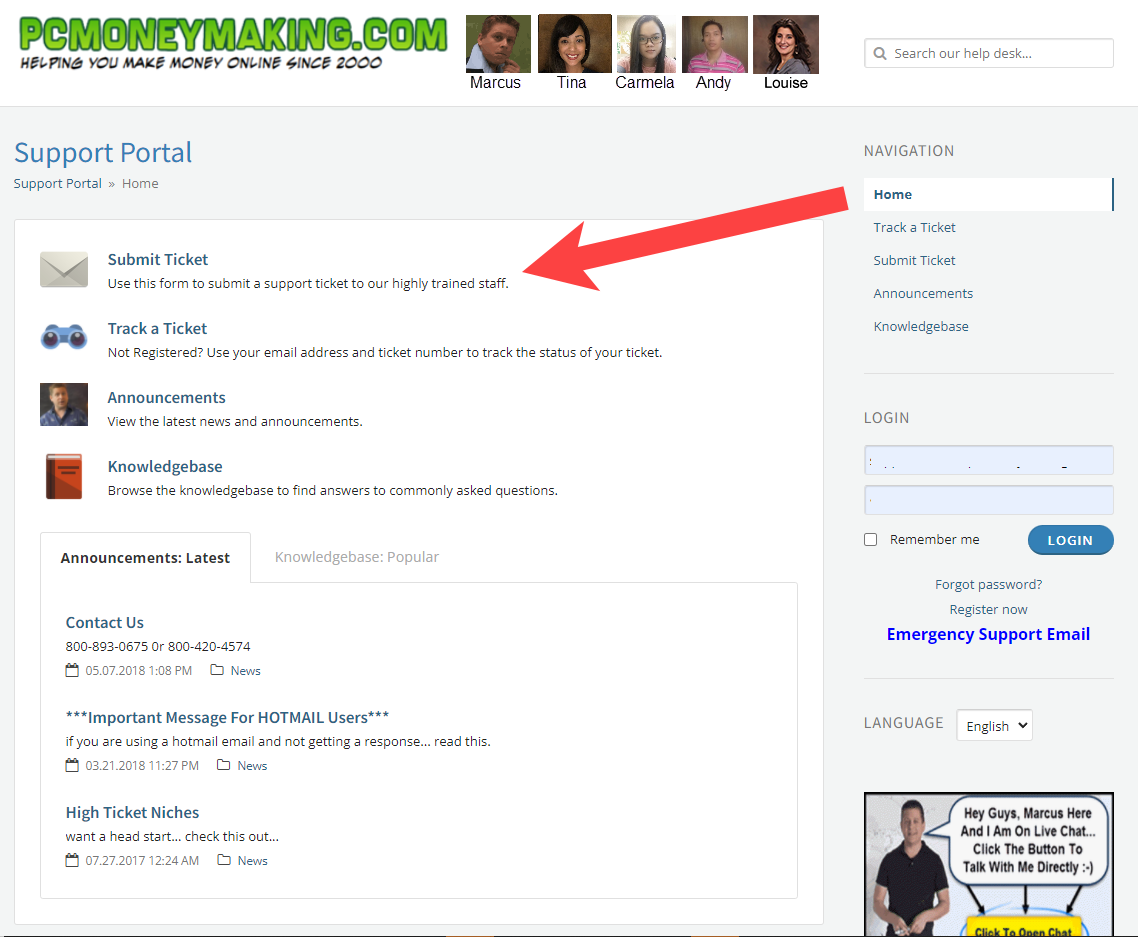
Step One: Go To Pcmoneymaking.com And Click Submit A Ticket
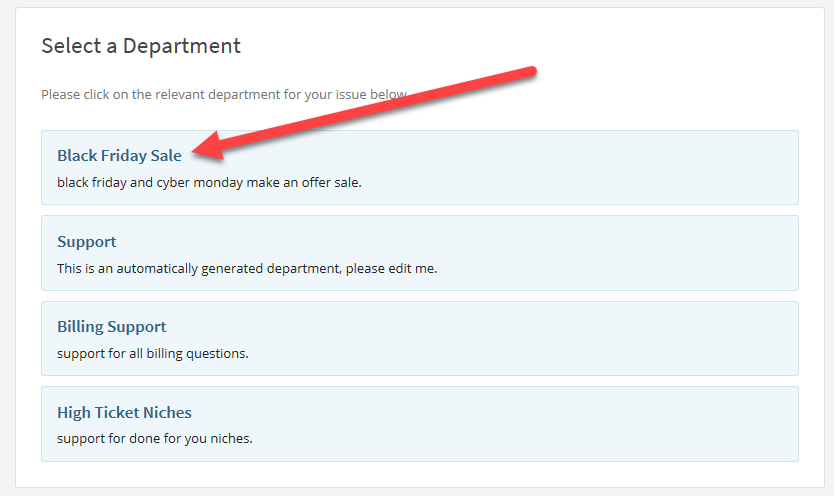
Step Two: Choose The Black Friday Sale Department And Enter Your Name And Email
Step Three: Choose Your Product (note the regular price)… And Enter Black Friday Offer In The Subject
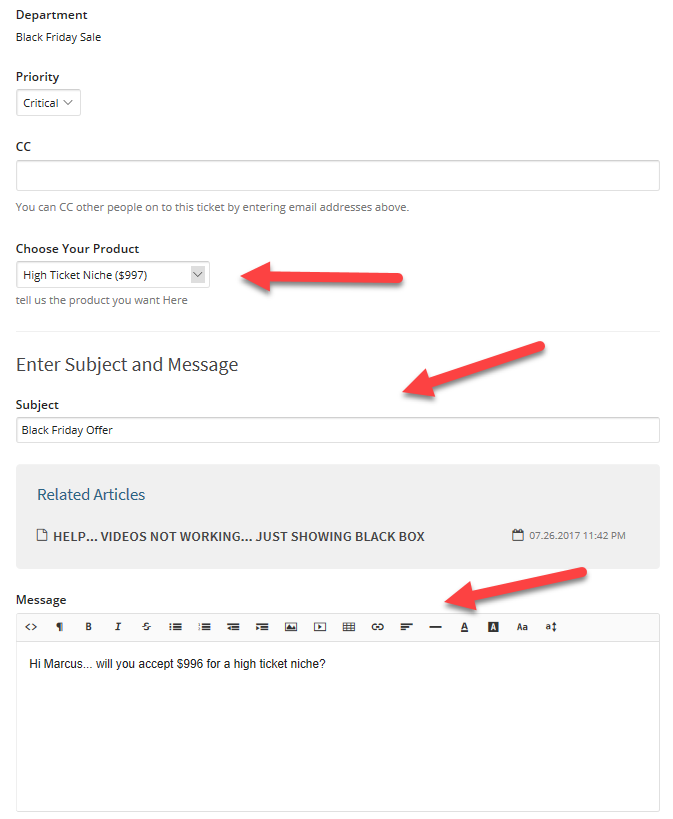
Step Four: Send A Message With Your Offer (price you are asking for) and submit.
Marcus will review your offer… if it is good you will receive a link to purchase at your accepted price… if its too low Marcus will counter your offer with a new one.
Which Program Is Right For You?
Standard High Ticket Niche (where marcus finds your niche, domain, and sets you up with 4X content, keywords, offers, and one year of support. $1277 (learn more here)
Simple Sites Big Profits: marcus flagship training course to learn all things internet marketing, affiliate marketing, and cpa affiliate marketing. $297 (learn more here)
NEW: PREMIUM HIGH TICKET NICHES (View All Domains Here)
This is by far the best place to start if it fits your budget… this is like what i am doing on the nerdgettingfit website that as of now has over 395 new rankings.
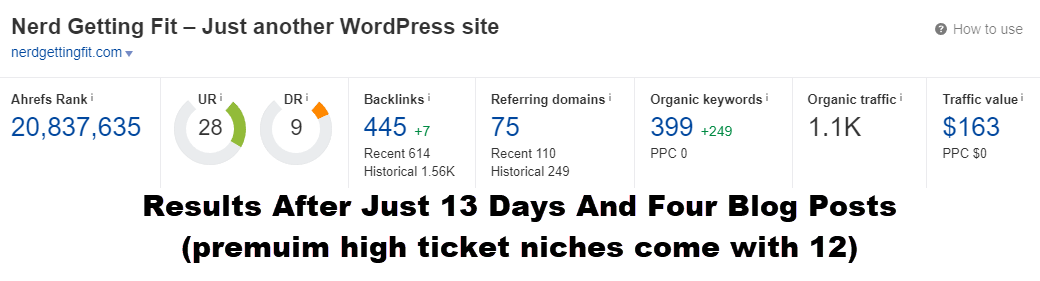
Note: we have over 37 PREMIUM Domains With High Quality Backlinks… If There Is AMarket You Want Let Us Know In Your Offer And We Can Pair A Premium High Ticket Niche With Your Desired Market… Just Say… Offer For PREMIUM “crypto” niche or basketball niche or whatever you like 🙂
cybergeeksoftware.com
PREMIUM DOMAIN OFFER = Domain + Setup + 12X Content + 1 year support!
$2,997
airbounceparty.com
PREMIUM DOMAIN OFFER = Domain + Setup + 12X Content + 1 year support!
$2,997
buildingagamingpcsite.com
PREMIUM DOMAIN OFFER = Domain + Setup + 12X Content + 1 year support!
$2,997
writerweb.org
PREMIUM DOMAIN OFFER = Domain + Setup + 12X Content + 1 year support!
$2,997
mylistgiant.com
PREMIUM DOMAIN OFFER = Domain + Setup + 12X Content + 1 year support!
$2,997
howtoapproachher.com
PREMIUM DOMAIN OFFER = Domain + Setup + 12X Content + 1 year support!
$2,997
smokehousepitbeef.com
PREMIUM DOMAIN OFFER = Domain + Setup + 12X Content + 1 year support!
Step One: Go To Pcmoneymaking.com And Click Submit A Ticket
Step Two: Choose The Black Friday Sale Department And Enter Your Name And Email
Step Three: Choose Your Product (note the regular price)… And Enter Black Friday Offer In The Subject
Step Four: Send A Message With Your Offer (price you are asking for) and submit.
Marcus will review your offer… if it is good you will receive a link to purchase at your accepted price… if its too low Marcus will counter your offer with a new one.
Motivation for Affiliate Marketers
Motivation for Affiliate Marketers — Must See: Get Motivated to Make Money — affiliatemarketingmc at Youtube.com
Internet Marketing Works
If someone were to ask me which part of this internet teaching job I hate the most, it would be convincing people that affiliate marketing works. A lot of people out there say it doesn’t work, or that it’s a scam.

Sometimes I get a little light at the end of the tunnel. People tell me that my methods worked for them. There are countless stories of people making money on YouTube. There are people who do reviews about cigars and give out the affiliate link for the cigar shop so people can buy them, and they get paid. There are entire communities of people doing wine videos. In the last year, the amount of YouTubers making over 6 figures a year has more than doubled. Tons of people are making full time livings online with affiliate marketing right now.
As you can see, this stuff works. My job isn’t to convince you. If you need convincing that internet marketing works, you need more help than I can actually give you. But if you’re here to actually learn how it works, then you’ll see some really cool ways to do this business.
Internet Marketing is Not Difficult
So many people think that internet marketing is difficult. This morning, I was talking to someone on live chat for one of my sites. He told me how things weren’t working, and it was so hard, and he felt like giving up. He’d been working at it for four hours.
First of all, four hours isn’t that much. Second of all, it’s not that hard. You sit with a mouse, clicking buttons, looking at a screen. You do all day anyway, on Facebook, on YouTube, on your email. You enjoy posts and content. You click on things and you learn. It’s the same thing with internet marketing. The only difference is how you feel about it. But with internet marketing, you get paid if you do it.
 Back in the old days, people worked for their food, they tilled the land and did all kinds of work, and they didn’t think anything of it. They didn’t think about how hard it was; it was just what they did. But somehow in American culture, in our day and age, we look at work as something very difficult. It’s not that difficult. Internet work is easy, but you have to do it. That’s the thing. So many people think that they can buy success. You can’t buy success. You can buy books and learn, but you can’t buy success.
When you try this business, your mindset is going to kick your butt. But the difficulty of the work is in your mind. It’s your mindset telling you something is not working, it’s hard, or it’s not going to happen. Stop thinking about the “normal” way people make money—they go to school, they get a job, they work really hard. Maybe when they retire, their house will be worth more than what they paid in interest and fees, and they’ll be able to sell it and get a few bucks. Maybe they can go on a trip, or a cruise, or something else. This is what society has taught us. It teaches us that work is hard, but it doesn’t have to be hard. We just think it does.
You Could Be Earning Right Now
You could be earning money right now if you really wanted to. You could create a video, create some other content, and get some traffic. It’s easy, and it’s so simple. You can buy a domain name for nine dollars, or you can go to GoHubSite.com and start a hub site, where you get a free domain name when you get web hosting, free traffic, and more.
It is so easy to make money online right now. I’m sitting here in my 10×14 office in my back yard, with my camera and my air conditioning, where I’ve made hundreds of thousands of dollars over the last few months just by doing the same thing. It’s not that hard to do.
Think about it. People are spending so much money on the internet right now, and it’s only your mindset that is stopping you. Are you going to let it stop you? I’m not. I’m going to sit down and make a video.
People might say, “But Marcus, what if no one likes your video?” Well, that’s tough. “But Marcus, didn’t you see all the haters on your video?” Well, for every one hater, there are 100 people making a difference in their lives and getting value. The Simple Sites Big Profits course has helped thousands of people learn this business.
So let people do their thing. Let them talk, because it’s not about them. It’s about us.
You might be thinking, “Well, Marcus, you’re just trying to sell your Simple Sites course.” You’re right, I am, because I know it’s going to work for you. I know that if you get it, and if you do the things that it says, it will work for you. It will show you how to build a site, how to put up a blog post, how to make little reviews, and maybe sell some cigars or books or whatever else people buy.
“But Marcus, $297 for your product is a lot of money.”
Well, how much is it going to cost you not to get it? How much will it cost you not to get the help that you need? How much will it cost in hours of trying to figure all of this out? Don’t ask how much it will cost. Ask how much it will help you earn.
 I’ve made it so easy for you, it’s not even funny. That’s why my product is non-refundable. I know the only reason it wouldn’t work is because you don’t do it and you don’t ask questions about it. All you have to do is say “Marcus, I built this site, what should I do?” “Marcus, this site’s not ranking.” “Marcus, I’m getting traffic, what do I do next?” And we’ll show you what to do next.
Is it guaranteed? No, it’s not guaranteed. You’ll most likely buy my product and do nothing with it. That’s what most people do. Or worse, they set up one blog, and they call it “Money”, and they don’t rank #1 on Google for the word “money”, so they think it doesn’t work. They don’t try new things. They don’t forge ahead.
Don’t be most people. Do the work and make the change. You can get the Simple Sites course at SimpleSitesBonus.com.
Get Started
The path has been paved. Everything is lined up for you to get started. You just need to get over the thought that it’s difficult. You need to get over the thought that I’m just teaching you so I can make money. You’re right, I am teaching you so I can make money—this is how we make a business. And in the process, you’re going to learn something.
If you’re ready to get past all the junk and learn exactly how this works, and you’re ready to start making a difference in your life, as so many people have, then go ahead. If you want to start a site and make $500 a month, $1,000 a month, $100,000 a month, or whatever you want to make, it’s right there in front of you. You just have to reach out and get it.
You have to do the work of getting in there and getting past your fear of failure. How do you get past your fear of failure? You stop caring. Who cares? No one’s going to care if your first site doesn’t make money. Wake up from your feelings of “I can’t do it”, and learn to do it—by doing it.

The fact of the matter is this: You can make a change in your life starting right now. You don’t have to read hundreds of self-help books. All you have to do is change your mindset and look at things for what they are. Stop putting all this weight behind the idea of money. Money is just a measurement. You want more? Be more. You want better finances? Be better. Provide more value to the marketplace. Be smarter. Learn more things.
Test a lot of stuff. Don’t give up. Don’t think that the system doesn’t work because you don’t work the system. It works. There are people out there that are making a living. If you’re sitting there complaining about your life and you want more, go get more. It’s very simple. You set it up, you tell yourself, “I’m going to go for this market, and I’m going to do it well.”
You don’t have to change your entire life. You just need to get started somewhere.
For more information, visit AffiliateMarketingDude.com.
Affiliate Marketing Guide PDF Download
Click here to download the original Simple Sites Big Profits Guide.
[smart-affiliate-ads group=”5″ position=”random” limit=”3″]
How to Get More Views on YouTube Live
How to Get More Views on YouTube Live: Increase Your Views – 5 Easy Live Streaming Tips — affiliatemarketingmc at YouTube.com
When you go live, how would you like to have a bunch of people sitting there, waiting for you to push the button, waiting to watch your stream, and have lots of people on that stream? Today we’re going to talk about 5 ways to get more views on your YouTube live stream.
#1: Look at Your Title / Tags
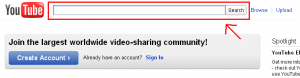
Title your stream related to whatever you’ll be going live about. Make sure your title is in line with things that are getting views. More importantly, you need to use keywords based on what people are searching for. Make sure that the title isn’t super competitive. You can do this by searching the title in quotes in the YouTube search bar. If you put your search in quotes, then it will show you how many people are using those search terms. If there are 9 million different results, then it’s pretty competitive. But if there are only 500, then you’ve got a winner. You also want to pay attention to your tags. If you don’t actively choose your tags, then they’ll revert to the default tags from your last video. Make sure the title and the tags match each other so that you have a better chance of ranking highly on the search engine.
#2: Schedule Your Live Stream in Advance
You have the ability to schedule when you’re going to go live. When you schedule your stream, you’re allowed to put your title and your tags in. Your subscribers will get a notification saying when your stream will go live, and when they click on that notification, there will be a countdown, and they can go and wait for your stream. If you’re consistent with this, you’ll get a lot more views.
#3: Have Good Live Content
Why does content matter? Aren’t we just after the views? If you don’t have good content, people are going to leave. YouTube sends out a notification, and all the people that are subscribed will get a little pop-up that says to go check out the live stream. If they go to the live stream, and they don’t like the content, then those people are going to leave and they’re not going to watch it. This will make your view count and your watch time drop. You want to get your view count and your watch time up really high.
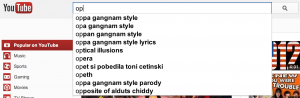
#4: Piggyback Off What is Hot
I found out that there were other people talking about live streaming and how to get more views, so I decided to make a video about it. If I piggyback off this search term, it’s going to work. Look at your niche, find out what people are doing, run searches, and find other category words you can use. You could literally build your entire audience on fads. People say not to go for the fads, but you can build a business on it if you do it right. If you base your live stream on something that’s getting a lot of traffic recently, then you’re going to have a better shot at getting that traffic, and you’ll get a lot more views on your live stream.
#5: Build a Mailing List and Announce Your Live Stream
You want to own your audience. You want people to go to your site, join your list, and subscribe. Once you own the traffic, you can do whatever you want with it. You can email these people and tell them to check out your live stream. On top of all the emails you send them, they’re also getting the YouTube notifications. So before you even start your live stream, there will be a crowd of people waiting for you.
For more information, visit www.AffiliateMarketingDude.com.
DIY Sales Funnel for Affiliate Marketers and Product Owners
DIY Sales Funnel for Affiliate Marketers and Product Owners: Build You List and Make Profit — affiliatemarketingmc at Youtube.com
Today, we’re talking about the product funnel. How do you get customers in? Where do they come from? Where do they go? What does it look like? We’ll be taking you step-by-step through the process so that you can see exactly how this works.
Building a Marketing Funnel: The Landing Page
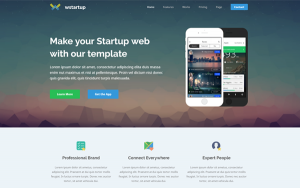
Everything always starts with a landing page. A landing page is a page someone lands on from your traffic source. If you buy paid traffic from Google AdWords, Bing, Yahoo, or something like that, and you send people to your site, that is now a landing page. If you send people directly to an affiliate offer, you’re sending them to the affiliate offer’s landing page.
Not everyone who visits your page will buy something, or fill out an affiliate offer, or click on the things that make you money. Most people will do the exact opposite. We find that the average amount of people who buy something strictly from traffic to the page is about 1% to 3%. If you get 100 clicks, that means 1 to 3 of them are going to buy something. It’s usually closer to the 1% number, and even less if you’re a beginner and don’t know what you’re doing.
That means out of 100 people who come to your website, 99 leave without doing much. And if you’re paying $1 a click, that means you wasted $99 on ineffective traffic that doesn’t convert. It gets worse when you start getting to the big numbers.
Make Your Landing Page into a Squeeze Page
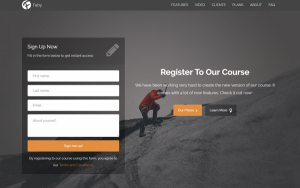
You always want to make a landing page, but in this case, for your product sales funnel, you make your landing page into a squeeze page. A squeeze page is a page that allows visitors to enter in their information. The idea is to get people from your squeeze page onto your mailing list, so that you can follow up with them and get more clicks.
The squeeze page takes those same 100 clicks and offers them something of value. People come to your page and it tells them to put their name and email in the box.
I’ve been doing this for many years, so we have hundreds of landing pages. If you’re starting out, you may have 5 landing pages and squeeze pages based on the top keywords in your market.
For example, let’s say you buy traffic for the keyword “Adsense”, and people come to your site. They want to learn how to make money with Adsense. You could have a simple squeeze page that tells visitors to get their free Adsense report. It might have a video that talks about what the report is going to show them. Visitors submit their information, and they go to your mailing list.
Building a Marketing Funnel: The Mailing List
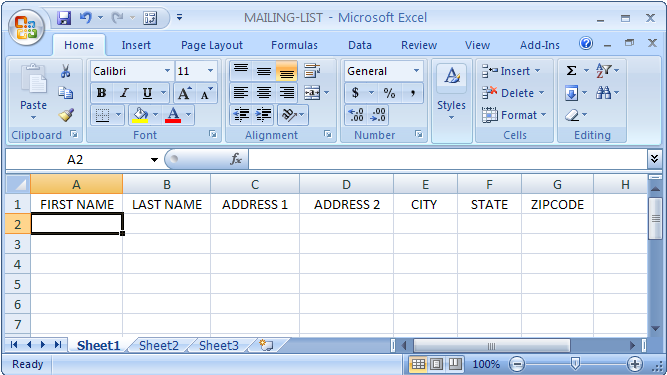
You will usually convert about 30% of the visitors that come to your site into your mailing list. So if you have 100 visitors, you will get 30 people on your list. If you do this every day, then at the end of the month, you’ll have 900 people on your mailing list. At the end of the year, you’ll have around 10,000 people.
Why is this important? Because if you have 10,000 people on your mailing list and you send an email out, chances are that around 10% will open your email. 5% to 7% of them are going to click. These people will go on a new email list. That means that at the drop of a hat, whenever you feel like it, you could generate 500 to 700 warm clicks. That is powerful stuff.
If you send an email every single day, which a lot of marketers do, that’s around 21,000 clicks a month, for free, from people who have already looked at your content.
And how do you send so many emails? This is through your email autoresponder.
Building a Marketing Funnel: The Autoresponder
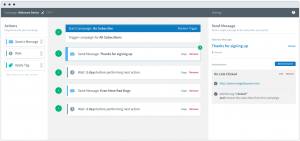
Once people come onto your mailing list, now they’re in your marketing funnel. You want to have a follow-up autoresponder. You write the emails ahead of time and you set up a system, so that the autoresponder automatically follows up and sends them out. You could take the new people on your list and have seven emails to send them over the next seven days. You could do it 365 days a year if you like, and you would be making money on autopilot. This is where a lot of the sales are made. Autoresponders often cost around $17 a month. Who wouldn’t do that?
Here’s an example. Let’s say you were helping people buy cars online.
- Squeeze page: “Want to learn the dealer invoice price? Put your name and email.” Your traffic opts in, and they get your follow-up autoresponder.
- Autoresponder, day 1: “Hey, did you find the price of that car yet? Here, let me help you out.“ It sends them to a video.
- Autoresponder, day 2: “Hey, did you learn this yet? Here, check this out.” It sends them another resource.
- Autoresponder, day 5: “Here’s a tip. When is the best time to buy a car?” It sends them to the information.
- Autoresponder, day 7: “Do you want me to look up the invoice car price? It’s $17.” That’s your tripwire.
- Autoresponder, day 14: “Do you want to learn how to negotiate prices? It’s $197.”
- Autoresponder, day 21: “Do you want me to do all the work and find you the best deal? That’s $997, and I guarantee I’ll save you at least 3 times on your car.”
Everything goes back to your sales, and all you have to do is focus on the funnel.
Building a Marketing Funnel:
Learning About Your Traffic and Selling the Product
When you send your traffic emails with product offers, then you can start to learn about them. You watch what they click on. You start to see what they’re interested in, and you can figure out what you want to sell. You can send them all kinds of product offers.
Selling the Product: The Tripwire
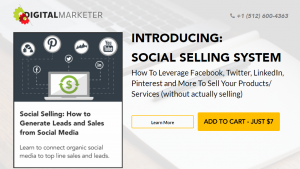
When trying to get someone onto their mailing list, a lot people like to go for what’s called an SLO, or a self-liquidating offer. This is also called the tripwire, and it’s used to get someone to buy something right away. You make it so easy that it’s simple for people to sign up. Since this offer is self-liquidating, it pays for all your traffic. But it’s not about making a bunch of money—it’s just to get people into your funnel have already bought your products.
Selling the Product: The Upgrade
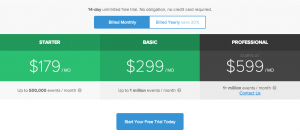
Tripwires aren’t so much about the money as they are about the ability to upgrade. People naturally want to go through a process. They naturally want more of you and the products you have to offer. They naturally want better things.
Keep this in mind when you’re thinking about making money and you don’t have a lot to start. In the beginning, if you do a lot of work to build something of value, then boom. You have something to sell over and over again.
Think about this in terms of what your market wants, not what you think they want. The idea is to have something for the majority of people on your list. Don’t focus on the ones who can’t afford it—focus on the ones who can. As you go down your list, you’re going to graduate people into the next thing. This works with affiliate offers, with your own products, with resell rights, everything. You want to gradually get your traffic down into the next offer.
Remember that in your market, at any time, there are people willing to spend lots of money. This can be difficult to grasp, because many of us don’t think that way. We look for things that are inexpensive and we want good deals. But there are people in this world who don’t care about price. You might not spend $1,000 or $10,000 on something, but that doesn’t mean there aren’t tons of people lined up to buy it. So many people miss out on sales because they’re not psychologically preconditioned to think that expensive stuff is hard to sell. It’s not.
If you’ve got something good, don’t be bashful. Don’t not push it because you think it’s too expensive There are people out there ready to get what you have to offer. If you’re doing a good job, if you’ve got a following, if you’ve got people listening and you’ve got their attention, you can sell pretty much whatever you want, as long as they’re interested in it.
Summary
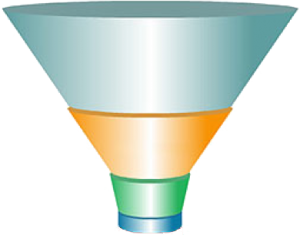
You can take your traffic through all kinds of different lists, but the goal is to beef it up.
If you can get 700 visitors to your site every day, that’s $21,000 visitors a month, or roughly 250,000 per year. If you’re only making 50 cents a click, you’re still making $125,000 a year.
But you can do a lot better than that. You can make a dollar a click, or three dollars a click. The sky is the limit, but you have to focus on the funnel. You’ve got to do it the right way, be clear, and be concise. You drive people through the process, get them into the funnel and keep their interest. You want to give them valuable stuff, and you want to graduate them down the chain of command to the things that cost a lot but also benefit them a lot.
No matter if you’re an affiliate marketer or if you’re creating your own product—this is how this works, and it works in any niche. As always, it’s important to provide value. You give lots of value, and then you sell.
For more information, visit www.AffiliateMarketingDude.com.
Affiliate Marketing with PPC: 300 Click Testing and Tracking
Affiliate Marketing with PPC – Fast Results: 300 Click Testing and Tracking — affiliatemarketingmc at YouTube.com
There is no failure, nor success. Only data. Today, we’re gonna talk about data driven results.
Too many people that want to be successful affiliate marketers don’t look at data. They look at success, failure, how they feel, how they think about something, or what they think is going to happen. But the fact of the matter is that numbers and data do not lie.

If you look at some of most valuable prized property in corporations in America and across the world, and what do they have in common? They have data and know how to use data. They know what’s going to happen. They know what their customers want and what response to expect.
Knowing how to use data = big profits.
You can get better results just by testing 300 clicks to a brand new website than you can all day long going to every marketing conference, reading every marketing book, and listening to every Youtube video on marketing.
If you throw 300 clicks at something, you’ll be lightyears ahead of where you are right now. It’s all about being able to have the guts to go out there and test something. Sure, it might not work. It might fall flat on its face. You might not get any views on your video. You might not make any money. But the data gives you results that you can learn from.
For example, if I set up a page and I drive 300 people to it, then I can gage what’s going on. I can see what they clicked on, what they didn’t click on, when they left, why they left, how many opted in, how many clicked on the link, what link they clicked on, if they scrolled down to the bottom of the page or if they looked at the top of the page.
And these are the kinds of things that you need to know to be successful online.
When I was a kid, I was really into science. One of the things I really liked about science was that there was no success, there was no failure, there was only the idea of results. Does something work the way you expected it to work? And if not, why? And this is one of the things that is lost in internet marketing and business.
You see, so many people want to set up one site and be rich overnight. That can happen, but for most of you, you’ll have to test your way to success.
For example, if you set up one website, you have to look at what the variables are. If you’re going for free search engine traffic and you’re not getting any traffic, you have to look at it and ask,
- Is the keyword good?
- Did I rank for the keyword?
If the keyword gets no traffic, then it doesn’t matter if you ranked for it. And if you’re not ranking for it, then you’re not going to get the traffic.
When I test a new site, I like to start with about 300 clicks. I like to do these with paid traffic. Before you say you don’t have money for paid traffic, you have to look at this objectively. Let’s say I’m spending anywhere from 10 cents to a dollar per click (a dollar is usually on the high end. Most of the traffic I buy is much less than that.) If I take 300 clicks, that means it will cost me anywhere from 30 dollars to 300 dollars. The goal is to break even while getting the data.
A lot of people look at this and think, will I just take the 300 dollars and pour it down the drain? I certainly hope not. I certainly hope you go through my course and figure out how this works so that you have a better chance of making it work.
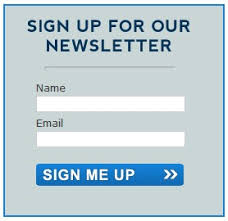
I like to take 300 visitors and drive them to my landing page. This is the page that they land on. When these 300 visitors come to my site, if I’m going for an opt-in box, which is collecting names and emails, I want to find out: Did they opt in? If they did, how many?
Throughout this week, I’ve been testing an opt-in page. It’s a new version of a page where it’s really straightforward and to the point. It had a background of a man and dog at the beach, and then it had an opt-in box. We did a 300 click test on this page, and at one point it was getting 65% opt-in rate. That means that 65% of the people that came to the page were putting their name and email in. There were 65 for every 100 people, so if you dd it up, that was 195 people to opt-in, or 195 leads. That’s good data.
If I have this data and don’t make any money, I still have something to work with.
[smart-affiliate-ads group=”5″ position=”random” limit=”3″]
Let’s say you’re doing affiliate marketing, and you do the 300 click test. You build your page the way you think it will work (and if you’re in my course, you can submit them for review), you focus on why the people came to you in the first place. You have an affiliate Bible toolbar, and you want users to download the toolbar so you can get 3 dollars. Off of this, if you drive 300 people to the site, how many are going to click on the download button?
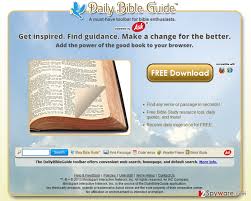
In my testing, I’ve seen that I can get 90 – 95% of people who come to my page to actually click on “download the Bible.” They don’t download it, but they do click it. Let’s say I get 95%, which is perhaps 280. Out of those 280 people, how many downloaded? If 10% downloaded, that means I get 28 downloads. Multiply that by 3 dollars, and now I’m making 84 dollars. If I’m spending less than that for the traffic, then I know it works.
In this example, the effective EPC (earnings per click) = 0.28% per click. You have to look at the variables. So many people set something up and say, it didn’t work, so whatever. They don’t go back and look at it.
If I did this test, and only 10% click on the Bible toolbar download, then that means I have 30 people and 3 downloads. This means instead of 84 dollars, I’m making 9 dollars. That wouldn’t work. I’d have to look at it and ask, why did only 10% click? How do I get more to click?
Affiliate marketing is all about the testing. Personally, I like to do it in my head and I like to use some of the tracking software that I have, which we give you as part of the Simple Sites course, like the Affiliate Tracker, Smart Affiliate Ads, and the Squeeze Blogs Pro. All of these tools we give you as part of the course so that you can test this stuff and find out, how many are clicking? How do you get more to click? How do you get more to do things on your site? If they’re watching a video, how can you get more people to the video?
For example, we just did a video as part of a Youtube collaboration. It didn’t cost me anything. My collaborator published his video and got about 4200 views. Out of those 4200 views, we had about 420 that went to my site. And of those 420, we were getting roughly a 50-60% opt-in rate, which means I got about 200 – 220 leads. That means 220 people came to my site, put their name and email in and said yes, I want more information from you. If I know those stats, now I can go anywhere.
Know your stats!
This is how you crush it in any market. And this is why affiliate companies are able to pay you so much money.
Am I telling you to take 300 bucks and go blow it on traffic? No. Do it calculated, do it right, look at it, and ask yourself, is this something I would click on if I clicked this ad? And remember, do not test blind. Know what to expect and why.

Most people in internet marketing would rather buy courses than actually test things out stuff out. But you have to get out there and test.
Internet marketing is unparalleled to anything else in history because where you’re sitting right now, whether it’s in sweats or a 3-piece suit, it doesn’t matter. You can reach the world.
We’ve had over 8 million impressions on our ads, and hundreds of millions of views on our sites. We’ve tested this stuff extensively. And if you look at some of the biggest companies in the world, they are constantly testing at lightning speed. You have to do this if you want to make money.
This works whether you’re paying for traffic, whether you’re making Youtube videos to get views or people to your site, or whether you’re doing search traffic. Everything comes down to data. What worked and why? What didn’t work and why?

Do more of what works. Do less of what doesn’t. And don’t cry that you’ve failed, because you’ve only failed when you give up.
You have to look at this stuff through the eyes of the visitor. Remember, you’re testing to find out what people do. There’ are people looking at your website and asking, what should I do? Why should I click, and how is it going to work? The key is knowing what’s going to work. Knowing what people click on, what people respond to, what buttons get more clicks, what downloads people like, knowing what words people are looking for on the site.
The market tells you what they want. As an affiliate, you can figure out what they want, you can write your page based on that, and you can sell the product as an affiliate. If you can learn what people tell you through the form of stats on your website, then you can make a lot of money online.
To get the course, go to www.SimpleSitesBonus.com.