Making Money With Ai – Building In Public
Join Ai Profit Scoop Elite Here
FOLLOW OUR DAILY VIDEOS – SUBSCRIBE HERE
How I Use AI / Manis To Make Money Online
Main Video Angle
Theme:
Documenting how AI is used in a real online business every day.
Core hook:
“I’ve made over a million dollars with AI tools like Manis, and in this series I’m going to show what I actually do day-to-day.”
Main promise:
This is not theory. The series will show real AI projects, real workflows, real tools, real content, real websites, and real monetization methods.
Important Disclaimer
Results are not typical, implied, or guaranteed.
Even though Marcus has made millions online and over a million using AI-assisted workflows, most people who try to make money online make nothing.
This needs to be presented as:
“This is a business. It takes work. It takes effort. Even if you do everything right, there is no guarantee it will work.”
Big Idea
Most people do not need “more AI content.”
They need to know:
- What to build
- What data to collect
- What tools to create
- What businesses actually make money
- How AI helps with the heavy lifting
- How to turn AI output into websites, products, videos, memberships, and affiliate assets
The key phrase:
“AI is not just a writer. AI is a data analyzer, builder, organizer, and business accelerator.”
Main Uses of Manis AI
Join Ai Profit Scoop Elite Here
FOLLOW OUR DAILY VIDEOS – SUBSCRIBE HERE
1. Researching Niche Markets
Marcus uses Manis to research markets, niches, income reports, success stories, and business models.
Examples mentioned:
- Finding bloggers with income reports
- Finding small companies that succeeded on social media
- Researching niche opportunities
- Finding affiliate program angles
- Looking at review websites and how they make money
- Reverse engineering successful businesses
Money angle:
Research becomes content, tools, videos, reports, directories, webinars, and paid products.
2. Building Web Apps, Tools, Calculators, and Counters
Marcus says he has created over 100 different web apps.
Examples:
- Calculators
- Counters
- Data visualizers
- HTML pages
- Video note generators
- Business dashboards
- Wedding planner spreadsheet turned into an app
- Webinar replay page builders
Key idea:
Small tools can attract traffic, create videos, collect leads, and promote affiliate offers.
3. Creating Video Assets
Manis is used heavily for video prep.
Examples:
- Video notes
- YouTube outlines
- Thumbnail ideas
- Social media images
- HTML animations
- Green-screen earnings screenshots
- Slideshows from affiliate earnings
- Data visuals for videos
Money angle:
AI reduces editing time and creates more video assets faster.
4. Turning Webinars Into Products
Join Ai Profit Scoop Elite Here
FOLLOW OUR DAILY VIDEOS – SUBSCRIBE HERE
One strong example:
Marcus took a 6-hour webinar, put it into Manis, and had it:
- Transcribe the webinar
- Create notes
- Build a dashboard
- Turn it into a digital product
Big lesson:
Long-form content can become paid products, members areas, reports, checklists, dashboards, and training assets.
5. Building Membership Areas
Examples mentioned:
- AI Profit Scoop Elite
- Personality Prompts
- Prompt vaults
- Google dork files
- Niche vaults
- Resource libraries
- AI-created members areas
Key point:
Manis was used to create the structure, assets, and content for membership-style products.
6. Creating Webinar Slides and Sales Assets
Marcus mentions Personality Prompts was one of his most profitable webinars, and Manis helped create:
- Slides
- Members area
- Prompts
- Product assets
The webinar itself has done six figures so far.
Important note:
Marcus says he read the webinar himself, but the supporting assets were built with AI.
7. Building Affiliate Marketing Assets
AI is used for:
- Finding affiliate programs
- Creating affiliate advertorials
- Finding Amazon affiliate niches
- Researching high-cost CPC keywords
- Finding legal keywords
- Creating niche directories
- Building content around buyer intent
- Making offer lists and comparison pages
Core idea:
AI helps find where the money already is.
Specific Examples Mentioned
Join Ai Profit Scoop Elite Here
FOLLOW OUR DAILY VIDEOS – SUBSCRIBE HERE
Personality Prompts
A prompt-based business created with AI.
- Created in Manis
- Built into a members area
- Used for a webinar
- Has made over six figures
- Still has potential to relaunch or build back up
Clipter
A tool for:
- Tracking ideas
- Getting insights
- Finding viral angles
- Making schedules
- Organizing content ideas
AI Profit Scoop Elite
Includes:
- Google dork files
- Proven niche vault
- Prompts
- Research tools
- Resource dashboards
- AI-created content and systems
Visual Capitalist Business Model Notes
Used as an example of turning business/data research into video content.
Facebook Profit Strategies
AI used to research and prepare content around Facebook traffic and monetization strategies.
Online Review Affiliate Models
AI used to research review sites and affiliate income models.
Penny Hoarder Advertorial Business
Mentioned as one of the more successful videos of the year.
Legal CPC / SpyFu Research
AI used to find high-cost legal keywords and organize them into content or business opportunities.
Addiction Channel Research
Manis was used to research:
- Brain flaws
- Cognitive biases
- Addiction struggles
- How those concepts apply to addiction content
Result: enough ideas for many future videos.
Finance Lessons for Faceless Videos
AI used to turn finance lessons, stories, and concepts into video content ideas.
Join Ai Profit Scoop Elite Here
FOLLOW OUR DAILY VIDEOS – SUBSCRIBE HERE
Strong Teaching Points
AI Works Best With Specific Data
The video repeatedly comes back to this idea:
The more specific the data, the better the AI output.
Examples:
- Give it screenshots
- Give it webinars
- Give it income reports
- Give it website examples
- Give it affiliate programs
- Give it competitor pages
- Give it successful videos
- Give it thumbnails to analyze
Then AI can organize, summarize, compare, and turn the data into useful assets.
AI Saves Time and Money
Marcus makes the point that tasks that could cost:
- Thousands of dollars
- Weeks of research
- Months of organizing
Can sometimes be done with AI overnight or for a very low cost.
AI Should Be Used To Build Things
The emphasis is not just writing articles.
Better AI uses include:
- Tools
- Apps
- Dashboards
- Data pages
- Membership areas
- Reports
- Webinars
- Video assets
- Lead magnets
- Affiliate pages
- Niche databases
- Search tools
- Prompt libraries
- Resource vaults
Series Concept
Name / Angle
Possible series positioning:
“What I Did With AI Today”
or
“Building In Public With AI”
or
“AI Money Tasks: One Real Project Per Day”
Format
Each weekday, show one real thing done with AI.
Examples:
- Build a tool
- Research a niche
- Create video notes
- Turn a webinar into a product
- Build a replay page
- Make a thumbnail
- Analyze successful videos
- Find affiliate offers
- Build a niche directory
- Create a calculator
- Make a membership vault
- Turn data into a visual video
Repeated CTA
The viewer should:
- Like the video
- Subscribe
- Go to AIProfitScoop.com
- Comment what they want Marcus to test or explain next
Strong Quotes / Lines To Use
“AI is not just for writing more content. It’s for finding the money, organizing the data, and building the thing.”
“Most people are using AI for busy work. I want to show you how I use it for money work.”
“This is not theory. This is what I actually do in my business.”
“The goal is not to make AI content. The goal is to build assets that can make money.”
“Every day, I’m going to show one thing I did with AI that helps move the business forward.”
“AI does the legwork. I still decide the strategy.”
“Data is the real money play.”
“Most people don’t need another prompt. They need to see what a real AI-powered business day looks like.”
Join Ai Profit Scoop Elite Here
Turn One Viral Video Into A Whole Business
From One Viral Video to a Full Online Business
Get Instant Access To Marcus Faceless Video Profits Course Here
make money with ai videos without showing your face
Turn 178,000 Views Into a Monetization Roadmap — And How You Can Too!
Can one video change your life?
Can a single piece of content become the foundation of a full-time online business?
The answer is yes — but only if you know exactly what to do after the views start rolling in.
Most creators don’t.
They get the viral moment, celebrate the spike in analytics, and then watch it fade away without ever converting that attention into real, lasting revenue.
Get Instant Access To Marcus Faceless Video Profits Course Here
make money with ai videos without showing your face
This post breaks down a real conversation with Pete, the creator behind Sweet Orchard, a gardening and food forest channel. Pete had been making videos for about a year when one video — a simple tutorial on how to prune a fig tree for more figs — exploded to over 178,000 views in just a couple of weeks. The ad revenue? About $460. That’s it. Barely enough to cover the cost of the equipment used to film it.
Get Instant Access To Marcus Faceless Video Profits Course Here
make money with ai videos without showing your face
Part One: The Origin Story — Why Passion-Driven Niches Win
From Ornamental Landscaping to Food Forests
Why He Started Making Videos
Part Two: The Viral Video — What Happened and Why It Matters
The Fig Pruning Video
Why the Video Worked: Understanding the Algorithm
The “Pigeonhole” Effect — Embrace Your Identity
Part Three: Content Strategy — Building the Backlog That Becomes Your Business
The Viral Video Is the Front Door. Your Backlog Is the House.
The Rule of 20 and Finding Your Outlier
Identifying Your Content Buckets
|
Content Bucket
|
Example Title Format
|
Why It Works
|
|
The How-To
|
“How to Prune a Fig Tree for More Figs”
|
Answers a specific search query; attracts people with intent
|
|
The Number List
|
“12 Perfect Vegetables to Grow in Small Spaces”
|
Promises clear, digestible value; easy to thumbnail
|
|
The Shock/Sensation
|
“I Got 1,000 Figs From One Tree — Here’s How”
|
Triggers curiosity and disbelief; highly shareable
|
|
The Mistake/Warning
|
“Stop Making This Fertilizer Mistake”
|
Taps into fear of loss; high emotional engagement
|
|
The Truth Reveal
|
“The Shocking Reason Your Plants Aren’t Growing”
|
Positions you as the expert with insider knowledge
|
|
The Comparison
|
“Raised Garden Bed vs. In-Ground: Which Is Better?”
|
Captures people at the decision-making stage
|
|
The Experiment
|
“I Tested Every Carrot Germination Method — Here’s What Happened”
|
Builds authority; highly shareable among enthusiasts
|
Using AI to Build Your Content Pipeline
Search Traffic vs. Viral Traffic — You Need Both
Part Four: Building Your Email List — The Asset That Actually Belongs to You
Why Your YouTube Subscribers Are Not Really Yours
Here is a hard truth that every creator needs to internalize: you do not own your YouTube audience. YouTube does. If the platform changes its algorithm, demonetizes your channel, or shuts down your account for any reason, your audience is gone. You have no way to reach them.
The only audience you truly own is your email list. An email list is a direct line of communication to your most engaged followers. You can reach them anytime, without paying for ads, without fighting an algorithm, without hoping the platform decides to show your content to people.
Get Instant Access To Marcus Faceless Video Profits Course Here
make money with ai videos without showing your face
The Lead Magnet Strategy
To get people onto your email list, you need to offer them something valuable in exchange for their email address. This is called a lead magnet. The best lead magnets are highly specific, immediately useful, and directly related to the content that brought the person to you in the first place.
For Pete’s audience, strong lead magnet ideas include:
Choosing the Right Domain Name
Your lead magnet needs a home — a landing page where people can enter their email and receive the free resource. The domain name for this page matters more than most people realize.
The rule is simple: if someone has to think about how to spell it, you have already lost them. Avoid complex branding, unusual spellings, or names that require explanation. Choose something that is immediately obvious, easy to remember, and directly descriptive of what you are offering.
Examples of strong domain names for a gardening lead magnet:
•PetesGrowingGuide.com
The domain is not about branding your entire business. It is about getting people to take one specific action: enter their email address.
Make that action as frictionless as possible.
Email Marketing Tools and Keeping It Simple
Many new creators get overwhelmed by the complexity and cost of marketing software. Funnel builders, CRM platforms, and all-in-one marketing suites can cost hundreds or even thousands of dollars per year. For someone just starting out, that overhead is unnecessary and often counterproductive.
The recommendation here is to keep it simple. A basic web hosting plan at around $9 per month, a simple landing page, and a reliable email marketing service is all you need. The most important feature of your email tool is deliverability — the emails actually reaching people’s inboxes. A large email list is worthless if the messages end up in spam folders.
Part Five: Monetization — The Full Stack of Revenue Streams
Ad Revenue Is Just the Starting Point
Let’s be honest about ad revenue. At 178,000 views, Pete made $460. That is roughly $2.50 per thousand views, which is a typical CPM (cost per thousand impressions) for a general gardening audience. If that same video had been about credit cards, mortgages, or software, the CPM could have been 10 to 20 times higher. But even in a high-CPM niche, ad revenue alone is rarely enough to build a business on.
Ad revenue is a nice bonus. It is not a business model. Here is the full stack of monetization options, organized from lowest to highest earning potential:
Get Instant Access To Marcus Faceless Video Profits Course Here
make money with ai videos without showing your face
|
Revenue Stream
|
Effort Level
|
Earning Potential
|
Notes
|
|
Ad Revenue
|
Low
|
Low
|
Passive but requires massive scale
|
|
Affiliate Links
|
Low-Medium
|
Medium
|
Recommend products you already use
|
|
Digital Downloads
|
Medium
|
Medium-High
|
Guides, printables, templates
|
|
Online Courses
|
High
|
High
|
Deep expertise packaged into curriculum
|
|
Membership/Community
|
High
|
High
|
Recurring revenue; ongoing relationship
|
|
Services/Consulting
|
Very High
|
Very High
|
Highest value; most time-intensive
|
Affiliate Marketing in the Gardening Niche
Affiliate marketing is the practice of recommending products and earning a commission when someone buys through your link. In the gardening and food growing niche, there is an enormous range of products that your audience is already buying:
•Books and educational resources on permaculture and food forests
The hydroponics sub-niche, for example, is particularly lucrative. Hydroponic towers and systems are expensive, and the affiliate commissions reflect that. A single sale of a hydroponic system could earn more than an entire month of ad revenue from a small channel.
Digital Products: The Highest-Leverage Business Model
Digital products — ebooks, guides, courses, templates, printables — are the highest-leverage business model available to content creators. You create them once and sell them indefinitely. There is no inventory, no shipping, no manufacturing cost. The margin is essentially 100%.
For Pete’s audience, the digital product opportunity is enormous:
Low-ticket products ($7 to $27):
•A done-with-you program where Pete works directly with clients to plan and build their food forest
The Power of Stacking Revenue Streams
The real magic happens when you stack these revenue streams on top of each other. Consider this scenario:
Get Instant Access To Marcus Faceless Video Profits Course Here
make money with ai videos without showing your face
Part Six: The Course Creation Strategy — Build It Right the First Time
Should You Build the Course First or Pre-Sell It?
The Webinar Launch Strategy: Step by Step
This is one of the most powerful and underused strategies in the online education space. Here is exactly how it works:
Phase 1 — Announce the Webinar. Tell your email list and your YouTube audience that you are hosting a live, comprehensive training session on a specific topic. Be specific about what they will learn and what outcome they will achieve. For Pete, this might be: “Join me this Saturday for a live 3-hour deep dive into building the perfect soil for growing fruit trees without chemicals.”
Phase 2 — Price It Low. Charge a price that feels almost uncomfortably low for the amount of value you are delivering. Something in the $27 range. The low price removes the barrier to entry and gets as many people as possible into the room. More importantly, it forces you to commit. You have sold tickets. People are expecting you on Saturday. You have to show up.
Phase 3 — Deliver Massive Value. Show up and teach everything you know. Go deep. Answer questions. Be generous with your expertise. The people in that room are your best customers — they paid to be there, they are engaged, and they are learning from you in real time.
Phase 4 — Record Everything. Record the entire session in high definition. Also capture the screen share separately so you have both the presenter view and the content view. This raw recording is the foundation of your course.
Phase 5 — Organize and Structure the Content. After the webinar, use AI tools to help you organize the content into a structured curriculum. Create a grid or dashboard that breaks the material into clear modules and lessons. Add checklists, resource lists, and supplementary materials.
Phase 6 — Upsell the Dashboard. At the end of the live webinar, tell your attendees that you are turning everything they just experienced into a fully organized, interactive dashboard — with checklists, tools, guides, and all the resources they need. Offer them early access to this complete package at a higher price point, such as $297. Because they just spent three hours with you and received enormous value, the upsell conversion rate is typically very high.
Phase 7 — Deliver and Sell Forever. Fulfill the promise. Get the dashboard built and delivered within a few weeks. Now you have a high-value digital product that you can sell indefinitely — to your email list, through your YouTube channel, and through any other traffic source you develop.
Part Seven: Scaling the Business — Social Media, Outsourcing, and Long-Term Growth
Repurposing Content Across Platforms
Owning Your Niche: The Long-Term Vision
The Mindset Shift: From Creator to Business Owner
Key Takeaways and Action Steps
Get Instant Access To Marcus Faceless Video Profits Course Here
make money with ai videos without showing your face
The Viral Video Business Blueprint at a Glance
Final Thought: The Right Audience Is Everything
Get Instant Access To Marcus Faceless Video Profits Course Here
make money with ai videos without showing your face
Google Full Ai Mode – HUGE Opportunity?
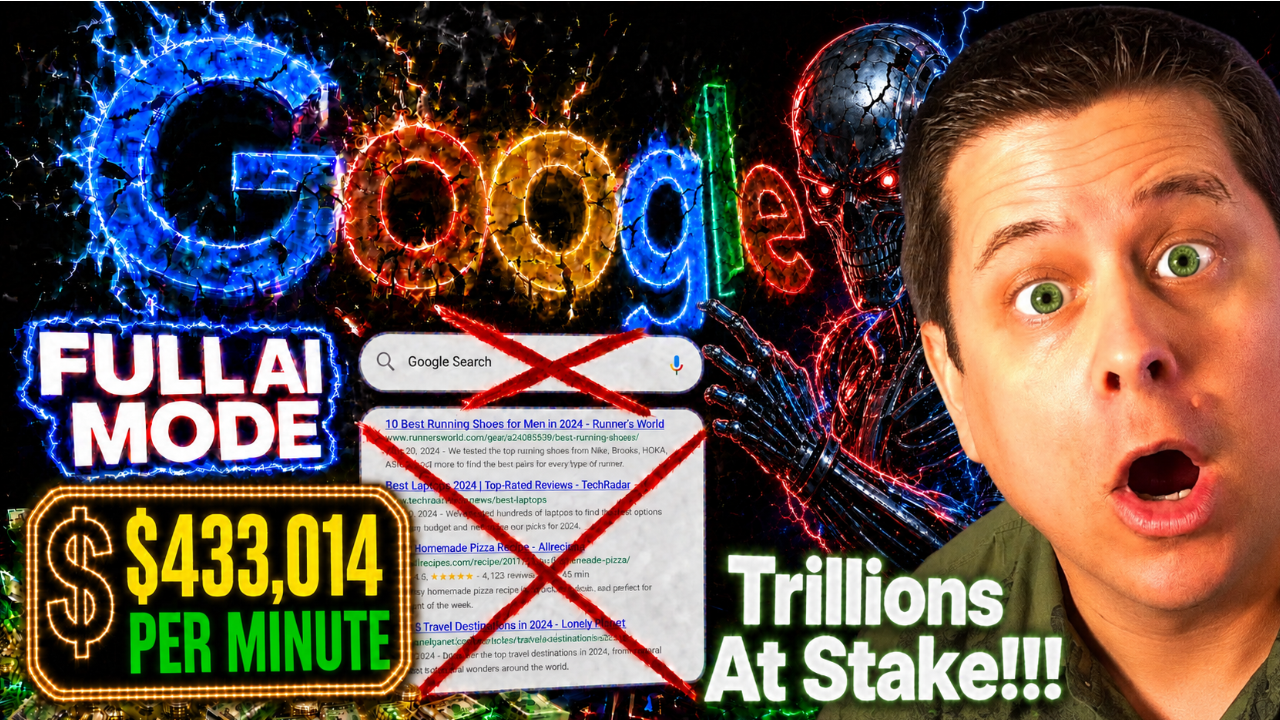
Ai Search Box = Profit?
Teaching Faceless Videos Back In 2015
Click Here To Join Marcus’ Faceless Video Class
here are the videos i made from the training above…

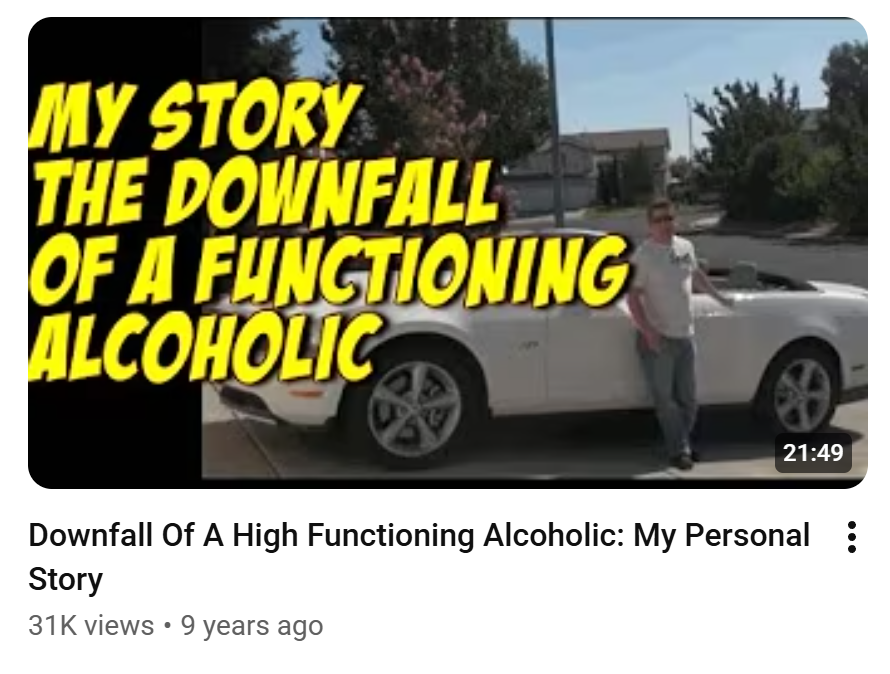
Click Here To Join Marcus’ Faceless Video Class

150,000 VIEWS… in this market
Click Here To Join Marcus’ Faceless Video Class
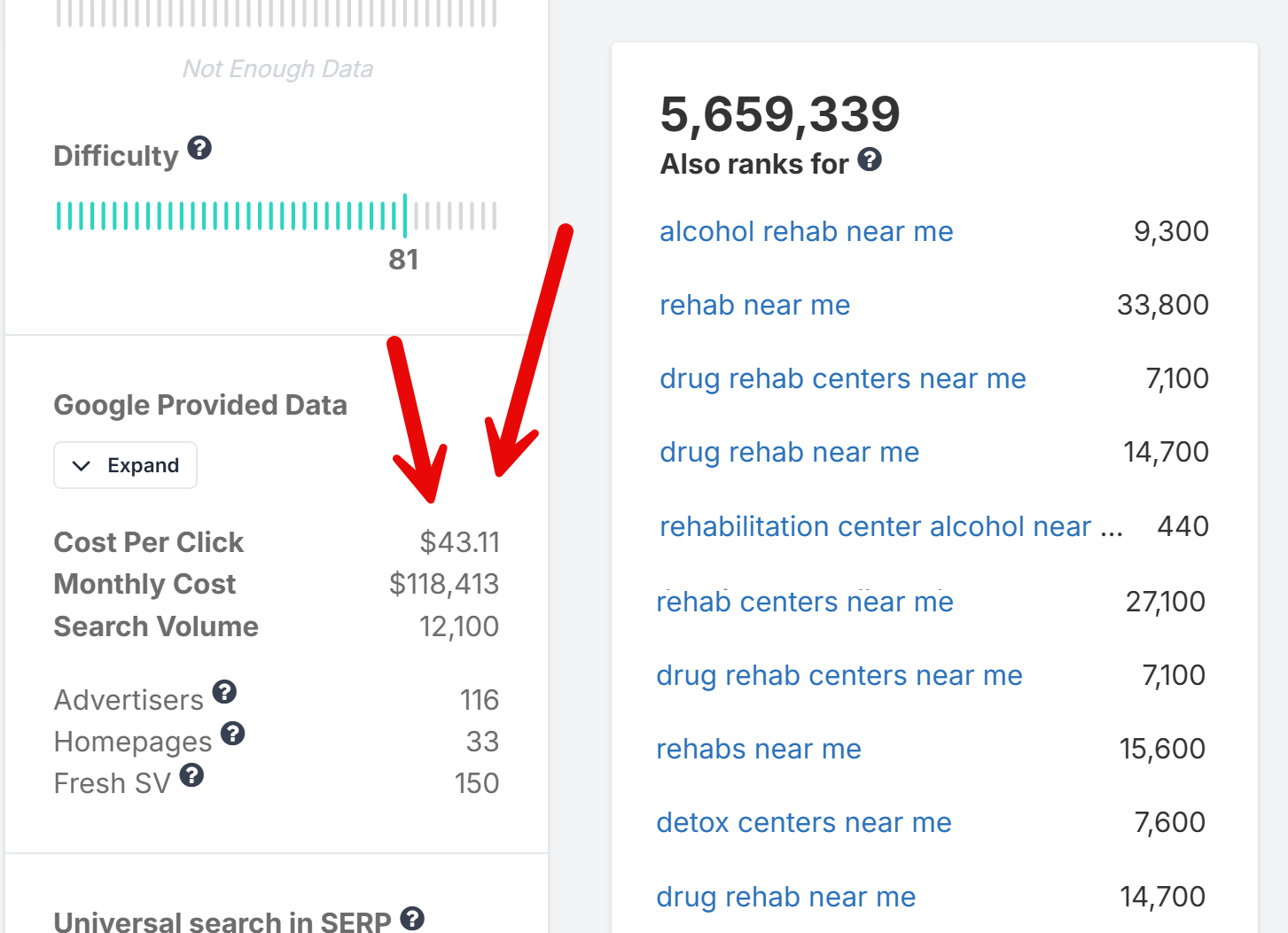
Click Here To Join Marcus’ Faceless Video Class
$10M Website Building Secrets
101 Landing Page Conversion Elements
The complete notes from the AI Website Workshop — every element, every tip, every AI prompt strategy.
Join Saturday’s FULL AI Website Workshop
Get Free Notes & Cards at LandingPageDude.com
What You’ll Learn In These Notes
These are the complete notes from the AI Website Workshop — a deep-dive into the 101 specific elements, psychological triggers, and structural components that separate high-converting landing pages from the ones that bleed money. Whether you’re building affiliate funnels, lead gen pages, sales pages, or opt-in forms, every element in this guide has been tested and proven by top CRO experts including Neil Patel, Unbounce, KlientBoost, and ClickBank’s top earners.
We’ve also built a free resource hub at LandingPageDude.com where you can download chalk-style infographic cards for all 101 elements, plus 303 AI prompts to build each one. The first 21 elements are completely free.
Free Resource: Download the 101 Landing Page Element cards + AI prompts at LandingPageDude.com/thankyou.html — 21 free elements, 63 free AI prompts, no credit card required.
Table of Contents
- Above the Fold (Elements 1–15)
- Psychological Triggers & Copywriting (Elements 16–30)
- Interactive & Engagement Elements (Elements 31–45)
- Trust, Authority & Social Proof (Elements 46–60)
- Design & UX (Elements 61–75)
- Affiliate-Specific & Funnel Elements (Elements 76–85)
- Checkout & Bottom of Funnel (Elements 86–90)
- Advanced Optimization (Elements 91–101)
Above the Fold: First Impressions & Hooks (Elements 1–15)
The area “above the fold” — what visitors see before scrolling — is the most critical real estate on any landing page. Studies show you have 3–5 seconds to capture attention before a visitor bounces. If you lose them here, nothing else on the page matters.
Tech Stack: HTML/CSS, minimal JavaScript. No database needed.
AI Strategy: Prompt AI to write benefit-driven headlines using proven frameworks (AIDA, PAS). Ask AI to generate HTML/CSS for hero sections with responsive design.
#1 — Benefit-Driven Headline
Your headline is the first — and sometimes only — thing a visitor reads. A benefit-driven headline answers the visitor’s #1 question: “What’s in it for me?” It sets the tone for everything below it and determines whether they read on or leave.
- Direct Benefit: State exactly what the user gets — no fluff, no cleverness. “Lose 10 Pounds in 30 Days Without Giving Up Pizza” beats “Transform Your Life Today.”
- Indirect Benefit: Solve the pain without naming the product. Focus on the outcome: “Finally Sleep Through the Night Again” speaks to the result, not the pill.
- Hidden Benefit: Tease a secret or surprising result. “The 4-Minute Morning Routine That Doubles Your Energy” creates curiosity AND promises a benefit.
- Bold Font & Contrast: Use large, high-contrast type — minimum 32px on desktop. Yellow on black, white on dark, or black on white all convert well.
- Message Match: Mirror the exact language from the ad that sent them here. If your ad says “Free Keto Meal Plan,” your headline should say the same.
- Test 3 Variants: Always A/B test at least 3 headline variants. Small wording changes can swing conversion rates by 30–50%.
#2 — “How-To” Headline Formula
“How To” headlines work because they promise a specific, actionable result. The brain is wired to seek solutions, and “How To” signals that a solution is coming. This formula has been used by Gary Halbert, John Caples, and David Ogilvy in their most successful ads.
- Specific Outcome: Name the exact result — “How To Get 100 Leads a Day Using Free Traffic” beats “How To Get More Leads.”
- Time Frame: Add a deadline — “How To Lose 10 Pounds In 21 Days” creates urgency and specificity that boosts credibility.
- Remove Objection: Use “without X” — “How To Make $500/Day Without Selling Anything” removes the biggest objection upfront.
- Step-by-Step: Number the steps — “How To Build a Sales Funnel in 5 Simple Steps” implies ease and a clear path.
- Even If Qualifier: Add “even if” — “How To Start Investing Even If You Have No Money” overcomes the #1 excuse.
- Question Format: “How Do You Get 1000 Subscribers in 30 Days?” — question format invites the reader to self-reflect and seek the answer.
#3 — Agitator Headline Formula
Pain is a stronger motivator than pleasure. The agitator formula taps into frustration, fear, or exhaustion to create an emotional reaction that forces the reader to stop and pay attention. Used heavily in weight loss, finance, health, and relationship niches.
- Frustration Hook: “Sick of Wasting Money on Ads That Don’t Convert?” — tap into a daily struggle they know intimately.
- Fear Agitator: “Are You Making These 7 Deadly Landing Page Mistakes?” — show what could go wrong if they don’t act.
- Exhaustion Frame: “Tired of Working 60-Hour Weeks for Someone Else’s Dream?” — mirror their inner monologue exactly.
- Question Format: Questions force the reader to answer mentally, creating engagement before they even read the body copy.
- Bold Pain Word: Use power words: struggling, wasting, stuck, failing, broke, exhausted — words that sting a little.
- Relatable Scenario: Paint a specific scene: “Still Checking Your Bank Account Before Every Grocery Run?” makes it visceral.
#4 — Outcome-Based Subheadline
Many visitors skim the headline and subheadline before deciding to read further. The subheadline should expand on the headline’s promise, add a key benefit, and pull them deeper into the page. It’s the bridge between the hook and the body copy.
- The Clarifier: Explain exactly what the headline means — “Discover the 3-step system that 14,000 beginners used to quit their 9-5 in under 90 days.”
- The Validator: Back it with a number or proof — “Used by 47,000+ affiliates to generate $2M+ in commissions last year.”
- The Curiosity Deepener: Tease what’s inside — “Including the one traffic source 99% of marketers ignore — that converts at 8x the industry average.”
- Short & Punchy: Keep it under 2 lines. Long subheadlines lose readers. One strong sentence is better than three weak ones.
- Contrast with Headline: If headline is bold/emotional, make subheadline factual/specific. The contrast creates credibility.
- Use Second Person: “You’ll discover exactly how to…” — speaking directly to the reader increases engagement and conversion.
#5 — Hero Shot / Image
Humans process images 60,000x faster than text. The right hero image can double conversion rates by instantly communicating what words take paragraphs to explain. It sets the emotional tone and builds desire before the visitor reads a single word.
- Show the Result: Don’t show the product — show the outcome. Before/after photos, lifestyle shots, or results screenshots convert far better than product photos.
- Real People Convert: Stock photos of generic smiling people hurt conversions. Real photos of real customers, the founder, or authentic lifestyle shots build trust.
- Directional Cues: Have the person in the image look toward your CTA or headline. Eye-tracking studies show visitors follow the gaze of people in images.
- Product in Context: If you must show the product, show it in use — a supplement bottle next to a fit person, not floating on a white background.
- Mobile Optimization: Test how your hero image looks on mobile. Many desktop hero images get cropped badly on phones and destroy the message.
- A/B Test Aggressively: Hero image tests often produce the biggest conversion lifts of any element. Test: person vs. product, lifestyle vs. result, male vs. female.
#6 — Video Sales Letter (VSL)
Video sales letters consistently outperform text-based pages for high-ticket offers, supplements, and info products. They control the pace of information delivery, build emotional connection through voice and story, and can present proof in a way that text cannot match.
- Hook in First 10 Seconds: If you don’t hook them in 10 seconds, they’re gone. Start with a bold claim, a shocking stat, or a relatable problem — not an intro.
- Disable Scrubbing: Many top VSLs disable the video scrubber to control the pace of the pitch. This is controversial but often increases conversions.
- Auto-Play with Muted Start: Auto-play muted with captions gets more views than click-to-play. Add a “Click to Unmute” button prominently.
- Talking Head + Screen: Combine a talking head (builds trust) with screen recordings or slides (delivers information). Hybrid VSLs convert best.
- CTA Appears at Right Time: Don’t show the buy button until the VSL has built enough desire. Timed CTA appearance after the pitch increases conversions.
- Transcript Below: Always include a full transcript below the video for SEO, accessibility, and visitors who prefer to read.
#7 — Primary CTA Button
The CTA button is where conversions happen. A poorly designed or poorly worded CTA button is the #1 reason landing pages fail. Button color, size, copy, placement, and surrounding whitespace all dramatically affect click-through rates.
- Action-Oriented Copy: Use verbs — “Get Instant Access,” “Start My Free Trial,” “Claim My Discount.” Never use “Submit” or “Click Here.”
- First-Person Phrasing: “Get MY Free Report” converts 90% better than “Get Your Free Report” — the possessive creates ownership.
- Contrasting Color: Your button must stand out from the page. Orange, red, and green are proven performers. Never use grey or blend with the background.
- Large Enough to Click: Minimum 44px height on mobile. Bigger is almost always better. Add padding generously around the text.
- Repeat Above & Below Fold: Place CTAs above the fold AND after every major section. Long pages need multiple CTAs — don’t make them scroll back up.
- Add Micro-Copy Below: Small text under the button removes friction: “No credit card required” / “30-Day Money Back Guarantee” / “100% Free.”
#8 — Benefit-Oriented CTA Text
Most marketers write generic CTA text. The ones who win write CTA copy that sells the benefit of clicking. “Yes! Show Me How to Double My Traffic” outperforms “Learn More” by 200–400% in most tests.
- Outcome-Based: “Get My Free Weight Loss Plan” sells the outcome. “Download” sells the action. Always sell the outcome.
- Urgency Words: “Get Instant Access,” “Start Right Now,” “Claim Before It’s Gone” — urgency words increase click rates.
- Personalization: Use “my” and “I” — “Yes! I Want to Lose Weight!” — the reader mentally commits to the action before clicking.
- Specificity: “Get My 47-Page Free Guide” is more compelling than “Get My Free Guide” — specificity implies value.
- Match the Offer: If you’re offering a free trial, say “Start My Free 14-Day Trial.” If it’s a download, say “Download My Free Report Now.”
- Test Emoji: A single relevant emoji in CTA text can increase clicks — “Get My Free Guide ” — test it against plain text.
#9 — No Navigation Menu
Every link on a landing page is a potential exit. Navigation menus give visitors 5–10 ways to leave before converting. Removing them forces visitors to either convert or leave — and most will convert. This single change regularly produces 10–30% conversion lifts.
- Remove All Nav Links: Strip the header down to just your logo (linked to the same page) and nothing else. No menu, no footer links, no social icons.
- Logo Only Header: A simple logo-only header looks professional and keeps focus on the offer. Link the logo to the top of the same page.
- Exception: Long-Form Pages: On very long sales pages, internal anchor links to sections (Benefits, Testimonials, FAQ) can help navigation without adding exit links.
- Keep Legal Links in Footer: Privacy policy and terms links in the footer are legally required and don’t hurt conversions — keep those.
- Test Minimal vs. No Nav: Some audiences respond better to a minimal nav (Home, About, Contact) — test it against zero nav for your specific traffic.
- Dedicated Landing Page URL: Use a separate URL for your landing page (e.g., /free-guide) so you can strip nav without affecting your main site.
#10 — Clear Value Proposition
A weak or missing value proposition is the #1 reason visitors leave without converting. They need to understand immediately what makes your offer different, better, or more valuable than alternatives. The value prop should be visible above the fold.
- The 4U Formula: Make your value prop Useful, Urgent, Unique, and Ultra-specific. “Get 100 Leads in 7 Days Using Only Free Traffic — Guaranteed” hits all 4.
- Differentiation: What do you offer that no one else does? Free shipping? Fastest delivery? Best guarantee? Lead with your strongest differentiator.
- Quantify the Value: “Save 3 Hours a Day” is better than “Save Time.” “$500 in Free Bonuses” is better than “Tons of Bonuses.” Numbers build credibility.
- Above the Fold: Your value proposition must be visible without scrolling. If visitors have to scroll to understand what you offer, you’re losing conversions.
- Plain Language: Avoid jargon and buzzwords. Write like you’re explaining your offer to a smart 12-year-old. Clarity beats cleverness every time.
- Test Different Angles: Test value props focused on: speed, savings, ease, exclusivity, results, or risk reversal. Different angles work for different audiences.
#11 — Directional Cues (Deictic Gaze)
Eye-tracking studies show that people follow visual cues instinctively. A person looking toward your CTA, an arrow pointing at your form, or a hand gesture directing attention can increase conversions by 20–40% with zero copy changes.
- Gaze Direction: If you use a person in your hero image, have them look directly at your headline or CTA — not at the camera or away from the page.
- Arrows: Simple chalk-style or illustrated arrows pointing at your opt-in form or CTA button can dramatically increase form completions.
- Pointing Hands: Illustrated or photographic hands pointing at key elements are a classic direct response technique that still works extremely well.
- Color Contrast: A bright-colored element surrounded by muted colors draws the eye naturally — use this to highlight your CTA button.
- Whitespace as Direction: Surrounding your CTA with generous whitespace creates a visual “spotlight” that draws the eye without any explicit directional element.
- F-Pattern Layout: Users read in an F-pattern: top left, then right, then down. Place your most important elements along this natural reading path.
#12 — Micro-Commitment Opt-in
Robert Cialdini’s principle of commitment and consistency shows that people who make small commitments are far more likely to follow through with larger ones. Starting with a tiny “yes” (clicking a button, answering a question) dramatically increases final conversion rates.
- Yes/No Button: Instead of going straight to a form, ask a yes/no question: “Do you want to lose weight?” — clicking “Yes” creates commitment before the form appears.
- Quiz Start: “Take our 60-second quiz to find your perfect plan” — the quiz is a micro-commitment that pre-qualifies and warms the lead.
- Two-Step Opt-in: Button click → lightbox form. The act of clicking the button is a micro-commitment that increases form completion rates by 30–50%.
- Checkbox Agreement: “Yes, I want the free guide!” checkbox before the form — checking it creates a small commitment that increases completion.
- Progress Bar: Show a progress bar that starts at 25% complete just for landing on the page — people want to complete what they’ve started.
- Answer First: Ask 1–2 non-threatening questions before asking for email — by the time they reach the email field, they’re invested.
#13 — Trust Badges (Above Fold)
Visitors make trust decisions in milliseconds. Trust badges — security seals, payment icons, guarantee badges, and media logos — trigger the brain’s pattern recognition for “safe and legitimate.” Placing them above the fold captures trust before anxiety can build.
- Security Seals: SSL padlock, Norton Secured, McAfee — these reduce purchase anxiety significantly, especially on checkout pages.
- Payment Icons: Visa, Mastercard, PayPal, Apple Pay logos signal that payment is safe and familiar. Include them near any form or checkout.
- Guarantee Badge: A bold “30-Day Money Back Guarantee” badge above the fold removes risk before the visitor even reads your offer.
- As Seen In: Media logos (Forbes, CNN, Entrepreneur) in a row above the fold instantly elevate credibility. Even small mentions count.
- Member Count: “Join 47,000+ Members” or “Trusted by 10,000+ Affiliates” — social proof numbers act as trust badges.
- Industry Certifications: BBB accreditation, industry association logos, or professional certifications all add layers of legitimacy.
#14 — Dynamic Text Replacement (DTR)
Message match between ad and landing page is one of the strongest conversion levers available. When a visitor clicks an ad about “free keto meal plans” and lands on a page that says exactly that in the headline, conversion rates can double. Dynamic Text Replacement automates this personalization at scale.
- Keyword Match: Automatically insert the user’s search term into the headline to increase relevance — “The Best [Keyword] Solution in [City].”
- Location Match: Display the user’s city or state in the copy to create a localized experience — “Serving [City] Since 2019.”
- Audience Match: Tailor the messaging based on the user’s demographic or behavioral data — different headlines for different ad sets.
- URL Parameters: Pass values via URL parameters (?headline=Free+Keto+Plan) and use JavaScript to inject them into the page.
- Tools: Unbounce, Instapage, and ClickFunnels all have built-in DTR. For custom pages, use JavaScript to read URL parameters.
- Test Message Match: Compare a generic headline vs. a DTR headline for the same traffic source — the lift is usually dramatic.
#15 — Geo-Targeted Elements
Displaying the user’s city or state in the copy creates an instant sense of relevance and local trust. “Best Insurance in Chicago” feels more relevant to a Chicago visitor than “Best Insurance in America.” Geo-targeting is particularly powerful for local services, insurance, mortgage, and solar offers.
- City in Headline: “The #1 Plumber in [City]” — local relevance in the headline creates immediate connection.
- State-Specific Offers: “California Residents: New Law Entitles You to Free Solar Panels” — state-specific angles create urgency and relevance.
- Local Phone Numbers: Display a local area code phone number (via call tracking software) to increase call rates from local visitors.
- Local Images: Show images of recognizable local landmarks or neighborhoods for hyper-local campaigns.
- Weather-Based Personalization: “It’s Cold in Chicago Right Now — Here’s How to Lower Your Heating Bill” — weather-triggered copy is highly relevant.
- Compliance Note: Always ensure geo-targeted claims are accurate and compliant. False location-specific claims can violate FTC guidelines.
Join Saturday’s FULL AI Website Workshop
Get Free Notes & Cards at LandingPageDude.com
Psychological Triggers & Conversion Copywriting (Elements 16–30)
Understanding buyer psychology is essential for crafting copy that persuades and converts. These elements tap into deep-seated cognitive biases and emotional drivers that have been proven by decades of direct response marketing research.
Tech Stack: HTML/CSS, JavaScript for countdown timers or dynamic text.
AI Strategy: Ask AI to rewrite copy focusing on FOMO, scarcity, or urgency. Prompt for JavaScript snippets for evergreen countdown timers.
#16 — Loss Aversion (FOMO)
Daniel Kahneman’s Nobel Prize-winning research shows that the pain of losing $100 is psychologically twice as powerful as the pleasure of gaining $100. FOMO (Fear of Missing Out) taps directly into this bias, making it one of the most effective conversion triggers in affiliate marketing.
- Limited Time Offer: “This offer expires in 24 hours” with a real countdown timer creates genuine urgency. Fake timers destroy trust when discovered.
- Limited Quantity: “Only 47 spots remaining” or “Last 3 in stock” — scarcity of access is more powerful than scarcity of time.
- What They’ll Miss: Frame the offer around what they’ll lose by not acting — “Every day you wait costs you $47 in missed commissions.”
- Social FOMO: “2,847 people signed up this week” — showing others taking action creates fear of being left behind.
- Price Increase Warning: “Price goes up to $197 on Friday” — anchoring a future higher price makes the current price feel like a deal.
- Exclusive Access: “This page is only available to our email subscribers” — exclusivity creates FOMO for those who feel they’re getting special access.
#17 — Countdown Timers (The Sobering-Up Effect)
A ticking countdown timer makes the abstract concept of “limited time” visceral and immediate. It activates the amygdala’s threat response, creating a physiological urgency that static text cannot replicate. Used correctly, countdown timers can increase conversions by 30–200%.
- Evergreen Timers: Tools like Deadline Funnel create personalized evergreen timers that reset for each visitor — creating genuine urgency without fake scarcity.
- Session-Based Timers: A timer that counts down from 15 minutes when the visitor lands creates urgency for that specific session.
- Date-Based Timers: Real deadline timers (sale ends Sunday at midnight) are the most credible because they’re verifiable.
- Placement: Place the timer directly above or below your CTA button — proximity to the action maximizes its effect.
- Red Color: Red countdown timers convert better than other colors — red triggers urgency and danger responses in the brain.
- Never Fake It: If your timer resets every time the page is refreshed, sophisticated visitors will notice and your credibility will collapse.
#18 — Anchoring Heuristic
The first number a person sees becomes the “anchor” against which all subsequent numbers are judged. Showing a $997 value before revealing a $47 price makes $47 feel like an incredible deal. This is why retail stores always show “Was $199, Now $79.”
- Strikethrough Pricing: Show the original price with a strikethrough:
$197$47 Today Only — the visual contrast makes the discount feel tangible. - Value Stack: List everything included with individual values: “$97 value + $47 value + $197 value = $341 total value — yours today for just $27.”
- Competitor Comparison: “Agencies charge $5,000/month for this. You get the same results for $97/month.” — competitor anchoring is extremely powerful.
- Per-Day Breakdown: “Less than $1.60/day” — breaking down a $47/month price to a daily cost makes it feel trivial.
- High-Ticket Anchor First: On sales pages, mention the highest possible value or competitor price early, before revealing your price.
- Free Trial Anchor: “$0 today, then $47/month” — anchoring on $0 makes the subsequent charge feel acceptable.
#19 — Reciprocity Trigger
Robert Cialdini’s research shows that when someone gives us something of value, we feel psychologically obligated to give something back. Free content, free tools, free samples, and free consultations all trigger reciprocity — and the more valuable the gift, the stronger the obligation.
- Lead Magnets: A high-value free PDF, video, or tool given before asking for anything creates a reciprocity debt that increases opt-in and purchase rates.
- Free Value First: Give your best content for free in a blog post or video before pitching. Visitors who receive value are far more likely to buy.
- Free Sample / Trial: Physical samples or software free trials trigger reciprocity and let the product sell itself.
- Personalized Free Audit: “Get a free website audit” — personalized free value creates the strongest reciprocity because it’s customized for them.
- Surprise Bonus: Add an unexpected bonus after opt-in or purchase. The surprise amplifies the reciprocity effect significantly.
- Free Consultation: A free 15-minute strategy call gives value and creates reciprocity while also qualifying the lead for high-ticket offers.
#20 — Social Proof (Bandwagon Effect)
When people are uncertain about a decision, they look to others for guidance. This is why Amazon reviews, testimonial counts, and “X people bought this today” notifications are so powerful. Social proof reduces the perceived risk of taking action.
- Specific Numbers: “47,293 happy customers” converts better than “thousands of customers” — specificity implies authenticity.
- Real-Time Notifications: Tools like TrustPulse show “3 people just signed up” popups — real-time social proof creates urgency and validation simultaneously.
- Named Testimonials: Testimonials with full name, photo, and location convert 3x better than anonymous ones. Video testimonials convert even higher.
- Star Ratings: Aggregate star ratings (4.8/5 from 2,847 reviews) provide instant social proof that visitors can process in a glance.
- User Count Milestones: “Join 100,000+ subscribers” — round number milestones feel credible and create bandwagon pressure.
- Social Share Counts: Showing high share counts on content (“Shared 14,000 times”) validates the content’s value before they read it.
#21 — The Von Restorff Effect (Isolation)
Also called the “isolation effect,” this principle explains why a single yellow button on a black page gets all the attention. Anything that visually or contextually stands out from its surroundings becomes the focal point of attention — and attention drives action.
- Highlighted CTA: Make your primary CTA button dramatically different from everything else on the page — different color, size, and shape.
- Callout Box: Pull a key stat or testimonial out of the body copy into a highlighted callout box — it gets read even by skimmers.
- Bold Key Phrases: Bold the most important 3–5 phrases in each paragraph. Skimmers read bold text first — make those phrases count.
- Contrasting Section: A bright-colored section (yellow background) in the middle of a dark page draws the eye and breaks the pattern.
- Unusual Visual: An unexpected illustration, icon, or image that doesn’t fit the pattern of the page creates a memorable focal point.
- Numbered List Highlight: Highlight one item in a numbered list with a different color or background — it becomes the most remembered item.
#22 — Storytelling
The human brain is wired for narrative. Stories trigger mirror neurons, create empathy, and release oxytocin — the trust hormone. A well-told story can make a skeptical visitor feel like they already know and trust you before you’ve made a single claim.
- Hero’s Journey: Position the customer as the hero who faces a struggle, discovers your solution, and achieves transformation. This is the most universal story structure.
- Origin Story: Tell the authentic story of how and why you created the product. Vulnerability and authenticity in origin stories build massive trust.
- Customer Success Story: Lead with a specific customer’s story — “Meet Sarah. Three months ago she was…” — named, specific stories convert far better than generic claims.
- The Before/After Bridge: Paint the “before” state (pain, struggle) vividly, then bridge to the “after” state (transformation, result) through your product.
- Specific Details: “I was sitting in my car in the Walmart parking lot, checking my bank account for the third time that day…” — specificity makes stories believable.
- Conflict is Key: Every great story has conflict. Don’t skip the struggle — the harder the before, the more powerful the after.
#23 — Curiosity Gap (Partiality)
Curiosity is one of the most powerful human drives. When you reveal partial information and withhold the key detail, the brain experiences genuine discomfort until the gap is filled. This is the engine behind clickbait, teaser headlines, and “secret” marketing.
- The Teaser Headline: “The One Thing All 7-Figure Affiliates Do That You Don’t” — reveals there’s a secret without revealing what it is.
- Numbered Lists: “7 Mistakes Killing Your Conversions” — the number creates a specific gap. Readers need to know if they’re making those mistakes.
- Partial Information: Show a blurred screenshot, a partial result, or a teased statistic — “…and the #3 traffic source surprised everyone.”
- The “Why” Hook: “Why 97% of Affiliates Fail (And the 3% Who Don’t Do This One Thing)” — the “why” creates a curiosity gap that demands resolution.
- Open Loops: Start a story or reveal a result, then interrupt it — “I’ll show you exactly how I did it in a moment, but first…” — open loops keep readers engaged.
- Quiz Questions: “Which of these 4 landing page mistakes are you making?” — the question creates a personal curiosity gap.
#24 — Urgency Indicators
The default human behavior is to delay decisions. Without a compelling reason to act immediately, most visitors will leave with the intention of returning later — but 95% never do. Urgency indicators short-circuit this delay mechanism.
- Deadline Copy: “Offer expires at midnight tonight” — specific deadlines are more credible and urgent than vague “limited time” language.
- Countdown Timer: A visible ticking countdown timer is the most powerful urgency tool. Pair it with a specific deadline for maximum effect.
- Seasonal/Event Urgency: “Black Friday Sale Ends Sunday” or “Enrollment closes when the cohort is full” — event-based urgency feels natural and credible.
- Price Increase Warning: “Price increases to $197 on [date]” — the threat of paying more later is a powerful motivator to act now.
- Low Stock Warning: “Only 12 left in stock” near a product image creates urgency through scarcity of supply.
- Consequence of Waiting: “Every day you wait, your competitors are using this system” — showing the cost of inaction creates urgency without false scarcity.
#25 — Scarcity Elements
When something is rare or hard to get, we want it more. Scarcity works because it implies value (if it were worthless, there’d be plenty of it) and creates urgency (if I don’t act now, I might miss out).
- Limited Enrollment: “We only accept 50 new students per month” — capacity limits create genuine scarcity for coaching and courses.
- Limited Bonuses: “The first 100 buyers get the $297 bonus package free” — bonus scarcity is often more compelling than price scarcity.
- One-Time Offer: “This offer will never be available again at this price” — OTO scarcity is standard in funnel marketing and highly effective.
- Physical Product Stock: “Only 3 left in stock” with a live inventory counter creates real scarcity for physical products.
- Cohort-Based Enrollment: “Next cohort starts Monday — enrollment closes Friday” — cohort scarcity is natural and credible for courses.
- Honest Scarcity Only: Never fake scarcity. If visitors discover it’s fake, trust collapses permanently. Real scarcity is always more powerful.
#26 — Authority Endorsements
We defer to authority figures. Endorsements from recognized experts in your niche instantly transfer their credibility to your offer. The more recognized the authority, the more powerful the endorsement.
- Industry Leader Quote: A quote from a well-known figure or influencer in the field — even a short one — dramatically elevates perceived authority.
- Credentialed Expert: An endorsement from a doctor, lawyer, or certified professional adds layers of trust for health, legal, and financial offers.
- Celebrity Endorsement: A testimonial from a famous person or public figure — even a micro-celebrity in your niche — creates massive social proof.
- Expert Roundup: “7 top marketers share their #1 landing page tip” — aggregating expert opinions positions you as the curator of authority.
- Media Mentions: “As featured in Forbes, Entrepreneur, and Inc.” — media authority transfers to your brand even for brief mentions.
- Award Recognition: Industry awards, “Best of” lists, and rankings all function as third-party authority endorsements.
#27 — Micro-Influencer Features
Using relatable, smaller-scale influencers that the target audience trusts often outperforms celebrity endorsements. A niche expert with 10,000 highly engaged followers can drive more conversions than a celebrity with 1 million passive followers.
- Niche Expert: An endorsement from someone with a highly engaged, specialized following carries more weight than a generic celebrity.
- Peer Recommendation: A testimonial from someone who closely resembles the target audience — same job, same problem, same demographics.
- Authentic Review: A genuine, unbiased assessment from a trusted source — even if it mentions minor weaknesses — converts better than pure praise.
- UGC Integration: Repost micro-influencer content (with permission) — their audience’s trust transfers to your brand.
- Affiliate Partnerships: Give micro-influencers affiliate links so they’re incentivized to promote authentically — aligned incentives produce authentic content.
- Long-Term Relationships: One-off posts are less effective than ongoing partnerships — repeated exposure from a trusted voice compounds trust over time.
#28 — Primacy Effect Formatting
People remember the first and last items in a list far better than the middle items. This is the Primacy and Recency Effect. Structure your benefit lists, testimonials, and feature comparisons with your strongest points at the beginning and end.
- Lead with Your Best: Put your most compelling benefit first in every list — it gets the most attention and is most remembered.
- End Strong: The last item in a list is the second most remembered — end with a powerful benefit, guarantee, or call to action.
- Bury the Weak: Less compelling points go in the middle — they’ll be read but not remembered as strongly.
- Apply to Testimonials: Feature your most impactful testimonials at the top and bottom of a testimonial section.
- Apply to Pricing: In a pricing table, your recommended plan should be first or last — never in the middle.
- Apply to Bullet Lists: Never put your strongest benefit in position 3 or 4 of a 5-item list — it will be the least remembered.
#29 — Pain/Pleasure Framing
Explicitly contrasting the pain of the current situation with the pleasure of the solution creates a powerful emotional before/after that motivates action. The more vividly you paint both states, the more compelling the offer becomes.
- Before and After: Show the stark difference between life without the product and life with it — the contrast creates desire.
- Problem-Solution-Benefit: Identify the pain point, introduce the product as the answer, and highlight the positive outcome in sequence.
- Emotional Language: Use emotionally charged words for the pain state (struggling, exhausted, frustrated) and aspirational words for the pleasure state (free, confident, thriving).
- Specificity: “Spending 3 hours a day manually posting to social media” is more painful than “wasting time.” Specific pain is more motivating.
- Transformation Language: “Go from [pain state] to [pleasure state] in [timeframe]” — this formula is the backbone of most successful sales copy.
- Visual Before/After: Images of the before and after states communicate the transformation faster than any copy.
#30 — Conversational Tone
Writing as if speaking directly to a friend — avoiding overly corporate jargon — creates a connection that formal copy cannot. The most successful direct response copywriters write at a 6th–8th grade reading level, using short sentences, contractions, and everyday language.
- Write to One Person: Imagine your ideal customer and write as if speaking only to them. “You” and “your” should appear far more than “we” and “our.”
- Short Sentences: Short sentences are easier to read and create rhythm. Like this. And this. They work.
- Contractions: “You’re” instead of “you are.” “It’s” instead of “it is.” Contractions make copy feel human and approachable.
- Casual Greeting: “Hey there,” “Hi [Name],” “Welcome” — informal openings signal that this is a conversation, not a corporate announcement.
- Avoid Jargon: Write in plain language. If your grandmother wouldn’t understand it, rewrite it.
- Read Aloud Test: Read your copy aloud. If it sounds stiff or unnatural when spoken, it needs to be rewritten.
Join Saturday’s FULL AI Website Workshop
Get Free Notes & Cards at LandingPageDude.com
Interactive & Engagement Elements (Elements 31–45)
Interactive elements increase time-on-page, build micro-commitments, and create personalized experiences that generic pages cannot match. They are particularly powerful for cold traffic that needs warming before converting.
Tech Stack: HTML/CSS, JavaScript (React/Vue/Vanilla), PHP/Node.js backend, Database (MySQL/PostgreSQL) for saving leads, API integrations (AWeber/Mailchimp).
AI Strategy: Prompt AI to generate multi-step quiz logic in JavaScript. Ask for PHP backend scripts to capture form data and send it to an email API.
#31 — Quiz Funnels
Quiz funnels work because they leverage micro-commitments, personalization, curiosity, and reciprocity all at once. Visitors answer questions (micro-commitment), receive personalized results (reciprocity), and are pre-sold on the offer that matches their specific situation. Quiz funnels regularly achieve 40–60% opt-in rates on cold traffic.
- Assessment Quiz: “What’s Your #1 Weight Loss Mistake?” — assessment quizzes identify the visitor’s specific problem and recommend the perfect solution.
- Personality Quiz: “What Type of Affiliate Marketer Are You?” — personality quizzes are highly shareable and create strong emotional investment in results.
- Diagnostic Quiz: “Is Your Landing Page Losing Money?” — diagnostic quizzes identify specific problems and position your offer as the cure.
- Gate Results: Require email opt-in to see quiz results — this is the most effective lead generation mechanism in quiz funnels.
- Personalized Results: Show different offers, recommendations, or content based on quiz answers — personalization dramatically increases conversion.
- Tools: Typeform, Interact, ScoreApp, and ClickFunnels all have excellent quiz funnel builders with segmentation capabilities.
#32 — Interactive Calculators
Calculators work because they give visitors a personalized, tangible result. “You could save $847/year” is infinitely more compelling than “you could save money.” The act of using a calculator also creates investment — people who’ve spent time with your tool are far more likely to convert.
- ROI Calculator: “How Much Could You Earn With Our System?” — ROI calculators make the value of your offer concrete and personal.
- Savings Calculator: “How Much Are You Overpaying for Insurance?” — savings calculators work brilliantly for finance, insurance, and utility offers.
- Cost Calculator: “What Is Your Current Solution Costing You?” — showing the cost of the status quo makes your offer look like a bargain.
- Show the Math: Display the calculation transparently — showing how you arrived at the number builds credibility.
- Gate the Full Report: Give a teaser result for free, then gate the full detailed report behind an email opt-in.
- Embed in Content: Calculators embedded in blog posts or articles generate leads from organic traffic without feeling like a sales pitch.
#33 — Multi-Step Forms
A form with 10 fields feels overwhelming. The same 10 fields spread across 5 steps (2 per step) feels easy. Multi-step forms leverage the sunk cost fallacy — once someone has completed step 1, they’re psychologically invested in completing the rest.
- Start with Easy Questions: Put the least threatening questions first (name, zip code, interests) and leave email/phone for the final step.
- Progress Bar: Show a progress bar that advances with each step — it creates momentum and reduces abandonment at later steps.
- 2–3 Fields Per Step: Never put more than 3 fields on a single step. 1–2 is ideal. The fewer fields per screen, the lower the abandonment rate.
- Conditional Logic: Show different questions based on previous answers — this creates a personalized experience that increases completion.
- Don’t Ask Twice: Never ask for information you already have. If they’ve given their name, use it in subsequent steps.
- Save Progress: For longer forms, save progress automatically so users can return if they leave — especially important on mobile.
#34 — Two-Step Opt-in (Lightbox Popup)
When a form is visible on the page, visitors can see the “cost” of opting in before they’ve decided they want the offer. The two-step process hides the form until after the visitor has clicked a button — by which point they’ve already committed to the action.
- Button Copy Sells the Click: The button that triggers the popup must sell the benefit — “Get My Free Guide” not “Click Here.”
- Minimal Form Fields: The popup form should have the absolute minimum fields — ideally just email. Every additional field reduces completion rate.
- Compelling Headline in Popup: The popup needs its own headline that reinforces the value of what they’re about to receive.
- Close Button Visible: Always show a visible X button — hiding it frustrates users and damages trust.
- Mobile Optimization: Ensure the popup is mobile-friendly — full-screen popups on mobile convert better than partial overlays.
- A/B Test Trigger: Test button click vs. time-delay vs. scroll-depth triggers for the popup — different audiences respond differently.
#35 — Choice Boxes / Radio Buttons
When visitors make a choice, they’re invested. Choice boxes create a sense of personalization that makes the subsequent offer feel custom-built for them. They also create micro-commitments that increase follow-through.
- Situation Selector: “Which best describes you? I’m a beginner / I have some experience / I’m advanced” — segmenting by situation lets you show the most relevant offer.
- Goal Selector: “What’s your #1 goal? Lose weight / Build muscle / Improve energy” — goal selection creates personalization and investment.
- Image Choice Boxes: Visual choice boxes (images instead of text) increase engagement and feel more interactive than plain radio buttons.
- Pre-Select the Best Option: Pre-selecting the most popular or recommended option uses defaults psychology — most people stick with the pre-selected choice.
- Conditional Content: Show different copy, images, or offers based on the choice made — this creates genuine personalization.
- Use in Quizzes: Choice boxes are the backbone of quiz funnels — each question builds investment and personalizes the final offer.
#36 — Zip Submits
The zip submit is the ultimate micro-commitment. Asking only for a zip code removes virtually all friction — no name, no email, no phone number. This ultra-low barrier generates massive lead volume for insurance, mortgage, solar, and local service offers.
- Insurance & Finance: Zip submits dominate in auto insurance, health insurance, mortgage, and personal loan verticals where location determines eligibility.
- Solar & Home Services: “Enter your zip code to see if you qualify for free solar panels” — zip submits work perfectly for home service offers.
- Progressive Profiling: After the zip submit, collect additional information on subsequent pages — each step builds on the previous commitment.
- Geo-Relevant Results: Show results that are specific to the zip code entered — “Great news! 3 providers serve your area” increases continued engagement.
- Mobile Optimization: Zip code fields on mobile should trigger the numeric keypad — use inputmode=”numeric” for better UX.
- Compliance: Ensure your zip submit pages comply with TCPA and CAN-SPAM regulations, especially if collecting phone numbers on subsequent steps.
#37 — Live Chat Widgets
Many visitors leave because they have a question that isn’t answered on the page. Live chat intercepts these visitors at the moment of doubt and provides the reassurance needed to convert. Even a simple chatbot that answers FAQs can significantly reduce bounce rates.
- Proactive Chat: Trigger a proactive chat message after 30–60 seconds — “Hi! Do you have any questions about our offer?” — proactive outreach increases chat engagement.
- After-Hours Bot: When live agents aren’t available, a chatbot that answers common questions and captures leads maintains conversion rates 24/7.
- Mobile-Friendly: Ensure your chat widget doesn’t cover your CTA button on mobile — this is a common conversion killer.
- Chat Qualification: Use chat to qualify leads before passing them to sales — “What’s your budget?” / “What’s your biggest challenge?”
- Response Time: Display average response time — “We typically reply in under 2 minutes” — setting expectations reduces abandonment while waiting.
- Tools: Intercom, Drift, Tidio, and Crisp are popular live chat tools with both live agent and bot capabilities.
#38 — AI Chatbots
AI chatbots have evolved from simple FAQ bots to sophisticated conversational agents that can understand intent, personalize responses, and guide visitors through a sales conversation. They’re particularly powerful for high-ticket offers where visitors need personalized guidance before converting.
- Conversational Lead Gen: Use the chatbot to collect lead information conversationally — “What’s your name?” / “What’s your email?” feels less intrusive than a form.
- Objection Handling: Program the bot to handle the top 5–10 objections for your offer — “Is this really free?” / “How long does it take?” / “What if it doesn’t work?”
- Product Recommendation: “Tell me about your situation and I’ll recommend the best plan for you” — personalized recommendations increase conversion.
- Appointment Booking: Integrate with Calendly or similar tools to book sales calls directly through the chat interface.
- Escalation to Human: Always offer an easy path to a human agent for complex questions — knowing a human is available increases trust in the bot.
- Tools: ManyChat, Chatfuel, Intercom, and custom GPT-powered bots are popular options with varying levels of AI sophistication.
#39 — Progress Bars
The Zeigarnik Effect states that people remember and feel compelled to complete unfinished tasks. A progress bar that shows 25% complete when the visitor first lands creates an immediate drive to reach 100%. This psychological principle is why progress bars in multi-step forms can increase completion rates by 28%.
- Start at 25–33%: Never start a progress bar at 0% — starting at 25–33% gives the visitor a head start and makes completion feel more achievable.
- Step Indicator: Show which step they’re on — “Step 2 of 4” — clear step indicators reduce anxiety about how much is left.
- Animated Fill: Animate the progress bar filling up with each completed step — the visual reward reinforces completion behavior.
- Color Psychology: Green progress bars signal success and forward movement. Use green for the filled portion and grey for the remaining portion.
- Completion Reward: Make the final step feel like a reward — “Almost done! Just one more step to get your free guide.”
- Use in Quizzes: Progress bars in quiz funnels are particularly effective — they create momentum that carries visitors through to the opt-in gate.
#40 — Exit-Intent Popups
Exit-intent technology detects when a visitor’s mouse moves toward the browser close button or address bar and triggers a popup before they leave. This last-chance offer recovers visitors who would otherwise be lost forever. For every 100 visitors who would have bounced, 10–15 can be converted with the right exit offer.
- Exit Trigger: Fire when the mouse moves toward the browser close button or address bar — this is the highest-intent exit signal.
- Lead Magnet Offer: “Wait! Get our free guide before you go” — a high-value lead magnet in the exit popup converts cold traffic into leads.
- Discount Offer: “Before you go — here’s 20% off” — a discount exit popup recovers buyers who were price-sensitive.
- Feedback Request: “Why are you leaving?” with a short survey — feedback popups provide valuable data and sometimes convert visitors who feel heard.
- One Field Only: The exit popup form should have a maximum of one field (email). Every additional field dramatically reduces completion.
- Mobile Alternative: Exit-intent doesn’t work on mobile (no mouse). Use time-delay or scroll-depth triggers on mobile instead.
#41 — Social Proof Notifications (Recent Buyer Popups)
Small widgets showing real-time actions — “John from Texas just bought…” — create urgency and validation simultaneously. They show that real people are taking action right now, which reduces the visitor’s perceived risk of being the first to try something.
- Recent Purchase Notification: “Jane from New York just purchased [Product]” — real-time purchase notifications create FOMO and validate the offer.
- Recent Sign-Up Notification: “Mark from California just signed up for a free trial” — sign-up notifications work for lead gen offers.
- Active Viewer Notification: “50 people are currently viewing this page” — active viewer counts create competitive urgency.
- Real Data Only: Only use real data — fake notifications are a trust-destroying dark pattern that sophisticated visitors will recognize.
- Placement: Bottom-left corner is the standard placement — it’s visible without obstructing the main content.
- Tools: TrustPulse, Fomo, and Proof are popular tools for social proof notification widgets.
#42 — Interactive Sliders
Sliders for selecting loan amounts, coverage limits, or pricing tiers create engagement and personalization. When visitors interact with a slider, they’re invested in the result — and invested visitors convert at higher rates.
- Pricing Slider: Allowing the user to adjust the price based on their specific needs or usage creates a sense of control and personalization.
- Coverage Slider: For insurance offers, letting users customize their coverage levels makes the offer feel tailored to their situation.
- Loan Amount Slider: Enabling users to select their desired loan amount and see corresponding repayment terms makes complex financial products approachable.
- Real-Time Calculation: Show the result updating in real-time as the slider moves — the dynamic feedback creates engagement and investment.
- Mobile Optimization: Ensure sliders work well on touch screens — test on real mobile devices, not just browser emulators.
- Gate the Full Quote: Show a teaser result from the slider, then gate the full detailed quote behind an email opt-in.
#43 — Gamification Elements
Spin-to-win wheels, scratch cards, and reward points tap into the brain’s dopamine reward system. They make the opt-in process fun and memorable, which increases both conversion rates and brand recall.
- Spin-to-Win Wheel: Offering a chance to win a discount or prize by spinning a virtual wheel — the game mechanic dramatically increases engagement.
- Scratch Card: Revealing a hidden discount code or special offer by “scratching” a virtual card — the discovery mechanic creates excitement.
- Reward Points: Earning points for completing specific actions (signing up, referring a friend) creates ongoing engagement beyond the initial conversion.
- Brand Tone Match: Gamification works best for casual, consumer brands. Use cautiously for professional or high-ticket B2B offers.
- Real Prizes: All prizes and discounts must be real and deliverable — fake prizes are a trust-destroying dark pattern.
- Tools: WooHoo, OptiMonk, and Wheelio are popular gamification tools for WordPress and Shopify.
#44 — Hover States
Buttons or elements that change color or animate when hovered over signal clickability and invite interaction. Hover states are a subtle but important UX element that reduces confusion and increases click-through rates.
- Color Change: The button changes to a slightly darker or lighter color when hovered — this visual feedback confirms clickability.
- Scale Animation: The button subtly grows (1.05x scale) on hover — this draws attention and encourages interaction.
- Tooltip: Additional information or context displayed on hover — useful for explaining features or benefits without cluttering the page.
- Underline on Text Links: Text links should show an underline on hover — this is the universal signal for clickable text.
- Cursor Change: The cursor should change to a pointer (hand) on all clickable elements — this is a basic but often overlooked UX requirement.
- Transition Speed: Hover transitions should be fast (150–200ms) — too slow feels sluggish, too fast feels jarring.
#45 — Embedded Surveys
Short polls and surveys engage visitors before the pitch, gather valuable market research data, and create micro-commitments that warm the lead. Visitors who answer a survey are far more engaged than passive readers.
- Customer Satisfaction Survey: Asking visitors to rate their experience provides feedback and creates engagement.
- Market Research Survey: Gathering insights into visitor preferences, pain points, or buying habits informs both the current pitch and future marketing.
- Feedback Poll: A single-question poll (“What’s your biggest challenge with landing pages?”) creates engagement and provides segmentation data.
- Gate Results: Show survey results only after the visitor opts in — this creates a compelling reason to provide their email.
- Short Format: Keep surveys to 3–5 questions maximum. Longer surveys have dramatically higher abandonment rates.
- Tools: Typeform, SurveyMonkey, and Google Forms are popular survey tools that integrate easily with landing pages.
Join Saturday’s FULL AI Website Workshop
Get Free Notes & Cards at LandingPageDude.com
Trust, Authority & Social Proof (Elements 46–60)
Users won’t convert if they don’t trust you. These elements build credibility, reduce risk perception, and create the confidence visitors need to take action. Trust-building is not optional — it’s the foundation of every conversion.
Tech Stack: HTML/CSS, JavaScript for testimonial sliders, PHP for dynamic review feeds.
AI Strategy: Ask AI to format testimonials into clean CSS grids. Prompt for placeholder reviews to design the layout before adding real ones.
#46 — Customer Testimonials (with Photos)
Testimonials are the most trusted form of marketing because they come from real customers rather than the seller. Adding a photo, full name, and location makes them feel verifiable rather than fabricated. The more specific the result mentioned, the more credible and persuasive the testimonial.
- Specific Results: “I lost 23 pounds in 8 weeks” converts better than “I lost a lot of weight.” Specific numbers imply authenticity.
- Full Name + Photo: First name only testimonials feel fake. Full name + photo + location creates maximum credibility.
- Overcome Objections: Curate testimonials that address your top objections — “I was skeptical at first, but…” / “I’ve tried everything else and…”
- Before/After Testimonials: Testimonials that describe both the before state and the after state are the most persuasive format.
- Video Testimonials: Video testimonials convert even higher than photo testimonials — the voice, expression, and body language add layers of authenticity.
- Recency: Show recent testimonials — old testimonials (2+ years) reduce credibility. Always include the date.
#47 — Video Testimonials
Video testimonials combine the credibility of a real person with the emotional impact of seeing and hearing their genuine reaction. They’re the closest thing to a personal recommendation from a friend, which is the most trusted form of marketing.
- Unscripted Feel: The best video testimonials feel spontaneous and unscripted — even if they’re guided. Overly polished testimonials feel fake.
- Specific Results: Coach the customer to mention specific results — “I went from 0 to $3,000/month in 90 days” — specificity is everything.
- Short Format: 60–90 second testimonials convert better than long ones. Get to the result quickly and end with a recommendation.
- Autoplay Muted: Autoplay testimonial videos muted with captions — this gets more views than click-to-play.
- Thumbnail Selection: Choose a thumbnail that shows the person’s genuine positive emotion — smiling, excited, or showing results.
- Multiple Testimonials: A grid of 3–6 short video testimonials is more powerful than one long one — it shows breadth of results.
#48 — “As Seen In” Logos
“As Seen In” logos work through the halo effect — the credibility of the publication transfers to your brand. Visitors who recognize Forbes, CNN, or Entrepreneur logos immediately elevate their perception of your authority, even if they never read the article.
- Above the Fold: Place media logos above the fold — they’re most effective when seen before the visitor has formed an opinion.
- Greyscale Treatment: Display logos in greyscale — it looks more professional and prevents logo colors from clashing with your design.
- Honest Attribution: Only display logos for publications that have actually featured you. Fake logos destroy trust when discovered.
- Link to Coverage: Link each logo to the actual article or coverage — this validates the claim and provides additional social proof.
- Podcast Logos: If you’ve been a podcast guest, include podcast logos — podcast audiences are highly engaged and trust guest experts.
- Award Logos: Industry award logos (“Best of 2024,” “#1 Rated”) belong in the same row as media logos for maximum authority impact.
#49 — Client / Partner Logos
When visitors see that well-known companies use your product or service, it triggers the halo effect — if those companies trust you, you must be legitimate. Even for B2C offers, displaying partner or integration logos (Shopify, Stripe, Google) signals professionalism.
- Recognizable Brands First: Lead with your most recognizable client or partner logos — the ones visitors will immediately recognize.
- Integration Logos: For software products, showing integration logos (Zapier, Stripe, Google Analytics) signals that you work with the tools they already use.
- Case Study Links: Link client logos to case studies — this turns a logo into a proof point with a full story behind it.
- Permission First: Always get written permission before displaying a client’s logo — some companies have strict brand usage policies.
- Logo Quality: Use high-resolution logos — blurry or pixelated logos look unprofessional and undermine the credibility they’re meant to provide.
- Horizontal Row: Display logos in a clean horizontal row — this is the standard format that visitors immediately recognize as a trust signal.
#50 — Iron-Clad Guarantee Badge
The biggest reason people don’t buy is fear of making a mistake. A strong guarantee transfers the risk from the buyer to the seller, making the decision feel safe. Counterintuitively, stronger guarantees (60-day, 365-day, lifetime) actually reduce refund rates because they build trust.
- 30/60/90-Day Money Back: The longer the guarantee period, the higher the conversion rate. 60-day guarantees typically outperform 30-day guarantees.
- No Questions Asked: “No questions asked” removes the anxiety of having to justify a refund request — this is the most powerful guarantee language.
- Double Your Money Back: A 200% money-back guarantee is so bold it becomes a headline in itself — it signals extreme confidence in the product.
- Guarantee Badge Design: A physical-looking guarantee badge (seal, certificate, or shield design) converts better than plain text.
- Place Near CTA: Position the guarantee badge directly below or beside your CTA button — it removes last-minute hesitation at the moment of decision.
- Explain the Guarantee: Don’t just say “30-day guarantee” — explain exactly what it means: “If you’re not completely satisfied for any reason, email us and we’ll refund every penny.”
#51 — Review Count / Star Ratings
Star ratings work because they aggregate the opinions of many customers into a single, instantly readable signal. A 4.8/5 from 2,847 reviews communicates both quality and popularity in a fraction of a second.
- Show the Number: Always show both the rating AND the review count — “4.8/5 (2,847 reviews)” — the count validates the rating.
- Aggregate from Multiple Sources: Combine ratings from Google, Trustpilot, and Amazon for a more impressive aggregate number.
- Schema Markup: Add review schema markup to your page so star ratings appear in Google search results — this increases click-through rates from organic search.
- Individual Reviews: Show 3–5 individual reviews below the aggregate rating — the combination of summary and detail is most persuasive.
- Respond to Reviews: Responding to reviews (especially negative ones) shows that you care about customers and increases trust.
- Video Reviews: Combine star ratings with video reviews for maximum impact — the visual proof amplifies the numerical proof.
#52 — Case Studies
Case studies work because they tell a complete story: the problem, the solution, and the specific, measurable results. They’re particularly powerful for B2B, high-ticket, and complex offers where buyers need to see detailed proof before committing.
- Specific Numbers: “Increased revenue by 247% in 90 days” is infinitely more persuasive than “significantly increased revenue.” Always quantify results.
- Named Subjects: Named case studies (with permission) convert better than anonymous ones — “How John Smith Grew His Agency to $50K/Month.”
- Before/After Structure: Structure case studies as: Situation → Challenge → Solution → Results. This narrative arc is compelling and easy to follow.
- Visual Proof: Include screenshots, graphs, and photos that visually demonstrate the results — visual proof is harder to dispute than claims.
- Industry-Specific: Create case studies for each major industry or use case you serve — prospects want to see results from someone in their situation.
- Video Case Studies: A 2–3 minute video case study with the actual customer telling their story is the most compelling format.
#53 — Security Seals
Online fraud anxiety is a major barrier to conversion, especially for first-time buyers. Security seals (SSL certificates, Norton, McAfee, BBB) provide visual reassurance that the transaction is safe.
- SSL Certificate: An HTTPS padlock in the browser bar is the baseline — without it, modern browsers show “Not Secure” warnings that destroy conversions.
- Payment Security Seals: Norton Secured, McAfee Secure, and Trustwave seals near payment forms reduce cart abandonment significantly.
- BBB Accreditation: Better Business Bureau accreditation is particularly trusted by older demographics and for higher-ticket purchases.
- Placement: Place security seals near forms, checkout buttons, and anywhere visitors input sensitive information.
- Verified by Visa / Mastercard SecureCode: Payment verification logos from card networks add an additional layer of financial security reassurance.
- Privacy Policy Link: A clearly visible privacy policy link near any form reduces anxiety about how personal information will be used.
#54 — Privacy Policy Link
Visitors are increasingly concerned about how their personal data is used. A clearly visible privacy policy link near any form signals transparency and compliance. It also reduces the anxiety that prevents many visitors from submitting their email address.
- Near Every Form: Place a privacy policy link directly below every opt-in form — “We respect your privacy. Read our Privacy Policy.”
- Plain Language Summary: Add a one-line summary — “We will never sell or share your email address” — this is more reassuring than just linking to the full policy.
- GDPR Compliance: For European traffic, GDPR requires explicit consent — a checkbox with a privacy policy link is legally required.
- CCPA Compliance: For California traffic, CCPA requires disclosure of data collection practices — ensure your privacy policy is current.
- Footer Placement: Privacy policy, terms of service, and disclaimer links in the footer are standard and expected by visitors.
- Update Regularly: An outdated privacy policy (especially pre-GDPR) can signal that the site is neglected — keep it current.
#55 — Contact Information
Anonymous websites feel risky. Displaying a real address, phone number, or email address signals that there are real people behind the offer who can be held accountable. This simple addition can increase conversions by 10–20% for cold traffic.
- Phone Number: A real phone number (even if it goes to voicemail) dramatically increases trust — it signals that you’re reachable.
- Physical Address: A real business address (even a PO box) increases credibility — it signals permanence and accountability.
- Support Email: A support email address (not a generic Gmail) signals professionalism — support@yourdomain.com.
- Live Chat: Live chat is the most accessible form of contact and converts the best — visitors can get answers without picking up the phone.
- Response Time Promise: “We respond to all emails within 24 hours” — setting expectations reduces anxiety about reaching out.
- About Page Link: A link to a detailed About page with team photos and bios adds a human face to the business.
#56 — Founder / Creator Bio
People buy from people they know, like, and trust. A founder bio with a real photo, authentic story, and relevant credentials creates a personal connection that corporate anonymity cannot. The more authentic and vulnerable the bio, the stronger the connection.
- Real Photo: Use a professional but approachable photo — not a stock photo, not a logo. A real person’s face builds trust.
- Relevant Credentials: Mention credentials that are relevant to the offer — “Former Wall Street analyst,” “Certified nutritionist,” “10-year affiliate marketer.”
- Origin Story: Share why you created the product — especially if it came from personal struggle. Vulnerability builds trust.
- Results Proof: Include your own results — “I used this exact system to go from $0 to $50K/month in 18 months.”
- Social Proof Links: Link to your LinkedIn, published books, or media features — external validation of your credentials.
- Keep It Relevant: Keep the bio focused on how your background makes you uniquely qualified to help the visitor — not your entire life story.
#57 — Data-Backed Claims
Specific numbers are more believable than vague claims. “73% of users saw results in 30 days” is more credible than “most users see results quickly.” Data-backed claims also stick in memory better — the brain processes specific numbers as facts rather than opinions.
- Cite Sources: Always cite the source of your statistics — “According to a Harvard study…” or “Based on our internal data from 10,000 customers.”
- Your Own Data: Internal data from your own customers is often the most compelling — it’s specific to your product and can’t be disputed.
- Odd Numbers: “73% of users” is more believable than “70% of users” — round numbers feel estimated, odd numbers feel measured.
- Visual Charts: Present data in charts and graphs — visual data is processed faster and remembered longer than text statistics.
- Third-Party Research: Citing well-known research institutions (Harvard, Stanford, NIH) adds authority to your claims.
- Case Study Data: Specific case study results (“Increased revenue by $47,000 in 60 days”) are the most compelling form of data-backed claims.
#58 — User Generated Content (UGC)
User-generated content (reviews, photos, videos, social posts) is trusted 2.4x more than brand-created content because it comes from peers rather than the seller. UGC also provides an endless supply of authentic marketing material that costs nothing to create.
- Instagram/TikTok Reposts: Repost customer photos and videos with permission — authentic UGC on social media drives both traffic and conversions.
- Review Screenshots: Screenshot and display positive reviews from Google, Amazon, or Trustpilot — these feel more authentic than curated testimonials.
- Hashtag Campaigns: Create a branded hashtag and encourage customers to share their results — this generates UGC at scale.
- Before/After Photos: Customer before/after photos are the most compelling UGC for health, fitness, beauty, and home improvement offers.
- Unboxing Videos: For physical products, unboxing videos from real customers provide authentic product demonstrations.
- Incentivize UGC: Offer a discount, bonus, or contest entry for customers who share their experience — this dramatically increases UGC volume.
#59 — Industry Certifications
Certifications from recognized industry bodies provide objective, third-party validation of your claims. They’re particularly important in regulated industries (health, finance, legal) where credentials are legally required, and in competitive markets where differentiation is difficult.
- Relevant Certifications: Only display certifications that are relevant to your offer and recognized by your target audience.
- Certification Badges: Display certification badges prominently — they’re visual trust signals that work even for visitors who don’t read the details.
- Link to Verification: Link certification badges to the issuing organization’s verification page — this proves the certification is real.
- Continuing Education: Mentioning ongoing education and updated certifications signals that you stay current in your field.
- Industry Associations: Membership in recognized industry associations (NAR for real estate, AMA for marketing) adds credibility.
- Government Compliance: For regulated industries, displaying compliance with government regulations (HIPAA, FDA, FTC) is essential for trust.
#60 — Transparent Pricing
Price anxiety is one of the biggest conversion killers. Visitors who can’t find the price will often leave rather than ask. Transparent, clearly displayed pricing removes this barrier and builds trust by signaling that you have nothing to hide.
- Show Price Clearly: Display your price prominently — don’t make visitors hunt for it. Hidden pricing signals that you’re embarrassed by the cost.
- Price Comparison Table: A comparison table showing your price vs. competitors (or vs. doing it yourself) contextualizes your price and makes it feel fair.
- All-In Pricing: Show the total cost including taxes and fees — hidden fees discovered at checkout are the #1 cause of cart abandonment.
- Payment Plans: Offering payment plans (“3 payments of $97”) makes high-ticket offers accessible and reduces sticker shock.
- Free Trial Pricing: “$0 today, then $47/month after your 14-day free trial” — transparent free trial pricing builds trust and reduces cancellation anxiety.
- Price Anchoring: Show the full value before the price — “$997 value — yours today for $47” — anchoring makes the price feel like a bargain.
Join Saturday’s FULL AI Website Workshop
Get Free Notes & Cards at LandingPageDude.com
Design & UX (Elements 61–75)
Design isn’t about aesthetics — it’s about conversion. Every design decision should serve the goal of guiding visitors toward the conversion action. These elements create the visual and structural framework that makes everything else work.
Tech Stack: HTML/CSS, JavaScript for sticky headers, smooth scrolling, and animations.
AI Strategy: Prompt AI to generate CSS for sticky navigation bars, mobile-responsive grids, and fast-loading image layouts.
#61 — Sticky Header / Floating CTA
On long-form sales pages, visitors can scroll far from the CTA button. A sticky header with a CTA button or a floating action button ensures that the conversion opportunity is always visible. This single element can increase conversions on long pages by 20–40%.
- Sticky CTA Bar: A thin bar at the top or bottom of the viewport with your headline and CTA button stays visible throughout the entire page.
- Floating Button: A floating “Get Started” or “Buy Now” button in the bottom-right corner is always accessible without scrolling.
- Progress-Triggered CTA: Show the sticky CTA only after the visitor has scrolled 30–50% of the page — this ensures they’ve seen enough to be interested.
- Mobile Sticky Footer: On mobile, a full-width sticky footer CTA button is one of the most effective conversion elements for long pages.
- Minimize on Scroll Up: Hide the sticky header when scrolling up (user is going back to read) and show it when scrolling down (user is progressing).
- Include Price: If appropriate, include the price in the sticky CTA — “Get Instant Access — $47” — this removes the need to scroll back to find the price.
#62 — Whitespace (Negative Space)
Cluttered pages overwhelm visitors and reduce conversions. Whitespace gives each element room to breathe, makes the page easier to scan, and focuses attention on what matters. Apple’s design philosophy — generous whitespace around key elements — is the gold standard for conversion-focused design.
- CTA Isolation: Surround your CTA button with generous whitespace — the empty space creates a visual spotlight that draws the eye.
- Paragraph Spacing: Use 1.5–2x line height and generous paragraph spacing — walls of text repel readers.
- Section Breaks: Use whitespace between sections to signal transitions and give the reader’s eye a rest.
- Mobile Whitespace: Mobile pages need even more whitespace than desktop — small screens feel cramped quickly.
- Don’t Fill Every Pixel: Resist the urge to fill every empty space with content. Empty space is doing work — it’s directing attention.
- Test Spacious vs. Dense: Some audiences (B2B, technical) prefer information-dense layouts. Test spacious vs. dense for your specific audience.
#63 — Visual Hierarchy
Without visual hierarchy, visitors don’t know where to look first. A well-designed visual hierarchy creates a clear path from the most important element (headline) through supporting elements (proof, benefits) to the conversion action (CTA).
- Size Hierarchy: Larger elements get more attention. Your headline should be the largest text on the page, followed by subheadlines, then body copy.
- Color Hierarchy: Use your accent color (yellow, orange, red) only for the most important elements — CTA buttons, key stats, and headlines.
- Z-Pattern Layout: Visitors scan in a Z-pattern: top-left → top-right → bottom-left → bottom-right. Place key elements along this path.
- F-Pattern for Text: For text-heavy pages, visitors read in an F-pattern. Place the most important information in the first line and first words of each paragraph.
- Contrast: High contrast between text and background improves readability and directs attention. Low contrast is a conversion killer.
- Proximity: Elements that are close together are perceived as related. Group your CTA with its supporting elements (guarantee, security badges).
#64 — Contrasting Colors
Color contrast serves two purposes: accessibility (ensuring text is readable) and conversion (making CTAs impossible to miss). A CTA button that blends into the page background is invisible. A CTA button that contrasts dramatically with everything around it is impossible to ignore.
- CTA Button Color: Your CTA button color should contrast dramatically with the page background. Orange on dark backgrounds, green on light backgrounds.
- Text Contrast: Minimum 4.5:1 contrast ratio for body text (WCAG AA standard). Low contrast text is both inaccessible and a conversion killer.
- Accent Color Discipline: Use your accent color (the one that draws attention) for only 1–2 elements per page — overuse dilutes its power.
- Color Psychology: Red = urgency/danger, Orange = energy/action, Green = success/go, Blue = trust/calm, Yellow = attention/optimism.
- Dark Mode Consideration: Test your page in both light and dark mode — many visitors use dark mode and your colors may look completely different.
- A/B Test Button Colors: Button color tests are among the most impactful A/B tests you can run. Orange vs. green vs. red can produce 20–40% conversion differences.
#65 — Mobile-First Design
Google uses mobile-first indexing, meaning your mobile page determines your search rankings. More importantly, the majority of paid traffic clicks happen on mobile devices. A page that looks great on desktop but breaks on mobile is leaving the majority of conversions on the table.
- Thumb-Friendly CTAs: CTA buttons should be at least 44x44px and positioned in the thumb zone (center-bottom of the screen) for easy tapping.
- Single Column Layout: Mobile pages should use a single-column layout — multi-column layouts on small screens create horizontal scrolling and confusion.
- Large Readable Text: Minimum 16px body text on mobile — smaller text forces pinch-to-zoom which kills conversions.
- Fast Load Speed: Mobile users on cellular connections are less patient than desktop users. Every second of load time costs conversions.
- Test on Real Devices: Don’t just use browser developer tools — test on real iOS and Android devices with different screen sizes.
- Sticky Mobile CTA: A full-width sticky CTA button at the bottom of the mobile viewport is one of the highest-converting mobile elements.
#66 — Fast Page Load Speed
Amazon found that every 100ms of latency cost them 1% in sales. Google found that 53% of mobile users abandon pages that take more than 3 seconds to load. Page speed is both a direct conversion factor and a Google ranking factor.
- Image Compression: Compress all images with tools like TinyPNG or WebP format. Images are typically the #1 cause of slow page load times.
- CDN: Use a Content Delivery Network (Cloudflare, AWS CloudFront) to serve your page from servers closest to each visitor.
- Lazy Loading: Load images below the fold only when the visitor scrolls to them — this dramatically improves initial page load time.
- Minify CSS/JS: Remove unnecessary whitespace and comments from CSS and JavaScript files to reduce file sizes.
- Core Web Vitals: Google’s Core Web Vitals (LCP, FID, CLS) are both ranking factors and conversion factors. Target LCP under 2.5 seconds.
- PageSpeed Insights: Use Google PageSpeed Insights to identify specific issues — it provides actionable recommendations for both mobile and desktop.
#67 — Legible Typography
If visitors can’t easily read your copy, they won’t convert. Typography choices affect not just readability but also brand perception, trust, and emotional response. The wrong font can make a legitimate offer look scammy; the right font can make a simple offer look premium.
- Font Size: Minimum 16px for body text on desktop, 18px on mobile. Smaller text forces readers to strain, which increases bounce rate.
- Line Height: Use 1.5–1.8x line height for body text — this creates comfortable reading rhythm and prevents text from feeling cramped.
- Font Pairing: Use a maximum of 2 fonts: one for headlines (bold, attention-grabbing) and one for body copy (clean, readable).
- Sans-Serif for Digital: Sans-serif fonts (Arial, Helvetica, Inter) are generally more readable on screens than serif fonts.
- Contrast: Black text on white background is the most readable combination. Dark grey (#333) on white is slightly more comfortable for long reading.
- Responsive Typography: Use relative units (rem, em, vw) for font sizes so they scale appropriately across device sizes.
#68 — Encapsulation
The human eye naturally focuses on enclosed spaces. A CTA button inside a bordered box, a testimonial inside a highlighted card, or a form inside a contrasting background all receive more attention than the same elements floating freely on the page.
- CTA Box: Enclose your CTA button, headline, and guarantee in a bordered box — this creates a visual “action zone” that draws the eye.
- Testimonial Cards: Display testimonials in cards with a subtle border and background — this makes them feel curated and credible.
- Highlight Box: Use a yellow or light-colored background box to highlight a key stat, quote, or benefit — it stands out from the rest of the page.
- Form Encapsulation: Enclose your opt-in form in a contrasting box — this signals “this is where the action happens.”
- Pricing Table: Enclose your pricing options in bordered cards with the recommended option highlighted — this guides the decision.
- Warning/Alert Box: A red or orange bordered box for urgency messages (“Offer expires tonight”) creates visual emphasis for time-sensitive elements.
#69 — Bullet Points for Readability
Most visitors scan before they read. Bullet points are the most scannable format — they allow visitors to quickly identify the benefits most relevant to them. Well-written bullets can communicate more persuasive information in less time than paragraphs.
- Benefit Bullets: Lead each bullet with the benefit, not the feature — “Save 3 hours a day” not “Automated scheduling feature.”
- Short and Punchy: Keep bullets to 1–2 lines maximum. Long bullets lose the scanning advantage.
- Checkmark Icons: Replace standard bullet points with green checkmarks — they signal “yes, you get this” and feel more positive.
- Odd Numbers: Lists of 3, 5, or 7 items feel more natural and are remembered better than even-numbered lists.
- Bold the Key Word: Bold the first word or phrase of each bullet — skimmers read bold text first, so make those words count.
- Parallel Structure: Keep all bullets in the same grammatical structure — this creates rhythm and makes the list feel cohesive.
#70 — Short Paragraphs
Online readers have shorter attention spans than print readers. A wall of text signals “this will take a long time to read” and triggers abandonment. Short paragraphs (1–3 sentences) create white space, maintain rhythm, and make the copy feel fast and easy to consume.
- 1–3 Sentence Rule: Keep most paragraphs to 1–3 sentences. Use a single sentence for emphasis. Like this.
- One Idea Per Paragraph: Each paragraph should contain one idea. When you move to a new idea, start a new paragraph.
- Transition Words: Use transition words to maintain flow — “But here’s the thing…,” “And that’s not all…,” “Here’s why that matters…”
- Vary Paragraph Length: Mix very short paragraphs (1 sentence) with slightly longer ones (3 sentences) — the variation creates visual rhythm.
- Mobile Preview: Always preview your copy on mobile — paragraphs that look short on desktop can look long on a small screen.
- The Bucket Brigade: Use “bucket brigade” phrases at the end of paragraphs to pull readers into the next — “Here’s the thing…,” “But wait…,” “And that means…”
#71 — Anchor Links
On long-form sales pages, visitors often want to jump to specific sections (pricing, testimonials, FAQ) without scrolling through everything. Anchor links provide this navigation while keeping visitors on the page — unlike external links that send them away.
- Jump to Pricing: A “See Pricing” anchor link in the header lets price-sensitive visitors jump directly to the pricing section.
- Jump to Testimonials: “See What Others Say” anchor links let skeptical visitors jump directly to social proof.
- Jump to FAQ: “Got Questions?” anchor links let objection-heavy visitors jump to the FAQ section.
- Smooth Scroll: Use CSS smooth scrolling for anchor links — the animated scroll feels more polished than an instant jump.
- Sticky Anchor Nav: For very long pages, a sticky sidebar or top bar with anchor links to major sections improves navigation.
- Back to Top: A “Back to Top” button or anchor link at the bottom of long pages lets visitors return to the CTA without scrolling back up.
#72 — Custom Illustrations / Graphics
Generic stock photos are immediately recognized as generic and reduce trust. Custom illustrations and graphics are unique to your brand, can communicate complex concepts visually, and create a distinctive visual identity that sets you apart from competitors.
- Process Diagrams: Illustrate your process or system visually — a 3-step diagram communicates faster than 3 paragraphs of explanation.
- Before/After Graphics: Custom before/after illustrations can communicate transformation in a way that’s both clear and emotionally compelling.
- Icon Sets: Custom icon sets for your features and benefits look more professional than generic stock icons and reinforce your brand.
- Infographics: Data presented as a custom infographic is more shareable, more memorable, and more persuasive than the same data in text.
- Character Illustrations: A custom illustrated character that represents your ideal customer creates emotional connection and brand recognition.
- Tools: Canva, Adobe Illustrator, Figma, and Midjourney (for AI-generated illustrations) are popular tools for creating custom graphics.
#73 — Symmetrical / Asymmetrical Balance
Symmetrical layouts feel stable, trustworthy, and professional — ideal for corporate and financial offers. Asymmetrical layouts feel dynamic, creative, and modern — ideal for creative and tech offers.
- Symmetrical for Trust: Use symmetrical layouts for finance, legal, medical, and corporate offers — symmetry signals stability and reliability.
- Asymmetrical for Energy: Use asymmetrical layouts for creative, tech, and lifestyle offers — asymmetry signals innovation and dynamism.
- Golden Ratio: The golden ratio (1:1.618) is a naturally pleasing proportion used in logo design, image placement, and layout — it creates visual harmony.
- Visual Weight: Balance visual weight across the page — a heavy image on the left needs a heavy text block on the right to feel balanced.
- Rule of Thirds: Divide your page into a 3×3 grid and place key elements at the intersection points — this creates natural visual interest.
- Consistent Margins: Consistent margins and padding throughout the page create a sense of order that signals professionalism.
#74 — Visual Cues for Scrolling
Many visitors don’t scroll because they assume the page ends where they can see. Visual cues (arrows, partial content, animated indicators) signal that there’s more valuable content below. Pages that encourage scrolling see significantly more content consumption and higher conversion rates.
- Downward Arrow: A simple animated downward arrow at the bottom of the hero section invites scrolling and signals more content below.
- Partial Content Reveal: Show the top of the next section just above the fold — the partial reveal creates curiosity and invites scrolling.
- Scroll Progress Bar: A thin progress bar at the top of the page that fills as the visitor scrolls shows how much content remains.
- Animated Scroll Indicator: A bouncing or pulsing scroll indicator in the hero section draws attention and invites interaction.
- Section Transitions: Smooth section transitions (fade in, slide up) reward scrolling with visual feedback and maintain engagement.
- Parallax Effects: Subtle parallax scrolling effects create a sense of depth and reward the scrolling action with visual interest.
#75 — Minimalist Footer
Traditional website footers are full of links that provide exit routes from your landing page. A minimalist footer with only legal links (privacy policy, terms, disclaimer) keeps visitors focused on the offer while maintaining legal compliance.
- Legal Links Only: Include only privacy policy, terms of service, and disclaimer links — these are legally required and don’t hurt conversions.
- Copyright Notice: A current copyright notice signals that the site is actively maintained.
- Contact Link: A simple “Contact Us” link in the footer reduces anxiety without providing a major distraction.
- No Social Links: Remove social media links from landing page footers — they’re exit routes that send visitors away before converting.
- Affiliate Disclosure: If you’re an affiliate, include a clear affiliate disclosure in the footer — this is legally required by the FTC.
- Disclaimer: For health, finance, and income claims, include appropriate disclaimers in the footer — this protects you legally and builds trust.
Join Saturday’s FULL AI Website Workshop
Get Free Notes & Cards at LandingPageDude.com
Affiliate-Specific & Funnel Elements (Elements 76–85)
Affiliate marketers use specific page types to warm up traffic before sending them to the merchant. These elements are the backbone of successful affiliate funnels — from advertorials to bridge pages to bonus stacking strategies.
Tech Stack: HTML/CSS, JavaScript for tracking links, PHP for dynamic affiliate ID insertion.
AI Strategy: Ask AI to write advertorial copy mimicking news sites. Prompt for PHP snippets to pass affiliate IDs through URL parameters.
#76 — The Advertorial Layout
Advertorials (advertising + editorial) look and read like news articles or blog posts rather than ads. This format reduces the reader’s sales resistance because they engage with it as content rather than advertising. Native ad networks and Facebook both allow advertorial-style landing pages.
- News Article Format: Format your page to look like a news article — publication logo, author byline, date, and article-style headline.
- Story-Led Copy: Lead with a compelling story rather than a sales pitch — the story draws readers in before they realize it’s an ad.
- Disclosure Requirement: FTC requires clear disclosure that advertorials are paid content — include “Sponsored Content” or “Advertisement” labels.
- Native Ad Alignment: Advertorials work best with native ad traffic (Taboola, Outbrain, MGID) where the format matches the surrounding content.
- Soft Sell: The advertorial should educate and inform first, with the product recommendation coming naturally from the content.
- Mobile Optimization: Most native ad traffic is mobile — ensure your advertorial is perfectly optimized for mobile reading.
#77 — The Bridge Page
Sending cold traffic directly to an affiliate offer page is like proposing marriage on a first date. A bridge page introduces the offer, builds context, and pre-sells the visitor before they arrive at the merchant’s page. This pre-warming can increase offer page conversions by 200–400%.
- Personal Introduction: “Hi, I’m [Name]. I’ve been using [Product] for 6 months and here’s what happened…” — a personal intro builds trust and context.
- Problem Agitation: Remind the visitor of the problem they came to solve before presenting the solution — this reactivates their motivation.
- Soft Endorsement: “I’ve tried 12 different solutions and this is the only one that actually worked for me” — a personal endorsement pre-sells the offer.
- Video Bridge: A 2–3 minute video bridge page converts better than text — the personal connection of video is more powerful.
- Bonus Stack: Offer exclusive bonuses for purchasing through your affiliate link — this gives visitors a reason to buy through you vs. going directly.
- Single CTA: The bridge page should have one goal: clicking through to the offer. Remove all distractions and make the CTA button prominent.
#78 — The Presell Page
A presell page is longer and more educational than a bridge page. It addresses objections, provides proof, tells stories, and builds desire before the visitor ever sees the offer. Presell pages are particularly effective for health, finance, and make-money offers where skepticism is high.
- Educational Content: Provide genuine value — teach the visitor something useful about their problem before introducing the solution.
- Objection Pre-Handling: Address the top 3–5 objections before they arise — “You might be wondering if this really works…”
- Multiple Proof Points: Include testimonials, case studies, statistics, and expert quotes — the more proof, the more pre-sold the visitor.
- Soft CTA: The presell CTA should feel like a recommendation, not a sale — “Click here to learn more about the exact system I used.”
- Long Form: Presell pages can be 1,000–3,000 words — the length signals depth and builds investment in the reader.
- Advertorial Style: Format the presell page as an article or blog post — this reduces sales resistance and increases reading time.
#79 — Comparison Tables
Visitors who are comparison shopping are close to buying — they just need help making the final decision. A well-designed comparison table that positions your recommended product as the clear winner can capture these high-intent visitors at the moment they’re most ready to convert.
- Feature Comparison: List the key features that matter to your audience and show which products have them — use checkmarks and X marks.
- Highlight Your Pick: Use a colored column, “Best Choice” badge, or highlighted row to draw attention to your recommended product.
- Honest Comparison: Include some genuine weaknesses of your recommended product — this makes the comparison feel honest and increases trust.
- Price Comparison: Include pricing in the comparison — if your recommended product is the best value, this is a powerful conversion point.
- Mobile Optimization: Comparison tables are notoriously difficult on mobile — consider a card-based mobile layout instead of a traditional table.
- Affiliate Disclosure: Always disclose that you earn a commission from the products you recommend — this is legally required and builds trust.
#80 — Listicles
Listicles work because they set clear expectations (you know exactly what you’re getting), they’re easy to scan, and they provide value while naturally incorporating affiliate recommendations. They’re also highly shareable on social media and attract strong organic search traffic.
- Specific Number: “7 Best VPN Services for 2025” — a specific number in the title sets expectations and increases click-through rates.
- Comparison Within List: Include mini-comparisons within each list item — “Best for: beginners / Best for: power users” — this helps visitors self-select.
- Honest Rankings: Don’t just rank products by commission rate — rank by actual quality. Readers can tell when a list is purely commission-driven.
- Pros and Cons: Include pros and cons for each item — this honesty increases trust and reduces buyer’s remorse.
- Summary Table: Add a quick-reference table at the top of the listicle — many visitors want the summary before reading the full article.
- Update Regularly: Outdated listicles (with old pricing, discontinued products) destroy trust. Update your listicles at least annually.
#81 — Bonus Stacking
When multiple affiliates promote the same offer, the one who offers the best bonuses wins. Bonus stacking creates a unique value proposition for buying through your link — the visitor gets not just the product, but also your exclusive bonuses. This can increase your conversion rate by 50–200% vs. affiliates with no bonuses.
- Complementary Bonuses: Offer bonuses that complement the main product — if you’re promoting a traffic course, offer a bonus on landing page optimization.
- High Perceived Value: Stack bonuses with high perceived value — “$297 value” next to each bonus makes the total package feel like an incredible deal.
- Exclusive Bonuses: Make your bonuses exclusive to purchases through your link — this creates urgency and differentiates you from other affiliates.
- Bonus Delivery: Explain exactly how bonuses will be delivered — “Email your receipt to bonus@yourdomain.com and receive your bonuses within 24 hours.”
- Scarcity on Bonuses: “Bonus available for the first 50 buyers only” — scarcity on bonuses creates urgency without requiring fake product scarcity.
- Bonus Page: Create a dedicated bonus page that lists all bonuses with descriptions and values — this page can be a powerful conversion tool.
#82 — Click to Reveal Discount Codes
When a discount code is always visible, it feels expected and loses its impact. A click-to-reveal mechanism creates a micro-commitment (the click), adds an element of discovery, and makes the discount feel earned rather than given.
- Curiosity Trigger: “Click to reveal your exclusive discount code” — the mystery creates curiosity that drives the click.
- Micro-Commitment: The act of clicking to reveal creates a small commitment that increases the likelihood of using the code.
- Exclusive Framing: Frame the code as exclusive — “Your personal discount code: [REVEAL]” — exclusivity increases perceived value.
- Expiry Timer: Add a countdown timer after reveal — “Your code expires in 15 minutes” — this creates urgency to use it immediately.
- Copy Button: Add a one-click copy button next to the revealed code — reducing friction increases redemption rates.
- Affiliate Tracking: Use unique discount codes for each affiliate or traffic source — this allows accurate attribution and commission tracking.
#83 — Product Review Format
Someone searching “[Product Name] review” is 80–90% of the way to buying — they just need final confirmation. A detailed, honest review that addresses their remaining concerns and objections converts these high-intent visitors at extraordinary rates.
- Honest Assessment: Include genuine pros AND cons — reviews that only praise the product feel fake and reduce trust.
- Personal Experience: “I’ve been using this for 6 months and here’s what I found…” — personal experience converts better than researched reviews.
- Specific Results: “I went from 0 to 1,247 email subscribers in 60 days using this tool” — specific results are the most compelling proof.
- Who It’s For / Not For: Clearly state who the product is best for and who it is NOT for — this honesty builds enormous trust.
- Comparison Section: Compare the product to 2–3 alternatives so readers feel they got the full picture before deciding.
- Clear Verdict: End with a definitive recommendation — “Yes, buy it if X” or “Skip it if Y” — don’t leave readers hanging.
#84 — Disclaimer / FTC Disclosure
Clear FTC-compliant affiliate disclosures are legally required and — when done right — actually build trust rather than destroy it. Visitors who see a transparent disclosure are more likely to trust your recommendations than those who suspect hidden motives.
- Prominent Placement: Place the affiliate disclosure clearly at the top of the page or near the first affiliate link — not buried in the footer.
- Plain Language: “This post contains affiliate links. If you purchase through my link, I earn a commission at no extra cost to you.” — simple and clear.
- Comprehensive Policy: Provide a link to a detailed affiliate disclosure policy for visitors who want more information.
- Income Disclaimer: For make-money offers, include an income disclaimer — “Results are not typical. Individual results will vary.”
- Health Disclaimer: For health offers, include appropriate medical disclaimers — “This is not medical advice. Consult your doctor before starting any program.”
- Update Regularly: FTC guidelines evolve — review and update your disclosures at least annually to ensure compliance.
#85 — Outbound Click Tracking
Utilizing tracking links to monitor which specific buttons or elements drive the most merchant clicks gives you the data to optimize your affiliate pages scientifically. Without tracking, you’re guessing which elements are working.
- Link Tagging: Add specific parameters or tags to affiliate links to track the source and performance of clicks.
- Heatmap Integration: Use tools like Hotjar to visualize where users are clicking and identify the most effective elements on the page.
- Conversion Tracking: Monitor the entire funnel, from the initial click to the final sale, to optimize performance and ROI.
- UTM Parameters: Tag every outbound link with UTM parameters so you can track which page sections drive the most conversions.
- A/B Test Links: Test different anchor text, button colors, and placement for your affiliate links — small changes can produce large differences in click rates.
- Tools: Pretty Links, ThirstyAffiliates, and ClickMagick are popular affiliate link tracking tools for WordPress.
Join Saturday’s FULL AI Website Workshop
Get Free Notes & Cards at LandingPageDude.com
Checkout & Bottom of Funnel (Elements 86–90)
For sales pages where the transaction happens on-site, the checkout process must be flawless. The average checkout abandonment rate is 70% — these elements exist to recover as many of those abandoned transactions as possible.
Tech Stack: HTML/CSS, JavaScript, Backend (PHP/Node.js), Database, Payment Gateway APIs (Stripe/PayPal).
AI Strategy: Prompt AI to design high-converting order bumps and one-click upsell pages. Ask for backend logic to integrate Stripe API securely.
#86 — Order Bump
The order bump is the single highest-ROI addition to any checkout page. It’s a one-click add-on offer displayed directly on the checkout form — no additional page, no additional decision. Because the buyer is already in “buying mode” with their credit card in hand, order bumps convert at 20–40% — meaning 1 in 3 buyers adds it with a single checkbox click.
- Checkbox Format: Display the order bump as a checkbox directly on the checkout form — “Yes! Add [Product] to my order for just $27.”
- Complementary Offer: The order bump should naturally complement the main product — if selling a course, offer a workbook or cheat sheet.
- Low Price Point: Order bumps work best at $17–$47 — low enough to feel like an easy add-on, high enough to meaningfully increase AOV.
- One-Sentence Description: Describe the bump in one compelling sentence — “Get the done-for-you templates that save you 10 hours of work.”
- Visual Callout Box: Enclose the order bump in a highlighted box with a different background color — this draws attention without disrupting the checkout flow.
- Pre-Check the Box: Pre-checking the order bump checkbox (where legally allowed) can increase bump take rate by 50–100% — the default is powerful.
#87 — Thank You Page Monetization
The thank-you page is the most underutilized real estate in any funnel. The buyer is in a peak positive emotional state — they just made a decision they feel good about. This is the perfect moment to introduce affiliate offers, referral programs, or community invitations.
- Affiliate Offer: Place a related affiliate offer on the thank-you page — buyers convert on affiliate offers at 3–5x the rate of cold traffic.
- Social Share: “Share this with a friend and get X” — social sharing turns buyers into free traffic sources.
- Next Step CTA: Tell them exactly what to do next: “Check your email for login details, then join our Facebook group.”
- Video Welcome: A short welcome video from the founder builds relationship and reduces refund rates.
- Referral Program: “Refer a friend and earn 30% commission” — turn buyers into affiliates immediately.
- Survey: A short 2-question survey on the thank-you page gives you invaluable customer insight for future optimization.
#88 — One-Click Upsell
One-click upsells remove the #1 friction point in post-purchase offers — having to re-enter payment information. By charging the saved card with a single click, conversion rates on upsell pages increase by 30–60% compared to standard upsell pages.
- Saved Payment: Use platforms like ClickFunnels, ThriveCart, or Kajabi that store payment info for one-click processing.
- Single Button: The entire page should lead to one big YES button — no distractions, no navigation.
- Instant Delivery: Confirm the upgrade is added instantly: “Your account has been upgraded — no need to log in again.”
- Mobile Optimized: One-click upsells work especially well on mobile where typing card details is most painful.
- Guarantee: Add a 30-day guarantee to the upsell to remove the risk of the impulse decision.
- Price Anchor: Show the original price crossed out next to the one-click upgrade price to maximize perceived value.
#89 — Checkout Page Optimization
70% of people who reach a checkout page abandon it. Optimizing the checkout page — reducing fields, adding trust signals, showing progress — is one of the highest-leverage conversion activities in any funnel.
- Minimal Fields: Only ask for what you absolutely need — name, email, and payment. Every extra field costs conversions.
- Trust Badges: Show SSL, McAfee, BBB, and payment logos directly on the checkout form.
- Progress Indicator: Show a 2-step checkout progress bar — it reduces abandonment by making the process feel short.
- Guarantee Reminder: Restate the money-back guarantee directly on the checkout page to reduce last-minute hesitation.
- Live Chat: A live chat widget on the checkout page can save 5–10% of abandoning buyers.
- Autofill Support: Ensure your checkout supports browser autofill and Apple Pay / Google Pay for maximum mobile conversion.
#90 — Payment Plan Option
Price is the #1 objection for high-ticket offers. Offering a 3-pay or 4-pay option can increase conversions by 20–40% on offers over $197. The total revenue per customer is slightly lower, but the volume increase more than compensates.
- 3-Pay Option: “3 payments of $97” feels far more accessible than “$297 today” — even though it costs more total.
- Pay-in-Full Incentive: Offer a bonus or discount for paying in full to incentivize the higher-value option.
- Side-by-Side Display: Show both options side by side with the pay-in-full option highlighted as “Best Value.”
- Auto-Billing Clarity: Clearly state when each payment will be charged to avoid chargebacks and disputes.
- Stripe / PayPal: Use Stripe or PayPal for installments — both are trusted and reduce checkout friction.
- No Cancellation: Make clear that the payment plan is a commitment, not a subscription — this reduces plan abuse.
Join Saturday’s FULL AI Website Workshop
Get Free Notes & Cards at LandingPageDude.com
Advanced Optimization (Elements 91–101)
These elements separate the marketers who guess from the marketers who know. Data-driven optimization, technical performance, and systematic testing compound small wins into massive long-term revenue gains.
Tech Stack: HTML/CSS, JavaScript (Google Tag Manager, Analytics), Backend for dynamic routing.
AI Strategy: Ask AI to write A/B testing scripts in JavaScript or configure Google Optimize tags. Prompt for personalization logic based on URL parameters.
#91 — A/B Split Testing
A/B testing is the scientific foundation of CRO. Without testing, you are guessing. With testing, every change you make is validated by real data. Top affiliates and marketers run continuous A/B tests and compound small wins into massive conversion improvements over time.
- One Variable: Only change one element per test — headline, CTA, image, or price. Multiple changes make it impossible to know what worked.
- Statistical Significance: Wait for 95% statistical significance before declaring a winner — premature conclusions waste traffic.
- High-Impact First: Test headlines and CTAs first — they have the biggest impact on conversion rates.
- Tools: Use Google Optimize, VWO, Optimizely, or ClickFunnels built-in split testing.
- Document Everything: Keep a testing log with hypothesis, result, and winner for every test.
- Never Stop: Even winning pages can be beaten — continuous testing compounds gains over time.
#92 — Heatmap & Session Recording
Heatmaps and session recordings reveal the “why” behind your conversion data. You can see exactly where visitors lose interest, what they click on, and where they get confused — giving you a roadmap of exactly what to fix to improve conversions.
- Hotjar / Microsoft Clarity: Both tools are free and provide click maps, scroll maps, and session recordings.
- Scroll Depth: If most visitors don’t scroll past 40%, everything below that fold needs to move up or be cut.
- Rage Clicks: Rage clicks on non-clickable elements show you where visitors expect links that don’t exist.
- Form Analytics: See which form fields cause the most abandonment and simplify or remove them.
- Mobile vs. Desktop: Run separate heatmaps for mobile and desktop — user behavior differs significantly.
- Watch 50 Sessions: Watch 50 session recordings before making any optimization decisions — patterns emerge quickly.
#93 — Funnel Analytics & Tracking
You cannot optimize what you do not measure. Funnel analytics show you the exact conversion rate at every step — from ad click to opt-in to purchase to upsell — so you can identify the biggest leaks and fix them systematically.
- Google Analytics 4: Set up GA4 with conversion events at every funnel step — opt-in, purchase, upsell, thank-you.
- UTM Parameters: Tag every traffic source with UTM parameters to know which ads and sources produce the best buyers.
- Pixel Tracking: Install Facebook Pixel, Google Tag, and TikTok Pixel on every page for retargeting and lookalike audiences.
- Conversion Rate Benchmarks: Opt-in: 30–50%, Sales: 1–3%, Upsell: 15–35%, Order Bump: 20–40%.
- Cohort Analysis: Track buyer cohorts over time to measure LTV and identify your best traffic sources.
- Weekly Review: Review funnel metrics every week and prioritize fixing the step with the biggest drop-off.
#94 — Page Speed Optimization
Every 1-second delay in page load time reduces conversions by 7%. On mobile, pages that load in under 3 seconds convert at 2x the rate of pages that take 5+ seconds. Page speed is one of the highest-leverage technical optimizations available.
- Image Compression: Compress all images with TinyPNG or Squoosh — images are the #1 cause of slow pages.
- CDN: Use a CDN like Cloudflare to serve your page from servers closest to each visitor.
- Lazy Loading: Lazy load images below the fold so the above-the-fold content loads instantly.
- Minify CSS/JS: Minify and combine CSS and JavaScript files to reduce HTTP requests.
- Google PageSpeed: Run your page through Google PageSpeed Insights and fix every red and orange item.
- Core Web Vitals: Target LCP under 2.5s, FID under 100ms, and CLS under 0.1 for optimal conversion and SEO.
#95 — Mobile-First Design (Advanced)
Over 60% of web traffic is now mobile, and for paid social traffic (Facebook, TikTok, Instagram) it can be 80–90%. A page that looks great on desktop but is clunky on mobile is leaving the majority of your conversions on the table.
- Thumb-Friendly CTAs: Make CTA buttons at least 44px tall and full-width on mobile — easy to tap with a thumb.
- Single Column: Use a single-column layout on mobile — multi-column layouts break on small screens.
- Large Font: Use at least 16px body text on mobile — anything smaller forces users to zoom in.
- Sticky CTA Bar: A sticky bottom bar with a CTA button on mobile keeps the conversion action always visible.
- Test on Real Devices: Test your page on actual iPhone and Android devices — emulators miss real-world issues.
- Reduce Pop-ups: Google penalizes intrusive interstitials on mobile — use slide-in bars instead of full-screen pop-ups.
#96 — Personalization & Dynamic Content
Personalized landing pages convert at 2–3x the rate of generic pages. When a visitor from a Facebook ad about weight loss sees a page that speaks directly to their specific situation, the message match is perfect and conversions soar.
- Dynamic Text Replacement: Replace headline text dynamically based on the keyword or ad that sent the visitor.
- Geo-Targeting: Show city or state names in the headline: “The #1 Plumber in [City]” — local relevance boosts trust.
- Traffic Source Variants: Create separate page variants for Facebook, Google, email, and organic traffic.
- Returning Visitor: Show different content to returning visitors — skip the intro, go straight to the offer.
- Tools: Use Unbounce Smart Traffic, Optimizely, or custom URL parameter logic for personalization.
- Segment by Device: Show different CTAs to mobile vs. desktop users based on what converts best on each device.
#97 — Retargeting Pixel Strategy
Only 2–3% of visitors convert on the first visit. Retargeting brings back the other 97% with targeted ads that remind them of your offer. Retargeted visitors convert at 3–5x the rate of cold traffic and cost significantly less per click.
- Facebook Pixel: Install the Facebook Pixel on every page and create custom audiences for page visitors, opt-ins, and buyers.
- Segmented Audiences: Retarget page visitors differently from cart abandoners — the message and offer should be different.
- Sequential Retargeting: Show ad 1 (awareness), then ad 2 (social proof), then ad 3 (urgency/offer) in sequence.
- Exclude Buyers: Always exclude people who already purchased from your retargeting campaigns.
- Lookalike Audiences: Use your buyer pixel data to create lookalike audiences for cold traffic campaigns.
- 30-Day Window: Most retargeting conversions happen within 7 days — a 30-day window is usually sufficient.
#98 — Multivariate Testing
While A/B testing changes one variable at a time, multivariate testing changes multiple elements simultaneously to find the best combination. This requires more traffic but can identify winning combinations that A/B testing would take months to discover.
- High Traffic Required: You need at least 10,000 monthly visitors for multivariate tests to reach significance.
- Headline + Hero + CTA: The most impactful combination to test is headline, hero image, and CTA button together.
- Fractional Factorial: Use fractional factorial design to test many combinations with less traffic.
- Tools: Google Optimize (free), VWO, and Optimizely all support multivariate testing.
- Document Winners: Record every winning combination and the lift it produced for future reference.
- Start with A/B: Always start with A/B testing before moving to multivariate — simpler tests run faster.
#99 — Zip Submit / Short Form
Zip submit forms convert at 60–80% because they ask for almost nothing. Used heavily in insurance, mortgage, solar, and local services verticals, they capture massive lead volume at the top of the funnel and qualify leads progressively through follow-up steps.
- Single Field: Ask for zip code only — the lowest possible friction entry point into your funnel.
- Geo-Relevant Headline: “Find the best [insurance/solar/mortgage] rates in your area” — the zip code request feels natural.
- Progressive Profiling: Collect more information on subsequent pages — name, email, phone — after the initial zip submit.
- High Volume Verticals: Works best in insurance, mortgage, solar, home services, and local lead gen.
- CPA Networks: Zip submits are common on CPA networks like MaxBounty, Perform[cb], and ClickDealer.
- Mobile Optimized: Zip code entry is fast on mobile — make the input field large and the keyboard numeric.
#100 — Conversion Rate Optimization (CRO) Framework
CRO is not a one-time project — it is an ongoing process. The best affiliate marketers and direct response marketers treat their funnels as living systems that are always being improved. A structured CRO framework compounds small wins into massive long-term revenue gains.
- Research First: Start with heatmaps, session recordings, and customer surveys before forming any hypotheses.
- Prioritize by Impact: Use the PIE framework (Potential, Importance, Ease) to prioritize which tests to run first.
- Form Hypotheses: Every test should start with a hypothesis: “If I change X, conversion will increase because Y.”
- Run Tests Properly: Run tests for at least 2 weeks and until statistical significance is reached.
- Implement Winners: Immediately implement winning variations and move to the next test.
- Compound Gains: A 10% improvement from 10 tests compounds to a 159% overall improvement — never stop testing.
#101 — The Full Funnel System
Individual elements are powerful, but the real magic happens when all 101 elements work together as a system. A traffic source feeds a presell page that warms the audience, which leads to a landing page that captures leads or converts directly, followed by a funnel that maximizes revenue per customer through upsells, downsells, and follow-up sequences.
- Traffic Source: Match your traffic source to your offer — cold traffic needs more warming than warm email traffic.
- Presell Page: Warm the audience with an advertorial or bridge page before sending them to the offer.
- Landing Page: Use the right landing page type for your goal — opt-in, VSL, quiz, or direct sales page.
- Upsell Funnel: Stack OTOs, order bumps, and downsells to maximize revenue per buyer.
- Email Sequence: Follow up with a 7–14 email sequence to convert leads who did not buy on the first visit.
- Optimize Continuously: Review metrics weekly, run A/B tests monthly, and never stop improving every stage of the funnel.
Ready to Build These Elements With AI?
You now have the complete notes for all 101 landing page conversion elements. The next step is to actually build them — and that’s exactly what Saturday’s AI Website Workshop is designed to help you do.
In the workshop, you’ll learn how to use AI tools to generate complete landing page sections, write conversion copy, and build full funnels in a fraction of the time it would take manually. No coding experience required.
Join Saturday’s FULL AI Website Workshop
Get Free Notes & Cards at LandingPageDude.com
Quick Reference: All 101 Elements at a Glance
| # | Element | Category |
|---|---|---|
| 1 | Benefit-Driven Headline | Above the Fold |
| 2 | “How-To” Headline Formula | Above the Fold |
| 3 | Agitator Headline Formula | Above the Fold |
| 4 | Outcome-Based Subheadline | Above the Fold |
| 5 | Hero Shot / Image | Above the Fold |
| 6 | Video Sales Letter (VSL) | Above the Fold |
| 7 | Primary CTA Button | Above the Fold |
| 8 | Benefit-Oriented CTA Text | Above the Fold |
| 9 | No Navigation Menu | Above the Fold |
| 10 | Clear Value Proposition | Above the Fold |
| 11 | Directional Cues | Above the Fold |
| 12 | Micro-Commitment Opt-in | Above the Fold |
| 13 | Trust Badges (Above Fold) | Above the Fold |
| 14 | Dynamic Text Replacement | Above the Fold |
| 15 | Geo-Targeted Elements | Above the Fold |
| 16 | Loss Aversion (FOMO) | Psychology |
| 17 | Countdown Timers | Psychology |
| 18 | Anchoring Heuristic | Psychology |
| 19 | Reciprocity Trigger | Psychology |
| 20 | Social Proof (Bandwagon) | Psychology |
| 21 | Von Restorff Effect | Psychology |
| 22 | Storytelling | Psychology |
| 23 | Curiosity Gap | Psychology |
| 24 | Urgency Indicators | Psychology |
| 25 | Scarcity Elements | Psychology |
| 26 | Authority Endorsements | Psychology |
| 27 | Micro-Influencer Features | Psychology |
| 28 | Primacy Effect Formatting | Psychology |
| 29 | Pain/Pleasure Framing | Psychology |
| 30 | Conversational Tone | Psychology |
| 31 | Quiz Funnels | Interactive |
| 32 | Interactive Calculators | Interactive |
| 33 | Multi-Step Forms | Interactive |
| 34 | Two-Step Opt-in (Lightbox) | Interactive |
| 35 | Choice Boxes / Radio Buttons | Interactive |
| 36 | Zip Submits | Interactive |
| 37 | Live Chat Widgets | Interactive |
| 38 | AI Chatbots | Interactive |
| 39 | Progress Bars | Interactive |
| 40 | Exit-Intent Popups | Interactive |
| 41 | Social Proof Notifications | Interactive |
| 42 | Interactive Sliders | Interactive |
| 43 | Gamification Elements | Interactive |
| 44 | Hover States | Interactive |
| 45 | Embedded Surveys | Interactive |
| 46 | Customer Testimonials | Trust & Proof |
| 47 | Video Testimonials | Trust & Proof |
| 48 | “As Seen In” Logos | Trust & Proof |
| 49 | Client / Partner Logos | Trust & Proof |
| 50 | Iron-Clad Guarantee Badge | Trust & Proof |
| 51 | Review Count / Star Ratings | Trust & Proof |
| 52 | Case Studies | Trust & Proof |
| 53 | Security Seals | Trust & Proof |
| 54 | Privacy Policy Link | Trust & Proof |
| 55 | Contact Information | Trust & Proof |
| 56 | Founder / Creator Bio | Trust & Proof |
| 57 | Data-Backed Claims | Trust & Proof |
| 58 | User Generated Content | Trust & Proof |
| 59 | Industry Certifications | Trust & Proof |
| 60 | Transparent Pricing | Trust & Proof |
| 61 | Sticky Header / Floating CTA | Design & UX |
| 62 | Whitespace (Negative Space) | Design & UX |
| 63 | Visual Hierarchy | Design & UX |
| 64 | Contrasting Colors | Design & UX |
| 65 | Mobile-First Design | Design & UX |
| 66 | Fast Page Load Speed | Design & UX |
| 67 | Legible Typography | Design & UX |
| 68 | Encapsulation | Design & UX |
| 69 | Bullet Points for Readability | Design & UX |
| 70 | Short Paragraphs | Design & UX |
| 71 | Anchor Links | Design & UX |
| 72 | Custom Illustrations / Graphics | Design & UX |
| 73 | Symmetrical / Asymmetrical Balance | Design & UX |
| 74 | Visual Cues for Scrolling | Design & UX |
| 75 | Minimalist Footer | Design & UX |
| 76 | The Advertorial Layout | Affiliate & Funnel |
| 77 | The Bridge Page | Affiliate & Funnel |
| 78 | The Presell Page | Affiliate & Funnel |
| 79 | Comparison Tables | Affiliate & Funnel |
| 80 | Listicles | Affiliate & Funnel |
| 81 | Bonus Stacking | Affiliate & Funnel |
| 82 | Click to Reveal Discount Codes | Affiliate & Funnel |
| 83 | Product Review Format | Affiliate & Funnel |
| 84 | Disclaimer / FTC Disclosure | Affiliate & Funnel |
| 85 | Outbound Click Tracking | Affiliate & Funnel |
| 86 | Order Bump | Checkout |
| 87 | Thank You Page Monetization | Checkout |
| 88 | One-Click Upsell | Checkout |
| 89 | Checkout Page Optimization | Checkout |
| 90 | Payment Plan Option | Checkout |
| 91 | A/B Split Testing | Advanced |
| 92 | Heatmap & Session Recording | Advanced |
| 93 | Funnel Analytics & Tracking | Advanced |
| 94 | Page Speed Optimization | Advanced |
| 95 | Mobile-First Design (Advanced) | Advanced |
| 96 | Personalization & Dynamic Content | Advanced |
| 97 | Retargeting Pixel Strategy | Advanced |
| 98 | Multivariate Testing | Advanced |
| 99 | Zip Submit / Short Form | Advanced |
| 100 | CRO Framework | Advanced |
| 101 | The Full Funnel System | Advanced |
Join Saturday’s FULL AI Website Workshop
Get Free Notes & Cards at LandingPageDude.com
Legal Forms Directory Site = Make Money Online?
The Legal Market Ecosystem
$62 Clicks, $1,500 Leads & the Billion-Dollar Niche — Full Deep Dive
🎬 Before We Dive In — That Guy on TV in the Suit? He’s Not a Lawyer.
You’ve seen the commercials. A confident guy in a sharp suit, standing in front of a courtroom, telling you “You’ll be connected to a legal expert” and “Call the number on your screen NOW!” He looks like an attorney. He sounds authoritative. But he’s a paid actor. Not a lawyer. Not affiliated with any law firm. Just someone hired to look the part and drive phone calls.
Once you understand why they do this — the math will absolutely blow your mind.
 The Allied Law / Allied Consumer TV commercial — paid actor, not a licensed attorney.
🤔 So Why Use an Actor Instead of a Real Lawyer?
Simple: real lawyers can’t afford to be the face of a TV ad campaign — not because they’re shy, but because the economics of legal advertising are so extreme that it requires a completely different business model. If a law firm tries to get clients through Google Ads, they’re competing in one of the most expensive ad auctions on the planet. We’re not talking $5 clicks. We’re talking hundreds — sometimes over a thousand — dollars per click.
💣 The Google Ads CPC Reality — Legal Keywords (2026)
| Keyword | Avg. CPC | Monthly Searches |
|---|---|---|
| Truck Collision Attorney | $1,003.68 | ~1,900/mo |
| Oil Rig Injury Lawyer | $747.84 | ~880/mo |
| Construction Accident Lawyer | $531.63 | ~2,400/mo |
| Mesothelioma Attorney | $485.00 | ~5,400/mo |
| Car Accident Lawyer Near Me | $290.61 | ~40,500/mo |
| Workers Comp Attorney | $181.00 | ~27,100/mo |
| Personal Injury Lawyer | $62–$150 | ~110,000/mo |
| DUI Lawyer | $75–$120 | ~74,000/mo |
💡 The “AHA” Moment — The Math That Makes It Click
Using “car accident lawyer near me” ($290/click, ~3% conversion rate):
That’s nearly $100,000/month just to get 10 car accident clients via Google Ads. Now you understand why companies like Allied/ProMedia exist — they bypass Google entirely. They buy cheap TV airtime, hire a paid actor, run the spot at 2am, and sell inbound calls to law firms for $200–$900 each. The law firm is HAPPY to pay $500 per call because the alternative is $290 per click.
📊 Cost Comparison: How Law Firms Get Clients
| Channel | Cost Per Click / Call | Est. Cost Per Signed Client |
|---|---|---|
| Google Ads (car accident) | $290/click | ~$9,667 |
| Google Ads (truck accident) | $1,003/click | ~$33,433 |
| Legal Directory (Avvo/FindLaw) | $500–$8,000/mo flat | $1,200–$4,000 |
| TV Pay-Per-Call (Allied model) | $200–$600/call | $2,600–$4,500 |
| Mass Tort Pay-Per-Call (affiliate) | $400–$900/call | $5,000–$9,950 |
| SEO / Organic Traffic | ~$0/click | $300–$1,500 |
🎯 The Punchline: This Is Why the Whole Market Exists
The insane Google Ads CPC for legal keywords is the engine that powers this entire ecosystem. That desperation created a multi-billion dollar industry of:
- TV lead gen companies (Allied, 1-800-THE-LAW2) buying cheap airtime and selling calls
- Legal directories (Avvo, FindLaw, Martindale) charging monthly subscriptions for referrals
- Class action reporting sites (Top Class Actions — 15M visits/mo) building email lists and selling mass tort leads
- Legal forms & info sites (LegalZoom $810M/yr, Nolo) capturing consumers before they need a lawyer
- Pay-per-call affiliate networks paying $115–$900 per qualified call to media buyers
📋 Table of Contents
- Why Legal? The $62 Click Explained
- How the Money Flows
- The Allied / ProMedia Business Model
- Pay-Per-Call Payouts: What Affiliates Earn
- The Giant Legal Directories (Internet Brands Empire)
- Legal Forms & “Legal as a Service”
- Legal Info & Self-Help Sites
- Smaller & Niche Sites
- State Bar Directories & Legal Aid Portals
- Class Action & Mass Tort Reporting Sites (25 Sites)
- Full Traffic Table (All 50 Sites)
- Opportunities & Angles
1. Why Legal? The $62 Click Explained
The legal market is one of the highest-value niches on the internet — all because of the lifetime value of a single client. A personal injury attorney working on contingency (33%–40% of settlement) can earn $100,000+ from one car accident case. A mass tort case can be worth far more. This means law firms can afford to spend extraordinary amounts to acquire clients.
2. How the Money Flows
The legal lead generation ecosystem is a layered chain. Understanding each layer reveals where the money is made.
⭐ Free Resources Inside
Hundreds of examples · Thousands of keywords · Affiliate offers · AI prompts & more
3. The Allied / ProMedia Business Model
The ads in the original thumbnail are run by ProMedia, a full-service direct response advertising agency based in Miami, FL, founded in 2010.
| Detail | Info |
|---|---|
| Company Name | ProMedia (promedia.com) |
| Consumer Brands | Allied Injury Group, 1-800-THE-LAW2 (1800thelaw2.com) |
| Founded | 2010, Miami FL |
| Est. Annual Revenue | $22.8M – $62.8M |
| Est. Employees | 50–100 |
| Business Model | Direct response TV/radio → inbound calls → sold to law firm network |
| Primary Verticals | Personal Injury, Mass Torts, Auto Accidents |
Website Traffic (SimilarWeb, April 2026)
| Domain | Monthly Visits | Primary Traffic Source |
|---|---|---|
| 1800thelaw2.com | ~24,500 | 62% Paid Search, Direct, Organic |
| alliedinjurygroup.com | ~6,600 | Primarily Direct (TV-driven) |
💡 Low Web Traffic = High Phone Volume
The low website traffic is intentional — the entire business model is built around TV and radio calls, not web clicks. The website only exists as a secondary touchpoint for people who look up the number they saw on TV.
4. Pay-Per-Call Payouts: What Affiliates Earn
Personal Injury Pay-Per-Call
| Campaign Type | Payout Per Qualified Call | Duration Required |
|---|---|---|
| Personal Injury – Live Transfer | $720.00 | 60 sec |
| Personal Injury – Standard | $400–$450 | 90 sec |
| Motor Vehicle Accident | $80–$250 | 60 sec |
| Slip & Fall | $150–$300 | 90 sec |
| Workers’ Compensation | $100–$200 | 90 sec |
Mass Tort Pay-Per-Call
| Tort / Campaign | Payout Per Call | Law Firm Cost Per Signed Case |
|---|---|---|
| CPAP (Sleep Apnea Devices) | $900 | ~$4,000–$6,000 |
| Roundup (Weed Killer) | $180–$900 | $2,650–$3,300 |
| Talcum Powder | $250 | $2,600–$3,400 |
| Paraquat (Herbicide) | $115–$400 | ~$9,950 |
| Camp Lejeune Water | $200–$500 | ~$6,500 |
| Hair Relaxer | $150–$350 | ~$3,500–$5,000 |
⭐ Free Resources Inside
Hundreds of examples · Thousands of keywords · Affiliate offers · AI prompts & more
5. The Giant Legal Directories (Internet Brands Empire)
The legal directory market is dominated by Internet Brands, which now controls virtually the entire attorney directory ecosystem in the US through acquisitions.
| Brand | Domain | Monthly Traffic | Notes |
|---|---|---|---|
| Avvo | avvo.com | 3.29M | Acquired ~2018 |
| FindLaw | findlaw.com | 3.75M | Acquired from Thomson Reuters 2024 |
| Super Lawyers | superlawyers.com | 758K | Acquired from Thomson Reuters 2024 |
| Martindale-Hubbell | martindale.com | 594K | Legacy brand |
| Lawyers.com | lawyers.com | 832K | Legacy brand |
| Nolo | nolo.com | 952K | Acquired ~2011 |
| CriminalDefenseLawyer | criminaldefenselawyer.com | 112K | Via Nolo |
| DivorceNet | divorcenet.com | 76K | Via Nolo |
How Directories Make Money
- FindLaw: Premium profiles from ~$500/mo. Full marketing packages up to $8,000+/mo per attorney.
- Avvo: “Avvo Pro” profiles from ~$100–$200/mo. Lead gen add-ons push higher.
- LegalMatch: Membership from $455/month, customized by location and practice area.
- Justia: Independent. Offers “Justia Elevate” and “Justia Amplify” marketing services.
6. Legal Forms & “Legal as a Service”
The legal forms market has evolved from selling $15 PDF templates to “Legal as a Service” (LaaS) — recurring monthly subscriptions bundling document generation with on-demand attorney consultations.
| Company | Domain | Monthly Traffic | Revenue | Model |
|---|---|---|---|---|
| DocuSign | docusign.com | — | $3.27B (FY2026) | E-signature SaaS |
| LegalZoom | legalzoom.com | 2.54M | $810M–$830M (2026 proj.) | Business formation + subscriptions |
| Rocket Lawyer | rocketlawyer.com | 1.35M | ~$67M–$82M | $39.99/mo subscription |
| LawDepot | lawdepot.com | 1.24M | ~$63.9M | $39–$49/mo subscription |
| US Legal Forms | uslegalforms.com | 815K | <$5M | $39/mo subscription |
| Legal Templates | legaltemplates.net | 1.22M | Est. $5M–$15M | Freemium + premium downloads |
| FormSwift | formswift.com | 144K | Est. $3M–$8M | Freemium + $39.95/mo |
7. Legal Info & Self-Help Sites
These sites serve consumers early in their legal journey — searching for free answers before deciding whether to hire an attorney. They are content-marketing machines that convert informational traffic into leads or ad revenue.
| Site | Monthly Traffic | Revenue Est. | Monetization |
|---|---|---|---|
| justanswer.com | 38.06M | $64M–$100M+ | Paid subscription for expert Q&A |
| nolo.com | 952K | Part of Internet Brands | Books, forms, attorney directory |
| shouselaw.com | 306K | Law firm revenue | Content → retained clients |
| lawinfo.com | 300K | Est. $5M–$15M | Attorney lead gen, premium listings |
| uslegal.com | 77K | ~$15.6M | Forms, Q&A, legal dictionary |
| freeadvice.com | 52K | Est. $1M–$3M | Display ads, lead gen |
| legalreader.com | 63K | Est. $300K–$800K | Display ads, sponsored content |
| legalbeagle.com | 44K | Est. $500K–$2M | Display ads (AdSense/Mediavine) |
| thelaw.com | 68K | Est. $500K–$1.5M | Display ads, directory listings |
| lawguru.com | 24K | Est. $200K–$600K | Display ads, attorney leads |
| legaldictionary.net | 33K | Est. $100K–$400K | Display ads |
⭐ Free Resources Inside
Hundreds of examples · Thousands of keywords · Affiliate offers · AI prompts & more
8. Smaller & Niche Sites
Below the giants, a rich ecosystem of niche and specialty legal sites operates profitably by capturing highly targeted traffic that the big players ignore.
| Domain | Niche Focus | Monthly Traffic |
|---|---|---|
| criminaldefenselawyer.com | Criminal Defense | 112K |
| divorcenet.com | Family Law / Divorce | 76K |
| immigrationadvocates.org | Immigration (Non-Profit) | 48K |
| hg.org | General + Law Library | 56K |
| usattorneys.com | General (National) | 40K |
| lawlink.com | General Directory | 9.5K |
| legalconsumer.com | Bankruptcy / Probate DIY | 4K |
| attorneypages.com | General Directory | 2.2K |
💡 The “Law Firm as Publisher” Model
One California law firm (shouselaw.com) operates like a massive legal information publisher — thousands of detailed guides on specific state laws that rank at the top of Google. All that traffic converts into retained clients at extremely high case values. Own the content, own the client.
9. State Bar Directories & Legal Aid Portals
Official state bar and government-funded legal aid portals are the most authoritative sources in the legal market. They rank at the top of Google without spending a dollar on SEO.
| Domain | State / Org | Monthly Traffic | Type |
|---|---|---|---|
| calbar.ca.gov | California | 1.03M | State Bar |
| floridabar.org | Florida | 756K | State Bar |
| texasbar.com | Texas | 501K | State Bar |
| illinoislegalaid.org | Illinois | 302K | Legal Aid |
| lawhelpinteractive.org | Multi-State | 150K | Legal Aid / Forms |
| lawhelp.org | National Portal | 112K | Legal Aid Portal |
| lawhelpny.org | New York | 88K | Legal Aid |
| masslegalhelp.org | Massachusetts | 80K | Legal Aid |
| mywsba.org | Washington State | 63K | State Bar |
| lawhelpca.org | California (Aid) | 40K | Legal Aid |
| lawny.org | New York (Aid) | 33K | Legal Aid |
⭐ Free Resources Inside
Hundreds of examples · Thousands of keywords · Affiliate offers · AI prompts & more
10. Class Action & Mass Tort Reporting Sites (25 Sites)
A highly lucrative sub-niche: websites that report on ongoing class action lawsuits, mass torts, and settlements. They generate massive organic SEO traffic from consumers looking to claim settlement money or join lawsuits, then monetize via display ads, affiliate links, and mass tort lead generation.
💡 The Settlement Tracking Angle
The top class action sites target long-tail keywords for specific consumer product settlements (e.g., “tuna class action payout”). Consumers search to find out how to claim their $10–$20 rebate. The site captures massive traffic, monetizes via display ads, and uses the audience to build an email list for much more lucrative mass tort lead gen (like Roundup or CPAP cases worth $180–$900 per qualified call).
| # | Site / Domain | Est. Monthly Visits | Monetization Focus |
|---|---|---|---|
| 1 | topclassactions.com | 15.41M | Lead Gen, Sponsored Posts, Display Ads |
| 2 | classaction.org | 3.46M | Lead Gen, Case Investigations |
| 3 | claimdepot.com | 700K+ | Settlement Tracking, Display Ads |
| 4 | law360.com/classaction | 467K+ | B2B Legal News Subscription |
| 5 | jdsupra.com | 302K+ | B2B Content Marketing for Firms |
| 6 | drugwatch.com | 216K+ | Mass Tort Lead Gen (Pharma/Devices) |
| 7 | classaction.com | 150K+ | Direct Law Firm Lead Gen (Morgan & Morgan) |
| 8 | consumer-action.org | 100K+ | Non-Profit Database / Donations |
| 9 | aboutlawsuits.com | 90K+ | News, Display Ads, Lead Gen |
| 10 | classactionrebates.com | 85K+ | Settlement Tracking, Affiliate Links |
| 11 | courthousenews.com | 80K+ | Legal News, Subscriptions, Ads |
| 12 | lawsuitlegalnews.com | 50K+ | Mass Tort News, Lead Gen |
| 13 | choosecatch.com | 45K+ | App/Platform for Claiming Settlements |
| 14 | theclassactionnews.com | 40K+ | News, Law Firm Lead Routing |
| 15 | legalnewsline.com | 35K+ | Legal Journal, Ads |
| 16 | masstortsnews.com | 25K+ | B2B News, Conference Promotion |
| 17 | settlementatlas.com | 20K+ | Settlement Tracking, Display Ads |
| 18 | openclassactions.com | 15K+ | Settlement Tracking |
| 19 | classactionconnect.com | 10K+ | Lead Gen |
| 20 | classactionlawsuits.net | <10K | Niche Directory / Ads |
| 21 | settlementnews.net | <10K | News, Ads |
| 22 | classactionsettlements.com | <10K | Settlement Database |
| 23 | settlementclaim.com | <10K | Claims Assistance |
| 24 | classactiondatabase.com | <10K | Database / Directory |
| 25 | law.com (Mass Torts section) | Variable | B2B Premium Legal News |
11. Full Traffic Table — All 50 Sites (April 2026)
| # | Domain | Category | Monthly Visits | Global Rank |
|---|---|---|---|---|
| 1 | justanswer.com | Info / Q&A | 38,061,183 | #1,657 |
| 2 | justia.com | Directory | 10,047,029 | #6,724 |
| 3 | forthepeople.com | Law Firm / Lead Gen | 4,713,674 | #17,526 |
| 4 | findlaw.com | Directory | 3,745,184 | #18,982 |
| 5 | avvo.com | Directory | 3,293,360 | #20,088 |
| 6 | legalzoom.com | Forms / Services | 2,540,853 | #18,093 |
| 7 | rocketlawyer.com | Forms / Services | 1,349,902 | #27,006 |
| 8 | lawdepot.com | Forms | 1,240,170 | #25,927 |
| 9 | legaltemplates.net | Forms | 1,218,757 | #29,780 |
| 10 | calbar.ca.gov | State Bar | 1,032,401 | N/A |
| 11 | nolo.com | Info / Directory | 951,646 | #67,258 |
| 12 | lawyers.com | Directory | 831,618 | #65,588 |
| 13 | uslegalforms.com | Forms | 815,473 | #63,806 |
| 14 | superlawyers.com | Directory | 758,249 | #65,301 |
| 15 | floridabar.org | State Bar | 756,489 | #69,155 |
| 16 | martindale.com | Directory | 593,951 | #93,691 |
| 17 | texasbar.com | State Bar | 501,445 | #89,385 |
| 18 | legalmatch.com | Directory / Lead Gen | 429,319 | #101,501 |
| 19 | shouselaw.com | Info / Law Firm | 306,137 | #176,481 |
| 20 | illinoislegalaid.org | Legal Aid | 302,121 | #106,983 |
| 21 | lawinfo.com | Info / Directory | 299,702 | #162,100 |
| 22 | lawhelpinteractive.org | Legal Aid / Forms | 149,605 | #208,956 |
| 23 | formswift.com | Forms | 144,333 | #221,854 |
| 24 | lawhelp.org | Legal Aid | 112,187 | #347,875 |
| 25 | criminaldefenselawyer.com | Niche Directory | 112,108 | #380,895 |
| 26 | lawhelpny.org | Legal Aid | 88,386 | #386,002 |
| 27 | masslegalhelp.org | Legal Aid | 80,192 | #472,658 |
| 28 | uslegal.com | Info / Forms | 77,480 | #494,900 |
| 29 | divorcenet.com | Niche Directory | 76,076 | #513,154 |
| 30 | thelaw.com | Info / Forum | 67,659 | #579,343 |
| 31 | legalreader.com | Info / News | 63,454 | #606,760 |
| 32 | mywsba.org | State Bar | 62,922 | N/A |
| 33 | hg.org | Directory | 56,243 | #609,889 |
| 34 | freeadvice.com | Info / Q&A | 51,994 | #567,985 |
| 35 | immigrationadvocates.org | Niche Directory | 47,995 | #665,809 |
| 36 | legalbeagle.com | Info | 44,122 | #728,802 |
| 37 | lawhelpca.org | Legal Aid | 40,435 | #605,164 |
| 38 | usattorneys.com | Directory | 39,614 | #856,330 |
| 39 | legaldictionary.net | Info | 32,785 | N/A |
| 40 | lawny.org | Legal Aid | 32,501 | #950,273 |
| 41 | alllaw.com | Info | 33,906 | #992,781 |
| 42 | lawguru.com | Q&A Forum | 23,595 | #1,264,926 |
| 43 | 1800thelaw2.com | TV Lead Gen | 24,488 | #1,273,365 |
| 44 | 1800askgary.com | TV Lead Gen | 12,914 | #1,544,061 |
| 45 | licensedlawyer.org | Directory | 15,532 | N/A |
| 46 | lawlink.com | Directory | 9,523 | #2,246,997 |
| 47 | legalconsumer.com | DIY / AI Tools | 3,982 | #3,905,578 |
| 48 | alliedinjurygroup.com | TV Lead Gen | 6,598 | #3,081,119 |
| 49 | attorneypages.com | Directory | 2,197 | #6,592,101 |
| 50 | promedia.com | TV Lead Gen (Parent) | <5K | N/A |
12. Opportunities & Angles in This Market
🎯 Affiliate / Pay-Per-Call
Drive inbound calls to legal campaigns via Google Ads, Facebook, YouTube, or SEO. Earn $80–$900 per qualified call. Best networks: Ringba, Retreaver, OfferVault, Marketcall.
📝 Content / Info Site
Build a niche legal information site targeting specific practice areas or states. Legal CPMs are $15–$40+. A site with 50K monthly visits can generate $3,000–$8,000/month in display ads alone.
📋 Legal Forms Site
Create a niche forms site targeting specific document types. Monetize via $9–$39/mo subscription or pay-per-download. LawDepot generates $63M/year from this model.
📁 Niche Attorney Directory
Build a directory for a specific practice area (expungement, immigration, estate planning). Charge attorneys $50–$200/mo for featured listings. Low overhead, recurring revenue.
🤖 AI-Powered Legal Tools
Build AI-powered document drafters, legal Q&A chatbots, or “ask a lawyer” tools for specific niches. Massive untapped opportunity as consumers seek affordable alternatives to expensive attorneys.
⚖️ Class Action / Settlement Site
Build a settlement tracking site targeting long-tail keywords for specific product lawsuits. Capture traffic via small consumer rebate searches, build an email list, monetize with mass tort lead gen at $180–$900 per call.
⭐ Free Resources Inside
Hundreds of examples · Thousands of keywords · Affiliate offers · AI prompts & more
Research compiled May 2026. Traffic data sourced via SimilarWeb API. Revenue figures are estimates from third-party sources. All figures are for informational and educational purposes only.
One Page Affiliate Sites = $50M
Get A Custom Advertorial Domain And Website
Sign Up For The Advertorial Class Here
The Penny Hoarder: Master Notes — $50M/Year Advertorial Business
Complete research notes compiled from catalog reports, reference guides, live page analysis, and transcript. For educational and research purposes only.
Table of Contents
- The Origin Story & Business Overview
- The Core Mechanism: The Audience-to-Advertiser Flip
- The Three Primary Advertorial Formats
- Content Niches & Key Advertisers
- Title Formulas: The Complete Playbook
- Psychological Hooks Decoded
- A/B Testing & Traffic Variant Strategy
- Key Advertisers & Affiliate Payouts
- The Disclosure Disguise
- The 5 Master Patterns
- Industry Comparison
- What Makes This Model Replicable
- Anatomy of a High-Converting Advertorial + AI Prompts
- High-Converting UI Elements
- Top Advertorial Traffic Methods
100 Advertorial Niches, Angles & Offers
Get A Custom Advertorial Domain And Website
Sign Up For The Advertorial Class Here
1. The Origin Story & Business Overview
Kyle Taylor founded The Penny Hoarder in 2010 in St. Petersburg, Florida. He had accumulated $50,000 in personal debt and started the blog to document his own journey toward financial recovery. The early content was genuine — practical tips on how to save money, earn extra cash, and pay down debt.
What transformed the blog into a media empire was the discovery that the audience it attracted — people stressed about money, curious about side hustles, and anxious about their financial future — was exactly the audience that financial services companies would pay premium prices to reach.
| Metric | Figure |
|---|---|
| Founded | 2010, St. Petersburg, Florida |
| Annual Revenue (2020) | $50 million (trailing 12 months) |
| Acquisition Price | $102.5 million (Sykes Enterprises, December 2020) |
| Monthly Unique Readers | 12–17 million |
| Documented Partner Pages | 92+ on partners subdomain alone |
| Estimated Advertorial Pages | 200–500+ site-wide |
| Primary Revenue Model | Affiliate commissions + branded content placements |
The Sykes acquisition announcement described The Penny Hoarder as “a premier customer acquisition partner for its clients.” That phrase is the key to understanding the entire business: the content is not primarily about helping readers — it is a customer acquisition engine for financial advertisers.
www.JoinMarcus.com
2. The Core Mechanism: The Audience-to-Advertiser Flip
The Penny Hoarder’s entire business model is built on a three-step mechanism. Understanding this flip is the foundation of understanding every piece of content they publish.
| Step | What Happens | The Psychology | Example |
|---|---|---|---|
| Step 1: Attract the Curious & Struggling | Drive traffic using curiosity-gap headlines via SEO, Facebook ads, and native advertising. | Targets two overlapping audiences: financially stressed people (debt, paycheck-to-paycheck) and financially curious people (side hustles, passive income). | “If You Have More Than $1,000 in Your Checking Account, Make These 6 Moves” |
| Step 2: Deliver Helpful-Seeming Content | Once on the page, the reader encounters content that looks and feels like independent editorial journalism. | Friendly, empathetic, practical writing. Presents affiliate offers as “discoveries,” “tips,” or “companies that help you.” Numbered lists make content feel thorough and trustworthy. | “6 Companies That Send People Money When They’re Asked Nicely” |
| Step 3: Monetize with High-Value Leads | The reader clicks an affiliate link, submits their info, or opens an account. The publisher earns a commission. | Financial services advertisers pay some of the highest affiliate commissions in the industry. Volume x payout = $50M/year. | SoFi pays $200–$400 per funded account. National Debt Relief pays $20–$100 per lead. |
The Key Insight: The Penny Hoarder does not make money by helping readers save money. It makes money by delivering financially-motivated readers to companies that pay for leads. The content is the funnel, not the product.
3. The Three Primary Advertorial Formats
| Format | Description | Disclosure Used | Example |
|---|---|---|---|
| Format A: The “Companies That” Listicle | Presents 4–8 companies as if editorially curated. Each entry reads like a helpful tip but is a paid affiliate placement. Every CTA button routes through the proprietary affiliate tracker. The flagship format of the entire site. | “Some of the links in this post are from our sponsors.” | “6 Companies That Send People Money When They’re Asked Nicely” |
| Format B: The Branded Content Article | Written by a “Branded Content Editor.” A single advertiser pays for the entire article. Written in The Penny Hoarder’s editorial voice but promotes one product exclusively. Byline signals the paid nature to those who look closely. | “Branded Content” label + “Branded Content Editor” byline | “Free Checking Account: Aspiration” / “Real People Use Credit Sesame” |
| Format C: The Affiliate “Best Of” Comparison | Pages that appear as objective editorial comparisons (best checking accounts, best savings accounts, best insurance). Rankings are influenced by affiliate payout rates. Disclosure acknowledges compensation may affect placement. | “Advertiser Disclosure” at top of page | “The Best Checking Accounts for May 2026” / “Best Savings Accounts for May 2026” |
4. Content Niches & Key Advertisers
| Niche / Category | Key Advertisers | Why It’s Lucrative |
|---|---|---|
| Bank Accounts & Savings | SoFi, Wealthfront, CIT Bank, Alliant, Synchrony, Ally, Barclays, AmEx, Marcus, Quontic | Banks pay $50–$400+ per funded account. High-intent audience actively looking to move money. |
| Insurance | Insurify, Policygenius, Root Car Insurance, Roamly | Insurance leads pay $10–$80+ per quote submission. Broad audience (everyone needs insurance). |
| Investing & Wealth Building | Acorns, Robinhood, M1 Finance, Stockperks, Connect Invest, Ignite Funding, Wealthfront | Investing apps pay $5–$50+ per funded account. Aspirational audience with disposable income. |
| Debt Relief & Loans | National Debt Relief, Accredited Debt Relief, AmOne, Pennie’s, MoneyLion | Debt relief companies pay $20–$100+ per lead. Highly motivated, financially stressed audience. |
| Make Money Online / Side Gigs | InboxDollars, FreeCash, GoBranded, Solitaire Cash, Bingo Cash, KashKick, DoorDash, Uber Eats | Survey/gig apps pay $1–$10 per signup. Very high volume; broad appeal to all income levels. |
| Saving Money / Cash Back | Rakuten, Ibotta, Upside, Fetch Rewards | Cash-back apps pay $5–$30 per install/signup. Universal appeal; easy conversion. |
| Credit Cards & Credit Scores | Credit Sesame, various card issuers | Credit card affiliate commissions are among the highest in publishing ($50–$200+ per approval). |
| Real Estate & Mortgage | Connect Invest, Ignite Funding | Real estate investment platforms pay $20–$100+ per lead. High-value audience. |
| Branded Content (Single Advertiser) | Aspiration, Credit Sesame, Sam’s Club, Uber | Flat-fee paid placements. Advertiser pays for 100% share of voice on a single article. |
www.JoinMarcus.com
5. Title Formulas: The Complete Playbook
These formulas are not accidental — they are the result of years of A/B testing across Facebook, Google, and native ad networks. The partners subdomain alone contains 92+ documented pages, many of which are variants of the same core content.
Formula 1: The Qualifying Threshold Hook
Formula: “If You Have More Than $[AMOUNT] in Your [ACCOUNT TYPE], [DO THESE MOVES]”
Validates the reader’s financial situation, then creates anxiety that they are not doing enough with their money. The specific dollar amount acts as a filter — readers who have that amount feel personally addressed.
- “If You Have More Than $1,000 in Your Checking Account, Make These 4 Moves”
- “If You Have More Than $1,000 in Your Checking Account, Make These 6 Moves”
- “Should You Leave More Than $1,500 in a Checking Account?”
Formula 2: The “Companies That Send Money” Hook
Get A Custom Advertorial Domain And Website
Sign Up For The Advertorial Class Here
Formula: “[NUMBER] Companies That [SEND YOU MONEY / GIVE YOU FREE THINGS] When [EASY CONDITION]”
Implies that money is available with almost zero effort. “Asked nicely” removes any sense of work or qualification. The word “companies” adds legitimacy.
- “6 Companies That Send People Money When They’re Asked Nicely”
- “7 Companies That Send People Money When They’re Asked Nicely”
- “Trusted Companies That’ll Send You Cash”
- “Scared to Invest Right Now? These 6 Companies Will Give You Free Stocks”
Formula 3: The Specific Dollar Amount Hook
Formula: “How to [ACTION] and [SAVE / EARN] $[SPECIFIC AMOUNT] [TIME PERIOD]”
Specific, non-round numbers (like $826 or $2,600) feel more credible than round numbers. They imply the figure was calculated from real data, not invented.
- “How to Get Cheap Auto Insurance and Cut Your Bill By $826/Year”
- “Ways to Pocket an Extra $2,600+ Without Getting a Second Job”
- “7 Ways to Pocket $500 Before Your Next Grocery Haul”
- “These Bills Are Draining Your Bank Account. Here’s How to Reclaim $2,500+”
Formula 4: The Volume + Ease Hook
Formula: “[BIG NUMBER] [Easy / Simple / Legit] Ways to [MAKE MONEY / SAVE MONEY] [TIME FRAME]”
The large number signals comprehensiveness. “Easy” or “legit” removes the reader’s primary objections (too hard, might be a scam). The time frame adds urgency.
- “50 Easy Ways You Could Make Extra Money This Month”
- “Best Side Hustles: 40+ Ways to Make Extra Money in 2026”
- “High-Paying Side Gigs That Actually Work in 2026”
- “Apps That Pay $100 a Day”
Formula 5: The Self-Aware Shame Hook
Formula: “The [Dumbest / Worst] Things [We / People] Keep [Doing Wrong] With Money”
Uses inclusive “we” to avoid blaming the reader directly while still triggering mild shame and self-recognition. The reader clicks because they want to know if they are making these mistakes.
- “The Dumbest Things We Keep Spending Too Much Money On”
- “4 Pieces of Dumb Financial Advice That Most People Believe”
- “Dumb Financial Advice You See on Instagram (And What to Do Instead)”
- “Never Do These Things With Your Money”
Formula 6: The Aspirational Identity Borrowing Hook
Formula: “[NUMBER] [Strange / Secret] Things [Millionaires / Rich People] Do With Their Money, But [Most of Us] Have Never Tried”
Positions the content as insider knowledge from a desirable social group. “Strange” implies the information is counterintuitive and exclusive.
- “7 Strange Things Millionaires Do With Their Money, But Most of Us Have Never Tried”
- “9 Lessons to Take From Millionaires Who Are Really Good With Money”
- “The 6 Biggest Money Secrets Most Rich People Won’t Tell You”
- “Things Rich People Do to Help Them Retire Early”
Formula 7: The Outrage / Urgent Alert Hook
Formula: “The Penny Hoarder Issues ‘Urgent’ Alert: [NUMBER] Companies Are Overcharging You”
Mimics the format of a breaking news alert. Positions the publisher as a watchdog protecting the reader from corporate exploitation.
- “The Penny Hoarder Issues ‘Urgent’ Alert: 4 Companies Are Overcharging You”
- “The Penny Hoarder Issues ‘Urgent’ Alert: 6 Companies Are Overcharging You”
- “Cancel Your Car Insurance — You’re Probably Overpaying”
- “Stop Paying Your Credit Card Company — AmOne Can Help”
Formula 8: The Age-Targeted Curiosity Gap Hook
Formula: “[NUMBER] Strange Money Moves to Make After You Turn [SPECIFIC AGE]”
Hyper-specific age targeting makes the content feel personally relevant. “Strange” implies insider knowledge. Combination of specific age and “strange moves” creates a strong curiosity gap.
- “8 Strange Money Moves to Make After You Turn 48 Years Old”
- “8 Strange Money Moves to Make Before Tomorrow Ends”
- “9 Money Moves Every Georgian Needs to Make This Week”
- “9 Money Moves Every Tennessean Needs to Make This Week”
Formula 9: The Empathy-First / When Money Is Tight Hook
Formula: “When Money Is Tight, [These Resources / Here’s What to Do]”
Leads with empathy and validation before offering solutions. Particularly effective for debt relief and side gig advertisers whose products target financially stressed readers.
- “When Money Is Tight, These Resources Will Help Nearly Everyone”
- “Stressed About Money? 9 Things You Can Do Right Now”
- “If You Carry Debt, Read This”
- “Real Ways to Finally Get Out of Debt Without Going Broke”
Formula 10: The “Surprising / Weird” Hook
Formula: “[NUMBER] Surprising / Weird / Genius Ways People Are [MAKING MONEY / SAVING MONEY]”
“Surprising” and “weird” signal that the content is not the same old advice. “People are” adds social proof — others are already doing this, and the reader is missing out.
- “7 Surprising Ways People Are Earning an Income Without Leaving the House”
- “Weird Ways to Make Money (Including Getting Paid for Poop and Beer)”
- “14 Genius Hacks that Make Your Life Easier”
- “5 Genius Hacks Every Amazon Shopper Must Know”
Additional Title Patterns from Live Pages
- Review Format: “National Debt Relief Review 2026: Is It Legit?” / “Survey Junkie Review” / “Solitaire Smash Review – Is It Legit?”
- Contrarian / Myth-Busting: “4 Pieces of Dumb Financial Advice That Most People Believe” / “Are Online Banks Safe?”
- Branded Content (Single Advertiser): “Free Checking Account: Aspiration” / “Real People Use Credit Sesame” / “How Much You Make Driving With Uber”
- Specific Payout Hook: “Get Paid $225/Month Watching Movie Previews” / “Set Up Direct Deposit — Pocket $400” / “Get Up to $100,000 From This Company”
www.JoinMarcus.com
6. Psychological Hooks Decoded
| Psychological Trigger | How TPH Uses It | Example Headline |
|---|---|---|
| FOMO (Fear of Missing Out) | Implies that other people are already getting money, free stocks, or savings that the reader is not. | “This Savings Challenge Is Going Viral” |
| Financial Anxiety | Targets the universal anxiety about whether you have enough money and are making the right decisions. The threshold hook directly pokes this anxiety. | “If You Have More Than $1,000 in Your Checking Account, Make These 6 Moves” |
| Curiosity Gap | Creates a gap between what the reader knows and what the headline implies they should know. “Strange” and “secrets” are the most common curiosity-gap words in the TPH playbook. | “The 6 Biggest Money Secrets Most Rich People Won’t Tell You” |
| Social Proof | Uses “people are,” “going viral,” and “millionaires do” to imply that the behavior described is already widespread and validated by others. | “People Are Making Money This Way” |
| Outrage / Victim Framing | Positions the reader as a victim of corporate greed and the publisher as a watchdog. Creates immediate emotional engagement and a desire to take action (clicking the affiliate link). | “The Penny Hoarder Issues ‘Urgent’ Alert: 4 Companies Are Overcharging You” |
| Aspirational Identity | Allows the reader to borrow the identity of a more successful group (millionaires, rich people, frugal people) by adopting their habits — which happen to involve the affiliate products being promoted. | “6 Things Frugal People Never Spend Money On” |
| Urgency / Time Pressure | “Before tomorrow ends,” “this week,” “this month,” and “right now” create a sense that the opportunity is time-limited, pushing the reader to act immediately. | “8 Strange Money Moves to Make Before Tomorrow Ends” |
| Objection Removal | “Without getting a second job,” “without cutting coverage,” “without going broke” — these phrases directly address the reader’s primary objection to taking action, removing the barrier before it can form. | “Ways to Pocket an Extra $2,600+ Without Getting a Second Job” |
7. A/B Testing & Traffic Variant Strategy
One of the most revealing aspects of The Penny Hoarder’s operation is the sheer number of variants they maintain for a single piece of content. The partners subdomain alone contains 92+ documented pages, many of which are variants of the same core content optimized for different traffic sources and audiences.
| Variant Type | Slug Suffix | Purpose |
|---|---|---|
| Desktop | -desktop-prt / -desk |
Optimized layout and CTA placement for desktop users |
-fb |
Headline and image optimized for Facebook feed traffic | |
| Firefox | -ff-prt |
Variant for Firefox browser users (different ad behavior) |
-google-2-2 |
Optimized for Google paid search or organic traffic | |
| Social Dynamic | -sdyn-prt |
Dynamic content insertion for social media traffic |
| Dynamic Paid | -dyn-prt |
Dynamic content insertion for paid traffic sources |
-email |
Optimized for email list traffic (different CTAs, no nav) | |
| Geo-Targeted | State name in slug | State-specific personalization (Georgia, Tennessee, Canada) |
| A/B Variants | -2, -b- |
Direct headline or offer A/B tests |
The single most-tested headline in The Penny Hoarder’s history is the “$1,000 in checking account” formula, which has at least 10 documented variants across different traffic sources and devices. This level of testing is only possible — and only profitable — when each click generates substantial affiliate revenue.
8. Key Advertisers & Affiliate Payouts
Get A Custom Advertorial Domain And Website
Sign Up For The Advertorial Class Here
| Advertiser | Category | Estimated Payout | Notes |
|---|---|---|---|
| SoFi | Banking / Investing | $200–$400 per funded account | One of the highest-paying bank affiliate programs. Requires direct deposit setup. |
| National Debt Relief | Debt Relief | $27–$100 per qualified lead | Pays per lead, not per conversion. High volume from financially stressed audience. |
| InboxDollars | Survey / Rewards | $1–$5 per signup | Low payout but extremely easy conversion. Used in high-volume side hustle listicles. |
| Connect Invest | Real Estate Investing | $20–$50 per lead | Targets aspirational investors. Used in “earn passive income” angle pages. |
| Insurify | Insurance Comparison | $10–$40 per quote | Insurance comparison marketplace. Broad audience appeal. |
| Pennie’s | Debt Consolidation | $20–$60 per lead | Debt consolidation loans. Targets readers with high-interest debt. |
| MoneyLion | Fintech / Loans | $30–$80 per lead | Fintech super-app. Used in both savings and debt relief angles. |
| Ignite Funding | Real Estate Investing | $30–$75 per lead | Targets accredited investors seeking real estate returns. |
| Wealthfront | Robo-Investing | $50–$100 per funded account | Automated investing. Used in “make your money work for you” angles. |
| Acorns | Micro-Investing | $5–$20 per funded account | Beginner-friendly investing app. Easy conversion for new investors. |
| Robinhood | Stock Trading | $5–$20 per funded account | Used in “free stocks” angle pages. Very easy conversion. |
| Rakuten / Ibotta | Cash Back | $5–$30 per install | Cash-back apps. Universal appeal. Used in saving money listicles. |
| Accredited Debt Relief | Debt Relief | $20–$80 per lead | Competitor to National Debt Relief. Often appears on same pages. |
| Policygenius | Insurance Marketplace | $15–$50 per quote | Life, home, auto insurance comparison. Broad audience. |
| AmOne | Personal Loans | $20–$60 per lead | Loan matching service. Targets readers looking to consolidate debt. |
www.JoinMarcus.com
9. The Disclosure Disguise
The Penny Hoarder technically complies with FTC guidelines by disclosing affiliate relationships. However, the disclosure is systematically designed to be noticed as little as possible while still providing legal cover.
- Vague Language: “Some of the links in this post are from our sponsors” is technically accurate but deliberately vague. “Some” implies that other links are not sponsored — even when every single link is an affiliate tracker. The reader has no way to know which links are paid without inspecting the URLs.
- Small Gray Text at the Top: The disclosure appears at the very top of the page in small, low-contrast text. It is technically “above the fold” but designed to be skimmed past. Most readers scroll directly to the content.
- The “Advertiser Disclosure” Label Without Explanation: Many pages carry an “Advertiser Disclosure” label that links to a policy page. The label itself does not explain what it means. Readers who do not click through have no idea what the disclosure covers.
- The “Branded Content Editor” Byline: For fully paid single-advertiser articles, the byline reads “Branded Content Editor” rather than a staff writer’s name. This signals the paid nature to those who know what to look for, while appearing as a normal editorial byline to casual readers.
The Legal vs. Ethical Line: None of these practices are illegal. The FTC requires disclosure, not prominence. The Penny Hoarder’s disclosures comply with the letter of the law while minimizing their impact on reader behavior — which is precisely what maximizes affiliate revenue.
10. The 5 Master Patterns
Pattern 1: The “Helpful Tips” Disguise
The most common format across all publishers is presenting affiliate offers as helpful editorial tips. The Penny Hoarder’s “6 Companies That Send People Money” format is the archetype. NerdWallet’s “Best Credit Cards” and Wirecutter’s “Best Mattresses” follow the same logic: the content appears to be independent research but is financially incentivized. The reader believes they are receiving objective advice; they are actually receiving a curated selection of the highest-paying affiliate offers.
Pattern 2: The Disclosure That Doesn’t Disclose
Publishers use disclosure language that technically complies with FTC guidelines but is designed to be overlooked. Common techniques include placing the disclosure at the very top of the page in small gray text, using vague language (“some links from our sponsors”) rather than specifying which items are paid, burying the disclosure below the fold or in the footer, and using “Advertiser Disclosure” as a label without explaining what it means.
Pattern 3: The Branded Content Masquerade
Fully paid articles are written in the publisher’s editorial voice and bylined by staff writers with titles like “Branded Content Editor.” These are indistinguishable from regular articles to casual readers. The Penny Hoarder’s branded content for Aspiration, Credit Sesame, Sam’s Club, and Uber all follow this format — a single advertiser pays for 100% share of voice, but the content reads like an independent editorial piece.
Pattern 4: The Affiliate Review Ecosystem
Publishers like The Penny Hoarder have built entire editorial departments whose primary output is affiliate-monetized content. The “testing” and “research” framing lends credibility to what are essentially paid product recommendations. Review pages (“Is It Legit?”, “[Brand] Review”) are particularly effective because they capture high-intent searchers who are already in the decision-making phase.
Pattern 5: The “Best Of” Comparison Funnel
Pages like “Best Savings Accounts” or “Best Checking Accounts” appear as objective editorial comparisons but are ranked based on affiliate payout rates. The “Advertiser Disclosure” at the top acknowledges that “compensation may impact how and where products appear” — but this acknowledgment is so normalized that most readers treat it as boilerplate rather than a substantive warning.
11. Industry Comparison: How TPH Stacks Up
| Publisher | Niche | Primary Model | Est. Advertorial Pages | Key Advertisers |
|---|---|---|---|---|
| The Penny Hoarder | Personal Finance | Affiliate listicles + Branded Content | 200–500+ | SoFi, National Debt Relief, InboxDollars, Insurify, MoneyLion |
| NerdWallet | Personal Finance | Affiliate comparison pages | 500–1,000 | Chase, Capital One, Wells Fargo, AmEx |
| Bankrate | Finance / Insurance | Affiliate comparison + paid placement | 200–500 | Major banks, insurers, lenders |
| The Points Guy | Travel / Credit Cards | Affiliate + Sponsored Content | Hundreds | Capital One, Chase, AmEx, Marriott |
| BuzzFeed | Lifestyle / Shopping | Affiliate listicles + Branded Content | 200–500+ | Amazon, various retailers |
| Wirecutter (NYT) | Consumer Products | Affiliate product reviews | Thousands | Amazon, major retailers |
| Motley Fool | Finance / Investing | Affiliate comparisons + newsletter funnels | Hundreds–Thousands | Card issuers, brokers |
| Kiplinger | Finance / Retirement | Sponsored Content articles | 500+ | Insurance, investment firms |
| Healthline / MNT | Health / Wellness | Sponsored content + affiliate | 200–500 | Supplement brands, BetterHelp |
What distinguishes The Penny Hoarder from peers like NerdWallet or Bankrate is its audience positioning. NerdWallet targets financially sophisticated readers who are actively comparing products. The Penny Hoarder targets financially anxious readers who are looking for help — a subtly different audience that is arguably more emotionally susceptible to the “helpful tips” framing of advertorial content.
12. What Makes This Model Replicable
- Choose a High-CPM Niche: Personal finance, insurance, health, and legal services all have advertisers who pay premium rates for leads. The audience does not need to be wealthy — it needs to be motivated and relevant to high-paying advertisers.
- Master the Curiosity-Gap Headline: The title is the most important element of any advertorial page. It must address a specific pain point or desire, create a gap between what the reader knows and what they want to know, and imply that the solution is easy and accessible.
- Write in Editorial Voice, Not Ad Voice: The content must feel like advice from a trusted friend, not a sales pitch. Use “we” and “you.” Use specific examples. Use numbered lists. Acknowledge the reader’s skepticism before presenting the offer.
- Build a Tracking Infrastructure: A proprietary affiliate tracking subdomain allows the publisher to track conversions, optimize pages, and maintain control over affiliate relationships independent of any single network.
- Test Everything: The Penny Hoarder’s 10+ variants of a single headline demonstrate the importance of systematic A/B testing. Small improvements in click-through rate, when multiplied across millions of monthly visitors, translate directly into millions of dollars in additional revenue.
- Diversify Across Multiple Advertisers: No single advertiser should represent more than a small fraction of total revenue. The Penny Hoarder’s model spreads risk across dozens of advertisers in multiple niches, ensuring that the loss of any one advertiser does not materially impact the business.
Get A Custom Advertorial Domain And Website
Sign Up For The Advertorial Class Here
13. Anatomy of a High-Converting Advertorial (With AI Prompts)
Every successful advertorial follows a strict pipeline: from the core idea and traffic angle, down to the specific structural sections. Below is the complete anatomy with AI prompt examples to generate each component.
Phase 1: The Idea & Traffic Angle
Before writing a single word, define the intersection of a high-paying offer, a broad audience pain point, and an attention-grabbing hook.
“Act as a master direct response copywriter. I have an affiliate offer for [Product/Service] that pays $[Payout] per lead. My target audience is [Demographic] struggling with [Pain Point]. Generate 5 unique advertorial angles that bridge their pain point to this offer using a ‘discovery’ or ‘helpful tip’ framing. Do not sound like an ad. Focus on curiosity, validation, and an easy solution.”
Phase 2: The Headline (The Hook)
The headline is responsible for 80% of the advertorial’s success. It must force a click by using specific numbers, emotional triggers, and curiosity gaps.
“Based on the angle: ‘[Selected Angle]’, generate 10 click-compelling advertorial headlines. Use the ‘Qualifying Threshold’ formula (e.g., ‘If you have [Asset], do [Action]’), the ‘Specific Number’ formula, and the ‘Mistake Avoidance’ formula. Make them sound like editorial articles from a personal finance blog, not sales pitches.”
Phase 3: The Lead (The Empathy Bridge)
The opening paragraphs must immediately validate the reader’s feelings, prove the writer understands their situation, and introduce the concept of a solution without selling it yet.
“Write a 150-word introduction for an advertorial titled ‘[Selected Headline]’. Start by validating the reader’s frustration with [Pain Point]. Use inclusive language (‘we’, ‘us’). Introduce the idea that there is a little-known, simple workaround, but do not mention the specific product yet. Keep the tone empathetic, conversational, and journalistic.”
Phase 4: The Body (The “Helpful Tip” Delivery)
This is where the actual affiliate offer is introduced, framed as a curated tip, a “company that helps,” or a step-by-step hack. The tone remains objective and helpful.
“Write the body section of the advertorial introducing [Product/Service]. Frame it as a ‘helpful discovery’ rather than a pitch. Explain exactly how it solves [Pain Point] in 3 simple steps. Include specific details about how easy it is to use. Add a subtle sense of urgency (e.g., ‘it takes 2 minutes to check if you qualify’). End with a clear, benefit-driven call-to-action button text.”
Phase 5: The Objection Removal & Conclusion
Before the final CTA, the advertorial must address the reader’s natural skepticism (e.g., “Is this a scam?”, “Does it cost money?”, “Will it hurt my credit?”).
“Write a concluding paragraph for this advertorial. Address the top 2 objections a reader might have about trying [Product/Service] (e.g., it’s free to check, it won’t impact their credit score). Reiterate the main benefit. Provide a final, reassuring call-to-action that encourages them to click the link and take the first step right now.”
14. High-Converting UI Elements: What Actually Drives Clicks
Every major advertorial publisher uses the same set of proven UI elements to maximize click-through rate. These are not design choices — they are conversion weapons.
| # | UI Element | CTR Impact | Primary Mechanism | Where Used |
|---|---|---|---|---|
| 1 | Green CTA Button | +20–40% vs gray | “Go” signal, safety, money association | All advertorial types |
| 2 | “No Credit Impact” micro-copy | +15–30% | Kills #1 fear before it forms | Finance, loans, credit |
| 3 | 5-Star Rating (4.9 sweet spot) | +18–25% | Social proof + authority shortcut | Comparison, best-of pages |
| 4 | Countdown Timer | +10–20% | Artificial urgency, loss aversion | Single product, native news |
| 5 | “My” vs “Your” in CTA copy | +18% (VWO data) | Ownership psychology, personalization | All CTA buttons |
| 6 | Progress Bar | +25–35% completion | Sunk cost bias, commitment/consistency | Quiz funnels, multi-step forms |
| 7 | Live Activity Ticker | +8–15% | FOMO, herd behavior, social validation | Single product, comparison |
| 8 | Award Banner (“#1 Rated”) | +12–20% | Authority bias, manufactured prestige | Comparison tables, best-of |
| 9 | Specific Review Count (“2,847”) | +22% vs “thousands” | Specificity = credibility heuristic | All product cards |
| 10 | Pros/Cons Block | +10–18% | Fake balance builds trust, lowers guard | Comparison, branded content |
| 11 | Spots Remaining Bar | +12–18% | Scarcity + visual urgency combined | Single product, quiz result |
| 12 | Trust Badge Row | +8–14% | Stacked credibility signals | All advertorial types |
| 13 | Testimonial Block | +10–16% | Peer validation, narrative transport | Branded content, single product |
CTA Button Best Practices
- Color hierarchy: Green > Orange > Blue > Red > Gray. Green wins for financial offers (money, safety, “go”).
- Copy formulas: “Get My Free [Benefit]” beats “Get Your Free [Benefit]” — “My” creates ownership before the click.
- Time-ease kills hesitation: “Check My Rate in 2 Minutes” outperforms “Apply Now.”
- Micro-copy below button: “✓ No credit check required” / “✓ Free to join” / “✓ 256-bit SSL encryption”
www.JoinMarcus.com
15. Top Advertorial Traffic Methods: Risk, Reward & How They Work
| Traffic Method | Risk | Reward | Speed to ROI | Cost Profile | How It Works for Advertorials |
|---|---|---|---|---|---|
| SEO (Organic Search) | Medium | Massive | Slow (3–9 months) | High upfront (content/links), low ongoing | The holy grail. Target high-intent “best [product]” or “how to [solve problem]” keywords. NerdWallet and Bankrate dominate this. Once ranking, profit margins are 90%+. Vulnerable to Google algorithm updates (HCU, Medic, etc.). |
| Press Releases (Syndication) | Low | Medium | Fast (24–48 hours) | Medium ($100–$500 per PR) | “Parasite SEO” — publish an advertorial-style press release on GlobeNewswire, PRWeb, or EIN Presswire. It ranks instantly for long-tail keywords or brand names, driving high-intent traffic directly to the affiliate offer. Great for new sites with no authority. |
| Social Media Ads (Facebook/IG) | High | Massive | Instant | High (pay to play) | The Penny Hoarder’s original bread and butter. Buy cheap clicks using curiosity-gap headlines (“This Florida Mom Found a Trick to Pay Off $10k…”), send them to a story-driven advertorial page, then to the offer. High risk of ad account bans. Requires constant creative testing. |
| Native Ads (Taboola / Outbrain) | Medium | High | Days | High (testing budget required) | The natural home of the advertorial. “Recommended articles” appear on CNN, ESPN, Fox News. Blends perfectly with the editorial format. Requires a $500–$2,000 testing budget to find winning creatives. Best ROI when the advertorial is a story-format single product page. |
| Video Ads (YouTube / TikTok) | Medium | Massive | Days | Medium | Hook video (problem agitation) leads to a quiz funnel or listicle advertorial. TikTok organic via creator bio link is free but requires consistent posting. YouTube pre-roll ads work well for “best [product]” comparison pages. |
| PPC (Google Search Ads) | High | High | Instant | Very High ($10–$50+ per click) | Requires a comparison table format so multiple offers back out the high cost per click. Best for “best [product category]” and “[brand] review” keywords where buyer intent is highest. Margins are thin unless the affiliate payout is $100+. |
| Email Newsletter Sponsorships | Low | Medium | Instant | Medium (flat fee per send) | High trust transfer from the newsletter’s existing audience. The newsletter author introduces the advertorial as a personal recommendation. Works best for financial, health, and lifestyle niches. Flat fee model makes ROI predictable. |
Traffic Method Strategy Notes
- Start with press releases if you have no domain authority. Get ranked fast for buyer keywords.
- Use native ads to test which advertorial angles convert before investing in SEO content.
- Facebook/IG ads are the fastest path to scale but require the highest risk tolerance and creative budget.
- SEO is the endgame — build toward it from day one by targeting long-tail keywords in every piece of content.
- Email sponsorships are the most underrated channel for new advertisers — low competition, high trust.
www.JoinMarcus.com
16. 100 Advertorial Niches, Angles & Offers
| # | Niche / Category | Advertorial Angle / Headline | Affiliate Offer |
|---|---|---|---|
| 1 | Auto Insurance | “Cancel Your Car Insurance — You’re Probably Overpaying” | Insurify / Root |
| 2 | Home Insurance | “Most Homeowners Are Paying Too Much for Insurance. Here’s the Fix.” | Policygenius |
| 3 | Life Insurance | “The $1/Day Life Insurance Policy Most Families Don’t Know About” | Bestow / Ladder |
| 4 | Debt Consolidation | “Stop Paying Your Credit Card Company — AmOne Can Help” | AmOne / National Debt Relief |
| 5 | Personal Loans | “Get Up to $100,000 From This Company (No Collateral Required)” | LendingClub / Upstart |
| 6 | High-Yield Savings | “If You Have More Than $1,000 in Your Checking Account, Make These 6 Moves” | SoFi / Wealthfront |
| 7 | Cash Back Apps | “5 Apps That Pay You to Do Things You’re Already Doing” | Rakuten / Ibotta |
| 8 | Survey Sites | “Get Paid $225/Month Watching Movie Previews” | InboxDollars / Survey Junkie |
| 9 | Gig Economy | “High-Paying Side Gigs That Actually Work in 2026” | DoorDash / Uber Eats |
| 10 | Game Apps | “25 Legit Real Money Games to Play in 2026” | Solitaire Cash / Bingo Cash |
| 11 | Micro-Investing | “The App That Invests Your Spare Change While You Sleep” | Acorns |
| 12 | Stock Trading | “Scared to Invest? These 6 Companies Will Give You Free Stocks” | Robinhood / Webull |
| 13 | Real Estate Investing | “How to Invest in Real Estate with Just $10 (No Experience Needed)” | Fundrise / Connect Invest |
| 14 | Solar Panels | “Why Homeowners Are Rushing to Install Solar This Month” | Solar Lead Gen / EnergySage |
| 15 | Home Warranty | “The One Thing Every Homeowner Needs Before Their Appliances Break” | American Home Shield |
| 16 | Home Security | “The DIY Security System That Costs a Fraction of ADT” | SimpliSafe |
| 17 | Gutters / Windows | “The Gutter Guard That Ends Cleaning Forever” | LeafFilter |
| 18 | Pest Control | “How to Get Rid of Pests Permanently Without Toxic Chemicals” | Terminix / Orkin |
| 19 | Freelance Writing | “How Beginners Are Making $50/Hour Typing from Home” | Fiverr / Upwork |
| 20 | Crypto | “The Beginner’s Guide to Buying Your First Fraction of Bitcoin” | Coinbase |
| 21 | Gold IRAs | “Why Smart Retirees Are Moving Their 401(k)s into Physical Gold” | Augusta Precious Metals |
| 22 | Robo-Advisors | “The AI Tool That Manages Your Money Better Than a Human Broker” | Wealthfront / Betterment |
| 23 | Options Trading | “The 3-Step Strategy for Generating Income in a Sideways Market” | Motley Fool |
| 24 | Diet Plans | “The No-Diet Diet That Helps Women Over 40 Lose Stubborn Belly Fat” | Noom |
| 25 | Meal Delivery | “I Tried 5 Meal Delivery Kits. Here’s the Only One Worth the Money.” | HelloFresh / Nutrisystem |
| 26 | Hair Loss | “The FDA-Approved Treatment for Men’s Hair Loss That Actually Works” | Keeps / Hims |
| 27 | ED Medication | “Stop Paying Pharmacy Prices for ED Meds. Do This Instead.” | Roman / Hims |
| 28 | Hearing Aids | “The Invisible Hearing Aid That Costs 80% Less Than Audiologist Brands” | MDHearing / Eargo |
| 29 | Teeth Aligners | “How to Get Straight Teeth Without Paying $5,000 for Braces” | SmileDirectClub / Byte |
| 30 | Skincare | “The 2-Minute Morning Routine for Erasing Fine Lines” | Curology |
| 31 | Mattresses | “Waking Up with Back Pain? This Mattress is Changing Lives.” | Nectar / Purple |
| 32 | VPNs | “Why You Should Never Connect to Airport Wi-Fi Without This App” | NordVPN / ExpressVPN |
| 33 | Antivirus | “The $3/Month Tool That Stops Hackers Dead in Their Tracks” | Norton / McAfee |
| 34 | Web Hosting | “How to Start a Blog in 10 Minutes for Less Than the Cost of a Coffee” | Bluehost / SiteGround |
| 35 | Website Builders | “The Easiest Way to Build a Professional Website (No Coding Required)” | Wix / Squarespace |
| 36 | Language Learning | “The App That Can Teach You Spanish in 15 Minutes a Day” | Babbel / Rosetta Stone |
| 37 | Online Courses | “Learn to Code from Home and Double Your Salary in 6 Months” | Coursera / Udemy |
| 38 | Auto Loans | “How to Refinance Your Car Loan and Save $1,200 This Year” | AutoPay / LendingTree |
| 39 | Student Loans | “Graduates Are Using This Trick to Slash Their Student Loan Payments” | Earnest / SoFi |
| 40 | Tax Software | “Don’t Pay a CPA: The Software That Finds Every Deduction for You” | TurboTax / H&R Block |
| 41 | Business Credit Cards | “The Credit Card Every Freelancer Needs to Separate Business Expenses” | Chase Ink |
| 42 | Travel Cards | “How to Fly to Europe for Free Using This One Credit Card Sign-Up Bonus” | Capital One Venture |
| 43 | Cash Back Cards | “The 2% Cash Back Card That Beats Every Other Card on the Market” | Citi Double Cash |
| 44 | Credit Repair | “Can’t Get Approved? How to Remove Negative Items from Your Credit Report” | Lexington Law / Credit Saint |
| 45 | Identity Theft Protection | “The Scary Truth About Data Breaches (And How to Protect Your Family)” | LifeLock / Aura |
| 46 | Pet Insurance | “Why 1 in 3 Pets Will Need Emergency Care This Year (And How to Afford It)” | Healthy Paws / Lemonade |
| 47 | Premium Dog Food | “The Human-Grade Dog Food That’s Adding Years to Dogs’ Lives” | The Farmer’s Dog |
| 48 | Pet Supplies | “The Interactive Toy That Keeps Indoor Cats Entertained for Hours” | Chewy |
| 49 | Senior Dating | “The Best Dating Sites for Finding Love After 50” | SilverSingles / OurTime |
| 50 | Christian Dating | “How Faith-Based Singles Are Finding Meaningful Connections Online” | Christian Mingle |
| 51 | Professional Dating | “The App Designed Specifically for Busy, Educated Professionals” | EliteSingles |
| 52 | Smart Thermostats | “How to Cut Your Energy Bill by 20% with One Simple Device” | Nest / Ecobee |
| 53 | Water Filters | “What’s Really in Your Tap Water? The Filter You Need Now.” | Berkey / Brita |
| 54 | Air Purifiers | “The HEPA Filter That Destroys Allergens and Pet Dander” | Dyson / Levoit |
| 55 | Subscription Boxes | “The Monthly Box That Delivers Geek Culture Right to Your Door” | Loot Crate / FabFitFun |
| 56 | Wine Clubs | “How to Get Sommelier-Selected Wines Delivered for $10 a Bottle” | Winc / Firstleaf |
| 57 | Coffee Subscriptions | “The Best Way to Try Small-Batch Roasters from Around the World” | Trade Coffee / Atlas |
| 58 | Fitness Apps | “The App That Gives You a Personal Trainer for $15 a Month” | Peloton App / Caliber |
| 59 | Yoga Apps | “The 20-Minute Daily Yoga Routine for Flexibility and Stress Relief” | Glo / Down Dog |
| 60 | Meditation Apps | “How to Fall Asleep Faster and Reduce Anxiety with Guided Meditation” | Calm / Headspace |
| 61 | Online Therapy | “Why Millions Are Switching to Text-Based Therapy” | BetterHelp / Talkspace |
| 62 | Online Psychiatry | “Get Medication Prescribed Online Without Visiting a Doctor’s Office” | Cerebral / Done |
| 63 | CBD / Supplements | “The Natural Way to Relieve Joint Pain Without Prescription Drugs” | Charlotte’s Web / CBDistillery |
| 64 | Vitamins | “The Customized Vitamin Pack Designed for Your Body’s Needs” | Care/of / Ritual |
| 65 | Probiotics | “The Secret to Better Digestion and a Stronger Immune System” | Seed / Garden of Life |
| 66 | Protein Powder | “The Plant-Based Protein That Actually Tastes Good” | Orgain / Gainful |
| 67 | Weight Loss | “The Science Behind the Supplement That Curbs Appetite” | Various CPA offers |
| 68 | Anti-Aging | “The Serum Dermatologists Recommend for Reversing Sun Damage” | Beverly Hills MD |
| 69 | Teeth Whitening | “The At-Home Kit That Whitens Teeth Better Than the Dentist” | Snow / Colgate |
| 70 | Electric Toothbrushes | “Why You Need to Throw Away Your Manual Toothbrush Today” | Quip / Oral-B |
| 71 | Razors | “The Subscription Service That Delivers Premium Razors for $2” | Dollar Shave Club / Harry’s |
| 72 | Men’s Clothing | “The Untucked Shirt That Looks Professional But Feels Like a T-Shirt” | UNTUCKit / Bonobos |
| 73 | Women’s Shoes | “The Washable Flats Comfortable Enough to Walk Miles In” | Rothy’s / Allbirds |
| 74 | Activewear | “The Leggings That Are Taking Over Yoga Studios Everywhere” | Fabletics / Lululemon |
| 75 | Watches | “The Luxury Watch Look for Under $150” | MVMT / Daniel Wellington |
| 76 | Glasses | “How to Buy Prescription Glasses Online for $6.95” | Zenni Optical / Warby Parker |
| 77 | Contact Lenses | “The Easiest Way to Renew Your Contact Lens Prescription Online” | 1-800 Contacts |
| 78 | Luggage | “The Smart Suitcase That Charges Your Phone and Never Breaks” | Away / Monos |
| 79 | Travel Insurance | “Why You Should Never Book an International Flight Without This” | Allianz / World Nomads |
| 80 | Hotel Booking | “The Secret Site That Offers Unsold Hotel Rooms at 50% Off” | Hotwire / Hotels.com |
| 81 | Flight Deals | “The Email Newsletter That Finds Mistake Fares to Europe” | Scott’s Cheap Flights |
| 82 | Car Rental | “How to Avoid Paying the Insane Prices at the Rental Counter” | Turo / AutoSlash |
| 83 | RV Rental | “The Airbnb for RVs: How to Rent a Motorhome for Your Next Road Trip” | Outdoorsy / RVshare |
| 84 | Event Tickets | “The App That Predicts When Concert Tickets Will Drop in Price” | SeatGeek / StubHub |
| 85 | Audiobooks | “How to Read 4 Books a Month While Commuting” | Audible / Scribd |
| 86 | E-books / Reading | “The Subscription That Gives You Unlimited Access to Millions of Books” | Kindle Unlimited |
| 87 | Genealogy | “What Your DNA Can Tell You About Your Ancestors” | AncestryDNA / 23andMe |
| 88 | At-Home Health Testing | “The At-Home Test That Checks for Food Sensitivities” | Everlywell / LetsGetChecked |
| 89 | Fertility Testing | “The Modern Way to Check Your Fertility from Home” | Modern Fertility |
| 90 | Online Will Maker | “How to Create a Legally Binding Will in 15 Minutes for $89” | Trust & Will / Tomorrow |
| 91 | LLC Formation | “The Fastest Way to Incorporate Your New Business Online” | ZenBusiness / LegalZoom |
| 92 | Registered Agent | “The Service Every LLC Needs to Stay Compliant” | Northwest / LegalZoom |
| 93 | Bookkeeping Software | “How Freelancers Are Saving $3,000/Year on Accounting Fees” | FreshBooks / QuickBooks |
| 94 | Payroll Software | “The Payroll Tool That Pays Your Team in 5 Minutes” | Gusto / Rippling |
| 95 | E-commerce | “How to Start Selling Online This Weekend Without Any Inventory” | Shopify / Printful |
| 96 | Email Marketing | “The Email Tool That Turns Subscribers into Buyers on Autopilot” | ConvertKit / Klaviyo |
| 97 | Mortgage Refinance | “Homeowners Are Saving $400/Month by Doing This One Thing” | LendingTree / Credible |
| 98 | Reverse Mortgage | “How Seniors Are Using Their Home Equity to Retire Comfortably” | AAG / Mutual of Omaha |
| 99 | Medicare Supplement | “The Medicare Plan Most Seniors Don’t Know They Qualify For” | GoHealth / eHealth |
| 100 | Final Expense Insurance | “The $9/Month Policy That Protects Your Family from Funeral Costs” | Mutual of Omaha / Globe Life |
Get A Custom Advertorial Domain And Website
Sign Up For The Advertorial Class Here
Trojan Horse Affiliate Method

The Trojan Horse Method: How “Worthless” Clicks Turn Into Big Profit Offers
Most people fail at affiliate marketing, blogging, SEO, and online monetization because they focus on the wrong type of traffic.
They chase the obvious keywords.
They try to rank for:
- Best credit cards
- Cheap insurance
- Mortgage rates
- Buy a house
- Best travel rewards
- AI software tools
- Website builders
The problem is that these keywords are crowded with giant companies, massive advertising budgets, and authority websites that have already dominated the search results for years.
New creators, small publishers, freelancers, agency owners, and solo marketers usually cannot compete directly.
That is where the Trojan Horse Method changes the game.
The Trojan Horse Method is built around one powerful concept:
Take a simple keyword and flip it into high paying traffic.
Instead of entering the market through the most competitive door, the strategy enters through informational searches that look harmless, small, and almost worthless.
These keywords usually:
- look non commercial
- have lower competition
- attract curiosity traffic
- feel informational instead of transactional
- get ignored by most marketers
But behind these “worthless” clicks are users already entering profitable buying journeys.
Someone searching:
- cheapest day to buy flights
- how to avoid baggage fees
- best time to book hotels
- why flight prices change
- cheapest family vacation month
may eventually:
- apply for a travel rewards credit card
- purchase travel insurance
- use hotel booking platforms
- sign up for airline memberships
- use cashback systems
- spend money on travel upgrades
The original keyword is only the beginning.
The real value is hidden behind the search.
That is why the Trojan Horse Method works.
The informational article acts as the Trojan horse.
The helpful content enters first.
The monetization follows naturally afterward.
This strategy works because users rarely search for the final product immediately.
Most people begin with:
- curiosity
- frustration
- research
- comparison
- savings
- problem solving
The creator who understands this journey can guide users naturally into bigger money markets.
Instead of aggressively selling products, the content becomes:
- educational
- helpful
- trust building
- problem solving
- solution oriented
The result is higher quality traffic and stronger monetization opportunities.
The Trojan Horse Method is especially powerful today because AI tools now make it possible to:
- research faster
- generate content systems
- create comparison tables
- build calculators
- make infographics
- expand keyword clusters
- repurpose content into social media assets
One small keyword can become an entire traffic ecosystem.
That ecosystem can include:
- articles
- videos
- Pinterest graphics
- TikTok clips
- FAQ pages
- comparison tools
- newsletters
- calculators
- downloadable guides
The goal is not simply to get traffic.
The goal is to get the right traffic and guide it toward the right offer.
That is where the real money is made.
The Trojan Horse Method: The Money is Hiding Behind the “Worthless” Click
Most marketers evaluate keywords incorrectly.
They only look at:
- advertiser competition
- cost per click
- direct buying intent
- immediate monetization
If the keyword does not look commercial, they skip it.
That creates opportunity.
The Trojan Horse Method focuses on informational searches that appear weak on the surface but secretly connect to much larger money markets.
For example:
A keyword like:
“cheapest day to buy flights”
does not immediately look profitable.
There may be:
- fewer advertisers
- lower competition
- less obvious buying intent
But the user searching for cheaper flights is already:
- planning travel
- preparing to spend money
- comparing options
- looking for savings
- researching future purchases
That opens the door to:
- travel credit cards
- airline memberships
- hotel rewards
- booking platforms
- airport lounge memberships
- insurance offers
- cashback systems
The click only looks worthless because the user has not entered the final stage of the buying journey yet.
The creator who understands hidden intent gains the advantage.
Take a Simple Keyword and Flip It Into High Paying Traffic
The strategy starts with a simple keyword.
Usually these keywords are:
- low competition
- informational
- curiosity based
- problem focused
- easier to rank for
- easier to share socially
Examples include:
- cheapest day to buy flights
- how to avoid baggage fees
- best time to book hotels
- cheapest family vacation month
- how airline pricing works
- best airport hacks
These searches attract people already entering larger commercial ecosystems.
That is the hidden power behind the method.
The keyword itself is not the final market.
The keyword is only the entry point.
The Clicks Look Worthless
Most people ignore informational traffic because it does not immediately appear profitable.
That is exactly why the opportunity exists.
The clicks look weak because:
- users are not searching for products yet
- the searches feel casual
- the search intent looks informational
- advertisers are not aggressively targeting them
But informational traffic often becomes highly valuable later in the customer journey.
Example:
Someone searching:
“How to avoid baggage fees”
may later:
- apply for an airline rewards card
- use premium booking tools
- purchase travel memberships
- sign up for loyalty systems
The original click was informational.
The future actions become commercial.
That is why the click matters.
The Market Is Huge
The surrounding market behind informational keywords is often massive.
Travel alone includes:
- airlines
- hotels
- booking platforms
- insurance
- rewards systems
- memberships
- transportation
- luggage products
- travel apps
- vacation planning
One small keyword can branch into hundreds of monetization opportunities.
For example:
“Best time to buy flights” can expand into:
- best day for Delta flights
- best time for Europe travel
- cheapest holiday flights
- best apps for travel savings
- airline fee comparisons
- airport reward systems
- family travel budgeting
The keyword becomes a cluster.
The cluster becomes a traffic system.
The traffic system becomes a monetization engine.
The Article Is the Trojan Horse
The article itself is the delivery system.
The user enters because they want an answer.
The article:
- solves the problem
- builds trust
- gives useful information
- provides clarity
- improves the user experience
Then, naturally, the article introduces:
- affiliate offers
- recommended tools
- financial products
- booking platforms
- rewards systems
- related solutions
The monetization feels natural because the recommendation directly connects to the user’s original problem.
That is why the method converts effectively.
The user does not feel interrupted.
They feel helped.
The Offer Feels Natural
The biggest reason many affiliate websites fail is because the offers feel disconnected.
Users land on pages filled with:
- random banners
- aggressive popups
- unrelated products
- exaggerated claims
- spammy promotions
That destroys trust immediately.
The Trojan Horse Method works differently.
The article creates:
- relevance
- trust
- context
- alignment
before introducing the offer.
Example:
If a user wants to avoid baggage fees, recommending an airline rewards card with free checked bags makes perfect sense.
The recommendation solves the problem.
The offer becomes part of the solution.
That creates:
- higher conversions
- better engagement
- stronger trust
- more qualified traffic
Simple Keyword → Curiosity Traffic → Offer Bridge → Big Money Markets
The Trojan Horse Method follows a predictable structure.
| Stage | Purpose | Result |
| Simple Keyword | Attract informational traffic | Easier rankings and visibility |
| Curiosity Traffic | Bring users into the ecosystem | Build trust and attention |
| Offer Bridge | Introduce related solutions naturally | Increase monetization potential |
| Big Money Market | Convert traffic into profitable actions | Generate revenue |
The strength of this strategy is scalability.
One keyword can become:
- blog articles
- social media posts
- videos
- infographics
- calculators
- newsletters
- comparison pages
- downloadable guides
Each piece supports the larger monetization system.
Worthless Search → Hidden Bigger Problem → Profit Market It Opens
| Worthless Search | Hidden Bigger Problem | Profit Market It Opens |
| Cheapest day to buy flights | User wants long term travel savings | Travel rewards credit cards |
| How to avoid baggage fees | User wants lower travel expenses | Airline membership cards |
| Best hotel booking day | User wants affordable vacations | Hotel booking platforms |
| Why flight prices change | User wants smarter travel planning | Travel tracking apps |
| Cheapest family vacation months | User wants budget family travel | Family travel rewards cards |
| Best carry on luggage size | User preparing for travel purchases | Travel gear affiliate products |
| How to get free upgrades | User wants premium travel experiences | Luxury rewards systems |
| Airport lounge hacks | User wants comfort during travel | Premium memberships |
| Flight delay compensation | User wants travel protection | Insurance affiliate offers |
| Cheapest airport parking | User wants total travel savings | Travel apps and memberships |
| Best apps for travelers | User wants easier trip management | Subscription software |
| Best budget airlines | User wants long term affordable travel | Booking platforms |
| Cheapest flights to Europe | User planning international travel | International travel cards |
| How to save on airport food | User wants full travel budgeting | Airport lounge memberships |
| How far in advance to book hotels | User wants pricing advantages | Hotel loyalty systems |
The key insight is simple:
The click is not worthless.
The click is the beginning of a larger buying journey.
The creator who understands where the user is eventually heading gains the advantage.
How the Trojan Horse Method Works
The Trojan Horse Method works because it follows the natural psychology of how users search online.
Most people do not begin by searching for the final product immediately.
Instead, they begin with:
- questions
- curiosity
- savings
- comparisons
- frustrations
- small problems
The strategy captures users at the beginning of that journey and guides them naturally toward bigger monetization opportunities.
Catch the Worthless Click Before They Know the Product
At the start of the journey, users often do not know:
- what solution exists
- what tools can help them
- what products solve the bigger problem
- what systems improve the situation
They only understand the immediate issue.
Example:
“Why are flights cheaper on Tuesday?”
The user is not searching for:
- travel cards
- airline memberships
- booking software
- premium services
Yet.
That is the opportunity.
The strategy captures users before the competition fully appears.
Benefits include:
- lower keyword competition
- easier SEO opportunities
- stronger content scalability
- broader social media reach
- more trust building potential
Instead of competing directly in crowded markets, the Trojan Horse Method enters through informational entry points.
Give the Direct Answer Fast
Users want immediate value.
The article should answer the question quickly.
Examples:
- “Flights are usually cheaper Tuesday mornings.”
- “Booking 2 to 5 months ahead often saves money.”
- “Certain travel cards eliminate baggage fees.”
Fast answers improve:
- user trust
- retention
- engagement
- SEO performance
- featured snippet potential
- AI overview visibility
The faster the user gets value, the stronger the relationship becomes.
Open the Door to the Bigger Money Market
After solving the initial problem, the content expands naturally into larger solutions.
This is where the hidden monetization begins.
Example:
A user reading about cheaper flights may also benefit from:
- travel rewards cards
- cashback systems
- airport memberships
- hotel loyalty programs
- booking tools
The article transitions from:
small problem → complete optimization
The user journey feels logical.
The content does not interrupt the experience.
It extends it.
Bridge to the Big Profit Offer Naturally
The offer bridge is the most important monetization layer.
The article connects:
- the user problem
- the larger solution
- the monetized recommendation
Example:
“If you travel frequently, timing flights is only part of the savings strategy. Many airline rewards cards remove baggage fees entirely while also giving travel points and airport perks.”
That transition feels natural because it directly relates to the user’s original goal.
The user already trusts the content.
The offer becomes:
- helpful
- relevant
- logical
- useful
That creates stronger conversions than aggressive selling.
Build the Trojan Horse Cluster
The strategy becomes powerful when multiple related articles support each other.
Instead of creating isolated posts, the Trojan Horse Method builds clusters.
A travel cluster may include:
- cheapest flights
- baggage fee hacks
- hotel savings
- airport lounge tips
- airline reward systems
- family travel budgeting
- international booking guides
Each article becomes:
- another traffic source
- another internal link
- another monetization entry point
- another topical authority signal
The cluster strengthens:
- SEO performance
- user engagement
- traffic diversity
- monetization opportunities
The result is a scalable content ecosystem rather than a single article.
Why SEO Works
SEO works extremely well with the Trojan Horse Method because search engines reward:
- topical relevance
- helpful content
- content depth
- user satisfaction
- logical site structure
The strategy naturally aligns with how modern search engines evaluate quality.
Instead of publishing disconnected content, the Trojan Horse Method builds interconnected topical systems.
That creates stronger authority over time.
Google Sees Topical Clusters
Search engines analyze:
- topic relationships
- internal links
- keyword depth
- related content
- user behavior
When multiple articles cover connected subjects, search engines recognize the site as more authoritative.
For example:
A website covering:
- flight booking
- hotel savings
- travel rewards
- baggage fees
- airport hacks
- travel insurance
appears stronger than a website with only one random travel article.
That is the power of topical clustering.
The more connected content exists around the subject, the stronger the authority becomes.
The User Journey Makes Sense
The Trojan Horse Method mirrors how users naturally search.
Users move from:
- curiosity
- to research
- to comparison
- to solutions
- to purchases
The content ecosystem supports that progression.
For example:
- User searches cheapest flights
- User reads about travel savings
- User discovers airline rewards
- User explores booking systems
- User signs up for travel tools
The journey feels smooth and logical.
That improves:
- engagement
- retention
- session duration
- click through rates
- conversion quality
Search engines reward strong user experiences.
That is why the strategy supports SEO effectively.
SEO Piece → What It Does → Example
| SEO Piece | What It Does | Example |
| Informational Article | Captures curiosity traffic | Cheapest day to buy flights |
| Fast Answer Box | Improves retention and snippets | “Flights are cheaper Tuesday mornings” |
| Comparison Table | Organizes information visually | Airline baggage fee comparison |
| FAQ Section | Expands keyword coverage | “Do flights get cheaper at midnight?” |
| Internal Links | Pushes authority through the cluster | Link to travel rewards guide |
| Related Articles | Increases page depth | “Best airport lounge memberships” |
| Infographics | Improves social sharing | Flight savings timeline chart |
| Calculators | Increases engagement | Flight cost savings calculator |
| Keyword Clusters | Expands ranking opportunities | 100 airline related articles |
| Offer Bridges | Connects traffic to monetization | Airline rewards comparison |
| Resource Pages | Builds authority | Complete travel savings hub |
| Video Embeds | Improves engagement metrics | Airline booking strategy tutorial |
| Data Driven Content | Builds credibility | Flight price tracking research |
| Social Traffic Assets | Diversifies visitors | TikTok travel hacks clips |
| Freshness Content | Captures trend traffic | Airline fee update reports |
The Trojan Horse Method works with SEO because it aligns with real user behavior.
Instead of forcing commercial intent immediately, the strategy supports the natural progression from:
question → trust → solution → monetization
That is why informational traffic can become extremely profitable when structured correctly.
Trojan Horse Article Template
The Trojan Horse Method only works if the content structure is built correctly.
Many marketers fail because they:
- add affiliate links too early
- make the article feel sales heavy
- create weak transitions
- fail to guide the reader naturally
- overwhelm the user with promotions
The Trojan Horse article structure is designed to:
- attract informational traffic
- solve the immediate problem
- build trust quickly
- keep the user engaged
- introduce monetized solutions naturally
- move readers deeper into the content ecosystem
Every section inside the article has a specific purpose.
The article itself becomes the Trojan horse.
The helpful content enters first.
The monetization sits quietly behind it.
Headline
The headline is responsible for attracting the click.
A good Trojan Horse headline should:
- feel useful
- feel informational
- target a real search query
- create curiosity
- promise a practical outcome
- avoid sounding overly promotional
The goal is not to make the page look like an advertisement.
The goal is to make the page feel genuinely helpful.
Fast Answer Box
The fast answer box is one of the most important sections of the article.
Users want immediate answers.
Search engines also prefer content that solves the question quickly.
The fast answer box:
- improves retention
- increases trust
- improves SEO snippets
- supports AI overview visibility
- reduces bounce rates
Comparison Table
Comparison tables improve readability and engagement.
People process visual information faster than large blocks of text.
Tables help users:
- compare options quickly
- understand pricing differences
- evaluate features
- stay longer on the page
Tables also increase:
- SEO readability
- content depth
- social shareability
- trust signals
Big Offer Bridge
The offer bridge is the monetization layer.
This is where the article transitions from:
- informational content
- into larger commercial solutions
The bridge should feel logical and helpful.
It should never feel forced.
Related Articles
Related articles help build the Trojan Horse ecosystem.
One article should naturally connect to several others.
This creates:
- topical authority
- stronger SEO
- longer user sessions
- more monetization opportunities
The Worthless Click to Big Market Monetization Map
The Trojan Horse Method works because informational searches connect to larger commercial ecosystems.
The user may think they are solving a small problem.
But behind that small problem sits a massive market.
| Trojan Horse Keyword Type | User Wants | Money Bridge | Offer Examples |
| Cheap flight searches | Save money traveling | Travel optimization | Travel rewards cards |
| Hotel savings searches | Lower accommodation costs | Membership systems | Hotel booking platforms |
| Airport hacks | Better travel experience | Premium convenience | Airport lounge memberships |
| Baggage fee questions | Avoid extra expenses | Long term savings tools | Airline rewards cards |
| Business automation searches | Save business time | Workflow optimization | AI automation tools |
| Website help searches | Improve online presence | Professional business systems | Website services |
| Booking system questions | Easier scheduling | Customer automation | Appointment software |
| Local business marketing tips | More customers | Digital growth systems | Social media services |
| AI productivity searches | Faster workflows | Software dependency | SaaS subscriptions |
| Restaurant marketing tips | Increase bookings | Online business growth | Branding and website offers |
| Freelancer workflow searches | Better efficiency | Automation tools | AI workflow systems |
| Online visibility searches | More reach | SEO and branding systems | Marketing retainers |
| Travel comparison searches | Smarter travel decisions | Booking ecosystems | Travel affiliate platforms |
| Cashback searches | Lower spending | Financial optimization | Cashback apps and cards |
| Budget planning searches | Better financial control | Financial tools | Budgeting software |
This table represents the real psychology behind the Trojan Horse Method.
The visible keyword is not the final destination.
It is only the doorway into a larger monetization ecosystem.
Non SEO Traffic: How to Get People to These Pages Without Waiting on Google
One of the biggest mistakes creators make is depending entirely on Google traffic.
SEO takes time.
Search rankings can fluctuate.
Algorithm updates can reduce visibility overnight.
The Trojan Horse Method becomes significantly stronger when traffic comes from multiple sources.
This creates:
- stability
- faster growth
- broader reach
- more traffic opportunities
Press Release Traffic
Press releases can generate:
- backlinks
- visibility
- search discovery
- referral traffic
Instead of publishing generic announcements, creators can create:
- travel savings reports
- pricing trend studies
- local business automation statistics
- customer behavior insights
YouTube Search and Suggested Keywords
YouTube is one of the strongest Trojan Horse traffic sources.
Users search for:
- tutorials
- comparisons
- hacks
- explanations
- reviews
The goal is not only YouTube search traffic.
The real opportunity is suggested videos.
Native Ad Angles
Native ads work well because they blend into informational environments.
Good native ad headlines feel educational rather than promotional.
Newsletter Mentions
Newsletters are powerful because they:
- create repeat traffic
- build trust
- increase audience ownership
A simple newsletter can promote:
- new articles
- comparison tools
- reports
- calculators
- affiliate resources
Newsletter readers often convert better because trust already exists.
Deal Sites and Travel Communities
Communities already contain targeted users.
Examples include:
- Reddit communities
- travel forums
- deal sharing groups
- Facebook groups
- niche communities
The goal is not spam.
The goal is contributing genuinely useful resources.
Helpful content performs best in communities because:
- users value practical solutions
- informational content spreads naturally
- curiosity based posts generate discussion
Podcast and Interview Angles
Podcasts create authority and long form trust.
Instead of selling directly, creators can discuss:
- travel savings strategies
- AI workflow systems
- business automation trends
- SEO content strategies
- local business growth
Podcasts also create:
- backlinks
- searchable brand mentions
- long term discoverability
PDF Reports and Resource Pages
PDF guides work well because people enjoy downloadable resources.
Examples:
- Travel savings checklists
- AI automation starter guides
- Small business website checklists
- Airport travel cheat sheets
PDF resources can:
- collect emails
- increase shares
- generate backlinks
- strengthen authority
Interesting Article, Video, and Post Angles
Strong Trojan Horse content creates curiosity first.
The best content angles:
- challenge assumptions
- reveal hidden problems
- promise insider knowledge
- connect to emotional motivations
| Myth Building Angle | Title or Hook | Monetization Bridge |
| Airlines hide pricing tricks | Why Flights Seem Randomly Expensive | Travel tracking tools |
| Businesses reply too slowly | Why Customers Ignore Small Businesses | Automation systems |
| Cheap travel is not about timing alone | The Bigger Secret Behind Cheap Flights | Travel rewards cards |
| Most websites lose trust instantly | Why Businesses Lose Customers Online | Website services |
| Hotel pricing changes constantly | Why Hotel Prices Spike Overnight | Booking platforms |
| AI tools save more time than staff | Businesses Are Automating Repetitive Work | AI workflow tools |
| Airport food is overpriced by design | Travelers Use This Trick to Save Money | Lounge memberships |
| Businesses waste hours manually replying | The Customer Reply Problem Most Owners Ignore | AI chatbot services |
| Reward systems are misunderstood | Why Frequent Travelers Spend Less Overall | Membership programs |
| Small creators focus on wrong keywords | The Hidden Money Behind Informational Traffic | SEO and content systems |
These hooks work because they:
- create curiosity
- reveal hidden problems
- encourage exploration
- support natural monetization bridges
30 Starter Pages to Build From the Keyword List
The Trojan Horse Method scales through content clusters.
Instead of building one article, creators build ecosystems.
| Article Title | Main Keyword | Internal Link or Offer Bridge |
| Cheapest Day to Buy Flights | cheapest day flights | Travel rewards cards |
| Best Budget Airlines for Families | budget airlines | Family travel cards |
| Why Flights Change Prices | flight price changes | Flight tracking apps |
| Best Airport Lounge Hacks | airport lounge tips | Premium memberships |
| How to Avoid Baggage Fees | baggage fee hacks | Airline rewards programs |
| Cheapest Months for Europe Travel | Europe travel savings | Insurance offers |
| Best Hotel Booking Strategies | hotel booking savings | Hotel membership systems |
| Cheapest Airports to Fly Into | cheap airports | Booking tools |
| Best Carry On Rules Explained | carry on luggage rules | Travel gear affiliates |
| Flight Delay Compensation Guide | flight compensation | Travel insurance |
| Best Apps for Travel Savings | travel apps | Subscription tools |
| How to Save on Airport Food | airport food hacks | Lounge memberships |
| Best AI Tools for Small Businesses | AI tools | SaaS platforms |
| Why Businesses Lose Customers Online | customer trust online | Website services |
| Best Free Booking Tools | booking tools | Automation systems |
| How AI Chatbots Save Time | AI chatbot systems | AI services |
| Why Fast Replies Increase Sales | fast response systems | Automation workflows |
| Best Website Features for Restaurants | restaurant websites | Web design services |
| Simple Workflow Automation Ideas | workflow automation | AI systems |
| How Salons Automate Appointments | salon automation | Booking systems |
| Best Local SEO Tips | local SEO | Marketing services |
| Why Customers Ignore Facebook Pages | Facebook reach | Social media services |
| Best AI Automation for Beginners | AI automation | SaaS tools |
| How Businesses Miss Inquiries | missed inquiries | AI chatbot offers |
| Best Travel Rewards Explained | travel rewards | Credit card offers |
| Cheapest Family Vacation Months | family vacation savings | Travel memberships |
| Best Hotel Rewards Programs | hotel rewards | Hotel cards |
| Why Airport Lounges Matter | airport lounge benefits | Premium travel offers |
| Best Booking Platforms Compared | booking comparison | Affiliate partnerships |
| How to Build a Travel Budget | travel budgeting | Cashback systems |
These pages work together as a cluster.
Each page supports:
- SEO authority
- monetization
- internal linking
- traffic diversification
Simple Build Plan
The Trojan Horse Method becomes powerful when executed systematically.
Make the Money Page
Start with the core monetization page.
Examples:
- Best Travel Rewards Cards
- Best AI Tools for Local Businesses
- Best Website Services for Small Businesses
This becomes the central destination.
Build 10 Flight Savings Articles
Examples:
- cheapest flight days
- airline pricing trends
- family flight savings
- airport comparisons
These attract informational traffic.
Build 10 Fee and Problem Articles
Examples:
- baggage fee hacks
- hidden hotel fees
- airport parking costs
- booking mistakes
Problem based content converts strongly because it targets frustration.
Build 10 Airport, Hotel, and Points Articles
Examples:
- lounge memberships
- hotel rewards
- airline points systems
- travel perks
These bridge naturally toward monetized offers.
Add One Tool
Simple tools dramatically improve engagement.
Examples:
- travel savings calculator
- baggage fee estimator
- booking timeline tracker
- AI workflow generator
Tools increase:
- backlinks
- retention
- shares
- authority
Turn Each Article Into 2 Traffic Assets
Every article should become:
- a short video
- an infographic
- a Pinterest graphic
- a social carousel
- a newsletter topic
- a PDF resource
One article should never remain a single asset.
That is how traffic compounds over time.
Conclusion
The Trojan Horse Method works because it understands something most marketers ignore:
The first search is rarely the final intent.
People begin with:
- curiosity
- savings
- confusion
- comparisons
- small problems
Behind those small problems are larger commercial markets.
The strategy succeeds because it:
- captures informational traffic
- builds trust quickly
- solves real problems
- introduces logical solutions
- guides users naturally toward monetized offers
Instead of fighting giant competitors directly, the Trojan Horse Method enters through lower competition informational searches.
The article becomes the Trojan horse.
The helpful content enters first.
The monetization follows naturally afterward.
That is why seemingly “worthless” clicks can become extremely valuable traffic.
The real opportunity is not chasing the loudest keyword.
The real opportunity is understanding where the user journey eventually leads.
Advertorials For Affiliate Marketing
The Hidden Affiliate Machine: How Rolling Stone Turns Search Traffic Into $272K/Month (And How You Can Copy It)
A giant media brand figured out a dead-simple formula: find what people are already searching for, write a helpful article, and drop in an affiliate offer. That’s it. No hard sell. No product reviews. Just an editorial page that answers a question — and gets paid every time someone clicks through.
We analyzed 1,000 URLs from Rolling Stone’s “product-recommendations” section. What we found is a masterclass in search-flipping and advertorial content. They are driving an estimated 284,000 organic visits a month, worth $194,000 in Ahrefs traffic value, across 20 distinct content angles.
In this massive guide, we are breaking down their exact playbook, the 20 angles they use, the affiliate programs they promote, and giving you 10 copy-paste AI advertorial frameworks so you can build this machine yourself.
The Master Formula: Piggyback on Fame → Create Friction → Sell the Solution
Rolling Stone doesn’t rank for “best VPN.” They rank for “How to watch the Michael Jackson documentary.” They piggyback on massive cultural search volume, answer the reader’s question, and then introduce a product (like a VPN or streaming service) as the solution.
- The Hook (Fame): Target a high-volume search term (a celebrity, a show, a concert, a viral product).
- The Friction: Identify the obstacle the searcher is facing (it’s geo-blocked, sold out, expensive, or hard to find).
- The Flipper Word: Use specific URL slugs and headlines that signal a solution (“how to watch,” “dupe,” “free trial,” “without cable”).
- The Solution (Offer): Provide the answer, which just happens to be an affiliate link.
The 20 Content Angles (And What They Pay)
We decoded every angle Rolling Stone uses to monetize their traffic. Here is the complete list, along with the estimated revenue per 1,000 visitors (RPM) and the affiliate programs they use.
1. The VPN Promotion Angle
The Play: Write an article explaining streaming options for a show. When discussing platform availability, mention that VPNs are a common tool used for streaming.
The Payout: $13–$36 per sale (ExpressVPN, NordVPN, Surfshark).
RPM: ~$850
2. The Free Trial Hack
The Play: Target deal-seekers looking for “Peacock free trial.” Compile the best current deals, positioning your affiliate link as the easiest path.
The Payout: $2–$30 per signup (Apple TV+, Peacock, Paramount+).
RPM: ~$2,400
3. The “Without Cable” Guide
The Play: Target cord-cutters searching “how to watch [Event] without cable.” Recommend live TV streaming bundles.
The Payout: $30–$250 per sale (DirecTV Stream, FuboTV, Sling).
RPM: ~$1,200
4. Ticket Scarcity
The Play: When a concert sells out on Ticketmaster, write a guide on “where to buy tickets.” Link to secondary markets.
The Payout: 5-7% of cart value (Vivid Seats, SeatGeek, StubHub).
RPM: ~$362
5. GLP-1 / Telehealth (The Hidden Goldmine)
The Play: Write about weight loss trends or celebrity transformations, then link to telehealth providers prescribing GLP-1s.
The Payout: $300–$500 per lead (MEDVi, Ro, Hims).
RPM: ~$8,310 (Highest in the dataset)
6. Luxury Dupe Guides
The Play: Target searches for expensive designer items + “dupe.” Find lookalikes on Amazon.
The Payout: 3-6% commission (Amazon Associates).
RPM: ~$1,200
Other Angles Include: Celebrity Outfit Shop, Sports Watch Guides, Deals Aggregator, Flower/Gift Delivery, Celebrity Courses (MasterClass pays 25%), Telecom Reviews (T-Mobile pays $50-$200 per line), Vinyl/Music Merch, Biohacking/Saunas, Longevity Supplements, and Celebrity Food/Drink.
The Flipper Words: How to Structure Your URLs and Headlines
Rolling Stone uses specific words to signal to Google that their page is the solution. Use these in your URLs and headlines:
- “how-to-watch” — Captures high-intent streaming searches.
- “free-trial” — Captures deal-seekers ready to sign up.
- “without-cable” — Captures cord-cutters ready to buy DirecTV or FuboTV.
- “where-to-buy” — Captures product/ticket scarcity searches.
- “dupe” — Captures budget-conscious fashion/home searches.
- “tested” / “review” — Signals editorial authority and trust.
10 High-Converting Advertorial Frameworks & AI Prompts
Want to write these pages yourself? Here are 10 frameworks and the exact AI prompts to generate them. Just copy, paste, and fill in the brackets.
Framework 1: The “Access Problem” Solver
Best for: VPNs, software tools, streaming platforms.
The Idea: Start with a high-intent search where someone is trying to access content they can’t easily get to. Validate their frustration. Then introduce the software tool as the natural bridge.
AI Prompt:
Act as a direct response copywriter writing an editorial guide.
Topic: [Insert Show/Event]
Problem: It is hard to access or not available on mainstream platforms.
Solution: [Insert VPN or Software Affiliate]
Write a 600-word article titled “How to Watch [Show] from Anywhere”.
Structure:
1. Hook — Acknowledge the hype around the show and the frustration of it being hard to find.
2. The Obstacle — Briefly explain why it is not on a mainstream platform.
3. The Solution — Introduce [Software] as the easiest way to watch it. Frame it as a “simple trick”.
4. Step-by-Step — Give a 3-step guide on how to use the software to watch the show.
5. Call to Action — A clear link to get the software.
Tone: Helpful, insider, editorial. Do not sound like a software salesperson.
Framework 2: The “Free Trial Hack” Guide
Best for: Streaming services, SaaS tools, subscription boxes.
The Idea: Compile a list of legitimate ways to get a service for free or cheap. Position your affiliate link as the “best currently available” method.
AI Prompt:
Act as a savvy consumer deals blogger.
Service: [Insert Subscription Service]
Goal: Get the reader to click an affiliate link for a trial.
Write a 700-word guide titled “How to Get a [Service] Free Trial”.
Structure:
1. Intro — Acknowledge nobody wants to pay full price.
2. Method 1 (The Difficult Way) — Describe a harder way to get it free.
3. Method 2 (The Affiliate Offer) — Introduce the “Best Current Deal” (your affiliate link).
4. What to Watch/Do — Build desire for the service.
5. Conclusion — Final push to grab the deal.
Tone: Conversational, thrifty, insider-knowledge.
Framework 3: The “Celebrity Dupe” Finder
Best for: Fashion, beauty, home decor, Amazon Associates.
The Idea: Capitalize on a viral celebrity moment or expensive product. Break down why it’s great, then offer 3-5 affordable alternatives from Amazon.
AI Prompt:
Act as a trend-spotting fashion/lifestyle editor.
Expensive Item: [Insert Designer Item or Celebrity Look]
Affiliate Alternatives: [Insert 3 Amazon Dupes]
Write a 500-word article titled “We Found the Best Dupes for [Expensive Item]”.
Structure:
1. The Trend — Why everyone is obsessed with this item right now.
2. The Problem — It costs $X and is sold out.
3. The Reveal — “But we found 3 alternatives on Amazon for under $Y.”
4. The List — Review the 3 dupes, highlighting why they look/feel like the real thing.
Tone: Enthusiastic, stylish, budget-conscious.
Framework 4: The “Without Cable” Guide
Best for: Live TV streaming (DirecTV, FuboTV, Sling).
The Idea: Target live sports or awards shows. List the networks broadcasting the event, then review the streaming bundles that carry those networks.
AI Prompt:
Act as a tech and entertainment journalist.
Event: [Insert Live Event/Sport]
Network: [Insert Network, e.g., ESPN, NBC]
Affiliate Solutions: [Insert FuboTV, DirecTV Stream, etc.]
Write a 600-word guide titled “How to Watch [Event] Without Cable”.
Structure:
1. Intro — Build hype for the event and state clearly what channel it is on.
2. The Cord-Cutter Problem — Acknowledge you don’t need a cable box anymore.
3. Solution 1 (Best Overall) — Review [Affiliate 1], focusing on their channel lineup and free trial.
4. Solution 2 (Budget Pick) — Review [Affiliate 2].
Tone: Informative, practical, authoritative.
Framework 5: The “Ticket Scarcity” Playbook
Best for: Secondary ticket markets (Vivid Seats, SeatGeek).
The Idea: When a major tour sells out on Ticketmaster, capture the panic searches. Provide a calm, editorial guide on the safest places to buy resale tickets.
AI Prompt:
Act as a music/events journalist.
Artist/Event: [Insert Tour or Event]
Affiliate Partners: [Insert Vivid Seats, StubHub, etc.]
Write a 500-word guide titled “Where to Buy Tickets for [Event] (Now That It’s Sold Out)”.
Structure:
1. Intro — Validate the frustration of the Ticketmaster queue.
2. The Reality — Explain that resale is the only option left, but safety matters.
3. Top Recommendation — Review [Affiliate 1], highlighting their buyer guarantee.
4. Pricing Note — Give a realistic expectation of current resale prices.
Tone: Reassuring, helpful, urgent.
Framework 6: The “Hidden Cause” Health Advertorial
Best for: Supplements, telehealth, biohacking gear.
The Idea: Start with a common symptom (fatigue, brain fog, weight gain). Introduce a surprising “hidden cause” (e.g., cellular aging, gut health). Then introduce the product as the specific fix for that cause.
AI Prompt:
Act as a wellness researcher.
Symptom: [Insert Symptom]
Hidden Cause: [Insert Scientific Concept, e.g., NAD+ decline]
Product: [Insert Affiliate Supplement/Service]
Write an 800-word advertorial titled “Why You’re Always [Symptom] (And The Science of [Cause])”.
Structure:
1. The Hook — Describe the symptom vividly so the reader feels understood.
2. The Pivot — Explain why traditional advice isn’t working.
3. The Science — Introduce the [Hidden Cause] in simple, compelling terms.
4. The Solution — Introduce [Product] as the easiest way to address the cause.
5. The CTA — Tell them where to get it with a special offer.
Tone: Educational, empathetic, scientific but accessible.
Framework 7: The “New Rules” Industry Shift
Best for: B2B software, investing platforms, online courses.
The Idea: Declare that the old way of doing something is dead due to a recent shift (AI, algorithm update, economy). Introduce the affiliate product as the “new rule” tool needed to survive.
AI Prompt:
Act as an industry analyst.
Industry/Topic: [Insert Topic, e.g., SEO, Real Estate Investing]
The Shift: [Insert Recent Change, e.g., AI overviews, interest rates]
The Tool: [Insert Affiliate Software/Course]
Write a 700-word article titled “The Old Way of [Topic] is Dead. Here is the New Rulebook.”
Structure:
1. The Shock — State clearly what has changed and why the old methods are failing.
2. The Winners vs Losers — Contrast who is struggling with who is succeeding.
3. The Secret Weapon — Introduce [The Tool] as the thing the winners are using.
4. How it Works — Highlight 3 key features of the tool that adapt to the shift.
Tone: Urgent, authoritative, forward-looking.
Framework 8: The “Expert Tool Stack” Reveal
Best for: High-ticket gear, software bundles, professional equipment.
The Idea: People love knowing what the pros use. Profile an expert or a specific high-end outcome, and list the exact 3-5 tools required to achieve it.
AI Prompt:
Act as an expert practitioner in [Niche].
Outcome: [Insert Desired Result, e.g., Studio-Quality Podcast Audio]
The Stack: [Insert 3-5 Affiliate Products]
Write a 600-word guide titled “The Exact Gear You Need for [Outcome]”.
Structure:
1. Intro — Demystify the outcome. It’s not magic, it’s just the right tools.
2. Tool 1 (The Anchor) — Review the most important item, why it matters, and link it.
3. Tool 2 & 3 (The Support) — Review the supporting items.
4. The Setup — Give a brief tip on how to use them together.
Tone: Professional, no-nonsense, experienced.
Framework 9: The “Cost of Inaction” Calculator
Best for: Financial services, solar panels, insurance, credit repair.
The Idea: Focus on how much money the reader is losing every day by NOT using the service. Frame the affiliate offer as a financial rescue operation.
AI Prompt:
Act as a personal finance advocate.
Problem: [Insert Financial Drain, e.g., High Interest Debt, Power Bills]
Solution: [Insert Affiliate Service]
Write a 600-word article titled “How Much is [Problem] Really Costing You?”
Structure:
1. The Wake-Up Call — Do the math on how much the average person loses to this problem.
2. The Trap — Explain why most people ignore it (it feels too hard to fix).
3. The Way Out — Introduce [Solution] as a fast, automated way to stop the bleeding.
4. The CTA — Encourage them to get a free quote/consultation via the link.
Tone: Urgent, eye-opening, empowering.
Framework 10: The “David vs Goliath” Comparison
Best for: Challenger brands, direct-to-consumer products, mattress/sleep.
The Idea: Take a massive, expensive legacy brand and compare it to a newer, cheaper, better affiliate product. The article acts as a teardown of the big brand’s margins.
AI Prompt:
Act as a consumer watchdog reviewer.
Goliath: [Insert Big Legacy Brand]
David: [Insert Affiliate Challenger Brand]
Write a 700-word review titled “Is [Goliath] Worth It? Why Everyone is Switching to [David]”.
Structure:
1. The Status Quo — Acknowledge that [Goliath] is famous, but expensive.
2. The Teardown — Explain the “brand tax” (paying for marketing, not quality).
3. The Challenger — Introduce [David]. Explain how they cut out the middleman.
4. Head-to-Head — Compare them on price, features, and guarantees.
5. The Verdict — Conclude that [David] is the smarter buy and link to it.
Tone: Analytical, slightly rebellious, value-driven.
The Money Math: How the Numbers Work
Here is how Rolling Stone’s traffic translates into actual dollars:
- The Peacock “Free Trial” Page: 13,400 visits/mo. If 5% click the link (670 clicks) and 10% convert (67 signups) at $10 CPA = $670/month from one article.
- The DirecTV “Without Cable” Page: 2,100 visits/mo. DirecTV pays $250 per sale. If 3% click (63 clicks) and 5% convert (3 sales) = $750/month. You don’t need massive traffic when the CPA is $250.
- The GLP-1 Telehealth Page: 1,243 visits. With a $300 CPA, if just 0.5% of visitors convert (6 sales) = $1,800/month. That is an $8.31 RPM.
Your 6-Step Action Plan
- Stop writing reviews. Nobody searches for “NordVPN review” unless they are already buying. Search for the problem instead (“how to watch UK shows in the US”).
- Pick an angle from the 20 listed above. Free trial hacks, dupe guides, and “without cable” guides are the easiest places to start.
- Find the affiliate offer. Use networks like Impact, CJ Affiliate, or ShareASale to find the product that solves the problem.
- Use the AI Prompts. Paste one of the 10 frameworks above into ChatGPT or Gemini to generate your editorial draft.
- Add an FTC Disclaimer. Keep it simple: “Affiliate Disclosure: This article contains affiliate links. We may earn a commission if you click through and make a purchase.”
- Publish and track. Aim for a 3-8% click-through rate from your article to the affiliate offer. If it’s lower, change your headline or your call-to-action.
The Complete Affiliate Programs Directory: 28 Programs With Exact Payouts
These are the exact affiliate programs Rolling Stone uses (and that you can use too). Every program listed here has been identified from their live pages.
| Program | Category | Commission | Cookie | Network | Best Angle |
|---|---|---|---|---|---|
| ExpressVPN | VPN | $13–$36/sale | 30 days | Impact | Streaming access |
| NordVPN | VPN | $13–$36/sale | 30 days | Impact | Streaming access |
| Surfshark | VPN | $13–$36/sale | 30 days | Direct | Streaming access |
| Apple TV+ | Streaming | $7–$10/signup | 30 days | Apple Affiliates | Free trial hack |
| Peacock | Streaming | $2–$5/signup | 30 days | CJ Affiliate | Free trial hack |
| Paramount+ | Streaming | $5–$10/signup | 30 days | CJ Affiliate | Free trial hack |
| HBO Max | Streaming | $5–$15/signup | 30 days | Impact | Free trial hack |
| Hulu | Streaming | $2–$7/signup | 30 days | CJ Affiliate | Free trial hack |
| DirecTV Stream | Live TV | $250/sale | 30 days | Direct | Without cable |
| FuboTV | Live TV | $30/lead | 30 days | Impact | Sports/without cable |
| Sling TV | Live TV | $10–$20/sale | 30 days | CJ Affiliate | Without cable |
| Vivid Seats | Tickets | 5–7% of cart | 7 days | CJ Affiliate | Ticket scarcity |
| SeatGeek | Tickets | 5% of cart | 7 days | Impact | Ticket scarcity |
| StubHub | Tickets | 5% of cart | 7 days | CJ Affiliate | Ticket scarcity |
| Amazon Associates | General | 1–10% (varies) | 24 hours | Amazon | Dupes, gear, gifts |
| MasterClass | Courses | 25% (~$45/sale) | 30 days | Impact | Celebrity courses |
| MEDVi (GLP-1) | Telehealth | $300–$500/lead | 30 days | Direct | Weight loss/health |
| Ro (GLP-1) | Telehealth | $200–$400/lead | 30 days | Direct | Weight loss/health |
| Hims/Hers | Telehealth | $50–$100/lead | 30 days | Impact | Health/wellness |
| T-Mobile | Telecom | $50–$200/line | 30 days | CJ Affiliate | Bundle deals |
| 1-800-Flowers | Gifts | 6% of cart | 10 days | CJ Affiliate | Celebrity gift guides |
| Teleflora | Gifts | 6–9% of cart | 10 days | ShareASale | Seasonal gift guides |
| NMN Bio | Supplements | 15% recurring | 60 days | Direct | Longevity/biohacking |
| Saatva | Mattress | $175–$250/sale | 45 days | Direct | Sleep/wellness |
| Casper | Mattress | $50–$100/sale | 30 days | CJ Affiliate | Sleep/wellness |
| Noom | Weight Loss | $30–$50/lead | 30 days | CJ Affiliate | Health/wellness |
| Calm | Mental Health | $10–$20/signup | 30 days | Impact | Wellness/sleep |
| Whoop | Fitness | $30/sale | 30 days | Impact | Biohacking/fitness |
Revenue Per 1,000 Visitors (RPM) By Content Angle
Not all traffic is equal. Here is what each content angle earns per 1,000 visitors based on the Rolling Stone data:
| Content Angle | RPM (Revenue per 1,000 visitors) | Top Offer |
|---|---|---|
| GLP-1 / Telehealth | $8,310 | MEDVi, Ro |
| Free Trial Hack | $2,400 | Apple TV+, Peacock |
| Without Cable Guide | $1,200 | DirecTV ($250/sale) |
| Luxury Dupe Guide | $1,200 | Amazon Associates |
| VPN Promotion | $850 | ExpressVPN, NordVPN |
| Celebrity Outfit Shop | $620 | Amazon, brand direct |
| Deals Aggregator | $580 | Varies by deal |
| Gift Guide | $520 | MasterClass, Amazon |
| Telecom Bundle | $480 | T-Mobile ($200/line) |
| Health / Supplements | $440 | NMN Bio (15% recurring) |
| Ticket Scarcity | $362 | Vivid Seats, SeatGeek |
Keyword Ideas: 80+ Ready-to-Use Search Angles
These are the exact keyword patterns Rolling Stone uses. Swap in any celebrity, show, event, or product name and you have a ready-to-rank article idea.
Streaming / VPN Keywords
- How to watch [Show Name] in the US
- How to watch [Show Name] online free
- Where to stream [Show Name]
- Is [Show Name] on Netflix?
- How to watch [Show Name] without cable
- What streaming service has [Show Name]?
- How to watch [Celebrity] documentary
- How to watch [Award Show] live online
- How to watch [Sports Event] without cable
- Best VPN for streaming [Show Name]
Free Trial / Deal Keywords
- [Streaming Service] free trial 2024
- How to get [Streaming Service] for free
- [Streaming Service] promo code
- [Streaming Service] student discount
- Is [Streaming Service] worth it?
- How to cancel [Streaming Service]
- Best streaming services for [Genre]
- [Streaming Service] vs [Streaming Service]
- Cheapest way to watch [Show]
- How to get [Streaming Service] cheap
Celebrity / Fashion Keywords
- [Celebrity] outfit [Event/Show]
- [Celebrity] wearing [Item]
- [Celebrity] style dupe
- Where to buy [Celebrity] [Item]
- [Celebrity] [Brand] collaboration
- [Celebrity] [Clothing Item] Amazon dupe
- [Celebrity] [Shoe Brand] lookalike
- [Celebrity] [Bag] affordable alternative
- How to get [Celebrity] look for less
- [Celebrity] [Fragrance/Beauty] review
Ticket / Event Keywords
- [Artist] tickets 2024
- [Artist] tour dates
- Where to buy [Artist] tickets
- [Artist] concert sold out — where to get tickets
- Cheapest [Artist] tickets
- [Artist] resale tickets
- [Artist] VIP tickets
- [Event] tickets last minute
- How to get [Event] tickets
- [Artist] tickets Ticketmaster alternative
Health / Wellness Keywords
- Best supplements for [Symptom]
- How to lose weight fast [Year]
- What is [Supplement/Drug] and does it work?
- [Celebrity] weight loss secret
- Best online therapy services
- Best GLP-1 alternatives
- How to get Ozempic online
- Best telehealth for weight loss
- NMN supplement benefits
- Best red light therapy devices
Gift / Deals Keywords
- Best gifts for [Celebrity Fan] fans
- Best [Holiday] gifts for music lovers
- Best [Holiday] gifts for [Niche] fans
- [Celebrity] merchandise gift ideas
- Best Amazon deals [Month]
- Best Prime Day deals [Year]
- Best Black Friday [Category] deals
- Best MasterClass courses
- Best online courses for [Skill]
- Is MasterClass worth it?
Biohacking / Gear Keywords
- Best infrared sauna for home
- Best cold plunge tub
- Best fitness tracker [Year]
- Best sleep tracker
- Best red light therapy panel
- Best noise-cancelling headphones for concerts
- Best concert earplugs
- Best portable speaker for outdoor concerts
- Best vinyl record player for beginners
- Best turntable under $500
The Conversion Anatomy: 12 On-Page Elements That Make These Pages Work
It’s not just about the keyword. Rolling Stone’s pages convert because of specific on-page elements. Here is what they use and why each one works:
- “At a Glance” Box: A summary box at the top of the article with the key answer. This satisfies the reader immediately and builds trust before the pitch.
- Editorial Eyebrow: A small label above the headline (e.g., “STREAMING GUIDE”) that signals this is editorial content, not an ad.
- The Friction Reveal Paragraph: A short paragraph that names the specific obstacle the reader faces. This makes the reader feel understood and keeps them reading.
- “Hack” Framing: Using the word “hack” or “trick” makes the reader feel like they are getting insider knowledge, not a sales pitch.
- Numbered Steps: Breaking the solution into 3-5 numbered steps reduces the perceived effort of taking action.
- Scarcity Signals: Phrases like “currently available,” “limited time,” or “while supplies last” create urgency without being pushy.
- Editorial Endorsement Language: Phrases like “we tested,” “our pick,” or “the best option we found” borrow the publication’s authority.
- Red CTA Button: A single, prominent red call-to-action button. Red outperforms other colors in most affiliate content tests.
- Price Anchor: Mentioning the full retail price before introducing the discounted or free trial option makes the deal feel more valuable.
- Affiliate Disclosure (Top): An FTC-compliant disclosure at the top of the article. Counterintuitively, this builds trust rather than reducing conversions.
- Comparison Table: A quick comparison of 2-3 options with the affiliate pick clearly marked as “Best Overall” or “Editor’s Pick.”
- FAQ Section: 3-5 frequently asked questions at the bottom of the article. These capture long-tail search traffic and give the reader one more chance to click through.
The Opportunity Map: Where Rolling Stone Is Underinvested
Based on the 1,000 URL analysis, here are the areas where Rolling Stone has very few pages but massive potential — meaning these are the easiest angles to compete in right now:
- GLP-1 / Telehealth: Only 1 page in the dataset. The RPM is $8,310. This is the single biggest white-space opportunity in the entire analysis.
- Longevity Supplements: Only 7 pages. NMN Bio pays 15% recurring for 12 months. One sale pays for a year of commissions.
- Telecom Reviews: Only 24 pages. T-Mobile pays $50–$200 per line activated. A “best phone plan for music lovers” article could generate $480 RPM.
- Biohacking / Sauna: Only 12 pages. Products have $500–$5,000 AOV. Even 3% Amazon commission on a $2,000 sauna = $60/sale.
- Celebrity Food/Drink: Only 22 pages. Sun Cruiser generated $1,565 from 1,243 visits. Concert-brand tie-ins are a natural Rolling Stone fit that is massively underused.
- Celebrity Courses: Only 8 pages. MasterClass pays 25% (~$45/sale) and has 50+ music celebrity instructors — 50 untapped article ideas.
Key Lessons: 8 Things You Can Apply Today
- The article is the bait. The affiliate offer is the hook. Never write about the product. Write about what the reader is already searching for.
- High-CPA beats high-volume every time. One DirecTV sale ($250) beats 250 Amazon clicks at $1 each. Always look for the highest-paying offer in your niche first.
- Flipper words do the heavy lifting. “How to watch,” “free trial,” “dupe,” and “without cable” are not just keywords — they are buying signals. Build your URL and headline around them.
- Test with one page, scale with ten. Rolling Stone tests every high-commission category with 1-5 pages. They measure RPM, then scale the winners. Do the same.
- The FTC disclosure builds trust. Don’t hide it. Put it at the top. Readers who see an honest disclosure trust the recommendation more, not less.
- Recurring commissions are the holy grail. NMN Bio pays 15% for 12 months. One sale from one article can pay you for a year. Always look for subscription-based affiliate programs.
- The portfolio beats the single page. Rolling Stone’s $272K/month doesn’t come from one article. It comes from 1,000 articles each earning $272/month on average. Build a portfolio, not a single bet.
- GLP-1 is the biggest untapped angle right now. $8.31 per visitor. $300–$500 per lead. Only 1 page in the Rolling Stone dataset. The window is open.
The Full Rolling Stone Playbook in One Sentence
Find a famous thing people are searching for, write a helpful editorial article that answers their question, and place a high-paying affiliate offer as the natural solution — then repeat this 1,000 times.