Uncategorized
Making A Digital Product With Manus Ai
CLICK HERE TO JOIN AI PROFIT SCOOP ELITE
Building Simple Projects in Public: Faceless Video Data Dashboard
This workbook is based on “Day 2” of a video series focused on building simple projects in public that generate revenue. The core philosophy is to move away from overly complex, “highbrow” coding tutorials and instead focus on practical, actionable projects using AI tools like Manus AI, Claude AI, and ChatGPT. The ultimate goal is to create small, valuable digital products—specifically, a $27 “loss leader” dashboard—that can be sold repeatedly to build a customer base and generate consistent income.
Core Strategy: The $27 Loss Leader Dashboard
Why a Loss Leader?
The Dashboard Concept
Step-by-Step Execution Using AI
CLICK HERE TO JOIN AI PROFIT SCOOP ELITE
1. Ideation and Prompting
To ensure the output is exactly what is needed, the prompt is refined with specific constraints:
2. Utilizing Different AI Models
3. Iteration and Refinement
4. Transitioning to a Functional Product
The Final Dashboard Structure
CLICK HERE TO JOIN AI PROFIT SCOOP ELITE
Keyword Research and Market Validation
Making A Digital Product With Manus Ai
Animated Data Makes $16M A Year???
The Data Visualization
Media Empire Playbook
A complete deep-dive into how Visual Capitalist and the data storytelling industry works — from chart types to traffic sources, YouTube channels, keyword goldmines, and how to build a niche data site that drives high-value affiliate clicks.
Table of Contents
- What Is Data Visualization & Why It Works
- The 6 Core Chart Types — With Real Examples
- Live Animated Bar Chart Race (Built Right In This Page)
- Visual Capitalist’s Most Popular Content (Real Examples)
- Top YouTube Data Viz Channels & View Counts
- The Keyword Goldmine — High-Traffic Data Keywords
- How Visual Capitalist Gets Its Traffic (All Channels)
- The Revenue Model Breakdown
- The “Internet in 60 Seconds” Origin Story
- Niche Data Sites → Expensive Clicks & Affiliate Offers
- Using Manus AI to Build & Record Data Visualizations
- Copy-Paste AI Prompts to Make Data Visuals
- Full Production Workflow with AI
- Where to Post & How to Get Traffic
1. What Is Data Visualization & Why It Works
Data visualization is the art of converting raw numbers, statistics, and datasets into graphical formats that the human brain can process instantly. The core insight is simple: humans are visual creatures. We process images 60,000 times faster than text, and we retain visual information far longer than written information.
Visual Capitalist, founded by Jeff Desjardins in Vancouver in 2011, built an entire media empire on this single insight. Instead of writing articles about the world economy, they draw it. Instead of publishing a table of GDP figures, they animate a bar chart race. The result is content that is inherently shareable, highly linkable, and deeply memorable.
The business model is genius because data visualization sits at the intersection of education, entertainment, and authority. When a Fortune 500 company wants to explain a complex financial trend to investors, they pay Visual Capitalist to make it beautiful. When a blogger wants to explain global inequality, they embed a VC infographic and link back to them — giving VC a free, permanent backlink.
2. The 6 Core Chart Types — With Real Examples
Understanding which chart type to use for which data is the foundational skill of data storytelling. Visual Capitalist uses all six of these formats strategically depending on what story the data tells.
Type 1: The Horizontal Bar Chart (Rankings)
Best for comparing quantities across categories. The horizontal format is ideal for long labels (country names, company names). This is the most-used format at Visual Capitalist because it naturally creates a “ranking” narrative — people love to see who’s #1.

Type 2: The Pie / Donut Chart (Composition)
Best for showing how a whole is divided into parts. Pie charts are extremely shareable because they’re visually satisfying and easy to understand at a glance. Visual Capitalist uses the donut variant for a more modern aesthetic.

Type 3: The Line Chart (Trends Over Time)
Best for showing change over time. Line charts are the workhorse of financial data visualization. Dual-axis line charts (two different datasets on the same chart) are particularly powerful for showing correlations.

Type 4: The Comparison / Side-by-Side Chart
Best for putting two datasets next to each other to highlight differences. This format is highly shareable because it creates instant debate and discussion.

Type 5: The Animated Bar Chart Race (Video Format)
This is the format that exploded on YouTube and social media. A bar chart race shows how rankings change over time — bars grow and shrink, positions change, and viewers watch history unfold in real time. It’s the most addictive format in data visualization.

Type 6: The Area / Fill Chart (Scale & Growth)
Best for showing the magnitude of growth over time. When you fill the area under a line, it makes exponential growth look dramatic and impressive.

3. Live Animated Bar Chart Race — Built Right In This Page
This is a fully functional animated bar chart race running directly in this HTML page using pure JavaScript — no external tools needed. This is exactly the type of content that gets millions of views on YouTube and goes viral on Reddit’s r/dataisbeautiful. Press Play to watch the race.
Richest People in the World — Net Worth Race (2010–2024)
4. Visual Capitalist’s Most Popular Content (Real Examples)
These are the actual top-performing pieces from Visual Capitalist’s 2025 rankings. Every single one targets a high-volume evergreen keyword. Notice the patterns: global comparisons, wealth data, and “surprising” statistics dominate.
| # | Title | Format | Why It Works |
|---|---|---|---|
| 1 | The $117 Trillion World Economy in One Giant Visualization | Treemap | Staggering number in title. Answers “how big is the world economy?” — 36K monthly searches. |
| 2 | The World’s 30 Most Powerful Rivers | Map + Bars | Geographic curiosity. Highly shareable on Pinterest and Reddit. |
| 3 | The Most Educated Populations, Across 45 Countries | Bar Chart | 1.7M views. National pride triggers sharing. |
| 4 | The Top Import Partner of Every U.S. State | Choropleth Map | 862K views. State-level data drives local sharing. |
| 5 | Top 40 Jobs at Risk From AI | Scatterplot | Fear-based headline. Targets “AI jobs” — massive 2024-2025 search volume. |
| 6 | The 1%’s Share of U.S. Wealth Over Time (1989-2024) | Area Chart | Inequality narrative. Drives political sharing. |
| 7 | Which Countries Hold the Most Gold Reserves? | Map | Targets “gold reserves by country” — financial audience with high CPC. |
| 8 | The World’s Most Profitable Companies in 2025 | Bar Chart | Targets “most profitable companies” — investor audience, high ad value. |
| 9 | Salary by Education Level in the United States | Stacked Design | Targets “education salary” — drives to student loan affiliate offers. |
| 10 | The Most Reliable Car Brands in 2025 | Ranked List | 1.1M views. Consumer decision content. Drives to auto insurance affiliate offers. |
| 11 | How Much Control China Has Over Critical Minerals | Map + Pie | Geopolitical content. Targets “critical minerals” — high-value investing keyword. |
| 12 | The Smartest AI Models, by IQ | Comparison | AI curiosity. Targets “best AI models” — massive 2025 search volume. |
5. Top YouTube Data Visualization Channels & View Counts
The data visualization genre on YouTube has exploded. These channels have built massive audiences by turning statistics into cinematic experiences.
6. The Keyword Goldmine — High-Traffic Data Keywords
This is the actual keyword data from Ahrefs showing what Visual Capitalist ranks for. These are massive, broad-appeal searches that millions of people make every month. The key insight is that data visualization content can rank for keywords that traditional text articles cannot, because the visual format provides a better answer to the query.
| Keyword | Monthly Volume | VC Traffic | Position | Top Location |
|---|---|---|---|---|
| visual capitalist | 27K | 22,445 | 1 | United States |
| most visited websites | 220K | 16,674 | 7.2 | United States |
| world population 2025 | 198K | 10,205 | 2.8 | India |
| richest country in the world | 146K | 9,789 | 6.8 | India |
| how much money is in the world | 36K | 6,538 | 2.8 | United States |
| richest man in the world | 281K | 5,569 | 18.9 | United States |
| largest economies in the world | 21K | 2,547 | 4.5 | United States |
| world happiness map | 7K | 2,529 | 1 | United States |
| what is the richest country in the world | 42K | 2,508 | 6 | United States |
| richest people in the world | 102K | 2,455 | 12.1 | United States |
| largest cities in the world | 24K | 2,265 | 4.6 | United States |
| most powerful country in the world | 23K | 1,895 | 3.6 | India |
| who is the richest person in the world | 116K | 1,864 | 18.3 | United Kingdom |
| top 10 richest country in the world | 25K | 1,820 | 10.1 | India |
| world richest man 2025 | 86K | 1,606 | 11.5 | India |
| us median income | 4.4K | 1,463 | 1 | United States |
| most dangerous cities in america | 13K | 1,389 | 5.1 | United States |
| richest countries in the world | 22K | 1,318 | 6.8 | United States |
| top gdp countries | 5.3K | 1,279 | 8.8 | India |
| most valuable company in the world | 15K | 1,244 | 4.7 | United States |
| hardest colleges to get into | 6.6K | 1,239 | 2 | United States |
| s&p 500 (full keyword) | 1.9M | 60,900 | 1 | United States |
7. How Visual Capitalist Gets Its Traffic — All Channels
Visual Capitalist’s traffic is remarkably diversified. Unlike most media sites that depend 80%+ on Google, VC has built multiple independent traffic channels. This is intentional and strategic — no single platform can kill their business.
| Traffic Source | Share | Volume (Apr 2026) | How They Built It |
|---|---|---|---|
| Google Organic Search (SEO) | ~32% | ~5.5M visits | Evergreen content targeting high-volume data keywords. Domain Authority 86 means they rank for almost any data topic they cover. Every infographic is wrapped in a keyword-optimized blog post. They target “Ranked:”, “Mapped:”, and “Visualized:” title formats that dominate Google image search. |
| Direct Traffic (Brand) | ~32% | ~5.5M visits | Brand loyalty built over 14 years. 375K newsletter subscribers type the URL directly. This is the most valuable traffic — repeat visitors who trust the brand and are most likely to convert on affiliate offers or subscriptions. |
| Google News | ~13% | ~2.2M visits | VC is approved as a Google News publisher. Their content appears in news feeds and the “Top Stories” section, driving massive discovery traffic from people who weren’t searching for them specifically. |
| Email Newsletter | ~5% | ~860K visits | “Your Daily Dose of Data” newsletter sent to 375K subscribers. Each send drives a predictable traffic spike to new content. Email is the most reliable, algorithm-proof traffic source they own. |
| ~1.2% | ~206K visits | Growing +24.5% YoY. Infographics shared organically in r/dataisbeautiful, r/economics, r/investing, and r/worldnews. A single front-page post = 50K-500K visits in 24 hours. | |
| ~2% | ~340K visits | Pinterest is uniquely powerful for infographics — pins are evergreen and continue driving traffic for years after posting. Vertical infographics (1000x1500px) perform best. Pinterest pins also rank in Google Image Search independently. | |
| ~1.5% | ~255K visits | LinkedIn’s algorithm heavily favors native image posts. Data visualizations get 3-5x more engagement than text posts. VC’s B2B audience (finance, investing, business) maps perfectly to LinkedIn’s user base. This is where their $10K+ sponsorship clients discover them. | |
| Facebook & Instagram | ~1.5% | ~255K visits | Facebook drives traffic through shares in financial and investing groups. Instagram is used for carousel posts — each slide of an infographic becomes one swipe, driving saves and profile visits. Instagram Reels with animated chart content gets strong organic reach. Facebook ads are also used to amplify top-performing infographics to cold audiences. |
| Twitter / X | ~1% | ~170K visits | Image tweets with data visualizations consistently get high engagement from the finance and tech Twitter communities. Threads breaking down an infographic into 5-10 key insights drive retweets and quote tweets. |
| YouTube | ~0.8% | ~136K visits | Animated bar chart races and data explainer videos. Each video description links back to the full article. YouTube is also a long-term SEO asset — videos rank in Google search results for years. |
| Referral (Embeds & Backlinks) | ~5-8% | ~860K visits | Every embedded infographic on another website includes a link back. With 44,500+ linking domains, this creates a massive passive referral stream. Major publications like Forbes, Business Insider, and The Guardian regularly embed VC graphics. |
The SEO Strategy in Detail
Visual Capitalist’s SEO strategy is built on three pillars that work together to dominate search rankings:
8. The Revenue Model Breakdown
Visual Capitalist has built a sophisticated, multi-layered revenue model that goes far beyond display advertising. Each revenue stream targets a different buyer with a different budget.
| Revenue Stream | Price Point | Target Buyer | Notes |
|---|---|---|---|
| Signature Visual (Custom Infographic) | $5,000+ | B2B Brands, PR Agencies | VC creates a custom infographic branded for the client. The client gets a beautiful asset; VC gets paid and keeps the backlink. |
| Branded Visual Kit | $10,000 | Enterprise Brands | 4 licensed visuals + 20 Flex Creative Hours. Used for campaigns like “AI Week” or “Fraud in Data.” |
| Flex Creative Hours | $5,000 (20 hrs) | Marketing Teams | Retainer-style consulting for data design and strategy. Discounted from $10,000 list price. |
| Content Licensing | $500–$5,000/yr | Publishers, Researchers | Credits to use, edit, or white-label VC graphics. Enterprise plans allow full white-labeling. |
| VC+ Premium Subscription | ~$99–$199/yr | Power Users | Ad-free browsing + exclusive market reports + early access to new content. |
| Display Advertising | CPM-based | Programmatic | With 17M monthly visitors at $5 CPM = $85,000/month in passive ad revenue alone. |
| Creator Program | $500 per piece | Freelance Creators | VC pays creators $500 per published infographic. They crowdsource content creation, keeping their own team lean. |
| Voronoi App | Freemium SaaS | Data Viz Community | A social platform for data visualization. Builds a creator ecosystem around the VC brand. |
9. The “Internet in 60 Seconds” Origin Story
In June 2011, a small web design firm called Shanghai Web Designers (later credited as Go-Globe.com) published a simple infographic titled “What Happens on the Internet Every 60 Seconds.” It showed statistics like: 694,445 Google searches, 168 million emails sent, 1,500 blog posts published, and 60 hours of YouTube video uploaded — all in a single minute.
The infographic went massively viral. It was picked up by CBS News, Adweek, PC Magazine, Social Media Today, and hundreds of blogs worldwide. It generated thousands of backlinks from a single piece of content. The design firm that created it became famous overnight.
Domo, a business intelligence software company, turned this concept into an annual tradition called “Data Never Sleeps.” They have published an updated version every year since 2012. By 2023, the 11th edition showed: 6.3 million Google searches per minute, 241 million emails, 500 hours of YouTube video uploaded, and 1 million TikTok videos watched. Each annual edition generates massive press coverage and thousands of backlinks — all for free.
| Niche Version | Title Formula | Target Audience | Monetization |
|---|---|---|---|
| Finance | “What Happens in the Stock Market Every 60 Seconds” | Investors, traders | Brokerage affiliate offers ($50-200 CPA) |
| Health | “What Happens in the Human Body Every 60 Seconds” | Health-conscious adults | Supplement affiliate offers ($30-80 CPA) |
| Real Estate | “What Happens in U.S. Real Estate Every 60 Seconds” | Buyers, investors | Mortgage affiliate offers ($100-300 CPA) |
| Crypto | “What Happens in Crypto Markets Every 60 Seconds” | Crypto investors | Exchange affiliate offers ($50-150 CPA) |
| AI/Tech | “What AI Does Every 60 Seconds in 2025” | Tech professionals | SaaS affiliate offers ($20-100/mo recurring) |
10. Niche Data Sites → Expensive Clicks & Affiliate Offers
Here is the core money-making insight: data content attracts high-intent audiences who are ready to make expensive decisions. When someone searches “average retirement savings by age” and lands on your infographic, they are actively thinking about their financial future. They are a perfect target for a financial advisor affiliate offer, a robo-advisor signup, or a retirement planning course.
11. Using Manus AI to Build & Record Data Visualizations
Manus AI is a powerful tool for creating professional data visualizations and animated charts because it can write and execute code, build interactive HTML pages, generate Python charts, and even record the browser screen to capture animations as video. Here is exactly how to use it for this business model.
What Manus AI Can Build for You
| Task | What to Ask Manus | Output |
|---|---|---|
| Animated Bar Chart Race | “Build me an animated bar chart race in HTML/JavaScript showing the top 10 richest people from 2010 to 2024. Use a dark background with neon colors. Make it play automatically.” | A fully functional animated HTML page like the one in Section 3 of this document |
| Professional Infographic | “Create a Python matplotlib infographic showing the largest economies in the world in 2025. Use a dark background, flag emojis, and neon bar colors. Export as a high-resolution PNG.” | A publication-quality PNG infographic ready to post anywhere |
| Interactive Data Dashboard | “Build an interactive HTML dashboard with Chart.js showing S&P 500 returns by decade. Include a dropdown to switch between different time periods. Dark theme.” | A fully interactive web page that can be embedded on any website |
| Screen Recording to Video | “Open this animated chart page in the browser, press play on the animation, and record the screen for 30 seconds. Save as MP4.” | An MP4 video of the animated chart ready to upload to YouTube, TikTok, or Instagram Reels |
| Data Research | “Find the current GDP of every country in the world from the World Bank API. Format it as a CSV with columns: Country, GDP_USD, Year.” | A clean CSV dataset ready to feed into any visualization tool |
| Full Infographic Website | “Build a complete data visualization website about personal finance statistics. Include 10 different charts, SEO-optimized text, and affiliate offer placements for financial products.” | A complete deployable website |
The Screen Recording Workflow
12. Copy-Paste AI Prompts to Make Data Visuals
These are ready-to-use prompts for ChatGPT, Claude, or Manus AI. Copy them exactly, replace the bracketed sections with your topic, and you’ll get professional data visualizations in minutes.
Prompt 1: Animated Bar Chart Race (HTML/JavaScript)
Build me a fully functional animated bar chart race as a single HTML file. The topic is: [TOP 10 RICHEST PEOPLE IN THE WORLD 2010-2024]. Requirements: dark background (#0d1117), neon colored bars (each person gets a unique neon color), smooth animation that plays automatically, a year counter displayed large in the corner, bars re-sort in real-time as rankings change, flag or avatar emoji next to each name, values displayed at the end of each bar in billions. Include a Play/Pause button and a Reset button. The animation should take about 30 seconds to complete one full run. Make it look like something that would go viral on Reddit r/dataisbeautiful.
Prompt 2: Professional Static Infographic (Python)
Write a Python script using matplotlib to create a professional infographic about [LARGEST ECONOMIES IN THE WORLD 2025]. Requirements: dark background (#0d1117), horizontal bar chart, bars colored with a gradient from blue to cyan, country flag emojis next to each country name, GDP values displayed at the end of each bar in trillions, a clean title at the top in white bold text, a subtle grid, figure size 1200×800 pixels at 150 DPI. The style should look like Visual Capitalist — clean, modern, dark, and shareable. Save as a high-resolution PNG.
Prompt 3: Find the Story in Your Data
Here is a dataset about [TOPIC]: [PASTE YOUR DATA HERE]. Analyze this data and: 1) Identify the 3 most surprising, counterintuitive, or emotionally resonant insights. 2) Write 5 possible viral headline options using formats like “Ranked:”, “Mapped:”, “Visualized:”, “The X Countries That…”, or “Why [Surprising Fact]”. 3) Suggest which chart type (bar, line, pie, map, scatter, area) would best tell this story and why. 4) Write a 150-word intro paragraph that hooks the reader with the most surprising finding. 5) Suggest 3 affiliate offers or monetization opportunities that would be relevant to this audience.
Prompt 4: Niche Data Research
Research and compile a dataset on [AVERAGE RETIREMENT SAVINGS BY AGE IN THE UNITED STATES]. Find data from authoritative sources (Federal Reserve, Vanguard, Fidelity, Census Bureau). Format the results as a clean table with columns: Age Group, Average Savings, Median Savings, Recommended Savings, Gap (difference between average and recommended). Also find: the most recent year this data was published, the source URL, and 3 surprising statistics from the data that would make good social media hooks. Then write a 500-word SEO-optimized blog post targeting the keyword “average retirement savings by age” that introduces the infographic.
Prompt 5: Instagram Carousel Script
Create a 10-slide Instagram carousel about [THE RICHEST PEOPLE IN THE WORLD]. Each slide should have: a bold hook headline (max 8 words), one key data point or statistic, and a brief 1-sentence explanation. Slide 1 should be the hook that makes people swipe. Slide 10 should be a call-to-action. Use a “surprising fact” structure — each slide should reveal something the viewer didn’t expect. Format each slide as: SLIDE [NUMBER] | HEADLINE | DATA POINT | EXPLANATION. The tone should be curious and engaging, not academic. This will be turned into a visual carousel using Canva.
Prompt 6: YouTube Video Script for Animated Chart
Write a 90-second YouTube video script for an animated bar chart race showing [THE WORLD’S LARGEST COMPANIES BY MARKET CAP FROM 2000 TO 2025]. The script should: start with a shocking hook in the first 5 seconds, narrate the key moments as the animation plays (e.g., “Watch what happens in 2008 when the financial crisis hits…”), highlight 3 surprising moments where rankings change dramatically, end with a call-to-action to subscribe and a teaser for the next video. Write it in a conversational, excited tone — like you’re watching a sports race. Include [PAUSE] markers where the animation should slow down for emphasis. This script will be recorded with an AI voice using ElevenLabs.
13. Full Production Workflow with AI
Here is the complete end-to-end production workflow for creating data visualization content at scale using AI tools.
The 8-Step Production Workflow
14. Where to Post & How to Get Traffic
Creating the infographic is only half the battle. Distribution is where most people fail. Here is the exact multi-channel distribution strategy adapted for a solo creator or small team.
| Platform | Format | Traffic Type | Key Strategy |
|---|---|---|---|
| Your Website / Blog | Full infographic + blog post | Organic SEO (long-term) | Optimize the page for the target keyword. Include embed code below the image. This is your home base and the source of all long-term traffic. |
| Vertical infographic (1000x1500px) | Evergreen visual search | Pinterest pins rank in Google Image Search AND Pinterest’s own search. A single pin can drive traffic for 2-3 years. Repin to relevant boards. Use keyword-rich pin descriptions. | |
| Image post with title | Viral (short-term spike) | Post to r/dataisbeautiful, r/infographics, plus niche subreddits. A front-page post = 50K-500K visits in 24 hours. Post on Tuesday-Thursday between 9am-12pm EST for best results. | |
| Image post + carousel | B2B professional audience | LinkedIn’s algorithm heavily favors native image posts. Data visualizations get 3-5x more engagement than text posts. Tag relevant companies and thought leaders in your post. | |
| Carousel posts + Reels | Discovery + saves | Break your infographic into a 10-slide carousel (each key data point = one slide). Reels with animated charts get strong organic reach. “Save” rate is the key metric — data content gets saved at high rates, which boosts the algorithm. | |
| Image post + group shares | Community sharing | Post in relevant Facebook groups (personal finance, investing, real estate). Facebook ads can amplify top performers to cold audiences at low cost. Boost posts that already have organic engagement. | |
| YouTube / TikTok | Animated video (30-90 sec) | Discovery + subscribers | Convert your bar chart race into a short video. Add voiceover with ElevenLabs AI. Post on YouTube Shorts AND TikTok simultaneously. Use the same video on both platforms — the audiences don’t overlap. |
| Twitter / X | Image tweet + thread | Viral (short-term) | Post the infographic as the first tweet, then thread the key insights below it. Tag relevant accounts. The thread format drives retweets and quote tweets from the finance/tech community. |
| Email Newsletter | Featured visual + link | Direct (owned audience) | Build your email list from day one. Use ConvertKit or Beehiiv. A 10,000-subscriber list is worth more than 100,000 social followers because you own it — no algorithm can take it away. |
| Press / Outreach | Embed code pitch | Referral + backlinks | Email journalists and bloggers: “I made an infographic about [topic] that your readers would love. Here’s the embed code.” One placement in a major publication = thousands of backlinks and visitors. |
The 12-Month Compounding Traffic Strategy
Making Money With Ai – Building In Public
Join Ai Profit Scoop Elite Here
FOLLOW OUR DAILY VIDEOS – SUBSCRIBE HERE
How I Use AI / Manis To Make Money Online
Main Video Angle
Theme:
Documenting how AI is used in a real online business every day.
Core hook:
“I’ve made over a million dollars with AI tools like Manis, and in this series I’m going to show what I actually do day-to-day.”
Main promise:
This is not theory. The series will show real AI projects, real workflows, real tools, real content, real websites, and real monetization methods.
Important Disclaimer
Results are not typical, implied, or guaranteed.
Even though Marcus has made millions online and over a million using AI-assisted workflows, most people who try to make money online make nothing.
This needs to be presented as:
“This is a business. It takes work. It takes effort. Even if you do everything right, there is no guarantee it will work.”
Big Idea
Most people do not need “more AI content.”
They need to know:
- What to build
- What data to collect
- What tools to create
- What businesses actually make money
- How AI helps with the heavy lifting
- How to turn AI output into websites, products, videos, memberships, and affiliate assets
The key phrase:
“AI is not just a writer. AI is a data analyzer, builder, organizer, and business accelerator.”
Main Uses of Manis AI
Join Ai Profit Scoop Elite Here
FOLLOW OUR DAILY VIDEOS – SUBSCRIBE HERE
1. Researching Niche Markets
Marcus uses Manis to research markets, niches, income reports, success stories, and business models.
Examples mentioned:
- Finding bloggers with income reports
- Finding small companies that succeeded on social media
- Researching niche opportunities
- Finding affiliate program angles
- Looking at review websites and how they make money
- Reverse engineering successful businesses
Money angle:
Research becomes content, tools, videos, reports, directories, webinars, and paid products.
2. Building Web Apps, Tools, Calculators, and Counters
Marcus says he has created over 100 different web apps.
Examples:
- Calculators
- Counters
- Data visualizers
- HTML pages
- Video note generators
- Business dashboards
- Wedding planner spreadsheet turned into an app
- Webinar replay page builders
Key idea:
Small tools can attract traffic, create videos, collect leads, and promote affiliate offers.
3. Creating Video Assets
Manis is used heavily for video prep.
Examples:
- Video notes
- YouTube outlines
- Thumbnail ideas
- Social media images
- HTML animations
- Green-screen earnings screenshots
- Slideshows from affiliate earnings
- Data visuals for videos
Money angle:
AI reduces editing time and creates more video assets faster.
4. Turning Webinars Into Products
Join Ai Profit Scoop Elite Here
FOLLOW OUR DAILY VIDEOS – SUBSCRIBE HERE
One strong example:
Marcus took a 6-hour webinar, put it into Manis, and had it:
- Transcribe the webinar
- Create notes
- Build a dashboard
- Turn it into a digital product
Big lesson:
Long-form content can become paid products, members areas, reports, checklists, dashboards, and training assets.
5. Building Membership Areas
Examples mentioned:
- AI Profit Scoop Elite
- Personality Prompts
- Prompt vaults
- Google dork files
- Niche vaults
- Resource libraries
- AI-created members areas
Key point:
Manis was used to create the structure, assets, and content for membership-style products.
6. Creating Webinar Slides and Sales Assets
Marcus mentions Personality Prompts was one of his most profitable webinars, and Manis helped create:
- Slides
- Members area
- Prompts
- Product assets
The webinar itself has done six figures so far.
Important note:
Marcus says he read the webinar himself, but the supporting assets were built with AI.
7. Building Affiliate Marketing Assets
AI is used for:
- Finding affiliate programs
- Creating affiliate advertorials
- Finding Amazon affiliate niches
- Researching high-cost CPC keywords
- Finding legal keywords
- Creating niche directories
- Building content around buyer intent
- Making offer lists and comparison pages
Core idea:
AI helps find where the money already is.
Specific Examples Mentioned
Join Ai Profit Scoop Elite Here
FOLLOW OUR DAILY VIDEOS – SUBSCRIBE HERE
Personality Prompts
A prompt-based business created with AI.
- Created in Manis
- Built into a members area
- Used for a webinar
- Has made over six figures
- Still has potential to relaunch or build back up
Clipter
A tool for:
- Tracking ideas
- Getting insights
- Finding viral angles
- Making schedules
- Organizing content ideas
AI Profit Scoop Elite
Includes:
- Google dork files
- Proven niche vault
- Prompts
- Research tools
- Resource dashboards
- AI-created content and systems
Visual Capitalist Business Model Notes
Used as an example of turning business/data research into video content.
Facebook Profit Strategies
AI used to research and prepare content around Facebook traffic and monetization strategies.
Online Review Affiliate Models
AI used to research review sites and affiliate income models.
Penny Hoarder Advertorial Business
Mentioned as one of the more successful videos of the year.
Legal CPC / SpyFu Research
AI used to find high-cost legal keywords and organize them into content or business opportunities.
Addiction Channel Research
Manis was used to research:
- Brain flaws
- Cognitive biases
- Addiction struggles
- How those concepts apply to addiction content
Result: enough ideas for many future videos.
Finance Lessons for Faceless Videos
AI used to turn finance lessons, stories, and concepts into video content ideas.
Join Ai Profit Scoop Elite Here
FOLLOW OUR DAILY VIDEOS – SUBSCRIBE HERE
Strong Teaching Points
AI Works Best With Specific Data
The video repeatedly comes back to this idea:
The more specific the data, the better the AI output.
Examples:
- Give it screenshots
- Give it webinars
- Give it income reports
- Give it website examples
- Give it affiliate programs
- Give it competitor pages
- Give it successful videos
- Give it thumbnails to analyze
Then AI can organize, summarize, compare, and turn the data into useful assets.
AI Saves Time and Money
Marcus makes the point that tasks that could cost:
- Thousands of dollars
- Weeks of research
- Months of organizing
Can sometimes be done with AI overnight or for a very low cost.
AI Should Be Used To Build Things
The emphasis is not just writing articles.
Better AI uses include:
- Tools
- Apps
- Dashboards
- Data pages
- Membership areas
- Reports
- Webinars
- Video assets
- Lead magnets
- Affiliate pages
- Niche databases
- Search tools
- Prompt libraries
- Resource vaults
Series Concept
Name / Angle
Possible series positioning:
“What I Did With AI Today”
or
“Building In Public With AI”
or
“AI Money Tasks: One Real Project Per Day”
Format
Each weekday, show one real thing done with AI.
Examples:
- Build a tool
- Research a niche
- Create video notes
- Turn a webinar into a product
- Build a replay page
- Make a thumbnail
- Analyze successful videos
- Find affiliate offers
- Build a niche directory
- Create a calculator
- Make a membership vault
- Turn data into a visual video
Repeated CTA
The viewer should:
- Like the video
- Subscribe
- Go to AIProfitScoop.com
- Comment what they want Marcus to test or explain next
Strong Quotes / Lines To Use
“AI is not just for writing more content. It’s for finding the money, organizing the data, and building the thing.”
“Most people are using AI for busy work. I want to show you how I use it for money work.”
“This is not theory. This is what I actually do in my business.”
“The goal is not to make AI content. The goal is to build assets that can make money.”
“Every day, I’m going to show one thing I did with AI that helps move the business forward.”
“AI does the legwork. I still decide the strategy.”
“Data is the real money play.”
“Most people don’t need another prompt. They need to see what a real AI-powered business day looks like.”
Join Ai Profit Scoop Elite Here
Turn One Viral Video Into A Whole Business
From One Viral Video to a Full Online Business
Get Instant Access To Marcus Faceless Video Profits Course Here
make money with ai videos without showing your face
Turn 178,000 Views Into a Monetization Roadmap — And How You Can Too!
Can one video change your life?
Can a single piece of content become the foundation of a full-time online business?
The answer is yes — but only if you know exactly what to do after the views start rolling in.
Most creators don’t.
They get the viral moment, celebrate the spike in analytics, and then watch it fade away without ever converting that attention into real, lasting revenue.
Get Instant Access To Marcus Faceless Video Profits Course Here
make money with ai videos without showing your face
This post breaks down a real conversation with Pete, the creator behind Sweet Orchard, a gardening and food forest channel. Pete had been making videos for about a year when one video — a simple tutorial on how to prune a fig tree for more figs — exploded to over 178,000 views in just a couple of weeks. The ad revenue? About $460. That’s it. Barely enough to cover the cost of the equipment used to film it.
Get Instant Access To Marcus Faceless Video Profits Course Here
make money with ai videos without showing your face
Part One: The Origin Story — Why Passion-Driven Niches Win
From Ornamental Landscaping to Food Forests
Why He Started Making Videos
Part Two: The Viral Video — What Happened and Why It Matters
The Fig Pruning Video
Why the Video Worked: Understanding the Algorithm
The “Pigeonhole” Effect — Embrace Your Identity
Part Three: Content Strategy — Building the Backlog That Becomes Your Business
The Viral Video Is the Front Door. Your Backlog Is the House.
The Rule of 20 and Finding Your Outlier
Identifying Your Content Buckets
|
Content Bucket
|
Example Title Format
|
Why It Works
|
|
The How-To
|
“How to Prune a Fig Tree for More Figs”
|
Answers a specific search query; attracts people with intent
|
|
The Number List
|
“12 Perfect Vegetables to Grow in Small Spaces”
|
Promises clear, digestible value; easy to thumbnail
|
|
The Shock/Sensation
|
“I Got 1,000 Figs From One Tree — Here’s How”
|
Triggers curiosity and disbelief; highly shareable
|
|
The Mistake/Warning
|
“Stop Making This Fertilizer Mistake”
|
Taps into fear of loss; high emotional engagement
|
|
The Truth Reveal
|
“The Shocking Reason Your Plants Aren’t Growing”
|
Positions you as the expert with insider knowledge
|
|
The Comparison
|
“Raised Garden Bed vs. In-Ground: Which Is Better?”
|
Captures people at the decision-making stage
|
|
The Experiment
|
“I Tested Every Carrot Germination Method — Here’s What Happened”
|
Builds authority; highly shareable among enthusiasts
|
Using AI to Build Your Content Pipeline
Search Traffic vs. Viral Traffic — You Need Both
Part Four: Building Your Email List — The Asset That Actually Belongs to You
Why Your YouTube Subscribers Are Not Really Yours
Here is a hard truth that every creator needs to internalize: you do not own your YouTube audience. YouTube does. If the platform changes its algorithm, demonetizes your channel, or shuts down your account for any reason, your audience is gone. You have no way to reach them.
The only audience you truly own is your email list. An email list is a direct line of communication to your most engaged followers. You can reach them anytime, without paying for ads, without fighting an algorithm, without hoping the platform decides to show your content to people.
Get Instant Access To Marcus Faceless Video Profits Course Here
make money with ai videos without showing your face
The Lead Magnet Strategy
To get people onto your email list, you need to offer them something valuable in exchange for their email address. This is called a lead magnet. The best lead magnets are highly specific, immediately useful, and directly related to the content that brought the person to you in the first place.
For Pete’s audience, strong lead magnet ideas include:
Choosing the Right Domain Name
Your lead magnet needs a home — a landing page where people can enter their email and receive the free resource. The domain name for this page matters more than most people realize.
The rule is simple: if someone has to think about how to spell it, you have already lost them. Avoid complex branding, unusual spellings, or names that require explanation. Choose something that is immediately obvious, easy to remember, and directly descriptive of what you are offering.
Examples of strong domain names for a gardening lead magnet:
•PetesGrowingGuide.com
The domain is not about branding your entire business. It is about getting people to take one specific action: enter their email address.
Make that action as frictionless as possible.
Email Marketing Tools and Keeping It Simple
Many new creators get overwhelmed by the complexity and cost of marketing software. Funnel builders, CRM platforms, and all-in-one marketing suites can cost hundreds or even thousands of dollars per year. For someone just starting out, that overhead is unnecessary and often counterproductive.
The recommendation here is to keep it simple. A basic web hosting plan at around $9 per month, a simple landing page, and a reliable email marketing service is all you need. The most important feature of your email tool is deliverability — the emails actually reaching people’s inboxes. A large email list is worthless if the messages end up in spam folders.
Part Five: Monetization — The Full Stack of Revenue Streams
Ad Revenue Is Just the Starting Point
Let’s be honest about ad revenue. At 178,000 views, Pete made $460. That is roughly $2.50 per thousand views, which is a typical CPM (cost per thousand impressions) for a general gardening audience. If that same video had been about credit cards, mortgages, or software, the CPM could have been 10 to 20 times higher. But even in a high-CPM niche, ad revenue alone is rarely enough to build a business on.
Ad revenue is a nice bonus. It is not a business model. Here is the full stack of monetization options, organized from lowest to highest earning potential:
Get Instant Access To Marcus Faceless Video Profits Course Here
make money with ai videos without showing your face
|
Revenue Stream
|
Effort Level
|
Earning Potential
|
Notes
|
|
Ad Revenue
|
Low
|
Low
|
Passive but requires massive scale
|
|
Affiliate Links
|
Low-Medium
|
Medium
|
Recommend products you already use
|
|
Digital Downloads
|
Medium
|
Medium-High
|
Guides, printables, templates
|
|
Online Courses
|
High
|
High
|
Deep expertise packaged into curriculum
|
|
Membership/Community
|
High
|
High
|
Recurring revenue; ongoing relationship
|
|
Services/Consulting
|
Very High
|
Very High
|
Highest value; most time-intensive
|
Affiliate Marketing in the Gardening Niche
Affiliate marketing is the practice of recommending products and earning a commission when someone buys through your link. In the gardening and food growing niche, there is an enormous range of products that your audience is already buying:
•Books and educational resources on permaculture and food forests
The hydroponics sub-niche, for example, is particularly lucrative. Hydroponic towers and systems are expensive, and the affiliate commissions reflect that. A single sale of a hydroponic system could earn more than an entire month of ad revenue from a small channel.
Digital Products: The Highest-Leverage Business Model
Digital products — ebooks, guides, courses, templates, printables — are the highest-leverage business model available to content creators. You create them once and sell them indefinitely. There is no inventory, no shipping, no manufacturing cost. The margin is essentially 100%.
For Pete’s audience, the digital product opportunity is enormous:
Low-ticket products ($7 to $27):
•A done-with-you program where Pete works directly with clients to plan and build their food forest
The Power of Stacking Revenue Streams
The real magic happens when you stack these revenue streams on top of each other. Consider this scenario:
Get Instant Access To Marcus Faceless Video Profits Course Here
make money with ai videos without showing your face
Part Six: The Course Creation Strategy — Build It Right the First Time
Should You Build the Course First or Pre-Sell It?
The Webinar Launch Strategy: Step by Step
This is one of the most powerful and underused strategies in the online education space. Here is exactly how it works:
Phase 1 — Announce the Webinar. Tell your email list and your YouTube audience that you are hosting a live, comprehensive training session on a specific topic. Be specific about what they will learn and what outcome they will achieve. For Pete, this might be: “Join me this Saturday for a live 3-hour deep dive into building the perfect soil for growing fruit trees without chemicals.”
Phase 2 — Price It Low. Charge a price that feels almost uncomfortably low for the amount of value you are delivering. Something in the $27 range. The low price removes the barrier to entry and gets as many people as possible into the room. More importantly, it forces you to commit. You have sold tickets. People are expecting you on Saturday. You have to show up.
Phase 3 — Deliver Massive Value. Show up and teach everything you know. Go deep. Answer questions. Be generous with your expertise. The people in that room are your best customers — they paid to be there, they are engaged, and they are learning from you in real time.
Phase 4 — Record Everything. Record the entire session in high definition. Also capture the screen share separately so you have both the presenter view and the content view. This raw recording is the foundation of your course.
Phase 5 — Organize and Structure the Content. After the webinar, use AI tools to help you organize the content into a structured curriculum. Create a grid or dashboard that breaks the material into clear modules and lessons. Add checklists, resource lists, and supplementary materials.
Phase 6 — Upsell the Dashboard. At the end of the live webinar, tell your attendees that you are turning everything they just experienced into a fully organized, interactive dashboard — with checklists, tools, guides, and all the resources they need. Offer them early access to this complete package at a higher price point, such as $297. Because they just spent three hours with you and received enormous value, the upsell conversion rate is typically very high.
Phase 7 — Deliver and Sell Forever. Fulfill the promise. Get the dashboard built and delivered within a few weeks. Now you have a high-value digital product that you can sell indefinitely — to your email list, through your YouTube channel, and through any other traffic source you develop.
Part Seven: Scaling the Business — Social Media, Outsourcing, and Long-Term Growth
Repurposing Content Across Platforms
Owning Your Niche: The Long-Term Vision
The Mindset Shift: From Creator to Business Owner
Key Takeaways and Action Steps
Get Instant Access To Marcus Faceless Video Profits Course Here
make money with ai videos without showing your face
The Viral Video Business Blueprint at a Glance
Final Thought: The Right Audience Is Everything
Get Instant Access To Marcus Faceless Video Profits Course Here
make money with ai videos without showing your face
Google Full Ai Mode – HUGE Opportunity?
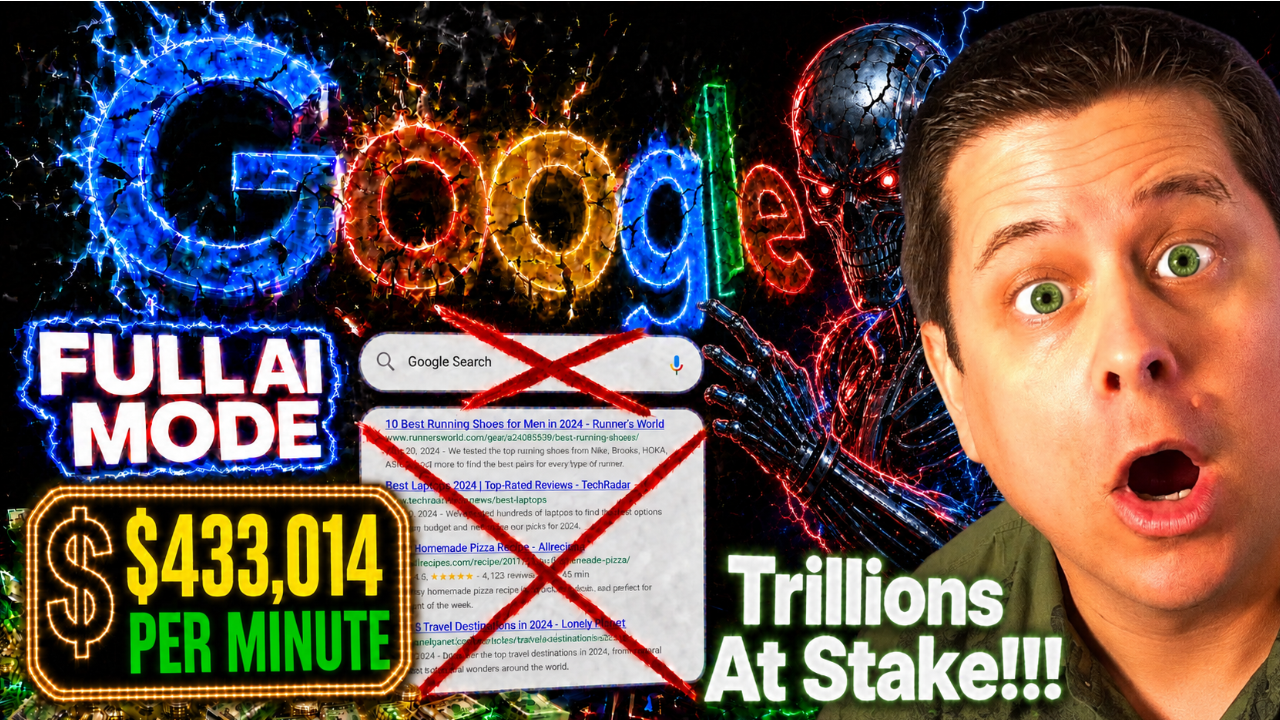
Ai Search Box = Profit?
Teaching Faceless Videos Back In 2015
Click Here To Join Marcus’ Faceless Video Class
here are the videos i made from the training above…
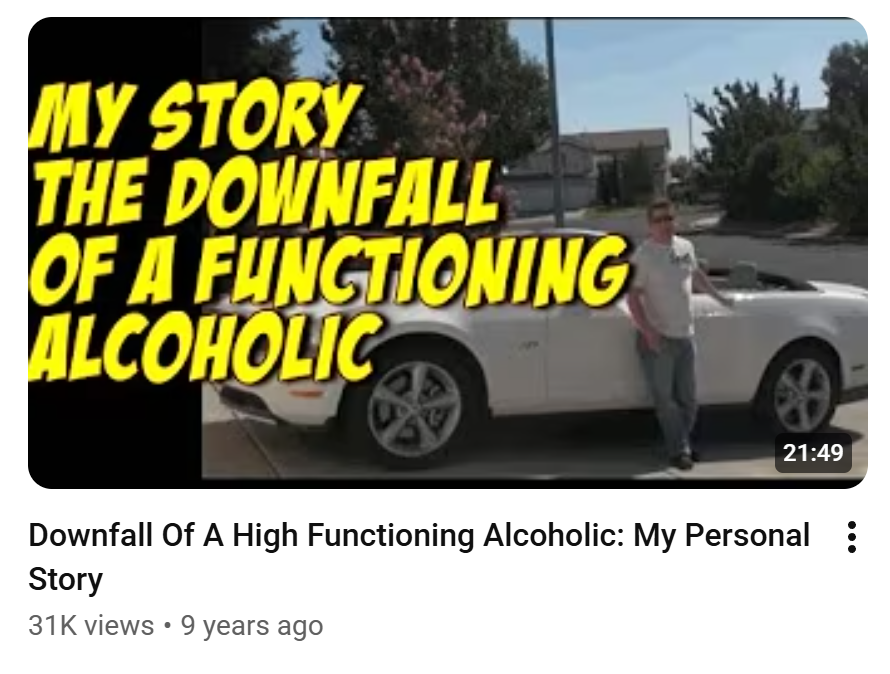
Click Here To Join Marcus’ Faceless Video Class

150,000 VIEWS… in this market
Click Here To Join Marcus’ Faceless Video Class
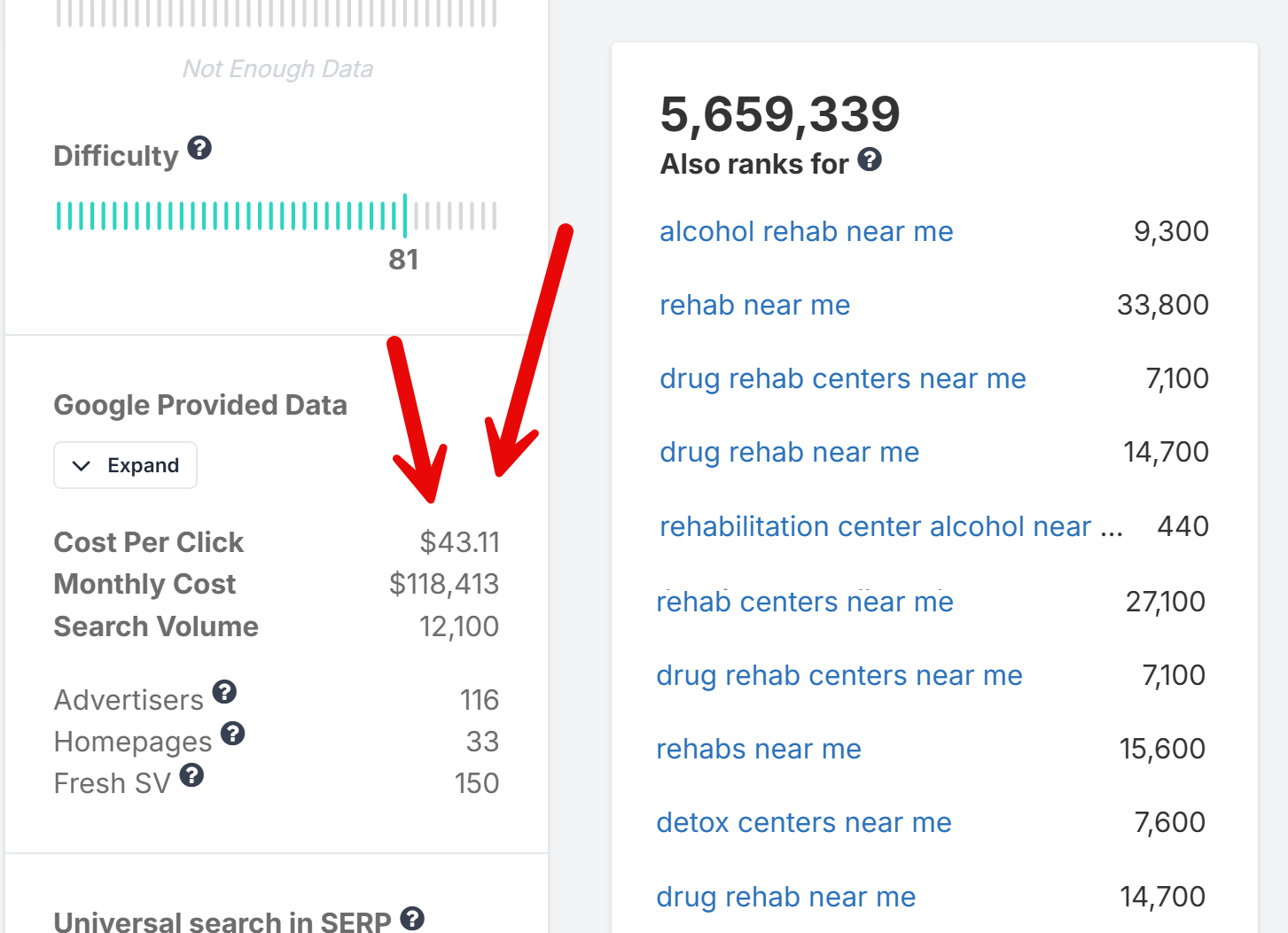
Click Here To Join Marcus’ Faceless Video Class
$10M Website Building Secrets
101 Landing Page Conversion Elements
The complete notes from the AI Website Workshop — every element, every tip, every AI prompt strategy.
Join Saturday’s FULL AI Website Workshop
Get Free Notes & Cards at LandingPageDude.com
What You’ll Learn In These Notes
These are the complete notes from the AI Website Workshop — a deep-dive into the 101 specific elements, psychological triggers, and structural components that separate high-converting landing pages from the ones that bleed money. Whether you’re building affiliate funnels, lead gen pages, sales pages, or opt-in forms, every element in this guide has been tested and proven by top CRO experts including Neil Patel, Unbounce, KlientBoost, and ClickBank’s top earners.
We’ve also built a free resource hub at LandingPageDude.com where you can download chalk-style infographic cards for all 101 elements, plus 303 AI prompts to build each one. The first 21 elements are completely free.
Free Resource: Download the 101 Landing Page Element cards + AI prompts at LandingPageDude.com/thankyou.html — 21 free elements, 63 free AI prompts, no credit card required.
Table of Contents
- Above the Fold (Elements 1–15)
- Psychological Triggers & Copywriting (Elements 16–30)
- Interactive & Engagement Elements (Elements 31–45)
- Trust, Authority & Social Proof (Elements 46–60)
- Design & UX (Elements 61–75)
- Affiliate-Specific & Funnel Elements (Elements 76–85)
- Checkout & Bottom of Funnel (Elements 86–90)
- Advanced Optimization (Elements 91–101)
Above the Fold: First Impressions & Hooks (Elements 1–15)
The area “above the fold” — what visitors see before scrolling — is the most critical real estate on any landing page. Studies show you have 3–5 seconds to capture attention before a visitor bounces. If you lose them here, nothing else on the page matters.
Tech Stack: HTML/CSS, minimal JavaScript. No database needed.
AI Strategy: Prompt AI to write benefit-driven headlines using proven frameworks (AIDA, PAS). Ask AI to generate HTML/CSS for hero sections with responsive design.
#1 — Benefit-Driven Headline
Your headline is the first — and sometimes only — thing a visitor reads. A benefit-driven headline answers the visitor’s #1 question: “What’s in it for me?” It sets the tone for everything below it and determines whether they read on or leave.
- Direct Benefit: State exactly what the user gets — no fluff, no cleverness. “Lose 10 Pounds in 30 Days Without Giving Up Pizza” beats “Transform Your Life Today.”
- Indirect Benefit: Solve the pain without naming the product. Focus on the outcome: “Finally Sleep Through the Night Again” speaks to the result, not the pill.
- Hidden Benefit: Tease a secret or surprising result. “The 4-Minute Morning Routine That Doubles Your Energy” creates curiosity AND promises a benefit.
- Bold Font & Contrast: Use large, high-contrast type — minimum 32px on desktop. Yellow on black, white on dark, or black on white all convert well.
- Message Match: Mirror the exact language from the ad that sent them here. If your ad says “Free Keto Meal Plan,” your headline should say the same.
- Test 3 Variants: Always A/B test at least 3 headline variants. Small wording changes can swing conversion rates by 30–50%.
#2 — “How-To” Headline Formula
“How To” headlines work because they promise a specific, actionable result. The brain is wired to seek solutions, and “How To” signals that a solution is coming. This formula has been used by Gary Halbert, John Caples, and David Ogilvy in their most successful ads.
- Specific Outcome: Name the exact result — “How To Get 100 Leads a Day Using Free Traffic” beats “How To Get More Leads.”
- Time Frame: Add a deadline — “How To Lose 10 Pounds In 21 Days” creates urgency and specificity that boosts credibility.
- Remove Objection: Use “without X” — “How To Make $500/Day Without Selling Anything” removes the biggest objection upfront.
- Step-by-Step: Number the steps — “How To Build a Sales Funnel in 5 Simple Steps” implies ease and a clear path.
- Even If Qualifier: Add “even if” — “How To Start Investing Even If You Have No Money” overcomes the #1 excuse.
- Question Format: “How Do You Get 1000 Subscribers in 30 Days?” — question format invites the reader to self-reflect and seek the answer.
#3 — Agitator Headline Formula
Pain is a stronger motivator than pleasure. The agitator formula taps into frustration, fear, or exhaustion to create an emotional reaction that forces the reader to stop and pay attention. Used heavily in weight loss, finance, health, and relationship niches.
- Frustration Hook: “Sick of Wasting Money on Ads That Don’t Convert?” — tap into a daily struggle they know intimately.
- Fear Agitator: “Are You Making These 7 Deadly Landing Page Mistakes?” — show what could go wrong if they don’t act.
- Exhaustion Frame: “Tired of Working 60-Hour Weeks for Someone Else’s Dream?” — mirror their inner monologue exactly.
- Question Format: Questions force the reader to answer mentally, creating engagement before they even read the body copy.
- Bold Pain Word: Use power words: struggling, wasting, stuck, failing, broke, exhausted — words that sting a little.
- Relatable Scenario: Paint a specific scene: “Still Checking Your Bank Account Before Every Grocery Run?” makes it visceral.
#4 — Outcome-Based Subheadline
Many visitors skim the headline and subheadline before deciding to read further. The subheadline should expand on the headline’s promise, add a key benefit, and pull them deeper into the page. It’s the bridge between the hook and the body copy.
- The Clarifier: Explain exactly what the headline means — “Discover the 3-step system that 14,000 beginners used to quit their 9-5 in under 90 days.”
- The Validator: Back it with a number or proof — “Used by 47,000+ affiliates to generate $2M+ in commissions last year.”
- The Curiosity Deepener: Tease what’s inside — “Including the one traffic source 99% of marketers ignore — that converts at 8x the industry average.”
- Short & Punchy: Keep it under 2 lines. Long subheadlines lose readers. One strong sentence is better than three weak ones.
- Contrast with Headline: If headline is bold/emotional, make subheadline factual/specific. The contrast creates credibility.
- Use Second Person: “You’ll discover exactly how to…” — speaking directly to the reader increases engagement and conversion.
#5 — Hero Shot / Image
Humans process images 60,000x faster than text. The right hero image can double conversion rates by instantly communicating what words take paragraphs to explain. It sets the emotional tone and builds desire before the visitor reads a single word.
- Show the Result: Don’t show the product — show the outcome. Before/after photos, lifestyle shots, or results screenshots convert far better than product photos.
- Real People Convert: Stock photos of generic smiling people hurt conversions. Real photos of real customers, the founder, or authentic lifestyle shots build trust.
- Directional Cues: Have the person in the image look toward your CTA or headline. Eye-tracking studies show visitors follow the gaze of people in images.
- Product in Context: If you must show the product, show it in use — a supplement bottle next to a fit person, not floating on a white background.
- Mobile Optimization: Test how your hero image looks on mobile. Many desktop hero images get cropped badly on phones and destroy the message.
- A/B Test Aggressively: Hero image tests often produce the biggest conversion lifts of any element. Test: person vs. product, lifestyle vs. result, male vs. female.
#6 — Video Sales Letter (VSL)
Video sales letters consistently outperform text-based pages for high-ticket offers, supplements, and info products. They control the pace of information delivery, build emotional connection through voice and story, and can present proof in a way that text cannot match.
- Hook in First 10 Seconds: If you don’t hook them in 10 seconds, they’re gone. Start with a bold claim, a shocking stat, or a relatable problem — not an intro.
- Disable Scrubbing: Many top VSLs disable the video scrubber to control the pace of the pitch. This is controversial but often increases conversions.
- Auto-Play with Muted Start: Auto-play muted with captions gets more views than click-to-play. Add a “Click to Unmute” button prominently.
- Talking Head + Screen: Combine a talking head (builds trust) with screen recordings or slides (delivers information). Hybrid VSLs convert best.
- CTA Appears at Right Time: Don’t show the buy button until the VSL has built enough desire. Timed CTA appearance after the pitch increases conversions.
- Transcript Below: Always include a full transcript below the video for SEO, accessibility, and visitors who prefer to read.
#7 — Primary CTA Button
The CTA button is where conversions happen. A poorly designed or poorly worded CTA button is the #1 reason landing pages fail. Button color, size, copy, placement, and surrounding whitespace all dramatically affect click-through rates.
- Action-Oriented Copy: Use verbs — “Get Instant Access,” “Start My Free Trial,” “Claim My Discount.” Never use “Submit” or “Click Here.”
- First-Person Phrasing: “Get MY Free Report” converts 90% better than “Get Your Free Report” — the possessive creates ownership.
- Contrasting Color: Your button must stand out from the page. Orange, red, and green are proven performers. Never use grey or blend with the background.
- Large Enough to Click: Minimum 44px height on mobile. Bigger is almost always better. Add padding generously around the text.
- Repeat Above & Below Fold: Place CTAs above the fold AND after every major section. Long pages need multiple CTAs — don’t make them scroll back up.
- Add Micro-Copy Below: Small text under the button removes friction: “No credit card required” / “30-Day Money Back Guarantee” / “100% Free.”
#8 — Benefit-Oriented CTA Text
Most marketers write generic CTA text. The ones who win write CTA copy that sells the benefit of clicking. “Yes! Show Me How to Double My Traffic” outperforms “Learn More” by 200–400% in most tests.
- Outcome-Based: “Get My Free Weight Loss Plan” sells the outcome. “Download” sells the action. Always sell the outcome.
- Urgency Words: “Get Instant Access,” “Start Right Now,” “Claim Before It’s Gone” — urgency words increase click rates.
- Personalization: Use “my” and “I” — “Yes! I Want to Lose Weight!” — the reader mentally commits to the action before clicking.
- Specificity: “Get My 47-Page Free Guide” is more compelling than “Get My Free Guide” — specificity implies value.
- Match the Offer: If you’re offering a free trial, say “Start My Free 14-Day Trial.” If it’s a download, say “Download My Free Report Now.”
- Test Emoji: A single relevant emoji in CTA text can increase clicks — “Get My Free Guide ” — test it against plain text.
#9 — No Navigation Menu
Every link on a landing page is a potential exit. Navigation menus give visitors 5–10 ways to leave before converting. Removing them forces visitors to either convert or leave — and most will convert. This single change regularly produces 10–30% conversion lifts.
- Remove All Nav Links: Strip the header down to just your logo (linked to the same page) and nothing else. No menu, no footer links, no social icons.
- Logo Only Header: A simple logo-only header looks professional and keeps focus on the offer. Link the logo to the top of the same page.
- Exception: Long-Form Pages: On very long sales pages, internal anchor links to sections (Benefits, Testimonials, FAQ) can help navigation without adding exit links.
- Keep Legal Links in Footer: Privacy policy and terms links in the footer are legally required and don’t hurt conversions — keep those.
- Test Minimal vs. No Nav: Some audiences respond better to a minimal nav (Home, About, Contact) — test it against zero nav for your specific traffic.
- Dedicated Landing Page URL: Use a separate URL for your landing page (e.g., /free-guide) so you can strip nav without affecting your main site.
#10 — Clear Value Proposition
A weak or missing value proposition is the #1 reason visitors leave without converting. They need to understand immediately what makes your offer different, better, or more valuable than alternatives. The value prop should be visible above the fold.
- The 4U Formula: Make your value prop Useful, Urgent, Unique, and Ultra-specific. “Get 100 Leads in 7 Days Using Only Free Traffic — Guaranteed” hits all 4.
- Differentiation: What do you offer that no one else does? Free shipping? Fastest delivery? Best guarantee? Lead with your strongest differentiator.
- Quantify the Value: “Save 3 Hours a Day” is better than “Save Time.” “$500 in Free Bonuses” is better than “Tons of Bonuses.” Numbers build credibility.
- Above the Fold: Your value proposition must be visible without scrolling. If visitors have to scroll to understand what you offer, you’re losing conversions.
- Plain Language: Avoid jargon and buzzwords. Write like you’re explaining your offer to a smart 12-year-old. Clarity beats cleverness every time.
- Test Different Angles: Test value props focused on: speed, savings, ease, exclusivity, results, or risk reversal. Different angles work for different audiences.
#11 — Directional Cues (Deictic Gaze)
Eye-tracking studies show that people follow visual cues instinctively. A person looking toward your CTA, an arrow pointing at your form, or a hand gesture directing attention can increase conversions by 20–40% with zero copy changes.
- Gaze Direction: If you use a person in your hero image, have them look directly at your headline or CTA — not at the camera or away from the page.
- Arrows: Simple chalk-style or illustrated arrows pointing at your opt-in form or CTA button can dramatically increase form completions.
- Pointing Hands: Illustrated or photographic hands pointing at key elements are a classic direct response technique that still works extremely well.
- Color Contrast: A bright-colored element surrounded by muted colors draws the eye naturally — use this to highlight your CTA button.
- Whitespace as Direction: Surrounding your CTA with generous whitespace creates a visual “spotlight” that draws the eye without any explicit directional element.
- F-Pattern Layout: Users read in an F-pattern: top left, then right, then down. Place your most important elements along this natural reading path.
#12 — Micro-Commitment Opt-in
Robert Cialdini’s principle of commitment and consistency shows that people who make small commitments are far more likely to follow through with larger ones. Starting with a tiny “yes” (clicking a button, answering a question) dramatically increases final conversion rates.
- Yes/No Button: Instead of going straight to a form, ask a yes/no question: “Do you want to lose weight?” — clicking “Yes” creates commitment before the form appears.
- Quiz Start: “Take our 60-second quiz to find your perfect plan” — the quiz is a micro-commitment that pre-qualifies and warms the lead.
- Two-Step Opt-in: Button click → lightbox form. The act of clicking the button is a micro-commitment that increases form completion rates by 30–50%.
- Checkbox Agreement: “Yes, I want the free guide!” checkbox before the form — checking it creates a small commitment that increases completion.
- Progress Bar: Show a progress bar that starts at 25% complete just for landing on the page — people want to complete what they’ve started.
- Answer First: Ask 1–2 non-threatening questions before asking for email — by the time they reach the email field, they’re invested.
#13 — Trust Badges (Above Fold)
Visitors make trust decisions in milliseconds. Trust badges — security seals, payment icons, guarantee badges, and media logos — trigger the brain’s pattern recognition for “safe and legitimate.” Placing them above the fold captures trust before anxiety can build.
- Security Seals: SSL padlock, Norton Secured, McAfee — these reduce purchase anxiety significantly, especially on checkout pages.
- Payment Icons: Visa, Mastercard, PayPal, Apple Pay logos signal that payment is safe and familiar. Include them near any form or checkout.
- Guarantee Badge: A bold “30-Day Money Back Guarantee” badge above the fold removes risk before the visitor even reads your offer.
- As Seen In: Media logos (Forbes, CNN, Entrepreneur) in a row above the fold instantly elevate credibility. Even small mentions count.
- Member Count: “Join 47,000+ Members” or “Trusted by 10,000+ Affiliates” — social proof numbers act as trust badges.
- Industry Certifications: BBB accreditation, industry association logos, or professional certifications all add layers of legitimacy.
#14 — Dynamic Text Replacement (DTR)
Message match between ad and landing page is one of the strongest conversion levers available. When a visitor clicks an ad about “free keto meal plans” and lands on a page that says exactly that in the headline, conversion rates can double. Dynamic Text Replacement automates this personalization at scale.
- Keyword Match: Automatically insert the user’s search term into the headline to increase relevance — “The Best [Keyword] Solution in [City].”
- Location Match: Display the user’s city or state in the copy to create a localized experience — “Serving [City] Since 2019.”
- Audience Match: Tailor the messaging based on the user’s demographic or behavioral data — different headlines for different ad sets.
- URL Parameters: Pass values via URL parameters (?headline=Free+Keto+Plan) and use JavaScript to inject them into the page.
- Tools: Unbounce, Instapage, and ClickFunnels all have built-in DTR. For custom pages, use JavaScript to read URL parameters.
- Test Message Match: Compare a generic headline vs. a DTR headline for the same traffic source — the lift is usually dramatic.
#15 — Geo-Targeted Elements
Displaying the user’s city or state in the copy creates an instant sense of relevance and local trust. “Best Insurance in Chicago” feels more relevant to a Chicago visitor than “Best Insurance in America.” Geo-targeting is particularly powerful for local services, insurance, mortgage, and solar offers.
- City in Headline: “The #1 Plumber in [City]” — local relevance in the headline creates immediate connection.
- State-Specific Offers: “California Residents: New Law Entitles You to Free Solar Panels” — state-specific angles create urgency and relevance.
- Local Phone Numbers: Display a local area code phone number (via call tracking software) to increase call rates from local visitors.
- Local Images: Show images of recognizable local landmarks or neighborhoods for hyper-local campaigns.
- Weather-Based Personalization: “It’s Cold in Chicago Right Now — Here’s How to Lower Your Heating Bill” — weather-triggered copy is highly relevant.
- Compliance Note: Always ensure geo-targeted claims are accurate and compliant. False location-specific claims can violate FTC guidelines.
Join Saturday’s FULL AI Website Workshop
Get Free Notes & Cards at LandingPageDude.com
Psychological Triggers & Conversion Copywriting (Elements 16–30)
Understanding buyer psychology is essential for crafting copy that persuades and converts. These elements tap into deep-seated cognitive biases and emotional drivers that have been proven by decades of direct response marketing research.
Tech Stack: HTML/CSS, JavaScript for countdown timers or dynamic text.
AI Strategy: Ask AI to rewrite copy focusing on FOMO, scarcity, or urgency. Prompt for JavaScript snippets for evergreen countdown timers.
#16 — Loss Aversion (FOMO)
Daniel Kahneman’s Nobel Prize-winning research shows that the pain of losing $100 is psychologically twice as powerful as the pleasure of gaining $100. FOMO (Fear of Missing Out) taps directly into this bias, making it one of the most effective conversion triggers in affiliate marketing.
- Limited Time Offer: “This offer expires in 24 hours” with a real countdown timer creates genuine urgency. Fake timers destroy trust when discovered.
- Limited Quantity: “Only 47 spots remaining” or “Last 3 in stock” — scarcity of access is more powerful than scarcity of time.
- What They’ll Miss: Frame the offer around what they’ll lose by not acting — “Every day you wait costs you $47 in missed commissions.”
- Social FOMO: “2,847 people signed up this week” — showing others taking action creates fear of being left behind.
- Price Increase Warning: “Price goes up to $197 on Friday” — anchoring a future higher price makes the current price feel like a deal.
- Exclusive Access: “This page is only available to our email subscribers” — exclusivity creates FOMO for those who feel they’re getting special access.
#17 — Countdown Timers (The Sobering-Up Effect)
A ticking countdown timer makes the abstract concept of “limited time” visceral and immediate. It activates the amygdala’s threat response, creating a physiological urgency that static text cannot replicate. Used correctly, countdown timers can increase conversions by 30–200%.
- Evergreen Timers: Tools like Deadline Funnel create personalized evergreen timers that reset for each visitor — creating genuine urgency without fake scarcity.
- Session-Based Timers: A timer that counts down from 15 minutes when the visitor lands creates urgency for that specific session.
- Date-Based Timers: Real deadline timers (sale ends Sunday at midnight) are the most credible because they’re verifiable.
- Placement: Place the timer directly above or below your CTA button — proximity to the action maximizes its effect.
- Red Color: Red countdown timers convert better than other colors — red triggers urgency and danger responses in the brain.
- Never Fake It: If your timer resets every time the page is refreshed, sophisticated visitors will notice and your credibility will collapse.
#18 — Anchoring Heuristic
The first number a person sees becomes the “anchor” against which all subsequent numbers are judged. Showing a $997 value before revealing a $47 price makes $47 feel like an incredible deal. This is why retail stores always show “Was $199, Now $79.”
- Strikethrough Pricing: Show the original price with a strikethrough:
$197$47 Today Only — the visual contrast makes the discount feel tangible. - Value Stack: List everything included with individual values: “$97 value + $47 value + $197 value = $341 total value — yours today for just $27.”
- Competitor Comparison: “Agencies charge $5,000/month for this. You get the same results for $97/month.” — competitor anchoring is extremely powerful.
- Per-Day Breakdown: “Less than $1.60/day” — breaking down a $47/month price to a daily cost makes it feel trivial.
- High-Ticket Anchor First: On sales pages, mention the highest possible value or competitor price early, before revealing your price.
- Free Trial Anchor: “$0 today, then $47/month” — anchoring on $0 makes the subsequent charge feel acceptable.
#19 — Reciprocity Trigger
Robert Cialdini’s research shows that when someone gives us something of value, we feel psychologically obligated to give something back. Free content, free tools, free samples, and free consultations all trigger reciprocity — and the more valuable the gift, the stronger the obligation.
- Lead Magnets: A high-value free PDF, video, or tool given before asking for anything creates a reciprocity debt that increases opt-in and purchase rates.
- Free Value First: Give your best content for free in a blog post or video before pitching. Visitors who receive value are far more likely to buy.
- Free Sample / Trial: Physical samples or software free trials trigger reciprocity and let the product sell itself.
- Personalized Free Audit: “Get a free website audit” — personalized free value creates the strongest reciprocity because it’s customized for them.
- Surprise Bonus: Add an unexpected bonus after opt-in or purchase. The surprise amplifies the reciprocity effect significantly.
- Free Consultation: A free 15-minute strategy call gives value and creates reciprocity while also qualifying the lead for high-ticket offers.
#20 — Social Proof (Bandwagon Effect)
When people are uncertain about a decision, they look to others for guidance. This is why Amazon reviews, testimonial counts, and “X people bought this today” notifications are so powerful. Social proof reduces the perceived risk of taking action.
- Specific Numbers: “47,293 happy customers” converts better than “thousands of customers” — specificity implies authenticity.
- Real-Time Notifications: Tools like TrustPulse show “3 people just signed up” popups — real-time social proof creates urgency and validation simultaneously.
- Named Testimonials: Testimonials with full name, photo, and location convert 3x better than anonymous ones. Video testimonials convert even higher.
- Star Ratings: Aggregate star ratings (4.8/5 from 2,847 reviews) provide instant social proof that visitors can process in a glance.
- User Count Milestones: “Join 100,000+ subscribers” — round number milestones feel credible and create bandwagon pressure.
- Social Share Counts: Showing high share counts on content (“Shared 14,000 times”) validates the content’s value before they read it.
#21 — The Von Restorff Effect (Isolation)
Also called the “isolation effect,” this principle explains why a single yellow button on a black page gets all the attention. Anything that visually or contextually stands out from its surroundings becomes the focal point of attention — and attention drives action.
- Highlighted CTA: Make your primary CTA button dramatically different from everything else on the page — different color, size, and shape.
- Callout Box: Pull a key stat or testimonial out of the body copy into a highlighted callout box — it gets read even by skimmers.
- Bold Key Phrases: Bold the most important 3–5 phrases in each paragraph. Skimmers read bold text first — make those phrases count.
- Contrasting Section: A bright-colored section (yellow background) in the middle of a dark page draws the eye and breaks the pattern.
- Unusual Visual: An unexpected illustration, icon, or image that doesn’t fit the pattern of the page creates a memorable focal point.
- Numbered List Highlight: Highlight one item in a numbered list with a different color or background — it becomes the most remembered item.
#22 — Storytelling
The human brain is wired for narrative. Stories trigger mirror neurons, create empathy, and release oxytocin — the trust hormone. A well-told story can make a skeptical visitor feel like they already know and trust you before you’ve made a single claim.
- Hero’s Journey: Position the customer as the hero who faces a struggle, discovers your solution, and achieves transformation. This is the most universal story structure.
- Origin Story: Tell the authentic story of how and why you created the product. Vulnerability and authenticity in origin stories build massive trust.
- Customer Success Story: Lead with a specific customer’s story — “Meet Sarah. Three months ago she was…” — named, specific stories convert far better than generic claims.
- The Before/After Bridge: Paint the “before” state (pain, struggle) vividly, then bridge to the “after” state (transformation, result) through your product.
- Specific Details: “I was sitting in my car in the Walmart parking lot, checking my bank account for the third time that day…” — specificity makes stories believable.
- Conflict is Key: Every great story has conflict. Don’t skip the struggle — the harder the before, the more powerful the after.
#23 — Curiosity Gap (Partiality)
Curiosity is one of the most powerful human drives. When you reveal partial information and withhold the key detail, the brain experiences genuine discomfort until the gap is filled. This is the engine behind clickbait, teaser headlines, and “secret” marketing.
- The Teaser Headline: “The One Thing All 7-Figure Affiliates Do That You Don’t” — reveals there’s a secret without revealing what it is.
- Numbered Lists: “7 Mistakes Killing Your Conversions” — the number creates a specific gap. Readers need to know if they’re making those mistakes.
- Partial Information: Show a blurred screenshot, a partial result, or a teased statistic — “…and the #3 traffic source surprised everyone.”
- The “Why” Hook: “Why 97% of Affiliates Fail (And the 3% Who Don’t Do This One Thing)” — the “why” creates a curiosity gap that demands resolution.
- Open Loops: Start a story or reveal a result, then interrupt it — “I’ll show you exactly how I did it in a moment, but first…” — open loops keep readers engaged.
- Quiz Questions: “Which of these 4 landing page mistakes are you making?” — the question creates a personal curiosity gap.
#24 — Urgency Indicators
The default human behavior is to delay decisions. Without a compelling reason to act immediately, most visitors will leave with the intention of returning later — but 95% never do. Urgency indicators short-circuit this delay mechanism.
- Deadline Copy: “Offer expires at midnight tonight” — specific deadlines are more credible and urgent than vague “limited time” language.
- Countdown Timer: A visible ticking countdown timer is the most powerful urgency tool. Pair it with a specific deadline for maximum effect.
- Seasonal/Event Urgency: “Black Friday Sale Ends Sunday” or “Enrollment closes when the cohort is full” — event-based urgency feels natural and credible.
- Price Increase Warning: “Price increases to $197 on [date]” — the threat of paying more later is a powerful motivator to act now.
- Low Stock Warning: “Only 12 left in stock” near a product image creates urgency through scarcity of supply.
- Consequence of Waiting: “Every day you wait, your competitors are using this system” — showing the cost of inaction creates urgency without false scarcity.
#25 — Scarcity Elements
When something is rare or hard to get, we want it more. Scarcity works because it implies value (if it were worthless, there’d be plenty of it) and creates urgency (if I don’t act now, I might miss out).
- Limited Enrollment: “We only accept 50 new students per month” — capacity limits create genuine scarcity for coaching and courses.
- Limited Bonuses: “The first 100 buyers get the $297 bonus package free” — bonus scarcity is often more compelling than price scarcity.
- One-Time Offer: “This offer will never be available again at this price” — OTO scarcity is standard in funnel marketing and highly effective.
- Physical Product Stock: “Only 3 left in stock” with a live inventory counter creates real scarcity for physical products.
- Cohort-Based Enrollment: “Next cohort starts Monday — enrollment closes Friday” — cohort scarcity is natural and credible for courses.
- Honest Scarcity Only: Never fake scarcity. If visitors discover it’s fake, trust collapses permanently. Real scarcity is always more powerful.
#26 — Authority Endorsements
We defer to authority figures. Endorsements from recognized experts in your niche instantly transfer their credibility to your offer. The more recognized the authority, the more powerful the endorsement.
- Industry Leader Quote: A quote from a well-known figure or influencer in the field — even a short one — dramatically elevates perceived authority.
- Credentialed Expert: An endorsement from a doctor, lawyer, or certified professional adds layers of trust for health, legal, and financial offers.
- Celebrity Endorsement: A testimonial from a famous person or public figure — even a micro-celebrity in your niche — creates massive social proof.
- Expert Roundup: “7 top marketers share their #1 landing page tip” — aggregating expert opinions positions you as the curator of authority.
- Media Mentions: “As featured in Forbes, Entrepreneur, and Inc.” — media authority transfers to your brand even for brief mentions.
- Award Recognition: Industry awards, “Best of” lists, and rankings all function as third-party authority endorsements.
#27 — Micro-Influencer Features
Using relatable, smaller-scale influencers that the target audience trusts often outperforms celebrity endorsements. A niche expert with 10,000 highly engaged followers can drive more conversions than a celebrity with 1 million passive followers.
- Niche Expert: An endorsement from someone with a highly engaged, specialized following carries more weight than a generic celebrity.
- Peer Recommendation: A testimonial from someone who closely resembles the target audience — same job, same problem, same demographics.
- Authentic Review: A genuine, unbiased assessment from a trusted source — even if it mentions minor weaknesses — converts better than pure praise.
- UGC Integration: Repost micro-influencer content (with permission) — their audience’s trust transfers to your brand.
- Affiliate Partnerships: Give micro-influencers affiliate links so they’re incentivized to promote authentically — aligned incentives produce authentic content.
- Long-Term Relationships: One-off posts are less effective than ongoing partnerships — repeated exposure from a trusted voice compounds trust over time.
#28 — Primacy Effect Formatting
People remember the first and last items in a list far better than the middle items. This is the Primacy and Recency Effect. Structure your benefit lists, testimonials, and feature comparisons with your strongest points at the beginning and end.
- Lead with Your Best: Put your most compelling benefit first in every list — it gets the most attention and is most remembered.
- End Strong: The last item in a list is the second most remembered — end with a powerful benefit, guarantee, or call to action.
- Bury the Weak: Less compelling points go in the middle — they’ll be read but not remembered as strongly.
- Apply to Testimonials: Feature your most impactful testimonials at the top and bottom of a testimonial section.
- Apply to Pricing: In a pricing table, your recommended plan should be first or last — never in the middle.
- Apply to Bullet Lists: Never put your strongest benefit in position 3 or 4 of a 5-item list — it will be the least remembered.
#29 — Pain/Pleasure Framing
Explicitly contrasting the pain of the current situation with the pleasure of the solution creates a powerful emotional before/after that motivates action. The more vividly you paint both states, the more compelling the offer becomes.
- Before and After: Show the stark difference between life without the product and life with it — the contrast creates desire.
- Problem-Solution-Benefit: Identify the pain point, introduce the product as the answer, and highlight the positive outcome in sequence.
- Emotional Language: Use emotionally charged words for the pain state (struggling, exhausted, frustrated) and aspirational words for the pleasure state (free, confident, thriving).
- Specificity: “Spending 3 hours a day manually posting to social media” is more painful than “wasting time.” Specific pain is more motivating.
- Transformation Language: “Go from [pain state] to [pleasure state] in [timeframe]” — this formula is the backbone of most successful sales copy.
- Visual Before/After: Images of the before and after states communicate the transformation faster than any copy.
#30 — Conversational Tone
Writing as if speaking directly to a friend — avoiding overly corporate jargon — creates a connection that formal copy cannot. The most successful direct response copywriters write at a 6th–8th grade reading level, using short sentences, contractions, and everyday language.
- Write to One Person: Imagine your ideal customer and write as if speaking only to them. “You” and “your” should appear far more than “we” and “our.”
- Short Sentences: Short sentences are easier to read and create rhythm. Like this. And this. They work.
- Contractions: “You’re” instead of “you are.” “It’s” instead of “it is.” Contractions make copy feel human and approachable.
- Casual Greeting: “Hey there,” “Hi [Name],” “Welcome” — informal openings signal that this is a conversation, not a corporate announcement.
- Avoid Jargon: Write in plain language. If your grandmother wouldn’t understand it, rewrite it.
- Read Aloud Test: Read your copy aloud. If it sounds stiff or unnatural when spoken, it needs to be rewritten.
Join Saturday’s FULL AI Website Workshop
Get Free Notes & Cards at LandingPageDude.com
Interactive & Engagement Elements (Elements 31–45)
Interactive elements increase time-on-page, build micro-commitments, and create personalized experiences that generic pages cannot match. They are particularly powerful for cold traffic that needs warming before converting.
Tech Stack: HTML/CSS, JavaScript (React/Vue/Vanilla), PHP/Node.js backend, Database (MySQL/PostgreSQL) for saving leads, API integrations (AWeber/Mailchimp).
AI Strategy: Prompt AI to generate multi-step quiz logic in JavaScript. Ask for PHP backend scripts to capture form data and send it to an email API.
#31 — Quiz Funnels
Quiz funnels work because they leverage micro-commitments, personalization, curiosity, and reciprocity all at once. Visitors answer questions (micro-commitment), receive personalized results (reciprocity), and are pre-sold on the offer that matches their specific situation. Quiz funnels regularly achieve 40–60% opt-in rates on cold traffic.
- Assessment Quiz: “What’s Your #1 Weight Loss Mistake?” — assessment quizzes identify the visitor’s specific problem and recommend the perfect solution.
- Personality Quiz: “What Type of Affiliate Marketer Are You?” — personality quizzes are highly shareable and create strong emotional investment in results.
- Diagnostic Quiz: “Is Your Landing Page Losing Money?” — diagnostic quizzes identify specific problems and position your offer as the cure.
- Gate Results: Require email opt-in to see quiz results — this is the most effective lead generation mechanism in quiz funnels.
- Personalized Results: Show different offers, recommendations, or content based on quiz answers — personalization dramatically increases conversion.
- Tools: Typeform, Interact, ScoreApp, and ClickFunnels all have excellent quiz funnel builders with segmentation capabilities.
#32 — Interactive Calculators
Calculators work because they give visitors a personalized, tangible result. “You could save $847/year” is infinitely more compelling than “you could save money.” The act of using a calculator also creates investment — people who’ve spent time with your tool are far more likely to convert.
- ROI Calculator: “How Much Could You Earn With Our System?” — ROI calculators make the value of your offer concrete and personal.
- Savings Calculator: “How Much Are You Overpaying for Insurance?” — savings calculators work brilliantly for finance, insurance, and utility offers.
- Cost Calculator: “What Is Your Current Solution Costing You?” — showing the cost of the status quo makes your offer look like a bargain.
- Show the Math: Display the calculation transparently — showing how you arrived at the number builds credibility.
- Gate the Full Report: Give a teaser result for free, then gate the full detailed report behind an email opt-in.
- Embed in Content: Calculators embedded in blog posts or articles generate leads from organic traffic without feeling like a sales pitch.
#33 — Multi-Step Forms
A form with 10 fields feels overwhelming. The same 10 fields spread across 5 steps (2 per step) feels easy. Multi-step forms leverage the sunk cost fallacy — once someone has completed step 1, they’re psychologically invested in completing the rest.
- Start with Easy Questions: Put the least threatening questions first (name, zip code, interests) and leave email/phone for the final step.
- Progress Bar: Show a progress bar that advances with each step — it creates momentum and reduces abandonment at later steps.
- 2–3 Fields Per Step: Never put more than 3 fields on a single step. 1–2 is ideal. The fewer fields per screen, the lower the abandonment rate.
- Conditional Logic: Show different questions based on previous answers — this creates a personalized experience that increases completion.
- Don’t Ask Twice: Never ask for information you already have. If they’ve given their name, use it in subsequent steps.
- Save Progress: For longer forms, save progress automatically so users can return if they leave — especially important on mobile.
#34 — Two-Step Opt-in (Lightbox Popup)
When a form is visible on the page, visitors can see the “cost” of opting in before they’ve decided they want the offer. The two-step process hides the form until after the visitor has clicked a button — by which point they’ve already committed to the action.
- Button Copy Sells the Click: The button that triggers the popup must sell the benefit — “Get My Free Guide” not “Click Here.”
- Minimal Form Fields: The popup form should have the absolute minimum fields — ideally just email. Every additional field reduces completion rate.
- Compelling Headline in Popup: The popup needs its own headline that reinforces the value of what they’re about to receive.
- Close Button Visible: Always show a visible X button — hiding it frustrates users and damages trust.
- Mobile Optimization: Ensure the popup is mobile-friendly — full-screen popups on mobile convert better than partial overlays.
- A/B Test Trigger: Test button click vs. time-delay vs. scroll-depth triggers for the popup — different audiences respond differently.
#35 — Choice Boxes / Radio Buttons
When visitors make a choice, they’re invested. Choice boxes create a sense of personalization that makes the subsequent offer feel custom-built for them. They also create micro-commitments that increase follow-through.
- Situation Selector: “Which best describes you? I’m a beginner / I have some experience / I’m advanced” — segmenting by situation lets you show the most relevant offer.
- Goal Selector: “What’s your #1 goal? Lose weight / Build muscle / Improve energy” — goal selection creates personalization and investment.
- Image Choice Boxes: Visual choice boxes (images instead of text) increase engagement and feel more interactive than plain radio buttons.
- Pre-Select the Best Option: Pre-selecting the most popular or recommended option uses defaults psychology — most people stick with the pre-selected choice.
- Conditional Content: Show different copy, images, or offers based on the choice made — this creates genuine personalization.
- Use in Quizzes: Choice boxes are the backbone of quiz funnels — each question builds investment and personalizes the final offer.
#36 — Zip Submits
The zip submit is the ultimate micro-commitment. Asking only for a zip code removes virtually all friction — no name, no email, no phone number. This ultra-low barrier generates massive lead volume for insurance, mortgage, solar, and local service offers.
- Insurance & Finance: Zip submits dominate in auto insurance, health insurance, mortgage, and personal loan verticals where location determines eligibility.
- Solar & Home Services: “Enter your zip code to see if you qualify for free solar panels” — zip submits work perfectly for home service offers.
- Progressive Profiling: After the zip submit, collect additional information on subsequent pages — each step builds on the previous commitment.
- Geo-Relevant Results: Show results that are specific to the zip code entered — “Great news! 3 providers serve your area” increases continued engagement.
- Mobile Optimization: Zip code fields on mobile should trigger the numeric keypad — use inputmode=”numeric” for better UX.
- Compliance: Ensure your zip submit pages comply with TCPA and CAN-SPAM regulations, especially if collecting phone numbers on subsequent steps.
#37 — Live Chat Widgets
Many visitors leave because they have a question that isn’t answered on the page. Live chat intercepts these visitors at the moment of doubt and provides the reassurance needed to convert. Even a simple chatbot that answers FAQs can significantly reduce bounce rates.
- Proactive Chat: Trigger a proactive chat message after 30–60 seconds — “Hi! Do you have any questions about our offer?” — proactive outreach increases chat engagement.
- After-Hours Bot: When live agents aren’t available, a chatbot that answers common questions and captures leads maintains conversion rates 24/7.
- Mobile-Friendly: Ensure your chat widget doesn’t cover your CTA button on mobile — this is a common conversion killer.
- Chat Qualification: Use chat to qualify leads before passing them to sales — “What’s your budget?” / “What’s your biggest challenge?”
- Response Time: Display average response time — “We typically reply in under 2 minutes” — setting expectations reduces abandonment while waiting.
- Tools: Intercom, Drift, Tidio, and Crisp are popular live chat tools with both live agent and bot capabilities.
#38 — AI Chatbots
AI chatbots have evolved from simple FAQ bots to sophisticated conversational agents that can understand intent, personalize responses, and guide visitors through a sales conversation. They’re particularly powerful for high-ticket offers where visitors need personalized guidance before converting.
- Conversational Lead Gen: Use the chatbot to collect lead information conversationally — “What’s your name?” / “What’s your email?” feels less intrusive than a form.
- Objection Handling: Program the bot to handle the top 5–10 objections for your offer — “Is this really free?” / “How long does it take?” / “What if it doesn’t work?”
- Product Recommendation: “Tell me about your situation and I’ll recommend the best plan for you” — personalized recommendations increase conversion.
- Appointment Booking: Integrate with Calendly or similar tools to book sales calls directly through the chat interface.
- Escalation to Human: Always offer an easy path to a human agent for complex questions — knowing a human is available increases trust in the bot.
- Tools: ManyChat, Chatfuel, Intercom, and custom GPT-powered bots are popular options with varying levels of AI sophistication.
#39 — Progress Bars
The Zeigarnik Effect states that people remember and feel compelled to complete unfinished tasks. A progress bar that shows 25% complete when the visitor first lands creates an immediate drive to reach 100%. This psychological principle is why progress bars in multi-step forms can increase completion rates by 28%.
- Start at 25–33%: Never start a progress bar at 0% — starting at 25–33% gives the visitor a head start and makes completion feel more achievable.
- Step Indicator: Show which step they’re on — “Step 2 of 4” — clear step indicators reduce anxiety about how much is left.
- Animated Fill: Animate the progress bar filling up with each completed step — the visual reward reinforces completion behavior.
- Color Psychology: Green progress bars signal success and forward movement. Use green for the filled portion and grey for the remaining portion.
- Completion Reward: Make the final step feel like a reward — “Almost done! Just one more step to get your free guide.”
- Use in Quizzes: Progress bars in quiz funnels are particularly effective — they create momentum that carries visitors through to the opt-in gate.
#40 — Exit-Intent Popups
Exit-intent technology detects when a visitor’s mouse moves toward the browser close button or address bar and triggers a popup before they leave. This last-chance offer recovers visitors who would otherwise be lost forever. For every 100 visitors who would have bounced, 10–15 can be converted with the right exit offer.
- Exit Trigger: Fire when the mouse moves toward the browser close button or address bar — this is the highest-intent exit signal.
- Lead Magnet Offer: “Wait! Get our free guide before you go” — a high-value lead magnet in the exit popup converts cold traffic into leads.
- Discount Offer: “Before you go — here’s 20% off” — a discount exit popup recovers buyers who were price-sensitive.
- Feedback Request: “Why are you leaving?” with a short survey — feedback popups provide valuable data and sometimes convert visitors who feel heard.
- One Field Only: The exit popup form should have a maximum of one field (email). Every additional field dramatically reduces completion.
- Mobile Alternative: Exit-intent doesn’t work on mobile (no mouse). Use time-delay or scroll-depth triggers on mobile instead.
#41 — Social Proof Notifications (Recent Buyer Popups)
Small widgets showing real-time actions — “John from Texas just bought…” — create urgency and validation simultaneously. They show that real people are taking action right now, which reduces the visitor’s perceived risk of being the first to try something.
- Recent Purchase Notification: “Jane from New York just purchased [Product]” — real-time purchase notifications create FOMO and validate the offer.
- Recent Sign-Up Notification: “Mark from California just signed up for a free trial” — sign-up notifications work for lead gen offers.
- Active Viewer Notification: “50 people are currently viewing this page” — active viewer counts create competitive urgency.
- Real Data Only: Only use real data — fake notifications are a trust-destroying dark pattern that sophisticated visitors will recognize.
- Placement: Bottom-left corner is the standard placement — it’s visible without obstructing the main content.
- Tools: TrustPulse, Fomo, and Proof are popular tools for social proof notification widgets.
#42 — Interactive Sliders
Sliders for selecting loan amounts, coverage limits, or pricing tiers create engagement and personalization. When visitors interact with a slider, they’re invested in the result — and invested visitors convert at higher rates.
- Pricing Slider: Allowing the user to adjust the price based on their specific needs or usage creates a sense of control and personalization.
- Coverage Slider: For insurance offers, letting users customize their coverage levels makes the offer feel tailored to their situation.
- Loan Amount Slider: Enabling users to select their desired loan amount and see corresponding repayment terms makes complex financial products approachable.
- Real-Time Calculation: Show the result updating in real-time as the slider moves — the dynamic feedback creates engagement and investment.
- Mobile Optimization: Ensure sliders work well on touch screens — test on real mobile devices, not just browser emulators.
- Gate the Full Quote: Show a teaser result from the slider, then gate the full detailed quote behind an email opt-in.
#43 — Gamification Elements
Spin-to-win wheels, scratch cards, and reward points tap into the brain’s dopamine reward system. They make the opt-in process fun and memorable, which increases both conversion rates and brand recall.
- Spin-to-Win Wheel: Offering a chance to win a discount or prize by spinning a virtual wheel — the game mechanic dramatically increases engagement.
- Scratch Card: Revealing a hidden discount code or special offer by “scratching” a virtual card — the discovery mechanic creates excitement.
- Reward Points: Earning points for completing specific actions (signing up, referring a friend) creates ongoing engagement beyond the initial conversion.
- Brand Tone Match: Gamification works best for casual, consumer brands. Use cautiously for professional or high-ticket B2B offers.
- Real Prizes: All prizes and discounts must be real and deliverable — fake prizes are a trust-destroying dark pattern.
- Tools: WooHoo, OptiMonk, and Wheelio are popular gamification tools for WordPress and Shopify.
#44 — Hover States
Buttons or elements that change color or animate when hovered over signal clickability and invite interaction. Hover states are a subtle but important UX element that reduces confusion and increases click-through rates.
- Color Change: The button changes to a slightly darker or lighter color when hovered — this visual feedback confirms clickability.
- Scale Animation: The button subtly grows (1.05x scale) on hover — this draws attention and encourages interaction.
- Tooltip: Additional information or context displayed on hover — useful for explaining features or benefits without cluttering the page.
- Underline on Text Links: Text links should show an underline on hover — this is the universal signal for clickable text.
- Cursor Change: The cursor should change to a pointer (hand) on all clickable elements — this is a basic but often overlooked UX requirement.
- Transition Speed: Hover transitions should be fast (150–200ms) — too slow feels sluggish, too fast feels jarring.
#45 — Embedded Surveys
Short polls and surveys engage visitors before the pitch, gather valuable market research data, and create micro-commitments that warm the lead. Visitors who answer a survey are far more engaged than passive readers.
- Customer Satisfaction Survey: Asking visitors to rate their experience provides feedback and creates engagement.
- Market Research Survey: Gathering insights into visitor preferences, pain points, or buying habits informs both the current pitch and future marketing.
- Feedback Poll: A single-question poll (“What’s your biggest challenge with landing pages?”) creates engagement and provides segmentation data.
- Gate Results: Show survey results only after the visitor opts in — this creates a compelling reason to provide their email.
- Short Format: Keep surveys to 3–5 questions maximum. Longer surveys have dramatically higher abandonment rates.
- Tools: Typeform, SurveyMonkey, and Google Forms are popular survey tools that integrate easily with landing pages.
Join Saturday’s FULL AI Website Workshop
Get Free Notes & Cards at LandingPageDude.com
Trust, Authority & Social Proof (Elements 46–60)
Users won’t convert if they don’t trust you. These elements build credibility, reduce risk perception, and create the confidence visitors need to take action. Trust-building is not optional — it’s the foundation of every conversion.
Tech Stack: HTML/CSS, JavaScript for testimonial sliders, PHP for dynamic review feeds.
AI Strategy: Ask AI to format testimonials into clean CSS grids. Prompt for placeholder reviews to design the layout before adding real ones.
#46 — Customer Testimonials (with Photos)
Testimonials are the most trusted form of marketing because they come from real customers rather than the seller. Adding a photo, full name, and location makes them feel verifiable rather than fabricated. The more specific the result mentioned, the more credible and persuasive the testimonial.
- Specific Results: “I lost 23 pounds in 8 weeks” converts better than “I lost a lot of weight.” Specific numbers imply authenticity.
- Full Name + Photo: First name only testimonials feel fake. Full name + photo + location creates maximum credibility.
- Overcome Objections: Curate testimonials that address your top objections — “I was skeptical at first, but…” / “I’ve tried everything else and…”
- Before/After Testimonials: Testimonials that describe both the before state and the after state are the most persuasive format.
- Video Testimonials: Video testimonials convert even higher than photo testimonials — the voice, expression, and body language add layers of authenticity.
- Recency: Show recent testimonials — old testimonials (2+ years) reduce credibility. Always include the date.
#47 — Video Testimonials
Video testimonials combine the credibility of a real person with the emotional impact of seeing and hearing their genuine reaction. They’re the closest thing to a personal recommendation from a friend, which is the most trusted form of marketing.
- Unscripted Feel: The best video testimonials feel spontaneous and unscripted — even if they’re guided. Overly polished testimonials feel fake.
- Specific Results: Coach the customer to mention specific results — “I went from 0 to $3,000/month in 90 days” — specificity is everything.
- Short Format: 60–90 second testimonials convert better than long ones. Get to the result quickly and end with a recommendation.
- Autoplay Muted: Autoplay testimonial videos muted with captions — this gets more views than click-to-play.
- Thumbnail Selection: Choose a thumbnail that shows the person’s genuine positive emotion — smiling, excited, or showing results.
- Multiple Testimonials: A grid of 3–6 short video testimonials is more powerful than one long one — it shows breadth of results.
#48 — “As Seen In” Logos
“As Seen In” logos work through the halo effect — the credibility of the publication transfers to your brand. Visitors who recognize Forbes, CNN, or Entrepreneur logos immediately elevate their perception of your authority, even if they never read the article.
- Above the Fold: Place media logos above the fold — they’re most effective when seen before the visitor has formed an opinion.
- Greyscale Treatment: Display logos in greyscale — it looks more professional and prevents logo colors from clashing with your design.
- Honest Attribution: Only display logos for publications that have actually featured you. Fake logos destroy trust when discovered.
- Link to Coverage: Link each logo to the actual article or coverage — this validates the claim and provides additional social proof.
- Podcast Logos: If you’ve been a podcast guest, include podcast logos — podcast audiences are highly engaged and trust guest experts.
- Award Logos: Industry award logos (“Best of 2024,” “#1 Rated”) belong in the same row as media logos for maximum authority impact.
#49 — Client / Partner Logos
When visitors see that well-known companies use your product or service, it triggers the halo effect — if those companies trust you, you must be legitimate. Even for B2C offers, displaying partner or integration logos (Shopify, Stripe, Google) signals professionalism.
- Recognizable Brands First: Lead with your most recognizable client or partner logos — the ones visitors will immediately recognize.
- Integration Logos: For software products, showing integration logos (Zapier, Stripe, Google Analytics) signals that you work with the tools they already use.
- Case Study Links: Link client logos to case studies — this turns a logo into a proof point with a full story behind it.
- Permission First: Always get written permission before displaying a client’s logo — some companies have strict brand usage policies.
- Logo Quality: Use high-resolution logos — blurry or pixelated logos look unprofessional and undermine the credibility they’re meant to provide.
- Horizontal Row: Display logos in a clean horizontal row — this is the standard format that visitors immediately recognize as a trust signal.
#50 — Iron-Clad Guarantee Badge
The biggest reason people don’t buy is fear of making a mistake. A strong guarantee transfers the risk from the buyer to the seller, making the decision feel safe. Counterintuitively, stronger guarantees (60-day, 365-day, lifetime) actually reduce refund rates because they build trust.
- 30/60/90-Day Money Back: The longer the guarantee period, the higher the conversion rate. 60-day guarantees typically outperform 30-day guarantees.
- No Questions Asked: “No questions asked” removes the anxiety of having to justify a refund request — this is the most powerful guarantee language.
- Double Your Money Back: A 200% money-back guarantee is so bold it becomes a headline in itself — it signals extreme confidence in the product.
- Guarantee Badge Design: A physical-looking guarantee badge (seal, certificate, or shield design) converts better than plain text.
- Place Near CTA: Position the guarantee badge directly below or beside your CTA button — it removes last-minute hesitation at the moment of decision.
- Explain the Guarantee: Don’t just say “30-day guarantee” — explain exactly what it means: “If you’re not completely satisfied for any reason, email us and we’ll refund every penny.”
#51 — Review Count / Star Ratings
Star ratings work because they aggregate the opinions of many customers into a single, instantly readable signal. A 4.8/5 from 2,847 reviews communicates both quality and popularity in a fraction of a second.
- Show the Number: Always show both the rating AND the review count — “4.8/5 (2,847 reviews)” — the count validates the rating.
- Aggregate from Multiple Sources: Combine ratings from Google, Trustpilot, and Amazon for a more impressive aggregate number.
- Schema Markup: Add review schema markup to your page so star ratings appear in Google search results — this increases click-through rates from organic search.
- Individual Reviews: Show 3–5 individual reviews below the aggregate rating — the combination of summary and detail is most persuasive.
- Respond to Reviews: Responding to reviews (especially negative ones) shows that you care about customers and increases trust.
- Video Reviews: Combine star ratings with video reviews for maximum impact — the visual proof amplifies the numerical proof.
#52 — Case Studies
Case studies work because they tell a complete story: the problem, the solution, and the specific, measurable results. They’re particularly powerful for B2B, high-ticket, and complex offers where buyers need to see detailed proof before committing.
- Specific Numbers: “Increased revenue by 247% in 90 days” is infinitely more persuasive than “significantly increased revenue.” Always quantify results.
- Named Subjects: Named case studies (with permission) convert better than anonymous ones — “How John Smith Grew His Agency to $50K/Month.”
- Before/After Structure: Structure case studies as: Situation → Challenge → Solution → Results. This narrative arc is compelling and easy to follow.
- Visual Proof: Include screenshots, graphs, and photos that visually demonstrate the results — visual proof is harder to dispute than claims.
- Industry-Specific: Create case studies for each major industry or use case you serve — prospects want to see results from someone in their situation.
- Video Case Studies: A 2–3 minute video case study with the actual customer telling their story is the most compelling format.
#53 — Security Seals
Online fraud anxiety is a major barrier to conversion, especially for first-time buyers. Security seals (SSL certificates, Norton, McAfee, BBB) provide visual reassurance that the transaction is safe.
- SSL Certificate: An HTTPS padlock in the browser bar is the baseline — without it, modern browsers show “Not Secure” warnings that destroy conversions.
- Payment Security Seals: Norton Secured, McAfee Secure, and Trustwave seals near payment forms reduce cart abandonment significantly.
- BBB Accreditation: Better Business Bureau accreditation is particularly trusted by older demographics and for higher-ticket purchases.
- Placement: Place security seals near forms, checkout buttons, and anywhere visitors input sensitive information.
- Verified by Visa / Mastercard SecureCode: Payment verification logos from card networks add an additional layer of financial security reassurance.
- Privacy Policy Link: A clearly visible privacy policy link near any form reduces anxiety about how personal information will be used.
#54 — Privacy Policy Link
Visitors are increasingly concerned about how their personal data is used. A clearly visible privacy policy link near any form signals transparency and compliance. It also reduces the anxiety that prevents many visitors from submitting their email address.
- Near Every Form: Place a privacy policy link directly below every opt-in form — “We respect your privacy. Read our Privacy Policy.”
- Plain Language Summary: Add a one-line summary — “We will never sell or share your email address” — this is more reassuring than just linking to the full policy.
- GDPR Compliance: For European traffic, GDPR requires explicit consent — a checkbox with a privacy policy link is legally required.
- CCPA Compliance: For California traffic, CCPA requires disclosure of data collection practices — ensure your privacy policy is current.
- Footer Placement: Privacy policy, terms of service, and disclaimer links in the footer are standard and expected by visitors.
- Update Regularly: An outdated privacy policy (especially pre-GDPR) can signal that the site is neglected — keep it current.
#55 — Contact Information
Anonymous websites feel risky. Displaying a real address, phone number, or email address signals that there are real people behind the offer who can be held accountable. This simple addition can increase conversions by 10–20% for cold traffic.
- Phone Number: A real phone number (even if it goes to voicemail) dramatically increases trust — it signals that you’re reachable.
- Physical Address: A real business address (even a PO box) increases credibility — it signals permanence and accountability.
- Support Email: A support email address (not a generic Gmail) signals professionalism — support@yourdomain.com.
- Live Chat: Live chat is the most accessible form of contact and converts the best — visitors can get answers without picking up the phone.
- Response Time Promise: “We respond to all emails within 24 hours” — setting expectations reduces anxiety about reaching out.
- About Page Link: A link to a detailed About page with team photos and bios adds a human face to the business.
#56 — Founder / Creator Bio
People buy from people they know, like, and trust. A founder bio with a real photo, authentic story, and relevant credentials creates a personal connection that corporate anonymity cannot. The more authentic and vulnerable the bio, the stronger the connection.
- Real Photo: Use a professional but approachable photo — not a stock photo, not a logo. A real person’s face builds trust.
- Relevant Credentials: Mention credentials that are relevant to the offer — “Former Wall Street analyst,” “Certified nutritionist,” “10-year affiliate marketer.”
- Origin Story: Share why you created the product — especially if it came from personal struggle. Vulnerability builds trust.
- Results Proof: Include your own results — “I used this exact system to go from $0 to $50K/month in 18 months.”
- Social Proof Links: Link to your LinkedIn, published books, or media features — external validation of your credentials.
- Keep It Relevant: Keep the bio focused on how your background makes you uniquely qualified to help the visitor — not your entire life story.
#57 — Data-Backed Claims
Specific numbers are more believable than vague claims. “73% of users saw results in 30 days” is more credible than “most users see results quickly.” Data-backed claims also stick in memory better — the brain processes specific numbers as facts rather than opinions.
- Cite Sources: Always cite the source of your statistics — “According to a Harvard study…” or “Based on our internal data from 10,000 customers.”
- Your Own Data: Internal data from your own customers is often the most compelling — it’s specific to your product and can’t be disputed.
- Odd Numbers: “73% of users” is more believable than “70% of users” — round numbers feel estimated, odd numbers feel measured.
- Visual Charts: Present data in charts and graphs — visual data is processed faster and remembered longer than text statistics.
- Third-Party Research: Citing well-known research institutions (Harvard, Stanford, NIH) adds authority to your claims.
- Case Study Data: Specific case study results (“Increased revenue by $47,000 in 60 days”) are the most compelling form of data-backed claims.
#58 — User Generated Content (UGC)
User-generated content (reviews, photos, videos, social posts) is trusted 2.4x more than brand-created content because it comes from peers rather than the seller. UGC also provides an endless supply of authentic marketing material that costs nothing to create.
- Instagram/TikTok Reposts: Repost customer photos and videos with permission — authentic UGC on social media drives both traffic and conversions.
- Review Screenshots: Screenshot and display positive reviews from Google, Amazon, or Trustpilot — these feel more authentic than curated testimonials.
- Hashtag Campaigns: Create a branded hashtag and encourage customers to share their results — this generates UGC at scale.
- Before/After Photos: Customer before/after photos are the most compelling UGC for health, fitness, beauty, and home improvement offers.
- Unboxing Videos: For physical products, unboxing videos from real customers provide authentic product demonstrations.
- Incentivize UGC: Offer a discount, bonus, or contest entry for customers who share their experience — this dramatically increases UGC volume.
#59 — Industry Certifications
Certifications from recognized industry bodies provide objective, third-party validation of your claims. They’re particularly important in regulated industries (health, finance, legal) where credentials are legally required, and in competitive markets where differentiation is difficult.
- Relevant Certifications: Only display certifications that are relevant to your offer and recognized by your target audience.
- Certification Badges: Display certification badges prominently — they’re visual trust signals that work even for visitors who don’t read the details.
- Link to Verification: Link certification badges to the issuing organization’s verification page — this proves the certification is real.
- Continuing Education: Mentioning ongoing education and updated certifications signals that you stay current in your field.
- Industry Associations: Membership in recognized industry associations (NAR for real estate, AMA for marketing) adds credibility.
- Government Compliance: For regulated industries, displaying compliance with government regulations (HIPAA, FDA, FTC) is essential for trust.
#60 — Transparent Pricing
Price anxiety is one of the biggest conversion killers. Visitors who can’t find the price will often leave rather than ask. Transparent, clearly displayed pricing removes this barrier and builds trust by signaling that you have nothing to hide.
- Show Price Clearly: Display your price prominently — don’t make visitors hunt for it. Hidden pricing signals that you’re embarrassed by the cost.
- Price Comparison Table: A comparison table showing your price vs. competitors (or vs. doing it yourself) contextualizes your price and makes it feel fair.
- All-In Pricing: Show the total cost including taxes and fees — hidden fees discovered at checkout are the #1 cause of cart abandonment.
- Payment Plans: Offering payment plans (“3 payments of $97”) makes high-ticket offers accessible and reduces sticker shock.
- Free Trial Pricing: “$0 today, then $47/month after your 14-day free trial” — transparent free trial pricing builds trust and reduces cancellation anxiety.
- Price Anchoring: Show the full value before the price — “$997 value — yours today for $47” — anchoring makes the price feel like a bargain.
Join Saturday’s FULL AI Website Workshop
Get Free Notes & Cards at LandingPageDude.com
Design & UX (Elements 61–75)
Design isn’t about aesthetics — it’s about conversion. Every design decision should serve the goal of guiding visitors toward the conversion action. These elements create the visual and structural framework that makes everything else work.
Tech Stack: HTML/CSS, JavaScript for sticky headers, smooth scrolling, and animations.
AI Strategy: Prompt AI to generate CSS for sticky navigation bars, mobile-responsive grids, and fast-loading image layouts.
#61 — Sticky Header / Floating CTA
On long-form sales pages, visitors can scroll far from the CTA button. A sticky header with a CTA button or a floating action button ensures that the conversion opportunity is always visible. This single element can increase conversions on long pages by 20–40%.
- Sticky CTA Bar: A thin bar at the top or bottom of the viewport with your headline and CTA button stays visible throughout the entire page.
- Floating Button: A floating “Get Started” or “Buy Now” button in the bottom-right corner is always accessible without scrolling.
- Progress-Triggered CTA: Show the sticky CTA only after the visitor has scrolled 30–50% of the page — this ensures they’ve seen enough to be interested.
- Mobile Sticky Footer: On mobile, a full-width sticky footer CTA button is one of the most effective conversion elements for long pages.
- Minimize on Scroll Up: Hide the sticky header when scrolling up (user is going back to read) and show it when scrolling down (user is progressing).
- Include Price: If appropriate, include the price in the sticky CTA — “Get Instant Access — $47” — this removes the need to scroll back to find the price.
#62 — Whitespace (Negative Space)
Cluttered pages overwhelm visitors and reduce conversions. Whitespace gives each element room to breathe, makes the page easier to scan, and focuses attention on what matters. Apple’s design philosophy — generous whitespace around key elements — is the gold standard for conversion-focused design.
- CTA Isolation: Surround your CTA button with generous whitespace — the empty space creates a visual spotlight that draws the eye.
- Paragraph Spacing: Use 1.5–2x line height and generous paragraph spacing — walls of text repel readers.
- Section Breaks: Use whitespace between sections to signal transitions and give the reader’s eye a rest.
- Mobile Whitespace: Mobile pages need even more whitespace than desktop — small screens feel cramped quickly.
- Don’t Fill Every Pixel: Resist the urge to fill every empty space with content. Empty space is doing work — it’s directing attention.
- Test Spacious vs. Dense: Some audiences (B2B, technical) prefer information-dense layouts. Test spacious vs. dense for your specific audience.
#63 — Visual Hierarchy
Without visual hierarchy, visitors don’t know where to look first. A well-designed visual hierarchy creates a clear path from the most important element (headline) through supporting elements (proof, benefits) to the conversion action (CTA).
- Size Hierarchy: Larger elements get more attention. Your headline should be the largest text on the page, followed by subheadlines, then body copy.
- Color Hierarchy: Use your accent color (yellow, orange, red) only for the most important elements — CTA buttons, key stats, and headlines.
- Z-Pattern Layout: Visitors scan in a Z-pattern: top-left → top-right → bottom-left → bottom-right. Place key elements along this path.
- F-Pattern for Text: For text-heavy pages, visitors read in an F-pattern. Place the most important information in the first line and first words of each paragraph.
- Contrast: High contrast between text and background improves readability and directs attention. Low contrast is a conversion killer.
- Proximity: Elements that are close together are perceived as related. Group your CTA with its supporting elements (guarantee, security badges).
#64 — Contrasting Colors
Color contrast serves two purposes: accessibility (ensuring text is readable) and conversion (making CTAs impossible to miss). A CTA button that blends into the page background is invisible. A CTA button that contrasts dramatically with everything around it is impossible to ignore.
- CTA Button Color: Your CTA button color should contrast dramatically with the page background. Orange on dark backgrounds, green on light backgrounds.
- Text Contrast: Minimum 4.5:1 contrast ratio for body text (WCAG AA standard). Low contrast text is both inaccessible and a conversion killer.
- Accent Color Discipline: Use your accent color (the one that draws attention) for only 1–2 elements per page — overuse dilutes its power.
- Color Psychology: Red = urgency/danger, Orange = energy/action, Green = success/go, Blue = trust/calm, Yellow = attention/optimism.
- Dark Mode Consideration: Test your page in both light and dark mode — many visitors use dark mode and your colors may look completely different.
- A/B Test Button Colors: Button color tests are among the most impactful A/B tests you can run. Orange vs. green vs. red can produce 20–40% conversion differences.
#65 — Mobile-First Design
Google uses mobile-first indexing, meaning your mobile page determines your search rankings. More importantly, the majority of paid traffic clicks happen on mobile devices. A page that looks great on desktop but breaks on mobile is leaving the majority of conversions on the table.
- Thumb-Friendly CTAs: CTA buttons should be at least 44x44px and positioned in the thumb zone (center-bottom of the screen) for easy tapping.
- Single Column Layout: Mobile pages should use a single-column layout — multi-column layouts on small screens create horizontal scrolling and confusion.
- Large Readable Text: Minimum 16px body text on mobile — smaller text forces pinch-to-zoom which kills conversions.
- Fast Load Speed: Mobile users on cellular connections are less patient than desktop users. Every second of load time costs conversions.
- Test on Real Devices: Don’t just use browser developer tools — test on real iOS and Android devices with different screen sizes.
- Sticky Mobile CTA: A full-width sticky CTA button at the bottom of the mobile viewport is one of the highest-converting mobile elements.
#66 — Fast Page Load Speed
Amazon found that every 100ms of latency cost them 1% in sales. Google found that 53% of mobile users abandon pages that take more than 3 seconds to load. Page speed is both a direct conversion factor and a Google ranking factor.
- Image Compression: Compress all images with tools like TinyPNG or WebP format. Images are typically the #1 cause of slow page load times.
- CDN: Use a Content Delivery Network (Cloudflare, AWS CloudFront) to serve your page from servers closest to each visitor.
- Lazy Loading: Load images below the fold only when the visitor scrolls to them — this dramatically improves initial page load time.
- Minify CSS/JS: Remove unnecessary whitespace and comments from CSS and JavaScript files to reduce file sizes.
- Core Web Vitals: Google’s Core Web Vitals (LCP, FID, CLS) are both ranking factors and conversion factors. Target LCP under 2.5 seconds.
- PageSpeed Insights: Use Google PageSpeed Insights to identify specific issues — it provides actionable recommendations for both mobile and desktop.
#67 — Legible Typography
If visitors can’t easily read your copy, they won’t convert. Typography choices affect not just readability but also brand perception, trust, and emotional response. The wrong font can make a legitimate offer look scammy; the right font can make a simple offer look premium.
- Font Size: Minimum 16px for body text on desktop, 18px on mobile. Smaller text forces readers to strain, which increases bounce rate.
- Line Height: Use 1.5–1.8x line height for body text — this creates comfortable reading rhythm and prevents text from feeling cramped.
- Font Pairing: Use a maximum of 2 fonts: one for headlines (bold, attention-grabbing) and one for body copy (clean, readable).
- Sans-Serif for Digital: Sans-serif fonts (Arial, Helvetica, Inter) are generally more readable on screens than serif fonts.
- Contrast: Black text on white background is the most readable combination. Dark grey (#333) on white is slightly more comfortable for long reading.
- Responsive Typography: Use relative units (rem, em, vw) for font sizes so they scale appropriately across device sizes.
#68 — Encapsulation
The human eye naturally focuses on enclosed spaces. A CTA button inside a bordered box, a testimonial inside a highlighted card, or a form inside a contrasting background all receive more attention than the same elements floating freely on the page.
- CTA Box: Enclose your CTA button, headline, and guarantee in a bordered box — this creates a visual “action zone” that draws the eye.
- Testimonial Cards: Display testimonials in cards with a subtle border and background — this makes them feel curated and credible.
- Highlight Box: Use a yellow or light-colored background box to highlight a key stat, quote, or benefit — it stands out from the rest of the page.
- Form Encapsulation: Enclose your opt-in form in a contrasting box — this signals “this is where the action happens.”
- Pricing Table: Enclose your pricing options in bordered cards with the recommended option highlighted — this guides the decision.
- Warning/Alert Box: A red or orange bordered box for urgency messages (“Offer expires tonight”) creates visual emphasis for time-sensitive elements.
#69 — Bullet Points for Readability
Most visitors scan before they read. Bullet points are the most scannable format — they allow visitors to quickly identify the benefits most relevant to them. Well-written bullets can communicate more persuasive information in less time than paragraphs.
- Benefit Bullets: Lead each bullet with the benefit, not the feature — “Save 3 hours a day” not “Automated scheduling feature.”
- Short and Punchy: Keep bullets to 1–2 lines maximum. Long bullets lose the scanning advantage.
- Checkmark Icons: Replace standard bullet points with green checkmarks — they signal “yes, you get this” and feel more positive.
- Odd Numbers: Lists of 3, 5, or 7 items feel more natural and are remembered better than even-numbered lists.
- Bold the Key Word: Bold the first word or phrase of each bullet — skimmers read bold text first, so make those words count.
- Parallel Structure: Keep all bullets in the same grammatical structure — this creates rhythm and makes the list feel cohesive.
#70 — Short Paragraphs
Online readers have shorter attention spans than print readers. A wall of text signals “this will take a long time to read” and triggers abandonment. Short paragraphs (1–3 sentences) create white space, maintain rhythm, and make the copy feel fast and easy to consume.
- 1–3 Sentence Rule: Keep most paragraphs to 1–3 sentences. Use a single sentence for emphasis. Like this.
- One Idea Per Paragraph: Each paragraph should contain one idea. When you move to a new idea, start a new paragraph.
- Transition Words: Use transition words to maintain flow — “But here’s the thing…,” “And that’s not all…,” “Here’s why that matters…”
- Vary Paragraph Length: Mix very short paragraphs (1 sentence) with slightly longer ones (3 sentences) — the variation creates visual rhythm.
- Mobile Preview: Always preview your copy on mobile — paragraphs that look short on desktop can look long on a small screen.
- The Bucket Brigade: Use “bucket brigade” phrases at the end of paragraphs to pull readers into the next — “Here’s the thing…,” “But wait…,” “And that means…”
#71 — Anchor Links
On long-form sales pages, visitors often want to jump to specific sections (pricing, testimonials, FAQ) without scrolling through everything. Anchor links provide this navigation while keeping visitors on the page — unlike external links that send them away.
- Jump to Pricing: A “See Pricing” anchor link in the header lets price-sensitive visitors jump directly to the pricing section.
- Jump to Testimonials: “See What Others Say” anchor links let skeptical visitors jump directly to social proof.
- Jump to FAQ: “Got Questions?” anchor links let objection-heavy visitors jump to the FAQ section.
- Smooth Scroll: Use CSS smooth scrolling for anchor links — the animated scroll feels more polished than an instant jump.
- Sticky Anchor Nav: For very long pages, a sticky sidebar or top bar with anchor links to major sections improves navigation.
- Back to Top: A “Back to Top” button or anchor link at the bottom of long pages lets visitors return to the CTA without scrolling back up.
#72 — Custom Illustrations / Graphics
Generic stock photos are immediately recognized as generic and reduce trust. Custom illustrations and graphics are unique to your brand, can communicate complex concepts visually, and create a distinctive visual identity that sets you apart from competitors.
- Process Diagrams: Illustrate your process or system visually — a 3-step diagram communicates faster than 3 paragraphs of explanation.
- Before/After Graphics: Custom before/after illustrations can communicate transformation in a way that’s both clear and emotionally compelling.
- Icon Sets: Custom icon sets for your features and benefits look more professional than generic stock icons and reinforce your brand.
- Infographics: Data presented as a custom infographic is more shareable, more memorable, and more persuasive than the same data in text.
- Character Illustrations: A custom illustrated character that represents your ideal customer creates emotional connection and brand recognition.
- Tools: Canva, Adobe Illustrator, Figma, and Midjourney (for AI-generated illustrations) are popular tools for creating custom graphics.
#73 — Symmetrical / Asymmetrical Balance
Symmetrical layouts feel stable, trustworthy, and professional — ideal for corporate and financial offers. Asymmetrical layouts feel dynamic, creative, and modern — ideal for creative and tech offers.
- Symmetrical for Trust: Use symmetrical layouts for finance, legal, medical, and corporate offers — symmetry signals stability and reliability.
- Asymmetrical for Energy: Use asymmetrical layouts for creative, tech, and lifestyle offers — asymmetry signals innovation and dynamism.
- Golden Ratio: The golden ratio (1:1.618) is a naturally pleasing proportion used in logo design, image placement, and layout — it creates visual harmony.
- Visual Weight: Balance visual weight across the page — a heavy image on the left needs a heavy text block on the right to feel balanced.
- Rule of Thirds: Divide your page into a 3×3 grid and place key elements at the intersection points — this creates natural visual interest.
- Consistent Margins: Consistent margins and padding throughout the page create a sense of order that signals professionalism.
#74 — Visual Cues for Scrolling
Many visitors don’t scroll because they assume the page ends where they can see. Visual cues (arrows, partial content, animated indicators) signal that there’s more valuable content below. Pages that encourage scrolling see significantly more content consumption and higher conversion rates.
- Downward Arrow: A simple animated downward arrow at the bottom of the hero section invites scrolling and signals more content below.
- Partial Content Reveal: Show the top of the next section just above the fold — the partial reveal creates curiosity and invites scrolling.
- Scroll Progress Bar: A thin progress bar at the top of the page that fills as the visitor scrolls shows how much content remains.
- Animated Scroll Indicator: A bouncing or pulsing scroll indicator in the hero section draws attention and invites interaction.
- Section Transitions: Smooth section transitions (fade in, slide up) reward scrolling with visual feedback and maintain engagement.
- Parallax Effects: Subtle parallax scrolling effects create a sense of depth and reward the scrolling action with visual interest.
#75 — Minimalist Footer
Traditional website footers are full of links that provide exit routes from your landing page. A minimalist footer with only legal links (privacy policy, terms, disclaimer) keeps visitors focused on the offer while maintaining legal compliance.
- Legal Links Only: Include only privacy policy, terms of service, and disclaimer links — these are legally required and don’t hurt conversions.
- Copyright Notice: A current copyright notice signals that the site is actively maintained.
- Contact Link: A simple “Contact Us” link in the footer reduces anxiety without providing a major distraction.
- No Social Links: Remove social media links from landing page footers — they’re exit routes that send visitors away before converting.
- Affiliate Disclosure: If you’re an affiliate, include a clear affiliate disclosure in the footer — this is legally required by the FTC.
- Disclaimer: For health, finance, and income claims, include appropriate disclaimers in the footer — this protects you legally and builds trust.
Join Saturday’s FULL AI Website Workshop
Get Free Notes & Cards at LandingPageDude.com
Affiliate-Specific & Funnel Elements (Elements 76–85)
Affiliate marketers use specific page types to warm up traffic before sending them to the merchant. These elements are the backbone of successful affiliate funnels — from advertorials to bridge pages to bonus stacking strategies.
Tech Stack: HTML/CSS, JavaScript for tracking links, PHP for dynamic affiliate ID insertion.
AI Strategy: Ask AI to write advertorial copy mimicking news sites. Prompt for PHP snippets to pass affiliate IDs through URL parameters.
#76 — The Advertorial Layout
Advertorials (advertising + editorial) look and read like news articles or blog posts rather than ads. This format reduces the reader’s sales resistance because they engage with it as content rather than advertising. Native ad networks and Facebook both allow advertorial-style landing pages.
- News Article Format: Format your page to look like a news article — publication logo, author byline, date, and article-style headline.
- Story-Led Copy: Lead with a compelling story rather than a sales pitch — the story draws readers in before they realize it’s an ad.
- Disclosure Requirement: FTC requires clear disclosure that advertorials are paid content — include “Sponsored Content” or “Advertisement” labels.
- Native Ad Alignment: Advertorials work best with native ad traffic (Taboola, Outbrain, MGID) where the format matches the surrounding content.
- Soft Sell: The advertorial should educate and inform first, with the product recommendation coming naturally from the content.
- Mobile Optimization: Most native ad traffic is mobile — ensure your advertorial is perfectly optimized for mobile reading.
#77 — The Bridge Page
Sending cold traffic directly to an affiliate offer page is like proposing marriage on a first date. A bridge page introduces the offer, builds context, and pre-sells the visitor before they arrive at the merchant’s page. This pre-warming can increase offer page conversions by 200–400%.
- Personal Introduction: “Hi, I’m [Name]. I’ve been using [Product] for 6 months and here’s what happened…” — a personal intro builds trust and context.
- Problem Agitation: Remind the visitor of the problem they came to solve before presenting the solution — this reactivates their motivation.
- Soft Endorsement: “I’ve tried 12 different solutions and this is the only one that actually worked for me” — a personal endorsement pre-sells the offer.
- Video Bridge: A 2–3 minute video bridge page converts better than text — the personal connection of video is more powerful.
- Bonus Stack: Offer exclusive bonuses for purchasing through your affiliate link — this gives visitors a reason to buy through you vs. going directly.
- Single CTA: The bridge page should have one goal: clicking through to the offer. Remove all distractions and make the CTA button prominent.
#78 — The Presell Page
A presell page is longer and more educational than a bridge page. It addresses objections, provides proof, tells stories, and builds desire before the visitor ever sees the offer. Presell pages are particularly effective for health, finance, and make-money offers where skepticism is high.
- Educational Content: Provide genuine value — teach the visitor something useful about their problem before introducing the solution.
- Objection Pre-Handling: Address the top 3–5 objections before they arise — “You might be wondering if this really works…”
- Multiple Proof Points: Include testimonials, case studies, statistics, and expert quotes — the more proof, the more pre-sold the visitor.
- Soft CTA: The presell CTA should feel like a recommendation, not a sale — “Click here to learn more about the exact system I used.”
- Long Form: Presell pages can be 1,000–3,000 words — the length signals depth and builds investment in the reader.
- Advertorial Style: Format the presell page as an article or blog post — this reduces sales resistance and increases reading time.
#79 — Comparison Tables
Visitors who are comparison shopping are close to buying — they just need help making the final decision. A well-designed comparison table that positions your recommended product as the clear winner can capture these high-intent visitors at the moment they’re most ready to convert.
- Feature Comparison: List the key features that matter to your audience and show which products have them — use checkmarks and X marks.
- Highlight Your Pick: Use a colored column, “Best Choice” badge, or highlighted row to draw attention to your recommended product.
- Honest Comparison: Include some genuine weaknesses of your recommended product — this makes the comparison feel honest and increases trust.
- Price Comparison: Include pricing in the comparison — if your recommended product is the best value, this is a powerful conversion point.
- Mobile Optimization: Comparison tables are notoriously difficult on mobile — consider a card-based mobile layout instead of a traditional table.
- Affiliate Disclosure: Always disclose that you earn a commission from the products you recommend — this is legally required and builds trust.
#80 — Listicles
Listicles work because they set clear expectations (you know exactly what you’re getting), they’re easy to scan, and they provide value while naturally incorporating affiliate recommendations. They’re also highly shareable on social media and attract strong organic search traffic.
- Specific Number: “7 Best VPN Services for 2025” — a specific number in the title sets expectations and increases click-through rates.
- Comparison Within List: Include mini-comparisons within each list item — “Best for: beginners / Best for: power users” — this helps visitors self-select.
- Honest Rankings: Don’t just rank products by commission rate — rank by actual quality. Readers can tell when a list is purely commission-driven.
- Pros and Cons: Include pros and cons for each item — this honesty increases trust and reduces buyer’s remorse.
- Summary Table: Add a quick-reference table at the top of the listicle — many visitors want the summary before reading the full article.
- Update Regularly: Outdated listicles (with old pricing, discontinued products) destroy trust. Update your listicles at least annually.
#81 — Bonus Stacking
When multiple affiliates promote the same offer, the one who offers the best bonuses wins. Bonus stacking creates a unique value proposition for buying through your link — the visitor gets not just the product, but also your exclusive bonuses. This can increase your conversion rate by 50–200% vs. affiliates with no bonuses.
- Complementary Bonuses: Offer bonuses that complement the main product — if you’re promoting a traffic course, offer a bonus on landing page optimization.
- High Perceived Value: Stack bonuses with high perceived value — “$297 value” next to each bonus makes the total package feel like an incredible deal.
- Exclusive Bonuses: Make your bonuses exclusive to purchases through your link — this creates urgency and differentiates you from other affiliates.
- Bonus Delivery: Explain exactly how bonuses will be delivered — “Email your receipt to bonus@yourdomain.com and receive your bonuses within 24 hours.”
- Scarcity on Bonuses: “Bonus available for the first 50 buyers only” — scarcity on bonuses creates urgency without requiring fake product scarcity.
- Bonus Page: Create a dedicated bonus page that lists all bonuses with descriptions and values — this page can be a powerful conversion tool.
#82 — Click to Reveal Discount Codes
When a discount code is always visible, it feels expected and loses its impact. A click-to-reveal mechanism creates a micro-commitment (the click), adds an element of discovery, and makes the discount feel earned rather than given.
- Curiosity Trigger: “Click to reveal your exclusive discount code” — the mystery creates curiosity that drives the click.
- Micro-Commitment: The act of clicking to reveal creates a small commitment that increases the likelihood of using the code.
- Exclusive Framing: Frame the code as exclusive — “Your personal discount code: [REVEAL]” — exclusivity increases perceived value.
- Expiry Timer: Add a countdown timer after reveal — “Your code expires in 15 minutes” — this creates urgency to use it immediately.
- Copy Button: Add a one-click copy button next to the revealed code — reducing friction increases redemption rates.
- Affiliate Tracking: Use unique discount codes for each affiliate or traffic source — this allows accurate attribution and commission tracking.
#83 — Product Review Format
Someone searching “[Product Name] review” is 80–90% of the way to buying — they just need final confirmation. A detailed, honest review that addresses their remaining concerns and objections converts these high-intent visitors at extraordinary rates.
- Honest Assessment: Include genuine pros AND cons — reviews that only praise the product feel fake and reduce trust.
- Personal Experience: “I’ve been using this for 6 months and here’s what I found…” — personal experience converts better than researched reviews.
- Specific Results: “I went from 0 to 1,247 email subscribers in 60 days using this tool” — specific results are the most compelling proof.
- Who It’s For / Not For: Clearly state who the product is best for and who it is NOT for — this honesty builds enormous trust.
- Comparison Section: Compare the product to 2–3 alternatives so readers feel they got the full picture before deciding.
- Clear Verdict: End with a definitive recommendation — “Yes, buy it if X” or “Skip it if Y” — don’t leave readers hanging.
#84 — Disclaimer / FTC Disclosure
Clear FTC-compliant affiliate disclosures are legally required and — when done right — actually build trust rather than destroy it. Visitors who see a transparent disclosure are more likely to trust your recommendations than those who suspect hidden motives.
- Prominent Placement: Place the affiliate disclosure clearly at the top of the page or near the first affiliate link — not buried in the footer.
- Plain Language: “This post contains affiliate links. If you purchase through my link, I earn a commission at no extra cost to you.” — simple and clear.
- Comprehensive Policy: Provide a link to a detailed affiliate disclosure policy for visitors who want more information.
- Income Disclaimer: For make-money offers, include an income disclaimer — “Results are not typical. Individual results will vary.”
- Health Disclaimer: For health offers, include appropriate medical disclaimers — “This is not medical advice. Consult your doctor before starting any program.”
- Update Regularly: FTC guidelines evolve — review and update your disclosures at least annually to ensure compliance.
#85 — Outbound Click Tracking
Utilizing tracking links to monitor which specific buttons or elements drive the most merchant clicks gives you the data to optimize your affiliate pages scientifically. Without tracking, you’re guessing which elements are working.
- Link Tagging: Add specific parameters or tags to affiliate links to track the source and performance of clicks.
- Heatmap Integration: Use tools like Hotjar to visualize where users are clicking and identify the most effective elements on the page.
- Conversion Tracking: Monitor the entire funnel, from the initial click to the final sale, to optimize performance and ROI.
- UTM Parameters: Tag every outbound link with UTM parameters so you can track which page sections drive the most conversions.
- A/B Test Links: Test different anchor text, button colors, and placement for your affiliate links — small changes can produce large differences in click rates.
- Tools: Pretty Links, ThirstyAffiliates, and ClickMagick are popular affiliate link tracking tools for WordPress.
Join Saturday’s FULL AI Website Workshop
Get Free Notes & Cards at LandingPageDude.com
Checkout & Bottom of Funnel (Elements 86–90)
For sales pages where the transaction happens on-site, the checkout process must be flawless. The average checkout abandonment rate is 70% — these elements exist to recover as many of those abandoned transactions as possible.
Tech Stack: HTML/CSS, JavaScript, Backend (PHP/Node.js), Database, Payment Gateway APIs (Stripe/PayPal).
AI Strategy: Prompt AI to design high-converting order bumps and one-click upsell pages. Ask for backend logic to integrate Stripe API securely.
#86 — Order Bump
The order bump is the single highest-ROI addition to any checkout page. It’s a one-click add-on offer displayed directly on the checkout form — no additional page, no additional decision. Because the buyer is already in “buying mode” with their credit card in hand, order bumps convert at 20–40% — meaning 1 in 3 buyers adds it with a single checkbox click.
- Checkbox Format: Display the order bump as a checkbox directly on the checkout form — “Yes! Add [Product] to my order for just $27.”
- Complementary Offer: The order bump should naturally complement the main product — if selling a course, offer a workbook or cheat sheet.
- Low Price Point: Order bumps work best at $17–$47 — low enough to feel like an easy add-on, high enough to meaningfully increase AOV.
- One-Sentence Description: Describe the bump in one compelling sentence — “Get the done-for-you templates that save you 10 hours of work.”
- Visual Callout Box: Enclose the order bump in a highlighted box with a different background color — this draws attention without disrupting the checkout flow.
- Pre-Check the Box: Pre-checking the order bump checkbox (where legally allowed) can increase bump take rate by 50–100% — the default is powerful.
#87 — Thank You Page Monetization
The thank-you page is the most underutilized real estate in any funnel. The buyer is in a peak positive emotional state — they just made a decision they feel good about. This is the perfect moment to introduce affiliate offers, referral programs, or community invitations.
- Affiliate Offer: Place a related affiliate offer on the thank-you page — buyers convert on affiliate offers at 3–5x the rate of cold traffic.
- Social Share: “Share this with a friend and get X” — social sharing turns buyers into free traffic sources.
- Next Step CTA: Tell them exactly what to do next: “Check your email for login details, then join our Facebook group.”
- Video Welcome: A short welcome video from the founder builds relationship and reduces refund rates.
- Referral Program: “Refer a friend and earn 30% commission” — turn buyers into affiliates immediately.
- Survey: A short 2-question survey on the thank-you page gives you invaluable customer insight for future optimization.
#88 — One-Click Upsell
One-click upsells remove the #1 friction point in post-purchase offers — having to re-enter payment information. By charging the saved card with a single click, conversion rates on upsell pages increase by 30–60% compared to standard upsell pages.
- Saved Payment: Use platforms like ClickFunnels, ThriveCart, or Kajabi that store payment info for one-click processing.
- Single Button: The entire page should lead to one big YES button — no distractions, no navigation.
- Instant Delivery: Confirm the upgrade is added instantly: “Your account has been upgraded — no need to log in again.”
- Mobile Optimized: One-click upsells work especially well on mobile where typing card details is most painful.
- Guarantee: Add a 30-day guarantee to the upsell to remove the risk of the impulse decision.
- Price Anchor: Show the original price crossed out next to the one-click upgrade price to maximize perceived value.
#89 — Checkout Page Optimization
70% of people who reach a checkout page abandon it. Optimizing the checkout page — reducing fields, adding trust signals, showing progress — is one of the highest-leverage conversion activities in any funnel.
- Minimal Fields: Only ask for what you absolutely need — name, email, and payment. Every extra field costs conversions.
- Trust Badges: Show SSL, McAfee, BBB, and payment logos directly on the checkout form.
- Progress Indicator: Show a 2-step checkout progress bar — it reduces abandonment by making the process feel short.
- Guarantee Reminder: Restate the money-back guarantee directly on the checkout page to reduce last-minute hesitation.
- Live Chat: A live chat widget on the checkout page can save 5–10% of abandoning buyers.
- Autofill Support: Ensure your checkout supports browser autofill and Apple Pay / Google Pay for maximum mobile conversion.
#90 — Payment Plan Option
Price is the #1 objection for high-ticket offers. Offering a 3-pay or 4-pay option can increase conversions by 20–40% on offers over $197. The total revenue per customer is slightly lower, but the volume increase more than compensates.
- 3-Pay Option: “3 payments of $97” feels far more accessible than “$297 today” — even though it costs more total.
- Pay-in-Full Incentive: Offer a bonus or discount for paying in full to incentivize the higher-value option.
- Side-by-Side Display: Show both options side by side with the pay-in-full option highlighted as “Best Value.”
- Auto-Billing Clarity: Clearly state when each payment will be charged to avoid chargebacks and disputes.
- Stripe / PayPal: Use Stripe or PayPal for installments — both are trusted and reduce checkout friction.
- No Cancellation: Make clear that the payment plan is a commitment, not a subscription — this reduces plan abuse.
Join Saturday’s FULL AI Website Workshop
Get Free Notes & Cards at LandingPageDude.com
Advanced Optimization (Elements 91–101)
These elements separate the marketers who guess from the marketers who know. Data-driven optimization, technical performance, and systematic testing compound small wins into massive long-term revenue gains.
Tech Stack: HTML/CSS, JavaScript (Google Tag Manager, Analytics), Backend for dynamic routing.
AI Strategy: Ask AI to write A/B testing scripts in JavaScript or configure Google Optimize tags. Prompt for personalization logic based on URL parameters.
#91 — A/B Split Testing
A/B testing is the scientific foundation of CRO. Without testing, you are guessing. With testing, every change you make is validated by real data. Top affiliates and marketers run continuous A/B tests and compound small wins into massive conversion improvements over time.
- One Variable: Only change one element per test — headline, CTA, image, or price. Multiple changes make it impossible to know what worked.
- Statistical Significance: Wait for 95% statistical significance before declaring a winner — premature conclusions waste traffic.
- High-Impact First: Test headlines and CTAs first — they have the biggest impact on conversion rates.
- Tools: Use Google Optimize, VWO, Optimizely, or ClickFunnels built-in split testing.
- Document Everything: Keep a testing log with hypothesis, result, and winner for every test.
- Never Stop: Even winning pages can be beaten — continuous testing compounds gains over time.
#92 — Heatmap & Session Recording
Heatmaps and session recordings reveal the “why” behind your conversion data. You can see exactly where visitors lose interest, what they click on, and where they get confused — giving you a roadmap of exactly what to fix to improve conversions.
- Hotjar / Microsoft Clarity: Both tools are free and provide click maps, scroll maps, and session recordings.
- Scroll Depth: If most visitors don’t scroll past 40%, everything below that fold needs to move up or be cut.
- Rage Clicks: Rage clicks on non-clickable elements show you where visitors expect links that don’t exist.
- Form Analytics: See which form fields cause the most abandonment and simplify or remove them.
- Mobile vs. Desktop: Run separate heatmaps for mobile and desktop — user behavior differs significantly.
- Watch 50 Sessions: Watch 50 session recordings before making any optimization decisions — patterns emerge quickly.
#93 — Funnel Analytics & Tracking
You cannot optimize what you do not measure. Funnel analytics show you the exact conversion rate at every step — from ad click to opt-in to purchase to upsell — so you can identify the biggest leaks and fix them systematically.
- Google Analytics 4: Set up GA4 with conversion events at every funnel step — opt-in, purchase, upsell, thank-you.
- UTM Parameters: Tag every traffic source with UTM parameters to know which ads and sources produce the best buyers.
- Pixel Tracking: Install Facebook Pixel, Google Tag, and TikTok Pixel on every page for retargeting and lookalike audiences.
- Conversion Rate Benchmarks: Opt-in: 30–50%, Sales: 1–3%, Upsell: 15–35%, Order Bump: 20–40%.
- Cohort Analysis: Track buyer cohorts over time to measure LTV and identify your best traffic sources.
- Weekly Review: Review funnel metrics every week and prioritize fixing the step with the biggest drop-off.
#94 — Page Speed Optimization
Every 1-second delay in page load time reduces conversions by 7%. On mobile, pages that load in under 3 seconds convert at 2x the rate of pages that take 5+ seconds. Page speed is one of the highest-leverage technical optimizations available.
- Image Compression: Compress all images with TinyPNG or Squoosh — images are the #1 cause of slow pages.
- CDN: Use a CDN like Cloudflare to serve your page from servers closest to each visitor.
- Lazy Loading: Lazy load images below the fold so the above-the-fold content loads instantly.
- Minify CSS/JS: Minify and combine CSS and JavaScript files to reduce HTTP requests.
- Google PageSpeed: Run your page through Google PageSpeed Insights and fix every red and orange item.
- Core Web Vitals: Target LCP under 2.5s, FID under 100ms, and CLS under 0.1 for optimal conversion and SEO.
#95 — Mobile-First Design (Advanced)
Over 60% of web traffic is now mobile, and for paid social traffic (Facebook, TikTok, Instagram) it can be 80–90%. A page that looks great on desktop but is clunky on mobile is leaving the majority of your conversions on the table.
- Thumb-Friendly CTAs: Make CTA buttons at least 44px tall and full-width on mobile — easy to tap with a thumb.
- Single Column: Use a single-column layout on mobile — multi-column layouts break on small screens.
- Large Font: Use at least 16px body text on mobile — anything smaller forces users to zoom in.
- Sticky CTA Bar: A sticky bottom bar with a CTA button on mobile keeps the conversion action always visible.
- Test on Real Devices: Test your page on actual iPhone and Android devices — emulators miss real-world issues.
- Reduce Pop-ups: Google penalizes intrusive interstitials on mobile — use slide-in bars instead of full-screen pop-ups.
#96 — Personalization & Dynamic Content
Personalized landing pages convert at 2–3x the rate of generic pages. When a visitor from a Facebook ad about weight loss sees a page that speaks directly to their specific situation, the message match is perfect and conversions soar.
- Dynamic Text Replacement: Replace headline text dynamically based on the keyword or ad that sent the visitor.
- Geo-Targeting: Show city or state names in the headline: “The #1 Plumber in [City]” — local relevance boosts trust.
- Traffic Source Variants: Create separate page variants for Facebook, Google, email, and organic traffic.
- Returning Visitor: Show different content to returning visitors — skip the intro, go straight to the offer.
- Tools: Use Unbounce Smart Traffic, Optimizely, or custom URL parameter logic for personalization.
- Segment by Device: Show different CTAs to mobile vs. desktop users based on what converts best on each device.
#97 — Retargeting Pixel Strategy
Only 2–3% of visitors convert on the first visit. Retargeting brings back the other 97% with targeted ads that remind them of your offer. Retargeted visitors convert at 3–5x the rate of cold traffic and cost significantly less per click.
- Facebook Pixel: Install the Facebook Pixel on every page and create custom audiences for page visitors, opt-ins, and buyers.
- Segmented Audiences: Retarget page visitors differently from cart abandoners — the message and offer should be different.
- Sequential Retargeting: Show ad 1 (awareness), then ad 2 (social proof), then ad 3 (urgency/offer) in sequence.
- Exclude Buyers: Always exclude people who already purchased from your retargeting campaigns.
- Lookalike Audiences: Use your buyer pixel data to create lookalike audiences for cold traffic campaigns.
- 30-Day Window: Most retargeting conversions happen within 7 days — a 30-day window is usually sufficient.
#98 — Multivariate Testing
While A/B testing changes one variable at a time, multivariate testing changes multiple elements simultaneously to find the best combination. This requires more traffic but can identify winning combinations that A/B testing would take months to discover.
- High Traffic Required: You need at least 10,000 monthly visitors for multivariate tests to reach significance.
- Headline + Hero + CTA: The most impactful combination to test is headline, hero image, and CTA button together.
- Fractional Factorial: Use fractional factorial design to test many combinations with less traffic.
- Tools: Google Optimize (free), VWO, and Optimizely all support multivariate testing.
- Document Winners: Record every winning combination and the lift it produced for future reference.
- Start with A/B: Always start with A/B testing before moving to multivariate — simpler tests run faster.
#99 — Zip Submit / Short Form
Zip submit forms convert at 60–80% because they ask for almost nothing. Used heavily in insurance, mortgage, solar, and local services verticals, they capture massive lead volume at the top of the funnel and qualify leads progressively through follow-up steps.
- Single Field: Ask for zip code only — the lowest possible friction entry point into your funnel.
- Geo-Relevant Headline: “Find the best [insurance/solar/mortgage] rates in your area” — the zip code request feels natural.
- Progressive Profiling: Collect more information on subsequent pages — name, email, phone — after the initial zip submit.
- High Volume Verticals: Works best in insurance, mortgage, solar, home services, and local lead gen.
- CPA Networks: Zip submits are common on CPA networks like MaxBounty, Perform[cb], and ClickDealer.
- Mobile Optimized: Zip code entry is fast on mobile — make the input field large and the keyboard numeric.
#100 — Conversion Rate Optimization (CRO) Framework
CRO is not a one-time project — it is an ongoing process. The best affiliate marketers and direct response marketers treat their funnels as living systems that are always being improved. A structured CRO framework compounds small wins into massive long-term revenue gains.
- Research First: Start with heatmaps, session recordings, and customer surveys before forming any hypotheses.
- Prioritize by Impact: Use the PIE framework (Potential, Importance, Ease) to prioritize which tests to run first.
- Form Hypotheses: Every test should start with a hypothesis: “If I change X, conversion will increase because Y.”
- Run Tests Properly: Run tests for at least 2 weeks and until statistical significance is reached.
- Implement Winners: Immediately implement winning variations and move to the next test.
- Compound Gains: A 10% improvement from 10 tests compounds to a 159% overall improvement — never stop testing.
#101 — The Full Funnel System
Individual elements are powerful, but the real magic happens when all 101 elements work together as a system. A traffic source feeds a presell page that warms the audience, which leads to a landing page that captures leads or converts directly, followed by a funnel that maximizes revenue per customer through upsells, downsells, and follow-up sequences.
- Traffic Source: Match your traffic source to your offer — cold traffic needs more warming than warm email traffic.
- Presell Page: Warm the audience with an advertorial or bridge page before sending them to the offer.
- Landing Page: Use the right landing page type for your goal — opt-in, VSL, quiz, or direct sales page.
- Upsell Funnel: Stack OTOs, order bumps, and downsells to maximize revenue per buyer.
- Email Sequence: Follow up with a 7–14 email sequence to convert leads who did not buy on the first visit.
- Optimize Continuously: Review metrics weekly, run A/B tests monthly, and never stop improving every stage of the funnel.
Ready to Build These Elements With AI?
You now have the complete notes for all 101 landing page conversion elements. The next step is to actually build them — and that’s exactly what Saturday’s AI Website Workshop is designed to help you do.
In the workshop, you’ll learn how to use AI tools to generate complete landing page sections, write conversion copy, and build full funnels in a fraction of the time it would take manually. No coding experience required.
Join Saturday’s FULL AI Website Workshop
Get Free Notes & Cards at LandingPageDude.com
Quick Reference: All 101 Elements at a Glance
| # | Element | Category |
|---|---|---|
| 1 | Benefit-Driven Headline | Above the Fold |
| 2 | “How-To” Headline Formula | Above the Fold |
| 3 | Agitator Headline Formula | Above the Fold |
| 4 | Outcome-Based Subheadline | Above the Fold |
| 5 | Hero Shot / Image | Above the Fold |
| 6 | Video Sales Letter (VSL) | Above the Fold |
| 7 | Primary CTA Button | Above the Fold |
| 8 | Benefit-Oriented CTA Text | Above the Fold |
| 9 | No Navigation Menu | Above the Fold |
| 10 | Clear Value Proposition | Above the Fold |
| 11 | Directional Cues | Above the Fold |
| 12 | Micro-Commitment Opt-in | Above the Fold |
| 13 | Trust Badges (Above Fold) | Above the Fold |
| 14 | Dynamic Text Replacement | Above the Fold |
| 15 | Geo-Targeted Elements | Above the Fold |
| 16 | Loss Aversion (FOMO) | Psychology |
| 17 | Countdown Timers | Psychology |
| 18 | Anchoring Heuristic | Psychology |
| 19 | Reciprocity Trigger | Psychology |
| 20 | Social Proof (Bandwagon) | Psychology |
| 21 | Von Restorff Effect | Psychology |
| 22 | Storytelling | Psychology |
| 23 | Curiosity Gap | Psychology |
| 24 | Urgency Indicators | Psychology |
| 25 | Scarcity Elements | Psychology |
| 26 | Authority Endorsements | Psychology |
| 27 | Micro-Influencer Features | Psychology |
| 28 | Primacy Effect Formatting | Psychology |
| 29 | Pain/Pleasure Framing | Psychology |
| 30 | Conversational Tone | Psychology |
| 31 | Quiz Funnels | Interactive |
| 32 | Interactive Calculators | Interactive |
| 33 | Multi-Step Forms | Interactive |
| 34 | Two-Step Opt-in (Lightbox) | Interactive |
| 35 | Choice Boxes / Radio Buttons | Interactive |
| 36 | Zip Submits | Interactive |
| 37 | Live Chat Widgets | Interactive |
| 38 | AI Chatbots | Interactive |
| 39 | Progress Bars | Interactive |
| 40 | Exit-Intent Popups | Interactive |
| 41 | Social Proof Notifications | Interactive |
| 42 | Interactive Sliders | Interactive |
| 43 | Gamification Elements | Interactive |
| 44 | Hover States | Interactive |
| 45 | Embedded Surveys | Interactive |
| 46 | Customer Testimonials | Trust & Proof |
| 47 | Video Testimonials | Trust & Proof |
| 48 | “As Seen In” Logos | Trust & Proof |
| 49 | Client / Partner Logos | Trust & Proof |
| 50 | Iron-Clad Guarantee Badge | Trust & Proof |
| 51 | Review Count / Star Ratings | Trust & Proof |
| 52 | Case Studies | Trust & Proof |
| 53 | Security Seals | Trust & Proof |
| 54 | Privacy Policy Link | Trust & Proof |
| 55 | Contact Information | Trust & Proof |
| 56 | Founder / Creator Bio | Trust & Proof |
| 57 | Data-Backed Claims | Trust & Proof |
| 58 | User Generated Content | Trust & Proof |
| 59 | Industry Certifications | Trust & Proof |
| 60 | Transparent Pricing | Trust & Proof |
| 61 | Sticky Header / Floating CTA | Design & UX |
| 62 | Whitespace (Negative Space) | Design & UX |
| 63 | Visual Hierarchy | Design & UX |
| 64 | Contrasting Colors | Design & UX |
| 65 | Mobile-First Design | Design & UX |
| 66 | Fast Page Load Speed | Design & UX |
| 67 | Legible Typography | Design & UX |
| 68 | Encapsulation | Design & UX |
| 69 | Bullet Points for Readability | Design & UX |
| 70 | Short Paragraphs | Design & UX |
| 71 | Anchor Links | Design & UX |
| 72 | Custom Illustrations / Graphics | Design & UX |
| 73 | Symmetrical / Asymmetrical Balance | Design & UX |
| 74 | Visual Cues for Scrolling | Design & UX |
| 75 | Minimalist Footer | Design & UX |
| 76 | The Advertorial Layout | Affiliate & Funnel |
| 77 | The Bridge Page | Affiliate & Funnel |
| 78 | The Presell Page | Affiliate & Funnel |
| 79 | Comparison Tables | Affiliate & Funnel |
| 80 | Listicles | Affiliate & Funnel |
| 81 | Bonus Stacking | Affiliate & Funnel |
| 82 | Click to Reveal Discount Codes | Affiliate & Funnel |
| 83 | Product Review Format | Affiliate & Funnel |
| 84 | Disclaimer / FTC Disclosure | Affiliate & Funnel |
| 85 | Outbound Click Tracking | Affiliate & Funnel |
| 86 | Order Bump | Checkout |
| 87 | Thank You Page Monetization | Checkout |
| 88 | One-Click Upsell | Checkout |
| 89 | Checkout Page Optimization | Checkout |
| 90 | Payment Plan Option | Checkout |
| 91 | A/B Split Testing | Advanced |
| 92 | Heatmap & Session Recording | Advanced |
| 93 | Funnel Analytics & Tracking | Advanced |
| 94 | Page Speed Optimization | Advanced |
| 95 | Mobile-First Design (Advanced) | Advanced |
| 96 | Personalization & Dynamic Content | Advanced |
| 97 | Retargeting Pixel Strategy | Advanced |
| 98 | Multivariate Testing | Advanced |
| 99 | Zip Submit / Short Form | Advanced |
| 100 | CRO Framework | Advanced |
| 101 | The Full Funnel System | Advanced |
Join Saturday’s FULL AI Website Workshop
Get Free Notes & Cards at LandingPageDude.com
Legal Forms Directory Site = Make Money Online?
The Legal Market Ecosystem
$62 Clicks, $1,500 Leads & the Billion-Dollar Niche — Full Deep Dive
🎬 Before We Dive In — That Guy on TV in the Suit? He’s Not a Lawyer.
You’ve seen the commercials. A confident guy in a sharp suit, standing in front of a courtroom, telling you “You’ll be connected to a legal expert” and “Call the number on your screen NOW!” He looks like an attorney. He sounds authoritative. But he’s a paid actor. Not a lawyer. Not affiliated with any law firm. Just someone hired to look the part and drive phone calls.
Once you understand why they do this — the math will absolutely blow your mind.
 The Allied Law / Allied Consumer TV commercial — paid actor, not a licensed attorney.
🤔 So Why Use an Actor Instead of a Real Lawyer?
Simple: real lawyers can’t afford to be the face of a TV ad campaign — not because they’re shy, but because the economics of legal advertising are so extreme that it requires a completely different business model. If a law firm tries to get clients through Google Ads, they’re competing in one of the most expensive ad auctions on the planet. We’re not talking $5 clicks. We’re talking hundreds — sometimes over a thousand — dollars per click.
💣 The Google Ads CPC Reality — Legal Keywords (2026)
| Keyword | Avg. CPC | Monthly Searches |
|---|---|---|
| Truck Collision Attorney | $1,003.68 | ~1,900/mo |
| Oil Rig Injury Lawyer | $747.84 | ~880/mo |
| Construction Accident Lawyer | $531.63 | ~2,400/mo |
| Mesothelioma Attorney | $485.00 | ~5,400/mo |
| Car Accident Lawyer Near Me | $290.61 | ~40,500/mo |
| Workers Comp Attorney | $181.00 | ~27,100/mo |
| Personal Injury Lawyer | $62–$150 | ~110,000/mo |
| DUI Lawyer | $75–$120 | ~74,000/mo |
💡 The “AHA” Moment — The Math That Makes It Click
Using “car accident lawyer near me” ($290/click, ~3% conversion rate):
That’s nearly $100,000/month just to get 10 car accident clients via Google Ads. Now you understand why companies like Allied/ProMedia exist — they bypass Google entirely. They buy cheap TV airtime, hire a paid actor, run the spot at 2am, and sell inbound calls to law firms for $200–$900 each. The law firm is HAPPY to pay $500 per call because the alternative is $290 per click.
📊 Cost Comparison: How Law Firms Get Clients
| Channel | Cost Per Click / Call | Est. Cost Per Signed Client |
|---|---|---|
| Google Ads (car accident) | $290/click | ~$9,667 |
| Google Ads (truck accident) | $1,003/click | ~$33,433 |
| Legal Directory (Avvo/FindLaw) | $500–$8,000/mo flat | $1,200–$4,000 |
| TV Pay-Per-Call (Allied model) | $200–$600/call | $2,600–$4,500 |
| Mass Tort Pay-Per-Call (affiliate) | $400–$900/call | $5,000–$9,950 |
| SEO / Organic Traffic | ~$0/click | $300–$1,500 |
🎯 The Punchline: This Is Why the Whole Market Exists
The insane Google Ads CPC for legal keywords is the engine that powers this entire ecosystem. That desperation created a multi-billion dollar industry of:
- TV lead gen companies (Allied, 1-800-THE-LAW2) buying cheap airtime and selling calls
- Legal directories (Avvo, FindLaw, Martindale) charging monthly subscriptions for referrals
- Class action reporting sites (Top Class Actions — 15M visits/mo) building email lists and selling mass tort leads
- Legal forms & info sites (LegalZoom $810M/yr, Nolo) capturing consumers before they need a lawyer
- Pay-per-call affiliate networks paying $115–$900 per qualified call to media buyers
📋 Table of Contents
- Why Legal? The $62 Click Explained
- How the Money Flows
- The Allied / ProMedia Business Model
- Pay-Per-Call Payouts: What Affiliates Earn
- The Giant Legal Directories (Internet Brands Empire)
- Legal Forms & “Legal as a Service”
- Legal Info & Self-Help Sites
- Smaller & Niche Sites
- State Bar Directories & Legal Aid Portals
- Class Action & Mass Tort Reporting Sites (25 Sites)
- Full Traffic Table (All 50 Sites)
- Opportunities & Angles
1. Why Legal? The $62 Click Explained
The legal market is one of the highest-value niches on the internet — all because of the lifetime value of a single client. A personal injury attorney working on contingency (33%–40% of settlement) can earn $100,000+ from one car accident case. A mass tort case can be worth far more. This means law firms can afford to spend extraordinary amounts to acquire clients.
2. How the Money Flows
The legal lead generation ecosystem is a layered chain. Understanding each layer reveals where the money is made.
⭐ Free Resources Inside
Hundreds of examples · Thousands of keywords · Affiliate offers · AI prompts & more
3. The Allied / ProMedia Business Model
The ads in the original thumbnail are run by ProMedia, a full-service direct response advertising agency based in Miami, FL, founded in 2010.
| Detail | Info |
|---|---|
| Company Name | ProMedia (promedia.com) |
| Consumer Brands | Allied Injury Group, 1-800-THE-LAW2 (1800thelaw2.com) |
| Founded | 2010, Miami FL |
| Est. Annual Revenue | $22.8M – $62.8M |
| Est. Employees | 50–100 |
| Business Model | Direct response TV/radio → inbound calls → sold to law firm network |
| Primary Verticals | Personal Injury, Mass Torts, Auto Accidents |
Website Traffic (SimilarWeb, April 2026)
| Domain | Monthly Visits | Primary Traffic Source |
|---|---|---|
| 1800thelaw2.com | ~24,500 | 62% Paid Search, Direct, Organic |
| alliedinjurygroup.com | ~6,600 | Primarily Direct (TV-driven) |
💡 Low Web Traffic = High Phone Volume
The low website traffic is intentional — the entire business model is built around TV and radio calls, not web clicks. The website only exists as a secondary touchpoint for people who look up the number they saw on TV.
4. Pay-Per-Call Payouts: What Affiliates Earn
Personal Injury Pay-Per-Call
| Campaign Type | Payout Per Qualified Call | Duration Required |
|---|---|---|
| Personal Injury – Live Transfer | $720.00 | 60 sec |
| Personal Injury – Standard | $400–$450 | 90 sec |
| Motor Vehicle Accident | $80–$250 | 60 sec |
| Slip & Fall | $150–$300 | 90 sec |
| Workers’ Compensation | $100–$200 | 90 sec |
Mass Tort Pay-Per-Call
| Tort / Campaign | Payout Per Call | Law Firm Cost Per Signed Case |
|---|---|---|
| CPAP (Sleep Apnea Devices) | $900 | ~$4,000–$6,000 |
| Roundup (Weed Killer) | $180–$900 | $2,650–$3,300 |
| Talcum Powder | $250 | $2,600–$3,400 |
| Paraquat (Herbicide) | $115–$400 | ~$9,950 |
| Camp Lejeune Water | $200–$500 | ~$6,500 |
| Hair Relaxer | $150–$350 | ~$3,500–$5,000 |
⭐ Free Resources Inside
Hundreds of examples · Thousands of keywords · Affiliate offers · AI prompts & more
5. The Giant Legal Directories (Internet Brands Empire)
The legal directory market is dominated by Internet Brands, which now controls virtually the entire attorney directory ecosystem in the US through acquisitions.
| Brand | Domain | Monthly Traffic | Notes |
|---|---|---|---|
| Avvo | avvo.com | 3.29M | Acquired ~2018 |
| FindLaw | findlaw.com | 3.75M | Acquired from Thomson Reuters 2024 |
| Super Lawyers | superlawyers.com | 758K | Acquired from Thomson Reuters 2024 |
| Martindale-Hubbell | martindale.com | 594K | Legacy brand |
| Lawyers.com | lawyers.com | 832K | Legacy brand |
| Nolo | nolo.com | 952K | Acquired ~2011 |
| CriminalDefenseLawyer | criminaldefenselawyer.com | 112K | Via Nolo |
| DivorceNet | divorcenet.com | 76K | Via Nolo |
How Directories Make Money
- FindLaw: Premium profiles from ~$500/mo. Full marketing packages up to $8,000+/mo per attorney.
- Avvo: “Avvo Pro” profiles from ~$100–$200/mo. Lead gen add-ons push higher.
- LegalMatch: Membership from $455/month, customized by location and practice area.
- Justia: Independent. Offers “Justia Elevate” and “Justia Amplify” marketing services.
6. Legal Forms & “Legal as a Service”
The legal forms market has evolved from selling $15 PDF templates to “Legal as a Service” (LaaS) — recurring monthly subscriptions bundling document generation with on-demand attorney consultations.
| Company | Domain | Monthly Traffic | Revenue | Model |
|---|---|---|---|---|
| DocuSign | docusign.com | — | $3.27B (FY2026) | E-signature SaaS |
| LegalZoom | legalzoom.com | 2.54M | $810M–$830M (2026 proj.) | Business formation + subscriptions |
| Rocket Lawyer | rocketlawyer.com | 1.35M | ~$67M–$82M | $39.99/mo subscription |
| LawDepot | lawdepot.com | 1.24M | ~$63.9M | $39–$49/mo subscription |
| US Legal Forms | uslegalforms.com | 815K | <$5M | $39/mo subscription |
| Legal Templates | legaltemplates.net | 1.22M | Est. $5M–$15M | Freemium + premium downloads |
| FormSwift | formswift.com | 144K | Est. $3M–$8M | Freemium + $39.95/mo |
7. Legal Info & Self-Help Sites
These sites serve consumers early in their legal journey — searching for free answers before deciding whether to hire an attorney. They are content-marketing machines that convert informational traffic into leads or ad revenue.
| Site | Monthly Traffic | Revenue Est. | Monetization |
|---|---|---|---|
| justanswer.com | 38.06M | $64M–$100M+ | Paid subscription for expert Q&A |
| nolo.com | 952K | Part of Internet Brands | Books, forms, attorney directory |
| shouselaw.com | 306K | Law firm revenue | Content → retained clients |
| lawinfo.com | 300K | Est. $5M–$15M | Attorney lead gen, premium listings |
| uslegal.com | 77K | ~$15.6M | Forms, Q&A, legal dictionary |
| freeadvice.com | 52K | Est. $1M–$3M | Display ads, lead gen |
| legalreader.com | 63K | Est. $300K–$800K | Display ads, sponsored content |
| legalbeagle.com | 44K | Est. $500K–$2M | Display ads (AdSense/Mediavine) |
| thelaw.com | 68K | Est. $500K–$1.5M | Display ads, directory listings |
| lawguru.com | 24K | Est. $200K–$600K | Display ads, attorney leads |
| legaldictionary.net | 33K | Est. $100K–$400K | Display ads |
⭐ Free Resources Inside
Hundreds of examples · Thousands of keywords · Affiliate offers · AI prompts & more
8. Smaller & Niche Sites
Below the giants, a rich ecosystem of niche and specialty legal sites operates profitably by capturing highly targeted traffic that the big players ignore.
| Domain | Niche Focus | Monthly Traffic |
|---|---|---|
| criminaldefenselawyer.com | Criminal Defense | 112K |
| divorcenet.com | Family Law / Divorce | 76K |
| immigrationadvocates.org | Immigration (Non-Profit) | 48K |
| hg.org | General + Law Library | 56K |
| usattorneys.com | General (National) | 40K |
| lawlink.com | General Directory | 9.5K |
| legalconsumer.com | Bankruptcy / Probate DIY | 4K |
| attorneypages.com | General Directory | 2.2K |
💡 The “Law Firm as Publisher” Model
One California law firm (shouselaw.com) operates like a massive legal information publisher — thousands of detailed guides on specific state laws that rank at the top of Google. All that traffic converts into retained clients at extremely high case values. Own the content, own the client.
9. State Bar Directories & Legal Aid Portals
Official state bar and government-funded legal aid portals are the most authoritative sources in the legal market. They rank at the top of Google without spending a dollar on SEO.
| Domain | State / Org | Monthly Traffic | Type |
|---|---|---|---|
| calbar.ca.gov | California | 1.03M | State Bar |
| floridabar.org | Florida | 756K | State Bar |
| texasbar.com | Texas | 501K | State Bar |
| illinoislegalaid.org | Illinois | 302K | Legal Aid |
| lawhelpinteractive.org | Multi-State | 150K | Legal Aid / Forms |
| lawhelp.org | National Portal | 112K | Legal Aid Portal |
| lawhelpny.org | New York | 88K | Legal Aid |
| masslegalhelp.org | Massachusetts | 80K | Legal Aid |
| mywsba.org | Washington State | 63K | State Bar |
| lawhelpca.org | California (Aid) | 40K | Legal Aid |
| lawny.org | New York (Aid) | 33K | Legal Aid |
⭐ Free Resources Inside
Hundreds of examples · Thousands of keywords · Affiliate offers · AI prompts & more
10. Class Action & Mass Tort Reporting Sites (25 Sites)
A highly lucrative sub-niche: websites that report on ongoing class action lawsuits, mass torts, and settlements. They generate massive organic SEO traffic from consumers looking to claim settlement money or join lawsuits, then monetize via display ads, affiliate links, and mass tort lead generation.
💡 The Settlement Tracking Angle
The top class action sites target long-tail keywords for specific consumer product settlements (e.g., “tuna class action payout”). Consumers search to find out how to claim their $10–$20 rebate. The site captures massive traffic, monetizes via display ads, and uses the audience to build an email list for much more lucrative mass tort lead gen (like Roundup or CPAP cases worth $180–$900 per qualified call).
| # | Site / Domain | Est. Monthly Visits | Monetization Focus |
|---|---|---|---|
| 1 | topclassactions.com | 15.41M | Lead Gen, Sponsored Posts, Display Ads |
| 2 | classaction.org | 3.46M | Lead Gen, Case Investigations |
| 3 | claimdepot.com | 700K+ | Settlement Tracking, Display Ads |
| 4 | law360.com/classaction | 467K+ | B2B Legal News Subscription |
| 5 | jdsupra.com | 302K+ | B2B Content Marketing for Firms |
| 6 | drugwatch.com | 216K+ | Mass Tort Lead Gen (Pharma/Devices) |
| 7 | classaction.com | 150K+ | Direct Law Firm Lead Gen (Morgan & Morgan) |
| 8 | consumer-action.org | 100K+ | Non-Profit Database / Donations |
| 9 | aboutlawsuits.com | 90K+ | News, Display Ads, Lead Gen |
| 10 | classactionrebates.com | 85K+ | Settlement Tracking, Affiliate Links |
| 11 | courthousenews.com | 80K+ | Legal News, Subscriptions, Ads |
| 12 | lawsuitlegalnews.com | 50K+ | Mass Tort News, Lead Gen |
| 13 | choosecatch.com | 45K+ | App/Platform for Claiming Settlements |
| 14 | theclassactionnews.com | 40K+ | News, Law Firm Lead Routing |
| 15 | legalnewsline.com | 35K+ | Legal Journal, Ads |
| 16 | masstortsnews.com | 25K+ | B2B News, Conference Promotion |
| 17 | settlementatlas.com | 20K+ | Settlement Tracking, Display Ads |
| 18 | openclassactions.com | 15K+ | Settlement Tracking |
| 19 | classactionconnect.com | 10K+ | Lead Gen |
| 20 | classactionlawsuits.net | <10K | Niche Directory / Ads |
| 21 | settlementnews.net | <10K | News, Ads |
| 22 | classactionsettlements.com | <10K | Settlement Database |
| 23 | settlementclaim.com | <10K | Claims Assistance |
| 24 | classactiondatabase.com | <10K | Database / Directory |
| 25 | law.com (Mass Torts section) | Variable | B2B Premium Legal News |
11. Full Traffic Table — All 50 Sites (April 2026)
| # | Domain | Category | Monthly Visits | Global Rank |
|---|---|---|---|---|
| 1 | justanswer.com | Info / Q&A | 38,061,183 | #1,657 |
| 2 | justia.com | Directory | 10,047,029 | #6,724 |
| 3 | forthepeople.com | Law Firm / Lead Gen | 4,713,674 | #17,526 |
| 4 | findlaw.com | Directory | 3,745,184 | #18,982 |
| 5 | avvo.com | Directory | 3,293,360 | #20,088 |
| 6 | legalzoom.com | Forms / Services | 2,540,853 | #18,093 |
| 7 | rocketlawyer.com | Forms / Services | 1,349,902 | #27,006 |
| 8 | lawdepot.com | Forms | 1,240,170 | #25,927 |
| 9 | legaltemplates.net | Forms | 1,218,757 | #29,780 |
| 10 | calbar.ca.gov | State Bar | 1,032,401 | N/A |
| 11 | nolo.com | Info / Directory | 951,646 | #67,258 |
| 12 | lawyers.com | Directory | 831,618 | #65,588 |
| 13 | uslegalforms.com | Forms | 815,473 | #63,806 |
| 14 | superlawyers.com | Directory | 758,249 | #65,301 |
| 15 | floridabar.org | State Bar | 756,489 | #69,155 |
| 16 | martindale.com | Directory | 593,951 | #93,691 |
| 17 | texasbar.com | State Bar | 501,445 | #89,385 |
| 18 | legalmatch.com | Directory / Lead Gen | 429,319 | #101,501 |
| 19 | shouselaw.com | Info / Law Firm | 306,137 | #176,481 |
| 20 | illinoislegalaid.org | Legal Aid | 302,121 | #106,983 |
| 21 | lawinfo.com | Info / Directory | 299,702 | #162,100 |
| 22 | lawhelpinteractive.org | Legal Aid / Forms | 149,605 | #208,956 |
| 23 | formswift.com | Forms | 144,333 | #221,854 |
| 24 | lawhelp.org | Legal Aid | 112,187 | #347,875 |
| 25 | criminaldefenselawyer.com | Niche Directory | 112,108 | #380,895 |
| 26 | lawhelpny.org | Legal Aid | 88,386 | #386,002 |
| 27 | masslegalhelp.org | Legal Aid | 80,192 | #472,658 |
| 28 | uslegal.com | Info / Forms | 77,480 | #494,900 |
| 29 | divorcenet.com | Niche Directory | 76,076 | #513,154 |
| 30 | thelaw.com | Info / Forum | 67,659 | #579,343 |
| 31 | legalreader.com | Info / News | 63,454 | #606,760 |
| 32 | mywsba.org | State Bar | 62,922 | N/A |
| 33 | hg.org | Directory | 56,243 | #609,889 |
| 34 | freeadvice.com | Info / Q&A | 51,994 | #567,985 |
| 35 | immigrationadvocates.org | Niche Directory | 47,995 | #665,809 |
| 36 | legalbeagle.com | Info | 44,122 | #728,802 |
| 37 | lawhelpca.org | Legal Aid | 40,435 | #605,164 |
| 38 | usattorneys.com | Directory | 39,614 | #856,330 |
| 39 | legaldictionary.net | Info | 32,785 | N/A |
| 40 | lawny.org | Legal Aid | 32,501 | #950,273 |
| 41 | alllaw.com | Info | 33,906 | #992,781 |
| 42 | lawguru.com | Q&A Forum | 23,595 | #1,264,926 |
| 43 | 1800thelaw2.com | TV Lead Gen | 24,488 | #1,273,365 |
| 44 | 1800askgary.com | TV Lead Gen | 12,914 | #1,544,061 |
| 45 | licensedlawyer.org | Directory | 15,532 | N/A |
| 46 | lawlink.com | Directory | 9,523 | #2,246,997 |
| 47 | legalconsumer.com | DIY / AI Tools | 3,982 | #3,905,578 |
| 48 | alliedinjurygroup.com | TV Lead Gen | 6,598 | #3,081,119 |
| 49 | attorneypages.com | Directory | 2,197 | #6,592,101 |
| 50 | promedia.com | TV Lead Gen (Parent) | <5K | N/A |
12. Opportunities & Angles in This Market
🎯 Affiliate / Pay-Per-Call
Drive inbound calls to legal campaigns via Google Ads, Facebook, YouTube, or SEO. Earn $80–$900 per qualified call. Best networks: Ringba, Retreaver, OfferVault, Marketcall.
📝 Content / Info Site
Build a niche legal information site targeting specific practice areas or states. Legal CPMs are $15–$40+. A site with 50K monthly visits can generate $3,000–$8,000/month in display ads alone.
📋 Legal Forms Site
Create a niche forms site targeting specific document types. Monetize via $9–$39/mo subscription or pay-per-download. LawDepot generates $63M/year from this model.
📁 Niche Attorney Directory
Build a directory for a specific practice area (expungement, immigration, estate planning). Charge attorneys $50–$200/mo for featured listings. Low overhead, recurring revenue.
🤖 AI-Powered Legal Tools
Build AI-powered document drafters, legal Q&A chatbots, or “ask a lawyer” tools for specific niches. Massive untapped opportunity as consumers seek affordable alternatives to expensive attorneys.
⚖️ Class Action / Settlement Site
Build a settlement tracking site targeting long-tail keywords for specific product lawsuits. Capture traffic via small consumer rebate searches, build an email list, monetize with mass tort lead gen at $180–$900 per call.
⭐ Free Resources Inside
Hundreds of examples · Thousands of keywords · Affiliate offers · AI prompts & more
Research compiled May 2026. Traffic data sourced via SimilarWeb API. Revenue figures are estimates from third-party sources. All figures are for informational and educational purposes only.