
marcus
AI Side Hustle using ChatGPT
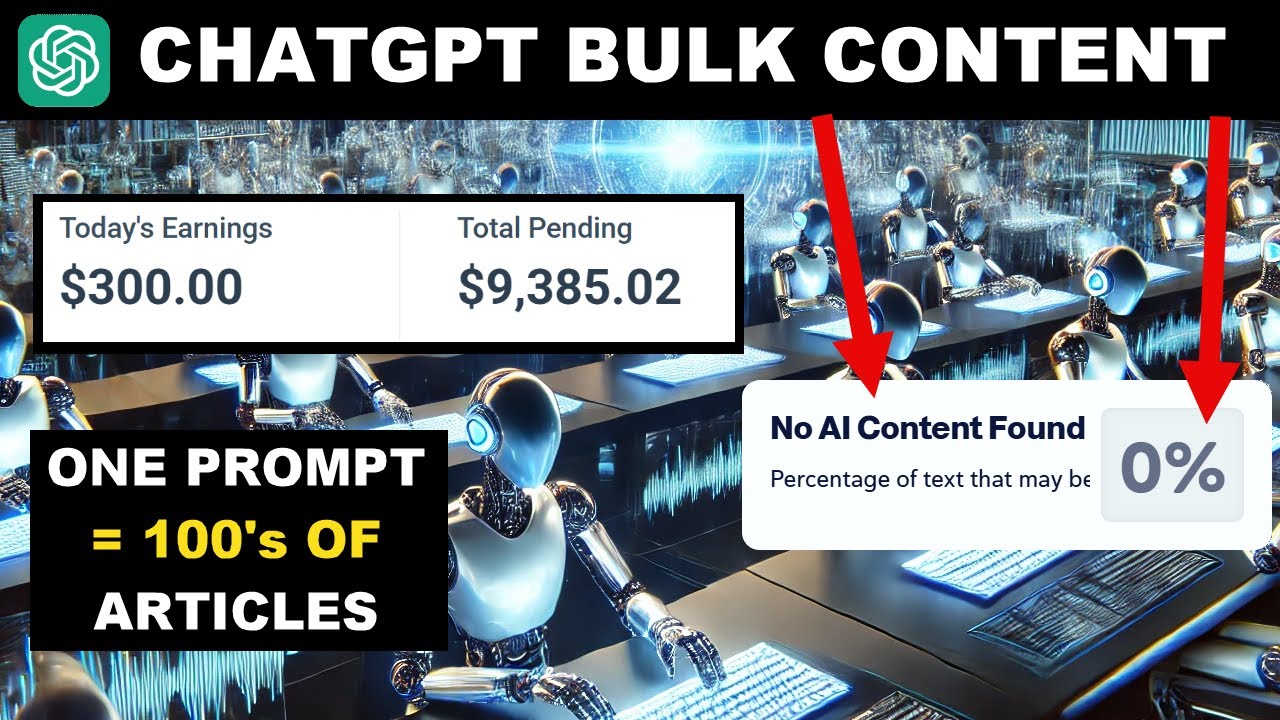


Learn how to create high quality, bulk SEO friendly content with ChatGPT, monetize expired domains, and build a profitable AI side hustle that could potentially make you a millionaire.
Artificial intelligence is ushering in a new era of online entrepreneurship, and ChatGPT sits at the forefront of this revolution. If you’re an aspiring blogger or digital marketer looking for a lucrative side hustle, ChatGPT can be a game changer. With just a few smart prompts, you can quickly generate articles, grow a niche website, and tap into multiple income streams from affiliate marketing to display ads.
In this post, you’ll learn how to harness ChatGPT to create bulk content that readers and search engines love. You’ll also discover how purchasing expired or auctioned domains can give you a head start, helping you potentially earn serious profits faster than you ever thought possible. Ready to explore the path toward becoming an AI millionaire? Let’s dive in!.
Why ChatGPT for Bulk Content Generation:
1. Fast and Efficient Content Production
Traditional content creation can be time consuming and expensive. Hiring freelance writers, editing drafts, and waiting for revisions can take weeks. If not months to get a sizable batch of content ready. By contrast, ChatGPT can produce multiple, high quality articles in a matter of hours. This efficiency allows you to:
- Launch new sites quickly or revive existing ones.
- Keep content fresh and up to date, which is crucial for both user engagement and SEO.
- Explore multiple niches simultaneously without draining your time or budget.
2. Natural Language Understanding
ChatGPT has advanced Natural Language Processing (NLP) capabilities that let it “understand” context better than standard content spinners or automated text generators. This ensures your articles read smoothly and provide real value to the reader, which is essential for building trust and authority in your niche.
3. Cost Effective Scaling
Many automated writing tools offer bulk content generation, but they often come with hefty price tags or produce low quality text. ChatGPT, when used correctly, can match or surpass the quality of human written drafts at a fraction of the cost. Investing in this AI can be especially rewarding when you’re looking to scale content production across multiple websites.
step1: Choose a Profitable Niche or Domain
Why Niche Selection Matters
No matter how great your content is, if you pick a niche with little interest or profitability, you’ll struggle to make money. Thorough research is key:
- Keyword Volume: Look for niches with substantial search traffic.
- Competition: Gauge how hard it is to rank for primary and secondary keywords.
- Monetization Potential: Check if affiliate offers, display ads, or sponsored posts exist in that niche.
Using Expired or Auctioned Domains for a Head Start
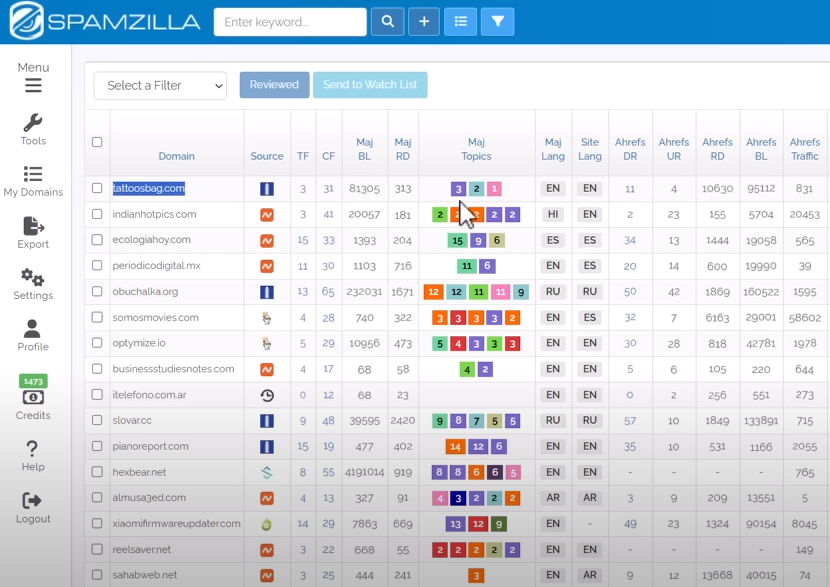
One of the quickest ways to gain traction is by purchasing an expired or auctioned domain that already has backlinks and a history of ranking in Google. This “authority boost” can help your new content rank faster.
- Domain History Check: Use SpamZilla or the Wayback Machine to see what the domain was about and if it was spammed.
- Relevance: If the domain was previously about personal finance, stick to that topic rather than pivoting to tech gadgets.
- Keyword Analysis: Tools like Ahrefs or SEMrush show you the domain’s historical and current keyword rankings. Identify the best keywords to target first.
2: Commanding ChatGPT for Bulk Content
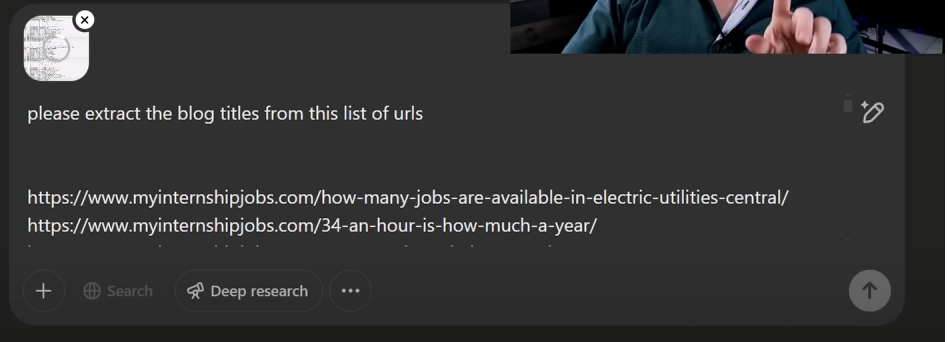
1. Gather Your URLs or Topic List
If you’re reviving an expired domain, compile the old URLs to see what topics the site covered. If starting from scratch, brainstorm around 50–100 keyword focused topics relevant to your niche.
2. Create Blog Titles and Outlines
Prompt Example:
“ChatGPT, please extract and suggest blog titles from the following list of URLs. Then, provide a detailed outline for each title.”
By feeding ChatGPT the URLs or topics, you guide it to produce relevant headlines and structured outlines (H2, H3 headings). Outlines help ensure logical flow and comprehensive coverage of the subject.
3. Generate Full Articles
Once you have your outlines, instruct ChatGPT to fill in the content. Encourage it to include statistics, examples, and actionable advice. Even short articles (500–800 words) can rank well if they directly answer user queries.
Prompt Example:
“ChatGPT, please write a 700-word article based on this outline. Include relevant data, short paragraphs, and bullet points.”
4. Review and Edit
While ChatGPT is powerful, human oversight remains crucial. You should:
- Check Grammar and Readability: Tools like Grammarly and Hemingway Editor can help polish your text.
- Fact Check Important Points: Verify data with reputable sources such as the U.S. Bureau of Labor Statistics.
- Plagiarism Scan: Although ChatGPT is generally good with originality, scanning ensures your site stays penalty free.
Step 3: Monetizing AI-Generated Content
Affiliate Marketing
Promote products or services related to your niche. For instance, if you run a career focused site, link to online resume builders or job board platforms. Earn commissions whenever readers sign up or make a purchase.
Display Ads
High quality, keyword optimized content attracts organic traffic. Join ad networks like Google AdSense or Mediavine to display ads and earn revenue every time a visitor views or clicks on them. The more valuable your traffic, the higher your ad income can go.
Sponsored Posts and Partnerships
As your site gains credibility, companies may pay you to feature their products or services in dedicated posts. Make sure any sponsored content aligns with your audience’s interests to maintain reader trust.
Email Marketing and Lead Generation
Encourage visitors to subscribe to your newsletter. By capturing email leads, you can market additional products, courses, or services in the future, building a sustainable revenue stream.
Step 4: Best Practices for AI Driven Success
- Stay in the Know: AI language models like ChatGPT update frequently. Keep up to date with new features and best practices.
- Maintain Quality Control: Never publish AI content blindly; always review it for correctness and tone.
- Experiment with Prompts: Vary your instructions to ChatGPT to discover new article angles and unique phrasing.
- Regularly Update Content: Google rewards sites that stay current. Refresh older posts with updated facts, figures, and recent developments.
- Focus on User Intent: Answer real queries and pain points in your niche. Articles that truly help readers often rank higher.
Seizing the opportunities AI offers can be a life changing move for digital entrepreneurs. By using ChatGPT to generate bulk, SEO-friendly content and strategically monetizing a well chosen niche or expired domain, you’re setting the stage for significant income growth. Potentially even millionaire status. The blueprint is straightforward: research, create quality content, monetize wisely, and scale up.
Are you ready to get started? Identify your niche or scoop up an expired domain, craft compelling articles with ChatGPT, and watch as your site grows into a revenue generating powerhouse. It’s time to embark on an AI driven journey that could transform your side hustle into a thriving online business.
Ai Glossary Websites = HUGE Profits
Learn how to create and monetize an AI-driven glossary website. Discover why it can outperform a regular directory and how to profit fast.
Have you noticed everyone talking about building directory websites lately. Only to find few people actually earning much from them? The primary challenge is monetization: a directory can attract traffic, but how do you turn visitors into revenue? In this post, we’ll explore why an AI-driven glossary website is often a better alternative and how it can produce significant income potentially in the thousands per month.
In this guide, I’ll show you how these types of sites can earn up to $220,000 or more in a month using the right strategy. The secret? Focusing on niche specific terms and definitions that people are desperate to understand. When your glossary provides clarity, you can earn higher ad payouts, attract lucrative affiliate deals, and even collect leads for long term profits.
Below, you’ll learn the exact steps to create a glossary site using AI tools like ChatGPT without needing any fancy coding or an English degree. We’ll cover how to pick your niche, structure your content, and drive targeted traffic from Pinterest and search engines. Let’s dive in.
Why an AI-Driven Glossary Outperforms a Directory
The Directory Dilemma
-
Excessive Competition
Directories usually focus on broad categories, restaurants in your city, local hotels, or general business listings. While that can yield initial traffic, you’ll be competing in a saturated landscape against bigger platforms like Yelp and Tripadvisor. Overcoming that stiff competition often requires large marketing budgets. -
Challenging Monetization
Even if you do rank for local businesses, monetizing a directory can be tricky. Many directory visitors aren’t ready to buy or click ads; they’re just looking for a phone number or address. Placing ads all over might disrupt the user experience and lower your site’s credibility, which hurts repeat visits. -
Sparse Content
Directory pages tend to be minimal: you have a listing with a name, address, phone number, and maybe a short description. This sparse information may not really engage users or satisfy search engine requirements for in depth content. As a result, getting your directory pages to rank well for long tail keywords can be an uphill battle.
The Glossary Advantage
-
Laser Focused Topics
A glossary website, by definition, revolves around meaningful, specific terms within a niche. People searching for these terms want clarity “What exactly is a HELOC?” or “How does dwelling coverage work?” When you answer these questions thoroughly, you naturally become a go to resource for deeper information. -
High Paying Niches
Many glossary worthy niches, like mortgages, insurance, legal, and specialized tech attract higher ad payouts. Advertisers in these fields may spend $15 to $20 (or more) per click. Compare that with a generic directory page that might only net you a few cents per click. -
AI-Enhanced Content Creation
With tools like ChatGPT and other AI platforms, writing up 50 to 100 definitions is far easier than manually building out a directory with thousands of local listings. You can focus on quality, insightful definitions, and user-friendly explanations all generated or assisted by AI. This not only speeds up the process but also helps you stand out from competitors using thin or recycled content. -
Authority Building
As you add comprehensive, well explained terms to your glossary, you begin to establish authority in your niche. A well structured glossary doesn’t just explain; it educates. This elevates your brand, encouraging visitors to trust your recommendations or buy the affiliate offers you promote.
How to Set Up Your AI-Driven Glossary Website
Step 1: Choose a High Paying Topic
Research the Niche
Your first step is to pick a niche with robust earning potential. Some proven areas include:
- Mortgage & Real Estate: Terms like Loan to Value (LTV), HELOC, or mortgage modification.
- Insurance & Legal: Think deductible, personal injury, or professional liability.
- Tech & Crypto: Definitions around blockchain, smart contracts, NFTs, or data recovery.
- Finance & Investing: Tax relief, 401(k) rollovers, ETF definitions, or market correction terms.
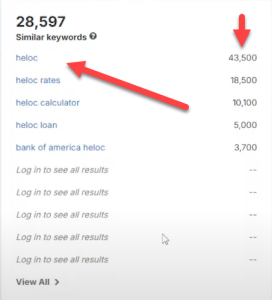
One approach is to use a free tool like Google Keyword Planner to see the approximate cost-per-click (CPC) advertisers pay for specific terms. Generally, if you see CPCs above $2–$3, you’re in a decent range. Some ultra competitive terms like “personal injury attorney” can go as high as $50 -$100 per click.
Picking a Domain
- Brandable vs. Exact Match: You don’t necessarily need a domain with “glossary” in it. Often a brandable domain like MortgageTerminologyPro.com or InsureClarity.com works just as well. Perhaps better for long term branding.
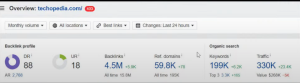
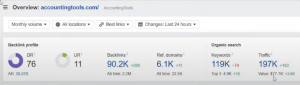
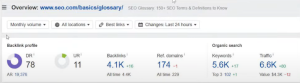
- Expired Domains: If you can find an expired domain with existing backlinks relevant to your niche, that’s even better. A small head start in domain authority can help you rank faster.
Step 2 : Generate Content With AI
Compile Your Terms
Brainstorm or AI-generate 50–100 essential definitions that people routinely search for in your field. For instance, a mortgage glossary might include:
- “HELOC” (Home Equity Line of Credit)
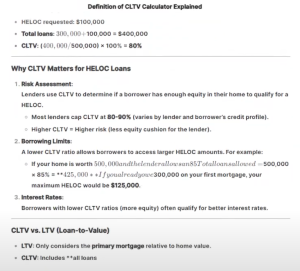
- “CLTV” (Combined Loan-to-Value Ratio)
- “Refinance”
- “Fixed vs. Adjustable Rate”
Use ChatGPT or Similar Tools
-
Draft Your Definitions
- Prompt ChatGPT: “Explain a HELOC as if you’re teaching a complete beginner. Include common misconceptions and use a friendly tone.”
- Do the same for each term. The key is to ensure each definition is unique enough to avoid plagiarism.
-
Go the Extra Mile
- Ask the AI to expand on “why this term matters,” “real world examples,” and “common mistakes.” This adds depth.
- Encourage “tips” or “FAQs” to keep the reader on your page longer improving SEO signals like dwell time.
-
Editing & Plagiarism Check
- Run your AI-generated text through a plagiarism checker (Grammarly or Copyscape) to confirm originality.
- Edit for clarity, grammar, and a consistent tone that matches your brand.
Formatting for SEO
- Headings and Subheadings: Use H2 and H3 tags for important sections.
- Short Paragraphs: Break up long text blocks for easier readability.
- Natural Keyword Placement: Insert your main keyword—e.g., AI-driven glossary website, plus niche specific terms like mortgage glossary or insurance glossary. Avoid keyword stuffing.
Internal Linking Strategy
As your glossary grows, interlink related terms. For example, if your “HELOC” definition mentions “refinance,” link to your refinance definition. This web of internal links boosts SEO and helps readers explore more terms organically.
Step 3: Add Monetization
Display Ads
- Ad Networks: Start with Google AdSense or a reputable alternative (Mediavine, Ezoic, etc.).
- Placement & Sizes: Commonly recommended units include 336×280 or 728×90. Insert them logically within your content, so it doesn’t disrupt the user experience.
Affiliate Marketing
- Relevant Offers: If you run a mortgage glossary, promote a mortgage calculator service or a home-loan comparison tool. For insurance, showcase quote comparison platforms.
- Pay Per Lead (PPL) Programs: Some industries, like legal or finance, offer pay per lead deals, often at higher rates than typical affiliate commissions. This can be especially profitable if you consistently draw serious prospects.
Sponsored Content
- Direct Sponsorships: Once your site gains traction, companies in your niche may pay you to review their tools or services.
- Webinars or Ebooks: Create specialized content, like a “First-Time Homeowner’s Guide” or “Crypto for Beginners” and offer it to advertisers interested in reaching your audience.
Lead Generation & Email Lists
- Capture Leads: Use an opt-in form inviting visitors to get a free PDF summarizing the top 10 terms in your niche.
- Follow Up Emails: Offer additional resources or affiliate deals via drip campaigns, turning visitors into potential customers over time.
Step 4: Drive Traffic (Including Pinterest)
Organic Search Engine Traffic
- Long-Tail Keywords: Each glossary term can target a specific long tail phrase like “What is combined loan to-value ratio?”
- Answer Users’ Questions: Think about what people really ask, such as “Does homeowners insurance cover water damage?” or “Is refinancing worth it in 2025?”
- On-Page SEO: Use descriptive meta tags, maintain fast page loading speed, and ensure mobile responsiveness.
Pinterest for Visual Traffic
While Google traffic is powerful, Pinterest can jumpstart growth:
- Pin Design: Create pins with eye-catching fonts and vibrant backgrounds. For each glossary term “HELOC,” for instance design a short, compelling title like: “Everything You Need to Know About HELOCs.”
- Link Back to Your Site: Make sure each pin directs to the specific glossary page, not just your homepage.
- Consistency: Post new pins regularly, track which designs or topics perform best, and pivot accordingly.
Other Social Channels
- YouTube: Repurpose your glossary content into short explainer videos. Even faceless videos with on screen text can drive clicks back to your site.
- Facebook Groups and Forums: In relevant groups (e.g., first-time home buyers, personal finance), share helpful glossary definitions when users have questions. Do not spam, offer real value.
Additional Tips and Best Practices
Address Common Pitfalls
- Quality Over Quantity: Don’t overload your site with hundreds of low quality definitions. Focus on 50–100 really helpful ones, and expand gradually.
- Avoid Keyword Stuffing: Yes, you want to rank for industry terms, but repeatedly jamming them in can harm your SEO.
- User Experience (UX) First: Over monetizing with too many ads can push users away. Keep a balanced layout that prioritizes readability.
Ethical and Legal Considerations
- Medical, Financial, or Legal Disclaimer: If your glossary covers mortgages, taxes, or insurance, include disclaimers that you are not offering official legal or financial advice.
- Affiliate Disclosure: Clearly state when links are affiliate or sponsored. In many regions, this is a legal requirement (e.g., FTC guidelines in the U.S.).
- Privacy Policy: If collecting emails, ensure you follow GDPR or other regional privacy laws.
Experiment and Optimize
- A/B Test Your CTAs: Vary your calls to action in your definitions to find which phrases encourage the most clicks.
- Track User Engagement: Tools like Google Analytics help you see which glossary terms get the most traffic and where users drop off. Expand on popular pages.
- Stay Updated in Your Niche: Terms in finance, tech, or insurance can change due to new regulations or market shifts. Keep definitions current to retain credibility.
An AI-driven glossary website capitalizes on user curiosity and the high value keywords they search for. While directory sites often struggle with monetization and competition, a glossary can laser focus on specific niche terms, helping you earn more per click and build domain authority over time. By using AI tools like ChatGPT, you can quickly generate unique, in depth content. This means less manual work for you and more accurate, user friendly definitions for your audience.
Whether you’re aiming for a few hundred dollars a month or aspiring to replicate the $220,000 monthly success featured in the original video transcript, a carefully crafted glossary site can be a serious earner. Pick a niche with big advertiser budgets, create content that solves real user problems, and diversify your traffic through both search engines and platforms like Pinterest or YouTube. Stay consistent, keep testing, and refine your approach as you go. Before long, you could find your AI-driven glossary website becoming a cornerstone of your online income.
Sell High Ticket Ai “Dashboards” To Get Rich
Discover how AI dashboards built using DeepSeek and ChatGPT. Can turn simple digital products into lucrative income streams.
Have you ever wondered if there’s a faster, more profitable way to create digital products? In today’s world, you can harness the power of AI dashboards to deliver massive value and command premium prices. By combining DeepSeek, ChatGPT, and other tools, you can transform ordinary information into high ticket courses, calculators, or resources. In this post, you’ll learn how to build profitable AI dashboards, protect your content, and market them effectively.
Why AI Dashboards Are Lucrative
AI dashboards are essentially interactive digital products that offer more than just static content. Instead of a simple PDF or ebook, a dashboard provides a guided user experience, with features such as:
- Automated Tools and Prompts: Quickly generate answers, forms, or templates.
- Interactive Calculators: Help users estimate costs, calculate potential earnings, or even evaluate ROI.
- Visual Course Layouts: Make learning engaging through icons, grids, and clearly structured modules.
By structuring information in a way that helps users get faster results, you can charge higher prices and even offer ongoing subscriptions.
Essential Tools You’ll Need
1. DeepSeek
DeepSeek is an AI assistant that helps you quickly build the HTML structure and visual design of your dashboard. You simply describe your project, and it generates icons, grids, and layouts for you. No heavy coding is required.
2. ChatGPT
ChatGPT is perfect for generating content and prompts. You can ask it to outline your course modules, create checklists, write persuasive copy, or even craft interactive tools. The best part is its ability to adapt and “learn” from your instructions.
3. Gemini or NotebookLM
Use Gemini or NotebookLM for advanced research. They excel at summarizing large amounts of information from blog posts, PDFs, or even YouTube videos. That means you can create authoritative dashboards. Complete with facts, figures, and expert tips in record time.
Building a Simple AI Dashboard
Step 1: Identify Your Niche
Pick a niche where people have pressing questions or tasks:
- Copywriting (e.g., email marketing, sales letters)
- Live Streaming (setting up gear, monetizing content)
- Outsourcing (hiring freelancers, managing workflow)
- Recipes and Cooking (interactive ingredient converters)
- Car Buying or Selling (pricing tools, negotiation prompts)
Ask yourself: “What problems can I solve, and how can I automate solutions?”
Step 2: Outline the Dashboard Modules
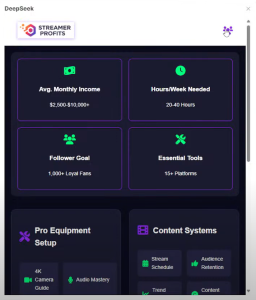
Use DeepSeek or ChatGPT to list each module as an icon in a visual grid. For example, in a copywriting course, you might have:
- Fundamentals of Copywriting
- Audience Research
- Headline Generators
- Email Templates
- Sales Page Prompts
- ROI Calculator
- Swipe File Collection
- Editing & Proofreading Tools
- Final Checklist
- Advanced AI Tools
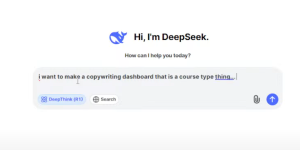
Each module links to its own page or pop up. This structured approach helps users instantly find the exact resources they need.
Step 3: Add Interactive Tools & Prompts
With ChatGPT, you can create interactive calculators or fill in the-blank templates. For instance, a “Sales Copy Prompt Generator” lets your users:
- Enter their product details (features, target audience, problems solved).
- Check off persuasive elements (urgency, social proof, story-based hooks).
- Generate ready to use copy.
Such interactive resources skyrocket the perceived value of your course.
Step 4: Secure & Monetize Your Dashboard
- Password Protect Your Content: Within your hosting’s cPanel, create a password-protected folder for the dashboard. Only paying customers receive the login details.
- Offer Multiple Pricing Options: Sell a basic tier with essential prompts and an advanced tier with calculators, templates, and bonus modules.
- Upsell Additional Services: Consulting calls, done for you copy packages, or personalized feedback sessions can become lucrative add ons.
AI dashboards allow you to create high value digital products that stand out in a sea of basic ebooks and PDFs. By leveraging DeepSeek for visual layout, ChatGPT for content generation, and optional research with NotebookLM or Gemini, you can launch a premium offer far quicker than traditional methods. The key is structuring your content around the user’s experience—making it interactive, straightforward, and genuinely helpful.
Ready to begin? Start brainstorming your niche, outline your modules, and let AI handle the heavy lifting. By focusing on delivering real value to your audience, you can create a digital product that sells again and again with minimal maintenance. Good luck building your first AI dashboard and here’s to your future success!.
Ai Process For Making Money
Video Hacks Ai Class Starts Monday @ 3PM Est
all calls and training materials will be recorded and downloadable.
Using Deepseek Ai To Make A Full $100 A Day Business
JOIN AI PROFIT SCOOP FOR TOMORROWS AI PROCESS CALL
Learn how to build profitable websites using Deepseek AI to earn $100+ daily. Follow these simple steps, real examples, and monetization tips.
Making money online has never been easier, thanks to powerful new AI tools like Deepseek AI. In a recent live stream, it was demonstrated how to create “AI money bots” that work 24/7 to generate income. Whether you want to compress images, generate lucky numbers, or create fun name generators, Deepseek AI can automate large chunks of the work, so you can focus on what really matters. Getting traffic and monetizing your site.
In this post, you’ll learn how to build these profitable sites using AI, how to monetize them, and where to find the traffic to start earning a solid income online.
Why Deepseek AI Is a Game Changer

- No Coding Required
Deepseek AI writes the code for you. Simply copy and paste the generated PHP or HTML files into your website’s file manager. - Versatile Tool Creation
From image compressors to lucky number generators, Deepseek can handle virtually any tool or mini app. You can also use it to place your affiliate links seamlessly. - Rapid Development
Traditional coding often involves hiring a developer, waiting weeks, or learning programming yourself. With AI, you can build a functional website or app in minutes.
Setting Up Your Website Infrastructure
Choosing Your Niche
Your first step is to decide on a topic (or “niche”) that people care about. Examples from the live stream included:
- Lottery or winning numbers
- Name generators (baby names, drag queen names, fantasy names, etc.)
- Image converters and compressors
- Numerology or “lucky number” calculators
Pick a niche where you can easily incorporate affiliate offers or ads. For instance, a winning numbers site can promote lottery-related offers, or a name generator site can feature affiliate links for domain registration or custom merchandise.
Domain and Hosting Setup
- Buy a Relevant Domain: Aim for something memorable and niche-specific (e.g., ImageCompressorAI.com or WinningNumbers.me).
- Choose a Reliable Host: For easy setup, look for hosting with a user-friendly cPanel, such as GoHubSite.com (your internal or affiliate link).
- Install WordPress (Optional): WordPress simplifies content management, but you can also upload the AI-generated tools directly to your server via the file manager.
How to Create AI-Driven Tools
- Outline the Tool You Want
Decide on the functionality—e.g., “Compress images,” “Generate lottery numbers,” or “Create name ideas.” - Prompt Deepseek AI
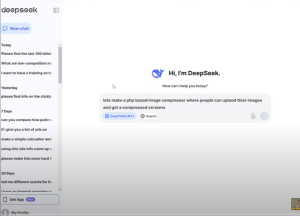
Provide detailed instructions such as:“Make a PHP-based image compressor tool where users can upload files and download a compressed version. Include a header logo, affiliate links, and a disclaimer.”
- Copy and Paste
Simply copy the code Deepseek AI generates and paste it into yourindex.php(or.html) file in your server’s cPanel. - Add Branding & Disclaimers
Prompt Deepseek AI again to insert your logo, affiliate disclosures, disclaimers, and any styling changes you want (e.g., font size, background color).
Example: Winning Numbers Generator
- Powerball or Lottery Tool
Deepseek AI can generate a simple script that asks for your preferred numbers, randomizes results, and displays the most common numbers. - Monetization
Insert ClickBank or CPA offers related to numerology, lottery tips, and “law of attraction” programs for an easy affiliate income stream. 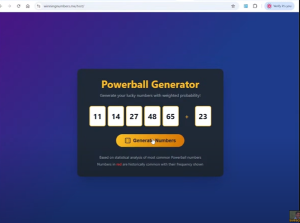
Example: Name Generator
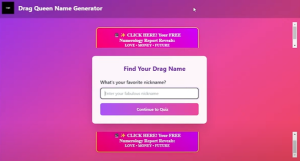
- Drag Queen Name Generator
Let users pick color palettes, personality traits, or favorite nicknames. Your site then spits out a fun, AI-crafted name. - Monetization
Promote TV streaming platforms (for shows like “RuPaul’s Drag Race”) or affiliate offers on custom T-shirts and merchandise.
Monetizing Your AI Websites
Once your tool is live, you need to turn your visitors into revenue:
- Affiliate Marketing
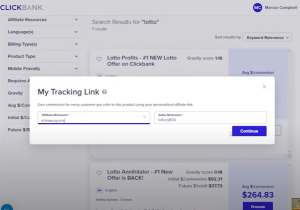
- ClickBank Offers: Great for digital products such as numerology reports or personal development courses.
- E-commerce & Merch: Offer print on demand items that feature generated names or quotes.
- Display Ads
- Google AdSense or Ezoic: Ideal for sites with general traffic (e.g., name generators, lottery fans).
- Premium Upgrades
- Advanced Features: Offer an upsell for advanced compression or “AI predictive numbers” in exchange for a small fee.
- CPA Offers
- Email Submits: For users who want “lucky numbers emailed daily” or “top 10 name ideas” as a PDF.
Driving Traffic to Your Website
- Social Media
- TikTok and Instagram Reels: Make short clips demonstrating how your AI tool works (e.g., “Generate your lucky Powerball numbers live!”).
- Pinterest: Perfect for name generators and creative tools (pin your results or any final images created).
- Search Engine Optimization (SEO)
- Long-Tail Keywords: Rank for “drag queen name generator,” “best winning numbers for Powerball,” or “compress BMP images.”
- On-Page Optimization: Use your main keyword.“Use Deepseek AI to Make Profitable Websites and Make Money Online”.naturally in your titles and content.
- Paid Ads
- Facebook Ads & Google Ads: If your per-visitor revenue is high enough, small test budgets can quickly reveal profitable campaigns.
- Forums & Communities
- Reddit Threads: People love quick freebies like name generators or number pickers. Drop your link where relevant.
From an image compressor to a lottery winning number picker, you can create profitable websites using Deepseek AI in a matter of minutes. Focus on a niche with passionate users, insert targeted affiliate offers, and drive traffic through social media, SEO, or paid ads. This combination of AI-driven automation and effective monetization strategies can potentially help you reach (and surpass) $100 a day online.
Make Money With AI And Click Bank
I Used DeepSeek AI To Make $687+ a Day Online
Learn how DeepSeek AI helped me generate over $687 per day online. Discover tips and strategies to maximize your earnings with this powerful new AI.
Imagine having a powerful AI “money printer” at your disposal, capable of creating complete sales funnels, coding profitable tools, and generating income faster than ever before. That’s exactly what DeepSeek AI promises. And in this post, you’ll see how I used it to make as much as $687 a day. We’ll cut through the hype, talk about why some governments are already banning or restricting it, and show you actionable steps to capitalize on this game changing platform.
What Is DeepSeek AI?

DeepSeek AI is a new artificial intelligence model rumored to originate from China. It claims to:
- Outperform many existing AI platforms (including ChatGPT)
- Self generate prompts to create content or write code
- Analyze real time market data for better money making strategies
In the video transcript, we learned that OpenAI (the company behind ChatGPT) found evidence suggesting DeepSeek AI was partially trained on its own models. Controversy aside, what truly matters to us is how this tool can help you earn money online. without needing deep coding skills or complicated prompts.
Why the Buzz?

- Massive Impact on Stock Prices: According to some reports, DeepSeek AI contributed to a $600 billion drop in a major tech company’s stock. Whether or not that’s entirely accurate, the speculation alone has investors on edge.
- Potential Government Bans: Certain governments are restricting DeepSeek AI for military and security reasons. The advanced coding and “emotional intelligence” modules make it both incredibly useful and potentially controversial.
- AI Evolution: Many people missed the boat when ChatGPT first hit the scene in late 2022. DeepSeek AI is seen as the next wave, offering more power, speed, and user friend liness.
If you harness DeepSeek AI’s capabilities ethically and effectively, you could unlock serious earning potential. Before more countries or major platforms restrict its usage.
My $687+ Per Day Strategy
1. Coding Simple Money Making Tools
Early on, I used ChatGPT to create small software tools (like calculators, generators, or basic widgets) that I gave away for free in exchange for email sign ups or ad clicks. Now, DeepSeek AI takes this to another level by:
- Generating code faster and with fewer errors.
- Auto-correcting logic before finalizing scripts.
- Suggesting profitable angles for the tools you want to create.
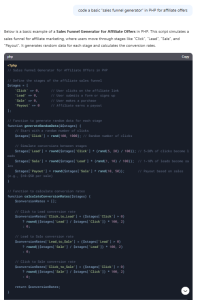
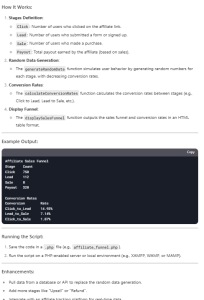
With DeepSeek AI, I asked it to code a basic “sales funnel generator” in PHP. Within minutes, it produced a working script, complete with prompts for different affiliate offers. The funnel captures leads, presents a low ticket offer, and upsells to a high ticket product. Something that would have cost thousands to develop from scratch.
2. Building High Converting Sales Pages
DeepSeek AI excels at emotional intelligence, meaning it can craft copy that addresses pain points, desires, and user behavior. I simply typed in:
“Create a sales page that targets people overwhelmed by online business but looking to earn money quickly with AI.”
In less than a minute, I received a full sales page draft, complete with headlines, subheadings, and persuasive bullet points. After adding my own personal flair and disclaimers, I launched the page. The result? Over $687 a day in sales for an AI-related affiliate offer.
3. No More Prompt Guesswork
One unique feature of DeepSeek AI is that it generates its own prompts. Rather than figuring out how to phrase your requests perfectly, you can type something casual like:
“Here’s my new idea. How do I monetize it with AI?”
DeepSeek AI then breaks down your idea into smaller steps, creating prompts for each step automatically. You get a money making plan without the usual trial and error that comes with other AI tools.
Step by Step Money Blueprint :
- Choose Your Profit Method
- Affiliate marketing, selling digital products, software, or services.
- DeepSeek AI can evaluate current market trends and suggest top paying affiliate offers.
- Generate a Targeted Funnel
- Use DeepSeek AI to build an opt in page or a direct sales page.
- Insert your affiliate links or product checkout links.
- Create Emotional Hook Copy
- Ask DeepSeek AI to write persuasive copy focusing on user pain points.
- Highlight real results or case studies (with permission) to build trust.
- Insert Engaging Visuals
- DeepSeek AI can suggest image concepts.
- Alternatively, use a free image generator or stock photo site.
- Image Alt Text: “DeepSeek AI money-making funnel” (if you feature a screenshot of your funnel, for example).
- Launch and Refine
- Send traffic from social media, SEO, or paid ads.
- Test your landing page conversions.
- Tweak copy and design based on feedback or analytics.
Try DeepSeek AI: If it’s available in your region, test it for yourself and watch how fast you can launch income generating projects.
DeepSeek AI might be stirring controversy, but there’s no denying its potential for rapid money-making results. Especially if you understand how to harness it. By combining the tool’s coding prowess, prompt generation, and emotional intelligence, you can create sales funnels, software, and persuasive content in record time. While some governments and companies want it banned, you can seize the moment now to build profitable online ventures.
Ready to dive in? Start small, build each step with DeepSeek AI, and watch your earnings climb. Just remember, like any business venture, success depends on consistent effort, testing, and ethical marketing practices. Good luck, and get ready to supercharge your online income with DeepSeek AI!.
Build Simple, Focused Websites For Affiliate Marketing
Learn how to build simple, focused websites for affiliate marketing and earn $1,400 daily. Follow this step by step guide to start generating income today.
Imagine creating a simple, two page website in the morning and watching it generate profits by the end of the day. It might sound too good to be true, but this strategy has helped countless affiliate marketers, including myself, earn thousands of dollars daily. By building simple, focused websites for affiliate marketing, you can bypass complex setups and start making money quickly. Whether you’re a complete beginner or an experienced marketer, this guide will show you how to leverage two page websites to achieve impressive results.
What Are Two Page Websites?
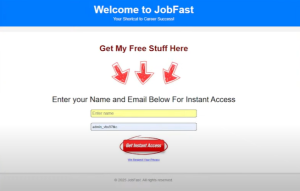
Two page websites are minimalist, highly focused platforms designed to achieve one goal: generating income quickly. These websites consist of:
- Landing Page: A page designed to attract and engage visitors, leading them to take specific actions.
- Thank You Page: A follow up page that reinforces the user’s action and offers additional opportunities.
Unlike traditional blogs or e-commerce sites, two page websites don’t require:
- Long term SEO strategies.
- Large advertising budgets.
- Complex technical skills or setups.
This streamlined approach allows you to launch and profit in just hours.
Click Here To Join Ai Profit Scoop And Get Your Domain
Why Two Page Websites Work
Simplicity
People are drawn to simple solutions that address their immediate needs, such as saving money or finding tools to improve their daily lives.
Low Barrier of Entry
These websites often promote free downloads or easy actions, which convert better than requiring direct purchases.
Massive Online Audience
With billions of internet users daily, even a small percentage engaging with your site can lead to substantial earnings.
How Two Page Websites Generate Income
Find High Converting Affiliate Offers
To start, partner with affiliate networks such as MaxBounty, OfferVault, or ClickBank. These platforms offer programs that pay you for specific user actions, including:
- Downloading free tools or apps.
- Filling out forms (e.g., job search or loan applications).
- Making purchases (e.g., “As Seen on TV” products).
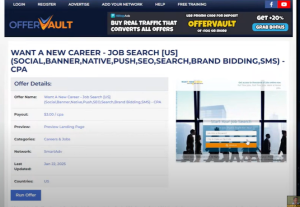
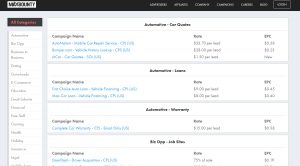
Example: If an affiliate offer pays $4.50 per download and you drive 311 downloads in one day, you’ll earn over $1,400.
Build Your Two Page Website
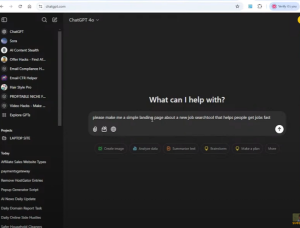
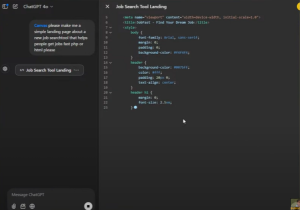
Use tools like ChatGPT, drag and drop editors, or basic HTML to create your site. Your website should include:
- Headline: Grab attention with phrases like “Save Big on Groceries with One Simple Download!”
- Call to Action (CTA): Encourage visitors to act, such as downloading an app or signing up.
- Visuals: Eye-catching images or icons that highlight the offer.
Landing Page Tips
- Focus on benefits or success stories (e.g., “Saved $150 on holiday shopping!”).
- Keep the design clean and direct.
Thank You Page Tips
- Thank users for their action.
- Offer additional resources or upsells to increase revenue.
Drive Traffic to Your Website
Traffic is the lifeblood of your site. Avoid waiting for organic SEO traffic and focus on:
- Free Traffic: Leverage platforms like Pinterest, TikTok, and Facebook groups.
- Paid Traffic: Use Google Ads, Facebook Ads, or YouTube Ads to reach a targeted audience.
Examples of Successful Two Page Websites
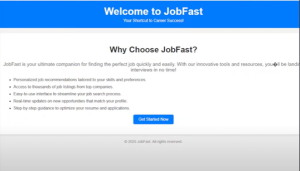
Job Search Tools
One website promoting a job search tool earned $33.50 per lead by targeting job-seekers on Pinterest. Hundreds of signups daily led to consistent profits.
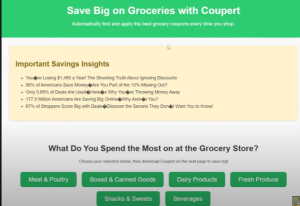
Coupon Finder Websites
A site focused on grocery coupon downloads converted 12% of visitors, far exceeding industry standards.
“As Seen on TV” Products
Selling simple gadgets like the “Kitchen Cube” for $9 while earning $15 per sale proved to be highly lucrative.
Tips for Success
- Focus on One Goal Per Page: Each page should have a clear, singular purpose (e.g., driving downloads or capturing email addresses).
- Test and Optimize: Experiment with different headlines, images, and CTAs to maximize conversions.
- Leverage AI Tools: Use ChatGPT to create landing pages, ad copy, or even email sequences.
- Scale Paid Traffic: Once you see consistent results, invest in scaling your traffic through ads.
Key Takeaways
- Streamlined Simplicity: Two-page websites are quick to build and focus on high-converting actions.
- Proven Results: Real-world examples demonstrate the potential for earning thousands of dollars daily.
- Flexible Traffic Options: Use both free and paid strategies to drive visitors to your site.
Building simple, focused websites for affiliate marketing is one of the most effective ways to generate income online. These two page websites are easy to set up, require minimal investment, and deliver fast results. By partnering with the right affiliate networks, creating compelling landing pages, and driving targeted traffic, you can start earning as soon as today.
So, why wait? Take the first step toward financial freedom. Start building your two-page website now and watch your efforts turn into daily profits.
Free Domains With Ai Profit Scoop :)
Click Here To Join Ai Profit Scoop And Get Your Domain
Discover how to claim a free domain worth $200 with your AI ProfitScoop membership! Learn how this incredible offer helps you build your online business and make money with AI. Join today for just $17/month.
Welcome to AIProfitScoop.com, where we’re all about helping you make money online with AI. Today, I’m thrilled to introduce our exclusive Free Domain Offer, a deal that gives you access to a domain worth up to $200 absolutely free with your AI ProfitScoop membership. Imagine starting your online business with a powerful domain, expert tools, and actionable strategies for just $17 a month. Keep reading to find out how this offer works, why it’s an unbeatable deal, and how you can claim your domain today. Let’s get started!
Get a Free Domain with Your AI ProfitScoop Membership!
Hi there, and welcome to AIProfitScoop! I’m thrilled you’re here because today, I want to share an exciting offer that’s going to take your journey toward making money online with AI to the next level: the Free Domain Offer. That’s right, this deal is designed to make your first month in AI ProfitScoop not just affordable but potentially better than free. Let me explain how it works and why it’s such a game changer.
What Is AI ProfitScoop?
If you’re not familiar, AI ProfitScoop is my most affordable course ever, priced at just $17 per month. But don’t let the low price fool you. This course is packed with valuable tools and strategies to help you make money online using AI. And to make your first month even more enticing, I’ve added something special: free domains!
How the Free Domain Offer Works
Here’s the deal: with your AI ProfitScoop subscription, you get a $200 credit to use toward any domain listed at domains.blogprofitnetwork.com. That means you can select a domain valued at $200 or less and get it for free! If you find a domain that costs a bit more, you can still use your $200 credit and pay the difference. You can even upgrade to a domain that comes with a fully built website.
Here’s how to get started:
- Visit the Domains Website
Go to domains.blogprofitnetwork.com, where you’ll find all the available domains. - Sort and Select Your Domain
Scroll to the bottom of the page and click “View All Domains.” If you want to find a domain included in your membership, sort by price and look for those in the $200 range. - Check for Added Value
Some domains come with backlinks, rankings, or even potential for social media success. For example, a domain like findjobapplication.com could be an excellent choice for social media campaigns. Domains with backlinks give you a head start in search engines, making them a valuable asset for your online business. - Appraise Your Domain
Use tools like the GoDaddy Domain Appraisal tool to see what your chosen domain might be worth. While these are just estimates, you might be surprised by the value you’re getting for your $17 subscription. Some domains are appraised at over $1,500!.
Claiming Your Free Domain

Once you’ve picked your domain, the process is simple:
- Add the domain to your cart.
- Use the coupon code provided in your AI ProfitScoop members area or in the emails we send.
- Check out and pay a small registration fee to transfer the domain to your account. This ensures your domain is registered for a full year, so you won’t have to worry about it expiring anytime soon.
And that’s it! Your domain will be ready for you to start building your online business.
Upgrade Options for Your Domain
If you’re looking for something more advanced, we’ve got you covered. You can upgrade to a fully built website package, which includes:
- 25 Articles
- 25 Pinterest Pins
- A Full Year of Support
- And much more!
The $200 credit from your AI ProfitScoop subscription can be applied toward these upgrades, saving you big money while setting you up for even greater success.
Why This Offer Is a No Brainer ?
This isn’t just about getting a domain. it’s about choosing a direction for your online business. A good domain name can open the door to endless opportunities, whether you’re starting a blog, building an affiliate site, or creating a niche store. And at just $17 a month, you’re getting a domain and the tools you need to make it profitable.
Not Yet a Member? Join Now!

If you’re not already an AI ProfitScoop member, what are you waiting for? This free domain offer is just the beginning of what you’ll get with your membership.
Ready to Get Started?
If you have any questions, our support team is always here to help.
Let’s make money online together!
Using AI For Automation and Website Builder
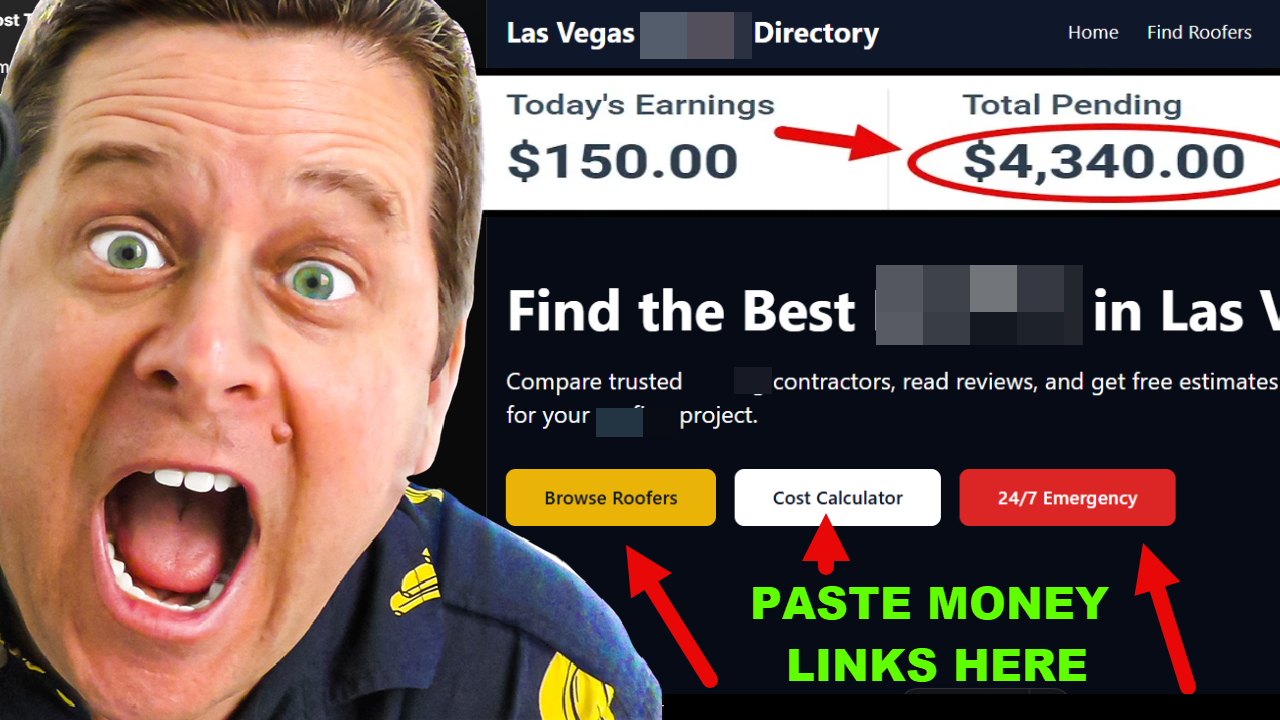
Discover how to use AI for automation and website building to save time and boost efficiency. Learn actionable tips and tools for success. Start today!
In today’s digital world, leveraging artificial intelligence (AI) is no longer a luxury; it’s a necessity. AI has transformed how we approach automation and website building, saving time and effort while delivering professional results. This blog explores how AI tools can streamline website creation and enhance automation, giving businesses and individuals the tools they need to succeed online. Whether you’re a beginner or a seasoned professional, you’ll find practical insights and actionable tips to maximize AI’s potential. Let’s dive into how you can use AI for automation and website building to elevate your online presence.
Why AI is a Game Changer for Website Building and Automation
Artificial intelligence has revolutionized the website creation process. Instead of spending hours designing, coding, and troubleshooting, AI powered tools can handle these tasks in minutes. Here’s how:
- User Friendly Interfaces: AI website builders like Nicepage or Wix AI Editor make it easy to create professional sites without technical expertise.
- Time Savings: Automation tools handle repetitive tasks like email marketing, social media management, and content scheduling.
- Customization: AI allows you to tailor designs and workflows to match your brand identity seamlessly.
With AI, what used to take weeks can now be accomplished in a few clicks, enabling businesses to focus on growth rather than tedious processes.
What Is Bolt and How Does It Revolutionize Automation?
Bolt is an AI powered automation tool designed to streamline repetitive tasks and integrate seamlessly with website-building processes. Marcus explains that this tool acts as a bridge between managing day-to-day operations and enhancing your online presence.
How to Using Bolt for Automation
Step 1: Setting Up Your Bolt Account
- Sign Up: Go to Bolt’s official website and create an account. choose the premium plan for access to advanced features.
- Dashboard Overview: Familiarize yourself with the intuitive dashboard, where you’ll manage all your automation workflows.
Step 2: Identifying Tasks to Automate
- Audit Your Processes:
- List repetitive tasks in your business, such as customer inquiries, social media posting, or inventory updates.
- Choose Automation Goals:
- Start small, like automating email follow ups or setting reminders for clients.
Step 3: Customizing Automation Workflows
- Workflow Creation:
- Navigate to the “Create Workflow” section in Bolt.
- Choose from pre built templates or start from scratch.
- Set Triggers and Actions:
- Example: Trigger, “Customer fills out contact form.”
- Action: Send automated thank you email.
- Testing and Adjustments:
- Always test workflows to ensure accuracy before deployment.
Step 4: Integrating Bolt with Your Website Builder
- Connect Your Website:
- Bolt supports integrations with WordPress, Shopify, and other platforms. Use API keys provided by Bolt to sync.
- Optimize Site Functionality:
- Automate tasks like updating product inventories, responding to customer reviews, or sending order confirmations.
Key Steps to Build AI Powered Websites
1. Choose a Profitable Niche
Your niche determines how you’ll earn money. Some profitable options include:
- Affiliate splash pages: Promote affiliate products with single page designs.
- Directories: List businesses or resources for a fee.
- E-commerce: Sell physical or digital goods.
- Lead generation: Collect and sell leads to businesses.
- Tools and calculators: Offer helpful resources like password strength testers or savings calculators.
Example: For a directory site, you might target a local area like “Las Vegas real estate” or industries like “economics tools.”
2. Set Up Hosting
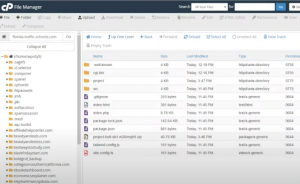
All you need is a basic cPanel hosting account, which typically costs around $9/month. With this, you can host multiple websites. Choose reliable hosting providers to ensure site performance and uptime.
3. Use AI to Build Your Website
Several AI tools can help you:
- ChatGPT: Use it for content creation, generating ideas, and even writing HTML or PHP code.
- Bolt.new: Generate complete websites, including tools, pages, and navigation.
- Doric, Squarespace, or WordPress: For additional customization, these platforms integrate well with AI-generated content.
4. Create Pages and Tools
Depending on your niche, you’ll want to include:
- Homepage: Include a clear call to action (e.g., “Check your password strength now”).
- Resources and tools: Examples include calculators, quizzes, or product comparisons.
- Affiliate links: Embed your links in key areas to drive revenue.
5. Focus on Content and Monetization
While design matters, your primary focus should be on how the site generates income. Examples include:
- Affiliate marketing: Promote products like Offervault or Capital One Shopping.
- Ad revenue: Use Google AdSense or similar programs.
- Memberships: Offer premium tools or exclusive content.
If you want to learn more about how to use AI for your business, visit:AIProfitScoop.com.
Here is a list of types of sites that you can use as a reference:
| Type | Description | Monetization | Difficulty | Can Be Created with AI |
|---|---|---|---|---|
| Directory Sites | List businesses, services, or resources in a specific niche or location. | Paid listings, affiliate commissions, ads. | Medium | Yes |
| Affiliate Splash Pages | Simple, focused pages driving visitors to affiliate offers. | Affiliate commissions, lead generation, retargeting. | Easy | Yes |
| Authority Sites | Comprehensive websites in a niche that establish trust and expertise. | Affiliate marketing, ads, selling courses or content. | Medium | Yes |
| E-Commerce Stores | Websites selling physical or digital products. | Product sales, dropshipping, subscription boxes. | Medium | Yes |
| Blogs | Content-focused websites built around a specific interest or niche. | Sponsored posts, affiliate links, display ads. | Easy | Yes |
| Membership Sites | Exclusive platforms offering content or services behind a paywall. | Subscription fees, tiered memberships, premium tools. | Hard | Partially |
| SaaS (Software as a Service) | Websites offering software solutions users can subscribe to. | Subscriptions, premium upgrades, licensing fees. | Hard | No |
| Review Sites | Websites providing detailed reviews and comparisons. | Affiliate commissions, sponsored reviews, ads. | Medium | Yes |
| Course or Education Sites | Platforms offering educational content, tutorials, or courses. | Selling courses, certifications, subscriptions. | Medium | Partially |
| Job Boards | Websites connecting employers and job seekers. | Charging for listings, premium job seeker services, ads. | Medium | Yes |
| Niche Forums or Communities | Platforms for discussions in specific niches. | Membership fees, ads, affiliate links. | Hard | Partially |
| Local Business Sites | Websites focused on a specific geographic location. | Paid listings, affiliate partnerships, sponsored posts. | Medium | Yes |
| Lead Generation Sites | Capture leads for specific industries or services. | Selling leads, affiliate commissions, targeted ads. | Medium | Yes |
| Tools and Calculators | Offer valuable tools or calculators for niche audiences. | Subscription fees, affiliate offers, ads. | Hard | Partially |
| Content Aggregators | Collect and display content from other sources. | Ads, affiliate links, sponsored placements. | Medium | Yes |
| Dropshipping Stores | E-commerce sites selling without holding inventory. | Product sales, subscription boxes, cross-selling. | Medium | Yes |
| Travel Sites | Focus on travel tips, bookings, or itineraries. | Affiliate partnerships, ads, paid guides. | Medium | Yes |
| Print-On-Demand Stores | Sell custom merchandise printed per order. | Selling designs, bundling items, exclusive products. | Medium | Yes |
Examples I made at the Webinar:
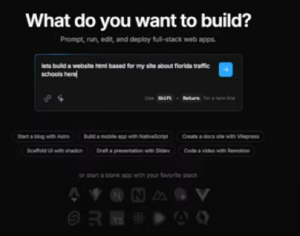
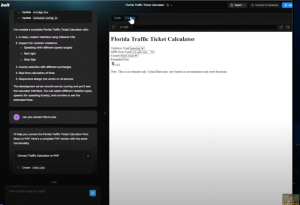
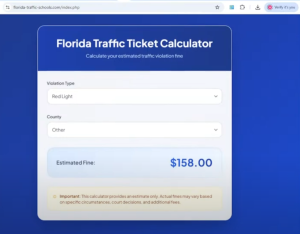
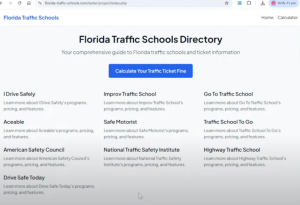
Using AI, we created a directory site listing online traffic schools. Monetization strategies included affiliate commissions from courses and paid ads.
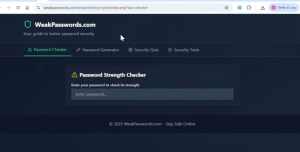
Weak Password Tools
This site offers tools like a password strength checker and generator. AI created the code and page structure, while monetization comes from promoting VPNs and cybersecurity software.
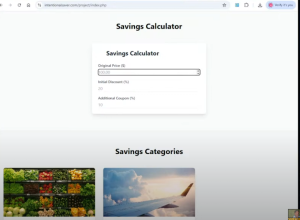
Intentional Saver
A resource site for saving money with tools like coupon code generators and product comparisons. Affiliate links for shopping apps like Capital One drive income.
Here is a list of tools examples:
| Tool | Description | Cost |
|---|---|---|
| Wix ADI | Creates websites based on user preferences, suggests layouts, and color schemes. | Free basic plan; premium plans start at $16/month. |
| Squarespace Fluid Engine | AI-assisted design adjustments for images and layouts. | Plans start at $16/month. |
| 10Web | AI website builder for WordPress, generates sites from text descriptions. | Starts at $10/month. |
| Bookmark | AI assistant builds websites with automated content and layout suggestions. | Free plan available; premium plans start at $12/month. |
| Jimdo Dolphin | AI-powered website builder that customizes sites based on user input. | Plans start at $9/month. |
| Zyro | AI tools for heatmaps, content generation, and layout optimization. | Plans start at $2.90/month. |
| Durable | Generates complete websites, including design and content, in under a minute. | Starts at $12/month. |
| Shopify Magic | AI tools for product descriptions and marketing optimization. | Plans start at $29/month. |
| BigCommerce AI Tools | AI-powered product recommendations and analytics. | Plans start at $29.95/month. |
| WooCommerce + Jetpack AI | AI-driven content and SEO optimization for online stores. | Free plugin; premium add-ons available. |
| Visual Studio Code (GitHub Copilot) | AI assistant for code completion and bug fixing. | $10/month for individuals, $19/month for businesses. |
| Dreamweaver (Adobe Sensei) | Responsive design and intelligent content suggestions. | $20.99/month as part of Adobe Creative Cloud. |
| CodePen (AI Plugins) | AI-powered autocomplete and real-time error detection. | Free plan available; pro starts at $12/month. |
| Figma + AI Plugins | Automates design tasks and generates assets with AI. | Free basic plan; pro starts at $12/month/editor. |
| GitHub Copilot | AI-powered coding assistant for multiple IDEs. | $10/month for individuals, $19/month for teams. |
| WordPress Plugins (Bertha.ai, RankMath AI) | AI content generation and SEO optimization. | Free plugins; premium plans vary. |
| Ghost + GPT Integration | AI-assisted content suggestions for blogs. | Starts at $11/month. |
| Webflow AI | AI tools for layout suggestions and responsiveness. | Plans start at $14/month. |
| Gatsby Cloud AI | Pre-builds pages and optimizes content using AI. | Free for basic use; premium plans vary. |
| Next.js with OpenAI API | Custom AI integrations for personalized content. | Open-source; API costs depend on usage. |
| Canva AI Tools | Magic Write and Magic Edit for content and design. | Free basic plan; pro starts at $12.99/month. |
| Adobe XD (Adobe Sensei) | Generates design variations and asset suggestions. | $9.99/month as part of Adobe Creative Cloud. |
Overcoming Challenges
While AI simplifies website creation, there are occasional hiccups:
- Errors in file structure: Always review files for issues like missing index pages.
- Customization: Fine tune headers, footers, and navigation to improve user experience.
- Caching problems: Clear caches regularly during development.
Tips for Success
- Keep It Simple: Fancy designs don’t matter as much as functionality and monetization.
- Test Everything: Regularly check links, tools, and page loading to ensure a smooth experience.
- Drive Traffic: Use SEO, social media, and ads to bring visitors to your site.
- Iterate Quickly: With AI, you can easily test multiple niches and strategies until you find what works.
Building profitable websites with AI is more accessible than ever. By combining AI tools, smart niche selection, and a focus on monetization, you can create sites that generate consistent income. Whether you’re a beginner or a seasoned marketer, this approach can help you build, scale, and succeed in the online world.
Start today, and let AI do the heavy lifting for you!