Uncategorized
New 100K A Year Ai Blog Setup
Seo Is Not Dead – Here Is My $1M AI Blogging Plan For 2025
JOIN THE NEW BLOG PROFIT NETWORK HERE – PREORDER SPECIAL
Building a six-figure blog isn’t just about pushing out content and crossing your fingers for traffic. It’s about understanding what works in the current digital landscape, leveraging AI smartly, and approaching blogging like a serious business. In a world where AI is disrupting traditional SEO and content production models, many are quick to proclaim that “SEO is dead.” But that’s far from the truth. “SEO is not dead, and anyone who’s claiming it is isn’t really paying attention.”
The reality is that while SEO has evolved, it’s still one of the most powerful tools available—when used correctly. However, blogging success today isn’t solely dependent on search rankings. A multi-layered approach that incorporates AI tools, niche clarity, and monetization strategies is critical.
It’s also vital to manage expectations. This isn’t a get-rich-quick scheme. “The average person trying to make money online makes nothing.” Success requires persistence, experimentation, and a willingness to treat blogging like a real business—with ups, downs, and learning curves.
Why Blogging Still Works
- AI enhances productivity but doesn’t replace strategic planning.
- Traffic sources have diversified beyond Google.
- High-quality blog content can still generate passive income for years.
- The right plugin or AI tool can dramatically streamline setup and content creation.
Common Misconceptions to Avoid
- You don’t need to blog daily.
- Your blog doesn’t have to be personal or diary-like.
- SEO is not the only source of traffic.
- Blogging isn’t about throwing up AdSense ads and hoping for clicks.
The focus is now on building real value through systems, tools, and understanding the monetization pipeline.
From Niche to Authority: Laying the Foundation for Profit
Every profitable blog begins with a niche that makes sense. Choosing a niche shouldn’t be about passion alone; it should be based on data, profitability, and potential for growth. “Sometimes I have seen blogs out there that one post or page makes more money than some people make in a year.” That only happens when the niche aligns with demand.
JOIN THE NEW BLOG PROFIT NETWORK HERE – PREORDER SPECIAL
There are two key elements to build the foundation:
- Choose the Right Niche
Instead of asking what you love, ask:
- Does this niche have commercial intent?
- Are there affiliate offers or products in this niche?
- Are people searching for content regularly?
- Is it evergreen?
“The first thing I always do is get a niche and a domain… This is our core. This is what we’re doing.”
- Get a Strong Domain
You can either:
- Buy a brand-new domain if you plan to drive traffic via paid ads or social.
- Purchase an expired or auction domain with existing backlinks and rankings if you want SEO benefits.
Auction Domain Best Practices
- Use expired domains only for the same topic they were originally about.
- Research past traffic and keyword history using Ahrefs or similar tools.
- Consider the value of the backlinks and ranking history.
Brand-New vs. Aged Domains
| Criteria | Brand-New Domain | Expired/Aged Domain |
| SEO advantage | Low initially | High if relevant |
| Backlink profile | None | Potentially valuable |
| Setup flexibility | Total freedom | Niche-specific |
| Cost | Typically cheap | Varies based on quality |
| Time to rank | Longer | Faster |
Once you have both the niche and domain, you’re ready to structure your blog to operate like a business.
Building the Blog Engine: Tools, Themes, and AI Workflows
Setting up the blog the right way is critical. Many new bloggers obsess over how it looks and spend weeks trying to customize themes they barely understand. Instead, the smarter approach is to use a streamlined tool or plugin that handles most of the setup work.
“This is based on hundreds of millions of visitors coming to my blogs over 25 years.”
The Step-by-Step Setup Process
- Install the Blog Profit Network Plugin
This plugin guides the user through each critical blog-building step. - Set Up Autoresponder
Generate opt-in forms using platforms like AWeber.
- Create headlines
- Add subheadings
- Plug in your list name and thank-you page
- Download & Install Theme
Use a minimal, proven theme with optional sidebar and sticky header. - Customize Branding
- Use AI to generate logos
- Add headers, change font types and sizes
- Choose site colors and background
- Configure Site Settings
- Update permalink settings to “Post Name”
- Set up homepage, About, and Thank You pages
- Disable unnecessary metadata
- Install Recommended Plugins
- Some for SEO
- Some for security
- Others for opt-ins and tracking
AI-Powered Enhancements
- Title Generator: Uses intent-based AI to create SEO-optimized titles.
- Logo Generator: Creates blog logos with preferred fonts, colors, and formatting.
- Checklist Guidance: Keeps users on track step-by-step.
This eliminates the need for external page builders and minimizes plugin overload. It creates a clean, fast, conversion-optimized site.
Once the base blog is up and running, the next focus is content and traffic.
Content Creation and Promotion: Strategy Over Volume
One of the biggest myths in blogging is that success requires publishing content every day. In reality, high earnings come not from quantity but from quality content built with a clear purpose, promoted across multiple channels, and tied directly to monetization.
The new blogging mindset focuses on strategic content creation and content syndication—not just writing for Google, but building assets that can be reused, repurposed, and re-distributed. “Even one post or page can make more money than some people make in a year.” That doesn’t happen by accident. It comes from matching the right message to the right audience with a clear goal.
Intent-Driven Content Planning
JOIN THE NEW BLOG PROFIT NETWORK HERE – PREORDER SPECIAL
Every blog post should begin with a question: What is the searcher really trying to accomplish? This is called user intent, and it determines how you structure your article, what affiliate products to include, and what the call to action should be. Instead of just targeting keywords, it’s about solving specific problems or answering critical questions.
“The key to making good content with AI is have a conversation with it. Learn about it. Say, ‘Hey, what do you think about this keyword? Why would someone search for it?’”
This mindset makes AI tools far more effective. Rather than asking an AI to simply “write a blog post,” ask it:
- Who is the reader?
- What are they struggling with?
- What decision are they about to make?
This changes the structure and tone of your content.
Smart Content Distribution Channels
If content doesn’t rank on Google immediately, that doesn’t mean it has failed. Today’s successful bloggers act like content promoters, not just content creators. Here’s how content can be turned into multi-channel traffic machines:
Ways to Promote Blog Content:
- Pinterest Pins: Use AI to generate pin headlines, descriptions, and visuals.
- YouTube Shorts / Reels: Break down blog topics into 15-30 second tips.
- Email Newsletters: Drive subscribers to new posts or lead magnets.
- Facebook/Twitter Threads: Condense a full post into a short narrative or tips format.
- Press Releases: For blog content that ties into industry news or trends.
“If it’s helpful content, why not promote it? Make a video about it, break it into images, pin it, or share it on Reddit. Don’t just hope for SEO—promote it like you mean it.”
Using AI to Multiply Your Output
The speaker’s toolkit includes several in-house tools and plugins, but the process can be adapted for general AI platforms like ChatGPT or Gemini. The idea is to create one strong blog post, then use AI to spin it into:
- Social media captions
- Pinterest boards
- Email opt-ins
- Downloadable PDFs
- Slideshows
- TikTok video scripts
One tool even analyzes a blog post and spits out Pinterest ideas, short-form video hooks, and summarized highlights in seconds.
Step-by-Step: Turning a Blog Post Into a Content Funnel
Here’s a simplified process for turning a single post into a promotional machine:
Step 1: Write a High-Intent Blog Post
- Use keyword tools to identify a valuable phrase
- Match content to searcher’s goal
- Include affiliate products and opt-in links
Step 2: Use AI Tools to Extract Promotional Assets
- Summarize key points into bullet lists
- Generate Pinterest titles and pin ideas
- Create short-form video headlines
Step 3: Publish Repurposed Content
- Design a pin with Canva or AI design tools
- Record a 30-second video using the post’s intro
- Send the post to your email list with a CTA
Step 4: Monitor and Adjust
- Check analytics to see which promotion method performs best
- Update the blog post as needed
- Build backlinks or internal links to improve SEO
By following this method, bloggers avoid the trap of creating endless content with little return. Instead, each post becomes a multi-platform asset capable of bringing in leads, sales, and authority over time.
Monetization: Direct Hits and Affiliate Smartness
Once traffic starts arriving on your blog—whether through SEO, social media, or email campaigns—the next critical step is monetization. Many new bloggers assume the only way to earn from a blog is through ads like AdSense or Ezoic. While these are valid options, relying on display ads alone is a mistake. The smarter and more scalable path is using direct monetization strategies tied to the intent of your content.
“If you’re just relying on AdSense and IOIC to make money, I think you’re vastly missing the entire point of how things work. You’re setting yourself up for failure.”
Blog monetization must be deliberate. It starts with understanding the two sides of the coin:
- Side one: traffic — where it comes from and how to scale it
- Side two: conversion — how that traffic earns you revenue
Monetization Channels that Actually Work
Here are several monetization avenues the video highlights:
- Affiliate Marketing: Promote relevant products and services using tracked links. For example, SEO tools like Yoast or hosting platforms like Bluehost.
- Own Digital Products: Sell courses, templates, or plugins that align with your niche.
- Private Label or White Label Offers: Resell tools or products under your brand.
- Ad Networks: Use AdSense or premium networks like Mediavine—only after you’ve got steady traffic.
- Email Marketing Funnels: Build a subscriber list and promote offers repeatedly.
“We can get paid with affiliate marketing, with our own products, private label products, ClickBank offers, AdSense, and more.”
The most effective blogs blend these options. For example, a post on “Best WordPress SEO Plugins” might include:
- Affiliate links to 2-3 SEO tools
- A free checklist in exchange for an email
- A call-to-action to join a premium blogging course
Aligning Content with Revenue
The content and monetization strategy must work in harmony. This means creating blog posts that naturally lead to clicks, signups, or purchases. The video emphasizes intent-based monetization, meaning the offer must match what the reader is looking for.
Here’s an example of how to align post type and monetization:
| Blog Post Topic | Likely Intent | Best Monetization Match |
| “Best Free WordPress Themes” | Information gathering | Affiliate links to premium themes |
| “How to Start a Blog for Beginners” | Looking to take action | Email opt-in + hosting affiliate link |
| “Yoast vs RankMath: Which is Better?” | Product comparison | Affiliate links to both tools |
| “SEO Checklist for 2025” | Optimization strategy | Lead magnet download + upsell to course |
JOIN THE NEW BLOG PROFIT NETWORK HERE – PREORDER SPECIAL
“What is the best affiliate offer for this content? Yoast? Bluehost? Some keyword tool? Think about what makes sense.”
Building Opt-In Pages and Funnels
Beyond posts, the speaker walks through setting up opt-in pages that offer downloadable resources like “100 SEO Tips.” This becomes the entry point to your funnel. Once someone downloads, they enter your email sequence where monetization continues through educational follow-ups, product recommendations, or webinar invites.
“Could I make a post where I get them to opt in? I mean, think about this. I can go through now that I have my blog set up the way I want it.”
Smart Affiliate Promotion Workflow (Step-by-Step)
Step 1: Create a resource post with a strong commercial keyword
Step 2: Embed 2-3 affiliate offers within the content
Step 3: Offer a bonus or checklist in exchange for an email
Step 4: Build a follow-up email sequence (e.g. 5-day tips + offer)
Step 5: Repurpose post as a lead magnet landing page
Step 6: Use AI tools to create social media posts driving traffic to that funnel
With this setup, even a single blog post can become a long-term monetization engine, earning income from affiliate commissions, opt-ins, and repeat traffic from your list.
Avoiding Low-Value Monetization Traps
Not every monetization method is worth chasing. The speaker warns against blogs built solely for ad clicks, describing them as “Made for AdSense” (MFA) sites, which search engines have penalized for years. Instead, your blog should be built for humans, not just algorithms.
“We’re going to make an ethical, good blog based on our niche, based on real-world stuff.”
Conclusion: Bringing the System Together
Success in blogging today requires a system that combines niche clarity, AI-driven efficiency, strategic promotion, and monetization built around user intent. The process is not about guessing or trying to game algorithms—it’s about building a site that delivers value, attracts traffic from multiple sources, and turns that traffic into income through deliberate strategies.
Blogging still works, but not in the old-fashioned sense of random publishing and hoping for clicks. What works now is creating lean, intentional sites designed around solving real problems and offering solutions—whether through affiliate products, email funnels, or digital resources.
A profitable blog has these core elements:
- A focused niche with high commercial potential
- A clean, fast-loading site using an optimized theme
- Strategic content built around searcher intent, not keyword stuffing
- Multiple traffic sources including SEO, email, and social media
- Monetization aligned with the content, such as affiliate links, downloads, or signups
Using AI tools enhances productivity but doesn’t replace planning. AI can generate titles, content outlines, graphics, opt-in offers, and more—but the human layer must guide the direction. Tools should simplify setup and scale content promotion, not distract from the purpose of the blog.
There’s no need to publish daily or compete with major media. Even a single, well-positioned post can generate ongoing income if it ranks or converts well. Instead of aiming for volume, each piece of content should serve a specific function—bringing in traffic, building a list, or earning revenue.
Blogging as a business relies on systems. With the right plugins, layout, and content structure, even solo creators can launch a revenue-generating blog without needing coding knowledge or a team. This approach is repeatable, scalable, and built for long-term performance.
The goal isn’t traffic—it’s a blog that functions as a reliable digital asset. That includes monetization on autopilot, content that remains relevant over time, and tools that free up time instead of creating more work.
Key Takeaways from “My $1M AI Blogging Plan For 2025”
- Treat blogging like a business, not a hobby
Blogging requires structure, purpose, and monetization planning—not just passion.
“The average person trying to make money online makes nothing.”
- You don’t need to post daily or chase every keyword
A few high-quality, intent-driven posts can generate more income than dozens of low-impact ones.
“Sometimes one post or page makes more money than some people make in a year.”
- AI should be used strategically, not blindly
Use AI to speed up research, content creation, and design—but always guide it with purpose.
“The key to making good content with AI is have a conversation with it… What do you think about this keyword?”
- Expired domains can shortcut SEO growth
Buying domains with existing backlinks and search history gives a fast track to rankings—if the new content aligns with the old topic.
“This domain actually had some rankings… It’s in the guitar niche.”
- Plugins and automation simplify blog setup
Tools like the Blog Profit Network plugin guide users through theme selection, layout, opt-ins, and SEO setup without needing technical skills.
- Monetization must match the reader’s intent
Use affiliate offers, lead magnets, or digital products based on what the reader is searching for—not random ads.
- Promote content beyond SEO
Distribute blog content across Pinterest, YouTube, email, and social media. SEO is just one of many traffic sources.
“If it’s helpful content, why not promote it?”
- Blogs are digital assets, not just websites
A well-structured blog brings in traffic, builds a list, and generates revenue—even while you sleep.
“Everything you publish should have the potential to make money.”
Extra Tips for Building a Profitable AI-Powered Blog
- Start with revenue in mind
Before writing any post, identify how it will make money. Map each piece of content to an affiliate offer, opt-in, product, or service.
- Use auctions to your advantage
Domains with expired SEO value can save months of effort. Always match the new content to the domain’s historical topic to preserve relevance and rankings.
- Don’t get stuck in design
A plain blog that functions well is more effective than an overdesigned site that distracts visitors. Stick with clean layouts and clear calls to action.
- Avoid analysis paralysis
Pick a niche, get a domain, and build. Overthinking tools, themes, and tech stacks often delays progress.
“You don’t need 50 plugins or a drag-and-drop builder. Just install the theme and focus on content.”
- Leverage AI for idea generation, not just content creation
Use AI to brainstorm post ideas, lead magnets, email sequences, Pinterest titles, and promotional hooks—not just to write blog posts.
- Create opt-in incentives tied to the blog’s topic
A free checklist, ebook, or tool related to your niche can turn cold visitors into email subscribers. This fuels your monetization funnel.
- Use internal linking from day one
Link your own posts to each other using contextual anchor text. This improves user experience and SEO without needing backlinks.
- Set up tracking and analytics early
Track clicks, opt-ins, and affiliate conversions from the start. Knowing what works allows for smarter scaling later on.
- Document the process and reuse it
Once your first blog is set up and monetized, you can rinse and repeat the system for additional niches using the same foundation.
JOIN THE NEW BLOG PROFIT NETWORK HERE – PREORDER SPECIAL
Money Mindset Hack That Helped Me Make $15M



Discover the practical money mindset hack that helped generate $15M. Learn how rewiring your brain can lead to real financial success.
Rewire Your Brain to See Wealth Everywhere
What if your brain could be programmed to see money-making opportunities in everyday life? Not through vague ideas like “manifesting success,” but by applying a scientifically grounded method to recognize patterns and make rapid decisions?
This is the money mindset hack that helped me generate over $15 million and it’s something no one’s talking about. In this post, I’ll walk you through how I stumbled upon this brain hack, how it helped me overcome addiction and overwhelm, and exactly how you can rewire your brain for wealth, success, and clarity in a world full of distraction.
The Brain Hack That Changed Everything
Why Most People Miss Financial Opportunities
Contrary to popular belief, getting rich isn’t just about what you do it’s about how your brain processes information. Most people fail to make money online not because they lack the right tools or information, but because they suffer from info overload. They don’t have a system for categorizing what matters, and as a result, every opportunity looks like noise.
How I Discovered This Money Pattern in Rehab
Back in 2014, after hitting rock bottom and ending up in rehab due to alcoholism, I learned an idea from a speaker named Werner Erhard. He described the brain as a categorizing and pattern matching machine, built for survival through prediction.
That insight hit me like lightning. I realized: the same mechanism that helps us avoid danger on the road could also help us spot profit opportunities, if trained correctly.
How the Brain Really Works (And How You Can Hack It)
Your Brain Is a Pattern Machine
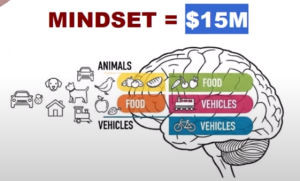
When you’re driving, you predict what cars around you are going to do. Your brain conserves energy by chunking information into recognizable patterns.
-
A tree? Your brain says “tree”, not “a tall vertical plant with photosynthetic leaves.”
-
A car? You don’t need to know the make and model to know it can hit you.
Now imagine applying that same instinctual categorization to money making opportunities.
Schema: The Blueprint Your Brain Uses to Sort Data
A schema is your brain’s way of organizing related concepts. Most people have broken or outdated schemas when it comes to making money.
For example:
-
They hear “affiliate marketing” and think “scam” or “too complicated.”
-
Or they discover “faceless YouTube channels” and think “too techy.”
But what if you updated your schema to include all the tools, skills, and patterns that actually lead to income?.
The Science Behind the $15M Money Mindset Hack
Neurons That Fire Together, Wire Together
The phrase “neurons that fire together wire together” explains how repeated thoughts and behaviors create hardwired brain patterns. Whether it’s playing guitar, coding, or making money, repetition + focus = automation.
I trained my brain to look at every online interaction: videos, websites, social media posts as a potential source of income. Now I can’t “unsee” it.
Practical Application: Categorize to Monetize
Create Your Money Making Categories
Instead of asking “Will this work?”, start asking:
-
Where does this fit in my system?
-
What can I use this for?
-
Is this worth my time?
By doing this, you’re not chasing every opportunity. You’re filtering them through a pre built profit lens.
Reduce Info Overload With Predefined Categories
Imagine how easy decisions become when you already know:
-
Your niche
-
Your business model
-
Your monetization method
Now, instead of analyzing 50 tools a week, you’re plugging new ideas into a solid money making foundation.
Creativity, Intuition, and Business Growth
Why Creativity Comes From Mastery
Artists, musicians, and entrepreneurs don’t just “get inspired.” They’ve trained their brains to see and manipulate patterns.
The same goes for online marketing. When you understand how traffic, conversion, SEO, and platforms like YouTube or Facebook work, you start to see money making opportunities others miss.
Avoiding Traps and Bad Patterns
Your brain loves confirming what it already believes. If your schema is flawed (e.g., “making money online is a scam”), you’ll ignore great opportunities.
That’s why critical thinking is vital, especially in today’s AI-driven world where content is created faster than ever.
Building Compound Growth with Cognitive Efficiency
Make One Big Decision and Build From There
Stop starting over. Instead, pick one:
-
Niche
-
Business model
-
Traffic source
Then categorize everything new around that foundation. For example:
-
You decide to build a faceless YouTube channel about budgeting tips.
-
Now any tool, topic, or strategy must support that mission or it’s ignored.
This leads to compound growth, not scattered energy.
The Real Secret Behind My $15M Success
By categorizing everything into a system:
-
I eliminated distractions
-
I avoided scams and shiny object syndrome
-
I built one clear profitable path
If I hear “AI writing tool,” I ask: does it help me drive traffic to my site? If yes, I explore. If not, I move on.
This one practice alone saved me years of wasted time and thousands of dollars.
Train Your Brain, Build Your Wealth
You now know the secret I learned in rehab, refined over 25 years, and used to build a multi-million dollar business. And it’s not magic. It’s not manifestation. It’s pattern recognition.
Rewire your brain by:
-
Creating clear profit categories
-
Learning the fundamentals of online business
-
Filtering everything through your schema
-
Practicing critical thinking and creativity.
Simple PHP Code That Made Me Millions Online

https://pcmoneymaking.com/forminator/template-multi-step/tools.php
Discover how a simple PHP code helped generate millions in affiliate marketing. Learn how to use dynamic content & echo to monetize smartly.
Simple PHP Code That Made Me Millions Online
Can One Line of Code Make You Rich?
Can a basic line of PHP code really change your financial future? In my case, it did. This simple PHP script was responsible for generating over $2.7 million in affiliate marketing income and that’s a conservative estimate.
In this guide, I’ll show you exactly how I used PHP to:
-
Create dynamic affiliate landing pages
-
Track traffic sources with precision
-
Personalize user experiences
-
Automate monetized content at scale
Whether you’re a total beginner or someone exploring AI assisted content monetization, this post will change the way you think about building tools and pages that earn.
How One Line of PHP Echo Made Millions
What Is PHP echo?
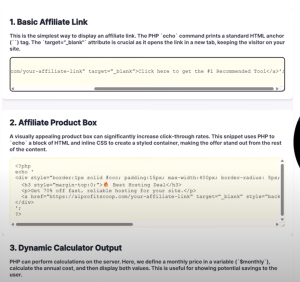
The echo command in PHP outputs content to a webpage. When paired with URL variables, it becomes a powerful method to dynamically insert user data or content into any page.
Example: <?php echo $_GET[“name”]; ?>
Visiting yourdomain.com/page.php?name=Marcus would output:
Hello, Marcus
This tiny command powers thousands of custom experiences, tools, and affiliate redirections across the internet.
Use Case: Affiliate Deep Linking
The Conversion Killer: Generic Links
Imagine telling someone to buy a Lenovo laptop and sending them to BestBuy’s homepage. Now imagine sending them straight to the exact laptop model.
Which one converts better?
Obviously, the latter.
How PHP Echo Solves It
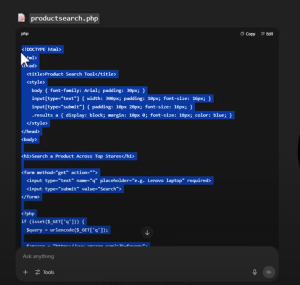
By grabbing the product name or category from the URL and inserting it into a deep link, you create highly targeted user experiences that boost conversions.
Dynamic Content Personalization With PHP Echo
Case Study: Custom Name Generators
Back in 2005, I built a glittery name graphic tool. It asked users to input their name and then generated a custom page using PHP echo. The personalized result (like “Jessica in Glitter Font”) was then shared on MySpace and other platforms, going viral and generating thousands in affiliate ad revenue.
Real Life Examples of Making Money With PHP
1. Search Tool for Multiple Retailers
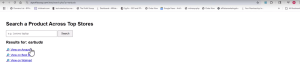
I created a tool where users could input a product keyword (e.g. “earbuds”) and the tool dynamically generated results across Amazon, Walmart, and Best Buy.
-
Amazon:
https://amazon.com/s?k=earbuds -
Walmart:
https://walmart.com/search?q=earbuds -
Best Buy:
https://bestbuy.com/site/searchpage.jsp?st=earbuds
With each link tracked and embedded with my affiliate ID, instant commissions from whichever link the user clicked.
2. Custom Landing Pages From Forms
Imagine this user journey:
-
A visitor enters “$25,000” as their desired car loan amount.
-
PHP captures this variable and generates a results page:
“Find the best car loans for $25,000 today”
This personalization significantly improves engagement, click throughs, and ultimately, affiliate revenue.
How to Use PHP Echo to Track Traffic
You can pass traffic source data like this:
Then in your PHP code:
This helps track which campaigns are converting, which audiences respond to, and where to scale.
AI and PHP: A New Era of Dynamic Pages
AI can now create, update, and personalize pages using variables passed via PHP. Combined with plugins or APIs, you can:
-
Auto generate email follow ups
-
Adjust product recommendations
-
Create tools like mortgage calculators or name poem generators
How to Build a Dynamic PHP Page (Example)
Create a page called greeting.php and paste the following:
Then visit:
This outputs:
Hello Marcus!
Top 5 Ways to Use PHP Echo in Affiliate Marketing
1. Personalized Landing Pages
Use user names or query variables to greet visitors and present tailored content.
2. Affiliate Offer Comparison Boxes
Display dynamic product comparisons with links from Amazon, Walmart, etc.
3. Deep Linking and Search Queries
Send users directly to the search results or product pages based on what they typed in.
4. Lead Magnets With Personalized Hooks
Use names or locations to increase opt-in rates on lead pages.
5. Campaign Tracking and Analytics
Pass campaign identifiers to know which email, post, or ad is driving results.
One Line of Code, Unlimited Potential
Whether you’re building an affiliate empire or crafting simple tools to enhance UX, understanding and using PHP echo can be a game-changer.
Here’s what you’ve learned:
-
What PHP echo is and how it works
-
How to personalize pages and search tools
-
Ways to integrate with AI and affiliate links
-
Real world examples that generated millions
youtube automation – faceless video channels
NOTE: WE HAVE A FEW SPOTS LEFT IN THE TOOLS CLASS – CLICK HERE TO JOIN
Discover the truth about faceless AI YouTube channels. Learn how to avoid demonetization and build profitable videos under the new YouTube policies.
If you’ve been dreaming of easy money through faceless AI YouTube channels, it’s time for a serious reality check. As of July 15, 2025, YouTube is cracking down on AI-generated repetitive content, and many creators could face demonetization or worse. In this guide, we’ll break down the new YouTube policies, show you how to build profitable channels the right way, and introduce you to tools and strategies that make your content stand out from the spam.
This isn’t just another hype article, it’s a strategic, insider look at how real creators are making long-term income with AI and YouTube, ethically and sustainably.
Why YouTube Is Changing Its Policy on AI-Generated Content
As AI tools became more accessible, a flood of low effort, repetitive videos hit the platform. These included:
-
AI voiceover compilations with no human touch
-
Superficially edited videos meant to trick algorithms
-
Copycat content designed for AdSense revenue only
This created a landscape much like the “MFA” (Made For AdSense) website era of the 2000s. Briefly profitable but unsustainable.
YouTube’s July 15 Update Targets:
-
Synthetic or cloned voices with no disclosure
-
Mass produced, templated videos with no added value
-
Reused content like duplicate topics or scenes
-
Reaction videos that offer no meaningful commentary
-
Clickbait without substance
The Wrong Way to Build a Faceless Channel
Let’s debunk what many AI YouTube “gurus” are teaching:
“Use ChatGPT to write a script, feed it to InVideo or Pictory, let AI narrate, and publish to cash in.”
That approach leads to:
-
Poor user engagement
-
Shallow videos with no retention
-
Monetization bans under YouTube’s new rules
Without human insight, you’re just another bot in the system.
The Right Way: Human in the Loop AI Content Strategy
Success comes from strategy, not automation. Here’s how to stand out:
Use AI as a Tool, Not a Crutch
-
Combine AI generated research with your own expertise
-
Use tools like NotebookLM or Manus AI to build personalized, data rich scripts
-
Pair AI visuals with real narration, even just your voice!
Choose a Specific, Monetizable Niche
Instead of generic “tech videos,” go niche:
-
AI sales tool reviews
-
Frugal living for single parents
-
Local real estate breakdowns
-
Explainer videos for small businesses
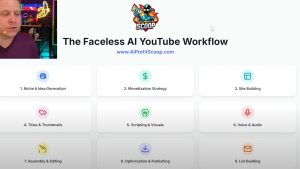
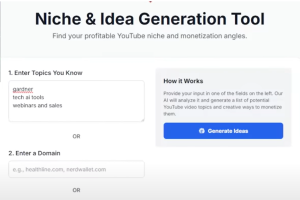
Pro Tip: Use my free niche finder tool at AIProfitScoop.com/videos to generate content ideas based on your expertise.
New YouTube Policies: What Creators Must Avoid
According to Search Engine Journal, YouTube’s update aims to “improve detection of mass-produced repetitious content.” Here’s what they’ll penalize:
High Risk Formats:
-
“20 hours of rain sounds” or ambient loops without variation
-
Reaction compilations with no meaningful commentary
-
AI reworded news or regurgitated script templates
-
Sped up or filtered copies of popular videos
Grey Areas (Use Caution):
-
Meditation/affirmation loops (must be original and valuable)
-
News reporting (avoid legal and copyright issues)
-
Quote-based or Bible verse content (needs unique presentation)
Build a Channel That Lasts: Framework
Step 1: Start With the Audience, Not the Algorithm
-
Ask: “Who am I helping?”
-
Define their pain points, not just your topic.
Step 2: Use Tools That Support Your Workflow
Recommended:
-
NotebookLM: Research assistant for building authority
-
Manus AI: Turns outlines into visual slideshows
-
Sora or Camtasia: Video editing and narration tools
Step 3: Create Before You Automate
Write out ideas. Script manually. Use AI for support, not the entire production.
Step 4: Design for SEO + Discovery
There are two kinds of YouTube traffic:
-
SEO Traffic: Comes from searches like “Camtasia tutorial”
-
Discovery Traffic: Comes from recommended videos based on viewing habits
Use tools to:
-
Research keywords (e.g., “AI voiceover checklist”)
-
Build compelling titles (e.g., “7 AI Mistakes That Get You Demonetized”)
-
Design scroll stopping thumbnails
Step 5: Build a Site Around Your Channel
Don’t rely solely on YouTube. Create a WordPress site that:
-
Hosts your video
-
Offers a lead magnet (checklist, cheat sheet, etc.)
-
Builds your email list
Real Monetization Is Beyond Ads
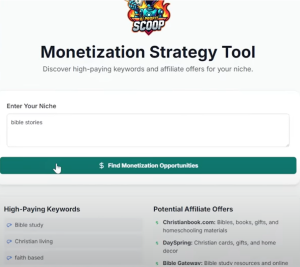
AdSense isn’t the main goal, it’s a bonus.
Better Revenue Streams:
-
Affiliate marketing
-
Digital product sales
-
Consulting or services
-
Email list building
Example: A video on “How to Create an Explainer Video” can lead to:
-
Selling video templates
-
Offering explainer video services
-
Promoting software like Camtasia via affiliate links
Avoid This Common Trap: The AI Spam Cycle
Here’s how most creators fail:
-
Copy trending idea (e.g., rain videos)
-
Use AI to mass produce low effort content
-
Upload dozens of videos
-
Wait for views
-
Get demonetized or ignored
Instead, think like a marketer. Think like a business owner.
Recap: How to Make Faceless AI YouTube Channels That Work
-
Follow YouTube’s policy updates (July 15th crackdown is serious)
-
Use AI for support, not automation
-
Build around data, keywords, and real human interest
-
Offer value: entertainment, education, or unique insight
-
Use your voice or find a legit narration workaround
-
Start with a profitable niche, not just a popular one
-
Create a website and a list to diversify your income
Making money with AI YouTube automation isn’t about being lazy. It’s about being strategic, intentional, and different. If you’re tired of fake promises and want to build a real channel that lasts, now is the time to do it right.
Make Money With AI SEO & No Traffic (New Cloudflare Update)
Discover how Cloudflare’s Pay Per Crawl model enables AI SEO earnings without clicks. Learn to monetize AI traffic with zero visitors!.
The End of Clicks as We Know It?
Imagine earning nearly $2,000 without a single click to your website. Sounds impossible? Thanks to Cloudflare’s Pay Per Crawl update and the rapid evolution of AI SEO, it’s not just possible. It’s the future. As AI engines like ChatGPT, Perplexity, and Google’s AI Overviews rely more on crawling your content, there’s a new game in town: monetizing your work without needing user clicks.
This article explores how to take advantage of this shift, futureproof your SEO strategy, and understand why traditional traffic models are becoming obsolete.
What Is Cloudflare Pay Per Crawl and Why It Matters
The AI Crawling Revolution
Cloudflare’s announcement in 2024 introduced a groundbreaking change: AI engines will now pay to crawl content. For publishers and bloggers, this means compensation without relying on human visitors.
The Broken Publisher Agreement
Historically, publishers provided content and search engines sent them traffic in return. But AI driven search overviews are breaking that deal. Now, zero click searches dominate, where users see answers directly in search results, never clicking through to your site.
According to SimilarWeb via Stan Ventures, nearly 69% of news related queries result in zero clicks. While this figure is industry-specific, the trend is expanding across many informational niches.
How Zero Click SEO Works
AI Overviews vs Traditional Rankings
When users search “how to tie shoes,” Google now provides an AI generated overview instead of sending users to your blog. If your site provided that info, you don’t get credit unless you’re featured in the overview and even then, you may not get the click.
Cloudflare’s response? Give content creators a say and potentially a paycheck.
Why Most AI SEO Content Fails (And What to Do Instead)
The Rise of Junk Content
The mass production of low quality AI articles is flooding the web. But this doesn’t last. Google’s March 2024 Core and Spam updates targeted:
-
Autogenerated scaled content
-
Expired domain abuse
-
Site reputation abuse (e.g., Reddit, Forbes)
-
Thin or unoriginal content
Many sites lost millions in traffic overnight, including massive domains like Forbes Advisor and Business Insider.
The Power of One Great Post
Instead of spamming thousands of AI-written articles, one valuable, focused post can outrank and outlast the competition. For example, a blog solely focused on “best air fryers” can generate $3,000/month if optimized well, more than hundreds of generic articles.
How to Futureproof Your AI SEO Strategy
Use AI SEO Tools and Plugins
The featured plugin (from AI Profit Scoop) offers:
-
AI bot crawling detection
-
Blocking or allowing specific AI bots
-
Schema evaluation for better AI rankings
-
On page AI SEO optimizer
-
Helpful content analyzer
Get the free plugin via AIProfitScoop.com and monitor what bots are accessing your content.
Focus on E-A-T for AI and Search
Google and AI models reward:
-
Expertise
-
Authoritativeness
-
Trustworthiness
One deep dive post on “Roman lifts for seniors” can outperform a full site on general workouts.
Smart Keyword Targeting for AI SEO
Go Beyond AI Overviews
Choose keywords AI can’t summarize easily. For instance:
-
“Best way to refinance with bad credit” involves nuance, comparison, and options hard for AI to compress into one answer.
-
“Best air fryer for large families” is specific, monetizable, and buyer intent focused.
Machine Readable Format Wins
Use formats that AI can pull from:
-
Q&A headings
-
Numbered lists
-
Tables and infographics
-
Structured Schema Markup (included in the plugin)
Traffic Diversification Is Critical
To avoid losing all your exposure to algorithm changes, diversify your content output:
-
Repurpose blog posts into YouTube videos
-
Turn how-to guides into infographics for Pinterest
-
Create mini eBooks or checklists from long-form articles
-
Share case studies and visuals on LinkedIn or Facebook
Who Needs Help With AI SEO? Everyone.
Businesses, bloggers, and influencers are desperate to regain lost traffic and visibility in AI engines. This opens opportunities to:
-
Offer AI SEO services
-
Sell consulting based on your data
-
Use the plugin to audit clients’ sites
-
Build niche sites and flip them
The SEO guru industry was built on uncertainty. With Cloudflare’s change, there’s real value in showing people how to rank without clicks.
The New SEO Isn’t Dead, It’s Smarter
Cloudflare’s Pay Per Crawl and the dominance of AI SEO marks a new chapter for online publishers. It’s not about traffic volume anymore. It’s about content quality.
$7 to $15M: How I Made Millions Online From One Sale
NOTE: WE HAVE A FEW SPOTS LEFT IN THE TOOLS CLASS – CLICK HERE TO JOIN
thursdays tools class seession was amazing… alina did a fantastic job of making tech stuff simple… this is the must join class of the year and this week i will be showing you what i am going all in on.
Discover how I turned a $7 sale into $15 million online. Learn real affiliate marketing strategies, passive income tips, and tools to start earning today.
The $7 That Changed Everything
If someone told you that a single $7 sale could eventually lead to a $15 million business, would you believe them?
I wouldn’t either, unless I had lived it myself.
In this post, I’ll show you how I built a multimillion dollar online business from scratch, starting with no audience, no funding, and very little technical knowledge. We’ll walk through:
-
How my first ClickBank sale on July 4, 2000 changed everything
-
Real strategies you can replicate using affiliate marketing
-
How one page websites still work in 2025
-
How to use AI tools and free traffic to generate daily income
-
Why the $1 a day plan is more powerful than you think
And yes, I’ll even reveal the exact mindset and business model I’d use if I had to start over from zero today.
My Humble Beginnings in a Mobile Home
It all began in a rundown mobile home, a cheap computer, and about $100 in the bank.
Like most people, I didn’t start with connections or cash. I was selling websites and trying to make ends meet. But everything changed on July 4, 2000.
I checked my ClickBank account and saw three small $7 sales. It wasn’t much, but the lightbulb went off. I hadn’t done anything that day, and yet I earned money.
That was my first real taste of passive income.
The Power of Passive Income and Compound Effort
That first $21 wasn’t about the money; it was about the possibility. If I could make $1 a day, what would happen if I made more?
Here’s the Dollar a Day Plan that changed my life:
-
Day 1: Make $1/day
-
Day 10: Make $10/day
-
Day 100: Make $100/day
-
And so on…
Compound effort builds real freedom. Some sites I built made nothing. Others made hundreds daily. It’s all about testing, iterating, and knowing your numbers.
How My $7 Sale Ignited a $15 Million Business
Here’s how that first $7 sale eventually scaled:
-
Built niche focused sites with real value
-
Used free SEO and forums to get traffic
-
Promoted affiliate offers that paid on downloads, clicks, or sales
-
Created simple tools and one page websites that solved real problems
-
Stayed consistent, even when profits were small
One site: a MySpace music player page, made $1.4 million. Another lottery site built on a live webinar made $1,600 in one day with only 15 minutes of setup.
What I’d Do If I Had to Start Over Today
Today, it’s easier than ever to get started. Here’s my 2025 plan if I were starting over:
-
Use Gemini or ChatGPT to research niche problems
-
Build a small AI enabled tool (like a bulk find replace tool or file converter)
-
Create a one page landing site with a clear CTA
-
Get traffic via press releases, Facebook, or YouTube
-
Track conversions, test pricing, and scale what works
Example: One of my students built a press release driven tool that brought in $6,500 with just a few visits. It wasn’t luck, it was targeted traffic + problem solving.
Building Lean: Why You Don’t Need $10K to Begin
Stop buying expensive courses. Don’t overinvest in tools.
Here’s what you need:
-
Shared hosting (~$5/month)
-
Free design tools (like Canva)
-
One or two essential AI tools
-
A clear understanding of how you get paid
If you don’t understand how your business makes money, don’t invest in it.
Real Lessons from Real Results
What worked for me won’t always work the same for you, but the principles remain:
-
Consistency wins: Most people quit too early
-
Know your model: What problem do you solve, and how does that get you paid?
-
Traffic must be targeted: 200 views can make $20K if they’re the right views
-
Use setbacks as fuel: I built most of this while battling alcohol, depression, and personal loss
-
Delegate to AI or systems to multiply the output
Why Traffic Quality Beats Quantity
I once made $20K from a YouTube video with just 200 views.
How? I targeted people who needed specific solutions, not random audiences. You don’t need millions of followers. You need the right ones.
Stop chasing viral. Start chasing value + intent.
Affiliate Marketing, Tools & The Power of Simplicity
I made money from:
-
ClickBank affiliate sales
-
AdSense (even years ago)
-
JVZoo products
-
Stripe services
-
Selling simple tools
Examples included:
-
Bible verse downloaders
-
Chili recipe blogs
-
Real estate calculators
-
Background removers
-
PDF to Excel converters
The strategy was always the same:
Find a need → Build a solution → Promote simply → Scale.
Leveraging AI the Right Way
Most people use AI to mass produce content. I use it to:
-
Build tools in hours
-
Code productized services
-
Create landing pages with built in CTAs
-
Research keywords and user intent
-
Get paid while learning
AI = your cheapest, fastest assistant. Use it wisely.
www.AiProfitScoop.com
Test Marcus’ Ai Tools
🛠️ AI Profit Scoop – Tools Directory
📄 Content & Keyword Tools
-
Keyword Extractor
https://www.aiprofitscoop.com/tools/keyword-extractor.php -
Keyword Strategy Tool
https://www.aiprofitscoop.com/tools/keyword-strategy.php -
Keyword Report Viewer
https://www.aiprofitscoop.com/tools/keywordreport.php -
IMG Content Generator
https://www.aiprofitscoop.com/tools/imgcontent.php
📢 Flyer & Visual Tools
-
Flyer Push Tool
https://www.aiprofitscoop.com/tools/flyerpush.php -
Flyer Logo (Image)
https://www.aiprofitscoop.com/tools/flyerlogo.png -
AFD Graphic
https://www.aiprofitscoop.com/tools/AFD.png -
Tool Test Image
https://www.aiprofitscoop.com/tools/tooltest.png
🧠 Niche & Vision Tools
-
NicheVision v1
https://www.aiprofitscoop.com/tools/nichevision.php -
NicheVision v2
https://www.aiprofitscoop.com/tools/nichevision2.php -
NicheVision v3
https://www.aiprofitscoop.com/tools/nichevision3.php -
NicheVision OLD
https://www.aiprofitscoop.com/tools/nichevisionOLD.php -
NicheVision Working
https://www.aiprofitscoop.com/tools/nichevisionworking.php -
NicheVision ZZZZ
https://www.aiprofitscoop.com/tools/nichevisionZZZZ.php
🧾 PDF, Docs & Conversion Tools
-
PDF to Image
https://www.aiprofitscoop.com/tools/pdf-image.php -
PDF Converter
https://www.aiprofitscoop.com/tools/pdfconvert.php -
Markdown Doc Viewer
https://www.aiprofitscoop.com/tools/md-doc.php -
Markdown Converter
https://www.aiprofitscoop.com/tools/mdconvert.php -
Transcript Tool
https://www.aiprofitscoop.com/tools/transcript.php -
Editor (HTML)
https://www.aiprofitscoop.com/tools/editor.html
🔎 Research & Strategy Tools
-
Export Codes Tool
https://www.aiprofitscoop.com/tools/exportcodes.php -
Emotion Logic Tool
https://www.aiprofitscoop.com/tools/emotion-logic.php -
Title Match Tool
https://www.aiprofitscoop.com/tools/titlematch.php -
SEO Audit Tool
https://www.aiprofitscoop.com/tools/seoaudit.php -
Pin Calculator
https://www.aiprofitscoop.com/tools/pincalc.php -
PowerPoint Generator
https://www.aiprofitscoop.com/tools/powerpoint.php -
Deep Sales Analyzer
https://www.aiprofitscoop.com/tools/deepsales.php
🧪 Experimental / Dev Tools
-
HTN Deliver Tool
https://www.aiprofitscoop.com/tools/htndeliver.php -
Test Script
https://www.aiprofitscoop.com/tools/test.php
🧱 Utility & Miscellaneous
-
WYSIWYG Editor
https://www.aiprofitscoop.com/tools/wysiwyg.html
Meta And Open Ai Secret $1T Plans

Meta and OpenAI are redefining the future of artificial intelligence with billion dollar moves and custom GPTs priced at $10 million each. But here’s the exciting part: you don’t have to be a tech giant to profit from this AI revolution. In fact, in this guide, I’ll walk you through how to build and sell your own custom GPTs and AI dashboards that solve real problems for real businesses and generate passive income or scalable software as a service (SaaS) revenue.
Custom GPTs Are the Future
In a recent announcement, OpenAI revealed it is offering $10 million custom GPTs for enterprise clients, while Meta AI is handing out signing bonuses of up to $100 million to secure top AI talent. These aren’t just flashy headlines. They signal an unprecedented shift where:
- AI becomes tailored and embedded into daily business operations
- Custom workflows and problem-solving tools built with GPTs become valuable assets
- Small businesses will rely on smart, automated systems built by freelancers and solopreneurs
And this means a massive opportunity for you if you can identify a niche, build a smart AI system for it, and offer it as a solution.
How to Build AI Dashboards That Sell
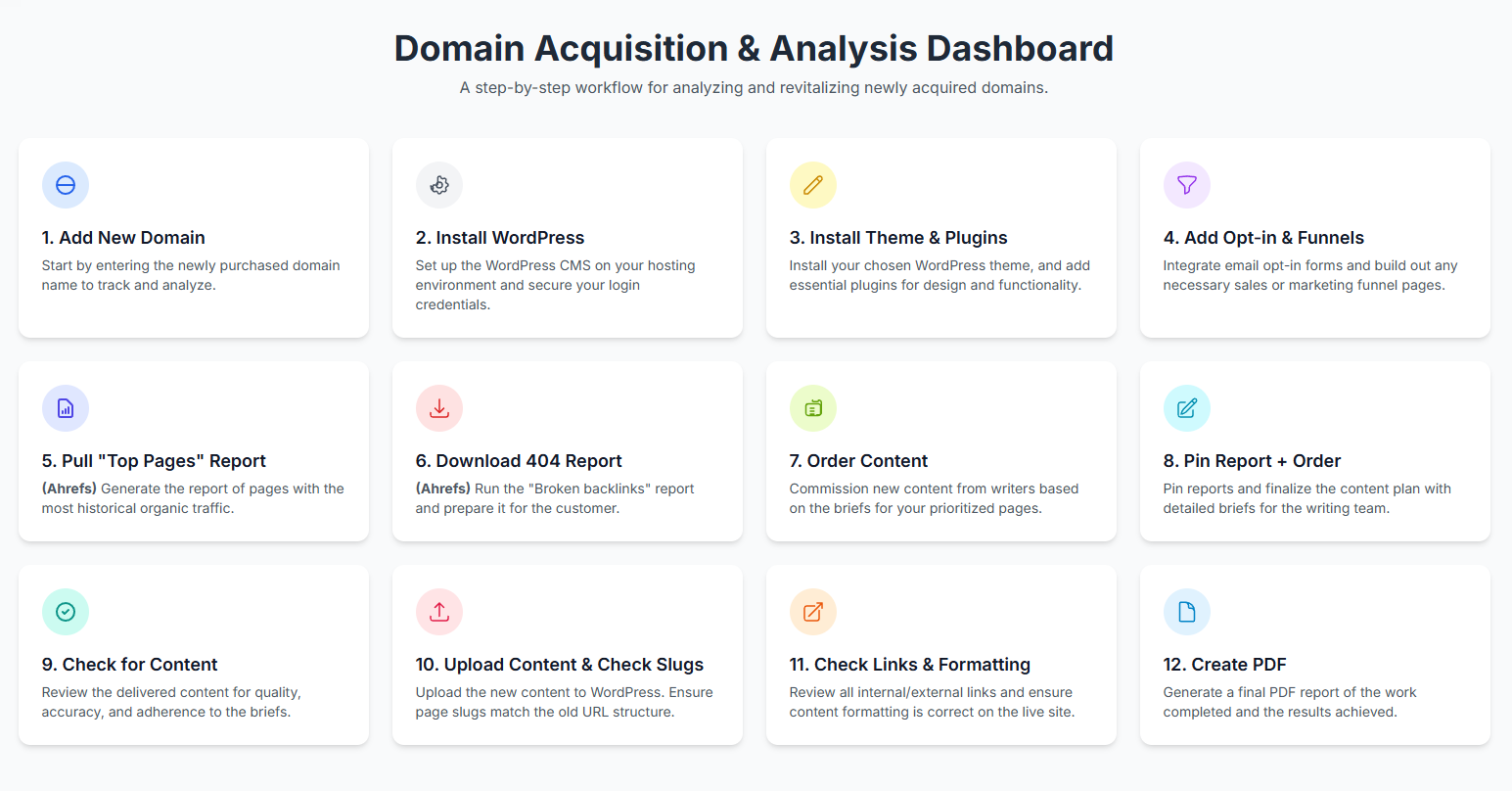
The key to success lies in building solutions that:
- Solve a specific problem
- Save users time and money
- Offer a better, simpler experience than a pile of disconnected tools
Step 1: Choose a Process to Automate
Start with a common workflow like:
- Finding and buying a domain name
- Starting a dropshipping store
- Creating content for YouTube or Pinterest
- Marketing a local business (like a gym or salon)
Think like Henry Ford: take a complex, manual process and break it into steps. Then automate those steps using GPTs and APIs.
Step 2: Build a Flowchart Dashboard
Using tools like Gemini Canvas, ChatGPT 4.0, or DeepSeek, you can:
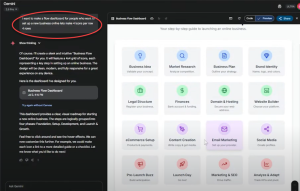
- Build a 16-step visual dashboard
- Assign a unique function to each icon or section
- Connect to APIs like Gemini, AHRefs, keyword tools, logo generators, and more
Examples include:
- Business idea generators
- Market research tools
- Website setup assistants
- Pinterest pin creators
Step 3: Create Value Through Consolidation
Most online business owners pay for 5–7 tools each month. Instead, you can:
- Combine all those tools into one AI dashboard
- Charge a flat $97/month fee
- Help users eliminate subscriptions and confusion
Result: Easy sales. Your value proposition is simplicity, savings, and success.
Example: Building the AvoidMosquito.com Dashboard
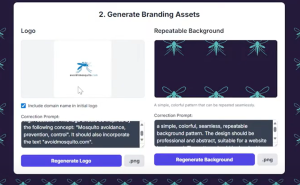
This live project was built using APIs and Gemini within 8 hours:
- Registered domain: AvoidMosquito.com
- AI identifies site purpose, creates keyword strategy, and suggests 50 new article topics
- Tools include logo generation, WordPress setup, content planning, opt-in guide builder, and funnel script generator
Users can:
- Upload keyword data
- Get SEO breakdowns
- Create Pinterest content
- Identify broken links
- Generate unique content strategies in seconds.
Monetization Strategies
Once your dashboard is functional, here are your options:
1. Sell Access via Subscription
Lock it behind a members only area. Charge $17, $47, or even $97/month depending on value.
2. Offer Setup Services
Provide custom builds to:
- Gym owners
- Dentists
- Mortgage brokers
- Affiliate marketers
3. Place Ads and Affiliate Links
Include affiliate offers for:
- Web hosting
- Email marketing tools
- AI content generation
- Domain purchases
What You Can Build Right Now
Here are dashboard examples you can replicate or sell:
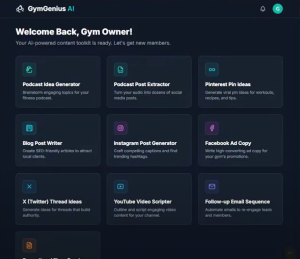
- Gym Content Generator: Pinterest pins, podcast ideas, Facebook ads, flyers
- Faceless YouTube Video Creator: Transcribe, extract titles, create visuals
- Local SEO Toolkit: 404 checkers, keyword planners, competitor analysis
- Budgeting Tool for Families: Pantry based meal planners, coupon alerts, savings trackers.
Tools You’ll Need
- Gemini API or ChatGPT 4 API
- A simple web host with PHP support
- Basic HTML/CSS knowledge (or just use a good template)
- A Google Sheet or Airtable for tracking users and activity
- Optional: Canva or AI image generator APIs for visuals
The Challenge and the Reward
This is not plug and play. It requires:
- Time to plan the workflow
- Debugging code or API calls
- Testing with real users
But the payoff is enormous. Marcus (the video host) estimates this will become his next 8 figure business. And it all started with a simple dashboard that solved one problem.
Meta, OpenAI, and You
Meta and OpenAI are spending billions to shape the future of AI. They’re hiring, investing, and offering services most small businesses can’t afford.
That’s where you come in.
By building custom GPTs for niche markets, you become the bridge between high tech and real-world users. Whether it’s a Pinterest generator for bloggers or a social media toolkit for gym owners, you can create tools people actually use and pay for.
www.AiProfitScoop.com
How to Make $300 a Day with an AI Side Hustle
Learn how to start a $300 a day side hustle using a free AI content repurposing tool. Discover proven systems to turn videos into traffic driving assets.
A Smarter Way to Start a Side Hustle
What if you could make $300 a day with a side hustle using artificial intelligence? You don’t need to be a tech expert or own expensive tools. In this guide, we’ll walk you through how to use a free AI-powered system to launch a content repurposing side hustle that turns videos into blogs, quotes, Pinterest pins, and more. Whether you’re just starting or looking to scale, this strategy is grounded in real business practices. TIP: You can use this for clients or your own content!.
What Is a Side Hustle (vs. a Full Business)?
A side hustle is a smaller version of a business. Think of a personal trainer helping one or two clients; that’s a side hustle. When they open a gym, it becomes a business.
Starting small allows you to test ideas, validate income, and scale as needed. The strategy below works for both models. You’ll be leveraging simplified, repeatable systems to earn income.
Why AI and Systems Are the Secret to Success
People aren’t just buying content, they’re buying results: more traffic, more views, more customers. You’re really offering a structured, AI-driven system that solves their problem quickly.
Examples of AI-Powered Content Services:
- Creating YouTube thumbnails
- Repurposing podcasts into social posts
- Writing SEO optimized articles from transcripts
- Designing explainer videos
Each of these is a box in a bigger system. Understanding and delivering the process is the key to monetizing it.
Introducing the Free AI Tool (Powered by Gemini)
The free tool built for this strategy uses Gemini AI (you don’t even need an account) and allows you to:
- Analyze transcripts
- Create structured notes
- Extract quotes
- Suggest blog titles
- Generate content for social media
You paste in a video transcript, and the tool outputs:
- Blog drafts
- Pinterest pins
- Facebook posts
- Social captions
- Quotes
- Key points and summaries
The Core Side Hustle: AI Content Repurposing
What Is Content Repurposing?
Taking one piece of long form content (like a video or podcast) and turning it into multiple smaller assets:
- Video to blog
- Podcast to tweets
- Sermon to Pinterest quotes
Who Needs This?
- Pastors
- Coaches
- Realtors
- Course creators
- Local businesses (e.g. tree services, restaurants)
These professionals already have content. They need you to turn it into content that gets traffic and sales.
Start Your $300/Day Side Hustle
Step 1: Understand the Client Goal
Nobody wants “just a blog post”. They want more customers, views, or traffic. Every service you offer must tie directly to a business goal.
Step 2: Choose a Content Format
Some ideas include:
- Pinterest pin generation for traffic
- SEO blog repurposing from sermons or videos
- Whiteboard explainer videos from transcripts
- Social media quotes from long-form talks
Step 3: Use the AI Tool to Streamline
Paste the transcript into the tool. It will automatically:
- Analyze key points
- Suggest post formats
- Create blog title ideas
- Extract 10+ usable quotes
Step 4: Deliver Results
Bundle deliverables into packages like:
- $500/month for 4 videos turned into 40+ assets
- $100/video with multiple post formats
- $5/asset bulk content packages
Where to Find Clients
You don’t need ads. Here’s where to get started:
- Fiverr or Upwork
- Local businesses via cold email
- YouTube creators or podcasters
- LinkedIn outreach
- Real estate agents (huge opportunity!)
Lead Magnet Tip: Create one content sample (like a quote graphic or Pinterest pin) from their video and offer it free. If they like it, upsell the full package.
Niches That Work Extremely Well
Here are some pre qualified niches for AI content repurposing:
- Churches: Repurpose sermons for social media and blog traffic
- Realtors: Analyze market update videos into multiple posts
- Coaches: Turn webinars into carousel tips and infographics
- SaaS Founders: Convert demos into lead-gen articles
- Course Creators: Reuse modules to grow community reach
Monetization Models
You can monetize this AI side hustle in several ways:
Done for You Service:
Offer recurring packages to clients. Example:
- 4 videos = 40 content assets = $500/month
Software + Education:
Package the tool + training and sell it as a course or info product.
Agency Scaling:
Hire a team to deliver content using the system. Focus on sales while your team handles delivery.
Tools You Can Integrate
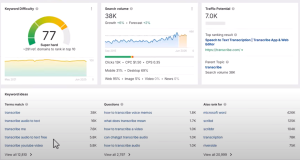
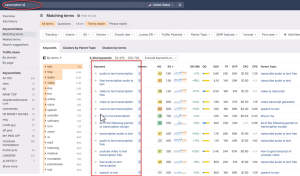
Aside from the Gemini powered tool, other helpful tools include:
Your System = Your Income
Every profitable business is built on a system. This $300/day AI side hustle gives you a process that works:
- Find businesses with content
- Use the free AI tool to extract value
- Repurpose into traffic generating assets
- Deliver and scale
You don’t need a course or expensive software. Just this system, your effort, and outreach.