Uncategorized
Chatgpt Images 2 – make high traffic banners
ChatGPT Images2: 25 “Ugly” Banners That Drive Massive Traffic (Copy & Paste Prompts + Expert Notes)
What if the ugliest banner on the internet was also the most profitable one? That sounds counterintuitive, but it’s one of the most well-documented phenomena in digital advertising. Across billions of impressions on Taboola, Outbrain, Google Display, and Facebook, raw, imperfect, and visually “ugly” ads consistently outperform polished, corporate-looking creative — sometimes by 300% or more.
The reason is simple: banner blindness. Users have been trained by years of internet browsing to subconsciously ignore anything that looks like a traditional advertisement. Slick, glossy, symmetrical banners with stock photos and corporate fonts get filtered out before they even register consciously. But an image that looks like a real photo, a screenshot, a news article, or something slightly “off” — that gets noticed.
In this guide, we are going deep. We are covering 25 specific banner types and ad creative strategies that have been proven to drive massive click-through rates. Every single one is backed by real data from the world’s top ad networks and media buying experts. And for each one, you will get an exact ChatGPT Images2 prompt you can copy and paste right now to generate your own version in seconds.
Signup For Ai Profit Scoop Elite – Click Here
Why “Ugly” Banners Work: The Psychology Behind High-CTR Ads
Before we get into the templates, you need to understand the psychological framework that makes all of this work. Without this foundation, you will just be copying prompts without understanding why they work — and you won’t be able to adapt them when the market shifts.
The Curiosity Gap: Pioneered by Carnegie Mellon professor George Loewenstein, the curiosity gap theory states that when people are aware of a gap between what they know and what they want to know, they experience a psychological discomfort that motivates them to seek out the missing information. The best banner ads create this gap deliberately. They give you just enough to make you want more, but withhold the payoff until you click.
Pattern Interruption: The human brain is a pattern-recognition machine. It constantly filters out information that matches familiar patterns. A banner that looks like every other banner gets filtered out automatically. But an ad that breaks the visual pattern of the surrounding content — through an unusual image, an unexpected color, or a jarring visual element — forces the brain to stop and process it consciously.
The Fusiform Face Area: Neuroscience research has shown that the human brain has a dedicated region — the fusiform face area — that processes faces with extraordinary speed and priority. An image containing a human face, especially one making direct eye contact or expressing strong emotion, will be processed before any other element on the page. This is why face-forward images dominate the top-performing native ads on every major platform.
Loss Aversion: Nobel Prize-winning psychologist Daniel Kahneman demonstrated that people are roughly twice as motivated to avoid losing something as they are to gain something of equal value. Banners that frame their message in terms of what the user might miss out on — rather than what they might gain — consistently outperform gain-framed ads in A/B tests.
The Zeigarnik Effect: Named after Soviet psychologist Bluma Zeigarnik, this effect describes the brain’s tendency to remember and fixate on incomplete tasks or unresolved narratives. A banner that starts a story but doesn’t finish it — or shows a result without explaining the cause — exploits this effect to create an irresistible urge to click and resolve the open loop.
The 6-Step ChatGPT Images2 Banner Workflow
Before we dive into the templates, you need to understand the workflow. You don’t just generate one image and hope for the best. You need to test variations systematically, kill losers fast, and scale winners aggressively. Here is the exact process used by professional media buyers spending thousands of dollars per day.
- Copy the prompt for the banner type that fits your niche and offer. Read the expert notes carefully before generating — they contain critical customization tips.
- Open ChatGPT and click the image icon. Paste the prompt exactly as written. If the result looks too polished or corporate, add the instruction: “Make it look more raw, authentic, and like a real photograph rather than a designed ad.”
- Generate 4 distinct variations. ChatGPT Images2 will give you slightly different interpretations each time. Save all four — they are your initial test set.
- Upload to your ad network. Whether it’s Taboola, Outbrain, Google Display, Facebook, or any other platform, upload all four variations as separate ads within the same ad group or campaign.
- A/B Test ruthlessly. Give each variation at least 500 to 1,000 impressions before making a judgment. Kill any ad with a CTR below the network average. The network averages are: Taboola 0.1–0.3%, Outbrain 0.1–0.2%, Google Display 0.1%, Facebook 0.9–1.5%.
- Scale the winners. Once you have a clear winner, duplicate the campaign with higher budgets. Then test new headlines against the winning image, and new images against the winning headline, until you find the optimal combination.
Platform Quick Reference: Where Each Banner Type Works Best
Not every banner type works equally well on every platform. The table below summarizes which of the 25 banner types are best suited for each major ad network, based on data from professional media buyers and network-published best practices.
| Platform | Best Banner Types | Avg CTR | Min Budget to Test |
|---|---|---|---|
| Taboola | #1 (Face), #5 (No Text), #7 (Curiosity Gap), #9 (Local), #13 (New Discovery) | 0.1–0.3% | $50/day |
| Outbrain | #2 (Medium Zoom), #6 (Before/After), #8 (Advertorial), #14 (Testimonial), #18 (Ugly Ad) | 0.1–0.2% | $50/day |
| Google Display | #3 (Red CTA), #4 (Focal Point), #11 (Odd Number), #20 (Risk Reversal), #24 (Retargeting) | 0.1% | $20/day |
| Facebook/Instagram | #6 (Before/After), #10 (Quiz), #15 (Power Words), #21 (Us vs Them), #22 (Lazy Way) | 0.9–1.5% | $20/day |
| #2 (Medium Zoom), #6 (Before/After), #16 (F-Pattern), #17 (Visual Hierarchy), #23 (Specificity) | 0.2–0.5% | $10/day | |
| YouTube | #1 (Face), #3 (Red CTA), #12 (Social Proof), #13 (New Discovery), #19 (Animation) | 0.3–0.8% | $20/day |
Signup For Ai Profit Scoop Elite – Click Here
#1: Human Face Making Direct Eye Contact
Category: Design Element | Expert Source: Taboola Trends Data & Lumen Research Eye-Tracking Studies
Why It Works: +38% CTR | Fusiform Face Area Trigger | Taboola #1 Performer
The human brain processes faces before anything else on a page — it’s hardwired. A close-up face making direct eye contact creates an instant personal connection that stops the scroll. Taboola’s network data shows face-forward images outperform non-face images by up to 38% CTR. The expression matters: curiosity, shock, and concern outperform happiness.
Deep Dive: Lumen Research conducted eye-tracking studies across thousands of web sessions and found that human faces are the single most attention-grabbing element on any webpage — more powerful than bright colors, motion, or large text. The key is the direction of the gaze. A face looking directly at the viewer creates what psychologists call “joint attention” — the viewer feels personally addressed. A face looking off-screen creates curiosity about what the person is looking at, which can also drive clicks. For maximum CTR, use expressions of shock, concern, or intense curiosity rather than smiling faces. Smiling faces feel like stock photography; shocked or concerned faces feel like real news.
Niche Applications: This banner type works in virtually every niche. For health and wellness, use a face expressing concern or surprise at a health discovery. For finance, use a face expressing shock at a financial revelation. For entertainment, use a face expressing delight or disbelief. The expression should match the emotional tone of your offer.
A/B Testing Pro-Tip: Test age and gender of the face. In many health niches, a face that matches the target demographic (e.g., a woman in her 50s for menopause-related offers) dramatically outperforms a generic young attractive face. The viewer needs to see themselves in the image.

ChatGPT Images2 Prompt:
Tip: Swap “YOUR MONEY” for your niche — “YOUR HEALTH”, “YOUR RETIREMENT”, “YOUR WEIGHT”, etc.
Advertising banner image (300x250, medium rectangle). Pure black background. Photorealistic close-up of a person from chest up making intense direct eye contact with the viewer, expression of genuine shock or curiosity, cinematic studio lighting, soft bokeh background. Bold white sans-serif headline on the left: "DISCOVER THE TRUTH ABOUT YOUR MONEY". Large bright orange CTA button bottom right: "CLICK TO FIND OUT NOW →". Clean professional ad layout. No brand logos. High contrast.
#2: Medium Zoom Crop — Emotion-Forward
Category: Design Element | Expert Source: Outbrain Creative Best Practices Guide
Why It Works: +25% CTR | Readable at Any Size | Outbrain Recommended
Chest-up shots outperform full-body or extreme close-ups. This framing provides enough context to read the subject’s emotion while remaining crystal clear at small thumbnail sizes. Outbrain’s creative guidelines specifically recommend this crop for all native ad thumbnails. For native ads: zero text on the image — let the headline carry the copy.
Deep Dive: The medium zoom crop solves a fundamental problem with native ad thumbnails: they are small. On most platforms, your image will be displayed at 300×250 pixels or smaller. A full-body shot becomes unreadable at this size — the face is too small to convey emotion. An extreme close-up loses context. The chest-up medium zoom is the sweet spot. It’s large enough to clearly communicate facial expression and body language, while small enough to remain impactful at thumbnail size. Outbrain’s internal data shows this crop consistently outperforms other framings across all verticals.
Niche Applications: Health (person looking concerned about a symptom), finance (person looking shocked at a bank statement), relationships (person looking hopeful or worried), self-improvement (person looking determined or inspired). The key is matching the emotional expression to the pain point of your target audience.

ChatGPT Images2 Prompt:
Tip: Use this as your native ad thumbnail — pair it with a curiosity-gap headline in the platform’s text field.
Advertising image (300x250, medium rectangle). Dark moody background. Photorealistic person shown from chest up, soft bokeh blurred background, expression of surprise or deep concern on their face. Cinematic moody lighting, dark atmospheric tones. NO text on the image at all. Editorial photography style. The face and emotion dominate the frame. The image alone should make viewers desperately want to click to find out what they're reacting to.
#3: High-Contrast Red CTA Urgency Banner
Category: Color Strategy | Expert Source: Neil Patel & CXL A/B Testing Research
Why It Works: +21% CTR | Urgency Trigger | Loss Aversion
Red and orange CTA buttons create urgency and stand out against dark backgrounds. Neil Patel’s A/B tests show red buttons outperform blue or green by up to 21% in urgency-driven contexts. The scarcity element activates loss aversion — the psychological principle that people are more motivated to avoid losing something than to gain something.
Deep Dive: Color psychology in advertising is nuanced. Red doesn’t universally outperform other colors — context matters enormously. Red works best when the offer involves urgency, scarcity, or a time-sensitive opportunity. It triggers a physiological stress response that increases heart rate and creates a sense of urgency. However, red used in the wrong context (e.g., a luxury brand or a trust-based financial product) can feel alarming rather than exciting. The key insight from Neil Patel’s research is that the contrast between the button and the background is more important than the specific color. A red button on a white background barely stands out; a red button on a black background is impossible to ignore.
Niche Applications: Flash sales, limited-time offers, countdown deals, event registrations, free trial offers with expiration dates. Any offer where the user needs to act now rather than later benefits from this approach.

ChatGPT Images2 Prompt:
Tip: Keep the scarcity number specific (47, not 50). Specific numbers feel more real and credible.
Advertising banner image (300x250, medium rectangle). Pure black background. Bold white headline centered at top: "LIMITED TIME: CLAIM YOUR FREE ACCESS". Below it a massive vibrant red button: "YES! GET INSTANT ACCESS →". Below the button in bright yellow text: "Only 47 Spots Remaining — Offer Expires Tonight". A subtle digital countdown timer graphic below. High contrast, urgent, clean layout. No clutter. Professional ad design.
#4: Single Focal Point — Minimalist Dark
Category: Design Element | Expert Source: Isaac Rudansky / AdVenture Media Group
Why It Works: +30% CTR | Zero Cognitive Load | 5-Second Rule
Cluttered images fail because they require too much cognitive processing. One clear focal point against a simple background means the user understands the ad in under 1.8 seconds. Isaac Rudansky’s “Five-Second Test” confirms: if someone can’t recall the brand name and CTA after five seconds, the visual hierarchy has failed.
Deep Dive: Cognitive load theory, developed by educational psychologist John Sweller, explains why cluttered ads fail. The human working memory can only process a limited amount of information simultaneously. When an ad contains too many competing visual elements — multiple images, several text blocks, competing colors — the viewer’s cognitive resources are overwhelmed and they disengage. A single focal point eliminates this problem entirely. The viewer’s eye goes directly to the one thing you want them to see, processes it instantly, and the CTA is the natural next step. Isaac Rudansky of AdVenture Media Group calls this the “visual hierarchy test” — trace the path your eye takes through the ad. If it doesn’t go Headline → Image → CTA in that order, the design is broken.
Niche Applications: Software and SaaS products (a single glowing device or interface), health supplements (a single product shot with dramatic lighting), financial products (a single glowing dollar sign or chart), educational products (a single open book or graduation cap).
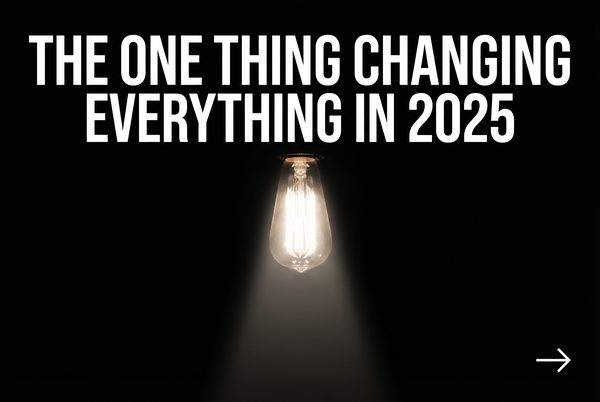
ChatGPT Images2 Prompt:
Tip: The glowing object can be anything symbolic for your niche — a pill, a dollar bill, a book, a phone.
Advertising banner image (300x250, medium rectangle). Pure black background. One single sharp glowing object centered — a glowing golden key or illuminated lightbulb — with dramatic spotlight lighting, everything else in darkness. Clean white sans-serif headline below: "THE ONE THING CHANGING EVERYTHING IN 2025". Small white CTA arrow bottom right: "DISCOVER IT →". Extreme visual simplicity. Nothing competing for attention. Cinematic product photography style.
#5: Zero Text Native Thumbnail — Pure Curiosity
Category: Native Ad Rule | Expert Source: Charles Ngo & iAmAttila — Native Ad Best Practices
Why It Works: +20% CTR | Beats Banner Blindness | Looks Organic
For native ads specifically, images perform best when completely text-free. Text on a small thumbnail becomes unreadable and makes the image look like a cheap ad rather than organic content. The image alone must create the curiosity gap. Charles Ngo consistently reports that clean, text-free images outperform text-heavy ones on every native platform.
Deep Dive: Charles Ngo, one of the most respected figures in performance marketing, has spent years analyzing what separates winning native ad creatives from losers. His consistent finding: the image must look like it belongs in the editorial feed. On Taboola and Outbrain, your ad appears alongside real news articles and blog posts. If your image looks like an ad — with text overlays, logos, or graphic design elements — it immediately breaks the native illusion and gets ignored. The image’s job is purely to create enough curiosity that the user reads the headline. The headline’s job is to create enough curiosity that the user clicks. The image and headline work together as a team; neither should try to do both jobs.
Niche Applications: Any niche where you can create visual intrigue without text. A mysterious object, an unusual scene, a person reacting to something off-screen, a surprising before/after without labels. The more the image makes the viewer ask “what is that?” or “what’s happening?”, the better it will perform.

ChatGPT Images2 Prompt:
Tip: Pair this with a headline like “You won’t believe what she found…” or “This was hidden for 30 years…”
Native ad thumbnail image (300x250, medium rectangle). Photorealistic image with ZERO text, ZERO logos, ZERO watermarks. A person looking off-screen with wide eyes and open mouth, clearly shocked or disturbed by something just outside the frame. Or an unusual mysterious object partially visible at the edge of the frame. Cinematic editorial photography. Dark moody tones. The image alone must create an irresistible urge to click to find out what's happening.
Signup For Ai Profit Scoop Elite – Click Here
#6: Before & After Split Transformation
Category: Ad Angle | Expert Source: Ryan Deiss (DigitalMarketer) — Before/After/Bridge Framework
Why It Works: +45% CTR | Transformation Story | Health/Finance/Home
Instantly communicates the transformation — the “Before” state of pain vs. the “After” state of pleasure. Ryan Deiss calls this the “Before/After Bridge”: show the current state, show the desired state, position your product as the bridge. This is the dominant ad format in health, fitness, weight loss, home improvement, and financial verticals.
Deep Dive: Ryan Deiss and the DigitalMarketer team have spent millions of dollars testing ad creative across every major platform. Their Before/After/Bridge framework is one of the most battle-tested concepts in direct response marketing. The power of the before/after image is that it communicates the entire value proposition in a single glance — no reading required. The viewer sees the problem (before) and the solution (after) simultaneously, and their brain immediately begins to wonder how the transformation happened. That wonder is the click. The most important rule: the “before” must be genuinely painful or undesirable, and the “after” must be genuinely aspirational. Mediocre before/after images fail because the contrast isn’t dramatic enough.
Niche Applications: Weight loss (body transformation), skin care (skin condition improvement), home renovation (room makeover), financial (debt to wealth), relationship (loneliness to connection), career (struggling to successful). The before/after format is universally applicable wherever there is a clear transformation to show.
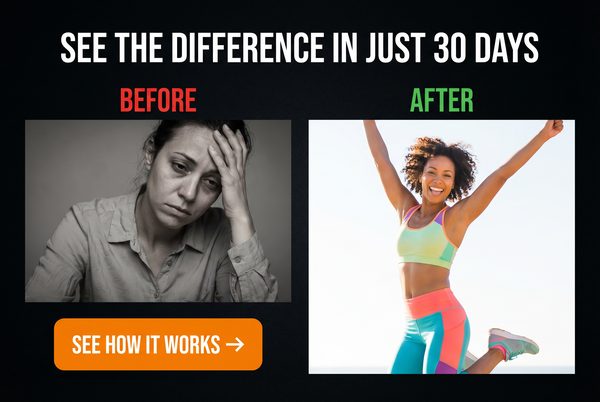
ChatGPT Images2 Prompt:
Tip: Make the contrast as dramatic as possible. The bigger the visual gap between before and after, the higher the CTR.
Advertising banner image (300x250, medium rectangle). Split screen divided by a bold white vertical line. LEFT SIDE labeled "BEFORE" in red text: a person looking tired, overweight, stressed, dark lighting, muted colors. RIGHT SIDE labeled "AFTER" in green text: same person looking energetic, slim, confident, bright warm lighting, vibrant colors. Bold white headline at top: "THIS CHANGED EVERYTHING". Small arrow CTA at bottom: "SEE HOW →". High contrast transformation visual.
#7: Partial Reveal — Curiosity Gap Image
Category: Native Ad Rule | Expert Source: George Loewenstein (Carnegie Mellon) — Curiosity Gap Theory
Why It Works: +35% CTR | Open Loop Psychology | Zeigarnik Effect
Showing part of an image — but not all of it — creates a visual open loop that the brain desperately wants to close. A product partially hidden, a result partially blurred, a face partially cropped — all of these force the viewer to click to resolve the visual tension. This is one of the most powerful techniques in native advertising.
Deep Dive: The partial reveal exploits the Zeigarnik effect at a purely visual level. The brain registers the incomplete image as an unresolved task and allocates cognitive resources to resolving it. This creates a mild but persistent psychological discomfort that can only be resolved by clicking. The technique is especially powerful when combined with a headline that also withholds information. For example, an image showing a blurred product with a headline reading “The [Niche] Secret Doctors Don’t Want You to Know” creates two simultaneous open loops — one visual, one informational — that compound each other’s effect.
Niche Applications: Any niche where you can partially reveal a result, a product, a transformation, or a discovery. The partial reveal works especially well for “secret” or “hidden” angles — things that feel like they are being deliberately concealed from the viewer.
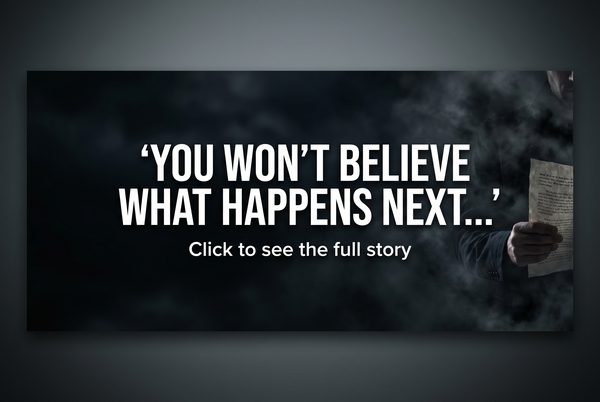
ChatGPT Images2 Prompt:
Tip: The more specific and relevant the hidden element is to your niche’s biggest desire, the higher the CTR.
Native advertising thumbnail (300x250). A mysterious object or result is partially visible — the right half is blurred or cut off at the edge of the frame. The visible portion is intriguing but incomplete. Dark dramatic lighting. Photorealistic style. A person's hand is reaching toward the hidden portion. No text on the image. The composition creates an overwhelming desire to see what is being hidden or revealed. Cinematic, editorial photography style.
#8: Advertorial / News-Style Native Ad
Category: Ad Angle | Expert Source: Rachel Mazza — Native Advertising Funnel Strategy
Why It Works: +60% CTR vs. Display | Bypasses Banner Blindness | Editorial Trust
The advertorial format makes the ad look like a legitimate news article or editorial piece. The image should look like a news photo — candid, slightly imperfect, with a real-world setting. Rachel Mazza, one of the top native advertising strategists in the industry, calls this the “trojan horse” approach: the ad gets past the viewer’s defenses by not looking like an ad at all.
Deep Dive: Rachel Mazza has built entire businesses on the advertorial model. Her core insight is that people don’t click ads — they click content. When your ad looks like content, it gets clicked. The image for an advertorial-style native ad should look like it was taken by a journalist, not a photographer. Slightly imperfect composition, real-world settings, natural lighting, and people who look like real people rather than models. The headline should read like a news headline: factual, specific, and slightly alarming. “Local [City] Woman Discovers [Result] Using [Method]” is a classic advertorial headline structure that has generated billions of clicks.
Niche Applications: Health discoveries, financial news, local interest stories, product reviews disguised as investigative journalism, “exposé” style content about industry secrets.
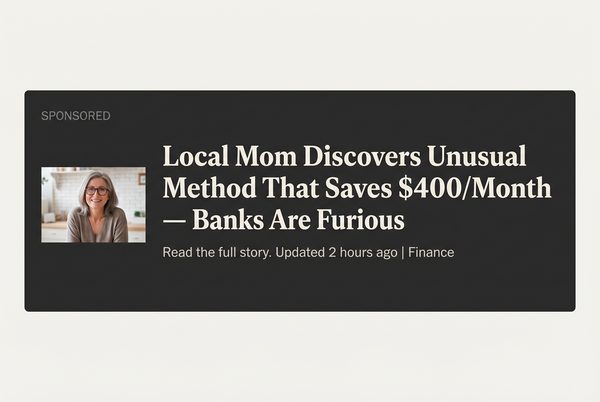
ChatGPT Images2 Prompt:
Tip: Pair with a headline like “Local Mom Discovers [Result] — Doctors Are Furious” for maximum native CTR.
Editorial news photography style image (300x250). A real-looking candid photo of a middle-aged woman or man in a home setting, looking at a laptop or phone with a surprised or concerned expression. Natural indoor lighting, slightly imperfect composition as if taken by a journalist. No graphic design elements, no text overlays, no logos. The image should look exactly like a photo that would appear in a local news article. Photorealistic, documentary photography style.
#9: Local Personalization — City-Targeted
Category: Ad Angle | Expert Source: iAmAttila — Geo-Targeting Strategies
Why It Works: +40% CTR | Relevance Trigger | Pattern Interruption
Inserting the user’s city name into the ad — either in the headline or visually in the image — creates an instant relevance trigger. iAmAttila’s split tests consistently show geo-targeted ads outperform generic ads by 30–50% CTR. The brain is hardwired to pay attention to its own name and location — it’s a survival mechanism.
Deep Dive: iAmAttila (Attila O’dree), one of the most respected affiliate marketers and media buyers in the industry, has documented dozens of case studies showing the power of local personalization. The psychological mechanism is simple: when you see your city name in an ad, your brain interprets it as personally relevant information rather than generic advertising. This bypasses the filtering mechanism that causes banner blindness. Most ad platforms allow dynamic keyword insertion, meaning you can use a single ad template and automatically insert the user’s city name based on their IP address. This is one of the highest-leverage optimizations available to any media buyer.
Niche Applications: Local services (plumbing, roofing, insurance), real estate, local events, regional financial offers, health services with local providers. Any offer that can be framed as locally relevant benefits from this approach.

ChatGPT Images2 Prompt:
Tip: Use dynamic keyword insertion on your ad platform to automatically replace [CITY NAME] with the viewer’s actual city.
Advertising banner image (300x250, medium rectangle). Dark background. A recognizable city skyline silhouette or local landmark in the background, slightly blurred. Bold white headline in the foreground: "NEW RULE IN [CITY NAME] CHANGES EVERYTHING FOR HOMEOWNERS". Below it a red urgent CTA button: "CHECK IF YOU QUALIFY →". The design feels urgent and locally relevant. Clean, high-contrast layout. Professional ad design.
#10: Quiz / Calculator Interactive Ad
Category: Interactive | Expert Source: Peep Laja (CXL) — Interactive Content Conversion Research
Why It Works: +50% Engagement | Micro-Commitment | Personalization Hook
Quiz and calculator ads leverage the psychological principle of micro-commitments. By getting the user to interact with the ad — answer a question, use a slider, or click a specific option — you dramatically increase their investment in the process. Peep Laja’s research at CXL shows interactive ads generate up to 50% higher engagement than static equivalents.
Deep Dive: The micro-commitment principle, rooted in Robert Cialdini’s work on commitment and consistency, states that once a person takes a small action, they are psychologically motivated to take larger actions consistent with that initial commitment. A quiz ad that asks “What is your biggest financial challenge?” gets the user to commit to a category of problem. This commitment makes them far more likely to engage with the solution you present on the landing page. Additionally, quiz ads create a sense of personalization — the user feels like the subsequent content is specifically tailored to their answer, which dramatically increases trust and conversion rates.
Niche Applications: Financial planning (quiz about retirement readiness), health (quiz about symptoms or risk factors), fitness (quiz about body type or goals), career (quiz about earning potential), relationships (quiz about compatibility or communication style).
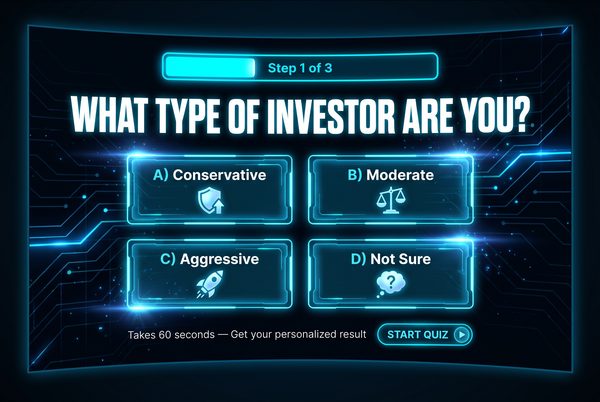
ChatGPT Images2 Prompt:
Tip: The quiz question should directly address your target audience’s primary pain point or desire.
Interactive advertising banner image (300x250, medium rectangle). Dark background. A clean quiz interface design: bold headline at top "WHAT TYPE OF [NICHE] ARE YOU?". Below it three clickable answer buttons in different colors: "Option A", "Option B", "Option C". A progress bar at the bottom showing "Question 1 of 5". Clean, modern UI design. Bright accent colors on buttons. The design should look like a real interactive quiz widget embedded in a webpage.
Signup For Ai Profit Scoop Elite – Click Here
#11: Odd Number as the Visual Hero
Category: Copywriting | Expert Source: Brian Clark (Copyblogger) — Headline Psychology
Why It Works: +36% CTR | Specificity Principle | List Format Appeal
Odd numbers in headlines and banner text consistently outperform even numbers. Brian Clark’s research at Copyblogger shows that lists with odd numbers (7, 11, 13, 17) generate 36% more clicks than even-numbered lists. The brain perceives odd numbers as more authentic and less “manufactured” than round numbers.
Deep Dive: The psychology behind odd numbers is fascinating. Round numbers (10, 20, 50, 100) feel like estimates or approximations — they don’t feel specific or earned. Odd numbers feel like the result of actual counting or measurement. “7 Ways to Save Money” feels like someone actually found exactly 7 methods. “10 Ways to Save Money” feels like someone rounded up to a nice number. Additionally, the number 7 has a special status in human cognition — it is the most commonly cited “favorite number” across cultures and is associated with luck, completeness, and authority. Lists of 7 consistently outperform lists of any other number in click-through tests.
Niche Applications: Any listicle-style content. “7 Foods That Destroy Belly Fat”, “11 Stocks Under $5 That Could Explode”, “13 Signs Your Relationship Is in Trouble”, “17 Ways to Cut Your Tax Bill”. The odd number works in any niche where you can frame the content as a list.
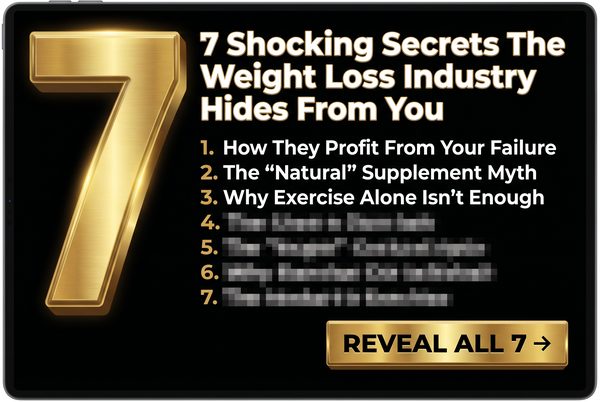
ChatGPT Images2 Prompt:
Tip: Test 7, 11, and 13 against each other. In most niches, 7 wins, but 11 occasionally outperforms in finance verticals.
Advertising banner image (300x250, medium rectangle). Pure black background. The number "7" displayed in massive, bold, glowing gold typography — taking up 60% of the banner. Below it in clean white text: "THINGS YOUR DOCTOR NEVER TOLD YOU ABOUT YOUR HEALTH". Small white CTA at bottom: "SEE THE LIST →". The number 7 should be the undeniable visual hero of the design. High contrast, dramatic lighting on the number. Clean and powerful.
#12: Social Proof — Real Numbers Banner
Category: Social Proof | Expert Source: Robert Cialdini — Influence: The Psychology of Persuasion
Why It Works: +28% CTR | Herd Mentality | Reduces Perceived Risk
Displaying large, specific numbers of users, customers, or results creates powerful social proof. Robert Cialdini’s research shows that people are more likely to take an action when they see that many others have already taken it. “Join 847,293 people who have already discovered this” is more compelling than “Join thousands of people.”
Deep Dive: Social proof works because it reduces the perceived risk of taking an action. If nearly a million people have already done something, it can’t be that risky or unusual. The specificity of the number is crucial — “847,293 people” feels like a real count, while “over 800,000 people” feels like a rounded estimate. The more specific the number, the more credible it feels. Additionally, social proof is most powerful when it comes from people similar to the viewer. “847,293 Americans over 50 have already tried this” is more compelling to a 55-year-old American than “847,293 people worldwide.”
Niche Applications: Any product or service with a large user base. Supplements, online courses, financial tools, apps, membership communities, newsletters. The key is having real numbers to display — never fabricate social proof.

ChatGPT Images2 Prompt:
Tip: Use your actual customer or subscriber count. Specific real numbers always outperform rounded estimates.
Advertising banner image (300x250, medium rectangle). Dark background. Large bold gold counter number: "847,293" displayed prominently. Below it in white text: "People Have Already Used This To [ACHIEVE RESULT]". A row of small profile photo circles below the number (showing diverse faces). Green CTA button at bottom: "JOIN THEM NOW →". Clean, credible, professional design. The number should be the visual anchor of the entire banner.
#13: “NEW” Discovery / Breakthrough Banner
Category: Copywriting | Expert Source: David Ogilvy — Confessions of an Advertising Man
Why It Works: +25% CTR | Dopamine Trigger | Novelty Bias
The human brain releases dopamine when encountering novel information. David Ogilvy’s research showed headlines containing the word “new” consistently outperformed those without it. “New Discovery,” “New Rule,” or “New Method” commands attention because the brain is biologically programmed to prioritize new information.
Deep Dive: David Ogilvy, widely regarded as the father of modern advertising, spent decades analyzing which words and phrases generated the highest response rates in direct mail and print advertising. His finding that “new” is one of the most powerful words in advertising has been replicated in hundreds of subsequent studies. The neurological basis is clear: the brain’s reward system releases dopamine in response to novel stimuli. This is an evolutionary adaptation — new information could represent a new food source, a new threat, or a new opportunity. The word “new” triggers this response even in the context of an advertisement. Combine “new” with a specific year (e.g., “New 2025 Method”) and you add temporal relevance that further amplifies the effect.
Niche Applications: Health breakthroughs, financial strategies, technology discoveries, relationship methods, fitness approaches. Any niche where you can legitimately frame your offer as a new or recently discovered approach.
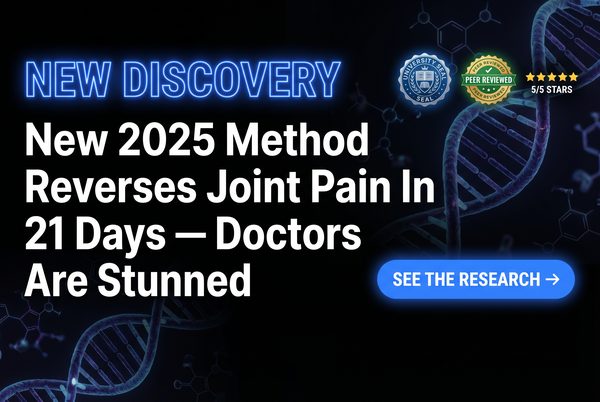
ChatGPT Images2 Prompt:
Tip: Adding a year (2025) to “New” increases CTR further by adding temporal urgency and relevance.
Advertising banner image (300x250, medium rectangle). Dark scientific background with subtle DNA helix or neural network pattern. Glowing blue "NEW DISCOVERY" text at the top in a bold sans-serif font. Below it bold white headline: "New 2025 Method Reverses Joint Pain In 21 Days — Doctors Are Stunned". A glowing blue CTA button: "SEE THE RESEARCH →". Official-looking seal or badge in corner. High-tech, credible, medical-adjacent aesthetic.
#14: Testimonial / Real Person Result
Category: Social Proof | Expert Source: Eugene Schwartz — Breakthrough Advertising
Why It Works: +32% CTR | Identification Effect | Proof of Concept
A real person showing a real result — especially with a specific number attached — is one of the most powerful ad formats ever created. Eugene Schwartz, author of the legendary copywriting book Breakthrough Advertising, identified the “identification effect”: viewers see themselves in the testimonial subject and believe they can achieve the same result.
Deep Dive: Eugene Schwartz’s concept of “mass desire” is central to understanding why testimonials work. He argued that you cannot create desire in a market — you can only channel existing desire. A testimonial from a real person who has already achieved the desired result proves that the desire is achievable. The viewer’s internal monologue shifts from “I want this but I’m skeptical” to “This person is like me and they got the result — maybe I can too.” The key elements of a high-converting testimonial banner: a real-looking person (not a model), a specific result (not vague), and ideally a “before” context that makes the result feel earned rather than lucky.
Niche Applications: Weight loss, financial results, skill acquisition, relationship improvement, health recovery. Any niche where you have real customer results to showcase.
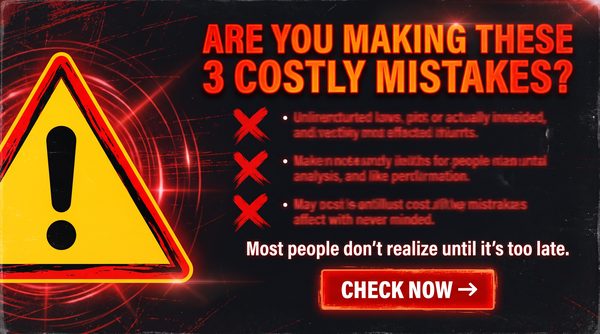
ChatGPT Images2 Prompt:
Tip: The more specific and unusual the result (age, exact amount, timeframe), the more credible and clickable the testimonial.
Advertising banner image (300x250, medium rectangle). Dark background. A real-looking person (not a model — average-looking, relatable) smiling genuinely. A speech bubble or quote box beside them: "I lost 34 lbs in 8 weeks using this — and I'm 57 years old!" Below the quote, a 5-star rating in gold. Small text: "Verified Customer". Green CTA button: "GET STARTED →". The overall feel should be authentic and trustworthy, not slick or corporate.
#15: Power Word Headline Domination
Category: Copywriting | Expert Source: Jon Morrow (Smart Blogger) — Power Words Research
Why It Works: +20% CTR | Emotional Activation | Sensory Language
Certain words trigger emotional responses in the brain that bypass rational filtering. Jon Morrow’s extensive research at Smart Blogger identified over 700 “power words” — words that consistently increase engagement, shares, and click-through rates. Words like “secret,” “forbidden,” “shocking,” “urgent,” “explosive,” and “devastating” activate the amygdala and create emotional urgency.
Deep Dive: Jon Morrow built one of the most-read blogs in the world by obsessively studying which words and phrases generated the most engagement. His power word research is based on analysis of thousands of high-performing headlines across multiple platforms and niches. The mechanism is neurological: certain words activate the brain’s emotional processing centers (the amygdala and limbic system) before the rational prefrontal cortex can evaluate them. This means the emotional response happens first, and the rational justification comes second. By the time the viewer’s rational mind says “this might be an ad,” they’ve already felt the emotional pull and are halfway to clicking.
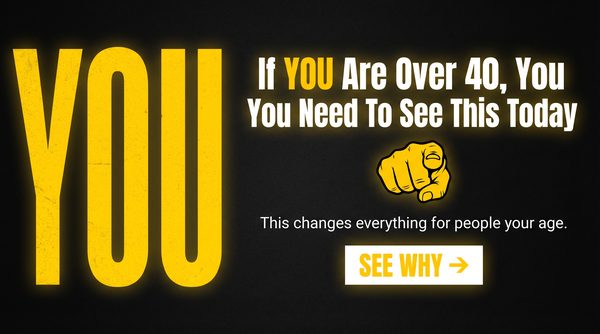
Top Power Words by Category: Fear: “Warning,” “Danger,” “Deadly,” “Toxic,” “Exposed.” Greed: “Free,” “Instant,” “Guaranteed,” “Unlimited,” “Jackpot.” Curiosity: “Secret,” “Hidden,” “Forbidden,” “Classified,” “Revealed.” Urgency: “Now,” “Today,” “Immediately,” “Expires,” “Last Chance.”
ChatGPT Images2 Prompt:
Tip: “WARNING” and “SHOCKING” are two of the highest-CTR power words across all niches. Use them when you have genuinely surprising information to share.
Advertising banner image (300x250, medium rectangle). Pure black background. Explosive bold typography dominating the banner. The word "WARNING" in massive red letters at the top. Below it in white: "The Shocking Truth About [Your Niche] That They Don't Want You To Know". A pulsing red alert icon beside the warning text. Small white CTA at bottom: "READ THIS NOW →". High contrast, urgent, alarming visual design. The typography IS the design.
Signup For Ai Profit Scoop Elite – Click Here
#16: F-Pattern Layout — Eye-Tracking Optimized
Category: Design Element | Expert Source: Nielsen Norman Group — Eye-Tracking Studies
Why It Works: +22% CTR | Natural Eye Movement | Reduces Friction
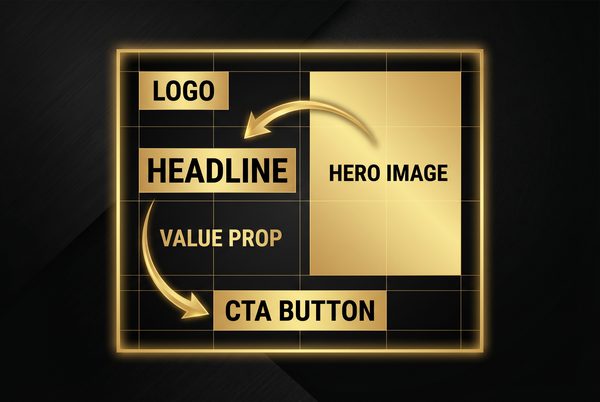
Eye-tracking research by the Nielsen Norman Group revealed that people read web content in an F-shaped pattern: first across the top, then down the left side, with occasional horizontal scans. Banners designed to align with this natural eye movement pattern require less cognitive effort to process, reducing friction and increasing CTR.
Deep Dive: The F-pattern discovery by Jakob Nielsen and his team at the Nielsen Norman Group was a landmark finding in UX research. By tracking the eye movements of thousands of web users, they found that the top-left corner of any page element receives the most attention, followed by a horizontal scan across the top, then a vertical scan down the left side. For banner ads, this means: your most important element (usually the headline or the most compelling visual) should be in the top-left. The CTA should be at the bottom-right, where the eye naturally ends its journey. This layout creates a natural reading path that guides the viewer from attention to action without requiring them to work for it.
ChatGPT Images2 Prompt:
Tip: Draw a rough F-shape on your banner design before finalizing. If your key elements don’t fall on the F, redesign.
Advertising banner image (300x250, medium rectangle). Dark background. Top-left: bold white headline "STOP PAYING TOO MUCH FOR [PRODUCT]". Center-left: a compelling product image or visual. Bottom-right: a bright green CTA button "SAVE NOW →". The layout follows an F-pattern reading flow: top-left headline → center image → bottom-right CTA. Clean, professional, high contrast. The eye should naturally travel from the headline to the image to the button.
#17: Visual Hierarchy — Headline, Image, CTA Flow
Category: Design Element | Expert Source: Isaac Rudansky — Google Ads Display Mastery
Why It Works: +27% CTR | Guided Attention | Reduced Decision Fatigue
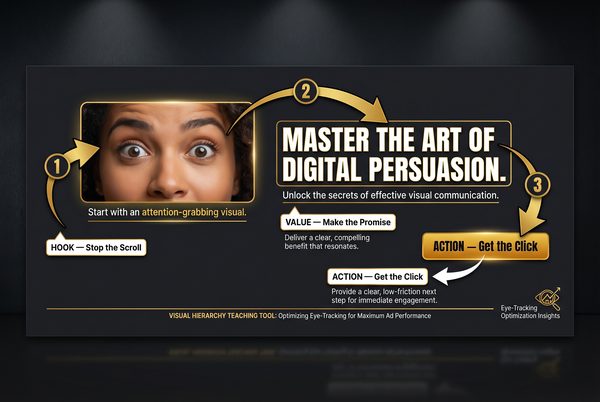
Visual hierarchy is the deliberate arrangement of elements to guide the viewer’s eye in a specific sequence. The optimal sequence for a banner ad is: Headline (attention) → Image (emotion) → CTA (action). Isaac Rudansky’s Google Ads training emphasizes that the eye must travel in that exact order or the design fails.
Deep Dive: Visual hierarchy is achieved through size, color, contrast, and positioning. The largest element gets seen first. The highest-contrast element gets seen second. The most isolated element gets seen third. By deliberately controlling these variables, you can guide the viewer’s eye through your banner in exactly the sequence you want. The most common mistake beginners make is creating a banner where the image is the largest element and the headline is secondary. This means the viewer processes the image first (emotion) without the context of the headline (rational framing), which reduces the persuasive impact. The headline should always be the first thing the eye encounters.
ChatGPT Images2 Prompt:
Tip: Use size to establish hierarchy: headline font should be 2x larger than body text, CTA button should be 3x larger than any other button.
Advertising banner image (300x250, medium rectangle). Black background. Clear three-tier visual hierarchy: TOP TIER — bold white headline in the largest font: "FINALLY: A SOLUTION THAT ACTUALLY WORKS". MIDDLE TIER — a compelling product or lifestyle image taking up the center third. BOTTOM TIER — a bright orange CTA button: "GET INSTANT ACCESS →". Each tier should be visually distinct and clearly separated. The eye should naturally flow top to bottom through the three elements.
#18: The “Ugly” Ad — Raw, Unpolished, UGC-Style
Category: Native Ad Rule | Expert Source: Tim Burd — Facebook Ads Expert
Why It Works: +80% CTR vs. Polished Ads | Authenticity Signal | Bypasses Ad Filters
This is the core concept of the entire guide. Raw, imperfect, user-generated-content-style ads consistently and dramatically outperform polished corporate creative. Tim Burd, one of Facebook’s most prolific advertisers, has documented case after case where a smartphone photo outperforms a professionally designed banner by 3x to 10x. The reason: it doesn’t look like an ad.
Deep Dive: Tim Burd’s “ugly ad” philosophy is one of the most counterintuitive but well-documented phenomena in digital advertising. The mechanism is simple: users have been conditioned to ignore anything that looks like an ad. The more professional and polished an ad looks, the more strongly it triggers the “this is an ad, ignore it” response. A slightly blurry smartphone photo, a screenshot with a finger pointing at something, a handwritten note on a napkin — these all bypass the ad-filtering mechanism because they look like organic content. The key is that the “ugliness” must feel authentic, not manufactured. A deliberately ugly ad that still has perfect composition and lighting will be recognized as a fake-ugly ad and will fail.
Niche Applications: Any niche, but especially effective in health, fitness, personal finance, and relationship niches where authenticity and relatability are key trust signals.
ChatGPT Images2 Prompt:
Tip: Add a slight grain filter or slight blur to make it look even more like a real smartphone photo. The more imperfect, the more authentic it feels.
User-generated content style photo (300x250). A slightly blurry, imperfect smartphone photo of a real-looking person (not a model) holding up a product or showing a result on their phone screen. Natural home lighting, slightly overexposed. The person looks genuinely excited but not posed. A handwritten-style text overlay: "This actually worked for me!!". No professional design elements, no perfect typography, no logos. It should look like a real person's social media post, not an advertisement.
#19: Subtle Animation — HTML5 Pulse
Category: Design Element | Expert Source: Google Display Ads Best Practices
Why It Works: +15% CTR | Motion Attracts Attention | CTA Emphasis
The human visual system is hardwired to detect motion — it’s a survival mechanism. A gently pulsing CTA button or a slow pan across an image draws the eye even when the viewer isn’t consciously looking at the ad. Google’s display ad research shows subtle animation increases CTR by 15% on average. The key word is subtle — aggressive flashing triggers revulsion and ad blockers.
Deep Dive: Motion in the peripheral vision is processed by the brain’s superior colliculus — a primitive brain structure that evolved to detect predators and prey. This means motion in an ad is processed before the viewer consciously decides to look at it. The most effective animation for banner ads is a gentle, rhythmic pulse on the CTA button — a slow scale-up and scale-down that mimics a heartbeat. This draws the eye to the CTA without being aggressive or annoying. Avoid flashing, strobing, or rapid movement — these trigger the browser’s ad blocker heuristics and annoy users.

ChatGPT Images2 Prompt:
Tip: For actual HTML5 animated banners, use a CSS animation with a 2-second ease-in-out cycle on the CTA button’s transform: scale property.
Advertising banner image (300x250, medium rectangle). Dark background. A clean, professional ad layout with a bold headline and product image. The CTA button at the bottom should appear to be mid-pulse — slightly larger than its resting state, with a soft glow emanating from it, as if it is in the middle of a gentle breathing animation. The button color is bright green. The rest of the banner is static and clean. This is a still image representing what the animated banner looks like at its peak pulse moment.
#20: Risk Reversal — Trust Badge Banner
Category: Psychology | Expert Source: Russell Brunson — DotCom Secrets
Why It Works: +18% CTR | Reduces Perceived Risk | Trust Signal
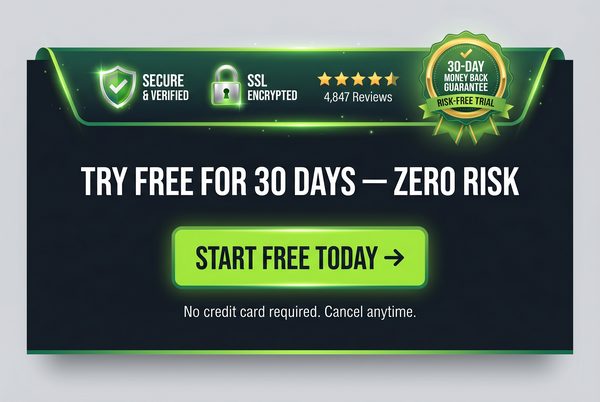
Displaying risk-reversal elements directly on the banner — “Free Trial,” “No Credit Card Required,” “30-Day Money Back Guarantee,” trust badges — reduces the perceived risk of clicking and dramatically increases CTR. Russell Brunson’s research shows that addressing objections before the click, rather than waiting for the landing page, increases conversion rates throughout the entire funnel.
Deep Dive: Russell Brunson, founder of ClickFunnels and one of the most successful online marketers in history, has built his entire methodology around the concept of “pre-framing” — addressing objections and building trust before the prospect even arrives at your landing page. When you include risk-reversal elements on the banner itself, you are pre-framing the offer as safe, low-risk, and trustworthy. This is especially important for cold traffic — people who have never heard of you before. The most powerful risk-reversal elements are: money-back guarantees (with specific timeframes), “no credit card required” for free trials, security badges (SSL, BBB, etc.), and specific satisfaction statistics (“97% of users report results within 30 days”).
ChatGPT Images2 Prompt:
Tip: The more specific your guarantee (“30-Day” beats “Money Back”), the more credible and clickable it becomes.
Advertising banner image (300x250, medium rectangle). Dark background. Bold white headline: "TRY IT FREE FOR 30 DAYS — ZERO RISK". Below it a row of three trust badges: a gold "Money Back Guarantee" shield, a green "No Credit Card" badge, and a blue "Secure Checkout" lock icon. Below the badges a bright green CTA button: "START FREE TRIAL →". Clean, trustworthy, professional design. The trust badges should be the visual anchor of the banner.
Signup For Ai Profit Scoop Elite – Click Here
#21: “Us vs. Them” — Enemy Narrative Banner
Category: Psychology | Expert Source: Perry Belcher — Direct Response Marketing
Why It Works: +42% CTR | Tribal Identity | Outrage Trigger
Framing an enemy — banks, big pharma, insurance companies, the government — creates instant tribal belonging and outrage-driven clicks. Perry Belcher calls this the “villain framework”: every great story needs a villain, and every great ad needs something to be against. People click to validate their existing frustrations and find allies.
Deep Dive: Perry Belcher, co-founder of DigitalMarketer and one of the most prolific direct response marketers alive, has built campaigns generating hundreds of millions of dollars using the villain framework. The psychological mechanism is rooted in social identity theory — people define themselves partly by what groups they belong to and what groups they oppose. When an ad frames a common enemy, it creates instant tribal solidarity with the viewer. They feel understood, validated, and motivated to take action against the shared enemy. The most powerful villains are institutions that people already distrust: banks, pharmaceutical companies, insurance companies, government agencies, and large corporations. The key is that the villain must be one the target audience genuinely resents — you cannot manufacture resentment, you can only amplify existing feelings.

ChatGPT Images2 Prompt:
Tip: Replace “BIG BANKS” with the specific villain most relevant to your niche: “Big Pharma”, “Insurance Companies”, “Your Employer”, etc.
Advertising banner image (300x250, medium rectangle). Dark red and black background. Bold confrontational headline: "BIG BANKS DON'T WANT YOU TO KNOW THIS". Below it a dramatic image of a bank building with a red "X" or warning symbol overlaid. Below that in white text: "Here's What They've Been Hiding From You". A yellow CTA button: "SEE THE TRUTH →". The design should feel urgent, rebellious, and empowering — like you're on the viewer's side against a common enemy.
#22: The “Lazy Way” — Minimum Effort Maximum Result
Category: Ad Angle | Expert Source: Gary Halbert — The Boron Letters
Why It Works: +38% CTR | Effort Minimization | Universal Appeal
Humans are biologically wired to conserve energy. Promising maximum reward with minimum effort is one of the most universally appealing ad angles ever discovered. Gary Halbert, considered by many to be the greatest copywriter who ever lived, called this the “lazy man’s way” — and documented case after case where this angle dramatically outperformed effort-intensive alternatives.
Deep Dive: Gary Halbert’s insights into human motivation are legendary in the copywriting world. His core observation: people don’t want to work hard, they want to achieve results. The most successful products and the most successful ads are those that promise the desired result with the least possible effort. This isn’t about being dishonest — it’s about framing your genuine value proposition in terms of what the customer actually wants (the result) rather than what they have to do (the effort). “Lose 20 pounds in 30 days without giving up your favorite foods” is more compelling than “Follow our strict 30-day diet plan” — even if they describe the same program.

ChatGPT Images2 Prompt:
Tip: The “no [effort]” element is crucial — specifically name the effort your audience dreads most. “No gym required”, “No diet required”, “No experience needed”.
Advertising banner image (300x250, medium rectangle). Dark background. A person relaxing comfortably on a couch or in a hammock, looking completely at ease, with a laptop or phone showing a positive result (money, fitness app, etc.) nearby. Bold headline: "THE LAZY WAY TO [ACHIEVE RESULT]". Below it in smaller text: "No [Common Effort] Required". Bright orange CTA button: "SHOW ME HOW →". The overall vibe should be relaxed, effortless, and aspirational.
#23: Extreme Specificity — The Exact Number
Category: Copywriting | Expert Source: Claude Hopkins — Scientific Advertising
Why It Works: +29% CTR | Credibility Signal | Proof Implication
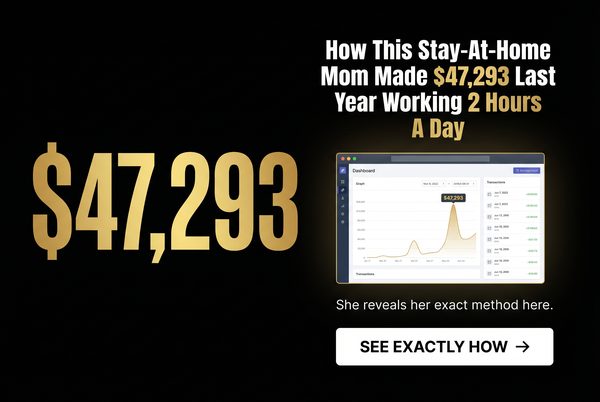
Specific numbers imply proof. “$432/Year Savings” beats “Save Money.” “Lost 23.7 lbs” beats “Lost Weight.” Claude Hopkins, writing in Scientific Advertising in 1923, was the first to document that specific claims dramatically outperform vague claims in response rates. A hundred years of subsequent testing has confirmed this finding across every medium.
Deep Dive: Claude Hopkins was the first advertising practitioner to apply scientific methodology to copywriting. His insight about specificity was revolutionary: specific numbers feel like they were measured, while round numbers feel like they were estimated. “23.7 pounds” implies that someone actually weighed themselves before and after. “About 25 pounds” implies a rough guess. The more specific the claim, the more it implies that the result was actually measured and documented, which dramatically increases credibility. This principle applies to every type of claim: time (“in 17 days” beats “in about 2 weeks”), money (“$1,247 per month” beats “over $1,000 per month”), and percentages (“37% more effective” beats “significantly more effective”).
ChatGPT Images2 Prompt:
Tip: Never round your numbers. $1,247 beats $1,250. 23.7 lbs beats 24 lbs. The decimal point or odd digit signals real measurement.
Advertising banner image (300x250, medium rectangle). Dark background. A specific, unusual number displayed prominently in bold gold typography: "$1,247" or "23.7 lbs" or "17 Days". Below it in white text: "That's Exactly How Much [Result] This [Product/Method] Produced". A small graph or chart showing the specific result. Green CTA button: "SEE THE PROOF →". The specificity of the number should be the entire point of the design. Clean, credible, data-driven aesthetic.
#24: Retargeting / Sequential Messaging Banner
Category: Psychology | Expert Source: Ezra Firestone — Smart Marketer Retargeting Strategy
Why It Works: +400% ROI vs. Cold Traffic | Prior Intent Signal | Familiarity Effect
The most profitable banner campaigns go to people who have already visited your site. Retargeting banners acknowledge the prior visit and offer a specific reason to return. Ezra Firestone’s retargeting research shows that retargeted ads generate 400% higher ROI than cold traffic ads. The viewer already knows you — now you just need to give them a reason to come back.
Deep Dive: Ezra Firestone of Smart Marketer has built multiple eight-figure e-commerce businesses largely on the back of sophisticated retargeting strategies. His core insight: retargeting is not about showing the same ad to someone who didn’t convert — it’s about showing a different, more targeted message that addresses the specific reason they didn’t convert. Did they add to cart but not buy? Show them a cart abandonment ad with a discount. Did they visit the product page but not add to cart? Show them a social proof ad with testimonials. Did they visit the homepage but not go deeper? Show them a curiosity-gap ad about your best product. Sequential messaging — showing different ads to the same person at different stages of their journey — is the highest-leverage retargeting strategy available.

ChatGPT Images2 Prompt:
Tip: Retargeting ads perform best when they acknowledge the prior visit explicitly. “You were looking at this…” is more effective than a generic product ad.
Retargeting advertising banner image (300x250, medium rectangle). Dark background. A direct, personal headline: "Still Thinking About It?" or "You Left Something Behind". Below it an image of the specific product or offer the person was viewing. A special offer badge: "EXCLUSIVE: 15% Off For The Next 24 Hours". A countdown timer graphic. Bright red CTA button: "CLAIM YOUR DISCOUNT →". The design should feel personal and time-sensitive, as if speaking directly to someone who almost made a decision.
#25: Ad-to-Landing-Page Congruency Banner
Category: Psychology | Expert Source: Justin Brooke — AdSkills Traffic Mastery
Why It Works: +55% Conversion Rate | Ad Scent Principle | Reduces Bounce Rate
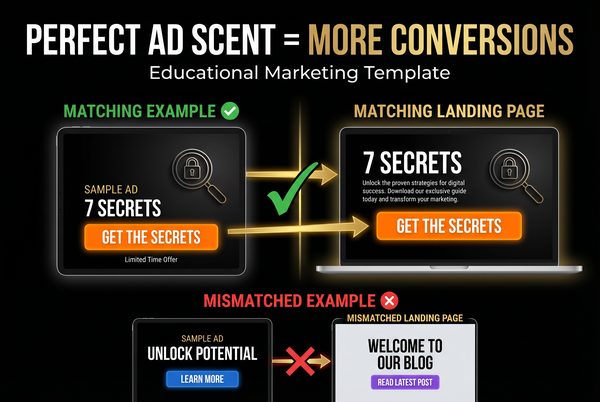
The single biggest conversion killer is “ad scent” discontinuity — when the ad promises one thing and the landing page delivers something visually or tonally different. Justin Brooke calls this “ad scent”: the visual and messaging trail that leads from the ad to the landing page must be consistent. If the ad says “7 Secrets” in red text, the landing page must immediately show “7 Secrets” in the same visual style.
Deep Dive: Justin Brooke of AdSkills has trained thousands of media buyers, and the concept of ad scent is central to his entire curriculum. The psychological mechanism is simple: when a user clicks an ad, they have a specific expectation about what they will find on the other side. If the landing page immediately confirms that expectation — through matching colors, fonts, headlines, and imagery — the user feels they are in the right place and continues. If the landing page feels different from the ad, the user’s brain registers a mismatch and they bounce. This is why the highest-converting campaigns have ads and landing pages that look like they were designed by the same person on the same day. The banner in this category is not about a specific visual style — it’s about the principle of designing your banner and landing page as a single unified experience.
Implementation Checklist: Does your landing page headline match or directly extend your banner headline? Does the color scheme of your landing page match the dominant colors of your banner? Does the first image on your landing page match the visual style of your banner image? If the banner promises a specific number of tips or secrets, does the landing page immediately deliver them?
ChatGPT Images2 Prompt:
Tip: Screenshot your banner and your landing page hero section side by side. They should look like they belong together. If they don’t, redesign one of them.
Advertising banner image (300x250, medium rectangle). Dark background with a specific dominant color (choose: deep blue, dark red, or forest green). Bold white headline: "7 SECRETS TO [DESIRED RESULT] — FREE GUIDE". A visual of a guide cover or report with the same color scheme. A CTA button in the same dominant color, lighter shade: "GET THE FREE GUIDE →". This banner is designed to match a landing page with the same color scheme, same headline, and same guide image. The visual consistency between ad and landing page is the entire strategy.
Signup For Ai Profit Scoop Elite – Click Here
The Expert Cheat Sheet: Who Said What and Why It Matters
The 25 banner strategies above didn’t come from guesswork. They came from decades of testing by some of the most brilliant minds in advertising and marketing. Here is a quick reference guide to the key experts cited throughout this post and their most important contributions to high-CTR advertising.
| Expert | Key Contribution | Most Relevant Banners |
|---|---|---|
| David Ogilvy | Power of “New”, headline formulas, long-form copy | #13, #15, #17 |
| Claude Hopkins | Scientific Advertising, specificity principle, testing methodology | #23, #12, #11 |
| Gary Halbert | The Boron Letters, lazy man’s way, emotional copy | #22, #21, #15 |
| Eugene Schwartz | Breakthrough Advertising, mass desire, identification effect | #14, #6, #9 |
| Robert Cialdini | Influence, social proof, commitment & consistency | #12, #10, #20 |
| Neil Patel | Color psychology, A/B testing, CTA optimization | #3, #16, #17 |
| Charles Ngo | Native ad best practices, image selection, campaign scaling | #5, #7, #8 |
| iAmAttila | Geo-targeting, native traffic, affiliate marketing | #9, #5, #8 |
| Rachel Mazza | Native advertising funnel, advertorial strategy | #8, #7, #6 |
| Tim Burd | Facebook ads, UGC creative, ugly ad phenomenon | #18, #14, #22 |
| Ryan Deiss | Before/After/Bridge framework, customer journey | #6, #10, #25 |
| Peep Laja | CRO research, interactive content, cognitive load | #10, #4, #16 |
| Russell Brunson | DotCom Secrets, risk reversal, funnel design | #20, #25, #24 |
| Perry Belcher | Villain framework, tribal marketing, direct response | #21, #22, #15 |
| Isaac Rudansky | Google Display mastery, visual hierarchy, 5-second test | #4, #17, #16 |
| Jon Morrow | Power words research, headline formulas, emotional triggers | #15, #11, #13 |
| Brian Clark | Copyblogger, content marketing, headline psychology | #11, #15, #7 |
| Ezra Firestone | Retargeting strategy, e-commerce ads, sequential messaging | #24, #12, #20 |
| Justin Brooke | Ad scent, traffic mastery, landing page congruency | #25, #17, #4 |
Key Statistics: Why Native Ads and High-CTR Banners Dominate
The data behind native advertising and high-CTR banner strategies is overwhelming. Here are the most important statistics every media buyer and content marketer needs to know.
| Metric | Native Ads | Traditional Display | Source |
|---|---|---|---|
| Average CTR | 0.2–0.3% | 0.05–0.1% | Outbrain / Google |
| Brand Lift | +18% | +9% | IPG Media Lab |
| Purchase Intent | +53% higher | Baseline | Sharethrough |
| Visual Engagement | 52% more | Baseline | Sharethrough |
| Ad Recall | 2x higher | Baseline | Nielsen |
| Consumer Trust | 83% trust | 45% trust | Edelman |
| Global Market Size | $112 billion (2025) | Declining | Statista |
| Face Image CTR Lift | +38% | N/A | Taboola Trends |
| Retargeting ROI | 400% vs. cold | Baseline | Smart Marketer |
| UGC Style CTR Lift | +80% | vs. polished | Facebook IQ |
| Specificity CTR Lift | +29% | vs. vague claims | CXL Research |
Your A/B Testing Framework: How to Scale Winners
Having great banner templates is only the beginning. The real money is made in the testing and scaling phase. Here is the exact framework used by professional media buyers to systematically find winners and scale them to maximum profitability.
Phase 1 — Creative Testing (Days 1–7): Launch 4–6 variations of the same banner type with different focal elements. Keep everything else identical — same headline, same CTA, same platform, same targeting. Give each variation at least 500 impressions before making any decisions. Kill any variation with a CTR below 50% of the network average. After 7 days, you should have 1–2 clear winners.
Phase 2 — Headline Testing (Days 8–14): Take your winning image and test it against 4–6 different headlines. This is where most of the CTR improvement happens. A great image with a mediocre headline will underperform a mediocre image with a great headline. Test different angles: curiosity vs. urgency vs. social proof vs. specificity. After 7 days, you should have a winning image-headline combination.
Phase 3 — Scaling (Days 15+): Take your winning image-headline combination and scale it. Increase the daily budget by 20–30% every 2–3 days rather than all at once — sudden budget increases can destabilize the algorithm’s optimization. Simultaneously, begin testing new image variations against your winner to prevent ad fatigue. A winning creative typically has a lifespan of 2–8 weeks before CTR begins to decline due to audience saturation.
Phase 4 — Fatigue Management (Ongoing): Monitor your frequency cap. On Facebook, a frequency above 3–4 per week signals the beginning of ad fatigue. On native platforms, watch for a CTR decline of more than 20% from peak performance. When fatigue sets in, rotate in new creative variations — ideally ones that use the same psychological trigger but with a different visual execution.
Conclusion: Building Your Traffic Empire With ChatGPT Images2
The 25 banner templates in this guide represent the distilled wisdom of over a century of direct response advertising — from Claude Hopkins writing in 1923 to Tim Burd running Facebook campaigns today. The principles haven’t changed: interrupt attention, create curiosity, reduce friction, and make the click feel inevitable.
What has changed is the tools available to implement these principles. ChatGPT Images2 puts the ability to generate professional-quality (and deliberately imperfect) ad creative in the hands of anyone with an internet connection. You no longer need a graphic designer, a photographer, or a production budget. You need a great prompt, a clear understanding of the psychology behind the image, and the discipline to test systematically.
Start with the banner type that best fits your niche and offer. Generate 4 variations. Launch them. Watch the data. Kill the losers. Scale the winners. Then come back to this guide and try the next banner type. Over time, you will build a library of proven creative assets that generates traffic and revenue on autopilot.
Remember the core lesson: the goal is not to create beautiful art. The goal is to generate profitable clicks. Embrace the ugly banner. Trust the psychology. Let the data decide.
Understanding This… Makes Me Money!
Building Ai Windows Apps Witrh Claude
AI-Powered Windows Desktop Apps
with Claude + Electron + Installer
Everything you need to go from idea to a distributable .exe — using Claude as your AI brain, Electron as the shell, and a professional installer to ship it.
Electron
electron-builder
NSIS Installer
Gemini API
Manus AI
Node.js
Windows 10/11
Income & Results Disclaimer — Please Read
These notes are for educational and informational purposes only. Building software and selling it online involves real risk, real work, and no guarantee of income. The revenue figures cited throughout this document (e.g., $500K/yr, $1M/yr, $10M/yr) are estimates drawn from publicly available market research and are presented to illustrate what is possible in the Windows software market — they are not promises, projections, or typical results for any individual.
The vast majority of people who attempt to build and sell software products do not generate significant income. Results depend on the quality of your product, your marketing effort, your technical skill, market timing, competition, and many other factors entirely outside anyone’s control. Past performance of other software products is not indicative of your future results.
Any reference to Claude, Electron, or other third-party tools is for educational context only. Pricing, availability, and terms of those services may change at any time. Always review the current terms of service and pricing for any tool you use commercially. This is not legal, financial, or investment advice.
PCMoneyTools and its affiliates make no warranties, express or implied, regarding the accuracy or completeness of this material. Use this information at your own risk and always do your own due diligence before investing time or money into any business venture.
Ready To Work With Marcus?
Join the Vibe Code Class and learn step-by-step how to build your own AI desktop apps.
You Can Build Literally Anything —
The Opportunity Has Never Been Bigger
For the first time in history, a single person with zero prior programming experience can sit down, describe a software product in plain English, and have a working Windows desktop application — complete with an AI brain, a professional installer, and a real sales page — within a single weekend. This is not hype. This is the current reality of vibe coding with Claude and Electron.
The Windows software market supports over 400,000 active independent software vendors globally. Hundreds of solo developers are quietly earning $500K to $5M per year from small, focused utility tools — tools that solve one specific problem for one specific audience, priced at $29–$97 one-time, discovered entirely through free organic search and download sites. No paid ads. No team. No VC funding.
AI has now collapsed the build cost of these tools to near zero while simultaneously raising the value ceiling. A tool that used to require a developer, a designer, and six months of work can now be scaffolded by Claude in an afternoon. The categories that are ripe for disruption — SEO research tools, PDF utilities, installer builders, clipboard managers, wireframe tools — are filled with aging software from 2008–2015 that has barely been updated. The door is wide open.
Whether you want to build a niche research tool for affiliate marketers, an AI-powered invoice scanner for freelancers, a desktop chatbot for a specific industry, or a full multi-tool suite in the style of NCH Software — the stack is the same every time: Claude writes the logic, Electron wraps it in a native window, electron-builder ships it as a professional .exe installer. These notes show you exactly how.
AI Does the Heavy Lifting
Claude writes the code, the UI, the API integration, and the installer config — you direct and refine.
Real Windows .exe
Not a web app. A proper installed desktop program with Start Menu shortcuts and an uninstaller.
$0 Marketing CAC
Download sites and Google organic drive 60–90% of installs for Tier 3 tools. No ad spend needed.
Repeatable Formula
One problem + one audience + one tool = $500K–$3M/yr. Build a suite of 5–10 tools and multiply.
Weekend to Launch
From idea to distributable installer in 1–3 days using the workflow in these notes.
Build Literally Anything
SEO tools, PDF tools, chatbots, scrapers, label designers, invoice scanners — any niche, any audience.

Ready To Work With Marcus?
Join the Vibe Code Class and learn step-by-step how to build your own AI desktop apps.
The Stack — Why Claude + Electron
Electron lets you build a native Windows desktop app using HTML, CSS, and JavaScript — the same skills you already use for websites. Claude handles complex reasoning and code generation. Gemini gives you a dead-simple free-tier API for quick integrations. Manus handles bulk data processing, file pipelines, and parallel tasks. Electron wraps it all in a real
.exe that users install like any other Windows program.Electron
Wraps a Chromium browser + Node.js runtime into a native desktop window. Used by VS Code, Slack, Discord, Figma, and 1Password. Ships as a real Windows installer — users never see a browser.
Node.js backend
File system access
System tray
Auto-updater
Claude API (Anthropic)
The AI model powering the app’s intelligence. Called from the Electron main process (Node.js side) so the API key never touches the renderer. Supports streaming, tool use, and vision.
claude-3-haiku
Streaming responses
Tool / function calling
Vision (images)
electron-builder
Packages your Electron app into a distributable Windows installer (.exe via NSIS or .msi). Handles code signing, auto-updates, and upload to S3 or GitHub Releases.
.msi support
Code signing
electron-updater
Gemini API (Google)
Google’s Gemini is the easiest API to get started with — generous free tier, no credit card required to begin, and a single SDK that covers text, vision, code, and long-context tasks. Perfect for prototyping fast or keeping costs near zero on lighter workloads.
Free tier available
1M token context
Vision + audio
Google AI Studio
Manus AI
Manus is an autonomous AI agent built for bulk operations — processing large batches of files, running parallel research tasks, generating reports across hundreds of inputs, and executing multi-step workflows that would take Claude dozens of manual turns. Use Manus when your app needs to process data at scale.
Parallel task execution
Multi-step workflows
Data pipelines
Batch report generation
Why This Beats a Web App
- Users pay once for a desktop tool — familiar Windows mental model
- No monthly hosting costs; runs 100% locally
- Can access the local file system, clipboard, registry
- Listed on Softpedia, FileHippo, MajorGeeks — free organic traffic
- $29–$97 one-time price point proven by hundreds of Tier 3 tools
Choosing the Right AI for Each Job
| AI Tool | Best For | Cost | When to Use in Your App |
|---|---|---|---|
| Claude (Anthropic) | Complex reasoning, long-form writing, coding, nuanced instructions | Pay-per-token (no free tier) | Core AI brain of the app — analysis, generation, chat, code tasks |
| Gemini (Google) | Quick integrations, prototyping, vision, long context (1M tokens) | Free tier available — Gemini 2.0 Flash | Low-cost fallback, image analysis, fast responses, early prototypes |
| Manus AI | Bulk file processing, parallel research, multi-step autonomous workflows | Subscription (credits-based) | Batch jobs — process 100 files, run parallel reports, data pipelines |
| GPT-4o (OpenAI) | Broad general tasks, function calling, vision, wide ecosystem | Pay-per-token | Alternative model, user-familiar brand, OpenAI function calling |
The Vibe Coding Workflow — Multi-AI Strategy
You are not locked into one AI. The smartest apps use Claude for the core intelligence (complex reasoning, writing, code), Gemini for fast or free-tier tasks (image analysis, quick lookups, prototyping), and Manus when the job involves bulk data — processing hundreds of files, running parallel research across dozens of URLs, or generating batch reports. Describe what you want to Claude, let it scaffold the Electron app, then wire in whichever AI model fits each feature. A solo developer can go from idea to distributable installer in a single weekend.
Project Setup & Folder Structure
Prerequisites
- Node.js 20+ — nodejs.org
- npm or pnpm — comes with Node
- Anthropic API key — console.anthropic.com
- Windows 10/11 (or cross-compile from Mac/Linux)
- VS Code — optional but recommended
Scaffold the project
# Create project folder
mkdir my-ai-app && cd my-ai-app
npm init -y

# Install Electron
npm install --save-dev electron electron-builder

# Install Claude SDK + dotenv for secrets
npm install @anthropic-ai/sdk dotenv

# Install electron-store for persistent settings
npm install electron-store
Recommended folder structure
my-ai-app/
├── main.js          ← Electron main process (Node.js)
├── preload.js       ← Bridge between main & renderer
├── renderer/
│   ├── index.html   ← App UI
│   ├── style.css
│   └── app.js       ← UI logic (no Node APIs here)
├── assets/
│   └── icon.ico     ← Windows app icon (256×256)
├── .env             ← ANTHROPIC_API_KEY (never commit!)
├── .gitignore
└── package.jsonAlways add
.env to .gitignore. The API key lives in the main process only — never in the renderer HTML/JS files that users can inspect.package.json scripts
"scripts": {
  "start":   "electron .",
  "build":   "electron-builder --win",
  "dist":    "electron-builder --win --publish never"
},
"main": "main.js"Wiring Claude into Electron
Electron has two processes: the main process (Node.js, can use secrets) and the renderer process (browser, no secrets). All Claude API calls go through the main process. The renderer talks to main via IPC (Inter-Process Communication).
index.html / app.js
→
window.api.askClaude()
→
main.js
→
api.anthropic.com
→
streamed back
main.js — Main process with Claude handler
const { app, BrowserWindow, ipcMain } = require('electron')
const Anthropic = require('@anthropic-ai/sdk')
const path      = require('path')
require('dotenv').config()

const anthropic = new Anthropic({ apiKey: process.env.ANTHROPIC_API_KEY })

function createWindow() {
  const win = new BrowserWindow({
    width: 1000, height: 700,
    webPreferences: {
      preload: path.join(__dirname, 'preload.js'),
      contextIsolation: true,   // security: MUST be true
      nodeIntegration:  false   // security: MUST be false
    }
  })
  win.loadFile('renderer/index.html')
}

// Handle Claude API call from renderer
ipcMain.handle('ask-claude', async (event, messages) => {
  const response = await anthropic.messages.create({
    model:      'claude-3-5-sonnet-20241022',
    max_tokens: 1024,
    messages:   messages
  })
  return response.content[0].text
})

app.whenReady().then(createWindow)
preload.js — Secure bridge
const { contextBridge, ipcRenderer } = require('electron')

contextBridge.exposeInMainWorld('api', {
  // Renderer calls: await window.api.askClaude([...])
  askClaude: (messages) => ipcRenderer.invoke('ask-claude', messages)
})
Streaming responses (better UX)
// In main.js — stream tokens back to renderer in real-time
ipcMain.handle('ask-claude-stream', async (event, messages) => {
  const stream = await anthropic.messages.stream({
    model: 'claude-3-5-sonnet-20241022',
    max_tokens: 2048,
    messages
  })

  for await (const chunk of stream) {
    if (chunk.type === 'content_block_delta') {
      // Push each token to the renderer window
      event.sender.send('stream-token', chunk.delta.text)
    }
  }
  return 'done'
})Streaming gives users the familiar ChatGPT-style typing effect. Always prefer streaming for responses longer than a sentence — it feels dramatically faster even if total time is the same.
Ready To Work With Marcus?
Join the Vibe Code Class and learn step-by-step how to build your own AI desktop apps.
Building the UI (Renderer Process)
What the renderer can and cannot do
- Can: Full HTML/CSS/JS, fetch() to public URLs, DOM manipulation, localStorage
- Can: Call
window.api.*methods exposed via preload - Cannot: Directly use Node.js modules (
require,fs, etc.) - Cannot: Access the API key or any
process.envvariable
renderer/app.js — Calling Claude from the UI
const chatHistory = []

async function sendMessage(userText) {
  chatHistory.push({ role: 'user', content: userText })

  // Show typing indicator
  showTyping()

  const reply = await window.api.askClaude(chatHistory)

  chatHistory.push({ role: 'assistant', content: reply })
  renderMessage('assistant', reply)
}

// Streaming version — listen for tokens
window.api.onStreamToken((token) => {
  appendToLastMessage(token)
})
System Prompt — Define the AI persona
Pass a system parameter to Claude to set the app’s personality and constraints. This is what makes your tool feel purpose-built rather than a generic chatbot.
system: "You are an expert SEO analyst
specialising in affiliate niche research.
When given a keyword, return:
1. Niche viability score (1-10)
2. Top 3 sub-niches
3. Estimated monthly search volume
4. Monetisation angle
Always respond in JSON."
UI Tips for Desktop Apps
- Use
-webkit-app-region: dragon the title bar for a native drag feel - Remove the default menu bar:
win.setMenuBarVisibility(false) - Use
win.setTitleBarOverlay()for a custom frameless look - Store window size/position with
electron-storeand restore on launch - Add a system tray icon for background tools
Secure API Key Storage
When distributing to end users, you have two models: embed your own key (you pay, users pay you) or user-supplied key (users enter their own Anthropic key). Choose based on your pricing model.
Model A — You embed the key (SaaS-style)
Store the key in an environment variable at build time using electron-builder‘s extraMetadata or a remote config endpoint. Never hardcode it in source files.
- You control costs — charge users a monthly/one-time fee
- Use a backend proxy (Cloudflare Worker / Lambda) to avoid shipping the key in the binary
- Rate-limit per user to prevent abuse
Model B — User-supplied key (power user tools)
Show a settings screen where users paste their Anthropic API key. Store it with electron-store (encrypted on disk) or the OS keychain via keytar.
// Save key securely
const Store = require('electron-store')
const store = new Store({ encryptionKey: 'app-secret' })
store.set('apiKey', userKey)

// Read it back in main process
const key = store.get('apiKey')Never pass the API key to the renderer process. All Anthropic SDK calls must happen in
main.js. The renderer only calls window.api.askClaude() — it never sees the key.Packaging & the Installer
electron-builder is the standard tool for packaging Electron apps. It produces a professional NSIS-based
.exe installer that users can double-click to install — complete with Start Menu shortcuts, uninstaller, and optional auto-update.electron-builder config in package.json
"build": {
  "appId":       "com.yourname.myaiapp",
  "productName": "My AI App",
  "win": {
    "target": ["nsis"],
    "icon":   "assets/icon.ico"
  },
  "nsis": {
    "oneClick":            false,   // show install wizard
    "allowToChangeInstallationDirectory": true,
    "createDesktopShortcut": true,
    "createStartMenuShortcut": true,
    "installerIcon":  "assets/icon.ico",
    "uninstallerIcon": "assets/icon.ico"
  },
  "files": [
    "main.js", "preload.js", "renderer/**", "assets/**"
  ],
  "extraResources": [
    { "from": "assets/", "to": "assets" }
  ]
}
Build the installer
# Build for Windows (run on Windows or use CI)
npm run build

# Output: dist/My AI App Setup 1.0.0.exe
# That .exe IS the installer — ready to distribute
Auto-Updates with electron-updater
- Install:
npm install electron-updater - Host releases on GitHub Releases (free) or S3
- Add
publishconfig pointing to your release server - Call
autoUpdater.checkForUpdatesAndNotify()on app start - Users get a “New version available” prompt automatically
Code Signing (for production)
- Without signing: Windows SmartScreen shows a warning — acceptable for early versions
- EV Code Signing cert: ~$300/yr from DigiCert or Sectigo
- Set
CSC_LINKandCSC_KEY_PASSWORDenv vars — electron-builder handles the rest - Signed apps get instant SmartScreen reputation
Full build & release workflow
-
Develop & test locally
Run
npm startto launch the app in dev mode. Use Chrome DevTools (Ctrl+Shift+I) to debug the renderer. -
Bump version in package.json
Update
"version": "1.0.0"— this becomes the installer filename and auto-update version. -
Run
npm run buildelectron-builder compiles, packages, and creates the NSIS
.exein thedist/folder. -
Test the installer on a clean Windows machine
Double-click the
.exe, verify install, launch, and uninstall all work correctly. -
Upload to GitHub Releases / your website
Attach the
.exeto a GitHub Release or host it on your own server. Link to it from your sales page. -
Submit to download sites
Submit to Softpedia, FileHippo, MajorGeeks, and SnapFiles. Free organic traffic for years — this is the Tier 3 growth engine.
Ready To Work With Marcus?
Join the Vibe Code Class and learn step-by-step how to build your own AI desktop apps.
Distribution & Monetisation
| Model | Price Point | Best For | Examples |
|---|---|---|---|
| One-time license | $29–$97 | Utilities, niche tools, affiliate marketer audience | Scrapebox ($97), Market Samurai ($149) |
| Annual subscription | $29–$99/yr | Tools with ongoing AI costs, regular updates | Advanced Installer, SEO PowerSuite |
| Freemium | Free + $40–$80 | Mass-market utilities, viral growth | CCleaner, NCH Software suite |
| Monthly SaaS | $9–$49/mo | AI tools with high per-use costs | Grammarly, Cursor, ElevenLabs |
The $97 One-Time Sweet Spot
For tools sold to online marketers and affiliate marketers, $97 one-time is deeply embedded in the culture. It signals a serious power tool without requiring a long sales cycle. Scrapebox, Micro Niche Finder, and Keyword Researcher Pro have all used this price for 10+ years.
Zero-Cost Traffic Sources
- Softpedia — submit at softpedia.com/submit
- FileHippo — filehippo.com/submit
- MajorGeeks — majorgeeks.com/submit
- SnapFiles — snapfiles.com/submit
- Google organic — “best [niche] tool for Windows”
Tier 3 tools get 60–90% of downloads from these sources. $0 CAC on tools priced $29–$97.
The NCH Software Playbook — Most Replicable Model in Windows Software
NCH Software built 40+ small Windows tools (Express Invoice, VideoPad, WavePad, etc.), each solving one problem, priced at $40–$100 one-time, with freemium tiers driving downloads. Each tool earns $1M–$3M/yr. Total company revenue: $50M+. Zero paid marketing. The formula: one tool → one problem → one audience → SEO + download sites → cross-promote across the suite. Add AI to this formula in 2026 and the value ceiling doubles.
Ready To Work With Marcus?
Join the Vibe Code Class and learn step-by-step how to build your own AI desktop apps.
Connecting to the Web — SaaS, APIs & Hybrid Models
Your Electron app is not isolated. It runs a full Node.js environment with unrestricted internet access. It can call any REST API, connect to any database, post to any webhook, log users into your SaaS, scrape web pages, interact with browser automation, and sync data with cloud services — all while looking like a native Windows desktop program.
The Hybrid Architecture — Desktop Shell + Cloud Brain
The most powerful pattern is a desktop front-end (Electron) backed by a cloud back-end (your own web app or SaaS). The desktop app handles the UI, local file access, and the native Windows feel. The cloud handles auth, data storage, licensing, and shared AI logic. Users get the best of both worlds: a fast, offline-capable desktop app that stays in sync with the web.
Windows desktop
↔
Node / PHP / Python
↔
MySQL / Supabase
→
Stripe / Zapier / etc.
1. Calling Any REST API from the Desktop App
Node.js’s built-in fetch (or the axios library) lets the main process call any web API. This is how you connect to Stripe, Airtable, Google Sheets, OpenAI, Twilio, Mailchimp, or your own backend — all from inside the desktop app.
// main.js — call any REST API from the main process
ipcMain.handle('fetch-data', async (event, endpoint) => {
  const res = await fetch(endpoint, {
    headers: {
      'Authorization': `Bearer ${process.env.MY_API_KEY}`,
      'Content-Type': 'application/json'
    }
  })
  return res.json()
})

// Renderer calls it like this:
const data = await window.api.fetchData('https://api.yourapp.com/leads')
User Login & SaaS Licensing
Your desktop app can authenticate users against your own web app or a service like Supabase, Firebase, or Auth0. On login, the app receives a JWT token stored with electron-store. Every API call includes that token — so you can gate features, enforce subscription tiers, and revoke access remotely.
- Show a login screen on first launch
- POST credentials to your web app’s
/api/loginendpoint - Store the returned JWT with
electron-store - Attach JWT to every subsequent API call
- Check subscription status on each app launch
Stripe Payments & Subscription Gating
Your backend handles Stripe. The desktop app simply calls your API to check if the user has an active subscription. No Stripe SDK needed in the app itself — keeping the binary clean and the payment logic server-side.
// Check subscription on app start
const status = await fetch(
  'https://yourapp.com/api/subscription',
  { headers: { 'Authorization': `Bearer ${token}` } }
).then(r => r.json())

if (!status.active) {
  showUpgradeScreen() // lock the app
}
Webhooks, Zapier & Make (Integromat)
Your desktop app can fire webhooks to trigger automations in Zapier, Make, or your own server. This means a user action in the desktop app can automatically send an email, add a row to Google Sheets, post to Slack, create a CRM record, or trigger any other workflow — with zero extra code in the app.
// Fire a Zapier webhook from main.js
await fetch('https://hooks.zapier.com/hooks/catch/xxx/yyy', {
  method: 'POST',
  headers: { 'Content-Type': 'application/json' },
  body: JSON.stringify({
    email: user.email,
    action: 'lead_generated',
    data: result
  })
})
Web Scraping & Browser Automation
Because the main process is full Node.js, you can use puppeteer or playwright to automate a headless browser from inside your desktop app. This is how you build tools like Scrapebox, rank trackers, or any app that needs to interact with websites programmatically.
// npm install puppeteer
const puppeteer = require('puppeteer')

ipcMain.handle('scrape-page', async (_, url) => {
  const browser = await puppeteer.launch()
  const page    = await browser.newPage()
  await page.goto(url)
  const html    = await page.content()
  await browser.close()
  return html
})
2. Embedding a Web App or SaaS Dashboard Inside the Desktop App
Electron can load any URL — including your own hosted web app — directly inside the desktop window using a <webview> tag or a second BrowserWindow. This means your desktop app can literally wrap your SaaS dashboard, giving users a native-feeling app while you maintain a single web codebase.
// Option A: Load your web app in a second window
const dashWin = new BrowserWindow({ width: 1200, height: 800 })
dashWin.loadURL('https://app.yourwebsite.com/dashboard')

// Option B: Use webview tag in renderer HTML
<!-- renderer/index.html -->
<webview src="https://app.yourwebsite.com"
         style="width:100%;height:600px"
         partition="persist:main"></webview>

// Pass auth token from desktop app into the web app
dashWin.webContents.on('did-finish-load', () => {
  dashWin.webContents.executeJavaScript(
    `localStorage.setItem('token', '${userToken}')`
  )
})PCMoneyTools pattern: The desktop app is the launcher and local tool suite. Each tool tab can load a different section of your hosted web app — giving you one codebase for both the web and desktop versions, with the desktop app adding local file access, system tray, and offline capability on top.
3. Popular SaaS Services You Can Integrate Directly
| Service | What Your App Can Do | How | Use Case |
|---|---|---|---|
| Stripe | Charge users, check subscriptions, issue refunds | REST API via your backend | License gating, one-time purchase, monthly SaaS |
| Google Sheets | Read/write spreadsheet data in real time | Google Sheets API v4 | Export leads, sync reports, shared team data |
| Airtable | CRUD records in any Airtable base | Airtable REST API | CRM, lead tracker, content calendar |
| Zapier / Make | Trigger any 5,000+ app automation | POST to webhook URL | Email alerts, Slack notifications, CRM updates |
| Supabase / Firebase | Real-time database, user auth, file storage | SDK or REST API | Multi-user sync, cloud save, login system |
| Twilio | Send SMS, WhatsApp, voice calls | Twilio REST API | Lead alerts, 2FA, notification tools |
| SendGrid / Mailchimp | Send transactional or marketing emails | REST API | Welcome emails, drip sequences, reports |
| WordPress / WooCommerce | Create posts, read orders, manage products | WP REST API | Desktop publisher, order manager, content tool |
| OpenAI / Claude / Gemini | Multiple AI models in one app | REST API per provider | Model switching, cost optimisation, fallback |
| Your Own Web App | Full two-way sync with your custom backend | Your own REST / GraphQL API | Hybrid desktop+web SaaS, team tools, dashboards |
4. Real-Time Sync with WebSockets
For apps that need live data — a shared dashboard, a collaborative tool, or real-time notifications — the main process can open a persistent WebSocket connection to your server. Data pushed from the server appears in the desktop UI instantly, just like a web app.
// main.js — open a WebSocket to your server
const WebSocket = require('ws')  // npm install ws
const ws = new WebSocket('wss://yourapp.com/ws')

ws.on('message', (data) => {
  const msg = JSON.parse(data)
  // Forward live update to the renderer UI
  mainWindow.webContents.send('live-update', msg)
})

// Send data back to server from the desktop app
ws.send(JSON.stringify({ type: 'user_action', payload: data }))
5. Hybrid Business Model Patterns
Desktop App + Web Dashboard
The desktop app does the heavy lifting locally (AI processing, file handling, scraping). A companion web dashboard shows reports, history, and team results. Users pay for the desktop license; the web dashboard is included.
One-time + web
Desktop App as SaaS Client
The desktop app is a premium client for your SaaS. Web users get the browser version; paying users download the desktop app for offline access, faster performance, and extra features like system tray and file system access.
Desktop = premium tier
White-Label Desktop Tool
Build one Electron app, rebrand it for multiple clients or niches. Each client gets their own logo, colour scheme, API endpoint, and installer. You sell the same codebase multiple times under different names.
Per-client licensing
Desktop App + Affiliate Backend
The desktop tool is free or low-cost. It connects to your web app which serves affiliate offers, upsells, and premium features. The desktop app is the top of your funnel — it drives users into your ecosystem.
Affiliate revenue
API Aggregator Tool
Your desktop app connects to 5–10 different SaaS APIs and presents them in one unified interface. Users pay for the convenience of having everything in one place — even if each underlying service is free or cheap.
One-time or monthly
Offline-First with Cloud Sync
The app works 100% offline using local SQLite or JSON files. When online, it syncs to your cloud database. Users love the reliability of a desktop app with the convenience of cloud backup and multi-device access.
Supabase / Firebase sync
The Big Insight — Your Desktop App Is a Full Internet Client
Most people think of desktop apps as isolated, offline tools. But an Electron app has the same internet access as a browser, plus the power of a server. It can call APIs, scrape the web, connect to databases, fire webhooks, embed web apps, sync in real time, and process payments — all while sitting in the user’s Start Menu as a native Windows program. The desktop is not a limitation. It is a superpower.
Market Opportunity — Windows AI Micro-Niches
The Windows software market supports 400,000+ active ISVs. The Tier 3 micro-niche segment (solo/tiny teams, $500K–$10M/yr) is the most accessible entry point. AI is creating entirely new sub-niches right now — most with no dominant incumbent yet.
AI Niche Research Tool
Next-gen Market Samurai. AI finds micro-niches, scores competition, estimates revenue. Target: affiliate marketers.
Claude for analysis
AI Installer Builder
Describe your software in plain English → AI generates the NSIS installer script. Target: Windows developers.
Huge dev market
AI PDF Summariser
Drop any PDF → AI extracts key data, summaries, tables. Local Windows app, no cloud upload. Target: lawyers, researchers.
Privacy angle
AI SEO Scraper
Modern Scrapebox with AI-powered content gap analysis. Target: affiliate site builders, your exact audience.
Aging incumbents
AI Wireframe Tool
Describe a UI in plain text → Claude generates wireframe mockup. Undercuts Balsamiq ($9/mo) with 10× speed.
No strong incumbent
AI Clipboard Manager
Smart clipboard that uses AI to categorise and recall saved snippets. Viral among developers and writers.
Viral utility
| Tier | Revenue Range | Team Size | Price Model | Examples |
|---|---|---|---|---|
| Tier 1 Enterprise | $100M – $36B | 100–100,000+ | SaaS / subscription | Adobe, Salesforce, GitHub Copilot |
| Tier 2 Mid-Market | $5M – $100M | 2–50 | One-time + annual | NCH Software, Stardock, TechSmith |
| Tier 3 Micro-Niche ← YOU | $500K – $10M | 1–5 | One-time $29–$149 | Scrapebox, Balsamiq, Smart Install Maker |
Key Insight from the 2026 Windows Software Report
AI has lowered the build cost and raised the value ceiling simultaneously. The first AI-native version of Market Samurai, Scrapebox, or a wireframe tool will win its category. The pattern is identical to every successful Tier 3 tool: single problem, single audience, sub-$200 price, Windows desktop distribution. The only difference is AI replaces manual effort — and that is the entire product pitch.
Quick Reference Cheatsheet
Key npm packages
| Package | Purpose |
|---|---|
electron |
Desktop app shell |
electron-builder |
Package + installer |
@anthropic-ai/sdk |
Claude API client |
electron-store |
Persistent settings |
electron-updater |
Auto-updates |
dotenv |
Load .env secrets |
keytar |
OS keychain storage |
Claude models at a glance
| Model | Best For | Cost |
|---|---|---|
claude-3-5-sonnet |
Complex reasoning, coding | $$ |
claude-3-5-haiku |
Fast, cheap, high-volume | $ |
claude-3-opus |
Hardest tasks | $$$$ |
Security rules (never break these)
contextIsolation: true— alwaysnodeIntegration: false— always- API key only in
main.js, never renderer .envin.gitignore— always- Validate all IPC inputs in main process
Vibe coding prompt template
Paste this into Claude to scaffold a new tool:
"Build an Electron app that [describe tool].
It should have a [describe UI].
Use the Anthropic SDK in main.js to call
claude-3-5-sonnet. The renderer calls
window.api.askClaude(messages). Include
preload.js with contextBridge. Add
electron-builder config for a Windows
NSIS installer. Use electron-store for
saving user settings."
Ready To Work With Marcus?
Join the Vibe Code Class and learn step-by-step how to build your own AI desktop apps.
Apps & Tools That Made Money — Full Reference
Every product below is a real, verified business drawn from the Windows Software Industry Report 2026. Revenue figures are market estimates based on public data. These are your proof-of-concept benchmarks — study the pattern, find your niche, build your version with Claude + Electron.
🏆 Tier 1 — Enterprise Giants ($100M – $36B/yr)
These are the category kings. Study their model — every one started as a focused tool solving one problem.
| Product | Category | What It Does | Est. Revenue | Model |
|---|---|---|---|---|
| Adobe Photoshop / Illustrator / Premiere | Creative | Industry-standard image, vector & video editing | $21B (Adobe total) | Subscription |
| Adobe Acrobat | PDF / Productivity | PDF creation, editing, e-signing | (Adobe suite) | Subscription |
| Norton Antivirus | Security | Consumer antivirus & internet security | $3.3B (Gen Digital) | Annual sub |
| McAfee | Security | Endpoint security and antivirus | $2B+ est. | Annual sub |
| Kaspersky | Security | Antivirus and cybersecurity suite | ~$750M | Annual sub |
| Malwarebytes | Security | Anti-malware and threat removal | ~$100M | Freemium |
| Steam (Valve) | Gaming | PC game distribution platform | ~$10B+ est. | Revenue share |
| Dropbox | Productivity | Cloud file storage and sync | $2.5B | Freemium SaaS |
| Zoom | Productivity | Video conferencing | $4.5B | Freemium SaaS |
| Slack | Productivity | Team messaging and collaboration | $1.9B | Freemium SaaS |
| Notion | Productivity | All-in-one workspace and wiki | ~$250M ARR | Freemium SaaS |
| Salesforce | Business / CRM | CRM platform | $36B | SaaS |
| HubSpot | Business | Inbound marketing and CRM | $2.6B | Freemium SaaS |
| QuickBooks (Intuit) | Business | Small business accounting | $16B (Intuit) | Subscription |
| AutoCAD (Autodesk) | Creative / CAD | 2D/3D engineering design | $5.9B (Autodesk) | Subscription |
| Unity | Developer | Game development engine | $1.8B | Freemium + revenue share |
| Unreal Engine (Epic) | Developer | AAA game and 3D development | $5.5B (Epic) | Revenue share |
| GitHub Copilot (Microsoft/OpenAI) | AI | AI code completion inside IDEs | $2B+ ARR est. | $19/mo |
| Grammarly | AI / Writing | AI writing assistant | ~$250M ARR | Freemium $30/mo |
| Midjourney | AI / Image | AI image generation | ~$300M est. | Subscription |
| ElevenLabs | AI / Voice | AI voice cloning and synthesis | ~$100M ARR | $11–$99/mo |
| Cursor | AI / Dev | AI-powered code editor | ~$200M ARR | $20/mo |
| DaVinci Resolve (Blackmagic) | Creative / Video | Professional video color/edit suite | ~$400M | Free + one-time $295 |
| TeamViewer | Productivity | Remote access and support | ~$730M | Freemium SaaS |
| 1Password | Security | Password management | ~$500M ARR | $3–$8/mo |
| Wondershare Filmora | Creative / Video | Consumer video editor | ~$500M (Wondershare) | One-time / sub |
💼 Tier 2 — Mid-Market Independents ($5M – $100M/yr)
Small teams, bootstrapped, often running for 10–25 years on SEO and download site traffic alone. This is the sweet spot to study.
| Product | Category | What It Does | Est. Revenue | Price Model |
|---|---|---|---|---|
| WinZip | Utility | File compression | $50M–$100M | One-time ~$30 |
| WinRAR | Utility | RAR format compression | ~$40M est. | Shareware $29 |
| CCleaner (Piriform) | Utility | PC cleanup and optimization | ~$40M est. | Freemium $30 |
| Sublime Text | Developer | Fast cross-platform code editor | ~$20M est. | One-time $99 |
| Beyond Compare | Developer | File/folder diff and sync | ~$5M est. | One-time $60 |
| UltraEdit | Developer | Feature-rich text/hex editor | ~$5M est. | $80/yr |
| EmEditor | Developer | Fast large-file text editor | ~$3M est. | $40/yr |
| Total Commander | Utility | Dual-panel file manager | ~$5M est. | Shareware $52 |
| Directory Opus | Productivity | Advanced Windows file manager | ~$3M est. | One-time $89 |
| TeraCopy | Utility | Faster file copy with verification | ~$2M est. | Freemium $30 |
| PhraseExpress | Niche / Productivity | Text expander and macro tool | ~$2M est. | Freemium $50 |
| DisplayFusion | System | Multi-monitor management | ~$3M est. | One-time $40 |
| Fences (Stardock) | Desktop | Desktop icon organizer + shading | ~$5M est. | One-time $10 |
| Start11 (Stardock) | Desktop | Windows Start menu replacement | ~$3M est. | One-time $10 |
| WindowBlinds (Stardock) | Desktop | Windows UI theme engine | ~$2M est. | One-time $10 |
| Typora | Productivity | Clean Markdown editor | ~$2M est. | One-time $15 |
| TreeSize Free | System | Disk space visualizer | ~$3M est. | Freemium $49 |
| GoodSync | Utility | File sync and backup | ~$5M est. | $30/yr |
| Macrium Reflect | Utility | Disk imaging and backup | ~$8M est. | Freemium $80 |
| Snagit (TechSmith) | Utility | Screenshot and screen recording | ~$200M (TechSmith) | $63/yr |
| Foxit PDF Editor | PDF / Doc | Full-featured PDF editing suite | ~$50M est. | $99/yr |
| PDF-XChange Editor | PDF / Doc | Lightweight PDF editor | ~$5M est. | Freemium $54 |
| Listary | Utility | Windows file search and launcher | ~$1M est. | One-time $25 |
| Roboform | Security | Password manager + form filler | ~$5M est. | $24/yr |
| Scrapebox | SEO / Marketing | Mass URL harvester and SEO scraper | ~$2M est. | One-time $97 |
| SEO PowerSuite | SEO / Marketing | 4-app desktop SEO toolkit | ~$5M est. | Free / $299/yr |
| Advanced Installer | Installer | GUI-based installer builder | ~$5M est. | $499–$2,999/yr |
| PDF Architect | PDF / Doc | Modular PDF editor | ~$3M est. | $69/yr |
| TablePlus | Developer | DB client for MySQL/Postgres/SQLite | ~$3M est. | Freemium $89 |
⚡ Tier 3 — Micro-Niche & Solo Developer ($500K – $10M/yr) — Your Target Zone
1–5 person teams. One problem. One audience. One-time pricing. SEO + download sites = $0 CAC. This is the most replicable model in software. Add AI and the value ceiling doubles.
| Product | Category | What It Does | Price | Est. Revenue |
|---|---|---|---|---|
| Smart Install Maker | Installer | Windows installer wizard creator | One-time ~$99 | ~$500K–$1M |
| SetupFactory | Installer | Drag-drop install builder | One-time $399 | ~$1M |
| Market Samurai | SEO / Marketing | Desktop niche/keyword research | One-time $149 | ~$1M |
| Long Tail Pro | SEO / Marketing | Long-tail keyword finder | $45/mo SaaS | ~$3M |
| Micro Niche Finder | SEO / Marketing | Keyword research for affiliate marketers | One-time $97 | ~$500K |
| Keyword Researcher Pro | SEO / Marketing | Autocomplete keyword scraper | One-time $97 | ~$500K |
| Traffic Travis | SEO / Marketing | Desktop SEO + PPC competitor research | Freemium $97 | ~$500K |
| CoffeeCup HTML Editor | Web Tools | WYSIWYG HTML editor | One-time $29 | ~$2M |
| Xara Web Designer | Web Tools | Template-based website design | One-time $89.99 | ~$3M |
| SmartFTP | Internet / FTP | FTP/SFTP client for Windows | Freemium $45 | ~$1M |
| FlashFXP | Internet / FTP | FTP client with site-to-site transfer | One-time $30 | ~$500K |
| WS_FTP Professional | Internet / FTP | Secure business file transfer | $60/yr | ~$3M |
| Balsamiq Wireframes | Design / Wireframe | Low-fidelity UI wireframe sketcher | $9/mo cloud | ~$10M |
| WireframeSketcher | Design / Wireframe | Eclipse-based wireframe + desktop | One-time $99 | ~$500K |
| Axure RP | Design / Wireframe | Advanced wireframe and prototype | $29/mo | ~$10M |
| Justinmind | Design / Wireframe | High-fidelity prototyping tool | $19/mo | ~$2M |
| Express Invoice (NCH) | Business | Invoicing and billing tool | Freemium $99 | ~$2M |
| Inventoria (NCH) | Business | Stock and inventory management | Freemium $99 | ~$1M |
| CardWorks (NCH) | Business | Business card design + printing | Freemium $29 | ~$1M |
| VideoPad (NCH) | Audio / Video | Consumer video editor | Freemium $70 | ~$3M |
| WavePad (NCH) | Audio / Video | Multi-track audio editor | Freemium $60 | ~$2M |
| Switch Converter (NCH) | Audio / Video | Batch audio format conversion | Freemium $40 | ~$2M |
| NiceLabel | Label / Print | Barcode label designer for business | $600/yr | ~$10M |
| Label Matrix (TEKLYNX) | Label / Print | Industrial barcode label design | $295–$1,500 | ~$5M |
| Soda PDF | PDF / Doc | All-in-one PDF suite | $69/yr | ~$5M |
| ManicTime | Business | Automatic time tracker for Windows | Freemium $67 | ~$1M |
| RegexBuddy | Developer | Regex builder and tester | One-time $40 | ~$1M |
| DBForge Studio | Developer | MySQL/PostgreSQL dev IDE | $150/yr | ~$3M |
| Enpass | Security | Local-first password manager | One-time $100 | ~$3M |
🤖 AI Tools Already Earning — The New Wave
These are AI-native products launched 2020–2024 that are already at serious revenue. Every one of them proves the category. Every one of them has a micro-niche version waiting to be built.
| Product | What It Does | Est. Revenue | Model | Lesson |
|---|---|---|---|---|
| GitHub Copilot | AI code completion inside IDEs | $2B+ ARR | $19/mo | AI + developer tool = massive TAM |
| Cursor | AI-first code editor for Windows | ~$200M ARR | $20/mo | Replace a free tool with an AI version |
| Grammarly | AI writing assistant | ~$250M ARR | Freemium $30/mo | Freemium + AI = viral growth |
| ElevenLabs | AI voice cloning and synthesis | ~$100M ARR | $11–$99/mo | Niche AI capability → huge market |
| Runway ML | AI video generation and editing | ~$100M est. | $15–$35/mo | AI upgrades existing creative workflow |
| Krisp | AI background noise cancellation | ~$50M est. | $8/mo | Tiny AI feature → standalone product |
| Otter.ai | AI meeting transcription | ~$50M est. | $17/mo | AI automates one painful manual task |
| Perplexity | AI search engine | ~$100M ARR | $20/mo | AI replaces a free tool (Google) |
| Jasper AI | AI marketing copy generator | ~$100M ARR | $49/mo | AI for a specific job-to-be-done |
| Copy.ai | AI marketing copy | ~$50M ARR | $49/mo | Same category, different positioning |
🎯 10 Open AI Windows Opportunities — No Dominant Incumbent Yet
These are the specific gaps identified in the 2026 report. Each one follows the exact Tier 3 formula. Build any of these with Claude + Electron and you have a real product.
1. AI Niche Research Assistant
The next Market Samurai. Desktop tool using AI to find micro-niche opportunities, analyse competition, estimate revenue potential.
2. AI Windows Installer Builder
Smart Install Maker + AI. Describe your software in plain English → AI generates the NSIS installer script automatically.
3. AI PDF Summariser (Desktop)
Drop any PDF → AI extracts key data, summaries, tables. Local Windows app, no cloud upload. Privacy angle is the USP.
4. AI Receipt / Invoice OCR
Drag-drop receipts, AI reads and categorises them. Desktop Windows app for freelancers. Competes with nothing local.
5. AI Text Expander
PhraseExpress with AI — suggests macros based on your typing patterns. Huge productivity market, viral among power users.
6. AI Wireframe Sketcher
Describe a UI in plain text, AI generates the wireframe/mockup instantly. Undercuts Balsamiq ($9/mo) with 10× speed.
7. AI SEO Content Scraper
Modern Scrapebox — AI-powered content gap finder for affiliate sites. Sells to your exact audience at a proven price point.
8. AI Windows Clipboard Manager
Smart clipboard that uses AI to categorise, tag, and recall saved snippets. Viral among developers and writers.
9. AI Desktop Time Tracker
Watches what you do on Windows, auto-categorises time by project using AI. Competes with ManicTime but smarter.
10. AI Label Designer
Replace aging NiceLabel/BarTender for small shops. Describe what you want, AI generates barcode labels instantly.
The Pattern — Every Single Time
Look at every product in this list. The formula never changes: one problem → one audience → clean UI → simple pricing → SEO + download sites → $500K–$10M/yr. AI is now the multiplier on top of that formula. The tools that existed before AI were built by developers over months. The tools you can build now with Claude + Electron can be scaffolded in a weekend. The market is the same. The build cost just collapsed. That is the entire opportunity.
Ready To Work With Marcus?
Join the Vibe Code Class and learn step-by-step how to build your own AI desktop apps.
HomeaGlow Business Model – Pay Per Lead Affiliate Business!
⚠ Important Income Disclaimer: Results shown in this video and these notes are NOT typical. The income figures, lead values, and revenue examples discussed are for illustrative and educational purposes only. Most people who attempt online marketing, lead generation, or rank-and-rent models make little to no money. Building a profitable lead generation business requires consistent effort, time, testing, and often upfront investment with no guarantee of return.
If you’ve ever watched a cleaning company truck roll through your neighborhood and thought “someone is making money off that” — you’re right. But it might not be who you think.
The company scrubbing the bathrooms is making money. But so is the platform that sent them the customer. And that platform? It’s not a cleaning company at all. It’s a website. A lead generation machine. And in this post, we’re going to break down exactly how that works — and how you can build your own version of it.
This is a long one. Bookmark it. We’re covering the market size, the affiliate offers, the keyword data, the rank-and-rent model, the competition, the math, and the exact strategy you’d use to go from zero to generating cleaning leads. Let’s go.
Table of Contents
- Section 1 — How Big Is the Home Cleaning Market?
- Section 2 — What Affiliate Networks Actually Pay for Cleaning Leads
- Section 3 — What Google Advertisers Pay Per Click
- Section 4 — The Platforms Already Doing This (Angi, Thumbtack, Homeaglow)
- Section 5 — Why Cleaning Leads Are Worth Real Money
- Section 6 — Cost Per Lead Across All Channels
- Section 7 — The Sideways Keyword Strategy
- Section 8 — The Rank & Rent Model Step by Step
- Section 9 — Building the Site With AI
- Section 10 — Social Media Traffic for Cleaning Leads
- Section 11 — The Franchise Landscape
- Section 12 — How to Find a Cleaning Company to Rent Your Leads To
- Section 13 — Common Mistakes to Avoid
- Section 14 — Summary and Next Steps
Section 1 — How Big Is the Home Cleaning Market?
Before you put a single minute into any business model, you want to know: is there real money moving through this market? With home cleaning, the answer is a hard yes.
The U.S. residential cleaning market sits between $17.2 billion and $18.8 billion in 2025–2026, growing at roughly 5.5% per year. Globally, the cleaning services market is over $440 billion and projected to hit $770 billion by 2033. That’s not a niche. That’s a category.
| Metric | Data Point |
|---|---|
| U.S. Market Size (2025–2026) | $17.2B – $18.8B |
| Annual Growth Rate | ~5.5% per year |
| Global Market Size | $440B+ (projected $770B by 2033) |
| Total U.S. Cleaning Businesses | ~357,000 |
| Organized Maid Service Companies | 32,270 |
| Businesses with Fewer Than 10 Employees | ~90% |
| Independently Owned Businesses | ~99% |
| Companies Grossing Under $300K/Year | 67% |
| U.S. Households Using a Cleaning Service | ~22 million (16%) |
| Two-Income Households Planning to Outsource Cleaning | ~80% |
Here’s what those numbers mean for you as a potential lead generator:
- 357,000 cleaning businesses means a massive pool of potential customers for your leads. You don’t need to reach all of them. You need to reach one in each city you target.
- 99% are independent operators. They don’t have national marketing teams. They don’t have SEO agencies on retainer. Most of them are fighting for customers with a Facebook page and word of mouth. They need leads.
- Only 16% of households currently use a cleaning service. That means 84% of the market is untapped — and that number goes up every year as more dual-income households decide their time is worth more than scrubbing a bathroom.
- 80% of two-income households plan to outsource cleaning. The demand is not decreasing. The market is expanding into demographics that haven’t traditionally hired cleaners.
The Simple Opportunity: There are hundreds of thousands of small cleaning businesses that need a consistent flow of new customers and don’t have sophisticated marketing. You don’t need to build a cleaning company. You need to build the pipeline that feeds them.
Section 2 — What Affiliate Networks Actually Pay for Cleaning Leads
If you’re not ready to set up direct deals with local cleaning companies, you can start with affiliate and CPA offers. These are real, live offers available on major networks. You drive traffic, someone fills out a form or calls a number, and you get paid. No sales calls, no contracts, no chasing invoices.
Here’s what’s actually available on OfferVault right now (April 2026):
| Offer Name | Network | Payout | Type | Key Requirements |
|---|---|---|---|---|
| House Cleaning — Pay Per Call | Exclusive Live Calls | $54.00 / call | Pay Per Call / CPA | 90-sec min. duration, exclusive inbound, US only, Google/Bing/SEO traffic, genuine appointment intent |
| Top Local Maids | Premium Estimates | PointClickTrack | $2.00 / lead | CPL (form fill) | US only. Name, email, mobile, zip. High volume. |
| TaskRabbit — Cleaning | MaxBounty | $9.75 / lead | CPL (signup) | US only. User signs up and requests cleaning service. |
| Homeaglow — House Cleaning Signup | CJ, Impact | $5–$15 / signup | CPL / CPA | New customer signup. First clean promo ($19). |
Breaking Down Each Offer
The $54 Pay Per Call Offer
This is the highest-value offer in the space, and it’s also the most demanding. To earn $54, you need to generate a phone call that lasts at least 90 seconds from someone who genuinely wants to book a cleaning appointment. The traffic must come from Google, Bing, or organic SEO — no social media arbitrage.
Why does it pay so much? Because that call is worth a lot to a cleaning company. A caller who stays on the line for 90 seconds with genuine booking intent is very likely to schedule an appointment. If that appointment turns into a recurring customer, the lifetime value of that call could be $3,000–$6,000. Paying $54 to the affiliate who generated it is a bargain.
To win on this offer you need a site that ranks for local, high-intent keywords and drives calls — not form fills. That means click-to-call buttons, a phone number front and center, and content that targets people who are ready to book right now.
The $2 Form Fill Offer
Low payout, low barrier. Name, email, phone, zip code. This is a volume play. If you have a site driving 50–100 form fills per day across multiple cities, $2 per lead adds up. It’s also the easiest to test with because almost any form submission qualifies.
TaskRabbit at $9.75
This is middle ground — reasonable payout, straightforward conversion requirement (sign up and request a cleaning). Good for content sites that attract people already shopping around for cleaning options.
Homeaglow at $5–$15
The Homeaglow offer is interesting because of their $19 first clean promotion. It’s an easy sell to a deal-seeking customer. If you’re running a “cheap cleaning” or “cleaning deals” angle on your site, this offer converts well. The downside is you’re feeding into a brand that has significant trust issues (more on that below).
The Affiliate Route vs. The Direct Route: Affiliate offers are the training wheels version of cleaning lead gen. They’re easy to start, require no sales process, and pay consistently. But once you understand the model and have a site generating traffic, direct deals with local cleaning companies will pay 3–10x more for the same lead. Start with affiliates; graduate to direct deals.
Section 3 — What Google Advertisers Pay Per Click
Understanding what cleaning companies pay per click on Google is critical because it tells you the floor value of your organic traffic. If a cleaning company pays $6.20 per click on “maid service near me” — and that’s what they’re paying just to get someone to their website — then your rank-and-rent site that generates those same clicks organically is delivering something genuinely valuable.
This data comes directly from SpyFu’s Google Provided Data section (Google Keyword Planner data, April 2026):
| Keyword | Monthly Volume | CPC (Google Ads) | Monthly Ad Spend | Advertisers | Difficulty |
|---|---|---|---|---|---|
| maid service near me | 43,600 | $6.20 | $43,399 | 127 | 61 |
| house cleaning service | 49,500 | $5.88 | $18,205 | 127 | 53 |
| house cleaning near me | 18,100 | $6.05 | $8,512 | 127 | 58 |
| home cleaning service | 14,800 | $5.53 | $30,537 | 116 | 46 |
| deep cleaning service | 1,600 | $5.04 | $412 | 96 | 0 |
| move out cleaning service | 2,400 | $6.38 | $1,602 | 88 | 22 |
| recurring house cleaning | 20 | $0.00 | $0 | 14 | 10 |
Let’s do the math on why this matters:
- A cleaning company pays $6.20 per click on “maid service near me”
- Their Google Ads landing page converts at roughly 10–15% (generous estimate for a well-optimized page)
- That means they’re paying $41–$62 per lead from Google Ads alone — before you factor in ad management fees
- Your rank-and-rent site generating the same lead organically has a zero marginal cost per click
- You offer to sell them those leads for $20–$40 each — that’s a 40–50% savings vs. what they’re already spending
That’s your pitch. That’s why this works.
Notice “recurring house cleaning” has zero CPC and only 20 searches per month at the national level. That tells you there’s almost no paid competition for that keyword. But “recurring” customers are the most valuable customers a cleaning company can get — they generate $400–$800/month in recurring revenue. This is exactly the kind of gap the sideways keyword strategy is built to exploit.
Section 4 — The Platforms Already Doing This (And Why That’s Good News)
You are not the first person to think “I could connect people who need cleaning with people who do cleaning and get paid for it.” Several companies have built billion-dollar businesses on exactly this model. Understanding how they work — and more importantly, where they fail — tells you where your opportunity lives.
Angi (Formerly Angie’s List / HomeAdvisor)
Angi is the dominant player in the home services marketplace with an estimated 42% market share and approximately $1.05 billion in revenue over the trailing twelve months in 2025. They acquired Handy (a dedicated cleaning platform) in 2018. On paper, Angi sounds like an unstoppable monopoly.
In practice, cleaning businesses hate them.
The core problem is the shared lead model. When a homeowner submits a cleaning request on Angi, that lead gets sold to three, four, or even five contractors simultaneously. Every one of those contractors just paid $30–$100+ for the same lead. The homeowner gets four calls in twenty minutes. Close rates on shared Angi leads are often below 20% — meaning cleaning companies pay $50 for a lead and lose four out of five of them to a competitor.
Local cleaning companies complain about Angi constantly. They talk about it in Facebook groups. They write reviews about it. They tell other cleaning business owners not to waste their money. This is a market that is actively looking for an alternative. You can be that alternative.
Thumbtack
Thumbtack generated $400 million in revenue in fiscal year 2024 — a 27% year-over-year increase. They operate a pay-to-bid model across roughly 500 service categories and serve approximately 300,000 small business users. Thumbtack is investing heavily in AI to transition from a directory into a full home management platform.
Thumbtack’s model is slightly better than Angi’s in that contractors can choose which leads to bid on. But it’s still a competitive marketplace — you’re still competing against multiple contractors for the same customer. And the cost-per-lead is variable and can spike unexpectedly.
Homeaglow
Homeaglow is the fastest-growing name in the residential cleaning space. The brand term “homeaglow” now gets 101,000 searches per month in the U.S. with a 15% growth rate and a traffic potential value of $279,000. That’s remarkable brand growth for a company most people haven’t heard of.
Here’s how their model works:
- Loss Leader Hook: Advertise the first cleaning for $19. This generates a massive volume of signups from price-sensitive customers.
- Recurring Upsell: After the first clean, push customers into weekly or bi-weekly bookings at full price ($100–$200+ per visit).
- Cleaner Arbitrage: Pay independent cleaners a low per-job rate. Homeaglow keeps the margin between what the customer pays and what the cleaner earns.
- Brand at Scale: 101,000 monthly brand searches. $279K traffic value. 15% YoY growth. The brand itself becomes a perpetual lead machine.
It’s a smart model. But it has a problem: consumer trust. There are 7,300 searches per month for “homeaglow scam” and 8,100 searches per month for “is homeaglow legit.” The $19 hook attracts a lot of customers — and a lot of disappointed customers who feel misled when the price jumps. A transparent local operator with fair pricing can absolutely win in the same market on trust alone.
The Big Platform Comparison
| Platform | Revenue | Model | Avg. CPL (Cleaning) | Lead Type | Main Weakness |
|---|---|---|---|---|---|
| Angi | ~$1.05B | Shared pay-per-lead + membership | $30–$100+ | Shared (3–5 contractors) | Shared leads, low close rates, contractor frustration |
| Thumbtack | ~$400M | Pay-to-bid | $5–$100+ | Shared | Variable costs, competitive bidding, shared leads |
| Homeaglow | N/A (private) | Direct booking platform | N/A (internal) | Direct consumer | Low consumer trust, scam searches, cleaner complaints |
| Bark.com | ~$246M | Credit-based pay-per-lead | $8–$10 | Shared | High volume, low quality, ~15% conversion |
| Google LSA | N/A (Google) | Pay-per-lead (exclusive) | $20–$66 | Exclusive | Expensive, competitive, Google controls the relationship |
| Rank & Rent SEO | Varies | Monthly rental or per-lead | $0 marginal cost | Exclusive | Takes time to rank; requires ongoing SEO |
There is a clear and documented shift happening in the market: local cleaning businesses are moving their budgets away from Angi and Thumbtack toward Google Local Services Ads (LSA) and direct SEO partnerships. The reason is simple — exclusive leads with high intent convert at a far higher rate than shared marketplace leads.
You’re not competing with Angi. You’re offering the thing Angi doesn’t: exclusive leads that only go to one cleaning company.
Section 5 — Why Cleaning Leads Are Worth Real Money
The math of why cleaning businesses will pay $20–$60 for a single lead is rooted in one word: recurring.
A cleaning company isn’t buying a one-time transaction when they buy a lead. They’re buying a customer relationship. According to the MaidCentral Professional Cleaning Index (2026), the average revenue per completed cleaning job is between $193 and $205. A recurring customer who books every two weeks represents roughly $400–$500 per month in revenue. Over a 12-month retention period, that single customer generates $4,800 to $6,000 in gross revenue for the cleaning company.
| Metric | Conservative | Mid-Range | Strong |
|---|---|---|---|
| Avg. Revenue Per Job | $150 | $200 | $250+ |
| Booking Frequency | Monthly | Bi-weekly | Weekly |
| Monthly Revenue Per Customer | $150 | $400 | $800+ |
| Average Retention (months) | 6 | 12 | 18+ |
| Customer Lifetime Value (CLTV) | $900 | $4,800 | $14,400+ |
| Acceptable Lead Cost (at 40% close rate) | $25 | $50 | $100+ |
Let’s walk through the full math at the mid-range scenario:
- Cleaning company pays you $50 per exclusive lead
- They close 40% of leads (reasonable for exclusive, high-intent leads)
- Customer Acquisition Cost: $50 ÷ 0.40 = $125 per customer
- Customer Lifetime Value: $4,800 (bi-weekly recurring, 12 months)
- ROI on that lead: $4,800 ÷ $125 = 38x return
A 38x ROI is why cleaning companies will pay for quality leads. They’ve already done this math — maybe not formally, but they know that a good recurring customer is worth thousands of dollars. The only question is whether your lead is a good one. Exclusive, high-intent leads from organic search are about as good as leads get.
Commercial Cleaning: Even Higher Value
Everything above is for residential cleaning. Commercial cleaning — offices, medical facilities, retail spaces — is an entirely different tier. A single commercial cleaning contract might be worth $2,000–$10,000 per month in recurring revenue. Commercial cleaning leads command $100–$150+ each, and exclusive commercial leads in major markets can go even higher.
If you eventually want to move up-market, commercial cleaning lead gen is a natural evolution of the same model.
Section 6 — Cost Per Lead Across All Channels
Here’s a complete breakdown of what cleaning companies actually pay for leads across every major channel in 2025–2026. This data matters because it establishes the market rate — and gives you the context to price your own leads correctly.
| Channel | Cost Per Lead | Lead Quality | Notes |
|---|---|---|---|
| Google Search Ads (PPC) | ~$47 avg. | High | 17.65% conversion rate — highest of all home services categories (LocaliQ 2025) |
| Google Local Services Ads (LSA) | $20–$66 | Very High | Exclusive leads. 60% booking rate if answered within 1 minute. |
| Facebook / Social Ads | $20–$42 | Medium | Interruption-based. Lower intent than search. Lower close rate. |
| Shared Leads (Angi, Thumbtack) | $15–$100+ | Low–Medium | Sold to 3–5 contractors simultaneously. High competition per lead. |
| Exclusive Agency Leads | $30–$60 | High | Residential. Commercial exclusive leads run $100–$150+. |
| Bark.com | $8–$10 | Low | High volume, low conversion (~15%). Good for testing. |
| Rank & Rent / Organic SEO | $0 marginal | Very High | No cost per click. High intent. Exclusive to the renter. |
| Affiliate / CPA Networks | $2–$9.75 | Low–Medium | PointClickTrack pays $2/lead. MaxBounty TaskRabbit pays $9.75/lead. |
A few key takeaways from this table:
- Google search leads are already expensive. The $47 average CPL on Google PPC means cleaning companies are already conditioned to spending serious money on leads. Your rank-and-rent price point of $20–$40 is a discount, not a premium.
- LSA leads close at 60% when answered fast. This is important if you’re building a site that forwards calls — response time matters enormously. Make sure the cleaning company you’re working with picks up the phone.
- Shared leads are expensive AND low quality. Angi leads can cost $100+ AND have a low close rate because of the shared model. This is your competitive pitch.
- Organic SEO has zero marginal cost. Once your site ranks, every lead is essentially free to produce. The entire margin is yours (in a direct deal) or goes to the cleaning company’s bottom line (making them happy to keep paying you).
Section 7 — The Sideways Keyword Strategy
Here’s where most beginners go wrong: they try to rank for the obvious keywords. “House cleaning near me.” “Maid service.” “Cleaning company Chicago.” These are the most competitive keywords in the local SEO space. They’re dominated by Angi, Yelp, HomeAdvisor, and established local businesses with years of domain authority. Trying to outrank them from scratch is a slow, expensive battle.
The smarter play is what we call the sideways keyword approach. Instead of targeting the service, you target the situation that leads to needing the service. Same end result — the person books a cleaning — but you get there from a keyword that’s 80% less competitive.
How Sideways Keywords Work
Think about who searches for cleaning services. It’s not just people who randomly decide they want a cleaner. It’s people in specific situations:
- Someone moving out of an apartment who wants their security deposit back
- Someone listing their home for sale who wants it to look perfect for showings
- An Airbnb host who needs a cleaner between guests
- Someone throwing a party who wants help cleaning up afterward
- Someone who just finished a renovation and has dust everywhere
- A first-time homebuyer who inherited a dirty house
- Someone getting ready for a family visit who doesn’t have time to clean themselves
Every one of these situations has its own set of keywords — and most of those keywords are dramatically less competitive than the direct service terms.
| Keyword Type | Examples | Why It Works |
|---|---|---|
| Problem / Situation Searches | “how to clean apartment before moving out,” “getting deposit back cleaning tips” | High intent, lower competition, person is moments away from needing a service |
| Checklist / Tool Searches | “move out cleaning checklist,” “deep cleaning checklist pdf” | Easy to rank, high traffic, natural lead capture opportunity |
| Airbnb / Short-Term Rental | “airbnb cleaning requirements,” “airbnb cleaning service near me” | Growing niche, repeat business, hosts are highly motivated buyers |
| Specific Urgency | “same day cleaning service,” “cleaning before house showing” | Highest urgency = highest conversion rate |
| Post-Event / One-Time | “cleaning after party,” “post construction cleaning near me” | High-ticket one-time jobs, lower competition, willing to pay more |
| Comparison / Research | “how much does maid service cost,” “is it worth hiring a cleaner” | Mid-funnel, easier to rank, leads directly to booking intent |
| Seasonal | “spring cleaning service,” “holiday cleaning before Christmas” | Seasonal urgency. Easy to capture with a simple page. |
The Airbnb Cleaning Opportunity — A Deep Dive
The keyword data shows “airbnb cleaning” has a Keyword Difficulty of just 26 (Medium), 500 monthly searches at the broad level, a traffic potential of 35,000, and a value of $48,900. The top result is Turno.com, a dedicated Airbnb cleaning platform.
Why is this worth targeting specifically?
- Repeat business built in. An Airbnb host doesn’t need a cleaning once. They need a cleaning after every single guest checkout — potentially 10–20 times per month for a busy listing. One lead can be worth hundreds of dollars per month indefinitely.
- Higher prices accepted. Airbnb hosts price cleaning fees into their listings and pass the cost to guests. They’re less price-sensitive than a homeowner paying out of pocket.
- Growing market. Short-term rental inventory continues to expand. More properties = more demand for reliable cleaning services.
- Motivated buyers. A bad cleaning can result in a one-star review. Hosts are highly motivated to find reliable cleaners and pay well for them.
A simple page targeting “airbnb cleaning service [city]” can rank in most mid-sized markets within 60–90 days and generate leads that a cleaning company will pay $40–$80 each for.
Section 8 — The Rank & Rent Model Step by Step
Rank and Rent is the core business model that ties everything in this post together. Here’s the full breakdown of how it works, what it costs, and what the realistic upside looks like.
What Is Rank and Rent?
You build a website targeting a specific city and service (“Austin house cleaning,” “Denver maid service,” etc.), rank it on Google, and then either rent the site to a local cleaning business for a monthly fee or sell the leads it generates on a per-lead basis. You never provide the cleaning service. You provide the customer pipeline.
| Step | Action | Notes |
|---|---|---|
| 1 | Register a keyword-rich domain | e.g., NashvilleMaidService.com or DenverHouseCleaners.com |
| 2 | Build a simple lead capture site | Homepage, services page, location pages, contact/quote form |
| 3 | Target sideways + local keywords | Lower competition, faster ranking, still high intent |
| 4 | Rank on Google organically | 3–12 months for most local markets depending on competition |
| 5 | Capture leads (calls + form fills) | Forward calls to a local cleaning company in real time |
| 6 | Monetize | Monthly site rental ($500–$3,000+) or per-lead fee ($20–$60) |
Domain Selection Strategy
Your domain is your first SEO asset. The research shows that almost every successful rank-and-rent cleaning site uses a variation of [City]Maids.com or [City]HouseCleaning.com. This is deliberate — exact-match or partial-match domains still carry weight in local search, especially in competitive-but-not-impossible markets like cleaning.
Good domain patterns:
- [City]MaidService.com
- [City]HouseCleaners.com
- [City]CleaningPros.com
- [City]HomeCleaning.com
- [City]DeepCleaners.com
Pick a city with a healthy local market (population 100K+), limited existing rank-and-rent competition, and a reasonable number of cleaning businesses who would be buyers for your leads. Mid-sized cities like Tulsa, Albuquerque, Boise, Richmond, or Knoxville are often better targets than New York or Los Angeles where the competition is brutal.
What the Site Needs
| Page / Element | Purpose |
|---|---|
| Homepage | Target the primary local keyword. Lead capture form above the fold. |
| Services Pages | Deep cleaning, move-out cleaning, recurring cleaning, Airbnb cleaning. |
| Location Pages | Target surrounding cities and suburbs. Each page = a new keyword opportunity. |
| Blog / Content Pages | Target sideways keywords. Checklists, tips, guides. Drives organic traffic. |
| Lead Capture Form | Name, phone number, zip code, type of cleaning needed. Keep it simple. |
| Trust Signals | Testimonials (even generic ones to start), badges, “insured & bonded” copy. |
| Simple Tools | Cleaning cost estimator, move-out checklist generator, basic quiz. |
Monetization Options
Option 1 — Monthly Site Rental: Charge a flat monthly fee for the cleaning company to receive all leads from the site. You get paid regardless of whether they close the leads. Simple, predictable. Typical range: $500–$3,000/month depending on lead volume and market size.
Option 2 — Pay Per Lead: Charge the cleaning company for each verified lead. This aligns your incentives with theirs and is often more compelling for buyers who are skeptical about committing to a monthly fee. Typical range: $20–$60 per residential lead.
Option 3 — Hybrid: A small monthly base fee plus a per-lead rate. This protects your downside (you’re always getting something) while giving the cleaning company a lower buy-in point.
Option 4 — Affiliate / CPA Network: If you can’t find a direct buyer for the leads, route traffic to an affiliate offer (TaskRabbit, Top Local Maids, etc.). Lower payout but zero relationship management required. This is your fallback until you close a direct deal.
Illustrative Math (not a guarantee): A site generating 5 leads per day at $20 per lead = $100/day = ~$3,000/month. At $40/lead with 3 leads/day = $120/day = ~$3,600/month. These numbers require a ranking site generating consistent traffic, which takes time and work to achieve.
Section 9 — Building the Site With AI
The barrier to building a lead generation site is lower than it’s ever been. AI writing tools, AI site builders, and AI SEO tools mean you can go from domain registration to published site in a single day. Here’s the workflow:
Site Structure and Content
Use AI to generate the core pages of the site. The content doesn’t need to be award-winning — it needs to be accurate, locally relevant, and optimized for the keywords you’re targeting. For each page, your AI prompt should include:
- The city and service (e.g., “Austin deep cleaning service”)
- The target keyword to optimize for
- The call to action (form fill or phone call)
- Trust elements to include (insured, background checked, satisfaction guarantee)
- Any local specifics (neighborhoods, landmarks) to make the content feel authentic
The Tools That Actually Move the Needle
Beyond basic content, there are a few simple interactive tools that dramatically increase engagement and time on site — both of which are positive SEO signals:
- Cleaning Cost Estimator: Ask a few questions (square footage, number of bedrooms/bathrooms, type of cleaning), then display a price range and a form to get an exact quote. This is extremely effective at capturing form fills because it feels like a utility, not a lead form.
- Move-Out Cleaning Checklist Generator: Let visitors enter their apartment details and generate a customized checklist. Capture their email to deliver the checklist. Now you have an email lead in addition to the form fill.
- Airbnb Cleaning Quote Calculator: Number of bedrooms, typical turnover frequency, desired cleaning time window. Outputs a quote range and CTA. Perfect for the Airbnb host segment.
These tools are one-time builds. Once they’re on the site, they work forever and create a reason for people to spend time on the page rather than bouncing immediately.
Technical SEO Basics
You don’t need to be an SEO expert. You need to get the fundamentals right:
- Fast loading. Use a fast WordPress theme or static site. Compress images. Use a CDN. Page speed is a ranking factor and a conversion factor.
- Mobile first. Most local searches happen on phones. Your site must look and work perfectly on mobile.
- Schema markup. Add LocalBusiness schema to tell Google exactly what your site is about, where it serves, and how to contact the business. There are plugins that make this trivial.
- Google Business Profile. Create a GBP listing for the “business” that the site represents. This is often the fastest path to local visibility.
- Citations. List the business on Yelp, Yellow Pages, Bing Places, and the major local directories. Consistent NAP (name, address, phone) across directories signals legitimacy to Google.
Section 10 — Social Media Traffic for Cleaning Leads
Organic SEO takes time. If you want faster results, social media can drive traffic to your lead capture site or directly to an affiliate offer. The key is applying the same sideways keyword logic to your content strategy — target the situation, not the service.
| Platform | Content Type | Example | CTA |
|---|---|---|---|
| YouTube Shorts / TikTok | Quick tips | “3 things landlords check before returning your deposit” | Link to checklist / quote form |
| Checklist graphics | “Download this move-out cleaning checklist before you leave” | Pin links to lead capture page | |
| YouTube (long form) | Before/after visuals | Full apartment clean walkthrough with CTA at end | “Get a free quote — link in description” |
| Facebook Groups | Value-add posts | “Moving out soon? Here’s the checklist my landlord uses” | Comment or DM for checklist link |
| Instagram Reels | Transformation content | Time-lapse cleaning clips with overlay text | Link in bio to quote form |
The Checklist as a Traffic Engine
The move-out cleaning checklist is one of the most versatile assets in this business. It works on every platform. It provides genuine value so people actually share it. And it creates a natural, low-pressure path to a lead capture form: “Here’s your free checklist — and if you’d rather just hire someone to handle this for you, get a free quote here.”
Create the checklist as a PDF download (easy with AI + Canva or any design tool). Drive people to a landing page to download it. Capture their email as part of the download. Now you have a lead, and you can follow up with an email sequence offering to connect them with a cleaning service.
Paid Social as a Fast-Track Option
If you have a budget and want results faster, Facebook and Instagram ads targeting people in specific zip codes who have been searching for home services can drive traffic to your lead form within days. Cost per lead on social typically runs $20–$42 for cleaning — which means you need to be selling those leads for at least $30–$50 to make the economics work. This is viable if you have a direct deal in place before you turn on the ads.
Section 11 — The Franchise Landscape (Why Independent Operators Need You)
To understand why local cleaning businesses are so hungry for leads, you need to understand who they’re competing against. The top cleaning franchises collectively generate $1.36 billion in system-wide revenue across 3,447+ units. These brands have national marketing budgets, built-in lead generation systems, and decades of brand recognition.
| Franchise | Units (US) | System Revenue | Franchise Cost |
|---|---|---|---|
| The Maids | ~2,284 | ~$600M+ | $100K–$197K |
| Molly Maid | 448 | $308M (global) | $110K–$160K |
| Merry Maids | 200+ | N/A | $90K–$130K |
| Two Maids & A Mop | ~100 | N/A | $60K–$120K |
| Jan-Pro / MaidPro | Various | N/A | $43K–$100K |
The independent operator — and remember, 99% of cleaning businesses are independent — is competing against these well-funded brands with essentially no marketing infrastructure. A local cleaning business owner is often also the person driving to jobs, managing staff, handling billing, and trying to find new customers in whatever time is left over.
When you offer them a steady stream of exclusive, high-intent leads, you’re not selling them marketing. You’re solving a real operational problem.
Section 12 — How to Find a Cleaning Company to Rent Your Leads To
This is the step most people overthink. Finding a buyer for your leads is not complicated. Here’s the process:
Before You Have a Site (Start Early)
You don’t need a live site or existing leads to have the conversation. You can approach cleaning businesses before you’ve built anything and offer them a trial arrangement: “I’m building a lead generation site for [city] cleaning services. If I can bring you 10 exclusive leads in the next 30 days, would you pay $X each?” Many will say yes, especially if you position it as a no-risk trial.
Where to Find Cleaning Companies
- Google Maps: Search “[city] house cleaning” and you’ll get a list of local operators. Look at their reviews — companies with 4.0–4.5 stars and 20–100 reviews are solid operators who care about their reputation but aren’t so dominant that they don’t need help.
- Facebook Local Business Groups: Many cleaning business owners are active in local entrepreneur groups. Post a genuine “looking for a cleaning company to partner with” message.
- Angi / Thumbtack Listings: Companies listed here are already proven buyers of leads. They understand the model. Cold outreach to Angi-listed companies with an offer of exclusive leads at a lower price is an easy pitch.
- Local BNI or Chamber of Commerce: In-person networking still works for this type of partnership.
The Pitch
Keep it simple. The pitch is essentially:
“I run a local lead generation site for cleaning services. Every lead I send you is exclusive — it only goes to you, no one else. You’re already paying Angi $30–$100 for shared leads. I’m offering exclusive leads for $[your price]. Want to try 10 leads and see how they convert?”
That’s it. You’re solving a problem they already have, at a price that beats their current alternative, with an exclusive advantage they can’t get from Angi. Most serious cleaning businesses will at least hear you out.
Section 13 — Common Mistakes to Avoid
Here are the mistakes that trip up most people who try this model:
1. Targeting the Most Competitive Keywords First
Going straight after “house cleaning near me” in a major metro is like entering a marathon on day one of training. Start with sideways keywords, long-tail local terms, and specific service pages. Build authority before you go after the big terms.
2. Building a Fancy Site Instead of a Converting Site
The goal is leads, not design awards. A simple site with a fast load time, a clear headline, and a lead form above the fold will outperform a complicated site every time. Do not spend three months building the perfect website. Build something functional, publish it, and optimize based on data.
3. Not Having a Buyer Before You Build
It’s significantly easier to build a site knowing you have a cleaning company ready to receive leads than to build a site, rank it, and then scramble to find a buyer. The conversation with a potential buyer also informs what kind of leads they want — what service, what area, what price point.
4. Only Using One Monetization Method
Set up an affiliate offer as a fallback before you close a direct deal. If your direct deal falls through, or if there are gaps in coverage, you should still be earning something from every lead rather than sending them to a competitor’s site or nowhere at all.
5. Ignoring the Phone
Phone calls convert at dramatically higher rates than form fills. Put a phone number prominently on your site. Use call tracking software (CallRail is the standard) to track which keywords are driving calls and to prove value to the cleaning company renting your leads. This tracking data is also your billing proof — you can show the cleaning company exactly how many calls they received from your site each month.
6. Giving Up Before the Site Ranks
Organic SEO takes time. In a mid-competition local market, expect 3–6 months before you see meaningful traffic. Many people quit at month two. Don’t be those people. While you’re waiting for your site to rank, use affiliate offers to monetize any traffic you have, and continue building content.
Section 14 — Summary: What This All Means for You
The home cleaning lead generation opportunity is real, it’s large, and it’s currently underserved at the local level. The big platforms have proven the model — billions of dollars are flowing through Angi, Thumbtack, and Homeaglow every year because cleaning companies will consistently pay for a steady stream of customers.
The rank-and-rent model is your entry point. It requires time (to rank) and effort (to build and maintain content), but it has the most favorable economics in the space: zero marginal cost per lead, exclusive lead control, and a direct relationship with the cleaning company instead of competing through a marketplace.
| Key Point | Detail |
|---|---|
| Market Size | $17.2B–$18.8B in the U.S. Growing at 5.5%/year. |
| Number of Operators | ~357,000 cleaning businesses. 99% independent. 90% under 10 employees. |
| Lead Value | $20–$60 per exclusive residential lead. $100–$150+ for commercial. |
| Customer Lifetime Value | $1,500–$6,000+ for a recurring residential customer. |
| Best Lead Channel | Google LSA and exclusive SEO/rank-and-rent partnerships. |
| Best Keyword Strategy | Sideways keywords — target the situation, not just the service. |
| Monetization Options | Monthly site rental, pay-per-lead, affiliate/CPA network offers, or hybrid. |
| Best Tools to Build | Cost estimator, move-out checklist generator, quote form, call tracking. |
| How to Find Buyers | Google Maps + cold outreach, Angi listings, Facebook groups, BNI. |
| Timeline to Results | 3–12 months for organic rankings. Faster with affiliate + social traffic. |
You are not building a cleaning business. You are building the system that feeds one. The cleaning company does the work. You build the pipeline. And pipelines, once built, keep flowing.
Want the full training, AI prompts, and domain strategy that goes with this? Get everything at www.JoinMarcus.com.
Social Media + Ai Directory Sites = High Value Traffic?
The Big AI Money Lie – WARNING!
JOIN THE AI PROCESS DASHBOARD CLASS
Everyone is telling you that AI will make you rich. Work less. Earn more. 10x your output. The pitch is everywhere — and it’s only half the story.
What the gurus aren’t telling you is what the studies actually show: AI is making people feel more productive while quietly eroding their ability to think, focus, and build anything of real value. This post breaks down the research, the traps, and — most importantly — how to use AI the right way so it actually grows your business.
⚡ Part 1: The Lie They’re Selling You
The pitch sounds incredible: “Use AI and 10x your productivity. Work 4 hours a week. Make money while you sleep.” But here’s what the data actually shows:
🔥 The Core Problem
When you outsource your thinking to AI, you stop building the cognitive muscle that creates real competitive advantage. You feel productive. Your output counter goes up. But your ability to think deeply, solve hard problems, and create original work quietly atrophies — and that’s the skill that actually makes money.
🔬 Part 2: What the Studies Actually Show
This isn’t opinion. Researchers at MIT, Harvard, Stanford, and Microsoft have been tracking what AI does to human cognition — and the results should concern every entrepreneur who wants to stay sharp.
🧠 The “Brain Drain” Effect — University of Texas at Austin
Researchers found that simply having your smartphone on your desk — even face down, even off — reduces available cognitive capacity. The same effect applies to AI tools: the mere availability of an AI shortcut reduces the depth of thinking you apply to a problem. Your brain knows the shortcut exists and pre-emptively disengages.
Attention Drain
📉 AI Assistance Reduces Critical Thinking — MIT Sloan, 2023
Knowledge workers who used AI writing assistants daily for 3 months showed measurably reduced ability to construct original arguments and identify logical flaws in documents — even when working without AI. The dependency transferred. They had outsourced the skill, not just the task.
Cognitive Dependency
⏱ The “Busy But Empty” Phenomenon — Harvard Business School, 2024
HBS researchers studying AI-augmented teams found that workers completed significantly more tasks per day — but the tasks they chose were systematically easier and lower-value. AI made it easy to feel accomplished by doing more shallow work, while the hard, high-leverage work got perpetually deferred.
False Productivity
🎯 Attention Span Collapse — Microsoft Research, 2023
Microsoft’s own research found that average sustained attention on a single task dropped from 2.5 minutes in 2004 to under 47 seconds by 2023. AI tools that provide instant answers accelerate this collapse by eliminating the productive struggle that builds focus capacity.
Attention Collapse
💡 The “Creativity Homogenization” Problem — Adobe / Stanford, 2024
When large groups of people use the same AI models to generate ideas, content, and strategies, the output converges. Researchers found that AI-assisted creative work showed statistically similar patterns across users — meaning everyone using AI to “stand out” is actually making their work more similar to everyone else’s.
Differentiation Risk
“The danger of AI is not that it will think for us. The danger is that we will stop thinking — and not notice until it’s too late.”
— Cal Newport, Slow Productivity
✅ Part 3: The Pivot — How to Use AI Right
AI is not the enemy. Lazy AI use is the enemy. The entrepreneurs who will win are those who use AI as a force multiplier on their own thinking — not as a replacement for it.
⛔ Stop Using AI For This
- Generating your first draft before thinking it through yourself
- Answering questions you should be learning yourself
- Making strategic decisions about your business
- Writing content that should be your unique voice
- Replacing the productive struggle of hard problems
- Filling your day with AI tasks to feel busy
✅ Start Using AI For This
- Editing and refining ideas you’ve already developed
- Research aggregation — raw data you then analyze
- Removing friction from repetitive, low-cognition tasks
- Getting a second opinion on logic or structure
- Accelerating execution of decisions already made
- Building automations that run without your attention
💡 The Golden Rule
Think first. Then use AI to go faster.
Never let AI do the thinking that builds your competitive advantage.
🛠 Part 4: The Right Tools for the Right Jobs
Not all AI tools are equal — and using the wrong tool for the wrong job is exactly how you end up busy but broke. Here’s the focused stack that actually works for online entrepreneurs.
⏱ Part 5: The Focus Protocol — Timeframes That Work
The biggest mistake online entrepreneurs make with AI: they use it all day, constantly, without structure. That’s how you end up busy, scattered, and broke. Here’s the daily operating system that keeps you sharp and productive.
Morning Deep Work Block — No AI Allowed
Your first 90–120 minutes are sacred. No ChatGPT, no email, no social media. Write your ideas, make your strategic decisions, create your best work — with your own brain. This is the block that builds your competitive advantage.
⏱ 90–120 min | 6–9am
AI-Assisted Execution Block
Now bring in the tools. Take the thinking you did in Block 1 and use AI to execute it faster. Expand your outline into a draft. Research data to support your strategy. AI is your accelerator here — not your brain replacement.
⏱ 60–90 min | 10am–12pm
Communication & Admin Block
Batch all your meetings, calls, emails, and admin into this window. Use AI tools to handle the repetitive parts. This keeps reactive work from bleeding into your creative hours.
⏱ 60–90 min | 1–3pm
Second Deep Work Block (Optional)
If you have a second peak energy window, use it for a shorter deep work session — review, refine, and plan. Keep AI out of this block too. End with a written list of your top 3 priorities for tomorrow.
⏱ 45–60 min | 3–4:30pm
Hard Stop + Digital Shutdown
Close all AI tools, email, and work apps at a fixed time every day. Non-negotiable. Your brain needs recovery time to consolidate learning, form connections, and restore the attention capacity you’ll need tomorrow.
⏱ Hard stop | 5–6pm
Take Back Your Time With AI • Be More Productive
www.PcMoneyTools.com
📌 Part 6: The 7 Non-Negotiable Rules
These are the rules that separate the entrepreneurs who use AI to build real businesses from those who use AI to feel busy while going nowhere.
- Think First. Always. Before opening any AI tool, spend at least 10 minutes thinking about the problem yourself. Write your own ideas down first. AI should react to your thinking, not replace it.
- Protect Your Morning Brain. No AI, no email, no social media for the first 90 minutes of every day. Guard it like your most important business asset — because it is.
- Set a Timer for Every AI Session. AI tools are designed to keep you engaged. Set a hard timer before you open them. When it goes off, close the tool.
- Never Let AI Write Your Voice. Your unique perspective, your stories, your opinions — these are what build an audience and a brand. Use AI to edit and polish, never to generate your authentic voice from scratch.
- Measure Output, Not Activity. Count revenue generated, audience built, and problems solved — not tasks completed. If AI is making you busier without making those numbers move, you’re using it wrong.
- Do Hard Things Without AI Regularly. Deliberately practice writing, research, and problem-solving without AI at least once a week. This is cognitive cross-training. It keeps your thinking sharp.
- Automate the Repetitive. Never Automate the Strategic. Automate scheduling, formatting, transcription, and distribution. Never automate strategy, positioning, relationships, or creative direction. That’s where your value lives.
💬 Quotes Worth Remembering
“The ability to perform deep work is becoming increasingly rare at exactly the same time it is becoming increasingly valuable in our economy.”
— Cal Newport, Deep Work
“There is nothing quite so useless as doing with great efficiency something that should not be done at all.”
— Peter Drucker, The Effective Executive
“You do not rise to the level of your goals. You fall to the level of your systems.”
— James Clear, Atomic Habits
“AI is the most powerful productivity tool ever created. It is also the most powerful procrastination tool ever created. The difference is entirely in how you use it.”
— The takeaway from every study, every guru, every entrepreneur who’s figured this out
✅ TL;DR — The One-Page Summary
🎯 The AI Money Lie in One Sentence
AI will not make you productive. Using AI correctly — as a force multiplier on your own deep thinking — will make you productive. The lie is that the tool does the work. The truth is that the tool only amplifies the work you’re already doing with your own brain.
✅ Your 5-Point Action Plan
- Protect your morning brain — no AI for the first 90 minutes. Think first, always.
- Use AI for execution, not strategy — let it go faster on decisions you’ve already made.
- Set timers on every AI session — close the tool when the timer goes off.
- Measure real outputs — revenue, audience, problems solved. Not tasks completed.
- Do hard things without AI regularly — keep your cognitive edge sharp.
Take Back Your Time With AI • Be More Productive
www.PcMoneyTools.com
JOIN THE AI PROCESS
DASHBOARD CLASS
Learn the exact systems, workflows, and AI processes that help online entrepreneurs take back their time, stay focused, and actually build a business — not just a busy schedule.
Ai Job Losses – The Future Of Ai Business
Using Statistics To Get Web Traffic
Before We Get Into It — Look at These Numbers
JOIN MY AI PROFIT SKILLS CLASS PART 2 – FRIDAY
What if I told you there is a single type of content that the biggest sites on the internet use to pull in millions of visitors every month — and most people creating content online have no idea how to use it properly?
Not a hack. Not a loophole. Something that has been working since the early days of the web and is working even better right now in the age of AI.
Let me show you something first. Take a look at these traffic numbers from some of the biggest sites in the game. Pay attention to what kind of content is driving the traffic.
📊 Statista.com — 1.3 Million Organic Visits / Month
A site that does nothing but collect and present data. 1.3 million organic visits per month, 281K organic keywords, 10.3 million backlinks, cited by 49K Google AI Overviews. Their entire business model is built on one thing.
📊 PewResearch.org — 914K Organic Visits / Month
914K organic visits per month, 7.3 million backlinks, 201K referring domains, cited in 23.1K Google AI Overviews. They publish surveys and data. That is it. No product. No service. Just numbers — and the internet cannot stop linking to them.
Notice something? These are not entertainment sites. They are not viral meme pages. They are not influencer brands. They are sites that collect and present a specific type of content — and that content attracts backlinks, search rankings, AI citations, and traffic on autopilot.
Keep reading. We are going to show you exactly what that content is, why it works, and how you can use AI to produce it for any niche in a fraction of the time.
● The Evidence
First — Here Are the Stats About Using Stats in Marketing
Before we reveal the strategy, let us do something meta: let us look at what the data actually says about using data in your marketing. Because the numbers here are genuinely hard to ignore.
|
92%
of consumers trust data-backed content more than opinion-based content
|
3x
more backlinks earned by content that includes original research and statistics
|
68%
of B2B buyers say they rely on data and research to make purchasing decisions
|
|
2.3x
higher click-through rate when a specific number appears in a headline vs. no number
|
73%
of content marketers say data-driven content consistently outperforms other formats
|
56%
of journalists say they are more likely to cover a story that includes original data
|
The pattern is clear. Numbers attract attention. Numbers earn trust. Numbers get shared. Numbers get linked to. And in the age of AI search, numbers get cited in AI Overviews — which means your content gets surfaced even when someone does not click through to your site.
“It’s not what you say, it’s what people hear.”
— Frank Luntz, Words That Work
Luntz spent decades studying how language lands in the human mind. His core insight — that the framing of information matters more than the information itself — applies directly to how you present numbers. A statistic without the right frame is just a number. A statistic with the right frame is a weapon.
● Real World Proof
The Pages That Are Getting Massive Traffic Right Now
Let us look at what is actually working. Not theory. Not guesswork. Real pages, real traffic, real numbers from the SEO tool Ahrefs.
📊 HubSpot.com/marketing-statistics — 6,600 Organic Visits / Month • DR 93
HubSpot’s “2026 Marketing Statistics, Trends & Data” page — 6,600 organic visits per month, 69,400 backlinks, 18,600 referring domains, cited in 62 Google AI Overviews and 25 ChatGPT citations. This is a single page. One page. Built on nothing but organized statistics.
📊 LendingTree.com — Credit Card Debt Statistics — 2,700 Organic Visits / Month • DR 84
LendingTree’s “2026 Credit Card Debt Statistics” page — 2,700 organic visits per month, 3,100 backlinks, 1,500 referring domains, cited in 111 Google AI Overviews and 12 Gemini citations. A single statistics page in the personal finance niche generating consistent, compounding traffic with zero ongoing effort.
Do you see what is happening here? These are not blog posts with clever writing. They are not viral videos. They are not social media campaigns. They are pages that collect, organize, and present numbers in a way that makes other people want to link to them, cite them, and share them.
And here is the part that most people miss entirely — the same strategy that makes these pages rank on Google also makes them get cited by AI. The future of search is AI citations. And AI loves to cite statistics.
Here It Is. The Thing Behind All of This.
The secret ingredient that powers Statista, Pew Research, HubSpot’s statistics pages, LendingTree’s data studies, BuzzFeed’s viral lists, and every major news outlet’s most-linked content is the same thing:
Statistics. Niche-specific data. Numbers with context.
And with AI, you can now find, organize, frame, and spin statistics for any niche into a full content machine — in an afternoon.
⚠️ Earnings Disclaimer
Results shown are not typical. The traffic numbers, backlink counts, and revenue figures referenced on this page represent exceptional outcomes from established websites with significant domain authority, content teams, and years of compounding effort. They are shown for educational purposes only — to illustrate what is possible with this strategy, not what you should expect.
The reality is that most people who attempt to make money online make little to nothing. Building traffic takes time, consistency, and skill. There are no guarantees. Your results will depend entirely on your niche, your effort, the quality of your content, your existing audience, and dozens of other factors outside anyone’s control.
This is not a get-rich-quick system. It is a content strategy that, when applied consistently and honestly over time, can help you build real authority and organic traffic. Treat it like a business — because that is what it is.
● The Psychology
Why Statistics Dominate the Web
JOIN MY AI PROFIT SKILLS CLASS PART 2 – FRIDAY
The human brain processes numbers differently from ordinary text. Numbers create an immediate cognitive anchor — they are specific, they feel authoritative, and they trigger an almost involuntary response to pay attention. Research from the California Management Review (2024) confirms that “numerical precision influences how consumers process information and make decisions.”
There is also the matter of round numbers versus precise numbers — a distinction most content creators completely ignore, and it is the difference between a headline that gets ignored and one that stops the scroll.
| Round Number — Emotional“50% of people struggle with this” — easier to absorb, best for headlines and hooks where you want the reader to feel something quickly. | Precise Number — Analytical“53.7% of people struggle with this” — signals careful measurement, best for body copy and sales letters where you want the reader to trust you. |
The Luntz Framing Principle Applied to Statistics
Frank Luntz’s core insight from Words That Work is that the same data point can be framed in dozens of ways — and the framing determines whether people act or ignore it. Here is how that plays out with statistics:
| Fear Frame “34% of homeowners delay repairs — and it costs them 3x more later.” The stat becomes a warning. Fear drives clicks. |
Opportunity Frame “Only 12% of small businesses use this AI tool — leaving the door wide open for early movers.” Same data, different emotion. |
| Social Proof Frame “Over 2.4 million people have already made this switch.” The number validates the decision before the reader even makes it. |
Urgency Frame “This market grew 47% last year alone — and analysts say the window closes in 18 months.” Time pressure through data. |
The Luntz Rewrite — Same Stat, Different Impact
| Weak Version34% of homeowners delay repairs | Luntz Version1 in 3 homeowners put off repairs — and it usually costs them far more later. Are you one of them? |
Same number. Completely different impact. The Luntz version converts “1 in 3” (more relatable than a percentage), adds consequence, and ends with a personal challenge. That is the formula.
● The Playbook
How News Sites, Clickbait Empires & Info Sites Use This
The most successful content publishers in the world have built their entire traffic empires on a foundation of data-driven storytelling. Understanding their playbook is essential before you attempt to replicate it.
The BuzzFeed Model
BuzzFeed at its peak received 64 million unique visitors per month. Their formula was not accidental. They used an internal system of A/B testing headlines at massive scale — running dozens of variations to find which combination of numbers, emotional words, and curiosity gaps drove the most clicks.
- Lead with a number that creates a strong emotional reaction — Shock, fear, excitement, or validation. The number has to hit before the reader even processes the words around it.
- Create a curiosity gap — The reader knows something significant happened but needs to click to understand why. The stat is the hook; the content is the payoff.
- Frame the stat in terms of identity — “X% of people who grew up in the 90s still do this.” Identity-based framing makes content feel personally relevant and highly shareable.
- Use numbered lists — “17 Statistics That Will Change How You Think About Money.” Numbers in the title signal finite, digestible information — the brain relaxes.
The News Media Model
The NYT, Washington Post, and FiveThirtyEight built massive audiences by turning raw numbers into compelling visual stories. WaPo’s AI headline testing reportedly produced a 25% organic traffic increase. Their three core tactics:
- Data Journalism — Turn raw numbers into visual stories. The data is the story — the writing just explains what the numbers mean.
- “Study Finds” Headline — One of the most reliable traffic-driving formulas in journalism. “Study” signals credibility; the stat provides the hook.
- Annual Report Cycle — Major publications create “State of the Industry” reports that become perennial traffic sources — other writers link to them for years.
- Become the Source — When you publish the original data, everyone else links to you. You stop chasing traffic and start attracting it.
● The Prompts
The AI Prompts That Find Traffic Angles and Make Content for You
Here is where it gets powerful. You do not need to manually research statistics anymore. AI can find the angles, organize the data, identify the best hooks, and then spin everything into content — all from a single well-structured prompt.
Step 1 — Figure Out What Stats Matter in Your Niche
Every niche has buckets of statistics. Before you start collecting numbers, you need to know what categories of data are most valuable for traffic and content creation.
PROMPT 01 — NICHE STAT BUCKETS
My niche is [NICHE].

List the most important types of statistics I should research in this niche.

Group them into buckets like:
- market size
- trends
- customer behavior
- demographics
- spending
- risks
- seasonal patterns

For each one, explain why it matters for traffic and content creation.
Step 2 — Use AI to Find Source Ideas and Search Queries
Before you even gather stats, ask AI what kinds of sources usually have them — and get 30 ready-to-use search queries you can run right now.
PROMPT 02 — SOURCE FINDER
I want to find trustworthy statistics in the niche [NICHE].

List the best source types to search (government sites, trade associations,
research firms, company reports, academic studies, etc.)

Then give me 30 search queries I can use to find strong statistics in this niche.

For each query, tell me what type of stat it is likely to find.
Step 3 — Organize the Stats You Find
Once you have collected numbers, dump them into AI and let it sort them by content type. This is where one batch of research becomes a full content calendar.
PROMPT 03 — STAT ORGANIZER
Organize these statistics for the niche [NICHE].

Put them into groups:
- evergreen stats (always relevant)
- surprising stats (great for hooks)
- buyer-related stats (great for sales copy)
- visual stats (great for infographics and pins)
- stats for blog posts
- stats for short videos
- stats for Pinterest
- stats for sales copy

Then explain why each group matters and which format works best for each stat.
Step 4 — Find the Best Stats for Traffic
Not every stat is good for traffic. The best ones share specific qualities. Use this prompt to identify your highest-leverage numbers.
PROMPT 04 — TRAFFIC STAT PICKER
From these statistics, pick the ones that would work best for traffic.

I want stats that are:
- surprising or counterintuitive
- easy to repeat in conversation
- easy to visualize
- strong for headlines
- strong for social media
- strong for blog content
- tied to money, fear, opportunity, or identity

Explain why each one stands out and what type of content it is best suited for.
● The Multiplier
One Stat. Dozens of Traffic Angles. The Multiplier Prompt.
This is the big idea. Do not use one stat one time. Use one stat many ways. One strong number can become an entire content pack across every platform you use.
Example stat: “62% of small businesses now use AI in some part of their marketing.”
That single number can become: a blog post, a short video, a Pinterest pin, an infographic, an email sequence, a sales page proof bullet, a lead magnet hook, and a social media post series. That is one research session turning into weeks of content.
PROMPT 05 — THE STAT MULTIPLIER
Take this statistic and turn it into content ideas.

Statistic: [PASTE STAT HERE]

My niche: [NICHE]
My audience: [AUDIENCE DESCRIPTION]

Create:
- 10 blog post ideas using this stat as the hook or proof
- 10 short video hooks (first 3 seconds, stop-the-scroll style)
- 10 Pinterest pin ideas (title + visual concept + 3 bullet points)
- 5 infographic ideas (title + sections + chart type)
- 5 email subject lines using this stat
- 3 sales angles (how this stat proves the problem or the solution)
- 3 lead magnet ideas built around this stat
- 5 social media post hooks

For each one, explain why it would get attention.
JOIN MY AI PROFIT SKILLS CLASS PART 2 – FRIDAY
● Content Formats
Spinning Stats into Traffic Assets — Every Format Covered
Each content format has a different relationship with statistics. Here is how to use the right prompt for each one.
📝 Blog Post Prompt
PROMPT 06 — BLOG POST
Write a blog post based on these statistics for the niche [NICHE].

Target keyword: [KEYWORD]
Audience: [AUDIENCE]

Include:
- A headline with a number that stops the scroll
- An intro that leads with the most surprising stat
- What the stats show (organized by theme)
- Why they matter to the reader personally
- Practical takeaways from the data
- FAQ section addressing what readers search for
- A conclusion that reinforces the key number

Make it easy to understand. Use short paragraphs and subheadings.
🎬 Short Video Script Prompt
PROMPT 07 — SHORT VIDEO SCRIPTS
Turn these statistics into 20 short video scripts for [NICHE].

For each one include:
- Hook (first 2-3 seconds — lead with the number)
- Quick explanation (what does this mean?)
- Why it matters to the viewer
- Call to action

Make each hook punchy enough to stop someone mid-scroll.
📌 Pinterest Pin Prompt
PROMPT 08 — PINTEREST PINS
Turn these statistics into 20 Pinterest pin ideas for [NICHE].

For each one include:
- Pin title (with a number — numbers get saved more)
- Hook line (why should someone save this?)
- 3 bullet points of supporting stats or facts
- Visual idea (what should the image show?)
- Board category suggestion
📈 Sales Letter Prompt (Dan Kennedy PAS Framework)
PROMPT 09 — SALES COPY (DAN KENNEDY PAS)
Use these statistics to strengthen sales copy for [PRODUCT/OFFER].

Use the Problem-Agitate-Solve framework:

PROBLEM: Use stats to prove the problem is real, widespread, and serious.
AGITATE: Use stats to show the cost of inaction — financial, emotional, time.
SOLVE: Use stats to prove the solution works and others have succeeded.

Give me:
- 5 headline options (each using a different stat)
- 3 lead paragraph options
- 10 proof bullets using statistics
- 3 urgency/scarcity angles backed by data
- 3 call-to-action options
📊 Infographic Prompt
PROMPT 10 — INFOGRAPHIC
Create 10 infographic ideas based on these statistics for the niche [NICHE].

For each one include:
- Title (with a number)
- Key stats to feature (most visual, most surprising)
- Section breakdown (how to organize the visual)
- Chart or visual type suggestions
- Why this would earn backlinks and shares
📝 Headline Factory Prompt
PROMPT 11 — HEADLINE FACTORY
Create 50 headlines based on these statistics for the niche [NICHE].

Make them:
- Clear and specific (include the actual number)
- Curiosity-driven (create a gap the reader needs to close)
- Good for SEO (include the target keyword naturally)
- Good for social media (shareable, emotional, identity-based)
- Varied in format (questions, statements, "how to", "why", numbered lists)

For each headline, note which emotion it targets: fear, curiosity, greed, identity, or urgency.
● What Works
The Types of Statistics That Get the Most Traffic
Not all statistics are created equal for traffic purposes. These six types consistently outperform everything else:
| 01 — How Many People Do This “How many people use AI” / “How many people sleep less than 7 hours” — scale creates social proof and curiosity simultaneously. |
02 — Mistake Stats “X% of people are making this costly mistake” — fear of being in the wrong group drives clicks like almost nothing else. |
| 03 — Growth Stats “Market grew 28%” / “Usage doubled” / “Demand increased” — growth signals opportunity, and people chase opportunity. |
04 — Cost Stats “Average cost” / “Hidden cost” / “How much people lose” — money stats trigger loss aversion, the most powerful motivator. |
| 05 — Comparison Stats “Men vs women” / “State vs state” / “Product A vs B” — comparisons create instant narrative tension and are highly shareable. |
06 — Top / Most / Least “Top states for X” / “Most common problems” / “Least effective methods” — superlatives are easy to turn into headlines and visuals. |
Headline Patterns That Work
- 15 [Niche] Statistics You Should Know in [Year]
- The [Niche] Stat That Explains Everything
- New Data Reveals a Big Shift in [Niche]
- [X]% of People Still Make This Mistake — Are You One of Them?
- The Hidden Cost Behind This [Niche] Trend
- [Number] Facts That Could Change How You Think About [Topic]
- Study Finds [Surprising Stat] — Here Is What It Means for You
- 1 in [X] [Audience Members] Does This — And It Is Costing Them
● The Education Loop
How Researching Statistics Teaches You Your Niche
This is one of the most underrated benefits of this entire strategy. When you gather statistics, you are not just making content. You are running a systematic education program on your market. You start to understand:
- Who the Market Is — Demographics, behaviors, income levels, geography
- What They Care About — The topics that generate the most data and research
- What Hurts — The pain points backed by actual numbers
- What Costs Money — Where the spending is and where the opportunity is
- Where Trends Are Going — What is growing, what is declining, what is emerging
- What Messages Work — Which angles get covered most by media and researchers
This is not just content creation. It is niche education. And it is the fastest way to go from “I know nothing about this niche” to “I understand this market deeply” — because the data tells you the truth that no course or blog post will.
JOIN MY AI PROFIT SKILLS CLASS PART 2 – FRIDAY
● The System
Build a Stats Content Cluster — The Authority Strategy
Do not just make one post. Make a mini content system. One statistics research session should produce an entire cluster of interconnected content that builds authority over time.
- 📄 Main Statistics Page (the hub — earns backlinks)
- 📝 Related Blog Posts (long-tail search traffic)
- 📊 Infographic (shareable, backlink magnet)
- 🎬 Short Videos (social traffic)
- 📌 Pinterest Pins (evergreen visual traffic)
- 📧 Email Sequence (nurture leads)
- ❓ FAQ Page (captures question-based searches)
- 📅 Yearly Update (refreshes rankings annually)
- 🎁 Lead Magnet (builds your list)
- 💰 Sales Page Angle (converts with proof)
- 📱 Social Post Series (awareness and reach)
- 🤖 AI Citation Bait (gets cited in AI Overviews)
That is how statistics turn into authority. Each piece of content links to the others. The main statistics page becomes the hub that earns backlinks. The blog posts drive long-tail search traffic. The videos and pins drive social traffic. The email sequence nurtures leads. The sales page converts them.
● The Master Prompt
The Master Prompt — Run This First for Any Niche
This is the single prompt that kicks off the entire system. Run this before anything else when entering a new niche. It will give you a complete research and content roadmap in minutes.
MASTER NICHE STATISTICS PROMPT
My niche is [NICHE].
My audience is [AUDIENCE DESCRIPTION].
My goal is to use statistics to get traffic and understand this niche deeply.

Help me with all of the following:

1. LIST THE MAIN STAT CATEGORIES
   List the main categories of statistics I should research in this niche.
   For each category, explain why it matters for traffic and content.

2. GIVE ME SEARCH QUERIES
   Give me 30 search queries I can use to find strong statistics in this niche.
   Include government sources, trade associations, research firms, and surveys.

3. IDENTIFY THE BEST SOURCES
   Tell me which source types are most reliable for this specific niche.
   Include URLs or site names where possible.

4. SORT BY CONTENT FORMAT
   Show me which types of stats work best for:
   - blog posts (list posts, trends, fact pages)
   - short videos (hook-worthy, surprising, visual)
   - Pinterest pins (visual, list-friendly, saveable)
   - infographics (data-dense, shareable)
   - lead magnets (high-value, problem-focused)
   - sales copy (proof, urgency, cost of inaction)

5. GENERATE CONTENT IDEAS
   From the stat categories you identified, generate:
   - 20 blog post ideas
   - 20 short video hooks
   - 10 infographic concepts
   - 10 Pinterest pin ideas
   - 5 lead magnet ideas
   - 5 sales copy angles

6. TEACH ME THE NICHE
   Based on the statistics landscape of this niche, explain:
   - Who the audience really is
   - What they care about most
   - What their biggest pain points are
   - Where the money flows
   - What trends are shaping the market
   - What content angles are most underserved
⚠️ Important — Do Not Fake Stats
There is a famous book called How to Lie with Statistics by Darrell Huff that shows exactly how easy it is to misuse numbers — cherry-picking data, using misleading averages, taking stats out of context, or repeating “mutant statistics” that have been distorted as they passed from source to source.
The goal is not fake authority. The goal is real stats, clear wording, honest context, and useful content. If you can trace a statistic back to its original source, you immediately differentiate your content from the dozens of sites repeating a distorted version.
Real stats + honest framing + clear context = content that earns trust and links for years.
The Bottom Line
Using statistics in your niche is powerful because it works on every level at once. It gets you traffic. It builds trust. It earns backlinks. It gets cited by AI. It teaches you your market. And it gives you an endless supply of content angles across every platform you use.
Use AI to find the numbers. Use the numbers to understand the niche.
Then turn those numbers into content everywhere.
JOIN MY AI PROFIT SKILLS CLASS PART 2 – FRIDAY
Adding Aweber To Your Website
📧 How To Add A Mailing List With AWeber
🎯 What This Video Covers
- Why you need a mailing list
- How to sign up for AWeber
- How to create your first list
- How to add a form to your website
- How to start collecting emails fast
💡 Why Build A Mailing List
- You OWN your traffic (no algorithm risk)
- Follow up = more sales later
- Turn visitors into long-term buyers
- Works for ANY niche (affiliate, local, info, etc.)
👉 “The money is in the list” (because you control it)
🧾 Step 1: Sign Up For AWeber
- Go to AWeber website
- Click Get Started / Sign Up
- Enter:
- Name
- Password
👉 Start with free plan (upgrade later if needed)
⚙️ Step 2: Create Your First List
- Inside dashboard → Create a List
- Fill out:
- List name (example: moneymakingtips)
- From name (your name or brand)
- Description (what they signed up for)
💡 Tip:
Keep it simple and niche-focused
✉️ Step 3: Set Up Your First Email
- Go to Messages → Drafts
- Create a simple welcome email:
- “Here’s your download”
- “Here’s what to expect”
- “Check your inbox daily”
👉 Keep it short + helpful
🧲 Step 4: Create A Signup Form
- Go to Sign Up Forms
- Click Create A Form
- Add:
- Name field (optional)
- Email field (required)
- Button text (ex: “Get Instant Access”)
💡 High-converting button ideas:
- Download Now
- Get Free Guide
- Send Me The Tips
🔗 Step 5: Put Form On Your Website
You have 3 easy options:
Option 1: Copy + Paste HTML
- AWeber gives you form code
- Paste into:
- Your landing page
- Sidebar
- Blog post
Option 2: Use Hosted Form Link
- AWeber gives a direct link
- Use it for:
- Social media
- YouTube descriptions
Option 3: Simple Landing Page
- Create a page like:
- “Free Checklist”
- “Download Guide”
- Add form to the page
👉 This converts BEST
🎁 Step 6: Offer A Lead Magnet
People don’t just “join lists” — they want something
Examples:
- Checklist
- PDF guide
- Calculator
- Template
- Swipe file
💡 Your style:
Use trigger words
- “Download”
- “Calculator”
- “Checklist”
🚀 Step 7: Drive Traffic
Send people to your form using:
- Pinterest pins
- YouTube videos
- Blog posts
- Short videos
- Facebook posts
👉 Match the content → offer
⚡ Simple Funnel Example
- Post tip: “How to save money on groceries”
- Link to: “Grocery Savings Checklist”
- User enters email
- AWeber sends download
- Follow up emails → monetize
🧠 Pro Tips (Important)
- Don’t overcomplicate it
- One list is fine to start
- One simple freebie works
- Focus on getting emails DAILY
👉 You don’t need a big funnel… just:
Traffic → Form → Email → Follow-up
Ai Process Dashboards To Make Money
Stop Winging It — Build a System That Actually Makes You Money
Most people trying to make money online aren’t failing because they lack ideas, tools, or talent. They’re failing because they don’t have a repeatable daily system focused on the things that actually move the needle. If you wake up every day wondering what to work on first — this is for you.
Sound Familiar?
- You have 20 browser tabs open and can’t find the one you need
- You work all day but can’t point to a single thing that moved you closer to a sale
- You had a great AI prompt that worked perfectly… somewhere. Now you’re starting from scratch
- Work expands to fill your day and nothing gets finished
- You’re consuming new courses and ideas every week but building nothing that compounds
- Your entire process lives in your head — the moment you step away, everything stops
What Is an AI Process Dashboard?
An AI Process Dashboard is a single, centralized web-based workspace that consolidates every tool, workflow, prompt, login, link, and asset your business needs into one interface. Think of it as a blueprint for your business brain — the kind of system that lets you step away, hand it to a team member, or scale without everything falling apart.
It’s not a generic productivity app. It’s a custom-built command center wired specifically to the tasks and workflows that make your business money — with AI baked in at every step.
Open the dashboard. Your entire business is right there. One screen. One system. One brain.
1. Track Your Schedule — Live-connected to Zoom so your upcoming calls, webinars, and meetings appear automatically with no logging in.
2. One-Click Tool Launch — Custom buttons that open your specific tools with the right context already loaded.
3. Pre-Loaded AI Prompts — Click a button and the right prompt fires automatically. No digging through notes, no copying and pasting.
4. Pipeline and Status Tracking — See where every customer, domain, order, and content piece stands at a glance.
5. Revenue Visibility — Daily income goals, recent sales, and key metrics on screen so you always know where you stand.
6. Quick Response Templates — Pre-written customer support replies, onboarding messages, and follow-ups ready to copy and send in one click.
7. Asset Library — PDFs, images, prompts, domain lists, and content ideas stored and accessible without hunting through folders.
8. Run AI On Demand — Gemini, Claude, or OpenAI plugged directly into your tools so you get output without switching apps or rewriting prompts.
“Successful businesses — online and offline — have a process. McDonald’s doesn’t make billions because of the food. They make billions because of the system. Your dashboard is your system.” — Marcus Campbell, AffiliateMarketingDude.com
How To Build Your Dashboard: Step by Step
Step 1 — Audit Your Daily Workflow What do you actually do each day? What tools do you open? What tasks do you repeat? Use AI to help you list and map every recurring action — from checking email to posting content to handling orders.
Step 2 — Map Your Assets What are you working with? A course, affiliate offers, videos, a podcast, a service? Identify every asset and ask: what’s the process for turning each one into traffic, leads, or sales?
Step 3 — Define Every Repeating Process A process is any task you do more than once. For each one, document what triggers it, the steps involved, the final outcome, and the status stages between start and finish.
Step 4 — Design the Dashboard Architecture Choose your modules: quick-launch tools, pipeline trackers, prompt libraries, quick-response templates, AI chat modules, domain tools, revenue trackers. Color-code by category so you always know what you’re looking at.
Step 5 — Build It in HTML/PHP No complex frameworks required. A simple HTML file on your cPanel server is all you need. Use the pre-pop trick — pass topic titles via URL parameters so every tool pre-fills automatically when you arrive.
Step 6 — Connect Your AI and APIs Plug in Gemini, Claude, or OpenAI so your buttons generate real output. Connect Zoom for live schedule data. Connect AWeber for one-click email drafting. Every connection removes a manual step from your day.
Step 7 — Password-Protect and Iterate Lock it down so it’s yours. Then use it every day. You’ll find things to improve, add, or automate further. The dashboard evolves as your business evolves.
Real Dashboard Workflow Examples
Content Creator / Blogger: Enter Topic → Keyword Research → AI Draft → Edit and Publish → Social Spin → Email List
Course Creator / Coach: New Order → Welcome Email → Domain Setup → Site Setup → Training → Completion
Domain Flipper: Identify → Research → Acquire → Develop → Monetize → Sell
Video / Podcast Producer: Record → Get Transcript → AI Blog Post → AWeber Email → SEO Publish → Social Push
Affiliate Marketer: Pick Offer → Content Ideas → Article or Video → Email Campaign → Track Sales
The 7 Key Principles That Make It Work
1. One Click to Anything Critical — If it takes more than one click, you’ll avoid it when you’re busy.
2. Status Visibility Over Data Depth — You don’t need every metric. You need to see whether things are moving or stuck.
3. All AI Must Be Contextual — An AI assistant that doesn’t know your business is just a generic chatbot. Train it on your niche, your offers, your voice.
4. Pipelines Replace To-Do Lists — A to-do list has no context. A pipeline shows you what stage everything is at and what the next action is.
5. The Dashboard Evolves With You — Your business changes. Your dashboard must be easy to update without a developer.
6. Color Is Communication — Use color to signal category at a glance. Admin, content, communication, finance — each gets its own visual identity.
7. Prompts Are Business Assets — A great prompt that works is worth protecting. Store them and make them one-click accessible always.
Ready to Build Yours?
Join Marcus in a live hands-on workshop where we build your AI Process Dashboard from scratch — tailored to your specific business, niche, and daily workflow. You’ll walk away with a working dashboard, example templates, and a clear daily system that keeps you focused on what actually makes money.
Create Your Process Dashboard With Marcus — Join the Workshop