How to Profit from the $1.7 Billion‑Per‑Day AI Advertising Shift



AI Ads Gold Rush: Discover how to profit from the $1.7 B/day AI advertising shift. Learn actionable tips for AI‑powered ads and high value niches.
The AI advertising industry is undergoing a monumental transformation, and there are trillions of dollars up for grabs. In this post, we’ll dive deep into the AI ads gold rush, explore how programmatic and generative AI are revolutionizing ad targeting, and show you concrete steps to position yourself as a winner in this new era of AI advertising shift.
Overview of the Topic
Traditional online advertising is dominated by Google, Facebook, and Amazon. Has long funneled the lion’s share of profits to tech giants. But with the rise of AI-driven ads, algorithms are now surfacing content and ads tailored to individual users without human intervention. This means:
-
Predictive targeting replaces keyword search, feeding users content they didn’t even know they wanted.
-
Programmatic advertising on steroids uses generative AI to create, test, and optimize thousands of ad variations automatically.
-
Tracking pixels and cookies are being challenged by privacy regulations, prompting new AI‑powered approaches to audience identification.
Rather than letting big platforms pocket every dollar, savvy creators, affiliate marketers, and bloggers can carve out lucrative niches by embracing the shift.
Breakdown of the Main Content
1. Understanding the AI Advertising Shift
-
What’s changing? Algorithms like Meta’s generative ad tools now recommend audiences without manual demographic targeting.
-
Regulatory impact: Europe’s ban on third‑party tracking pixels forces platforms to lean into first‑party and AI‑driven data models.
-
Result: Advertisers pay as much as $30 per click for competitive keywords, but AI search and discovery channels are unlocking new entry points.
2. Identify High‑Value Opportunities
-
Niche affiliate sites: Focus on high‑CPC topics (e.g., CRM software, mortgage leads).
-
AI‑enhanced content hubs: Use AI for research and drafting, then add human insights for differentiation.
-
Interactive chatbots & live consults: Offer real‑time guidance to capture audiences tired of faceless AI content.
3. Build Your AI‑Ready Content Strategy
-
Keyword mapping for AI search: Research conversational queries (e.g., “What’s the best CRM for small business?”) and weave them into your content.
-
Press releases & PR: Leverage PR channels to signal authority in AI search results .
-
Backlink evolution: Cultivate backlinks from industry leaders to boost both traditional and AI search visibility.
4. Leverage AI Tools Ethically
-
Generative text & visuals: Use AI for first drafts and mockups, but always human‑edit to maintain authenticity.
-
Automated A/B testing: Implement AI ad platforms (Meta, Google Gemini) to test headlines, visuals, and CTAs at scale.
-
Transparency & trust: Clearly disclose AI involvement to build audience loyalty and comply with emerging regulations.
How Readers Can Apply This
-
Audit your niche’s ad value: Use tools like SpyFu or SEMrush to find $20+ CPC keywords in your industry.
-
Set up an AI research workflow: Prompt ChatGPT or Google Gemini for topic outlines, then inject your unique expertise.
-
Publish AI‑optimized content: Craft blog posts around high‑value keywords, add relevant internal links (e.g., How to Make Money with AI Ads), and optimize for featured snippets.
-
Monetize with affiliate offers: Integrate affiliate links or lead‑gen forms for products/services that align with your AI advertising insights.
Final Tips and Warnings
-
Don’t rely solely on AI: Purely AI‑generated content gets lost in the noise. Human perspective is your competitive edge.
-
Watch for regulation: Privacy laws may shift rapidly, so stay updated to ensure compliance in your ad strategies.
-
Balance quantity with quality: Churning out thousands of AI‑powered ads is tempting, but a targeted, high‑quality approach often yields better ROI.
The AI ads gold rush is here, offering an unprecedented opportunity for creators, marketers, and entrepreneurs. You can tap into billions in daily ad spend by understanding the AI advertising shift, ethically leveraging generative tools, and focusing on high‑value niches.
Ready to stake your claim? Share your thoughts below, subscribe for weekly AI ad insights, and let’s navigate this new frontier together! .
.
Make Money In The Metaverse
How to Make a WordPress Website with AI for a $1.2M

Learn how to make a WordPress website with AI step by step from domain setup to monetization—using low‑cost hosting, automation, and SEO for 1.2M+ success.
Building a profitable AI WordPress website doesn’t require expensive SaaS subscriptions or coding skills. It takes a simple $6/month hosting plan, WordPress, and modern AI tools. In this comprehensive guide, you’ll discover how to make a WordPress website with AI to generate consistent revenue, just like the $1.2 million setup featured in our transcript. You’ll get practical examples, enriched steps, insider tips, and strategic insights to launch, optimize, and monetize your site.
Why WordPress + AI Is a Game Changer
-
Affordability: Shared hosting at $5–$10/month supports unlimited sites.
-
Extensibility: 60,000+ plugins let you add features, from membership portals to calculators.
-
SEO Advantage: Clean code, fast load times, and schema support help you rank higher.
-
AI Integration: Generate blog posts, images, code snippets, and marketing assets on demand.
Together, WordPress and AI unlock a low‑cost, highly automated business model that outperforms expensive SaaS solutions.

Step 1: Choose Your Niche & Secure Your Domain
1. Identify a Profitable Niche
-
Conduct keyword research (e.g., with a free tool like Ubersuggest or Google Keyword Planner)
-
Look for markets with clear monetization paths: affiliate offers, digital products, services
2. Find an Expired or Auction Domain
-
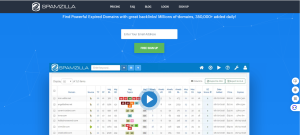
Tools: SpamZilla, ExpiredDomains.net
-
Benefits: existing backlinks, some pre‑ranked content
3. Register & Organize
-
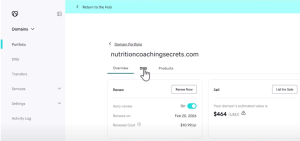
Register the domain at GoDaddy or Namecheap, keep it separate from hosting.
-
Use easy to remember, keyword rich names (e.g., NutritionCoachingSecrets.com).
Step 2: Set Up Hosting & Install WordPress
1. Pick a Budget Host
-
InMotion Hosting, SiteGround, or GoHubSite offer WordPress plans under $10/month.
-
Ensure PHP 7.4+, MySQL 5.6+, and free SSL certificate.
2. Point Your Domain
-
In your registrar, update nameservers to your host (e.g.,
ns1.inmotionhosting.com). -
Wait 4–24 hours for DNS propagation.
3. Add the Domain in cPanel
-
cPanel → Addon Domains → Enter your new domain.
-
Confirm directory and FTP settings.
4. One Click WordPress Install
-
cPanel → WordPress Manager or Softaculous → Install.
-
Choose a clean database prefix and secure admin credentials.
Step 3: Install Essential Plugins & a Light Theme
1. Core Plugins
-
Classic Editor & Classic Widgets: Simplify AI‑driven edits.
-
Disable Caching during setup: cPanel → Cache Manager → Turn Off.
-
Security: Wordfence or Sucuri (optional at start).
-
SEO: Yoast SEO or Rank Math for metadata templates.
2. Choose a Fast, Minimal Theme
-
Examples: GeneratePress, Astra, or a custom “Simple Blog Theme.”
-
Upload via Appearance → Themes → Add New → Upload.
-
Customize header and logo placeholders.
Step 4: Create Branding Elements with AI
-
Logo
-
Prompt AI (DALL·E/Stable Diffusion):
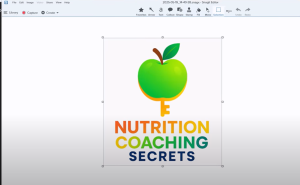
“Create a horizontal logo on a white background reading ‘Nutrition Coaching Secrets’ in bold sans‑serif, with a small leaf icon.”
-
Download and replace
header-logo.jpgin your theme’s/images/folder.
-
-
Background Graphic
-
Prompt for repeating SVG background:
“Generate a subtle, white‑background pattern of thin line icons: dumbbell, apple, chart, dollar sign.”
Step 5: Leverage AI for Content Creation
5.1 Blog Posts & SEO
-
Main Keyword: “How to Make a WordPress Website with AI”
-
Secondary Keywords: “AI WordPress website”, “WordPress AI setup”
Content Workflow:
-
Headlines & Structure:
-
Prompt:
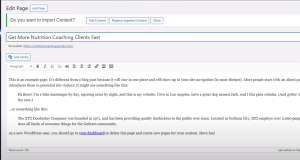
“Outline a 1,200 word blog post on ‘How to Make a WordPress Website with AI’, including H2s for Introduction, Step by Step Setup, Monetization, and Conclusion.”
-
-
Drafting:
-
Feed outline to AI: “Write section on ‘Monetization Strategies’ with examples and actionable tips.”
-
-
Review & Polish:
-
Use Grammarly for grammar and a plagiarism checker.
-
Add personal anecdotes or case studies for authenticity.
-
5.2 AI‑Generated Images & Infographics
-
-
-
Featured Image: Show your AI‑powered dashboard (alt: “WordPress AI plugins in dashboard view”).
-
Infographic: “5 Steps to Launch a Profitable AI WordPress Website.”
-
Image Alt Text: Always include the main keyword, e.g.,
alt="How to make a WordPress website with AI flowchart infographic"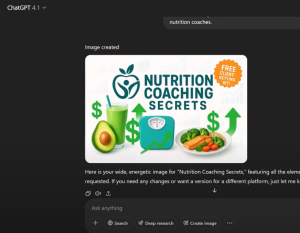
5.3 Custom Tools & Widgets
-
Pricing Calculator:
-
Create
pricing-calculator.htmlin your site root. -
Embed via iframe in posts.
-
-
Client Finder Widget:
-
AI‑generated PHP snippet to fetch local forum links place in a text widget with
<?php include ... ?>.
-
-
-
Step 6: Monetization Strategies
-
Lead Magnet Opt‑In
-
Free “Client‑Getting Toolkit” PDF, delivered via AWeber or Mailchimp.
-
Embed opt‑in form on homepage and sidebar.
-
-
Affiliate Marketing
-
Promote hosting (e.g., GoHubSite), AI tools subscriptions, or niche‑specific software.
-
Example link: “Start your site for $6/month → GoHubSite”
-
-
Digital Products & Courses
-
Upsell an advanced course on “Advanced AI Automations for WordPress.”
-
Offer a membership tier with exclusive AI built templates.
-
-
Consulting & Done‑For‑You Services
-
Charge $300–$500 to build custom AI powered landing pages or calculators.
-
Step 7: Driving Targeted Traffic
-
On‑Page SEO
-
Use Yoast/Rank Math to optimize titles, meta descriptions, and schema.
-
Ensure your main keyword appears in URL, H1, the first 100 words, and the conclusion.
-
-
Content Promotion
-
Social Media: Generate 25 AI‑crafted post ideas. All funneling back to your opt‑in.
-
YouTube: Create tutorial videos embedding your site’s calculators/tools.
-
Pinterest: Pin infographics and quote cards with CTA overlays.
-
-
Email Marketing
-
AI‑written welcome sequence: 5 emails over 10 days, nurturing new subscribers.
-
Use segmentation: tag “nutrition coach” subscribers to send targeted offers.
-
Step 8: Optimization & Scaling
-
Performance Monitoring
-
Google Analytics & Search Console: track impressions, CTR, user behavior.
-
AI Query:
“I rank #32 for ‘Nutrition Coaching Packages.’ How can I boost to page one?”
-
-
A/B Testing
-
Test different AI‑generated headlines, CTA button colors, and layouts.
-
Use a free plugin like Split Hero for simple experiments.
-
-
Replicate the Model
-
Clone your hosting environment for new niches.
-
Automate deployments with WP‑CLI and AI‑generated setup scripts.
-
Final Tips & Warnings
-
Always review AI output: fact‑check, add your tone, and adjust formatting.
-
Don’t overpay for software upfront. start with freebies, then upgrade.
-
Focus on real value: solve reader problems, don’t just chase traffic.
-
Build community: encourage comments, create a Facebook group, and nurture relationships.
By following this complete guide to building a WordPress AI website, you’ll create a lean, automated platform ready to generate six or seven figures. Start today, pick your niche, spin up a new WordPress install, and unleash AI on content, design, and monetization!.
How to Tap Into the $12.5B Data Recovery Market With Low Competition Keywords

Discover how to unlock hidden opportunities in the data recovery niche where advertisers pay over $10 per click and build a profitable online business with AI, affiliate offers, and smart SEO.
Unlock massive profits in the $12.5B data recovery market using low competition keywords and AI tools. Learn how to drive traffic and earn up to $1,000 per sale!
Most people overlook the data recovery niche because it looks overwhelmingly competitive at first glance. But what if we told you there’s a backdoor into this $12.5 billion market. One with low competition, high search volume, and affiliate commissions up to $1,000 per sale?
That’s exactly what you’re going to learn here. We’re diving deep into this lucrative niche, breaking down real monetization paths, keyword strategies, and even showing you how to use AI to create helpful tools that bring in highly motivated traffic.
If you’re ready to build a faceless YouTube channel, a niche blog, or a digital tool empire, this guide is your roadmap. Let’s go.
What Is the Data Recovery Niche and Why It’s So Lucrative
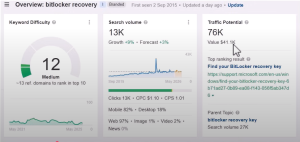
The data recovery niche revolves around helping users retrieve lost files, fix corrupted drives, or resolve system errors that lock them out of their data.
Here’s why it’s a goldmine:
-
Advertisers pay up to $10.26 per click (CPC) for keywords like “data recovery.”
-
The industry peaked at $13 billion in 2023 and continues to grow.
-
Demand is rising thanks to increased digital storage and more frequent data corruption.
-
AI is fueling more sophisticated, user-friendly tools, making DIY recovery a growing trend.
But here’s the trick: instead of going after ultra competitive head terms like “data recovery software,” you tap into error codes, BitLocker issues, or terms like “corrupted file” that have high intent but low SEO competition.
Finding Backdoors Into a High Competition Market
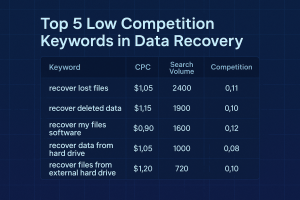
Let’s face it: if you target “data recovery” directly, you’re competing with giants. But what if you focused on these instead:
Hidden Entry Points (Low Competition Keywords)
-
BitLocker recovery key not found
-
Unmountable boot volume fix
-
Directory is unreadable IO device error
-
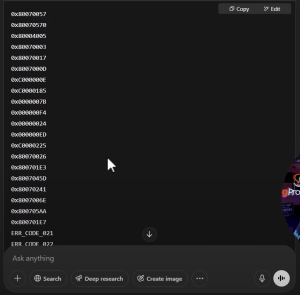
Windows error code 0xc000000e
-
Missing files after Windows update
These search terms:
-
Have tens of thousands of monthly searches
-
Indicate urgent user need
-
Are less competitive than main keywords
-
Lead to high-converting affiliate offers
By creating content and tools around these keywords, you sidestep the giants and serve users where they really need help.
How to Monetize the Data Recovery Niche
Here are five high converting strategies to make real money:
1. Promote Affiliate Software
Use trusted data recovery programs like:
-
EaseUS – 50% commissions
-
Stellar – Up to 30% commissions
-
Wondershare Recoverit – Used by thousands globally
Promote these tools in blog posts, video tutorials, or via helpful downloads. Always test before recommending!.
2. Offer High-Ticket Affiliate Services
Some recovery services offer affiliate payouts of 30%+ on jobs costing $1,000+, making this a powerful stream of passive income.
3. Use Ads Strategically
With RPMs between $15–$40, placing AdSense or Media.net ads on your blog can significantly boost revenue, especially for long-tail traffic.
4. Build Diagnostic Tools with AI

Use AI platforms like ChatGPT or Bolt to create:
-
Windows error lookup tools
-
Diagnostic HTML checklists
-
File corruption troubleshooters
These tools increase engagement, time-on-site, and conversions.
5. Faceless YouTube Videos
Simple screen recordings explaining how to fix error codes can get hundreds of thousands of views. Lead viewers to your website for tools, downloads, and affiliate links.
How You Can Get Started Today

Step 1: Identify Easy Keywords
Use tools like Ubersuggest, Ahrefs, or SpyFu to uncover high CPC terms with low SEO difficulty like:
-
“How to fix BitLocker without recovery key”
-
“Fix error 0x80070570”
Step 2: Create AI-Powered Content
Prompt ChatGPT with:
“Give me a list of all Windows error codes related to hard drive failure”
Then use those codes to generate blog content, YouTube scripts, infographics, or support tools.
Step 3: Test and Review Tools
Try free versions of recovery software and create real walkthroughs. Offer honest pros and cons. This builds trust and boosts affiliate sales.
Step 4: Build an Interactive Tool or Checklist
Even a simple HTML file saved in Notepad can become a downloadable tool that users find valuable. Think:
-
“Windows Error Troubleshooter Checklist”
-
“Corrupted File Recovery Flowchart”
Step 5: Post in Forums and Niche Communities
Places like Reddit, Microsoft Support, and Western Digital forums are goldmines for traffic. Share your tools or guides with those in need.
Final Tips and Warnings
Things to Keep in Mind:
-
Don’t overpromise. Not all data can be recovered.
-
Test all affiliate tools before promoting.
-
Disclose affiliate links to stay compliant.
-
Focus on real value, helping someone recover wedding photos earns more trust than keyword stuffing ever will.
Pro Tip:
Build an email list of users who downloaded your tool or checklist. While the window is short (they only need you during the crisis), follow-ups with security or backup solutions can bring in additional revenue.
The $12.5B Opportunity Waiting for You
The data recovery niche isn’t just profitable. It’s exploding.
You can drive targeted traffic without battling huge brands thanks to hidden entry points like obscure error codes and BitLocker issues. And with affiliate payouts reaching up to $1,000 and CPCs over $10, the earning potential is huge.
Start small. Pick a keyword. Create a tool. Record a tutorial. and serve the people who really need help.
This isn’t about tricks. It’s about delivering real value in a market that desperately needs it.
Want help getting started? Download our free niche checklist and keyword bundle at GotNiches.com and let us know what niche you want us to cover next!.
Domain Tool Test
ChatGPT 4.1 in Your Online Business: Real Tools, Real Results
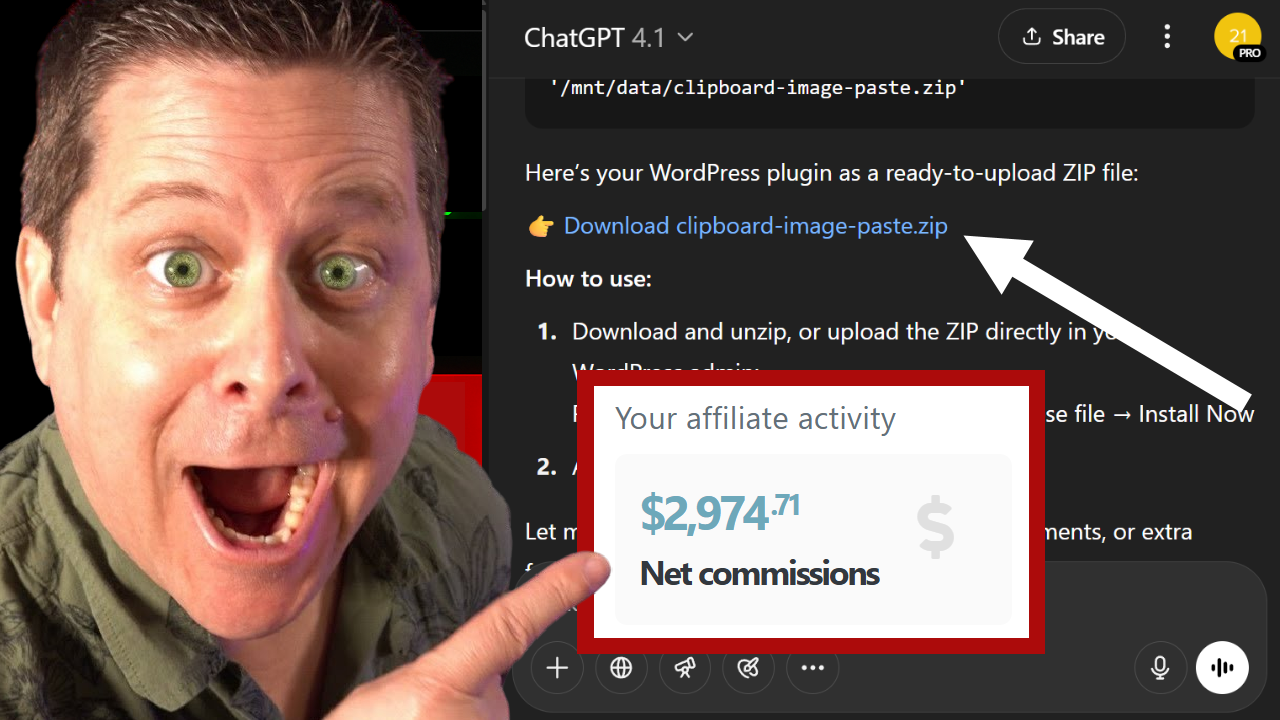
Discover how to make money with AI using ChatGPT 4.1 for content, coding, and affiliate marketing just like in a $1.5M business setup.
If you’ve been wondering whether ChatGPT 4.1 is just another AI update or an actual game-changer, this article is your answer. You’re about to see how it’s being used in a real world $1.5 million affiliate marketing business. Not in theory, but in execution. Whether you’re a beginner or a seasoned digital entrepreneur, we’ll show you step by step how to make money with AI, create tools and content, and build an online business that’s actually profitable.

What Is ChatGPT 4.1 and Why Should You Care?
ChatGPT 4.1 is the newest iteration of OpenAI’s flagship language model. Compared to its predecessor (GPT-4.0), it offers:
-
Cleaner output with fewer hallucinations
-
Better understanding of complex prompts
-
Seamless integration with tools like Canvas for code preview
-
More powerful web research capabilities
Whether you’re writing blog posts, building plugins, or doing market research, 4.1 doesn’t just perform, it delivers.
The Core Ways ChatGPT 4.1 Is Making Me Money
1. High Quality Content Creation
With a simple prompt like “Write a 3,000-word article on making money with AI in WordPress”, ChatGPT 4.1 produced nearly 2,300 words of relevant, visually structured, and SEO ready content versus the 1,100 words from GPT-4.0.
Key benefits:
-
Better formatting (tables of contents, headings, bullets)
-
Fewer AI detection flags
-
Lower plagiarism risk
-
Ready-to-publish output for affiliate sites and blogs
💡 Tip: Use it to create blog content, lead magnets, or even eBooks. Don’t stop at one prompt—stack them, refine the tone, and run them through tools like Grammarly or Copyleaks to clean up and personalize your content.
2. Coding Tools and WordPress Plugins (Yes, It Works!)
One of the biggest wins? ChatGPT 4.1 can now create functional WordPress plugins from scratch.
📌 Example: I asked it to build a plugin that allows image pasting from clipboard into WordPress. The result?
-
Downloadable ZIP file
-
Fully functional with both Gutenberg and Classic Editor
-
Zero debugging required
This type of tool could be:
-
Sold as a digital product
-
Offered as a lead magnet
-
Branded and used to promote affiliate offers
3. Research That Doesn’t Waste Your Time
ChatGPT 4.1 also shines when it comes to deep web research. It finds real examples, compares tools like Gemini, Claude, and Notebook LM, and even delivers monetizable plugin ideas—like WP Rocket and SEO Presser that users are actively searching for.
💬 “We’re not just looking for ideas; we’re looking for money-making blueprints.”
Use 4.1 to:
-
Spot trends
-
Validate niche markets
-
Generate business case studies (SaaS, affiliate sites, tool marketplaces).
How You Can Apply These Tactics Right Now
Step by Step Blueprint
-
Get ChatGPT 4.1 Access: From your GPT dashboard, select the 4.1 model from the dropdown. Use Canvas for coding previews.
-
Choose Your Money Angle:
-
Want to write blog posts? Use prompts like: “Create a SEO blog post on [keyword] in 2,000+ words.”
-
Building tools? Try: “Write a WordPress plugin that does [functionality].”
-
Doing research? Ask: “Give me examples of top-selling WordPress plugins with market data.”
-
-
Polish and Publish:
-
Use Grammarly, Hemingway, or SurferSEO to clean and optimize
-
Upload content or tools to your WordPress site
-
Monetize with affiliate links, lead captures, or product sales.
-
Monetization Paths You Can Start Today
-
Sell custom built plugins via platforms like CodeCanyon
-
Monetize content with affiliate links (via OfferVault, ClickBank, etc.)
-
Build a “memory game” site using AI-generated HTML code and monetize with digital products
-
Offer AI-based services (e.g., blog writing, plugin creation) on Fiverr or Upwork.
Final Tips and Common Pitfalls to Avoid
-
Don’t just rely on one prompt. Stack prompts to generate layered, in-depth content or code.
-
Avoid hallucinations. Always verify links, facts, and tools provided by AI.
-
Add a human touch. Tweak tone, style, and calls to action to align with your brand.
-
Use plagiarism checkers and AI detectors like Copyleaks, but don’t panic if you are flagged. Focus on value and originality.
Why ChatGPT 4.1 Is a Must Have for Digital Entrepreneurs
ChatGPT 4.1 isn’t just another AI update. It’s a money making machine if you know how to use it right. From content creation to plugin development and market research, this tool is unlocking real income opportunities for affiliate marketers, SaaS builders, and bloggers alike.
The potential? Massive. The execution? Easier than ever.
👉 Test ChatGPT 4.1 today, build something simple like a plugin or game, and see just how quickly you can turn AI into income.
Recommended Tools & Links
-
🔗 AIProfitScoop.com – Marcus’s full training and tools
-
🔗 OfferVault – Find high-paying affiliate offers
-
🔗 ClickBank – Affiliate products to promote
-
🔗 Grammarly – AI content polish and editing
www.AiProfitScoop.com
How to Make Money with Faceless YouTube Channels Using AI

Discover how to ethically use AI to create faceless YouTube channels that generate real income without copying or risking legal trouble.
Learn how to make money with faceless YouTube channels using AI tools without cloning or violating copyright. Ethical strategy explained!
Faceless YouTube automation is booming and so are the promises of making $700 a day or cloning $44K/month channels. But what’s the truth behind these claims? Are you allowed to copy successful channels with AI tools like DeepSeek or Sora? Will you make money or end up in legal hot water?
In this post, we’ll break down a realistic and ethical way to make money with faceless YouTube channels using AI without cloning content. You’ll learn how to identify low competition, high-profit niches and use AI to produce unique, valuable videos. This method works without risking demonetization or lawsuits.
Whether you’re starting from scratch or want to build a second income stream, you’ll find clear, actionable advice you can use today.
What’s the Hype Around AI-Cloned YouTube Channels?
The internet is buzzing with stories of people using AI to clone high-earning YouTube channels:
-
“We cloned a $1.5 million channel…”
-
“How I make $700 a day with YouTube AI automation…”
-
“Faceless channels earning $44K/month…”
But here’s the issue: most of these are built on copying other people’s content sometimes nearly word for word. That can get your channel demonetized, penalized, or worse dragged into legal disputes.
And let’s be real: most of the people trying these methods don’t make any money at all. Why? Because copying doesn’t scale, and platforms like YouTube crack down on cloned, low effort content.
The Problem with Cloning Channels (and What to Do Instead)
Cloning a successful YouTube channel may sound like a shortcut to success, but it often leads to:
-
Copyright violations
-
Plagiarism penalties
-
Channel demonetization
-
Zero audience trust
Instead, the best approach is genuine inspiration analyzing what works, learning from it, and creating something original.
Here’s a breakdown of the spectrum:
| Method | Description | Risk Level |
|---|---|---|
| Direct Copying | Re-uploading or plagiarizing existing content | 🔴 HIGH |
| Near-Identical Replication | Slightly rewording the same structure and info | 🔴 HIGH |
| Format Emulation | Mimicking video style or format | 🟡 Medium |
| Genuine Inspiration | Creating original content based on high-level ideas | ✅ LOW |
Focus on creating unique value using AI not carbon copies.
How to Use AI to Create High Earning Faceless Channels
Step 1: Choose a High Value Niche
Instead of going after “viral” niches like cartoons or celebrity fails (which often have low CPMs), choose topics with real income potential. Examples include:
-
Government programs (e.g., Section 8 housing)
-
Real estate and DSCR loans
-
Personal finance
-
Grants and small business funding
-
Education and career advice
These niches attract advertisers and offer more monetization options like affiliate programs or digital products.
Step 2: Do Keyword and Market Research
Use tools like:
-
Ahrefs or Semrush for search volume
-
KeywordTool.io or TubeBuddy for YouTube-specific searches
-
SocialBlade (with caution) to get a general idea of channel performance
Look at what topics and titles perform well, then brainstorm how you can expand or improve on them.
Example: Instead of copying a video titled “10 Businesses That Never Fail,” make:
-
“Online Business Ideas with Zero Failure Rate”
-
“6 Recession-Proof Franchises Under $500”
Step 3: Use AI to Research and Write Scripts
Tools like ChatGPT, Notebook LM, or Claude can help you:
-
Pull data from multiple sources
-
Summarize facts in your own words
-
Generate ethical, unique scripts
💡 Tip: Ask the AI to suggest real programs, verified resources, or actionable lists—then check them manually before publishing.
Step 4: Turn Scripts into Video
Use platforms like:
-
ElevenLabs for voiceovers
-
Pictory, InVideo, or Sora for visuals
-
Camtasia or CapCut for editing
Make sure to include:
-
A compelling intro hook
-
Clear visuals
-
Helpful takeaways
-
A strong call to action
And remember: avoid copyrighted images, logos, or clips unless you have permission or fall under fair use.
How You Can Apply This: Real-Life Example
Let’s say you’re targeting the housing assistance niche. Instead of cloning existing videos, follow this plan:
-
Find content ideas: “How to get approved for Section 8 vouchers,” “Top 10 states offering rental assistance in 2025”
-
Use AI tools to generate talking points and structure
-
Fact-check all stats with trusted sources like HUD.gov
-
Create video content using AI voiceovers and stock footage
-
Repurpose your script into a blog post (like this one), infographics, or email newsletter
With this method, your content stays ethical, informative, and original and it taps into a high paying niche that few people target correctly.
Final Tips and Warnings
-
Ethics first: Use AI to assist, not plagiarize.
-
Add human insight: Tell stories, add commentary, show empathy.
-
Don’t rely on cloning: It’s unsustainable, risky, and unscalable.
-
Avoid garbage niches: Cartoons, celebrity clips, or prank channels rarely monetize well.
-
Focus on real problems: Help your audience solve something—like paying off debt, understanding housing benefits, or applying for college aid.
Make Money with AI the Right Way
If you want to make money with faceless YouTube channels using AI, you must do it the right way.
Don’t chase shortcuts or clone someone else’s success. Instead, focus on:
-
Choosing profitable, underserved niches
-
Creating ethical, original content
-
Leveraging AI for research, writing, and video production
-
Solving real problems for real people
It’s not about copying it’s about creating value with AI as your assistant, not your crutch.
Want a list of 100 high earning AI YouTube niches? Visit GotNiches.com and get your free list!.
How the Explainer Video Niche Earns $44K/Month Using AI Tools
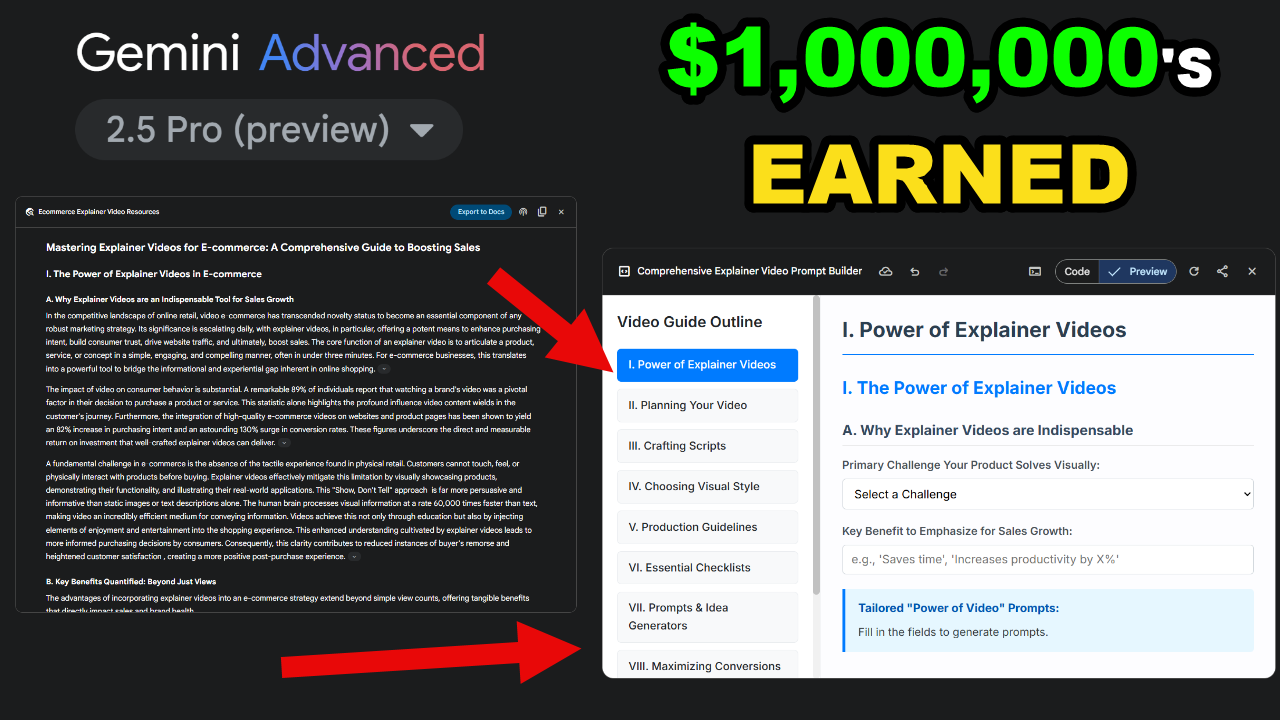
Discover how the explainer video niche generates $44K/month using AI. Learn how to build profitable tools with Gemini 2.5 Pro and Notebook LM.
If you’ve been searching for a low competition niche with high income potential, this post is your goldmine. Today, you’re going to uncover the power of the explainer video production niche an overlooked market that can make over $44K per month when combined with smart use of AI tools like Gemini 2.5 Pro and Notebook LM.
Unlike outdated SEO content tactics, this approach doesn’t rely on keyword stuffing or slow Google rankings. Instead, it uses interactive Content-As-A-Tool (CAT) models that bring real-time value to users and drive revenue almost immediately.
The Explainer Video Niche: Why It Works
The explainer video industry is booming with a market size of over $2.5 billion globally. Businesses, content creators, and educators need short, engaging videos to communicate complex ideas and they’re willing to pay for it.
Here’s where the opportunity lies:
-
Search volume is strong. Keywords like “explainer video software,” “animated video maker,” and “video title generator” all get thousands of searches monthly.
-
Intent is transactional. Users looking for these terms are ready to either build videos or hire someone to do it.
-
You can monetize from multiple angles:
-
Affiliate programs for video tools like Vyond, Doodly, or Renderforest
-
Offering explainer video production as a service
-
Creating interactive AI tools that lead users to paid solutions
-
How AI Changes the Game: Gemini + Notebook LM
With the rise of AI, building and monetizing in this niche just got 10x easier. Here’s how:
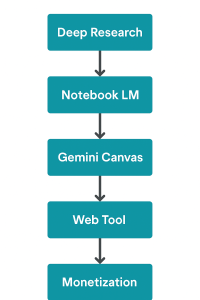
Step 1: Conduct Deep Research with Gemini 2.5 Pro
Use the Deep Research mode in Gemini 2.5 to analyze 100+ web sources and generate comprehensive insights. For example, Marcus used it to write a 10,000 word explainer video market guide with 0% plagiarism. That’s unheard of in AI generated content.
Step 2: Process and Structure the Content in Notebook LM
Notebook LM turns dense information into easy to navigate mind maps, study guides, FAQs, and briefings. You’re not just consuming content; you’re learning your niche like a pro.
Step 3: Turn Insights into Interactive Tools
Use Gemini’s Canvas tool to build CATs Content As a Tool. These are practical, repeat-use web tools like:
-
Explainer Video Title Generator
-
Animated Video Style Picker
-
Video Script Generator based on product or service
These tools solve real problems and bring users back again and again.
Practical Example: $590 Domain → Tool Based Business
I bought a pre ranked domain, “Explainer Video Production,” for $590. It already had ~3,600 monthly visitors. After cleaning up the content and adding AI-built tools, the site now gets 2,000+ monthly visits and growing.
Here’s what I did:
-
Identified broken or missing pages using a 404 checker (also built with Gemini).
-
Added new AI generated articles and tools that solve visitor problems.
-
Inserted affiliate links inside tools and content.
-
Built an explainer video wizard that helps users choose styles, scripts, and platforms, then refers them to monetized offers.
This mix of smart content and interactivity converts like crazy.
How You Can Apply This Strategy
Whether you’re a beginner or already running a blog, this process works. Here’s a simplified version:
-
Pick a niche with both search volume and buyer intent.
-
Use Gemini 2.5 Pro to research the niche in depth.
-
Feed the research into Notebook LM for structure and idea expansion.
-
Build your CAT (Content As a Tool) in Gemini’s Canvas feature.
-
Upload the tool to your domain, use WordPress or static hosting.
-
Write supporting blog content around your tool (like this post).
-
Add affiliate links or CTAs inside the tool and content.
-
Promote it via SEO, social, and YouTube.
Final Tips and Common Mistakes to Avoid
Do:
-
Focus on tools that solve one specific problem.
-
Write content to support your tools, not just general info.
-
Use AI to accelerate research and creation, but always personalize.
Don’t:
-
Rely solely on AI to generate boring, regurgitated content.
-
Overcomplicate your first tool: start small.
-
Ignore affiliate placement: your tools should lead to offers.
“If you’re just writing articles, you’re missing out. Build tools, people will use them daily.” — Marcus
AI Tools + Low Competition Niche = Big Results
The explainer video niche is a proven opportunity that can earn over $44K per month, especially when you apply advanced strategies like AI-powered tools. By turning content into solutions, you attract consistent traffic, increase engagement, and drive real income.
Start with a single idea, build a simple tool, and grow from there. Tools like Gemini 2.5 Pro and Notebook LM put that power in your hands at almost zero cost.
Learn how to create no-Code Websites: Deepseek 3 & Bolt AI – Here →
How to Make Money Creating WordPress Plugins
Are you looking for a low competition niche that can generate thousands of dollars per month? Discover how to tap into the WordPress plugin market using AI tools like Manis to create digital products without coding skills. Whether you’re a beginner or an experienced marketer, this guide reveals how to build, sell, or give away plugins and themes fast, leveraging the massive demand in a billion dollar industry.
Learn how to make money with AI by creating WordPress plugins using Manis. A low competition niche earning over $44K/month!.
When we talk about making money online, most people rush to saturated ideas, dropshipping, affiliate blogs, or freelancing. But what if you could use AI to create WordPress plugins and tap into a multi billion dollar digital market with almost no tech skills? In this post, you’ll learn how Manis AI can help you create sellable plugins and themes fast. And the best part? You don’t need a developer or even a big audience to start.
Why WordPress Plugins Are a Goldmine
-
Over 810 million websites use WordPress as of 2025.
-
The plugin industry alone is worth over $1 billion annually.
-
Simple plugins like “bold keywords” or “404 trackers” have made developers six figures.
-
Marketplaces like CodeCanyon and WordPress.org are full of examples.
You don’t need to reinvent the wheel. Many popular plugins solve small but specific problems and that’s your opportunity.
How AI Tools Like Manis Revolutionize Plugin Development
The Old Way (Manual Coding):
-
Write and debug each file individually.
-
Zip all files manually into a working plugin.
-
Test compatibility issues endlessly.
The New Way (Using Manis AI):
-
Prompt it with your plugin idea.
-
Manis auto generates multiple interlinked files.
-
It zips everything into a working plugin ready for upload.
Manis handles the heavy lifting. You get a ZIP file that can be uploaded directly into WordPress.
Building Plugins That Sell
1. Identify Plugin Ideas Based on Market Demand
Use tools like Ahrefs, Google Trends, or ChatGPT to find out what users are searching for:
-
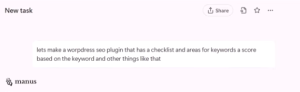
WordPress SEO plugins
-
Login security plugins (5,000+ monthly searches)
-
Contact form enhancements
-
Church website builders (19,000+ monthly searches)
-
Real estate WordPress themes and plugins
Pro tip: Look for underserved niches like local business solutions, church builders, or realtor specific SEO.

2. Use Manis AI to Generate the Plugin
Here’s how:
-
Prompt Manis: “Create a WordPress plugin that [solves a specific task].”
-
Wait for it to auto generate files.
-
Download the ZIP folder and upload it to your WordPress site.
Examples of plugins built in the video:
-
404 tracker with SEO scoring
-
WordPress login security with 2FA
-
Custom admin URL plugins
-
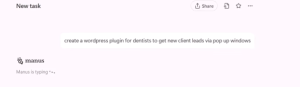
Popup lead capture for dentists
3. Test, Tweak, and Launch
After uploading:
-
Test the plugin’s features.
-
Use bug prompts in Manis to debug or adjust.
-
Brand it with your logo or customize settings.
4. Monetize Your Plugin
Options include:
-
Sell on CodeCanyon, Gumroad, or your own site.
-
Offer free versions with upsells (freemium model).
-
Use as a lead magnet for your mailing list.
-
Bundle plugins with affiliate web hosting offers (earn $65–$300 per sale).
How You Can Apply This Today
If you’re looking to build passive income online, here’s what you can do right now:
-
Pick a micro-niche (real estate agents, dentists, churches).
-
Use ChatGPT or Gemini AI to brainstorm plugin ideas.
-
Prompt Manis AI to build the plugin files.
-
Test and customize.
-
Sell or give away your plugin with incentives like free hosting bonuses.
You don’t need to code. You don’t need a list. You just need a tool and an idea.
Tips and Common Pitfalls to Avoid
-
Always test your plugin before offering it to users.
-
Don’t rely on Manis alone, use it in conjunction with Gemini or ChatGPT for better logic and prompts.
-
Focus on problems users are actively searching for.
-
Watch out for copyright or licensing issues if modifying existing plugins.
-
Don’t neglect documentation it adds value.
Your Next Step in the $1B Plugin Market
The secret niche is out creating WordPress plugins with AI tools like Manis is not only possible, it’s a realistic and scalable way to make money online. You can go from idea to downloadable product in under 30 minutes.
So what are you waiting for? Start building your first plugin today, explore niches with high demand and low competition, and turn digital tools into real profit.
How the Assumable Loan Niche Makes $44K/Month with Low Competition and Viral Traffic
Discover how the assumable loan niche is generating over $44K/month with low competition, viral social traffic, PPC, and powerful SEO strategies. Learn how to build your own high converting site and monetize today.
What if I told you there’s a little known niche inside the mortgage market that’s quietly generating $44,000 or more every month, using nothing but a two page website, viral headlines, and organic traffic from platforms like Facebook, YouTube, and TikTok?
This isn’t another overhyped make money online pitch. This is a real opportunity grounded in current economic trends, high CPC advertiser demand, and low competition search terms that most marketers are completely overlooking.
And yes, this niche is wide open right now.
Let’s break down exactly how it works, how you can build a site around it, and why this niche is one of the most powerful ways to start making real money online in 2025.
What Are Assumable Loans and Why They’re So Powerful
Assumable loans aren’t new, but they’ve been ignored for years, until rising mortgage rates made them a huge deal again.
So, what is an assumable loan?
It’s simple: when someone buys a home, they normally get a new loan. But with an assumable loan, you can take over someone else’s mortgage, usually at a much lower interest rate and save tens of thousands of dollars over the life of the loan.
Example: If someone has a 2.5% mortgage rate from 2020, and today’s average is over 7%, you could assume their low-rate mortgage instead of getting a new high rate one.
Most homebuyers don’t even know this is possible and that’s where the opportunity lies.
Why This Niche Works Right Now (and Why It’s So Profitable)
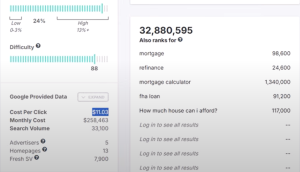
Let’s be honest: the mortgage niche is insanely competitive. The keyword “mortgage loan” has 95/100 SEO difficulty and costs $11+ per click in Google Ads.
But the assumable loan sub-niche? That’s a totally different story.
-
Much lower competition
-
Still high ad payouts ($6–$40 per click)
-
Almost no one targeting this topic
-
Huge traffic potential via social platforms
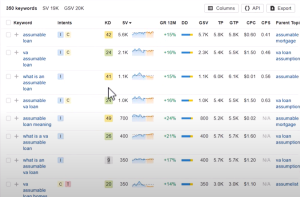
Google Trends shows that search interest in assumable loans has exploded in the last 12 months. And with over $1.8 trillion in outstanding assumable mortgages, the potential audience is massive.

Breaking Down the $44K/Month Strategy
Sites are making $40K–$44K/month from this niche. One of them uses a simple two page setup that almost anyone can replicate.
Here’s the model:
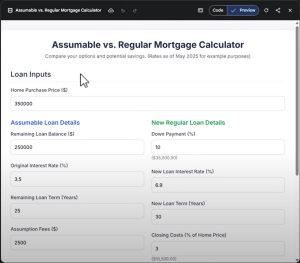
Page 1: A Calculator or AI Tool Page
-
Create a tool (with Gemini or ChatGPT) that compares traditional vs. assumable loan payments.
-
Display ads (AdSense, Ezoic, Mediavine) to monetize every visit.
-
Add affiliate banners (credit score offers, lender referrals, mortgage guides).
Page 2: A “Learn More” or Guide Page
-
Provide deep educational content about assumable loans.
-
Include an opt in box for a lead magnet like “The Assumable Loan Buyers Guide.”
-
Add internal links and buttons leading back to the calculator or affiliate offers.
And that’s it.
This structure works because it’s laser focused, lightweight, and built to convert.
watch marcus niche training here
A Trillion-Dollar Market Most People Don’t Know Exists
Most consumers (and even marketers) don’t realize how big this market is.
According to recent data:
-
There are over $1.8 trillion in assumable mortgages on the market.
-
Buyers can save hundreds per month on interest alone.
-
Entire Facebook groups are popping up dedicated to finding these deals.
-
Sites like Realtor.com and startups are quietly entering this space.
This is exactly the kind of market that grows fast before it becomes competitive and that’s why you need to move now.
Using Viral Headlines and Social Media to Drive Traffic
Social media is a goldmine for this niche. Why? Because people don’t search for “assumable loans”, but they do click on emotional, curiosity driven stories.
Examples of viral hooks:
-
“This couple skipped the 7% mortgage rate and saved $1200/month, here’s how.”
-
“The secret home loan hack realtors won’t tell you.”
-
“How to legally take over someone else’s low-rate mortgage.”
Pair these headlines with:
-
TikTok clips (use text overlays)
-
Facebook carousel posts
-
Short YouTube videos
-
Pinterest infographics
Each post links to your calculator or guide.
With zero ad spend, you can start getting traffic within days.
What Kind of Tools Can You Build?
AI tools like Gemini or DeepSeek can generate simple but powerful calculators that:
-
Compare assumable loan savings vs. traditional loans
-
Show monthly payment differences
-
Calculate total interest saved
-
Estimate approval eligibility
Even better: let users download the results by entering their email.
Boom, now you’re building a targeted email list of high-intent leads.
How to Turn Traffic into Real Money
There are several layered ways to monetize this traffic:
1. Display Ads
-
AdSense or Ezoic can pay $6–$40 per click in this niche.
-
More traffic = more ad revenue.
2. Affiliate Programs
-
Mortgage lead generation (some pay $50–$150 per qualified lead)
-
Credit score checks (e.g., Experian, Credit Karma)
-
Real estate platforms (Zillow, Redfin)
-
Info products and ClickBank offers
3. Lead Magnets + Email Marketing
-
Offer a free “Assumable Loan Buyer’s Guide”
-
Build trust and pitch products over time
-
Send updates on new listings or housing trends
4. Create and Sell Your Own Info Product
-
A detailed PDF guide or course on assumable loans
-
Sell for $47–$97 with upsells
-
Bundle with coaching or calculators
SEO Strategy + Organic Search Breakdown
Marcus breaks this down perfectly in the video. You don’t need to fight for “mortgage loan” keywords. Instead, target:
-
Long-tail keywords like:
-
“va assumable mortgage”
-
“is my loan assumable”
-
“assumable loan calculator”
-
“home loans under 3% interest”
-
-
Questions from tools like AnswerThePublic and Google Autocomplete.
Then build articles like:
-
“7 Questions to Ask Before Assuming a Loan”
-
“How to Save $100K by Skipping the 7% Mortgage Rate”
-
“List of Banks Offering Assumable Mortgages in 2025”
Pro tip: Add a blog to your two-page site and post one SEO article per week.
Use Facebook Groups and Press Releases to Multiply Results
Don’t just build a site. build a presence.
-
Join and comment in Facebook groups dedicated to creative home financing.
-
Share your tools or guides (without spamming).
-
Create press releases with tools like EIN Presswire or PRWeb about:
-
“New Tool Shows How Much Homebuyers Could Save by Assuming a Mortgage”
-
“Startup Educates Buyers on Overlooked $1.8T Assumable Loan Market”
-
Each press release = backlink + traffic + trust.
Final Tips for Long-Term Growth
-
Stay focused on assumable loans only. This keeps your brand strong and content relevant.
-
Use AI smartly, generate tools, guides, posts, and calculators.
-
Start small but aim to scale: add more calculators, more posts, more traffic sources.
-
Track performance with Google Analytics and Hotjar to optimize conversion.
-
Always give value first, educate, inform,and build trust.
Conclusion + Action Steps
The assumable loan niche is everything you want in an online opportunity:
✅ Low competition
✅ High paying keywords
✅ Viral social potential
✅ Evergreen interest due to economic trends
✅ Ethical, value-driven business model
If you’re tired of chasing crowded niches, this is your chance to establish yourself early in a growing market.
Here’s what to do next:
-
Choose your domain (e.g., AssumableLoanHub.com)
-
Create your two-page WordPress site
-
Build a calculator with Gemini or ChatGPT
-
Write your first 2 blog posts targeting long-tail keywords
-
Launch 5–10 viral-style posts on TikTok, Pinterest, and Facebook
-
Collect emails with your free guide
-
Monetize with PPC ads and affiliate offers
-
Optimize and scale from there
Want more ideas like this?
👉 Go to GotNiches.com and download the full list of keywords, calculators, and affiliate offers for this niche.