Uncategorized
AI To Find Websites And Get Paid!
Hey, it’s Marcus here, and today, I’m bringing you one of the simplest ways to make money online using AI. If you’ve ever wondered how to use tools like ChatGPT to find websites and get paid, you’re in the right place. I’ve been in this game for over 25 years, and let me tell you, this method is by far one of the easiest ways to make money I’ve ever come across. And the best part? You don’t need any skills, a lot of money, or even a website to get started! So, let’s dive right in.
What Is This Method All About?
You might be asking, “Marcus, how does using AI to find websites and get paid even work?” Well, it’s simpler than you think. With tools like ChatGPT, you can find lists of websites that pay you for different activities. Whether it’s completing tasks, participating in surveys, or offering freelance services, there are many opportunities out there. And I’m going to show you how to take advantage of them.
In this video, I’ll walk you through how to use AI to generate lists of websites and then turn that into cash in your pocket. For example, you can ask AI to find “100 websites that pay you for completing little tasks” and start earning from them immediately.

Why This Method Is a Game Changer

This method has a very low barrier to entry, meaning anyone can start immediately. It’s affordable (even free in most cases), highly engaging, and versatile across any niche market. You don’t even need to be on camera or use your voice! It’s 100% driven by AI, making it super easy to create content that generates income fast.
Think about it: instead of spending months building a brand or creating a product, you can instantly start making money with this technique. And yes, this is brand new, so you’re getting in at the right time.
Why this Trend is Popular:
- -Rising Interest in AI
- Educational and Practical Appeal
- Accessibility of AI Tools.
How to Get Paid with AI-Generated Websites:
Choose a Category: Start by deciding what kind of websites you want to find. For example, you could ask AI to find “100 websites for when you’re bored” or “100 websites that pay you for freelancing.” The possibilities are endless, whether for SEO professionals, photographers, or yoga instructors!

Generate Content: Once you have your list, use AI to generate content around those websites. Let’s say you find a website like Amazon Mechanical Turk. You can then ask AI to provide details about how much you can earn, the types of tasks available, and any other key information. This turns into valuable content that people are searching for online.
Turn Content into Videos: With your AI generated content, you can create short videos for TikTok, YouTube, Instagram, or even podcasts. For example, you can use 11 Labs to create voiceovers and pair them with simple video clips. Just like that, you’ve got a video ready to post. The best part? You don’t need to be on camera!

Monetize the Content: Now, it’s time to turn those views into income. You can profit from your videos through affiliate marketing, sponsored content, or even ad revenue. For example, some companies will pay you just for generating leads, like the EarnWeb affiliate program, which pays $3.25 per lead—no sales are required!

The Secret to Scaling Up
One of this method’s most exciting parts is its scalability. Imagine if you found 100 websites and got paid anywhere from $4 to $91 for each. The more websites you find and promote, the more you can earn. And don’t forget, people are always searching for ways to make money online; just look at TikTok, where videos about earning online get millions of views!

Use Pinterest for Extra Traffic
Here’s a little bonus: turn your AI-generated website lists into Pinterest pins! Whether it’s “websites for earning money when you’re bored” or “best websites for freelance gigs,” these pins can drive tons of traffic to your content. And once people are on your blog or landing page, you can direct them to affiliate offers, earning even more money.

Ready to Start Making Money?
That’s it, folks! It’s a super simple, straightforward way to start making money using AI, without spending a ton of time or money upfront. And if you want even more details, head to my site at airofitscoop.com, where you’ll find the notes from this video and some exclusive tips. Don’t wait to use this method today and watch the money roll in!
JOIN THE AI CHALLENGE HERE
How to Make Money with AI: Find Websites and Get Paid Easily
Learn how to make money online with AI tools to help you find websites, create content, and earn easy income, even if you’re just starting.
Are you wondering how to make money with AI? You’re in the right place. Today, I will show you a straightforward strategy that allows you to find websites using AI and get paid. Whether you’re looking to learn how to make money online with AI or just want to know how to make easy money with AI, this guide covers everything you need. Let’s dive into how you can start earning today.
Why This Method Works
With over 25 years of experience in the online space, I’ve come across numerous ways to make money, but none as easy as using AI tools like ChatGPT to find websites that pay you. It sounds almost too good to be true, but it’s a simple process that leverages the power of AI for those willing to put in the time to learn. Using AI, you can search for websites in various niches and earn a commission or fee for each one you find. Plus, it requires little to no upfront investment, making it perfect for beginners looking to enter the online earning space.
How AI Simplifies Earning Online
AI tools like ChatGPT can do more than just chat—they can help you find hundreds of websites, each offering unique ways to earn money. This method is all about using AI to sift through data and bring back websites you can monetize. Think about it: you’re asking AI to find websites for tasks like getting paid for completing simple tasks, joining affiliate programs, or even learning about new platforms that offer payment for user engagement. This makes it one of the easiest ways to start earning online without needing extensive skills or knowledge.
Guide to Making Money with AI:

- Set Up Your AI Tool
You’ll need an AI tool like ChatGPT or another AI-driven search tool to get started with this method. Open up your AI assistant and ask it to find websites based on specific criteria. For example, you might say, “Find websites that pay you to complete small tasks” or “Show me websites that help people earn money online.” This initial search will give you a curated list of websites tailored to your needs.

Using these AI-generated lists is the first step in learning how to make money online with AI, as it allows you to identify opportunities that align with your interests or skills quickly.
- Focus on High-Paying Websites
Once you’ve generated a list of websites, it’s time to dig deeper. Look for platforms that offer higher payouts for simple actions. Sites like Amazon Mechanical Turk, Upwork, and even specialized niche platforms are great starting points. To maximize your earnings, you’ll want to focus on websites that pay higher commissions or are popular among users, which translates into better chances of conversion.
You can also use AI to analyze the potential earnings from each website. For example, ask your AI tool, “Which websites pay the most for completing surveys?” or “What are the top affiliate programs for digital products?” This helps you zero in on the most lucrative opportunities.
- Create Content Around These Websites
Here’s where the fun begins: creating content that brings in more traffic and, ultimately, more income. Start by creating short-form content such as TikTok videos, Instagram reels, or YouTube Shorts showcasing the websites you find. This is where many users learn how to make money with AI by letting AI research while they focus on content creation.

For example, you might create a video titled “Top 5 Websites to Earn Money Using AI” and explain how each website can help viewers earn money online. You can also use the AI tool to draft scripts for these videos, saving you time and effort. You can then use platforms like 11 Labs to create voiceovers and add your AI-generated content to video editing software like Camtasia.
Why This Strategy Works
The power of this method lies in AI’s ability to quickly handle large volumes of information. As a result, you’re not just relying on your research; you have a tool that helps you gather and filter information in seconds. This enables you to create high value content faster, making it easier to attract an audience.
Many people wonder how to make easy money without advanced technical skills with AI. This approach is perfect for them, as it requires minimal expertise. It’s also highly scalable. The more websites you find and the more content you create, the greater your earning potential.
Using Affiliate Marketing with AI-Driven Research
Another great way to make money with AI is through affiliate marketing. After using AI to find websites, you can join affiliate programs related to those websites. For example, many websites that pay users for completing small tasks or surveys have affiliate programs that pay you when others sign up through your referral link.
To integrate affiliate marketing with your AI-driven research, create blog posts, videos, or social media content that discusses how to use these websites to make money online. Include your affiliate links in the content, and every time someone signs up, you earn a commission. This method helps you make money online with AI and builds a passive income stream over time.
Example of Affiliate Success
I once used AI to find a list of the top-paying survey sites. After joining their affiliate programs, I created a series of videos showcasing how to use these sites to earn extra cash. Those videos generated thousands of views, and many viewers signed up using my referral links. As a result, I earned hundreds of dollars in affiliate commissions without having to sell anything directly.
Using AI to find and promote affiliate products is one of the simplest ways to make easy money with AI. It allows you to reach a wider audience without being a salesperson.

Bonus Tip: Create a Blog for Long-Term Earnings
One of the most effective ways to scale this strategy is by creating a blog where you post reviews of each website you find. This not only helps you rank on search engines like Google, but it also provides a permanent platform for your content. For example, if your AI finds websites that pay people to complete surveys, create a blog post detailing each platform, how it works, and the pros and cons.
To help with SEO, make sure to include the keywords “how to make money with AI,” “how to make money online with AI,” and “how to make easy money with AI” throughout your posts. This will ensure that people searching for these terms find your blog, increasing your traffic and earning potential.
Why Blogs Are Effective
Blogs are a great way to keep your content alive and continuously generate traffic. Unlike social media posts that can disappear in a feed, blog content stays searchable and can attract visitors over time. Your earnings from affiliate links can grow as more people find your content.
Additionally, blogs can be monetized with ad revenue through platforms like Google AdSense, offering another way to make money online with AI. You can also sell digital products, such as e-books or courses that teach others how to replicate your success.
How to Maximize Earnings with AI Content Creation
If you want to take your content creation to the next level, consider using AI tools for video editing, voiceovers, and animations. Tools like 11 Labs can generate realistic voiceovers for your video scripts, while other AI-based video editors can help you put together polished content in a fraction of the time.
This is especially valuable for those who want to learn how to make easy money with AI by automating time-consuming tasks. The less time you spend editing, the more time you have to create and distribute new content, ultimately increasing your income.
Now that you know how to make money with AI, it’s time to put this knowledge into action. Whether you’re using AI to find websites that pay, creating content that attracts viewers, or leveraging affiliate marketing, the opportunities are endless. The best part? You don’t need a lot of money to start, and you can scale as you go.
So fire up your AI tool, start researching websites, and begin creating content that brings in real income. With consistency and effort, you’ll soon see how easy it is to make money online with AI. Don’t wait start today and watch the earnings roll in!
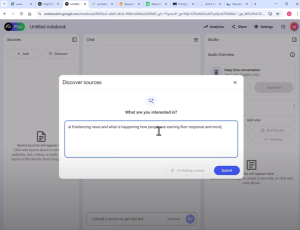
Ai News: This Notebook LM Update Will Make You Money!
Today, I’ve got some exciting news that can put more money in your pocket. Google’s Notebook LM just received a massive upgrade, and trust me, this new feature is a game changer. We’ll dive into what’s new, how to use it to create custom podcasts, and, most importantly, how to turn this into a money-making opportunity. Whether you’re an affiliate marketer or looking for new ways to generate income online, this video (and these notes) will break down everything you need to know.
What’s New with Google’s Notebook LM?

At first glance, Notebook LM might look the same, but the real magic is in a new feature: the ability to customize the podcast output. Before, Google would handle the customization, but now, you’re in control. This means you can guide the tool to create podcasts around specific topics or products and even prompt it to include a call to action, like selling a product at the end. Imagine the power of having a podcast that sells for you!.
How to Customize Podcasts with Notebook LM
- Custom Prompts: Let’s say you want to create a podcast about a product, like a webcam. All you need to do is gather information, reviews, specs, and overviews and enter them into Notebook LM. You can then give specific instructions like, “Provide an overview of the product and sell it at the end.” This allows you to create a conversation between two AI voices, making the podcast more natural.

- Create Dynamic Content: This is a huge opportunity for affiliate marketers. Instead of manually selling products, you can create automated conversations that promote them. You’ll see how powerful this is when the AI starts discussing key points and pros and pitching the product.
- Turn Podcasts into Videos: But that’s not all! You can convert these podcasts into video content. Export the audio, use transcription tools like Podcastle, and create engaging videos for platforms like YouTube and TikTok. This way, you’re not just limited to audio—you can also expand your reach with visuals.

Business Version of Notebook LM
Google recently launched a business version of Notebook LM, which allows teams to collaborate on content creation. While it’s still in the early days, the ability to share notes and work together on content sounds promising. This is especially useful if you have a team handling different parts of your content creation process. It could save you time and effort, letting you focus on scaling your efforts.
How to Use Custom Voices for Enhanced Content
While we wait for Google’s future updates on custom voices, there’s already a way to get ahead. Using transcription software, you can download your podcast and separate the speakers using tools like ChatGPT. Use software like 11 Labs to generate high-quality, custom voice outputs from there. This allows you to add that professional touch to your content, making it more engaging for your audience.
Creating Content with Custom Voices:
Download & Transcribe: Download your podcast from Notebook LM and run it through transcription software.

Separate Speakers: Use ChatGPT to organize the transcript by the speaker. Isolate each person’s dialogue for a smoother editing process.

Generate Custom Voices: Upload the script into 11 Labs, choose your desired voice, and generate the audio for each speaker.

Edit & Combine: Use video editing software like Camtasia to sync up the dialogue, add visuals, and create a professional looking video. To keep your audience engaged, you can include screenshots, product pages, and even animations.

Monetizing with Affiliate Marketing

Now, let’s get into the money making part. You can turn this content into cash by using Amazon, ClickBank, and other affiliate platforms. Here’s how:
- Find High-Gravity Products: Go to ClickBank and look for products with high gravity scores that indicate they’re popular. Popularity means more reviews and information you can leverage in your podcasts.
- Compile Reviews into Podcasts: Use Notebook LM to create a podcast discussing product reviews. Include both positive and negative feedback to give a balanced view. The key here is to present information in a way that feels genuine.
- Include Affiliate Links: Include your affiliate link in your podcast or video description. When the content convinces listeners, they can click through to make a purchase.
Examples of High-Potential Products

In my video, I mentioned using products like the OBS Bot webcam, which gets over 28,000 monthly searches and has thousands of reviews. Even though Amazon’s commissions aren’t the highest, the volume can make it worthwhile. Plus, you can look into dropshipping or other platforms that offer better commissions. The idea is to find products with a strong search volume and build content around them.
Why This Method Works
The beauty of using Notebook LM is that it scales. You can load it with information about different products, ask it to create overviews, and then use those overviews to produce high-quality content across multiple formats: podcasts, videos, blog posts, and more. And since it’s based on search data, you’re creating content that people are actively looking for.
Important Tips for Affiliate Marketers
- Always Use a Disclaimer: If you haven’t personally tried a product, make it clear that your content is an overview, not a review. Transparency builds trust with your audience.
- Diversify Your Content: Don’t rely solely on one type of product or one platform. Use ClickBank, Amazon, and other affiliate programs to reach a broader audience.
- Focus on High-Traffic Keywords: Use keyword tools to identify products and topics that have a strong search presence. This will help you attract more listeners or viewers and increase your chances of conversions.
Google’s Notebook LM and its latest upgrades are a powerful tool for anyone looking to make money online. With the ability to create custom podcasts, leverage AI voices, and automate content creation, the possibilities are endless. Whether you’re just starting or an experienced marketer, this tool can help you scale your content and boost your affiliate income. So, why wait? Dive into Notebook LM, start creating content, and watch the results.
2025 AI Recession – How To Prepare!
How to Navigate the Upcoming AI-Driven Recession and Thrive Financially
Hey guys, it’s Marcus here, and today I want to talk about something BIG that no one seems to be addressing, and that’s how AI might be the driving force behind one of the biggest recessions or depressions we’ve ever seen. I know it sounds heavy, but bear with me. There’s a lot to unpack here, and more importantly, there are ways you can survive and thrive during these challenging times.
The Signs of a Looming Recession

We all know the facts: groceries are more expensive than ever, with some bags costing upwards of $125 or more. Car prices have also skyrocketed imagine paying almost $80,000 for a used 2024 Chevy Suburban! Studies show that the average household needs over $111,000 more annually to maintain the same standard of living as a few years ago. That’s mind blowing!
But there’s an elephant in the room that no one talks about: AI.
AI and Job Displacement: Are You Ready?
AI is poised to disrupt the job market in a way we’ve never seen before. If you’re like most people, there’s a chance your job is at risk, and it’s happening faster than we realize. AI doesn’t need breaks, it doesn’t get sick, and it works 24/7. How are we supposed to compete with that?
The situation could get even tougher as more advanced AI models come into play, like AGI (Artificial General Intelligence). So, what can you do when AI starts coming for your job? That’s exactly what I’m here to discuss.
Forget What You’ve Heard About Saving for a Rainy Day
Here’s the thing—most people are being told to save money, to sock it away for a rainy day, but I think that advice is completely off the mark. As FDR said during the last Great Depression, “The only thing we have to fear is fear itself.” Fear and uncertainty drive poor decision making. You need to focus on surviving this recession and finding ways to thrive. The money doesn’t just disappear—it moves hands. It is key to know where it’s going and how to get in the flow.
Economic Indicators You Should Be Paying Attention To:
One of the major indicators of a recession is the consumer confidence index. When people are scared, they stop spending. And when people stop spending, the economy grinds to a halt. Right now, we’re seeing spikes in searches like “AI jobs,” “recession,” and “inflation” on Google Trends, and those aren’t good signs.
Since the end of 2022, around the same time ChatGPT came out, people have been searching for “AI jobs” at an increasing rate, and guess what? That’s only going to grow. Companies are replacing human jobs with AI because it’s cheaper and more efficient. It’s scary, but it’s also an opportunity.
Where Does the Money Go in a Recession?
So, where does all this money go? Here’s the cold, hard truth: it moves to the wealthy. We’ve seen it time and time again. During recessions, money flows up to the top 1% and stays there. Just look at the net worth of billionaires they’ve doubled or tripled in recent years while most people struggle to make ends meet.
How You Can Get Ahead: Learn to Leverage AI
Here’s where you need to start paying attention: AI isn’t just a threat it’s also a tool. If you’re smart, you can use AI to your advantage and create new income streams. The possibilities are endless, whether you’re learning how to use AI to automate tasks, create content, or even start a new business. AI gives everyday people access to resources and skills that once required entire teams of employees.
The Real Estate Market
We’re seeing house prices drop in certain areas, and this could be another sign that a recession is coming. In Florida, for example, house prices are dropping fast. If people can’t afford to live in expensive areas, they’ll start selling their homes, which drives prices down even further. And if you think about it, this cycle happens again and again, just like it did in 2008.
Rising Defaults and Declining Consumer Confidence
It’s not just about the housing market, though. We’re seeing rising loan defaults, declining manufacturing activity, and slowing money supply, all signs of a slowdown. And here’s the kicker: we haven’t even factored AI into the equation yet. That’s where things get interesting.
How to Make Money in a Recession Using AI
So, how do you make money in this economic environment? The answer lies in skills. You need to develop recession-proof skills that AI can’t easily replace. Here are a few areas to focus on:
- Financial management: People will need advice on managing their money, and if you can offer that, you’re already ahead of the game.
- Adaptability: Those who can quickly pivot and learn new skills will survive and thrive.
- Networking: Building relationships is key in any economy, especially in a downturn.
- AI-powered tools: Learn to use AI for programming, content creation, and automation tasks. These skills will be in high demand as more companies adopt AI technologies.
I know this can all sound overwhelming, but the good news is that you can take steps right now to protect yourself and even get ahead. Whether you learn new skills, leverage AI, or start a side hustle, the opportunities are there; you just have to take them.
If you’re ready to take control of your financial future and use AI to thrive during these uncertain times, hit the like button and stay tuned. I’ve got tons of tips and strategies coming your way that you won’t want to miss.
Do you think there is a recession coming?
Tell us your thoughts below…
How to get leads for your business using AI
How to Generate Leads and Make Money Online Using AI Tools
Let’s face it if you could generate leads online, day in and day out, for free or even super cheap, then you could make money online. It’s that simple. In today’s post, I will show you how you can use AI tools to create leads and grow your online business.
Look at some real numbers: Companies pay $7.20 for a simple lead, $15, $30, and sometimes even $500! All these companies are willing to pay big bucks to get someone to fill out a simple lead form on a website, showing interest in products like internet service, new windows, insurance, or even to win a gift card.
These companies have paid me millions over the years, and I’ve generated leads for everything from giveaways to mortgage applications to people searching for new credit cards. And here’s the key: leads are the lifeblood of any business. Those of us who know how to generate leads on demand can print our paycheck.
I’ll walk you through using AI tools like ChatGPT, Perplexity AI, and Notebook LM to generate leads. I’ll break down the process step by step, and by the end, you’ll know how to start generating leads today without spending a fortune.
The Importance of Lead Generation
The first thing you need to understand is how critical lead generation is. Once you grasp this, your ability to make money online will forever change.
Here’s a breakdown of some of the most lucrative lead categories and the cost per click (CPC) for various industries. For example, when you search for “water damage” on Google, you’ll see ads from companies paying more than $20 per click! That’s just for a single click. They don’t have to fill out a form.
When it comes to lead generation, you’ll find opportunities on sites like OfferVault, where companies pay $100+ for a single phone call or $10 for someone just filling out their name and email.
Think Bigger – The Numbers Are Huge!

If you’re hesitant about how much money there is in lead generation, let me show you some mind blowing numbers.
- New Cars: Over 40,000 new cars are sold in the U.S. daily. Think about all the leads companies need to generate for those sales.
- Car Accidents: Around 16,000 car accidents happen daily in the U.S., and all these people need information, leading to thousands of potential leads daily.
- Rehab Admissions: More than 1,600 people are admitted to rehab each day. These companies pay up to $2,500 for a single phone call from someone interested in joining rehab.
- New Credit Cards: Over 1.5 million new credit cards are issued daily, leading payouts in this niche up to $300.
Do you see the potential? Every industry needs leads, and the opportunity to cash in on this is huge!
How Do Big Companies Generate Leads?

Let’s look at some big players in the lead generation game. Companies like Angie’s List and HomeAdvisor generate hundreds of millions of dollars every year by collecting leads and selling them to businesses. They use SEO, content marketing, and pay-per-click ads to attract people to their sites and gather leads.
For example, Angie ranks for millions of keywords like “plumbers near me” or “locksmith near me,” they use forms to capture lead information sold to local service providers. But don’t worry – you don’t need to be a big company to do this. Most of the lead generation process can be automated.
Creating Your Own Lead Generation System with AI
Now that you understand how valuable leads are let’s discuss the tools you’ll use to generate them.
Using ChatGPT for Lead Magnets
First, let’s start by creating lead magnets. These are free resources like checklists, calculators, or guides for exchanging their email or information. Let’s say we want to create a lead magnet for homeowners interested in storm windows. You could ask ChatGPT for ideas like:
-
- A storm window prep checklist
- A post-storm inspection checklist
- An energy savings calculator for storm windowsChatGPT can generate these ideas, and you can easily create the content to offer your visitors.


Using Perplexity AI for Research
Now, we need to gather data to make these resources valuable. Use Perplexity AI to find statistics and information about storm damage, average repair costs, and other relevant details. Once you have the information, combine it with ChatGPT generated ideas to create a detailed, useful resource.
Building Resources with Notebook LM
Once you’ve gathered your research, use Notebook LM to organize the information. For example, you can create a storm prep guide for Florida homeowners. Include checklists, cost estimates, and safety tips. You can even create a downloadable PDF that people can access after providing their email.

Driving Traffic and Promoting Your Lead Magnet
Now that you have a valuable resource, the next step is to drive traffic. Here are some effective ways to do that:
- Social Media: Share your lead magnet on platforms like Facebook, Pinterest, and Instagram.
- SEO: Optimize your content to rank for relevant keywords like “storm window preparation” or “hurricane safety tips.”
- YouTube: Create videos explaining the value of your resource, driving traffic to your website.
- Content Syndication: Post content on platforms like Medium, Quora, or Reddit, where people are already looking for information on related topics.
AI Tools for Lead Generation
- Featured Tools:
- ChatGPT: Generate ideas, lead magnets, and checklists.
- Perplexity AI: Research statistics and insights quickly.
- Notebook LM: Organize data and resources.
- Automation Possibilities:
- Generate lead forms automatically.
- AI-powered calculators and checklists (e.g., storm damage savings calculators).
Extra tools mentioned in the video:
Daily estimate (USA)

Payout range per lead list:

Using AI to generate leads is not just possible – it’s easy and incredibly profitable. Whether you’re creating content for storm window buyers or helping people figure out what to do after a car accident, there are countless opportunities to use lead generation to make money online.
Remember, providing valuable resources and using AI tools to automate the process is key. Start today, and soon, you’ll generate leads like a pro!
NEW WPCITY Trainings – every friday :)
Click Here To Watch The Video Now
Join Blog Profit Network To Be On The Live WordPress Profit Calls Every Friday
Creating a Challenge Funnel with WordPress
Hey everyone, it’s Marcus and Jesse here, and today, we want to show you how to create a challenge funnel using WordPress. Now, I know many people talk about funnel builders and expensive software like ClickFunnels or Systeme.io, and yes, those tools work, but I’m going to show you how to get the same results using WordPress without spending a fortune.
Let’s dive in.
What is a Challenge Funnel?
A challenge funnel is a strategy for engaging people with a specific challenge, like “Build a Website in 5 Days” or “Lose Weight Challenge.” The idea is to get them on your email list, provide daily value, and eventually sell them a product. These funnels are incredibly effective for building a list and turning those leads into sales.

Why Use WordPress?
I’ve been in the affiliate marketing game for years, and I can tell you that WordPress is way more Google-friendly and way easier to use than most of these expensive funnel builders. Plus, it’s cheap. Most people don’t realize that you can create a fully functioning challenge funnel on WordPress for a fraction of the cost of those fancy tools.
Setting Up Your WordPress Challenge Funnel
Here’s how you do it:
- Install WordPress: If your domain is set up, you can easily install WordPress using something like WP Toolkit, which Jesse walks you through in the video. It’s straightforward and takes just a few minutes.
- Choose Your Theme: You can pick any theme you like, but I recommend using something simple, like the Simple Blog theme. It’s clean, easy to work with, and won’t slow your site down.
- Create Pages for Your Challenge: The key to a challenge funnel is creating pages for each challenge day (like “Day 1—Setting Up Your Website”). On these pages, you’ll give them daily tasks and valuable content and even add affiliate links to start monetizing.
Must-Have Plugins
To make this process easier, I use a few plugins:
- Classic Editor: This simplifies editing your pages, especially if you’re not a fan of the newer Gutenberg editor.
- Autoresponders: You’ll need a way to collect emails and follow up with your leads, so I recommend AWeber. It’s free for up to 500 subscribers, which is perfect for beginners.

Why Challenge Funnels Work
There are so many reasons why challenge funnels are awesome for building your list and making money. Here are a few benefits:
- Lead Generation: You’re attracting people who are already interested in what you’re offering, so building your list becomes easy.
- Engagement: Participants stay engaged with daily tasks, progress tracking, and community interaction. This is key for keeping them motivated and invested.
- Content Delivery: You give them valuable tips and resources to help them achieve their goals every day.
- Monetization: Throughout the challenge, you can drop affiliate links or upsell products to make money as they move through each day.
Automating and Scaling with WordPress
One of the best things about using WordPress for your challenge funnel is how easily you can automate everything. WordPress handles everything from sending follow-up emails to upselling your products. Plus, it’s scalable. WordPress can handle it whether you’ve got 100 or 1,000 people in your challenge.
I’ve had students who use challenge funnels to make serious money. One of them is pulling in $150,000 a month just using this method. And the best part? You can start small. You don’t need a fancy tool or big team—just a basic WordPress setup.
So, if you’re considering building a challenge funnel, I advise starting with WordPress. It’s affordable, effective, and way easier than you might think. You can get your funnel up and running in a few hours, start collecting emails, and make money without investing in expensive software.
Ready to build your own? Visit WPCity.com for all the tools and resources you need to get started. Good luck, and I can’t wait to see what you create!
Building A Faceless Ai Video Empire
Are you ready to dive deep into creating a profitable AI-driven, faceless video empire that can generate $10,000 a month? In this guide, I take you through a step-by-step process to achieve exactly that. Unlike other tutorials, I show you a complete strategy that ties everything together, from building a solid content base to leveraging AI tools for growth. So, please grab a cup of coffee, and let’s learn how to make this AI-powered YouTube business work for you.
Get A High Ticket Niche For A Faceless Youtube Business Click Here

1. Understanding the Potential of a Faceless Video Empire
Before diving into the steps, it’s crucial to understand the strategy behind the faceless AI video empire. The key isn’t just creating content but building a content empire. This means establishing a niche authority site, creating valuable content, and ensuring that everything is aligned with a solid business strategy.
Many people mistakenly believe that making faceless videos involves assembling a few AI-generated clips. This approach rarely works. Instead, successful faceless channels focus on providing valuable, trustworthy information and connecting that to a larger business model.

Get A High Ticket Niche For A Faceless Youtube Business Click Here
2. Start with a Resource Site
The first step is not to create videos but to build a resource site that will serve as the foundation of your content empire. This resource site will be a hub for all your content and tools. Consider it a central point that your audience will repeatedly visit for value. I use examples like Mike’s Weather Page, which became a go-to for millions during storm season. Here’s how you can replicate that success:
- Choose a Niche: Choose a niche that people are actively searching for, and that also has evergreen appeal. Examples include health, finance, or DIY projects.
- Create 50 Resources or Tools: Ask ChatGPT to help brainstorm a list of 50 resources related to your niche. For example, if you’re in the carpet cleaning niche, this could include stain removal guides, allergy prevention tips, or even downloadable checklists and calculators.
- Set Up a Website with Easy Navigation: Use WordPress or a similar platform to build a website that is easy to navigate, filled with helpful content, and integrates lead generation options like email opt-ins.
3. Conduct Keyword Research for 50 Videos
Once you have your resource site, use AI tools to find relevant keywords in your niche. Tools like Ahrefs, SEMrush, or Ubersuggest can help identify high-traffic and low-competition keywords. Build a list of at least 50 keywords to guide your content creation. Remember, every video should be connected to your site’s tool or resource. For example:
- Keyword: “The best way to clean carpets at home”
- Video Title: “DIY Carpet Cleaning Hacks for Homeowners”
- Resource: A downloadable DIY Carpet Cleaning Guide available on your site.

Get A High Ticket Niche For A Faceless Youtube Business Click Here
4. Creating AI-Powered Video Content
Now that you have the structure, creating the actual videos takes time. For a professional look, use tools like Camtasia, Perplexity AI, or 11 Labs.
- Script Your Videos Using ChatGPT: Use AI to create a detailed script. Begin by asking it to outline a video based on your chosen keyword and then expand the outline into a full script. Always review and edit to maintain a human touch.
- Generate Visuals and B-Roll Footage: Use platforms like Storyblocks or Envato Elements to find high-quality b-roll footage that matches your video topic. Consider using animations or explainer graphics if you’re covering a technical topic.
- Record Voiceovers (or Use AI Voice Tools): You can use tools like 11 Labs or Murf AI to generate realistic AI voiceovers. If you’re comfortable, record your voice for an added personal touch.
- Create Thumbnails and Titles Beforehand: Use tools like Canva or AI-powered thumbnail generators to create eye-catching thumbnails. Test different designs to see what performs best.
5. Upload and Optimize Videos for YouTube
Uploading your videos is just the beginning. Here’s what you need to do to optimize them for success:
- Title and Description Optimization: Write catchy, SEO-friendly titles. Include your target keyword naturally, and add additional variations in the description.
- Tagging and Metadata: Use tools like TubeBuddy or VidIQ to find the best tags for your videos. Include a mix of high- and low-competition tags for maximum reach.
- Use a Call-to-Action (CTA) in Every Video: Drive viewers to your resource site by including CTAs in the video content and description. For example, “Check out our carpet stain removal guide for free at [YourSite.com].”
Get A High Ticket Niche For A Faceless Youtube Business Click Here
6. Building Your Audience and Monetization Strategy
- Create a Funnel with Your Resource Site: Your videos should funnel viewers to your resource site. Offer something valuable in exchange for their email address (e.g., a guide or checklist).
- Monetize with Affiliate Products: Look for affiliate offers related to your niche. For example, if you’re in the carpet cleaning niche, you can promote carpet cleaning solutions, vacuums, or even carpet repair kits.
- Use Lead Magnets to Grow Your List: Lead magnets like downloadable guides or exclusive video series can help convert your video viewers into email subscribers. Use services like ConvertKit or Mailchimp to manage your list.
7. Scaling to a Full-Blown Video Empire
After your initial 50 videos, start expanding. Use the data from your first set to identify what topics are resonating and double down. Add more tools and resources to your site and create new content around them.
- Use Perplexity and Feedly to Keep Up with Trends: Use tools like Perplexity and Feedly to stay updated on industry news and trending topics.
- Repurpose Content Across Platforms: Don’t limit your content to YouTube. Share TikTok, Instagram, and Facebook snippets to drive your YouTube channel and site traffic.
- Create a Content Calendar: Plan your next set of 50 videos, considering trends and seasonal shifts.

Creating a faceless video empire isn’t about cranking out video after video. It’s about strategy. By starting with a resource site and building content around it, you’re setting yourself up for sustainable success. Remember, the real power of AI lies in its ability to streamline processes, not replace human strategy. Follow these steps, stay consistent, and soon enough, you’ll be well on your way to building a $10,000-a-month video business.
Get A High Ticket Niche For A Faceless Youtube Business Click Here
ChatGpt Canvas – Your New $150K Job
Are you dreaming of making a six-figure income but have zero programming skills? With the new ChatGPT 4.0 Canvas, turning that dream into a reality is no longer far-fetched. In today’s post, I will walk you through how you can leverage this powerful tool to make serious money online, up to $150,000 a year, without ever needing to learn complex coding or spend thousands of dollars on a computer science degree.


What is ChatGPT Canvas?
ChatGPT Canvas is a new feature integrated into ChatGPT, specifically within the GPT-4.0 environment, which enables a more dynamic and interactive coding experience. Think of it as an advanced playground for developers and content creators that combines the power of AI with real-time coding and debugging capabilities.
Key Features of ChatGPT Canvas:
- Enhanced Coding Interface:
- Unlike traditional ChatGPT, which primarily deals with text-based prompts, ChatGPT Canvas provides a visual and interactive coding environment.
- You can enter code in real-time, debug, and edit it directly in a canvas-style layout.
- Real-Time Code Execution:
- The Canvas mode supports live coding and testing, allowing users to see immediate changes or results from their code.
- The interface is designed to toggle between different coding modes, making switching from editing to testing easier.
- Multi-Purpose Applications:
- ChatGPT Canvas can be used with various coding languages and frameworks, such as HTML, CSS, JavaScript, and Python.
- It’s useful for building prototypes, web applications, simple software, or data visualizations.
- Code Debugging and Learning:
- The canvas provides step-by-step code generation and debugging.
- If you have a piece of code that doesn’t work, you can paste it into the canvas, and ChatGPT will help identify errors, suggest optimizations, and even refactor the code.
- User-Friendly Layout:
- The layout often includes a code editor on one side and an interactive view (e.g., browser view, compiled output) on the other.
- This makes it easier to learn coding concepts, build plugins, design layouts, or even implement backend logic without switching between different applications.
- Real-Time Collaboration:
- ChatGPT Canvas is designed to facilitate collaboration, making it a potential tool for teams working on projects remotely.
- You can share your canvas and code setup with others, allowing live coding sessions and debugging walkthroughs.
Why ChatGPT Canvas?
The internet thrives on programming. Whether looking at websites, online services, or apps, everything runs on code. Traditionally, programming has been a skill that requires extensive training, but now, ChatGPT Canvas has changed the game entirely. With this tool, anyone can handle basic (and even some advanced) coding tasks without experience. Think of it like having a personal programmer on standby 24/7, ready to assist you at a fraction of the cost.
This AI tool isn’t just about generating simple code snippets. It allows you to interact, modify, and implement code in real time, making it a powerful resource for aspiring developers, freelance service providers, and digital entrepreneurs.
Did you know millions already make over $100,000 a year just by offering simple programming services online? And now, thanks to AI, you can step into that world without traditional programming knowledge. Just look at some of the biggest freelance platforms like Upwork or Fiverr, where small programming jobs, website tweaks, and bug fixes rake in billions collectively every year.
So, how exactly can you tap into this market with ChatGPT 4.0 Canvas?
Step 1: Understand the Basics of ChatGPT Canvas
Before jumping into how to make money, let’s break down how ChatGPT 4.0 Canvas works. This isn’t your ordinary chat interface. Instead, Canvas opens up a code editor-like environment that allows you to interact with code and make changes on the fly. For example, you could ask it to create a WordPress plugin, edit code files, or troubleshoot issues in real time. When you type in a command, it doesn’t just spit out a block of code and leave you hanging. It actively engages with the content, modifying, testing, and fixing the code as needed.
For instance, you could start by saying, “Create a WordPress plugin that downloads the sitemap and lists the post titles and URL slugs,” and ChatGPT will build the entire structure for you step-by-step. You can then ask it to add new features, like a dropdown menu or export functionality, and it will integrate them seamlessly.

| Task | Price Range ($) | Time to Complete | AI Capability (0-100) |
|---|---|---|---|
| Website Development | 500 – 5,000 | 1 week – 3 months | 50 |
| Mobile App Development | 2,000 – 50,000 | 1 month – 6 months | 30 |
| Bug Fixes and Maintenance | 25 – 200 per issue | 1 hour – 1 week | 40 |
| API Integration and Development | 200 – 5,000 | 1 day – 4 weeks | 60 |
| eCommerce Development | 1,000 – 10,000 | 2 weeks – 3 months | 40 |
| Custom Software Development | 1,000 – 50,000+ | 1 month – 12 months | 20 |
| WordPress Customization | 100 – 3,000 | 1 day – 1 month | 70 |
| Front-End Development (HTML/CSS/JS) | 100 – 3,000 | 1 day – 1 month | 60 |
| Back-End Development | 300 – 10,000 | 1 week – 3 months | 50 |
| Data Scraping and Automation | 100 – 2,000 | 1 day – 2 weeks | 80 |
| Database Setup and Optimization | 100 – 3,000 | 1 day – 1 month | 50 |
| Script Writing and Automation (Shell, Python) | 50 – 1,500 | 1 day – 2 weeks | 80 |
| CMS Development and Customization | 500 – 5,000 | 1 week – 3 months | 60 |
| UX/UI Design and Prototyping | 300 – 3,000 | 1 week – 1 month | 40 |
| Chatbot Development | 500 – 5,000 | 1 week – 2 months | 70 |
| Machine Learning Model Development | 1,000 – 20,000 | 1 month – 4 months | 60 |
| Game Development | 1,000 – 50,000+ | 1 month – 6 months | 30 |
| DevOps and Continuous Integration | 500 – 5,000 | 1 week – 1 month | 50 |
| Cloud Infrastructure Setup | 500 – 10,000 | 1 week – 2 months | 40 |
| Security Audits and Penetration Testing | 500 – 10,000 | 1 week – 1 month | 30 |
Step 2: Start Small with High-Demand Coding Jobs
One of the fastest ways to start making money is by offering simple coding services on platforms like Fiverr or Upwork. Some high-demand tasks include:
- Malware Removal: Millions of websites get hacked yearly, and business owners are willing to pay a premium to fix them. You can use ChatGPT to scan a site’s files, find vulnerabilities, and generate scripts to patch security flaws without a formal IT background.
- Website Customizations: Small website tweaks, like changing fonts, colors, or button placements, can be easily handled with a few lines of CSS or HTML. ChatGPT can guide you through each step and even test changes in real-time.
- API Integration: APIs connect different software services. While traditionally a complex task, ChatGPT can help you understand the basics, troubleshoot, and implement integrations for clients.
These are just a few examples. The key here is to focus on mastering one simple skill. Once you become proficient, you can start charging more for your services and building a reputation in that niche.
Step 3: Use ChatGPT Canvas for Bigger Projects and Passive Income
Now, let’s talk about scaling. There’s only so much you can earn trading hours for dollars. But what if you could build something once and get paid for it repeatedly? ChatGPT Canvas can help you create digital products like plugins, tools, or even full-fledged apps, which you can sell on platforms like CodeCanyon or your site.
Here are some examples:
- WordPress Plugins: You could build a simple plugin that adds new functionality to WordPress sites, such as a restaurant menu display or a countdown timer.
- Digital Tools: Think calculators, content generators, or SEO tools. These products sell thousands of copies at $10-$50 each.
- Custom Scripts: Build scripts that automate mundane tasks, like email management or data entry, and license them to businesses.
Imagine creating a simple plugin that helps bloggers format their posts or a tool that automates social media posting. Once developed, you can sell licenses or memberships, making monthly money without lifting a finger.
Step 4: Offer Advanced Services or Consultations
You can offer more advanced services once you get comfortable using ChatGPT Canvas. Many small businesses, agencies, and entrepreneurs are willing to pay top dollar for custom programming solutions, whether a custom WordPress site, a Shopify integration, or building interactive quizzes for their site.
You can position yourself as a consultant, charge a premium, and even partner with other professionals to offer comprehensive solutions. With AI doing most of the heavy lifting, your job is understanding the client’s needs and directing the AI to build the right solution.
Pro Tip: Use ChatGPT to Learn Programming on the Go

Even if you start as a complete beginner, ChatGPT Canvas can teach you programming as you go. As you interact with the tool, asking questions, making changes, and troubleshooting errors, you’re gaining valuable coding skills that would otherwise take months (or even years) to learn through traditional methods. Over time, you’ll be more confident in making tweaks, creating new features, and building standalone projects.
Step 5: Build a Business Around Your Skills
The true power of ChatGPT Canvas comes into play when you transition from a service provider to a business owner. Here’s a roadmap to get started:
- Start by offering small services on freelance platforms to get your feet wet and build a portfolio.
- Create a few small digital products and list them on marketplaces like CodeCanyon.
- Automate simple business tasks for clients using your AI-powered scripts, like email management or CRM setups.
- Launch your brand or agency offering specialized services or products in a niche, such as WordPress development, automation tools, or small business solutions.
Some interesting facts and features about ChatGPT Canvas:
- Dynamic Visual Interface
- Designed for Non-Coders and Coders Alike
- Supports Multi-Modal Inputs
- Great for Building and Debugging Real Software
- Interactive Learning Environment
- Real-Time Project Collaboration
- Cross-Platform Compatibility
- Context-Aware Code Assistance
- AI-Powered Design Integration
- Automated Documentation and Code Comments
- Smart Code Refactoring
- Built-in Data Analysis and Visualization
- Ability to Create and Test Web Pages Instantly
- Automated Code Style Enforcement
- Integrated with GPT-4.0’s Advanced Language Understanding.
With the right approach, ChatGPT 4.0 Canvas can be your gateway to building a six-figure business, even if you have zero coding experience today.
If you’re serious about making money online using AI tools like ChatGPT Canvas, now is the time to dive in. The software market is growing rapidly, and the demand for developers (even AI-assisted ones) has never increased. Start small, learn as you go, and keep building until you reach your income goals.
For more tips and step-by-step tutorials, join our AI Profits Challenge and take the first step towards transforming your financial future using these revolutionary tools. Let’s make 2024 the year you finally unlock your potential and start making serious money online!
Here are some SIMPLE yet profitable programming tasks and jobs from fiverr.
| Task | Avg Cost ($) | Difficulty Level (1-5) |
|---|---|---|
| Malware removal from websites | 50 | 2 |
| Website performance optimization | 70 | 3 |
| API integration for websites or apps | 100 | 4 |
| Create custom WordPress plugins | 150 | 4 |
| Fix website bugs or errors | 40 | 2 |
| Add reCAPTCHA to forms | 30 | 1 |
| Automate data entry with a script | 60 | 2 |
| Develop simple web scrapers | 80 | 3 |
| Convert PSD to HTML/CSS | 75 | 3 |
| Build a basic CRUD application | 120 | 4 |
| Create RESTful APIs | 150 | 4 |
| Set up email automation | 40 | 2 |
| Create login and registration systems | 90 | 3 |
| Fix HTML/CSS layout issues | 35 | 2 |
| Mobile responsiveness adjustments | 50 | 3 |
| Add social media login to websites | 50 | 3 |
| Fix database errors | 70 | 3 |
| Customizing Shopify or WooCommerce themes | 100 | 3 |
| Convert HTML website to WordPress | 90 | 3 |
| Automate tasks using Python scripts | 100 | 4 |
| Develop simple Chrome extensions | 120 | 4 |
| Implement payment gateways | 120 | 4 |
| Migrate website from one hosting to another | 60 | 2 |
| Add SSL certificate to websites | 25 | 1 |
| Write unit tests for existing code | 30 | 2 |
| Debug and fix JavaScript errors | 60 | 3 |
| Create a contact form for a website | 35 | 2 |
| Data scraping from websites to CSV | 20 | 1 |
| Create dynamic forms using JavaScript/jQuery | 50 | 2 |
| Implement Google Analytics tracking | 40 | 2 |
| Convert website to a PWA | 200 | 4 |
| Create a chatbot | 120 | 4 |
| Write SQL queries for database manipulation | 25 | 2 |
| Set up WordPress security plugins | 20 | 1 |
| Fix cross-browser compatibility issues | 50 | 2 |
| Set up a VPS server | 30 | 2 |
| Develop a landing page | 70 | 3 |
| Create custom email templates | 80 | 3 |
| Automate social media posting | 40 | 2 |
| Create Google Sheets automation scripts | 40 | 2 |
| Fix PHP-related bugs in websites | 40 | 2 |
| Implement two-factor authentication | 70 | 3 |
| Build simple mobile apps | 100 | 4 |
| Convert Excel sheets to web apps | 75 | 3 |
| Integrate Google Maps API into websites | 25 | 2 |
| Add or fix website animations | 35 | 2 |
| Create a countdown timer for websites | 60 | 3 |
| Build a portfolio website for freelancers | 150 | 4 |
| Convert legacy code to a modern framework | 50 | 2 |
| Fix broken links and redirects on websites | 35 | 2 |
| Set up cron jobs for automated tasks | 60 | 3 |
| Write Python scripts for web scraping | 40 | 2 |
| Develop browser automation scripts | 50 | 3 |
| Implement lazy loading on websites | 20 | 1 |
| Convert data files | 70 | 3 |
| Fix WordPress white screen of death | 100 | 4 |
| Build a custom admin dashboard | 80 | 3 |
| Implement OAuth login for apps | 30 | 2 |
| Create a custom CMS for a blog | 25 | 1 |
| Set up automatic backups for websites | 50 | 2 |
| Create WordPress child themes | 70 | 3 |
| Create a custom shortcode for WordPress | 40 | 2 |
| Fix mobile navigation issues | 20 | 1 |
| Add custom fonts or icons to a website | 40 | 2 |
| Implement cookie consent banners | 30 | 2 |
| Design custom 404 error pages | 40 | 2 |
| Create multi-step forms for websites | 50 | 3 |
| Implement push notifications on websites | 80 | 3 |
| Design and develop a pricing table | 100 | 4 |
| Convert CSV to SQL database | 75 | 3 |
| Build responsive email signatures | 150 | 4 |
| Design a user authentication system | 80 | 3 |
| Develop a referral system | 90 | 3 |
| Integrate third-party API | 40 | 2 |
| Implement image lazy loading | 60 | 3 |
| Create JWT authentication | 50 | 2 |
| Build a simple blogging platform | 40 | 3 |
| Create reusable components for React apps | 30 | 2 |
| Implement file upload functionality | 100 | 4 |
| Set up SEO-friendly URL structures | 50 | 3 |
| Optimize images for website performance | 80 | 3 |
| Develop an inventory management system | 40 | 2 |
| Automate bulk file uploads/downloads | 60 | 3 |
| Implement caching mechanisms | 50 | 2 |
| Design database schema for a project | 80 | 3 |
| Build custom landing pages | 50 | 2 |
| Fix WordPress permalink issues | 35 | 2 |
| Create product filters for e-commerce | 50 | 3 |
| Set up domain emails | 60 | 3 |
| Develop a chatbot for customer support | 40 | 2 |
| Automate data visualization dashboards | 50 | 3 |
| Create simple WordPress landing pages | 35 | 2 |
| Build a live chat system for websites | 50 | 3 |
| Write custom scripts for Shopify stores | 60 | 3 |
| Fix pagination issues on websites | 40 | 2 |
| Integrate third-party payment systems | 50 | 3 |
| Implement infinite scrolling on websites | 35 | 2 |
| Create a photo gallery using JavaScript/CSS | 50 | 3 |
| Automate FTP uploads via a script | 60 | 3 |
| Build a form submission system | 40 | 2 |
How to Make Money Using PowerPoint & Copilot

Have you ever thought about using PowerPoint as more than just a presentation tool? What if I told you that you could create content and products that put money in your pocket with the right AI tools? Today, I will show you exactly how to do that using Microsoft PowerPoint and its hidden gem, Copilot—an AI tool that creates entire presentations and content for you, almost on autopilot!
This AI tool isn’t as widely discussed as ChatGPT, but it’s just as powerful (if not more so) when creating profitable online content. Whether you’re a blogger, building a faceless YouTube channel, creating social media posts for Instagram, Pinterest, or Facebook, or just trying to monetize any content, this tool can make it happen in a fraction of the time.
In this guide, I’ll take you through:
- What the tool is and why it’s a game changer.
- There are different ways to leverage it to make money.
- Real examples of using Copilot and PowerPoint to build profitable online businesses.
- Step-by-step instructions on creating content, courses, and products that generate income.
What is Microsoft Copilot?

Copilot is an AI assistant that works directly within Microsoft Office products like PowerPoint, Excel, and Word. It allows you to generate high-quality presentations, create content for videos, design social media posts, and more—all with a few simple commands.
You type in what you want, and Copilot does the rest. Imagine telling it, “Create a presentation about the top 10 ways to train your dog. ” Within seconds, you have a fully fleshed-out PowerPoint presentation complete with images, research, and a layout designed to engage your audience.
Why is this Tool So Powerful?
This isn’t just another content creation tool; Copilot uses Microsoft’s deep integration to craft professional content, making converting that content into money-making products and presentations easier. You don’t have to spend hours researching, designing, or formatting. The tool does all that heavy lifting for you!.
Ways to Make Money Using PowerPoint and Copilot

Here are some key methods to use this tool to generate profit:
1. Create Webinars and Presentations for Selling Digital Products
In minutes, you can turn a simple PDF, checklist, or article into a full-fledged webinar. Use AI voices and automation to create webinars where you don’t need to present live—automate it and let the sales roll in!
For example, let’s say you have a step-by-step guide on starting a blog. Copilot can break that guide into a series of slides, and you can then add AI narration to convert it into a 30-minute automated webinar. Include affiliate links or product recommendations; now, you have a passive income stream.
2. Transform Boring Blog Posts into Dynamic Video Content
Instead of a static blog post, turn that same content into video tutorials, interactive guides, and slideshows. This expands your reach to platforms like YouTube, where video content gets more engagement and visibility.
Paste the text from your post into Copilot and command it to create slides that follow the structure of your post. Next, ask it to generate a voiceover script for each slide, and you’ve got a complete video production without ever speaking a word!
3. Create Affiliate-Driven Ebooks and Digital Products
Use Copilot to repackage your content into ebooks with embedded affiliate links. You can sell these ebooks on platforms like Amazon or use them as lead magnets to build your email list.
For instance, let’s say you’ve found a profitable niche like “health supplements.” You can use Copilot to generate a small ebook about natural supplements for weight loss, sprinkle in some affiliate links, and either sell or give it away in exchange for email sign-ups.
4. Build Social Media Campaigns Quickly
Rather than creating one-off posts, use Copilot to build a full social media campaign with structured posts, targeted captions, and engaging visuals. You can quickly churn out a month’s content in just a few hours.
You can also generate Pinterest pins, Instagram carousels, and Facebook posts from a single Copilot-generated PowerPoint presentation.
How to Create a Presentation with Copilot
- Start with a Topic: Open Microsoft PowerPoint and go to “File” > “New” > “Blank Presentation.”
- Activate Copilot: Click on the Copilot icon and type your prompt, such as “Create a presentation on the top 10 affiliate marketing strategies.”
- Review & Refine: Copilot will create a series of slides complete with images, bullet points, and relevant content. If you need more details on a specific strategy, tell it to “Add three slides about content marketing for affiliate promotions.”
- Customize: Use PowerPoint’s “Designer” tool to style your presentation, making it visually appealing instantly.
- Export & Use: Once you’ve completed it, you can save the presentation as a PDF, export it as a video, or even repurpose each slide for social media posts.
Example: Building a Digital Course


Let’s say you want to create an online course about how to train your dog. You could go into PowerPoint, create a new presentation, and command Copilot to “Create a course outline for training dogs.”
Within seconds, you’ll have a complete outline. Then, expand each chapter into a separate presentation and add value with tips, images, and videos. You can even ask Copilot to generate quiz questions or interactive activities for your students.
The result? A complete course that you can sell on platforms like Udemy, Teachable, or directly through your website.
Create High-Converting Pinterest Pins with PowerPoint

- Use Copilot for Headlines
- Set Up Your Slide in PowerPoint
- Design the Pin
- Export as an Image

Additional Features: Using Copilot for More Than Just Slides
- Create Voiceovers: Copilot can draft voiceover scripts that you can use with AI voice tools like 11 Labs. Add the generated script to your voiceover software; you have professional narration without recording anything yourself.
- Build Digital Products in Minutes: From social media guides to fitness courses, you can create multiple formats—PDFs, slideshows, videos, and more.
- Lead Generation Magnets: Use Copilot to create checklists, reports, and guides that you can offer for free in exchange for email addresses. This is a great way to build your list fast!
By using Microsoft Copilot, you’re getting access to a powerful AI tool that most people aren’t even aware of. It’s like having a digital assistant that does all the research, content creation, and design work for you.
This tool helps you transform ideas into money-making content without the stress and hassle of doing everything manually. Start small by using it for social media posts or lead magnets, and soon, you’ll see how it can become a cornerstone of your content and income strategy.
JOIN THE AI CHALLENGE HERE
Want to dive even deeper? Check out our AI Profit Scoop for niches and step-by-step guides on using Copilot to maximize your profit potential. Happy creating!
101 best niches for affiliate marketing
Selecting a profitable market is key to finding the right niche for making money online. But what if the typical niches like “weight loss” and “make money online” aren’t cutting it? Enter the world of unique, hand-picked niche markets. Unlike the overly saturated niches recommended by other gurus, this exclusive list is tailored to help you find markets with low competition and high profitability, which can be managed and scaled using AI tools.
The Power of the Right Niche
Choosing the right niche isn’t just about chasing trends; it’s about identifying a market with potential for growth, high demand, and the opportunity to solve people’s problems. This post will highlight how you can use a carefully curated list of niches to make six or even seven figures online, using proven strategies that pair the right niche with the right offer.
Why choose the right niche?
Choosing the right niche is essential to stand out in the market:
- It reduces direct competition and allows you to create highly relevant content.
- This approach also makes audience segmentation easier
- Enables more effective marketing strategies.
Knowing which industries and niches are growing will help you increase your income

Why Most People Fail to Make Money Online

The reality is that most people don’t succeed in making money online because they’re in the wrong niche. They chase high-competition keywords or overly broad markets and get lost in the shuffle. However, this list focuses on breaking down major categories into “Micro Niches” — smaller, targeted segments of a larger market. These micro niches allow you to stand out, position yourself as an expert, and offer products and solutions that cater directly to specific needs.
The Difference Between a Major Niche and a Micro Niche
For example, “Mortgage” is a broad niche with much competition, but something like “Mortgage Hardship Letters” is a micro niche. With the right content and offer, you can become a go-to source. Similarly, the “Weight Loss” market is enormous and saturated, but if you narrow it down to something like “Weight Loss Strategies for New Moms” or “Menopause Weight Loss Plans,” you’ve created a unique, manageable niche.

Not All Niches Are Created Equal
Here’s the kicker: many of these niche markets are untapped. They can be tackled entirely with AI, making them perfect for beginner marketers using tools to generate content and promote products. For example, niches like “Creative Writing Prompts” or “Hairstyles for Curly Hair” might not seem profitable initially. Still, they have high traffic potential and can lead users to high-ticket offers.


Niche Research and Selection
Identify a Specific Problem or Need:
- What problems does your target audience face?
- What solutions are they looking for?
Research on Forums and Social Media:
- Platforms like Reddit, Quora, and Facebook groups are valuable for understanding your audience’s pain points and desires in a specific niche.
Find some statistics and Data.
Validating the Niche:
Competitor Analysis:
Tools: Semrush, Ahrefs, Moz.
Key Questions Is it possible to differentiate?
What type of content are the competitors creating?
How can you provide additional value?
Assessing Monetization Potential:
Is there commercial interest?
ClickBank or Amazon
How profitable is the niche?
Use tools like Google Keyword Planner for cost-per-click estimates and search volume.
How to Monetize Unique Niches
Targeted Affiliate Offers: Identify products and services that align with your niche. For example, a site focused on “Creative Writing Prompts” could promote grammar tools like Grammarly or content writing software.
High-Ticket Items: Some niches like “Fitness Dating Apps” or “Real Estate Auction Tips” allow you to promote high-ticket products, resulting in commissions as high as $100 to $200 per sale.
Advertising and Sponsorships: Niche sites that generate consistent traffic can attract advertisers looking to reach a specific audience, resulting in recurring ad revenue.
Digital Products and Courses: Create and sell e-books, courses, or guides tailored to your niche audience. For example, “Fitness Dating Apps” could tie into a course on maintaining healthy relationships for fitness enthusiasts.

example from pinterest

Email Marketing: Capture leads and build an email list around your niche. By providing value-packed content and offers, you can monetize through email funnels and special promotions.
More Examples of Profitable Niches from the List:
Creative Writing Prompts: Ideal for content creators, educators, and aspiring writers.
Hairstyles for Curly Hair: There is a high demand for hair products, tutorials, and style guides.

Sally Beauty Affiliate Program
Mortgage Hardship Letters help users navigate financial stress and could be linked to legal or financial consultation services.
Fitness Dating Apps: A unique blend of fitness and relationships, with plenty of high-ticket dating programs available.
Reality TV Show Updates: If you’re passionate about reality TV, this niche offers opportunities for ad revenue and affiliate partnerships.

Gaming Strategies (e.g., Mahjong): This could be turned into YouTube channels or e-books for enthusiasts.
Niche Markets Found Through Domaining: Domain research identifies many of these niches, revealing untapped potential in various industries.
Why Niche Down?

By niching down, you eliminate the overwhelming competition and focus on a very specific segment of a broader market. You can offer targeted solutions, capture a loyal audience, and easily rank for low-competition keywords. This approach doesn’t just apply to SEO; it also works for paid traffic, email marketing, and social media strategies.
Imagine having a list of highly lucrative niches and offers, all compiled from years of experience in affiliate marketing. This is the “Offer Swipe File,” a resource marketers use to quickly identify which niches have the most profit potential. When you pair the right niche with the right offer, the magic happens, and profits start rolling in.

And like magic, here’s the list for you:
Niche Idea List One
| No. | Micro Niche | Main Keyword | Bigger Market |
|---|---|---|---|
| 1 | Creative Writing Prompts | writing prompts | Education & Learning |
| 2 | Hairstyling for Curly Hair | curly hair styling | Haircare & Styling |
| 3 | Classic Mahjong Strategies | mahjong strategies | Games & Strategy |
| 4 | Fitness Dating Apps | fitness dating apps | Fitness & Relationships |
| 5 | DNS Configuration Guides | dns configuration | Technology & Internet |
| 6 | Anime Screenshot Collections | anime screenshots | Anime & Entertainment |
| 7 | Basketball Drills for Youth | youth basketball drills | Sports & Recreation |
| 8 | Personality Quiz Platforms | personality quizzes | Personality & Psychology |
| 9 | Tech Discussion Forums | tech discussion forums | Technology & Social Media |
| 10 | Reality TV Fan Communities | reality TV communities | Television & Entertainment |
| 11 | Coding Challenges for Beginners | beginner coding challenges | Coding & Programming |
| 12 | Local News Aggregators | local news updates | News & Information |
| 13 | Weather Forecasts for Travelers | weather forecasts travel | Climate & Travel |
| 14 | Fiction Book Summaries | book summaries fiction | Books & Literature |
| 15 | Real Estate Auction Tips | real estate auctions | Real Estate & Auctions |
| 16 | Domino Game Rules | domino game rules | Games & Tabletop |
| 17 | H1B Visa Application Process | H1B visa process | Immigration & Job Advice |
| 18 | Social Media Handle Checkers | social media handle checker | Internet & Social Media |
| 19 | Lacrosse Gear Reviews | lacrosse gear reviews | Sports & Gear |
| 20 | Car Model Specifications | car model specifications | Automotive & Vehicles |
| 21 | Comic Book Character Profiles | comic character profiles | Comics & Fandom |
| 22 | Online Piano Sheet Music | piano sheet music online | Music & Instruments |
| 23 | Apple Product Price Trackers | apple product price tracking | Technology & Gadgets |
| 24 | Hockey Rankings & Stats | hockey rankings | Sports & Stats |
| 25 | Pop Culture Humor Memes | pop culture memes | Entertainment & Humor |
| 26 | Comic Book Release Calendars | comic release calendar | Comics & Collectibles |
| 27 | Online Thesaurus Tools | online thesaurus | Writing Tools & Resources |
| 28 | Frugal Living for Students | frugal living tips students | Finance & Budgeting |
| 29 | Math Games for Kids | math games kids | Education & Games |
| 30 | Streaming Service Reviews | streaming service reviews | Streaming & Technology |
| 31 | French Vocabulary Building | french vocabulary | Language Learning & Education |
| 32 | Movie Streaming Sites | movie streaming sites | Movies & TV |
| 33 | Cooking with Leftover Ingredients | cooking with leftovers | Food & Cooking |
| 34 | Home Renovation Tips | home renovation tips | Home Improvement & DIY |
| 35 | Online Keyboard Typing Tools | typing practice tools | Online Education & Tools |
| 36 | Celebrity News Updates | celebrity news | Celebrity & Media |
| 37 | Basketball Game Schedules | basketball schedules | Sports & Events |
| 38 | Car Battery Maintenance | car battery tips | Car Maintenance & Repair |
| 39 | Real Estate Market Trends | real estate market trends | Real Estate & Property |
| 40 | Video Game ROM Downloads | game ROM downloads | Video Games & Downloads |
| 41 | Fashion Styling for Men | men’s fashion styling | Fashion & Style |
| 42 | Digital Marketing for Businesses | digital marketing business | Business & Marketing |
| 43 | Vintage Vinyl Record Collecting | vintage vinyl records | Music & Collectibles |
| 44 | Fishing Techniques | fishing techniques | Outdoor Sports & Fishing |
| 45 | Dog Walking Business Tips | dog walking business | Pet Care & Business |
| 46 | SEO Optimization for Blogs | seo tips blogs | SEO & Blogging |
| 47 | Travel Photography for Beginners | travel photography beginners | Travel & Photography |
| 48 | Healthy Eating on a Budget | healthy budget meals | Health & Nutrition |
| 49 | DIY House Cleaning Products | DIY cleaning products | Home Improvement & Cleaning |
| 50 | Guitar Chord Transcriptions | guitar chord transcriptions | Music & Education |
| 51 | Personal Finance for Freelancers | finance tips freelancers | Finance & Freelancing |
| 52 | Building Tiny Houses | tiny house building | Home & DIY |
| 53 | Pet Adoption Tips | pet adoption tips | Pet Care & Adoption |
| 54 | Mindfulness for Kids | mindfulness activities kids | Mental Health & Kids |
| 55 | DIY Outdoor Camping Gear | DIY camping gear | Camping & Outdoors |
| 56 | Scuba Diving Techniques | scuba diving techniques | Water Sports & Diving |
| 57 | Creating Digital Art | create digital art | Art & Digital Design |
| 58 | College Football Highlights | college football highlights | Sports & College |
| 59 | Best Laptops for Students | best laptops students | Technology & Laptops |
| 60 | Pet Nutrition for Cats | cat nutrition | Pet Care & Nutrition |
| 61 | Video Editing Software Tutorials | video editing software | Technology & Video Editing |
| 62 | Home Fitness for Beginners | home fitness beginners | Health & Fitness |
| 63 | Graphic Design Software Tutorials | graphic design tutorials | Design & Graphics |
| 64 | Wedding Budget Planning | budget wedding planning | Weddings & Planning |
| 65 | E-commerce Business Models | e-commerce business ideas | Business & E-commerce |
| 66 | Budget Wedding Dresses | budget wedding dresses | Weddings & Fashion |
| 67 | Paleo Diet Snack Ideas | paleo snacks | Diet & Nutrition |
| 68 | Online Job Search Tips | online job search | Job Search & Careers |
| 69 | Pet Health Tracking | pet health tracking | Pet Care & Health |
| 70 | Guitar Tabs for Pop Songs | pop song guitar tabs | Music & Guitar |
| 71 | Start a Freelance Writing Career | freelance writing career | Freelancing & Writing |
| 72 | Outdoor Hiking Trails | hiking trails | Travel & Outdoors |
| 73 | Home Office Organization Tips | home office organization | Home Improvement & Organization |
| 74 | RV Maintenance Guides | RV maintenance | Vehicles & RVs |
| 75 | Remote Work for Teachers | remote work teachers | Remote Work & Education |
| 76 | Fashion Trends for Teens | teen fashion trends | Fashion & Trends |
| 77 | Healthy Breakfast Ideas | healthy breakfast ideas | Food & Nutrition |
| 78 | Personal Finance for Millennials | millennial finance tips | Finance & Millennials |
| 79 | Science Experiments for Kids | science experiments kids | Kids & Science |
| 80 | Automotive Maintenance Tips | car maintenance tips | Automotive & Repair |
| 81 | Budget Road Trips | budget road trips | Travel & Budgeting |
| 82 | Fitness Tips for Seniors | senior fitness tips | Fitness & Seniors |
| 83 | Online Language Exchange Platforms | language exchange platforms | Language & Exchange |
| 84 | Podcast Marketing Strategies | podcast marketing | Podcasts & Marketing |
| 85 | DIY Crafting for Kids | DIY crafts kids | Kids & Crafts |
| 86 | Educational YouTube Channels | educational youtube channels | Education & YouTube |
| 87 | Chess Tactics for Beginners | chess tactics beginners | Games & Chess |
| 88 | Self-Care Tips for Moms | self-care for moms | Health & Wellness |
| 89 | Sports Memorabilia Collecting | sports memorabilia collecting | Sports & Collectibles |
| 90 | Urban Gardening Techniques | urban gardening tips | Home & Gardening |
| 91 | Home Brewing Beer | home beer brewing | Beverages & Home Brewing |
| 92 | Astrology Birth Charts | astrology birth chart | Astrology & Lifestyle |
| 93 | Tech Startup Ideas | tech startup ideas | Technology & Startups |
| 94 | Fantasy Novel Reviews | fantasy book reviews | Books & Reviews |
Here Are The Niches From Our High Ticket Niche Program
| Domain | Niche/Market | Earning Potential |
|---|---|---|
| easy payments gateway | Merchant accounts | High |
| subwoofer mania | Home audio | Medium |
| quick logo designer | Logo design | Medium |
| introverted growth | Personal development for introverts | Low |
| banner design studio | Banner design | Low |
| iris gems | Gemstones and jewelry | Medium |
| all government auctions | Government auctions | Medium |
| create your classroom | Classroom resources | Low |
| survivalist skill | Survival skills | Medium |
| hub mattress | Mattresses | Medium |
| alaska build | Alaska construction | Medium |
| rebonding deals | Hair care | Medium |
| christian prepper gal | Christian prepping | Low |
| doggies welcome | Dog care | Low |
| maternity care tips | Maternity care | Low |
| easy diapering | Baby care | Low |
| bodybuilding by john | Bodybuilding | Medium |
| community managers | Community management | Low |
| sense of pawfection | Pet grooming | Low |
| west saddles | Horse equipment | Low |
| best pool heaters | Pool heaters | Medium |
| my moral story | Moral stories | Low |
| boston roofing specialists | Roofing services | Medium |
| cats kingdom | Cat care | Low |
| comprehensive college counseling | College counseling | Low |
| wh lookup | Domain info | Low |
| philippines outsourcing | Philippines outsourcing | Medium |
| wizdomly | Self-improvement | Low |
| angels number | Spirituality | Low |
| rapid profit system | Online profit systems | Medium |
| eye care optix | Eye care | Medium |
| minds insights | Mindfulness | Low |
| wealth supplements | Supplements | Medium |
| glama boutique | Fashion boutique | Medium |
| security system tucson | Security systems | Medium |
| small diapers | Baby products | Low |
| glasses advice | Eyewear advice | Low |
| same day gate repair | Gate repair services | Medium |
| romantic love sms | Romantic messages | Low |
| premium agent solutions | Business solutions | Low |
| body natural nutrients | Natural supplements | Low |
| neutral reflexology | Reflexology | Low |
| meditation music paradise | Meditation music | Low |
| bat right | Baseball bats | Low |
| 10 tablets | Tablets | Low |
| sick soaps | Novelty soaps | Low |
| compared meds | Medication comparison | Low |
| compression info | Compression wear | Medium |
| pro hammocks | Hammocks | Low |
| wishing days | Celebration ideas | Medium |
| let us help you profit | Profit strategies | Medium |
| robo riches | Wealth automation | Medium |
| host 2 speed | Web hosting | Low |
| tech solution for all | Tech solutions | Medium |
| coffee maker choose | Coffee makers | Low |
| how to write like | Writing tips | Medium |
| yoga games | Yoga games | Low |
| home theaters expert | Home theater setup | Medium |
| lol fan store | Fan merchandise | Low |
| darts tip | Darts tips | Low |
| hope hanger | Motivational products | Low |
| ideal hire ai | AI recruitment | Low |
| eat read cruise | Food, books, cruises | Low |
| supplement diva | Women’s supplements | Medium |
| all around workers | Handyman services | Low |
| real gold capitals | Gold investments | Medium |
| equestrian dating sites | Equestrian dating | Low |
| better slumber | Sleep products | Medium |
| my craps game | Craps game strategies | Low |
| 101 online courses | Online courses | Low |
| nevada corporations online | Nevada corporations | Low |
| greener pets | Eco-friendly pet products | Low |
| beachside supplements | Supplements | Low |
| body carver | Body sculpting | Low |
| for chaps | Men’s products | Low |
| talents hunt | Talent search | Low |
| best event photographer | Event photography | Medium |
| coin expressway | Cryptocurrency | Low |
| choose the cross | Religious content | Low |
| f security | Security | Low |
| waldo tattoo supply | Tattoo supplies | Medium |
| beyond tomatoes | Gardening | Low |
| inhabit your home | Home improvement | Low |
| exercises english | Language exercises | Low |
| being insightful | Personal development | Low |
| bread makers | Bread makers | Low |
| shop food storage | Food storage | Low |
| quick screenshots | Screenshot tools | Low |
| reviews guru | Product reviews | Medium |
| plumbing leaks repair | Plumbing repair | Low |
| my swing baseball | Baseball tips | Low |
| mature singles agency | Dating for seniors | Low |
| mortgage ogden | Mortgage services | Low |
| noteworthy resume | Resume writing | Low |
| naturally organic hair growth | Organic hair growth | Low |
| tac drone pro quadcopter | Tactical drones | Medium |
| pro plugin marketplace | Plugin marketplace | Medium |
| acai beauty space | Beauty products | Low |
| booking savings | Booking deals | Low |
| best wireless doorbell | Wireless doorbells | Low |
This Fake Ai Guru Makes Me Money
Hey guys, welcome back! Today, we’re diving into some cutting-edge AI tools that you can use to make money online. I will show you step-by-step how to leverage Microsoft’s Co-Pilot and Google’s Notebook LM to create a powerful content strategy that will boost your income using AI in ways most people don’t even know are possible!
Let’s break it down into real, actionable tips and techniques you can use right now to maximize your profit potential with these tools. So grab your notepad (or your favorite note-taking app), and let’s get started!
What You’ll Learn in This Guide…
- AI News You Need to Know:
- Overview of the latest trends in AI and how platforms like Google Gemini and Udemy are integrating AI to create content.
- Learn how to stay ahead by leveraging these tools before everyone else jumps on the bandwagon.
- Step-by-Step Guide to Creating Your AI Guru:
- Using Microsoft Co-Pilot to gather content and insights from top sites in your niche.
- Leveraging Google Notebook LM to turn YouTube videos into your personal knowledge database.
- Practical Tips for Turning Content into Cash:
- How to create unique, high-value content that’s perfect for blogs, PDFs, or even video guides.
- Strategies for linking your content to affiliate offers that convert.
What’s Happening in the AI World?

Before we dive into the nitty-gritty, let’s talk about what’s new in AI and how it’s going to affect content creators and online entrepreneurs:
- Google’s Notebook LM now has a new feature that allows you to turn any YouTube channel into your personalized guru. This means you can ask questions, generate content ideas, and get detailed insights on niche topics faster than ever before.
- Google Gemini has introduced smart response features to Gmail, making AI-assisted communication even more intuitive. How does this help you make money? Imagine streamlining your communication with prospects or automating responses for your sales funnels!
- Udemy is taking a controversial step by using AI to recreate courses based on the content it already hosts. This means content creators need to keep a close eye on what’s being automated and how they can stay ahead of the curve.
Creating Your AI-Powered Guru :
Now, let’s focus on turning these AI innovations into real money. Today, I’m showing you how to create an AI-powered niche guru that will do a lot of the heavy lifting for your content creation. Here’s how:
- Start with Microsoft Co-Pilot:
- Find Top Sites in Your Niche: Identify 5-7 authoritative websites in your niche. Use a simple search on Bing or get a list directly from ChatGPT. For example, if your niche is finance, you might want to look at sites like DaveRamsey.com or NerdWallet.
- Use Co-Pilot’s Browser Integration: Open each site in Microsoft’s Co-Pilot and enable the Co-Pilot button. This allows you to leverage ChatGPT’s capability to analyze the entire website, extract key insights, create FAQs, and find trending topics.
- Ask Niche-Specific Questions: Use Co-Pilot to ask questions about a particular topic. For instance, if your niche is “debt management,” you could ask, “What are the top tips for paying off debt faster, according to this site?” Co-Pilot will summarize the info based on that website, giving you a tailored response.
- Dive Deeper with Google Notebook LM:
- Turn YouTube Videos into Knowledge Repositories: Notebook LM allows you to add YouTube videos as sources. Paste the URLs of relevant videos into Notebook LM, and it will turn them into structured information, ready to be referenced or turned into your content.
- Create Multi-Source Overviews: Add 5-10 YouTube videos from various thought leaders in your niche. For example, if you’re in self-improvement, include videos from Tony Robbins, Gary Vee, and others. Notebook LM will compile insights and even generate FAQs, tables of content, and other resources.
- Combine Co-Pilot and Notebook LM: Now you have two powerful tools working for you. Use the insights from Co-Pilot to create text-based content (think blog posts, scripts, or articles) and use Notebook LM’s features to create structured guides or even podcasts.
THE RESULT?

YOUR AI GURU
Turning Content into Money: Making Your AI Guru Pay
Once your content machine is running, it’s time to monetize. Here are a few strategies to make your AI guru work for you:
- Create Targeted Blog Posts: Write blog posts summarizing what top gurus in your niche say about certain topics. Use headings like “What the Top 5 Finance Gurus Say About Getting Out of Debt”. Then link to relevant affiliate products like credit repair services or personal finance tools.
- Develop High-Value PDFs and Checklists: Use the content created by Co-Pilot and Notebook LM to create checklists or PDFs. For example, in the dating niche, you could compile “Top 7 Dating Tips from Industry Experts.” Offer these as lead magnets to build your email list.
- Use FAQs and Guides for Social Media Content: Use the FAQs and guides generated in Notebook LM to create quick social media posts, Pinterest infographics, or even short TikTok videos.
And now what?
Create a Content Strategy That Converts

- Step 1: Identify a Niche and Define Your Audience.
- Step 2: Use Co-Pilot and Notebook LM to gather insights and content ideas.
- Step 3: Turn those insights into valuable content for your blog, YouTube channel, or social media.
- Step 4: Include affiliate links, opt-in forms, and calls to action throughout your content.
- Step 5: Promote using social media, paid ads, and organic search.
Join the AI Profit Challenge!
I’m launching the AI Profit Challenge, a seven-day challenge designed to teach you how to create, monetize, and automate AI content like a pro. I’ll guide you through the process, share my tips, and show you how to build a content empire that makes you money while you sleep.
So, what are you waiting for?
JOIN THE AI CHALLENGE HERE