Uncategorized
7 Day Ai Blog Profit Challenge
START YOUR HUB SITE HERE
GET A QUICK RANK DOMAIN HERE
JOIN THE FACEBOOK GROUP HERE
Ready To Work With Marcus – Choose Your Option Below
Ai Profit Scoop – $17 Per Month
- Unlock the Future of Income: Stay ahead of the curve with weekly, cutting-edge AI strategies that you can use to create new revenue streams. For less than the price of a few coffees, you get the inside scoop on the AI gold rush.
- Click Here to Subscribe & Profit!
Blog Profit Network – $127
- Build a Lasting Digital Asset: This one-time investment gives you lifetime access to a proven framework for turning your passion into a profitable blog. Join a network of successful creators and learn the exact steps to generate consistent traffic and income for years to come.
- Click Here to Build Your Profitable Blog!
Simple Sites Course – $297
- Your A-to-Z Blueprint for Online Income: Stop the guesswork and information overload. This complete course provides a step-by-step video guide to building simple, profitable websites from the ground up—no technical experience required. It’s the most direct path to your first online paycheck.
- Click Here to Start Building Today!
High Ticket Niches – $1297
- Maximize Your Earnings, Minimize Your Effort: Why chase small commissions when you can land high-paying clients? This premium training reveals the exclusive secrets to finding and dominating lucrative niches. This is where marcus and his team give you a valuable ranking domain, niche offers, and set everything up FOR YOU!
- Click Here for Elite Access!
COMMENT BELOW AND ON THE GROUP
Notebook LM As A Keyword Tool?
Notebook LM V.S. Expensive Keyword Tools
If you’ve spent any time in SEO or affiliate marketing, you know how important keyword tools are. Platforms like Ahrefs, SEMrush, and Google Keyword Planner promise to unlock profitable keywords, analyze competitors, and hand you the roadmap to traffic. But here’s the catch—they’re expensive. Some cost $100 to $300 a month, and unless you’re running a large operation, that price tag can eat into your profits fast.
Now imagine getting similar insights without the heavy subscription fees. That’s where Notebook LM comes in. On the surface, it’s not a keyword tool at all. It’s designed as an AI-powered research and note-taking assistant. But with the right approach, it can do more than just hold your ideas—it can process massive keyword lists, organize them into strategies, and even help you decide which ones are worth targeting.
“It’s not about having the fanciest tool. It’s about how you use the tools you already have.”
The real breakthrough here is turning Notebook LM into a keyword strategy machine. Instead of relying on expensive platforms to spit out keyword data, you can paste in your own lists—whether from free tools, competitor analysis, or even Google autocomplete—and let Notebook LM analyze and structure them for you.
This changes the game. Because keyword success isn’t just about finding search terms—it’s about knowing how to group them, how to spot intent, and how to build content around them. Notebook LM takes the grunt work out of that process and gives you clarity without the $300/month bill.
Why Keywords Still Matter
In the world of online business, strategies change, platforms rise and fall, but one thing has stayed constant: keywords drive traffic. Whether you’re building a niche blog, running an affiliate site, or creating a YouTube channel, the words people type into Google determine whether they find you or someone else.
But here’s the problem: most people approach keyword research the wrong way. They get stuck chasing high-volume terms without understanding intent, or they drown themselves in data from tools without ever turning it into a real strategy.
“A keyword list isn’t money. It’s what you do with that list that turns into money.”
The Three Layers of Keyword Power
- Traffic – Keywords show you what people are already searching for. Instead of guessing, you know exactly where the demand is.
- Intent – Behind every keyword is a goal. Some people want quick answers, others are ready to buy. Knowing the difference is where the profit lies.
- Strategy – Keywords don’t work in isolation. They need to be grouped, mapped, and turned into content that captures attention and funnels it toward an offer.
Why Expensive Tools Don’t Always Solve the Problem
Expensive keyword tools give you numbers: search volume, CPC, difficulty scores. That’s useful, but it’s not the whole story. Having 1,000 keywords in a spreadsheet doesn’t automatically tell you which ones to target first, or how to build them into a content plan.
That’s where many marketers get stuck. They pay for the data, but they don’t have the system.
The Real Opportunity
The opportunity isn’t in collecting keywords—it’s in organizing them into buckets of intent and turning those into a roadmap for content. That’s exactly where Notebook LM comes in. With AI, you can skip past the endless sorting and let it do the heavy lifting of grouping, analyzing, and suggesting directions.
“The tool doesn’t win the game for you—it’s the way you use the tool that makes all the difference.”
Turning Notebook LM into a Keyword Tool
At first glance, Notebook LM doesn’t look like a keyword tool at all. It’s marketed as a way to organize notes, feed in documents, and generate summaries. But with the right approach, it can become one of the most powerful free keyword strategy tools you’ll ever use.
“Notebook LM isn’t built as an SEO tool, but when you paste in a keyword list, it becomes smarter than most paid ones.”
How It Works
- Gather Your Keywords
- Use free methods like Google Autocomplete, “People Also Ask,” or even free keyword scrapers.
- Export keyword lists from trial versions of paid tools if you have them.
- Paste Into Notebook LM
- Instead of looking at a flat spreadsheet, drop your entire keyword list into Notebook LM.
- The AI will start to recognize patterns, overlaps, and categories.
- Ask the Right Prompts
- Example: “Group these keywords by intent (informational, commercial, transactional).”
- Example: “Which of these keywords could make the best blog series?”
- Example: “What subtopics can I create from these clusters?”
- Turn Output Into Strategy
- From the grouped list, you can design content buckets, prioritize easy wins, and map out a publishing calendar.
Why This Beats Expensive Tools
Paid tools are good at giving you raw numbers, but they rarely tell you what to actually do. Notebook LM fills that gap by acting like a strategist. It doesn’t just hand you data—it helps you think about it.
- Expensive Tool: “This keyword gets 2,400 searches/month.”
- Notebook LM: “This keyword belongs in your ‘beginner’s guide’ cluster, and here’s how to build related content around it.”
That’s a huge difference.
Example Workflow
| Step | With Traditional Tools | With Notebook LM |
| Collect keywords | Export CSVs of thousands of terms | Same process (any free/paid tool works) |
| Organize | Manually sort in Excel/Sheets | AI groups by topic/intent instantly |
| Identify opportunities | Guess based on search volume | AI highlights easy wins & content clusters |
| Build strategy | Requires separate planning sessions | Strategy is generated alongside the analysis |
The Secret Ingredient: Prompts
The real power comes from how you ask. Notebook LM responds best when you give clear instructions. Instead of asking “What keywords should I target?” try:
- “Build a 10-part blog series using these keywords, grouped by buyer’s journey.”
- “Cluster these keywords into informational vs. buyer-intent.”
- “Highlight keywords with commercial intent that can be monetized with affiliate products.”
With this approach, Notebook LM turns into more than a storage app—it becomes a keyword strategist that doesn’t cost $300/month.
“The data is free. The strategy is where the money is.”
Mind Maps, Buckets, and Content Blueprints
Keyword research isn’t just about collecting terms—it’s about organizing them into a structure that drives content creation. That’s where Notebook LM shines. Instead of leaving you with a pile of keywords, it helps you arrange them into categories (buckets), outlines, and even mind maps that serve as ready-made blueprints for your site or channel.
From Keywords to Buckets
The first step is clustering. When you paste a keyword list into Notebook LM and prompt it correctly, it can:
- Sort keywords into informational, commercial, and transactional groups.
- Group similar phrases together (e.g., “best budget laptops,” “cheap laptops,” “affordable laptops”).
- Suggest content categories that naturally fit those clusters.
Turning Buckets Into Mind Maps
Once the keywords are grouped, Notebook LM can visualize how they connect. By asking it to map out subtopics and related angles, you create a mind map of content opportunities.
For example:
- Main Topic: “Home Coffee Makers”
- Informational Bucket: how to use, cleaning guides, troubleshooting
- Commercial Bucket: best brands, reviews, comparisons
- Transactional Bucket: buy online, discount codes, accessories
This structure makes it easy to plan out not just one article, but a full content ecosystem around the niche.
Building Content Blueprints
The final step is turning these clusters into actionable content plans. Notebook LM can:
- Draft outlines for blog posts or videos based on each cluster.
- Suggest series ideas (e.g., “10 posts every beginner should read”).
- Show how each piece of content links together to funnel readers toward a purchase.
From Raw Keywords to Blueprint
| Stage | Input | Output in Notebook LM |
| Raw list | “best coffee maker,” “cheap espresso machine” | Hundreds of scattered keywords |
| Buckets | Informational, Commercial, Transactional | Grouped into intent-based categories |
| Mind map | Ask for subtopic mapping | Visual map showing relationships between keywords |
| Content blueprint | “Create a 10-post plan from this map” | Ready-to-publish article outlines |
Monetization Opportunities
Finding and organizing keywords is powerful, but the real question is: how does it make money? That’s where monetization comes in. With Notebook LM, you’re not just building keyword lists—you’re creating pathways that lead directly to offers, products, and revenue streams.
- Affiliate Offers
Keywords with commercial intent are the bread and butter of affiliate marketing. When Notebook LM groups keywords like “best budget laptops” or “top 10 coffee makers,” you instantly see where affiliate reviews and product roundups fit in.
- Informational content pulls in visitors.
- Commercial content points them toward affiliate products.
- Transactional keywords convert readers into buyers.
- Auction & Expired Domains
Notebook LM can also highlight keywords tied to brandable or keyword-rich domains. With the right prompt, you can ask it to suggest potential domain names or check if related expired domains are available. These can be monetized through:
- Flipping domains for profit.
- Building micro-niche sites around them.
- Content Strategy for Ad Revenue
Not every keyword is about selling directly. Informational buckets can drive massive traffic, which can then be monetized with ads (Google AdSense, Mediavine, Ezoic).
- Example: A site about “home gardening tips” may not sell many direct products but could pull in thousands of visitors monthly, generating ad revenue.
- Building Lead Magnets
Some keywords naturally tie into lead generation. For example, Notebook LM might cluster “email marketing templates” or “affiliate tracking spreadsheets.” Those buckets can easily be turned into free lead magnets that grow your email list—leading to long-term sales.
- Creating Digital Products
Notebook LM doesn’t just organize keywords—it can suggest product opportunities hidden inside them. If you see clusters like “how to start a YouTube channel,” that could become a course, ebook, or toolkit you sell directly.
Prompts & Practical Use Cases
Notebook LM becomes powerful when you ask the right questions. Instead of staring at a spreadsheet full of terms, you feed them into Notebook LM and guide it with prompts that organize, cluster, and monetize.
“The magic isn’t in the keywords—it’s in how you tell AI to shape them into a plan.”
Here are some practical prompts you can use right away:
Keyword Clustering Prompts
- “Group these keywords into categories based on user intent: informational, commercial, transactional.”
- “Cluster these keywords into 5–7 content buckets that could each become a blog series.”
- “Organize these keywords by beginner, intermediate, and advanced audience levels.”
Content Blueprint Prompts
- “Create a 10-article content calendar from this keyword list, with titles and subheadings.”
- “Suggest pillar page topics and supporting articles using these keywords.”
- “Turn these keywords into a mind map showing how articles should link together.”
Monetization Prompts
- “Identify which keywords from this list can be monetized with affiliate offers.”
- “Suggest affiliate products or categories that match these keyword clusters.”
- “Show which keywords are better suited for ad-driven content vs. product reviews.”
Expansion & Long-Tail Prompts
- “Generate long-tail versions of these keywords that could rank with less competition.”
- “List questions users might ask related to these keywords for a FAQ section.”
- “Suggest schema markup ideas for these keyword clusters.”
Tips for Making It Work
Notebook LM can make keyword research faster, cheaper, and more strategic. But like any tool, it’s only as good as the person using it. You don’t build a business by collecting keywords—you build it by turning them into content, offers, and systems that run consistently.
“The tool won’t make you money. The effort you put into it will.”
Here are some practical tips to make sure Notebook LM actually drives results:
- Don’t Chase Every Keyword
It’s tempting to go after every cluster, but spreading yourself too thin kills momentum. Start with one or two clusters and build authority there before expanding.
- Focus on Intent, Not Just Volume
High search volume doesn’t always mean high profit. A keyword with 200 searches but strong buying intent often beats a 10,000-search keyword with vague interest.
- Use AI as an Assistant, Not a Crutch
Notebook LM can organize, cluster, and suggest strategies. But your human judgment—understanding your audience, adding personality, and connecting real offers—is what makes it work.
- Commit to Consistency
Even with AI, content and SEO take time. Publishing once and hoping for traffic won’t cut it. Create a weekly routine:
- Monday: research with Notebook LM
- Tuesday–Thursday: write and publish content
- Friday: review traffic and refine the plan
- Measure, Test, Repeat
AI gives you a starting strategy. But the real winners test what works, track performance, and double down on what converts. Use Notebook LM as the map, but let your analytics be the compass.
Conclusion: Notebook LM vs. Expensive Tools – The Smarter Play
Keyword tools like Ahrefs and SEMrush are powerful, but they’re also pricey. For solo entrepreneurs and affiliate marketers, paying $100–$300 a month just to access keyword data can be overkill—especially when most of that data ends up sitting in spreadsheets.
Notebook LM flips the script. It’s not marketed as a keyword tool, yet with the right prompts, it organizes raw keyword lists into buckets, blueprints, and monetization strategies. Instead of drowning in numbers, you walk away with clarity—what content to create, how to structure it, and where the money-making opportunities are.
“The future of SEO isn’t about who has the fanciest tools—it’s about who can turn keywords into strategy the fastest.”
If you’ve been stuck paying for tools that don’t give you a real plan, try this approach:
- Gather keywords from free or low-cost sources.
- Paste them into Notebook LM.
- Use the prompts in this guide to cluster, plan, and monetize.
- Turn that strategy into consistent content.
The choice is simple: you can keep paying for expensive keyword tools that flood you with data, or you can use Notebook LM to turn free keywords into profit-generating strategies.
The next move is yours. Take your keyword lists, feed them into Notebook LM, and start building a system that brings in traffic—and turns that traffic into income.
Automated Ai SAAS Business Setup
I Built A SAAS Business With Ai Automation – Its Already Profitable
Unlock the Future of AI Income: Stay ahead of the curve with weekly, cutting-edge AI strategies that you can use to create new revenue streams. For less than the price of a few coffees, you get the inside scoop on the AI gold rush.
Click Here to Join Ai Profit Scoop Today
What if you could launch a business in a single day? No massive upfront investment, no team of developers, and no months of planning. Just an idea, the right tools, and the ability to let AI do most of the heavy lifting. That’s exactly what happened here—a profitable SaaS business built in less than 24 hours using AI automation.
It sounds bold, but it’s not hype. The secret wasn’t about cutting corners or getting lucky. It was about using AI not just as a tool, but as the backbone of the business itself. From brainstorming the niche to writing the copy, designing the flow, and even building the product, AI handled tasks that used to take weeks.
“AI doesn’t just speed things up—it changes what’s possible.”
That’s the big takeaway. AI isn’t just about making small improvements. It’s about transforming the way businesses are created and scaled. A SaaS business, which used to require developers, designers, and marketers working together, can now be bootstrapped by a single person with the right prompts and systems.
This isn’t theory. The business is already running and already profitable. The model behind it can be repeated, adjusted, and scaled by anyone willing to embrace how AI changes the rules.
The Core Idea – Building a Business Fast With AI
Click Here to Join Ai Profit Scoop Today
Traditionally, building a SaaS (software as a service) business was slow, expensive, and technical. You needed developers to write the code, designers to polish the interface, marketers to create campaigns, and months—sometimes years—before you had something ready to launch. But with AI, that timeline compresses drastically.
The core idea here was simple: speed over perfection. Instead of overthinking, the focus was on getting a minimum viable product (MVP) live fast and letting the market validate it.
“The goal wasn’t to build the perfect software. The goal was to build something real, launch it quickly, and start generating feedback and profit.”
AI made this possible by stepping in at each stage:
- Idea Generation: Brainstorming niches and identifying problems that needed solving.
- Product Development: Using AI tools to outline features, create workflows, and even build the product interface.
- Marketing: Generating copy, designing funnels, and drafting outreach materials in minutes.
- Launch: Publishing the SaaS quickly instead of dragging it out in endless revisions.
Why Speed Matters
In the online business world, speed is leverage. The faster you launch, the faster you learn what works. AI helps reduce the bottlenecks that usually slow entrepreneurs down:
- No waiting for developers to code features.
- No paying expensive copywriters for ads or websites.
- No wasted time second-guessing designs or messaging.
Instead, AI delivers drafts instantly, which can be polished and deployed the same day.
The Core Business Flow
Here’s how the business was structured in less than 24 hours:
- Find a Niche Problem – Start with a specific pain point that people are willing to pay to fix.
- Build the Product Quickly – Use AI to map features and automate the setup.
- Create the Marketing Assets – Let AI write the landing pages, sales copy, and ad creatives.
- Launch and Adjust – Go live fast, collect feedback, and refine the product.
Old vs. AI-Powered SaaS Creation
| Traditional SaaS | AI-Powered SaaS |
| Months of coding and planning | Product created in hours |
| Large upfront costs (dev team) | Low cost with AI tools |
| Heavy reliance on specialists | One person leveraging AI |
| Long wait before launch | Launch in less than a day |
Click Here to Join Ai Profit Scoop Today
This is the shift AI enables. It’s not about skipping the hard work—it’s about eliminating wasted time. Instead of grinding for months just to find out if your idea works, you can now validate it almost instantly.
“The faster you launch, the faster you learn. AI makes speed your competitive advantage.”
The PITM Model (Product Is The Marketing)
One of the most powerful concepts behind this SaaS was PITM: Product Is The Marketing. Instead of building a product that only works after heavy advertising, the goal was to create a product that naturally attracts attention, spreads through word-of-mouth, and sells itself as people use it.
“If your product solves a real problem in a simple way, the product itself becomes the ad.”
What PITM Really Means
In traditional business, there’s a clear separation:
- The product is what customers use.
- The marketing is what convinces them to buy it.
But with PITM, that separation disappears. The product’s value is so obvious, so easy to experience, that using it feels like part of the marketing process.
Examples of PITM in action:
- Free trials that instantly show value.
- Products that create shareable results (like reports, visuals, or outputs).
- Tools that hook users with quick wins and naturally lead them to upgrade or buy more.
Why PITM Works with AI SaaS
AI tools are perfect for PITM because they can:
- Deliver instant results that wow users.
- Create outputs users want to share (like images, summaries, or checklists).
- Guide people toward the paid version with natural upgrade paths.
Instead of shouting “buy my product,” the product itself does the convincing by solving the problem right away.
PITM in Practice
Here’s how it played out in this SaaS build:
- Problem-Solving First: The product was designed around a clear pain point people already wanted solved.
- Instant Results: The AI automation delivered value in minutes, not days.
- Built-In Marketing: Every time someone used it, the output itself became shareable and showed off the tool’s value.
- Frictionless Upgrade: Free users saw enough benefit to feel comfortable paying for premium features.
Product vs. Marketing
| Old Approach | PITM Approach |
| Separate product and marketing teams | Product and marketing are the same thing |
| Users must be convinced before buying | Users experience value instantly |
| Heavy ad spend required | Word-of-mouth and organic sharing |
| Long customer education process | Quick wins show benefits right away |
This shift flips the script. Instead of thinking, “How do I sell this?” the question becomes, “How can the product sell itself?”
And when that happens, marketing becomes less about persuasion and more about amplification—because the product is already doing the hard work.
“The best kind of marketing is when you don’t need to explain why people should buy—because they’ve already experienced the value.”
Tools & Process Walkthrough
The magic behind launching a SaaS in under 24 hours wasn’t just an idea—it was the stack of AI tools that handled tasks normally spread across developers, copywriters, and marketers. Each tool had a specific role in moving the business from concept to launch.
“I didn’t need a team—I had the tools.”
- ChatGPT – The All-Purpose Builder
- Role: Idea generation, content drafting, funnel copy.
- How it was used: Writing landing page headlines, email sequences, and brainstorming product features. Instead of hours of copywriting, ChatGPT delivered polished drafts in minutes.
- Google Gemini – Research & Insights
- Role: Market research, competitor breakdowns, keyword insights.
- How it was used: Identifying profitable niches, analyzing what other SaaS products were doing, and spotting gaps in the market.
- Manis AI – Automation & Workflow
- Role: Handling repetitive tasks and connecting different systems.
- How it was used: Automating workflows that would normally require coding—like integrating forms, triggers, and responses inside the SaaS.
- NotebookLM – Knowledge Management
- Role: Organizing data, storing research, and keeping track of content.
- How it was used: Acting as a “business brain,” storing prompts, outlines, and references so nothing got lost in the process.
- Design & Page Builders
- Role: Creating the actual SaaS front end and funnel pages.
- How it was used: Drag-and-drop builders paired with AI-generated copy made it possible to design landing pages and user dashboards without needing developers.
The Process in Motion
- Research: Gemini + NotebookLM to explore the niche and store notes.
- Product Draft: ChatGPT for outlining features and writing key assets.
- Automation: Manis AI to handle backend workflows.
- Design & Pages: Page builder tools for a clean front end.
- Launch: Assets were connected, tested, and live—all in less than a day.
Tools vs. Traditional Setup
| Traditional Team Role | AI Tool Replacement | Result |
| Copywriter | ChatGPT | Sales copy & emails in minutes |
| Market researcher | Google Gemini | Niche insights instantly |
| Project manager | NotebookLM | Organized business knowledge |
| Developer/automation expert | Manis AI | Backend setup without coding |
| Designer | Page builders + AI text | Landing pages & UI quickly created |
Instead of coordinating a team of five different specialists, one person was able to manage the whole workflow by leveraging these AI-powered tools. That’s what made the SaaS build fast, lean, and profitable from day one.
“The tools didn’t just save time—they replaced entire roles.”
Conclusion: The New Way to Build SaaS
Building a SaaS used to be slow, expensive, and intimidating. You needed a team, a big budget, and months of development before you could even think about launching. That old playbook doesn’t apply anymore. With AI, the rules have changed.
This profitable SaaS wasn’t built by luck—it was built by speed, clarity, and the smart use of tools. AI handled the brainstorming, the copy, the workflows, and even the launch. What once required five different specialists was done in less than a day.
“AI doesn’t just help you build faster—it helps you build smarter.”
The PITM model (Product Is The Marketing) ensured that the product sold itself, while automation kept the business lean and scalable. Instead of burning energy on endless planning, the focus was on solving a problem, launching quickly, and letting the market guide the next steps.
If you’ve been waiting for the “perfect time” to start your SaaS business, this is it. The tools are here. The process is proven. All that’s left is for you to take action. Start with one problem, build a simple solution, and let AI do the heavy lifting.
The future of business is faster, leaner, and more accessible than ever before. And with AI on your side, you don’t just keep up—you lead.
Webinar Replay Make Money With AI
Get The Offer From The Training Here
Get Your 50 Ai Prompts Here
Join Ai Profit Scoop Here
Ready To Work With Marcus – Choose Your Option Below
Ai Profit Scoop – $17 Per Month
- Unlock the Future of Income: Stay ahead of the curve with weekly, cutting-edge AI strategies that you can use to create new revenue streams. For less than the price of a few coffees, you get the inside scoop on the AI gold rush.
- Click Here to Subscribe & Profit!
Blog Profit Network – $127
- Build a Lasting Digital Asset: This one-time investment gives you lifetime access to a proven framework for turning your passion into a profitable blog. Join a network of successful creators and learn the exact steps to generate consistent traffic and income for years to come.
- Click Here to Build Your Profitable Blog!
Simple Sites Course – $297
- Your A-to-Z Blueprint for Online Income: Stop the guesswork and information overload. This complete course provides a step-by-step video guide to building simple, profitable websites from the ground up—no technical experience required. It’s the most direct path to your first online paycheck.
- Click Here to Start Building Today!
High Ticket Niches – $1297
- Maximize Your Earnings, Minimize Your Effort: Why chase small commissions when you can land high-paying clients? This premium training reveals the exclusive secrets to finding and dominating lucrative niches. This is where marcus and his team give you a valuable ranking domain, niche offers, and set everything up FOR YOU!
- Click Here for Elite Access!
50 Ai Prompts For Affiliate Marketing
Download The 50 Ai Prompts Here
Ready To Work With Marcus – Choose Your Option Below
Ai Profit Scoop – $17 Per Month
- Unlock the Future of Income: Stay ahead of the curve with weekly, cutting-edge AI strategies that you can use to create new revenue streams. For less than the price of a few coffees, you get the inside scoop on the AI gold rush.
- Click Here to Subscribe & Profit!
Blog Profit Network – $127
- Build a Lasting Digital Asset: This one-time investment gives you lifetime access to a proven framework for turning your passion into a profitable blog. Join a network of successful creators and learn the exact steps to generate consistent traffic and income for years to come.
- Click Here to Build Your Profitable Blog!
Simple Sites Course – $297
- Your A-to-Z Blueprint for Online Income: Stop the guesswork and information overload. This complete course provides a step-by-step video guide to building simple, profitable websites from the ground up—no technical experience required. It’s the most direct path to your first online paycheck.
- Click Here to Start Building Today!
High Ticket Niches – $1297
- Maximize Your Earnings, Minimize Your Effort: Why chase small commissions when you can land high-paying clients? This premium training reveals the exclusive secrets to finding and dominating lucrative niches. This is where marcus and his team give you a valuable ranking domain, niche offers, and set everything up FOR YOU!
- Click Here for Elite Access!
50 AI Prompts I Use To Make Money With Affiliate Marketing – Part 1
50 AI Prompts for Affiliate Marketing Success
Content Creation Prompts
- Write a 1,000-word blog post comparing [Product A] vs. [Product B], highlighting features, pros, and cons.
- Create a roundup article listing the top 10 [niche] products, with benefits and affiliate-friendly descriptions.
- Generate a step-by-step how-to guide on solving [problem], and recommend [product] as the solution.
- Write a product review blog post for [product], including pros, cons, and a final verdict.
- Create a blog intro that hooks readers by focusing on [problem] and offering [product] as the fix.
- Generate an FAQ section for a blog post about [niche topic] with natural keyword integration.
- Summarize customer reviews for [product] into a balanced, engaging article.
- Write an SEO-optimized article for [keyword], including H2 and H3 subheadings.
- Create a product comparison table for [niche products] with features, pricing, and ratings.
- Generate a “best budget vs. premium option” blog post for products in [niche].
Ad Copy Prompts
- Write five Facebook ad headlines for [product] targeting [audience].
- Generate a Google ad copy set with headline, description, and call-to-action for [keyword].
- Create three YouTube ad hooks (first 10 seconds) for [product].
- Write ad copy variations focused on pain points and solutions for [product].
- Generate short ad captions for Instagram promoting [product] with urgency.
- Create ad headlines that emphasize scarcity, like limited-time offers, for [niche].
- Write ad copy tailored to beginners in [niche].
- Generate retargeting ad copy for people who visited a landing page but didn’t buy.
- Create an AIDA framework ad for [product].
- Write a “problem-agitate-solve” ad script for [product].
Email Marketing Prompts
- Write a 5-email follow-up sequence for leads interested in [product].
- Generate a welcome email introducing new subscribers to [niche].
- Create a re-engagement email for inactive subscribers.
- Write a scarcity-driven sales email for [product].
- Generate a newsletter that shares 3 quick tips related to [niche] and plugs [product].
- Create an email that tells a story around [problem] and ties it to [product].
- Write a “testimonial-style” email using customer reviews of [product].
- Generate a launch sequence for a new affiliate product in [niche].
- Write a “myth-busting” email about [niche] that positions [product] as the truth.
- Create an email that compares two products and recommends one.
SEO & Research Prompts
- Generate a list of 20 long-tail keywords for [niche/product].
- Create a content outline for a blog post targeting [keyword].
- Write a meta title and description for a post about [product].
- Generate LSI (related) keywords for [keyword].
- Summarize competitor content ranking for [keyword] and show gaps.
- Suggest schema markup ideas for a product review blog.
- Write FAQs optimized for Google’s “People Also Ask” box for [keyword].
- Create blog post titles designed to boost click-through rate for [keyword].
- Generate SEO tags for a YouTube review of [product].
- Suggest silo topic ideas to build topical authority in [niche].
Social Media & Engagement Prompts
- Write 10 short social media posts around [niche topic] that spark engagement.
- Create a week-long content calendar for Instagram promoting [product].
- Generate catchy tweet variations promoting [blog post/product].
- Write a motivational LinkedIn post connecting [niche problem] to [product solution].
- Create a short TikTok script highlighting benefits of [product].
Funnel & Conversion Prompts
- Write a headline and subheadline for a landing page selling [product].
- Create a bullet-point benefit section for a squeeze page.
- Generate a testimonial-styled landing page section for [product].
- Write an opt-in offer description for a free lead magnet in [niche].
- Create a bonus stack description for buyers of [product].
Tips for Writing Better Prompts
1. Be Specific With Your Niche
2. Add Audience Details
- Age range
- Pain points
- Goals
- Experience level
3. Give Structure, Not Just Ideas
4. Use Multiple Variations
5. Blend AI With Human Touch
Quick Tips Table
|
Tip
|
How to Apply It
|
Benefit
|
| Be specific with your niche | Add product type, audience, and context | Creates focused, usable content |
| Add audience details | Define who the content is for | Boosts relatability and conversion power |
| Give structure | Specify word count, sections, and style | Produces polished, ready-to-publish drafts |
| Use multiple variations | Run prompts 3–5 times for options | Helps you find the strongest version |
| Blend AI with human touch | Add personal edits, stories, and tweaks | Keeps content authentic and unique |
How AI Prompts Fit Into an Affiliate Workflow
1. Research & Planning
2. Content Creation
3. Promotion & Traffic
4. Nurturing Leads
5. Conversion & Funnel Optimization
Affiliate Workflow in Action
|
Stage
|
Goal
|
Prompts to Use
|
| Research & Planning | Find topics & keywords | 31–40 (SEO & research) |
| Content Creation | Write blogs, reviews, articles | 1–10 (content) |
| Promotion & Traffic | Drive visitors to your content | 11–20 (ads), 41–45 (social) |
| Nurturing Leads | Build trust with your audience | 21–30 (emails) |
| Conversion | Turn leads into buyers | 46–50 (funnels) |
Conclusion: Turn Prompts Into Profit
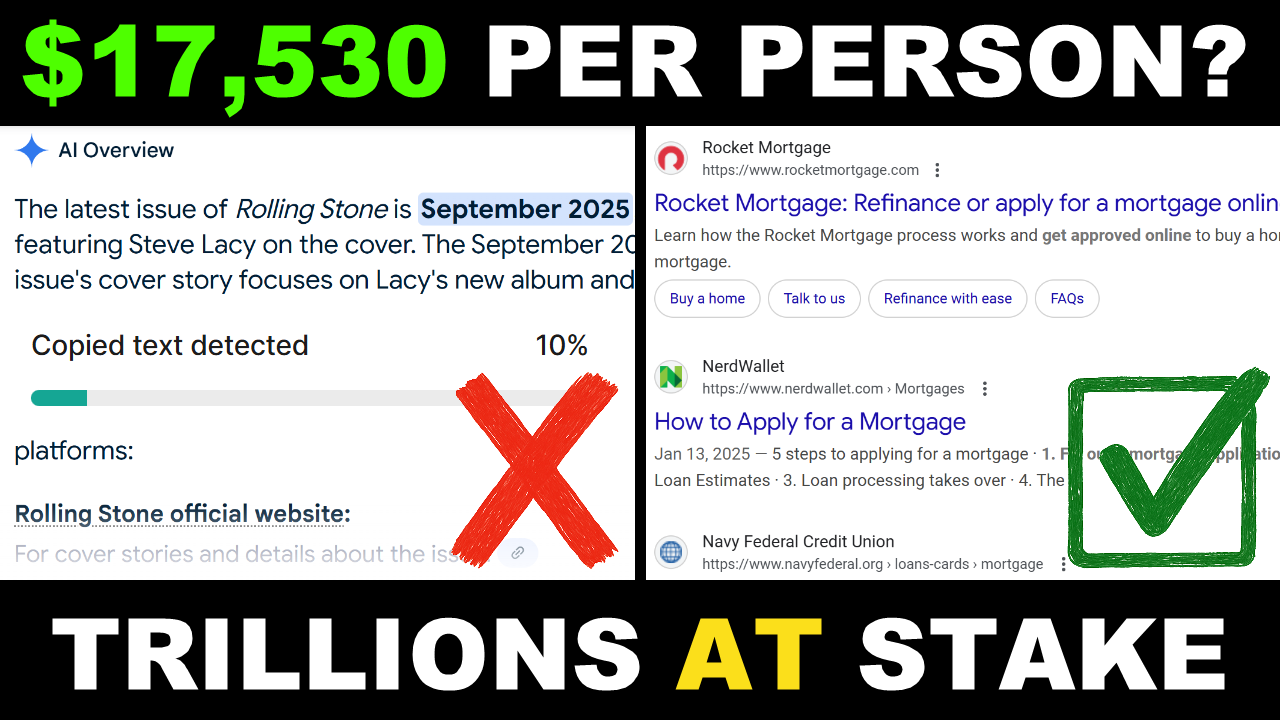
Ai Overviews And The Future Of Search Money
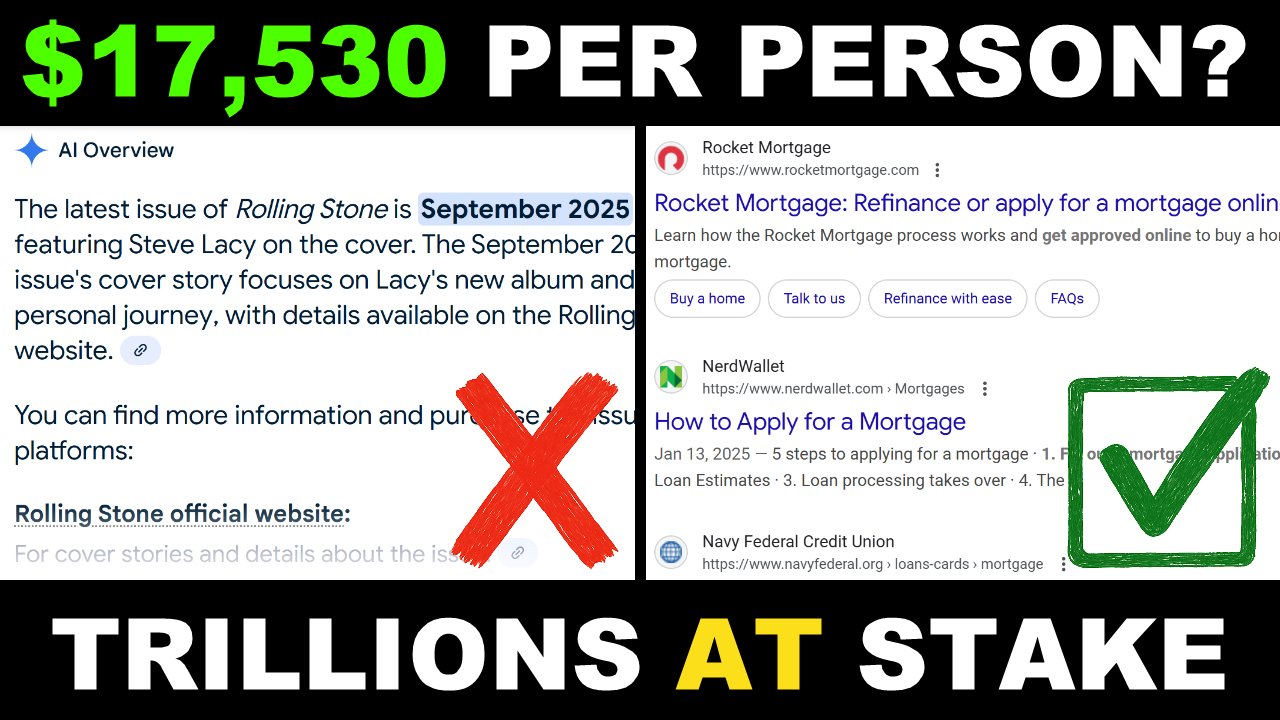
$17,500 To Give Up Search
what can we learn from this
how to make money
https://www.nber.org/system/files/working_papers/w24514/w24514.pdf
https://www.theverge.com/ai-artificial-intelligence/777788/rolling-stone-penske-media-sue-google-ai-overviews
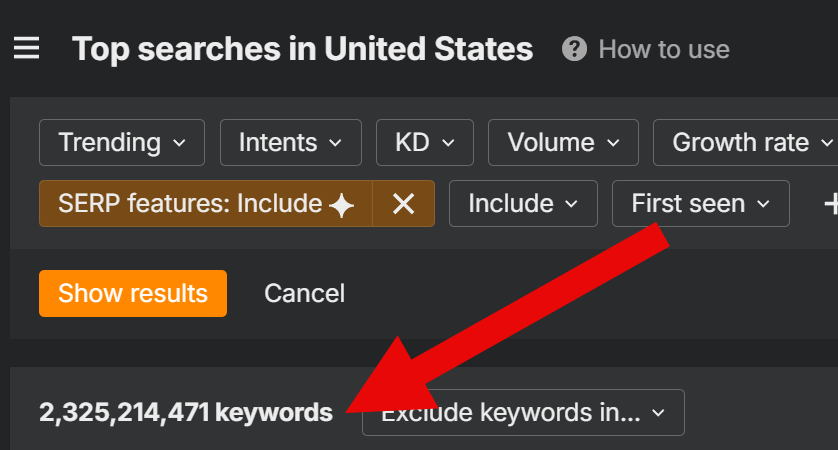
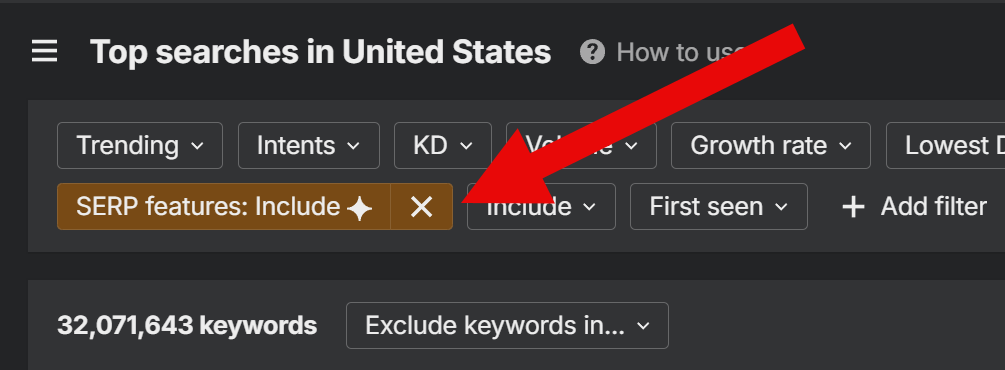
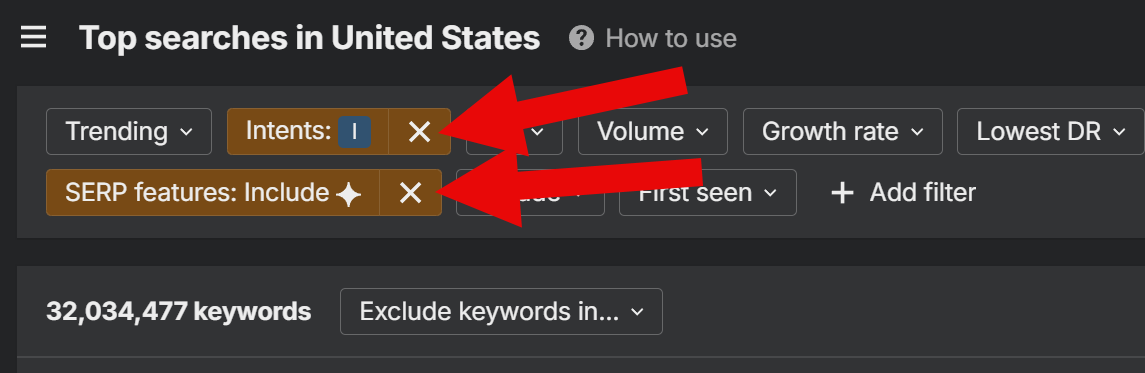
https://www.nber.org/system/files/working_papers/w24514/w24514.pdf
Automated Ai Marketing Funnels With Manus
Automated Sales Funnels: The Future of AI Business
Ready To Work With Marcus – Watch This Video Now


The way people buy online is changing fast. A few years ago, running ads and sending people to a landing page was enough to generate sales. Today, that’s no longer the case. Competition is fierce, attention spans are shorter, and customers expect a smoother, smarter buying experience. That’s where automated sales funnels powered by AI come in.
“If you’re still running ads straight to a product page, you’re leaving money on the table.”
An automated sales funnel is more than just a series of webpages—it’s a system designed to guide your prospects step by step, from the moment they first see your ad to the point where they’re ready to buy. And with AI tools now available, building these funnels is faster, cheaper, and more effective than ever before.
For entrepreneurs, this is game-changing. Instead of manually following up with leads, writing endless emails, or trying to guess what ad copy will work, AI can do the heavy lifting. It can generate tailored content, test variations, and personalize customer journeys in real-time. What used to take weeks of trial and error can now be done in hours.
“AI doesn’t just save time—it makes your funnel smarter with every interaction.”
Why Traditional Sales Funnels Are Broken (and How AI Fixes Them)
Sales funnels aren’t new. Marketers have been using them for decades to guide prospects from awareness to purchase. But the way funnels were built in the past doesn’t work as well today. Sending cold traffic to a static landing page or bombarding people with the same email sequence no longer delivers the same results. Consumers are smarter, competition is tougher, and attention spans are shorter.
“Most funnels fail today because they’re one-size-fits-all. People don’t want generic—they want personalized.”
The Problems with Old Funnels
- Static Content – Once you write an email sequence or ad copy, it doesn’t change. Every customer sees the same thing, even if their needs are different.
- Slow Testing – Traditional funnels rely on A/B testing, which can take weeks to gather enough data.
- Manual Workload – Creating landing pages, writing copy, designing graphics—it all takes time and effort.
- Customer Fatigue – People are tired of repetitive, cookie-cutter sales pages. They expect something that feels fresh and relevant.
How AI Fixes These Issues
This is where AI steps in to revolutionize the funnel. Instead of treating every customer the same, AI-powered funnels adapt in real-time.
- Dynamic Personalization – AI can change the message, images, or offers based on customer behavior. If someone clicks on fitness content, the funnel can automatically show them health-related products.
- Faster Optimization – Instead of waiting weeks for A/B tests, AI tools can test dozens of variations instantly and pick the best-performing ones.
- Automation of Creative Work – Copywriting, ad design, and even video scripts can be generated by AI, cutting down weeks of work into hours.
- Improved Customer Experience – Funnels feel less like sales machines and more like guided conversations.
“AI doesn’t just automate the funnel—it makes it intelligent. The funnel learns and adapts as people move through it.”
Old vs AI-Powered Funnels
| Feature | Traditional Funnels | AI-Powered Funnels |
| Content | Static, same for everyone | Dynamic, personalized in real-time |
| Optimization | Slow A/B testing | Rapid, multi-variation testing |
| Workload | Manual, time-consuming | Automated copy, design, and targeting |
| Customer Experience | Generic and repetitive | Personalized, conversational, adaptive |
In short, traditional funnels are like printed brochures—they’re static and impersonal. AI funnels, on the other hand, are like having a personal salesperson for each prospect, adjusting the pitch based on what the customer actually wants.
“If you’re not using AI in your funnel, you’re running at half speed while your competition is flying past you.”
The Anatomy of an Automated AI Sales Funnel
At its core, a sales funnel is simply the journey a customer takes—from first discovering your product to becoming a paying customer. What makes an AI-powered funnel different is that every step is optimized, automated, and personalized in real-time. Instead of being rigid and predictable, it adapts to the customer’s behavior.
“A good funnel doesn’t push people—it guides them. AI just makes that guidance smarter and faster.”
The Key Stages of an AI Funnel
- Awareness (Capturing Attention)
- Traditional funnels rely on generic ads.
- AI funnels create dynamic ad creatives that change based on audience segments.
- Example: AI can generate 10 ad variations targeting different demographics, testing them instantly to find the best performer.
- Interest (Engaging Prospects)
- Old funnels send everyone to the same landing page.
- AI funnels personalize the landing page headline, image, or offer depending on what ad the customer clicked.
- Example: Someone who clicked an ad about “weight loss” sees a landing page focused on fat-burning, while someone interested in “muscle gain” sees a strength-focused page.
- Decision (Nurturing Leads)
- Instead of blasting the same 7-day email sequence to everyone, AI can tailor emails based on open rates, clicks, and behavior.
- Example: If a user opens emails about “meal planning,” the AI sends them more nutrition-focused content instead of workout tips.
- Action (Closing the Sale)
- AI adjusts the final offer based on the customer’s journey.
- Example: One customer might get a discount code if they’ve been hesitant, while another might get a bundle offer if they’ve shown strong interest.
Traditional Funnel vs AI Funnel at Each Stage
Ready To Work With Marcus – Watch This Video Now
| Funnel Stage | Traditional Approach | AI-Powered Approach |
| Awareness | One-size-fits-all ads | Dynamic ads tailored to audience segments |
| Interest | Generic landing page | Personalized landing page based on ad/behavior |
| Decision | Fixed email sequence | Adaptive emails triggered by user actions |
| Action | Same offer for everyone | Customized offers (discounts, bundles, upsells) |
Why This Matters
The AI funnel feels less like a sales pitch and more like a natural conversation. Instead of forcing every prospect down the same rigid path, AI meets them where they are, guiding them toward a decision in a way that feels personalized and relevant.
“The future of sales funnels is adaptive. The funnel changes as the customer changes.”
Benefits of Automated AI Funnels for Entrepreneurs
Building and running funnels used to be a grind. You’d spend weeks writing copy, designing pages, testing emails, and manually tweaking campaigns. Even then, results often lagged behind expectations. AI changes the game by removing the guesswork and handling the heavy lifting.
“AI funnels don’t just save time—they make you money by being smarter with every click.”
- Speed and Efficiency
AI drastically cuts down the time it takes to launch campaigns.
- Copy, designs, and ad creatives can be generated in hours, not weeks.
- Testing happens in real-time instead of waiting for long A/B test cycles.
- Funnels can be deployed quickly to take advantage of new trends or product launches.
- Personalization at Scale
The biggest limitation of traditional funnels was treating everyone the same. With AI, personalization happens automatically.
- Emails adjust based on what links people click.
- Landing pages update to match customer behavior.
- Offers are tailored depending on a prospect’s interest or hesitation.
Result? Customers feel like your funnel is speaking directly to them.
- Higher Conversions
When prospects see messages that match their interests, conversions naturally go up. AI optimizes everything—headlines, images, calls-to-action—so your funnel improves with every interaction.
“The more data your funnel collects, the smarter it gets. That means better results tomorrow than you had today.”
- Reduced Costs
AI helps eliminate wasted spend by quickly identifying what works and cutting what doesn’t. Instead of throwing thousands at ads that flop, you can double down on the winners almost instantly.
- Freedom and Scalability
Perhaps the most overlooked benefit is freedom. Automated AI funnels keep working even when you’re not.
- Leads are captured and nurtured 24/7.
- Sales happen while you sleep.
- Scaling becomes easier because automation reduces bottlenecks.
Key Benefits of AI Funnels
| Benefit | Impact for Entrepreneurs |
| Speed & Efficiency | Faster launches, less manual work |
| Personalization at Scale | Customers feel seen, not sold to |
| Higher Conversions | Funnels improve with every interaction |
| Reduced Costs | Wasted ad spend drops, ROI increases |
| Freedom & Scalability | Funnels run 24/7, making growth sustainable and automated |
AI funnels aren’t just about automation—they’re about amplification. They take what already works in online marketing and supercharge it with intelligence and adaptability.
“The entrepreneurs who adopt AI funnels now will be the ones dominating tomorrow.”
Tips from the Speaker for Building AI Funnels That Work
Throughout the talk, the speaker emphasized that AI funnels aren’t just about plugging tools together—they require smart strategy. Here are some of the most valuable tips he shared for making sure your funnel actually delivers results.
“AI is the engine, but you’re still the driver. Don’t forget that.”
- Start Simple, Then Optimize
Don’t overcomplicate your funnel at the start. Launch with a basic structure—ad → landing page → email sequence → offer—and let AI optimize it over time.
- Too many moving parts early on can cause overwhelm.
- Simplicity makes it easier to see what’s working.
- Focus on One Clear Offer
“A confused funnel never converts.”
Make sure your funnel is centered around one strong, compelling offer. Multiple offers or mixed messages only dilute results.
- Use AI for Testing, Not Guessing
AI is brilliant at testing variations quickly. Instead of trying to write the “perfect” ad or landing page headline, let AI create and test multiple versions.
- Headlines
- Button text
- Ad creatives
- Email subject lines
- Keep the Human Touch
While AI can generate content and personalization, the speaker reminded us that people still buy from people.
- Use AI to do the heavy lifting, but inject your voice and authenticity.
- Share personal stories or customer testimonials alongside AI-generated content.
- Track, Learn, and Adapt
Ready To Work With Marcus – Watch This Video Now
“The funnel gets smarter the more you use it. Your job is to feed it data.”
Don’t treat your funnel as a “set and forget” machine. Monitor results, review analytics, and make adjustments regularly. AI can optimize, but it still needs your direction.
Conclusion: The Future of Sales Funnels Is Here
Traditional sales funnels worked for years, but they’re starting to break down in today’s noisy online world. Customers expect more personalization, faster responses, and smoother experiences. That’s exactly what AI-powered automated funnels deliver.
“The future isn’t just automated—it’s intelligent. Funnels that learn, adapt, and sell for you 24/7.”
The key takeaway? AI won’t build your business for you, but it will give you the leverage to scale faster than ever before. The entrepreneurs who start using AI funnels now will be the ones who dominate tomorrow’s market.
Don’t wait for “perfect.” Start with a simple funnel, plug in AI where it makes sense, and let the system grow smarter with every click, every email, and every customer interaction.
Your next sale doesn’t have to depend on luck—it can depend on a funnel that works for you around the clock.
Ready To Work With Marcus – Watch This Video Now
One Checklist Business Model
I Built A Profitable Business With One Checklist
Ready To Work With Marcus – Watch This Video Now
Most people think building a profitable business requires complicated systems, expensive tools, or a massive team. But sometimes, it’s the simplest things that create the biggest results. In this case, it was a single checklist—a clear, repeatable system that turned scattered efforts into a structured, profitable business.
“I didn’t need a hundred different strategies. I needed one checklist that kept me consistent and made sure nothing slipped through the cracks.”
That’s the beauty of a checklist. It doesn’t overwhelm you with complexity. Instead, it gives you focus, keeps you accountable, and ensures you do the right tasks in the right order every single time.
Think about it—how many times have you started a project, only to get lost in endless to-dos, shiny new tools, or random advice from all directions? That’s the trap most entrepreneurs fall into. A checklist solves that problem by cutting through the noise.
Here’s the surprising part: that one checklist didn’t just organize the business—it became the foundation of scaling it. Every step was written down, repeated, refined, and eventually automated. The checklist evolved from a personal productivity tool into a business framework that could run smoothly even as things grew bigger.
“When you follow a checklist, you stop wasting energy deciding what to do next. You just do the next step. And when every step is tied to revenue, that’s when you build something profitable.”
This isn’t about being rigid or robotic. It’s about creating freedom through structure. A checklist doesn’t limit you—it frees you from decision fatigue so you can focus on growth. The more repeatable your system, the faster you can scale without breaking.
And that’s what makes this story powerful: it’s proof that you don’t need to reinvent the wheel. You just need to build a checklist that works—and then stick to it.
The Power of a Checklist
Running a business often feels like juggling ten balls at once—emails, content, customers, ads, products, payments. Without structure, something will eventually drop. That’s why a checklist is such a game-changer. It’s not just a to-do list; it’s a framework for consistency.
“The checklist gave me clarity. It told me exactly what to do, in the right order, and I didn’t have to second-guess myself.”
The real power of a checklist lies in three things: simplicity, repeatability, and accountability.
- Simplicity Cuts Through the Noise
When you’re bombarded with endless ideas, strategies, and tools, it’s easy to get stuck in decision overload. A checklist strips that away and shows you only what matters. You don’t waste time choosing—you just follow the next step.
Think of it like flying a plane. Pilots use checklists not because they don’t know what to do, but because in high-pressure situations, the checklist guarantees nothing is missed. The same applies in business.
- Repeatability Builds Momentum
One successful day in business doesn’t guarantee another. What creates long-term results is being able to repeat the right actions over and over. A checklist ensures you’re not reinventing the wheel every morning.
“If you can do it once, you can do it again. The checklist makes success repeatable.”
- Accountability Keeps You on Track
It’s easy to “think” you’re making progress, but a checklist forces you to measure it. Each task is either done or not done. There’s no hiding from it. This accountability helps keep momentum alive, even on days when motivation is low.
Chaos vs. Checklist
| Without a Checklist | With a Checklist |
| Constantly guessing what to do next | Clear sequence of tasks to follow |
| Overwhelmed by too many choices | Simplified structure that removes noise |
| Inconsistent execution | Repeatable process that compounds results |
| Easy to skip steps or forget tasks | Built-in accountability at every stage |
| Progress feels scattered and random | Growth becomes predictable and scalable |
asdasd
Ready To Work With Marcus – Watch This Video Now
The beauty of this approach is that it works no matter what stage you’re at. Whether you’re starting a side hustle or running a growing online business, a checklist becomes the anchor. It takes the pressure off your brain, reduces overwhelm, and makes sure you stay consistent on the things that actually drive profit.
“The checklist turned my business from chaos into a system. That’s when things finally started working.”
Breaking Down the Checklist
A checklist isn’t just a random set of tasks—it’s a system that aligns daily actions with long-term profit. Each item has a clear purpose, and together they form a repeatable process that keeps the business running smoothly.
“The checklist wasn’t complicated. It was simple tasks, done consistently, that stacked up into big results.”
Here’s how the checklist breaks down into its essential parts:
Daily Content
Creating consistent content was at the top of the checklist. Whether it was a post, a video, or an email, putting something out daily ensured visibility and engagement.
- Short posts for social media.
- Longer form content like blogs or YouTube videos.
- Quick updates or stories to stay in front of the audience.
Why it matters: Content creates awareness. Without it, no one knows your business exists.
Lead Generation
Every day, there was a task focused on capturing new leads. This could be running an ad, promoting a free resource, or engaging with people in groups and communities.
Why it matters: A growing list of leads means a steady stream of potential customers.
Nurture & Follow-Up
The checklist also included following up with leads through emails, messages, or content. Consistency here builds trust and positions you as someone worth buying from.
“People rarely buy on the first contact. The checklist made sure I always followed up.”
Sales Activity
Every day, there was a step to directly push an offer—whether that meant sending an email with a call-to-action, running a promotion, or testing an ad campaign.
Why it matters: Without sales activity, even the best content won’t turn into revenue.
Review & Adjust
The final part of the checklist was reviewing metrics. At the end of each day or week, time was set aside to check what was working, what wasn’t, and make small adjustments.
Why it matters: Growth doesn’t come from guessing—it comes from measuring and improving.
The Checklist in Action
Ready To Work With Marcus – Watch This Video Now
| Checklist Item | Purpose | Outcome |
| Daily Content | Visibility & engagement | More people see the business daily |
| Lead Generation | Capture potential customers | Growing email list & audience reach |
| Nurture & Follow-Up | Build trust & connection | Leads become warm prospects |
| Sales Activity | Turn interest into revenue | Consistent cash flow |
| Review & Adjust | Improve based on data | Smarter, more profitable decisions |
This simple checklist became a daily routine. It wasn’t flashy, but it worked. Each step stacked on top of the other, creating a loop where content brought leads, leads were nurtured, sales happened, and metrics guided the next round.
“The checklist made sure I was always moving the needle forward, not just staying busy.”
Practical Tips from Marcus That You Can Apply
A checklist is only powerful if it’s actually used. The magic happens when you keep it simple, follow it daily, and let it guide your actions. Here are some practical tips you can apply to build your own profitable checklist system:
Start Small, Keep It Simple
Don’t overcomplicate your checklist. Begin with 4–5 core tasks that directly impact your business. Ask yourself: “If I only did these tasks every day, would my business grow?” If the answer is yes, that’s your checklist.
Focus on Revenue-Producing Tasks
Not every task deserves a spot on the checklist. Prioritize activities that directly lead to sales:
- Creating content that attracts attention.
- Capturing leads into your system.
- Following up with prospects.
- Making direct offers.
Everything else is secondary.
Use Tools to Automate Where Possible
A manual checklist is powerful, but automation takes it to the next level.
- Use project management tools like Trello, Notion, or Asana to track progress.
- Set reminders so you never skip steps.
- Automate repetitive tasks like sending follow-up emails or posting content.
“The checklist wasn’t about doing everything myself—it was about making sure the right things got done, even if tools handled them for me.”
Review and Refine Weekly
Your checklist should evolve as your business grows. At the end of each week, review:
- Which tasks had the biggest impact?
- Which tasks felt unnecessary or unproductive?
- What can be improved or automated next?
This keeps the checklist relevant and sharp.
Build Habits, Not Just Tasks
The real power of a checklist is when it turns actions into habits. Over time, you won’t need to think twice about posting content, checking metrics, or making an offer—it’ll just be part of your daily rhythm.
| Tip | Action Step | Result |
| Start small, keep it simple | Write 4–5 essential daily tasks | Checklist stays usable and consistent |
| Focus on revenue tasks | Prioritize leads, content, offers, follow-ups | Ensures every day moves profit forward |
| Automate where possible | Use Trello, Asana, Zapier, email tools | Saves time, removes human error |
| Review and refine weekly | Check what worked and update the list | Keeps the checklist sharp and effective |
| Build habits, not just tasks | Repeat until actions become automatic | Long-term consistency without effort |
Sample Daily Business Checklist
Ready To Work With Marcus – Watch This Video Now
Here’s an example of what the daily checklist looked like. Notice how it covers content, leads, nurturing, sales, and review—all the core drivers of growth.
Morning
- [Control]Post 1 piece of content (short post, video, or story).
- [Control]Share content on at least 1 social media channel.
- [Control]Engage with comments or community for 15 minutes.
Midday
- [Control]Run or check lead generation (ads, freebie signups, outreach).
- [Control]Capture all new leads into CRM/email list.
- [Control]Send a follow-up email or message to warm leads.
Afternoon
- [Control]Make 1 direct sales activity (email with an offer, ad campaign update, DM outreach).
- [Control]Track conversions from the day’s activity.
Evening / End of Day
- [Control]Review performance metrics (clicks, leads, conversions).
- [Control]Note what worked and what didn’t.
- [Control]Adjust tomorrow’s checklist if needed.
The 5 Core Pillars Built Into the Checklist
| Pillar | Daily Task | Why It Matters |
| Content | Post something daily | Keeps visibility and engagement high |
| Lead Generation | Capture new leads every day | Ensures steady growth of audience |
| Nurture & Follow-Up | Send a message or email to leads | Builds trust and moves prospects closer |
| Sales Activity | Make one direct sales action | Turns interest into revenue |
| Review & Adjust | Track and refine tasks | Keeps the system sharp and profitable |
This checklist is simple enough to stick to but powerful enough to keep a business moving forward every single day. It takes the guesswork out of “what do I do next?” and ensures that every action ties back to growth and profit.
“The checklist wasn’t complicated—it was about showing up, doing the right things in the right order, and letting the results build.”
Conclusion: Build Your Own Checklist, Build Your Business
At the end of the day, building a profitable business doesn’t come from chasing shiny tools or trying to do everything at once. It comes from structure. A simple checklist can turn chaos into clarity, inconsistency into momentum, and scattered effort into profit.
“I didn’t need a hundred different strategies. I needed one checklist that kept me consistent and made sure nothing slipped through the cracks.”
This approach works because it focuses only on what matters most: creating content, capturing leads, following up, making offers, and reviewing results. When you repeat those actions daily, your business stops being random—it becomes predictable, scalable, and sustainable.
The best part? You don’t need to copy this checklist word-for-word. You can build your own version that matches your business, your niche, and your style. What matters is having a clear framework that keeps you consistent.
If you’ve been stuck trying to figure out your next move, stop overcomplicating it. Write down your 4–5 most important daily tasks, turn them into a checklist, and commit to following it every single day. Do that, and you’ll be amazed at how quickly momentum builds.
The path to profit doesn’t have to be overwhelming—it just has to be structured. Your checklist is the starting point.
Ready To Work With Marcus – Watch This Video Now
car maintenance checklist

wedding checklist

hospital bag checklist

wedding planning checklist

moving checklist

checklist template

2024 topps update checklist

camping checklist

pots symptoms checklist

travel checklist

2025 topps series 1 checklist

2024 bowman chrome checklist

hospital bag checklist for mom

2025 bowman baseball checklist

first apartment checklist

2024 bowman draft checklist

backpacking checklist

cleaning checklist

2025 topps series 2 checklist

2024 topps chrome update checklist

spring cleaning checklist

international travel checklist

2025 topps chrome baseball checklist

bg3 act 1 checklist

home inspection checklist

home maintenance checklist

cmmc compliance checklist

2025 bowman checklist

packing checklist

onboarding checklist

baby registry checklist

psychopathy checklist

apartment checklist

house cleaning checklist

hospital bag checklist for mom and baby

2025 topps heritage checklist

baby checklist

kindergarten readiness checklist

cruise checklist

morning routine checklist

2024 topps chrome football checklist

vacation checklist

bug out bag checklist

2024 mosaic football checklist

project 2025 checklist

estate planning checklist

checklist manifesto

college checklist

2025 topps chrome checklist

checklist app

head to toe assessment checklist

new apartment checklist

college dorm checklist

the checklist manifesto

baby shower checklist

2024 prizm football checklist

2024 phoenix football checklist

deep cleaning checklist

2024 allen and ginter checklist

imsafe checklist

technical seo checklist

2022 bowman draft checklist

female autism checklist

seo checklist

2024 topps chrome checklist

2024 topps archives checklist

new puppy checklist

checklist maker

hare psychopathy checklist

wedding timeline checklist

real id checklist

seo audit checklist

2025 topps chrome black checklist

2024 topps finest football checklist

2024 bowman's best checklist

2025 topps tribute checklist

party planning checklist

bg3 act 2 checklist

decluttering checklist

self care checklist

cruise packing checklist

2024 bowman checklist

hurricane preparedness checklist

2025 topps finest baseball checklist

ms symptoms checklist

75 hard checklist

wedding checklist pdf

2024 select football checklist

2024 bowman sterling checklist

how to make a checklist in word

pandas symptoms checklist

wedding checklist timeline

tax documents checklist

hurricane checklist

baby shower planning checklist

due diligence checklist

2024 topps stadium club checklist

new hire checklist

checklist clipart

2023 select football checklist

stardew valley community center checklist

hvac maintenance checklist

vehicle inspection checklist

moving out checklist

move in checklist

2024 topps inception baseball checklist

topps series 1 2025 checklist

2024 absolute football checklist

2023 bowman checklist

2024 topps heritage high number checklist

life checklist

2022 bowman chrome checklist

daily checklist

technical seo audit checklist

topps series 2 2025 checklist

local seo checklist

bowman 2025 checklist

dorm checklist

bathroom cleaning checklist

baby proofing checklist

birth plan checklist

newborn checklist

wedding planner checklist

2024 topps holiday checklist

2024 stadium club checklist

checklist icon

2023 topps series 1 checklist

bg3 act 3 checklist

annual physical exam checklist by age

childhood anxiety symptoms checklist

2024 topps series 2 checklist

move out cleaning checklist

topps 2025 series 1 checklist

adhd checklist

new home checklist

asperger traits checklist

event planning checklist

go bag checklist

daily cleaning checklist

what to pack for a cruise checklist pdf

2023 topps heritage checklist

cleaning checklist template

2023 topps composite football checklist

editing checklist

free wedding planning checklist

autism in girls checklist

pregnancy hospital bag checklist

name change checklist

google checklist

moving checklist pdf

seo technical audit checklist

i-130 documents checklist for spouse

2024 topps pro debut checklist

writing checklist

taco bar checklist

used car checklist

2024 topps cosmic chrome checklist

2024 certified football checklist

weekly cleaning checklist

child behavior checklist

wedding decor checklist

real id checklist illinois

pre trip inspection checklist

adhd in women checklist

pave checklist

professional house cleaning checklist printable

2025 donruss elite football checklist

house inspection checklist

indian passport renewal in usa checklist

adhd in girls checklist

airbnb cleaning checklist

baby hospital bag checklist

state checklist

capsule wardrobe checklist

excel checklist template

pokemon checklist

used car inspection checklist

birthday party checklist

declutter checklist

what to do when someone dies checklist

2024 illusions football checklist

online checklist

national park checklist

beach checklist

2024 score football checklist

puppy checklist

driving test checklist

moving out of state checklist

2024 topps five star checklist

move out checklist

hipaa compliance checklist

sleep hygiene checklist

bowman chrome 2024 checklist

2024 topps chrome baseball checklist

2024 gold standard checklist

deep cleaning house checklist

pregnancy checklist

fire extinguisher inspection checklist

change of address checklist

divorce checklist

2024 prizm draft picks football checklist

new house checklist

home buying checklist

dot inspection checklist

wedding registry checklist

cdl pre trip inspection checklist

2024 topps chrome cosmic checklist

dsm-5 autism criteria checklist

topps composite football checklist

2025 luminance football checklist

2024 topps heritage checklist

home appraisal checklist

fmla eligibility checklist

travel packing checklist

daily checklist app

how to create a checklist in word

3-year-old development checklist

new baby checklist

2024 topps gilded checklist

tax preparation checklist pdf

tax checklist

2024 panini prizm football checklist

topps chrome 2025 checklist

travel checklist packing

2024 luminance football checklist

2024 bowman baseball checklist

deep clean checklist

2024 topps triple threads checklist

moving house checklist

bridal shower checklist

emergency go bag checklist

traveling checklist

pci compliance checklist

kitchen cleaning checklist

act 1 checklist bg3

adhd cleaning checklist

wedding day checklist

party checklist

planning a wedding checklist

house maintenance checklist

apartment move in checklist

gi joe classified checklist

vacation packing checklist

back to school checklist

sat checklist

2025 score football checklist

funeral planning checklist

quinceanera checklist

checklist for moving

employee onboarding checklist

air bnb cleaning checklist

rental inspection checklist

newborn baby checklist

2024 origins football checklist

travel packing checklist pdf free

packing checklist for vacation

2024 bowman best checklist

pediatric symptom checklist

adhd symptoms in children checklist

autism checklist

2023 bowman baseball checklist

allen and ginter 2024 checklist

daily checklist template

when to put your cat down checklist

cleaning house checklist

2024 topps allen and ginter checklist

puppy socialization checklist

i-130 checklist

2024 topps finest checklist

lms requirements checklist latitudelearning

retirement checklist

2024 spectra football checklist

checklist template word

apartment inspection checklist

college apartment checklist

vehicle maintenance checklist

hospital bag checklist for baby

2024 topps inception football checklist

onboarding checklist template

2 year-old development checklist

sox compliance checklist

offboarding checklist

how to create a checklist in google docs

emotional abuse checklist

autism symptoms in adults checklist

2024 topps resurgence football checklist

summer checklist

road trip checklist

seo competitor analysis checklist

2024 heritage high number checklist

airbnb host checklist

ac maintenance checklist

physical exam checklist

new kitten checklist

2024 topps chrome logofractor checklist

2024 national treasures football checklist

jmu checklist

bowman draft 2024 checklist

2025 heritage checklist

2024 topps chrome sapphire checklist

preventive maintenance checklist

rv checklist

off page seo checklist

topps chrome update 2024 checklist

2023 panini select football checklist

wedding planning checklist pdf

2024 topps series 1 checklist

2024 contenders football checklist

emergency go bag checklist pdf

pre drive checklist

car camping checklist

2023 topps chrome update checklist

2024 donruss football checklist

2024 zenith football checklist

2024 obsidian football checklist

dorm room checklist

traditional thanksgiving dinner menu checklist

checklist online

winter preparedness checklist for home

topps series 2 checklist

4-year-old development checklist

2024 cosmic chrome checklist

how to make a checklist in excel

funeral checklist

car inspection checklist

printable checklist

real id illinois checklist

activities of daily living checklist

dmv real id checklist

2025 donruss baseball checklist

2023 bowman chrome checklist

topps update 2024 checklist

2024 donruss elite football checklist

destiny checklist

what to do when a parent dies checklist

i-751 documents checklist

pci dss compliance checklist

air conditioner maintenance checklist

on page seo checklist

diaper bag checklist

hiking checklist

moving to another state checklist

tax document checklist

2024 panini phoenix football checklist

ocd symptoms checklist

2024 panini black football checklist

graduation party checklist

gdpr compliance checklist

elopement checklist

wedding checklist printable

gluten intolerance symptoms checklist

roof inspection checklist

2024 bowman chrome sapphire checklist

website audit checklist

checklist in word

bedroom cleaning checklist

illinois real id checklist

audit checklist

soc 2 compliance checklist

starting a business checklist

forklift inspection checklist

real id checklist california

professional deep cleaning checklist

2024 topps pristine baseball checklist

2024 impeccable football checklist

checklist template google docs

checklist for traveling

neuro exam checklist

camping trip checklist

college application checklist

what to do when a spouse dies checklist pdf

markdown checklist

fascism checklist

forklift checklist

pathological demand avoidance checklist

2024 topps pristine checklist

2025 bowman chrome checklist

national parks checklist

2024 prizm baseball checklist

topps chrome 2024 checklist

buying a house checklist

final walk through checklist

home buying process checklist

gumps checklist

2024 prestige football checklist

product launch checklist

2025 bowman sapphire checklist

topps chrome football checklist

thanksgiving checklist

tent camping checklist

topps signature class football checklist

topps finest football checklist

declutter your home checklist

inventory checklist

autism diagnosis checklist

stardew valley museum checklist

2024 imm
VAAM – the new Affiliate Marketing
Forget Normal Affiliate Marketing – This Made Me $4M – VAAM – New AI Method!
Ready To Work With Marcus – Watch This Video Now
Affiliate marketing has been around for years, and it’s one of the most popular ways people try to make money online. The model is simple: promote someone else’s product, earn a commission when someone buys. But here’s the truth—“normal” affiliate marketing doesn’t work like it used to.
“If you’re doing affiliate marketing the way everyone else is doing it, you’re already behind.”
The old playbook—setting up a website, writing a few blog posts, throwing in some affiliate links, and hoping for sales—might have worked ten years ago. Today, though, the competition is overwhelming, ad costs are higher, and buyers are more skeptical than ever. If you try to play by the old rules, you’ll burn out fast.
The affiliates making real money today aren’t grinding harder—they’re playing a different game. They focus on leverage, using Volume, Automation, AI, and Metrics (VAAM) to scale smarter, not harder.
“The guys making money in affiliate marketing right now aren’t grinding harder—they’re playing a different game.”
This isn’t about chasing shiny hacks or short-lived tricks. It’s about building a system that works 24/7, powered by data and automation, and sharpened with AI tools that give you an edge most affiliates still aren’t using.
Breaking Down the VAAM Approach
VAAM isn’t just a catchy acronym—it’s a framework that reshapes how affiliate marketing works in today’s competitive landscape. Instead of relying on outdated “hope marketing,” VAAM gives you leverage through systems and smarter execution. Let’s break it down piece by piece.
“VAAM is about scaling without burning yourself out. It’s about working smarter, not harder.”
Volume: Outwork the Algorithm Without Burning Out
In affiliate marketing, more attempts equal more chances to win. But doing everything manually caps your output. That’s where VAAM flips the script—volume comes from systems, not endless hustle.
- Publish more content faster with AI-driven tools.
- Run multiple ad variations simultaneously.
- Test different offers across several niches without starting from scratch every time.
Example: Instead of writing one blog review per week, you can use AI to draft three, edit them quickly, and get them online. More content = more traffic = more opportunities to convert.
Ready To Work With Marcus – Watch This Video Now
Automation: Build a Machine That Runs 24/7
Automation removes the bottlenecks that normally slow affiliates down. Think of it as building a machine that sells for you while you focus on strategy.
- Email autoresponders nurture leads automatically.
- Chatbots answer customer questions instantly.
- Scheduling tools post content across multiple platforms without manual effort.
“If you’re still manually chasing leads, you’re losing to someone who automated the process.”
Example: A funnel that captures an email, sends a welcome sequence, follows up with product recommendations, and delivers bonuses—all without you touching it.
AI: Create, Test, and Adapt Faster
Artificial intelligence is the biggest multiplier in VAAM. It’s like hiring a full creative team that works instantly and never sleeps.
- Generate ad copy and images in minutes.
- Brainstorm headlines, hooks, and product angles.
- Analyze data faster to spot winning campaigns.
AI doesn’t replace the entrepreneur—it enhances their ability to execute. You still set the direction, but AI accelerates production and testing.
Metrics: Data Is the Real Decision-Maker
The final piece is metrics. Too many affiliates run blind, throwing traffic at offers without knowing what’s working. VAAM insists on letting data guide every move.
- Track click-through rates, conversion rates, and ROI.
- Compare which ads, creatives, or offers perform best.
- Double down on winners, cut losers quickly.
“Metrics are the difference between gambling and business.”
Example: If two ads are running, and one converts at 3% while the other converts at 0.5%, you don’t guess—you kill the loser and scale the winner.
The Power of VAAM
| Element | What It Solves | How It Helps |
| Volume | Not enough reach or exposure | Multiply content, ads, and offers effortlessly |
| Automation | Manual work eats up time | Build systems that run 24/7 |
| AI | Slow creative output | Generate, test, and adapt at lightning speed |
| Metrics | Guessing what works | Use data to scale winners and cut losers fast |
Ready To Work With Marcus – Watch This Video Now
When combined, VAAM gives you a system that’s scalable, efficient, and data-driven. Instead of being stuck in the hamster wheel of “normal” affiliate marketing, you’re running a machine that works for you, adapts to customers, and grows over time.
Normal Affiliate Marketing vs. The VAAM Approach
Traditional affiliate marketing was built for a different time—when competition was low, ad costs were cheap, and SEO tricks could push a small site to the top of Google overnight. Back then, a single blog post with a few affiliate links might earn commissions for months.
But today, the game has changed. Competition is fierce, buyers are savvier, and algorithms demand more content and engagement. The old way simply can’t keep up. VAAM fixes this by combining scale, systems, and data into a smarter strategy.
“Normal affiliate marketing is like pushing a boulder uphill. VAAM gives you the leverage to roll it downhill.”
The Old Way (Normal Affiliate Marketing)
- Manually writing reviews and content.
- Running a handful of ads and hoping they work.
- Treating every visitor the same with static pages.
- Guessing what works instead of tracking results.
- Limited scalability—more work = more effort.
The New Way (VAAM Approach)
- Producing high volume of content and offers quickly.
- Using automation for follow-ups, emails, and scheduling.
- Leveraging AI for creative testing, ad copy, and designs.
- Making decisions based on metrics, not gut feelings.
- Scaling without burning out—systems do the heavy lifting.
Side-by-Side Comparison
| Category | Normal Affiliate Marketing | VAAM Approach |
| Content Creation | Manual, slow, limited | AI-assisted, fast, scalable |
| Traffic & Ads | Few campaigns, tested manually | Multiple campaigns, tested instantly with AI |
| Lead Nurturing | Static email sequences | Automated, adaptive, behavior-driven sequences |
| Personalization | Same page/offer for everyone | Dynamic offers tailored to user behavior |
| Data & Metrics | Little tracking, mostly guesswork | Metrics-driven, optimize winners, cut losers |
| Scalability | More effort = more output | Systems scale with less manual work |
| Entrepreneur’s Role | Doing everything manually | Directing strategy while systems handle execution |
The key difference is leverage. Normal affiliate marketing relies on effort—more hours, more work, more grind. VAAM relies on systems—volume through automation, intelligence through AI, and growth powered by metrics.
Key Thoughts from Marcus
Ready To Work With Marcus – Watch This Video Now
Sometimes a single phrase can change the way you look at an entire business model.
- “If you’re doing affiliate marketing the way everyone else is doing it, you’re already behind.”
This cuts straight to the heart of the problem. Affiliate marketing is overcrowded, and most people follow the same outdated blueprint: build a site, write reviews, and drop links. The truth? That blueprint doesn’t work anymore. To succeed now, you need leverage—automation, personalization, and data.
- “The guys making money in affiliate marketing right now aren’t grinding harder—they’re playing a different game.”
The old belief was that success came from putting in endless hours. But VAAM proves that working smarter beats working harder. By using tools that scale output and track performance, you can achieve more in less time without burning out.
- “Metrics are the difference between gambling and business.”
Many affiliates treat marketing like a slot machine—throwing money at ads and hoping they work. Metrics flip that around. With the right data, you know what’s working, what’s failing, and where to invest next. That’s not gambling—that’s running a business.
- “AI doesn’t replace you—it gives you leverage.”
There’s a lot of fear that AI will take jobs or make entrepreneurs obsolete. But in affiliate marketing, AI is simply a tool. It doesn’t make decisions for you—it multiplies your ability to execute. Instead of replacing the affiliate, AI empowers them to compete on a larger scale.
- “A confused funnel never converts.”
This is a golden reminder to keep things simple. If your funnel is sending mixed messages, prospects won’t buy. VAAM ensures clarity by focusing each funnel on one strong offer, while automation and AI handle the personalization and scaling behind the scenes.
Mindset Shift in a Nutshell
| Old Mindset | VAAM Mindset |
| Work harder, hustle more | Work smarter, scale with systems |
| Guess what might work | Test and measure everything with metrics |
| Fear AI as a replacement | Use AI as leverage to grow faster |
| Throw traffic at one funnel | Build multiple adaptive funnels at scale |
| “More effort equals more success” | “Better systems equal more success” |
Practical Nuggets Worth Noting
While VAAM lays out the bigger framework, there are also smaller lessons tucked inside that can make a huge difference when applied consistently. These nuggets act like shortcuts—reminders of what really matters and what to avoid in affiliate marketing.
- Stop Chasing Shortcuts
“Most affiliates fail because they’re too busy looking for hacks instead of building systems.”
It’s easy to get distracted by the latest trend or “secret method.” But those rarely last. Instead of trying to cheat the process, focus on building long-term systems that generate consistent results.
- One Offer, One Focus
Spreading yourself too thin across multiple products or niches usually leads to half-baked funnels that don’t convert. Start with one strong offer, build a focused funnel around it, and let VAAM handle the scaling.
- Clarity Beats Complexity
Complicated funnels may look impressive, but they often confuse customers. Simplicity sells. A clear path with one offer, one message, and one call-to-action will always outperform a messy setup.
- Data Before Ego
It doesn’t matter how much you like your ad copy, landing page, or email sequence—if the numbers say it’s not converting, it needs to go.
- High click-through rates mean your ads are engaging.
- Low conversion rates signal the offer or landing page isn’t connecting.
- Metrics don’t lie; trust them over personal preference.
- Think Long-Term
Affiliate marketing isn’t just about quick wins. The people who succeed build systems that run for months and years. That means focusing on email lists, customer relationships, and automation, not just short bursts of sales.
Tools That Made the Difference
Affiliate marketing used to require a ton of manual work—writing content, building pages, designing creatives, sending emails, and tracking results by hand. That’s why so many affiliates burned out. The big shift with VAAM comes from leveraging the right tools to automate, scale, and analyze.
“It’s not about doing everything yourself—it’s about using the tools that let you do more with less effort.”
- Content & Creative
- Canva – Fast design tool for graphics, ads, and creatives.
- Jasper / ChatGPT – AI writing assistants to generate ad copy, product reviews, and blog posts.
- InVideo / Pictory – Video creation tools for turning scripts into engaging video ads.
- Automation
- GetResponse / ActiveCampaign – Email marketing platforms with autoresponders and funnels.
- Zapier – Connects apps together to automate workflows (e.g., capturing leads and moving them into email sequences automatically).
- ManyChat – Messenger automation for lead nurturing and customer follow-up.
- AI-Powered Enhancements
- MidJourney / DALL·E – Prompt-based image generators for unique ad visuals.
- AdCreative.ai – AI that generates ad creatives and variations instantly.
- Copy.ai – AI-driven ad copy and headline ideas.
- Metrics & Tracking
- Google Analytics – Essential for tracking clicks, conversions, and traffic sources.
- Hotjar – Heatmaps and user behavior tracking to see where visitors drop off.
- ClickMagick – Affiliate tracking software to monitor ROI across multiple campaigns.
Ready To Work With Marcus – Watch This Video Now
Summary of Tools That Power VAAM
| Category | Tools Mentioned | Impact on Affiliate Marketing |
| Content Creation | Canva, Jasper, ChatGPT, InVideo, Pictory | Scale ad creatives, blogs, and videos effortlessly |
| Automation | GetResponse, ActiveCampaign, Zapier, ManyChat | Run follow-ups, funnels, and workflows 24/7 |
| AI Enhancements | MidJourney, DALL·E, AdCreative.ai, Copy.ai | Faster testing, better personalization |
| Metrics & Tracking | Google Analytics, Hotjar, ClickMagick | Data-driven decisions, higher conversions |
These aren’t just “nice to have” tools—they’re multipliers. They allow you to test more, create more, and optimize faster, without burning out.
“With the right tools, you stop being a worker in your business—you become the strategist.”
Conclusion: Forget Normal, Build Smarter
Affiliate marketing isn’t dead—but “normal” affiliate marketing is. The old model of writing endless blog posts, dropping affiliate links, and hoping for clicks just can’t keep up in today’s market. Competition is too fierce, ad costs are too high, and buyers are too smart.
That’s why VAAM—Volume, Automation, AI, and Metrics—isn’t just a nice idea, it’s a necessity. By producing more content, automating repetitive work, leveraging AI for speed and creativity, and letting metrics guide every decision, affiliate marketers can finally scale without burning out.
“Forget normal affiliate marketing. The future belongs to those who build smarter systems.”
If you’re tired of guessing, grinding, and barely seeing results, this is the time to make the shift. Start simple: one offer, one funnel, one automation. Then plug in AI and tracking tools to multiply your output.
Don’t wait until the competition leaves you behind. Begin applying VAAM today and turn affiliate marketing into a business that runs smarter, scales faster, and actually makes money while you sleep.
Ready To Work With Marcus – Watch This Video Now
Important Videos To Binge Watch
be sure to watch these videos and take notes before monday because the training this week will follow up on all this stuff in detail.
Affiliate Marketing – FULL Tutorial 1
Affiliate Marketing – FULL Tutorial 2
How I Find Profitable Niches
FULL Niche Finding Class Replay Download
Looking For A Specific Lesson From Marcus – Search Here