Valeria C
How To Use Perplexity Ai Shopping Tool To Make Money and Smarter Online Purchases


Discover how to use the Perplexity AI Shopping Tool to save money, find the best deals, and boost your affiliate marketing efforts. Learn step by step tips, features, and real-life examples to maximize your onliI Shopping Tool works and how you can leverage it to save money and even earn money online.
ne shopping and earning potential. Perfect for savvy shoppers and marketers!
Ever heard of the Perplexity AI Shopping Tool? If not, you’re in for a treat. This innovative AI-driven shopping assistant is transforming the way we shop online by helping users find the best deals, make informed decisions, and save time. Whether you’re looking to score a great deal on a new gadget or streamline your affiliate marketing efforts, this tool is a game-changer. In this post, I’ll walk you through how the Perplexity A

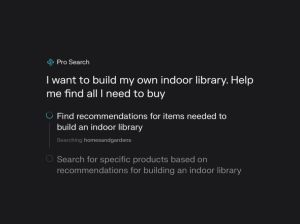
The Perplexity AI Shopping Tool is an AI-powered solution designed to simplify your online shopping experience. Think of it as a personal shopping assistant that compares prices, analyzes reviews, and suggests the best options tailored to your needs.
Using advanced natural language processing (NLP), this tool understands your shopping queries in detail, providing personalized recommendations and insights. For affiliate marketers, it’s an excellent way to curate product lists and find trending items that resonate with your audience.
NEW AI PROFIT SCOOP VIDEO CLICK HERE.
How to Get Started with the Perplexity AI Shopping Tool
Getting started with the Perplexity AI Shopping Tool is easy, even if you’re not tech-savvy.
Sign Up
Head over to the Perplexity AI website and create a free account. This gives you access to the shopping tool and its robust features.
- Input Your Query
Simply type what you’re looking for, such as “best budget laptops under $500” or “top-rated kitchen appliances for 2024.” The tool will analyze your query and return the most relevant results. - Review Recommendations
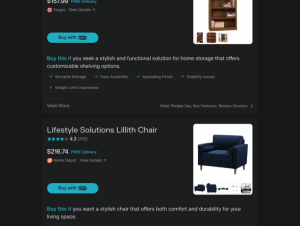
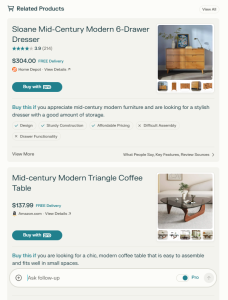
The Perplexity AI Shopping Tool provides a detailed list of options, complete with price comparisons, customer reviews, and seller ratings. - Refine Your Search
Use filters to narrow down your options by price, brand, or specific features. - Make a Purchase or Share as an Affiliate
If you’re shopping for yourself, proceed to the seller’s website and complete your purchase. For affiliate marketers, you can share these curated product links with your audience, earning commissions on every sale.
Key Features of the Perplexity AI Shopping Tool
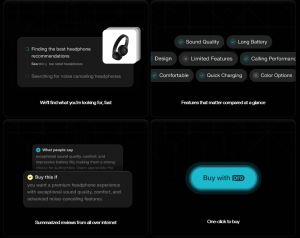
- Price Comparisons
No more hopping between websites to compare prices. The tool does it for you, ensuring you get the best deal. - Detailed Product Insights
It aggregates reviews, ratings, and key product features, so you know exactly what you’re buying. - Time Savings
Perplexity AI Shopping Tool eliminates the need for hours of research by presenting all the information you need in one place. - Affiliate-Friendly
For affiliate marketers, this tool is a goldmine. It helps identify trending products and high-converting items to promote.
Why Affiliate Marketers Should Use the Perplexity AI Shopping Tool
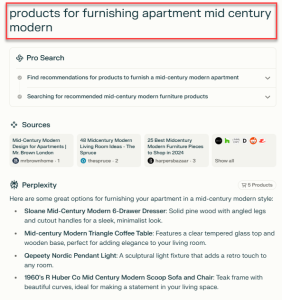
If you’re in affiliate marketing, the Perplexity AI Shopping Tool is your secret weapon. Here’s why:
- Discover Trending Products: Stay ahead of the competition by finding in-demand items before they saturate the market.
- Create Curated Lists: Use the tool to compile product recommendations tailored to your niche. For instance, if your audience loves fitness, you can easily create a list of the best fitness trackers.
- Boost Conversions: By providing your audience with detailed product insights and deals, you increase their trust in your recommendations, leading to higher conversions.
- Maximize Earnings: Combine the tool’s data with affiliate platforms like Amazon Associates to earn commissions on every sale.
Here is an Example: How I Used the Perplexity AI Shopping Tool
Let me share a quick example of how I used the Perplexity AI Shopping Tool to find products for my audience.
A few weeks ago, I wanted to create a blog post about “essential home office gadgets.” Instead of spending hours researching, I used the Perplexity AI Shopping Tool. I entered my query, refined the results using filters, and got a curated list of the best gadgets, complete with reviews and price comparisons.
Not only did this save me time, but I also shared these recommendations with my audience using affiliate links. Within days, I started earning commissions on the products they purchased.
Tips for Maximizing the Perplexity AI Shopping Tool
- Be Specific with Your Queries
The more specific you are, the better results you’ll get. Instead of searching for “laptops,” try “best laptops for graphic design under $1,000.” - Use Filters Wisely
Narrow down your options by setting filters for price range, brand, or features. - Leverage Affiliate Opportunities
Don’t just use the tool for personal shopping—turn it into a revenue stream by promoting products to your audience. - Keep Up with Trends
Regularly use the tool to identify trending products in your niche and capitalize on them early. - Optimize for SEO
If you’re creating blog posts or videos, use the product insights from the Perplexity AI Shopping Tool to craft SEO-friendly content that ranks well on Google.
The Perplexity AI Shopping Tool isn’t just a shopping assistant it’s a powerful resource for saving money, making informed decisions, and boosting your affiliate marketing game. Whether you’re a savvy shopper or an online entrepreneur, this tool can help you achieve your goals with ease.
Ready to give it a try? Start using the Perplexity AI Shopping Tool today and experience the difference it can make in your online shopping and marketing journey!.
FAQs About the Perplexity AI Shopping Tool
Q: Is the Perplexity AI Shopping Tool free?
A: Yes, it offers a free plan with basic features. Premium plans are available for advanced functionalities.
Q: Can I use it for affiliate marketing?
A: Absolutely! The tool is perfect for finding high-converting products and crafting affiliate campaigns.
Q: Is the tool accurate?
A: Yes, it uses advanced AI algorithms to provide precise recommendations based on your queries.
Q: Does it work on mobile devices?
A: Yes, the Perplexity AI Shopping Tool is mobile-friendly, so you can shop or research on the go.
>>> Want Personal Help Every Tuesday – Check Out The New Blog Profit Network
Alex Jones InfoWars Domain Auction, This News Will Make You Money!
Have you heard about the buzz surrounding the Alex Jones InfoWars domain auction? With a valuation sparking debates and opportunities, this is a golden moment to dive into the world of domain flipping. Domains like Infowars.com are not just about catchy names they hold immense potential for traffic, backlinks, and business growth. In this post, you’ll learn how to leverage domain auctions to make money online, just like the pros. Let’s break it down!
Get A High Ticket Niche For A Faceless Youtube Business Click Here
What Is the Alex Jones InfoWars Domain Auction?
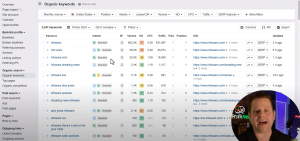
The recent Alex Jones InfoWars domain auction has drawn attention for its controversial history and impressive traffic value. While some estimate its worth at $199,000, experts believe it’s significantly undervalued. Why? The domain boasts over 6.6 million monthly visitors, 12 million backlinks, and brand recognition that’s hard to ignore.
If you’re wondering how this translates to making money, the answer lies in understanding the true value of domain names not just their names but their potential for business.


The Hidden Value of Domains
Domains like Infowars.com are valuable for several reasons:
- Traffic Potential:
Infowars.com garners over 6 million monthly visits. If you were to buy similar traffic via paid ads, it could cost you upwards of $200,000 per month. - Backlinks:
The domain has over 12 million backlinks, signaling authority in its niche. These backlinks boost search engine rankings, making it easier to attract organic traffic. - Niche Authority:
Domains tied to popular niches like news, health, or self-improvement are in high demand. Alex Jones used his domain to generate millions by selling products and services tied to his brand.
How to Get Started With Domain Flipping
Even if you’re new to domain auctions, you can replicate this success.
1: Find Valuable Domains
Start by browsing platforms like:
- GoDaddy Auctions
- SpamZilla
- Flippa
Look for domains with strong metrics:
- High monthly traffic
- Quality backlinks
- Niche relevance
For example, a domain with traffic in the gluten-free market or self-motivation niche could be a goldmine.
2: Analyze the Domain’s Potential
Ask yourself:
- Does the domain have existing traffic?
- Are the backlinks relevant to the niche?
- Can the domain support a profitable business model?
Take Alex Jones’ InfoWars domain auction as an example. Its traffic and backlinks alone make it a steal for any media or e-commerce business.
3: Buy Low, Sell High
The key to domain flipping is acquiring undervalued domains and reselling them for a profit. For instance, domains in the survival, health, or finance niches often fetch high prices.
- Example: A survival niche domain bought for $1,300 could sell for $5,000+ with the right buyer.
Get A High Ticket Niche For A Faceless Youtube Business Click Here
4: Build and Monetize
If flipping isn’t your style, build a business on the domain:
- E-commerce: Sell products related to the domain’s niche.
- Affiliate Marketing: Monetize through affiliate links tied to niche-relevant products.
- Content Marketing: Use the domain’s authority to rank content and drive traffic.
Alex Jones monetized Infowars.com by selling branded products like water filters and health supplements a model you can adapt to your niche.
Why Domain Auctions Are Underrated
Opportunities like the Alex Jones InfoWars domain auction show just how much potential lies in this business. Every day, domains with high traffic and authority go up for sale. With platforms like GoDaddy and tools like Ahrefs or SEMrush, you can spot these hidden gems and turn them into profit machines.
The Alex Jones InfoWars domain auction sheds light on the hidden world of domain flipping a business model brimming with potential. Whether you’re looking to buy and sell domains or build a profitable website, the key is recognizing value beyond the name. Start small, learn the ropes, and watch as your investments pay off.
Ready to dive in? Start exploring domain auctions today and unlock the next big opportunity in online business!
FAQs About Domain Flipping
Q: How much money do I need to start domain flipping?
A: You can start with as little as $10 to $100 for smaller domains. Premium domains may require a higher investment, but they also offer greater returns.
Q: What tools do I need to analyze domain value?
A: Use tools like:
- Ahrefs: For backlink and traffic analysis.
- SpamZilla: To find expired domains with rankings.
- SEMRush: For keyword and SEO analysis.
Q: How do I sell a domain?
A: List it on platforms like:
- Flippa
- GoDaddy Auctions
- Sed
Q: Can I make money without selling the domain?
A: Yes! Build a website, monetize with ads or affiliate links, and let the domain generate passive income.
How To Use ChatGpt To Sell Print On Demand Products And Make $407 Per Day
Discover how to use ChatGPT to boost your print-on-demand business! Learn the strategy to create unique custom products like mugs and candles that customers love. See how to drive traffic and stand out from competitors with tools that attract repeat visitors. Start making money online with this AI-driven method for success
Have you ever felt frustrated trying to make sales in print-on-demand? Maybe you’ve created amazing designs with AI, but they just aren’t getting the traction you’d hoped for. After years of testing, I found a breakthrough approach using ChatGPT that will change the way you look at print-on-demand. In this guide, I’ll show you how to harness AI to create custom, in-demand products that don’t rely on algorithms or traffic luck.
NEW AI PROFIT SCOOP VIDEO CLICK HERE
How I Discovered the Key to Print on Demand with ChatGPT
Many sellers turn to AI for flashy designs, expecting the unique appeal to draw customers. But after years in e-commerce and learning from top print-on-demand sellers, I can tell you that simple customization beats complex designs. Personalized products hold more appeal and attract consistent buyers.
The Key Issue: Traffic
You might have a product on an Etsy or Shopify store, but without traffic, even the most creative items won’t sell. When I started using this AI hack, I also solved the traffic problem without depending on any platform’s algorithms. Here’s how ChatGPT changed the game.
Using AI to Create Custom Products for High Traffic Niches
The first custom product I launched with AI was a simple mug for people in sobriety. Using ChatGPT, I created a Sobriety Calculator that automatically counts someone’s sobriety days, months, and years. People loved having this personal reminder, and by turning the results into a custom mug, it gave them something to celebrate every day.


Here is the Guide:
1. Set Up the Custom Tool
Using ChatGPT, you can create various custom tools, like a countdown timer, sobriety calculator, or milestone tracker. For example, in sobriety, people want to track how long they’ve been sober. This tool allows users to calculate their sobriety down to the day, and with each update, it reminds them of their progress.
- Choose a Niche and Tool -Whether it’s sobriety, fitness goals, or anniversaries, find a niche that means something to your audience.
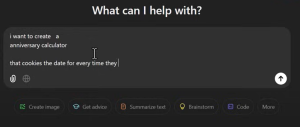
- Use ChatGPT to Code a Calculator With a few prompts, ChatGPT can generate simple code to create the tool for your website.
- Embed the Tool on Your Site -This gives people a reason to keep coming back and interacting with your custom print on demand items.
2: Design the Custom Print Product
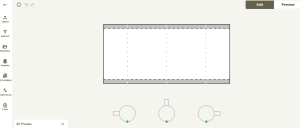
With a site like Printify you can create mugs, T-shirts, candles, and more that display the results of the calculator tool, like someone’s exact days or months sober. This makes each product meaningful and unique to the customer.
- Add Personalization – Using tools on Printify, I add a sobriety tracker that updates with their personal milestones.
- Preview & Perfect – Customize text, colors, and logos, and test designs to see what works best.
Step 3: Integrate the Custom Tool for Repeat Traffic
One of the best features? Cookies. When users revisit your tool, it remembers their data (like sobriety start date), so they don’t have to re-enter it each time. The traffic problem starts solving itself as people return daily, weekly, or monthly to check their progress, leading to more repeat visitors and sales.
Other Profitable Ideas Using ChatGPT and Print-on-Demand
The beauty of this setup is that you can apply it to any niche with high interest. Here are more ideas:
- Pregnancy Countdowns: Create a pregnancy calculator with ChatGPT, where each month has a unique mug or T-shirt design showing a baby’s progress.
- Anniversary Trackers: With anniversary dates, create mugs or wall art commemorating each year together.
- Bible Verse Generator: Many people turn to Bible verses for encouragement. Using ChatGPT, build a tool that delivers personalized Bible verses based on keywords like “strength” or “patience,” which users can print on mugs or candles.
Get A High Ticket Niche For A Faceless Youtube Business Click Here
How ChatGPT Automates and Simplifies the Process
This print on demand model doesn’t require major coding skills. With ChatGPT, I create PHP-based calculators, timers, and more, even if my coding knowledge is limited. Once the tool is ready, I embed it on my site using a platform like GoHub, and it’s good to go.
Driving Traffic: How to Stand Out From Competitors
Many print-on-demand stores rely on crowded platforms like Etsy, making it tough to get noticed. By focusing on custom tools like sobriety calculators or anniversary reminders, you attract a specific audience without facing direct competition.
- Social Sharing Encourage users to share their results on social media, linking back to your site.
- Press Releases and Content Marketing – Use blog posts, YouTube videos, and social media to drive traffic and demonstrate the unique features of your tool.
Instead of trying to compete with generic designs, ChatGPT lets you take a different approach by creating custom, value driven products that people actually want to use and buy. Start by finding a niche with loyal interest, like sobriety or pregnancy, then create a tool that fits your niche. With just a little setup, you can create a product that sells on its own and keep users coming back.
Ready to get started? Check out the tools and tips I recommend over at AIProfitScoop.com to begin using AI and ChatGPT in your own print-on-demand store. And if you have questions or ideas, leave a comment below!.
Frequently Asked Questions:
Q: Can I really make money using ChatGPT to sell print-on-demand products?
A: Absolutely! The key is creating custom products that people find meaningful and engaging. By using ChatGPT to generate tools like calculators or trackers, you can attract specific audiences looking for these personalized items, which helps boost your sales.
Q: What types of products work best for this method?
A: Products with a personal touch, like mugs, T-shirts, and candles, work really well. Items that can feature custom messages, dates, or milestones add a unique value that customers are willing to buy and cherish. Printify and other platforms have a wide range of options for customization.
Q: Do I need coding skills to create custom tools with ChatGPT?
A: Not at all! ChatGPT simplifies the process, guiding you step-by-step to generate simple code for custom tools. You can then easily embed these on your website. Plus, there are hosting services like GoHub that make it easy to get started.
Q: How does this approach help with traffic?
A: Unlike traditional print-on-demand, this method uses custom tools to attract visitors who will return to your site regularly. For example, someone checking a sobriety calculator or pregnancy countdown will come back to your page, increasing your visibility and sales opportunities.
Q: Can I use this method with any niche?
A: Yes! Think about any niche where people track milestones or need reminders—fitness goals, anniversaries, pregnancy countdowns, Bible verses, and more. ChatGPT can help create unique, valuable tools for nearly any interest, and you can customize the products around that niche.
Q: Do I have to sell on Etsy or Shopify?
A: No, you can host your custom tools on your own website and sell directly from there. This means you’re not reliant on Etsy or Shopify’s algorithms and can control your traffic and audience engagement independently.
Q: How do I market my print-on-demand products with ChatGPT?
A: Content marketing works really well for this model. You can create blog posts, YouTube videos, or social media content showcasing your custom tools and products. People love to see how tools like sobriety trackers or countdowns work, and this naturally drives traffic to your site.
Q: How much does it cost to get started?
A: You can start for free or with minimal costs. Printify offers a free account, and if you want to upgrade for better pricing, it’s just $30 per month. For hosting, services like GoHub offer affordable plans to get your website up and running.
AI To Find Websites And Get Paid!
Hey, it’s Marcus here, and today, I’m bringing you one of the simplest ways to make money online using AI. If you’ve ever wondered how to use tools like ChatGPT to find websites and get paid, you’re in the right place. I’ve been in this game for over 25 years, and let me tell you, this method is by far one of the easiest ways to make money I’ve ever come across. And the best part? You don’t need any skills, a lot of money, or even a website to get started! So, let’s dive right in.
What Is This Method All About?
You might be asking, “Marcus, how does using AI to find websites and get paid even work?” Well, it’s simpler than you think. With tools like ChatGPT, you can find lists of websites that pay you for different activities. Whether it’s completing tasks, participating in surveys, or offering freelance services, there are many opportunities out there. And I’m going to show you how to take advantage of them.
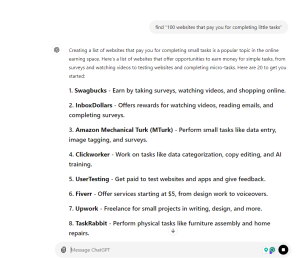
In this video, I’ll walk you through how to use AI to generate lists of websites and then turn that into cash in your pocket. For example, you can ask AI to find “100 websites that pay you for completing little tasks” and start earning from them immediately.
Why This Method Is a Game Changer

This method has a very low barrier to entry, meaning anyone can start immediately. It’s affordable (even free in most cases), highly engaging, and versatile across any niche market. You don’t even need to be on camera or use your voice! It’s 100% driven by AI, making it super easy to create content that generates income fast.
Think about it: instead of spending months building a brand or creating a product, you can instantly start making money with this technique. And yes, this is brand new, so you’re getting in at the right time.
Why this Trend is Popular:
- -Rising Interest in AI
- Educational and Practical Appeal
- Accessibility of AI Tools.
How to Get Paid with AI-Generated Websites:
Choose a Category: Start by deciding what kind of websites you want to find. For example, you could ask AI to find “100 websites for when you’re bored” or “100 websites that pay you for freelancing.” The possibilities are endless, whether for SEO professionals, photographers, or yoga instructors!

Generate Content: Once you have your list, use AI to generate content around those websites. Let’s say you find a website like Amazon Mechanical Turk. You can then ask AI to provide details about how much you can earn, the types of tasks available, and any other key information. This turns into valuable content that people are searching for online.
Turn Content into Videos: With your AI generated content, you can create short videos for TikTok, YouTube, Instagram, or even podcasts. For example, you can use 11 Labs to create voiceovers and pair them with simple video clips. Just like that, you’ve got a video ready to post. The best part? You don’t need to be on camera!
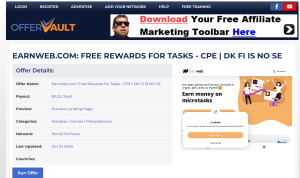
Monetize the Content: Now, it’s time to turn those views into income. You can profit from your videos through affiliate marketing, sponsored content, or even ad revenue. For example, some companies will pay you just for generating leads, like the EarnWeb affiliate program, which pays $3.25 per lead—no sales are required!
The Secret to Scaling Up
One of this method’s most exciting parts is its scalability. Imagine if you found 100 websites and got paid anywhere from $4 to $91 for each. The more websites you find and promote, the more you can earn. And don’t forget, people are always searching for ways to make money online; just look at TikTok, where videos about earning online get millions of views!

Use Pinterest for Extra Traffic
Here’s a little bonus: turn your AI-generated website lists into Pinterest pins! Whether it’s “websites for earning money when you’re bored” or “best websites for freelance gigs,” these pins can drive tons of traffic to your content. And once people are on your blog or landing page, you can direct them to affiliate offers, earning even more money.

Ready to Start Making Money?
That’s it, folks! It’s a super simple, straightforward way to start making money using AI, without spending a ton of time or money upfront. And if you want even more details, head to my site at airofitscoop.com, where you’ll find the notes from this video and some exclusive tips. Don’t wait to use this method today and watch the money roll in!
JOIN THE AI CHALLENGE HERE
How to Make Money with AI: Find Websites and Get Paid Easily
Learn how to make money online with AI tools to help you find websites, create content, and earn easy income, even if you’re just starting.
Are you wondering how to make money with AI? You’re in the right place. Today, I will show you a straightforward strategy that allows you to find websites using AI and get paid. Whether you’re looking to learn how to make money online with AI or just want to know how to make easy money with AI, this guide covers everything you need. Let’s dive into how you can start earning today.
Why This Method Works
With over 25 years of experience in the online space, I’ve come across numerous ways to make money, but none as easy as using AI tools like ChatGPT to find websites that pay you. It sounds almost too good to be true, but it’s a simple process that leverages the power of AI for those willing to put in the time to learn. Using AI, you can search for websites in various niches and earn a commission or fee for each one you find. Plus, it requires little to no upfront investment, making it perfect for beginners looking to enter the online earning space.
How AI Simplifies Earning Online
AI tools like ChatGPT can do more than just chat—they can help you find hundreds of websites, each offering unique ways to earn money. This method is all about using AI to sift through data and bring back websites you can monetize. Think about it: you’re asking AI to find websites for tasks like getting paid for completing simple tasks, joining affiliate programs, or even learning about new platforms that offer payment for user engagement. This makes it one of the easiest ways to start earning online without needing extensive skills or knowledge.
Guide to Making Money with AI:

- Set Up Your AI Tool
You’ll need an AI tool like ChatGPT or another AI-driven search tool to get started with this method. Open up your AI assistant and ask it to find websites based on specific criteria. For example, you might say, “Find websites that pay you to complete small tasks” or “Show me websites that help people earn money online.” This initial search will give you a curated list of websites tailored to your needs.
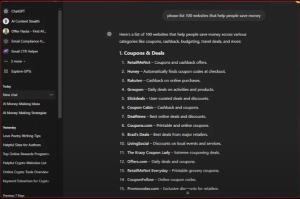
Using these AI-generated lists is the first step in learning how to make money online with AI, as it allows you to identify opportunities that align with your interests or skills quickly.
- Focus on High-Paying Websites
Once you’ve generated a list of websites, it’s time to dig deeper. Look for platforms that offer higher payouts for simple actions. Sites like Amazon Mechanical Turk, Upwork, and even specialized niche platforms are great starting points. To maximize your earnings, you’ll want to focus on websites that pay higher commissions or are popular among users, which translates into better chances of conversion.
You can also use AI to analyze the potential earnings from each website. For example, ask your AI tool, “Which websites pay the most for completing surveys?” or “What are the top affiliate programs for digital products?” This helps you zero in on the most lucrative opportunities.
- Create Content Around These Websites
Here’s where the fun begins: creating content that brings in more traffic and, ultimately, more income. Start by creating short-form content such as TikTok videos, Instagram reels, or YouTube Shorts showcasing the websites you find. This is where many users learn how to make money with AI by letting AI research while they focus on content creation.
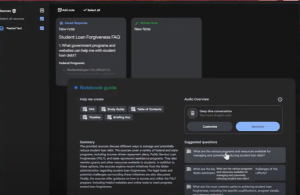
For example, you might create a video titled “Top 5 Websites to Earn Money Using AI” and explain how each website can help viewers earn money online. You can also use the AI tool to draft scripts for these videos, saving you time and effort. You can then use platforms like 11 Labs to create voiceovers and add your AI-generated content to video editing software like Camtasia.
Why This Strategy Works
The power of this method lies in AI’s ability to quickly handle large volumes of information. As a result, you’re not just relying on your research; you have a tool that helps you gather and filter information in seconds. This enables you to create high value content faster, making it easier to attract an audience.
Many people wonder how to make easy money without advanced technical skills with AI. This approach is perfect for them, as it requires minimal expertise. It’s also highly scalable. The more websites you find and the more content you create, the greater your earning potential.
Using Affiliate Marketing with AI-Driven Research
Another great way to make money with AI is through affiliate marketing. After using AI to find websites, you can join affiliate programs related to those websites. For example, many websites that pay users for completing small tasks or surveys have affiliate programs that pay you when others sign up through your referral link.
To integrate affiliate marketing with your AI-driven research, create blog posts, videos, or social media content that discusses how to use these websites to make money online. Include your affiliate links in the content, and every time someone signs up, you earn a commission. This method helps you make money online with AI and builds a passive income stream over time.
Example of Affiliate Success
I once used AI to find a list of the top-paying survey sites. After joining their affiliate programs, I created a series of videos showcasing how to use these sites to earn extra cash. Those videos generated thousands of views, and many viewers signed up using my referral links. As a result, I earned hundreds of dollars in affiliate commissions without having to sell anything directly.
Using AI to find and promote affiliate products is one of the simplest ways to make easy money with AI. It allows you to reach a wider audience without being a salesperson.

Bonus Tip: Create a Blog for Long-Term Earnings
One of the most effective ways to scale this strategy is by creating a blog where you post reviews of each website you find. This not only helps you rank on search engines like Google, but it also provides a permanent platform for your content. For example, if your AI finds websites that pay people to complete surveys, create a blog post detailing each platform, how it works, and the pros and cons.
To help with SEO, make sure to include the keywords “how to make money with AI,” “how to make money online with AI,” and “how to make easy money with AI” throughout your posts. This will ensure that people searching for these terms find your blog, increasing your traffic and earning potential.
Why Blogs Are Effective
Blogs are a great way to keep your content alive and continuously generate traffic. Unlike social media posts that can disappear in a feed, blog content stays searchable and can attract visitors over time. Your earnings from affiliate links can grow as more people find your content.
Additionally, blogs can be monetized with ad revenue through platforms like Google AdSense, offering another way to make money online with AI. You can also sell digital products, such as e-books or courses that teach others how to replicate your success.
How to Maximize Earnings with AI Content Creation
If you want to take your content creation to the next level, consider using AI tools for video editing, voiceovers, and animations. Tools like 11 Labs can generate realistic voiceovers for your video scripts, while other AI-based video editors can help you put together polished content in a fraction of the time.
This is especially valuable for those who want to learn how to make easy money with AI by automating time-consuming tasks. The less time you spend editing, the more time you have to create and distribute new content, ultimately increasing your income.
Now that you know how to make money with AI, it’s time to put this knowledge into action. Whether you’re using AI to find websites that pay, creating content that attracts viewers, or leveraging affiliate marketing, the opportunities are endless. The best part? You don’t need a lot of money to start, and you can scale as you go.
So fire up your AI tool, start researching websites, and begin creating content that brings in real income. With consistency and effort, you’ll soon see how easy it is to make money online with AI. Don’t wait start today and watch the earnings roll in!
Ai News: This Notebook LM Update Will Make You Money!
Today, I’ve got some exciting news that can put more money in your pocket. Google’s Notebook LM just received a massive upgrade, and trust me, this new feature is a game changer. We’ll dive into what’s new, how to use it to create custom podcasts, and, most importantly, how to turn this into a money-making opportunity. Whether you’re an affiliate marketer or looking for new ways to generate income online, this video (and these notes) will break down everything you need to know.
What’s New with Google’s Notebook LM?

At first glance, Notebook LM might look the same, but the real magic is in a new feature: the ability to customize the podcast output. Before, Google would handle the customization, but now, you’re in control. This means you can guide the tool to create podcasts around specific topics or products and even prompt it to include a call to action, like selling a product at the end. Imagine the power of having a podcast that sells for you!.
How to Customize Podcasts with Notebook LM
- Custom Prompts: Let’s say you want to create a podcast about a product, like a webcam. All you need to do is gather information, reviews, specs, and overviews and enter them into Notebook LM. You can then give specific instructions like, “Provide an overview of the product and sell it at the end.” This allows you to create a conversation between two AI voices, making the podcast more natural.
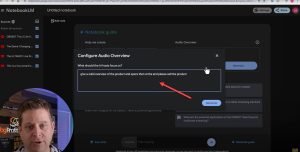
- Create Dynamic Content: This is a huge opportunity for affiliate marketers. Instead of manually selling products, you can create automated conversations that promote them. You’ll see how powerful this is when the AI starts discussing key points and pros and pitching the product.
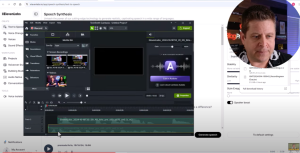
- Turn Podcasts into Videos: But that’s not all! You can convert these podcasts into video content. Export the audio, use transcription tools like Podcastle, and create engaging videos for platforms like YouTube and TikTok. This way, you’re not just limited to audio—you can also expand your reach with visuals.
Business Version of Notebook LM
Google recently launched a business version of Notebook LM, which allows teams to collaborate on content creation. While it’s still in the early days, the ability to share notes and work together on content sounds promising. This is especially useful if you have a team handling different parts of your content creation process. It could save you time and effort, letting you focus on scaling your efforts.
How to Use Custom Voices for Enhanced Content
While we wait for Google’s future updates on custom voices, there’s already a way to get ahead. Using transcription software, you can download your podcast and separate the speakers using tools like ChatGPT. Use software like 11 Labs to generate high-quality, custom voice outputs from there. This allows you to add that professional touch to your content, making it more engaging for your audience.
Creating Content with Custom Voices:
Download & Transcribe: Download your podcast from Notebook LM and run it through transcription software.

Separate Speakers: Use ChatGPT to organize the transcript by the speaker. Isolate each person’s dialogue for a smoother editing process.

Generate Custom Voices: Upload the script into 11 Labs, choose your desired voice, and generate the audio for each speaker.
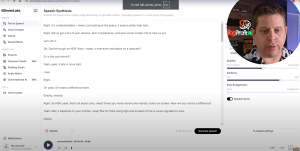
Edit & Combine: Use video editing software like Camtasia to sync up the dialogue, add visuals, and create a professional looking video. To keep your audience engaged, you can include screenshots, product pages, and even animations.
Monetizing with Affiliate Marketing

Now, let’s get into the money making part. You can turn this content into cash by using Amazon, ClickBank, and other affiliate platforms. Here’s how:
- Find High-Gravity Products: Go to ClickBank and look for products with high gravity scores that indicate they’re popular. Popularity means more reviews and information you can leverage in your podcasts.
- Compile Reviews into Podcasts: Use Notebook LM to create a podcast discussing product reviews. Include both positive and negative feedback to give a balanced view. The key here is to present information in a way that feels genuine.
- Include Affiliate Links: Include your affiliate link in your podcast or video description. When the content convinces listeners, they can click through to make a purchase.
Examples of High-Potential Products
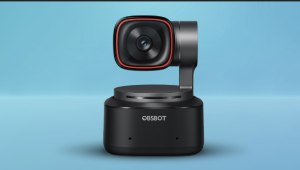
In my video, I mentioned using products like the OBS Bot webcam, which gets over 28,000 monthly searches and has thousands of reviews. Even though Amazon’s commissions aren’t the highest, the volume can make it worthwhile. Plus, you can look into dropshipping or other platforms that offer better commissions. The idea is to find products with a strong search volume and build content around them.
Why This Method Works
The beauty of using Notebook LM is that it scales. You can load it with information about different products, ask it to create overviews, and then use those overviews to produce high-quality content across multiple formats: podcasts, videos, blog posts, and more. And since it’s based on search data, you’re creating content that people are actively looking for.
Important Tips for Affiliate Marketers
- Always Use a Disclaimer: If you haven’t personally tried a product, make it clear that your content is an overview, not a review. Transparency builds trust with your audience.
- Diversify Your Content: Don’t rely solely on one type of product or one platform. Use ClickBank, Amazon, and other affiliate programs to reach a broader audience.
- Focus on High-Traffic Keywords: Use keyword tools to identify products and topics that have a strong search presence. This will help you attract more listeners or viewers and increase your chances of conversions.
Google’s Notebook LM and its latest upgrades are a powerful tool for anyone looking to make money online. With the ability to create custom podcasts, leverage AI voices, and automate content creation, the possibilities are endless. Whether you’re just starting or an experienced marketer, this tool can help you scale your content and boost your affiliate income. So, why wait? Dive into Notebook LM, start creating content, and watch the results.
ChatGpt Canvas – Your New $150K Job
Are you dreaming of making a six-figure income but have zero programming skills? With the new ChatGPT 4.0 Canvas, turning that dream into a reality is no longer far-fetched. In today’s post, I will walk you through how you can leverage this powerful tool to make serious money online, up to $150,000 a year, without ever needing to learn complex coding or spend thousands of dollars on a computer science degree.


What is ChatGPT Canvas?
ChatGPT Canvas is a new feature integrated into ChatGPT, specifically within the GPT-4.0 environment, which enables a more dynamic and interactive coding experience. Think of it as an advanced playground for developers and content creators that combines the power of AI with real-time coding and debugging capabilities.
Key Features of ChatGPT Canvas:
- Enhanced Coding Interface:
- Unlike traditional ChatGPT, which primarily deals with text-based prompts, ChatGPT Canvas provides a visual and interactive coding environment.
- You can enter code in real-time, debug, and edit it directly in a canvas-style layout.
- Real-Time Code Execution:
- The Canvas mode supports live coding and testing, allowing users to see immediate changes or results from their code.
- The interface is designed to toggle between different coding modes, making switching from editing to testing easier.
- Multi-Purpose Applications:
- ChatGPT Canvas can be used with various coding languages and frameworks, such as HTML, CSS, JavaScript, and Python.
- It’s useful for building prototypes, web applications, simple software, or data visualizations.
- Code Debugging and Learning:
- The canvas provides step-by-step code generation and debugging.
- If you have a piece of code that doesn’t work, you can paste it into the canvas, and ChatGPT will help identify errors, suggest optimizations, and even refactor the code.
- User-Friendly Layout:
- The layout often includes a code editor on one side and an interactive view (e.g., browser view, compiled output) on the other.
- This makes it easier to learn coding concepts, build plugins, design layouts, or even implement backend logic without switching between different applications.
- Real-Time Collaboration:
- ChatGPT Canvas is designed to facilitate collaboration, making it a potential tool for teams working on projects remotely.
- You can share your canvas and code setup with others, allowing live coding sessions and debugging walkthroughs.
Why ChatGPT Canvas?

The internet thrives on programming. Whether looking at websites, online services, or apps, everything runs on code. Traditionally, programming has been a skill that requires extensive training, but now, ChatGPT Canvas has changed the game entirely. With this tool, anyone can handle basic (and even some advanced) coding tasks without experience. Think of it like having a personal programmer on standby 24/7, ready to assist you at a fraction of the cost.
This AI tool isn’t just about generating simple code snippets. It allows you to interact, modify, and implement code in real time, making it a powerful resource for aspiring developers, freelance service providers, and digital entrepreneurs.
Did you know millions already make over $100,000 a year just by offering simple programming services online? And now, thanks to AI, you can step into that world without traditional programming knowledge. Just look at some of the biggest freelance platforms like Upwork or Fiverr, where small programming jobs, website tweaks, and bug fixes rake in billions collectively every year.
So, how exactly can you tap into this market with ChatGPT 4.0 Canvas?
Step 1: Understand the Basics of ChatGPT Canvas
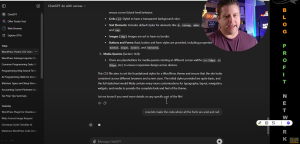
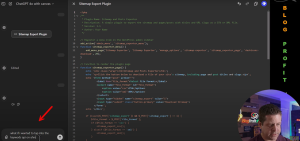
Before jumping into how to make money, let’s break down how ChatGPT 4.0 Canvas works. This isn’t your ordinary chat interface. Instead, Canvas opens up a code editor-like environment that allows you to interact with code and make changes on the fly. For example, you could ask it to create a WordPress plugin, edit code files, or troubleshoot issues in real time. When you type in a command, it doesn’t just spit out a block of code and leave you hanging. It actively engages with the content, modifying, testing, and fixing the code as needed.
For instance, you could start by saying, “Create a WordPress plugin that downloads the sitemap and lists the post titles and URL slugs,” and ChatGPT will build the entire structure for you step-by-step. You can then ask it to add new features, like a dropdown menu or export functionality, and it will integrate them seamlessly.
| Task | Price Range ($) | Time to Complete | AI Capability (0-100) |
|---|---|---|---|
| Website Development | 500 – 5,000 | 1 week – 3 months | 50 |
| Mobile App Development | 2,000 – 50,000 | 1 month – 6 months | 30 |
| Bug Fixes and Maintenance | 25 – 200 per issue | 1 hour – 1 week | 40 |
| API Integration and Development | 200 – 5,000 | 1 day – 4 weeks | 60 |
| eCommerce Development | 1,000 – 10,000 | 2 weeks – 3 months | 40 |
| Custom Software Development | 1,000 – 50,000+ | 1 month – 12 months | 20 |
| WordPress Customization | 100 – 3,000 | 1 day – 1 month | 70 |
| Front-End Development (HTML/CSS/JS) | 100 – 3,000 | 1 day – 1 month | 60 |
| Back-End Development | 300 – 10,000 | 1 week – 3 months | 50 |
| Data Scraping and Automation | 100 – 2,000 | 1 day – 2 weeks | 80 |
| Database Setup and Optimization | 100 – 3,000 | 1 day – 1 month | 50 |
| Script Writing and Automation (Shell, Python) | 50 – 1,500 | 1 day – 2 weeks | 80 |
| CMS Development and Customization | 500 – 5,000 | 1 week – 3 months | 60 |
| UX/UI Design and Prototyping | 300 – 3,000 | 1 week – 1 month | 40 |
| Chatbot Development | 500 – 5,000 | 1 week – 2 months | 70 |
| Machine Learning Model Development | 1,000 – 20,000 | 1 month – 4 months | 60 |
| Game Development | 1,000 – 50,000+ | 1 month – 6 months | 30 |
| DevOps and Continuous Integration | 500 – 5,000 | 1 week – 1 month | 50 |
| Cloud Infrastructure Setup | 500 – 10,000 | 1 week – 2 months | 40 |
| Security Audits and Penetration Testing | 500 – 10,000 | 1 week – 1 month | 30 |
Step 2: Start Small with High-Demand Coding Jobs
One of the fastest ways to start making money is by offering simple coding services on platforms like Fiverr or Upwork. Some high-demand tasks include:
- Malware Removal: Millions of websites get hacked yearly, and business owners are willing to pay a premium to fix them. You can use ChatGPT to scan a site’s files, find vulnerabilities, and generate scripts to patch security flaws without a formal IT background.
- Website Customizations: Small website tweaks, like changing fonts, colors, or button placements, can be easily handled with a few lines of CSS or HTML. ChatGPT can guide you through each step and even test changes in real-time.
- API Integration: APIs connect different software services. While traditionally a complex task, ChatGPT can help you understand the basics, troubleshoot, and implement integrations for clients.
These are just a few examples. The key here is to focus on mastering one simple skill. Once you become proficient, you can start charging more for your services and building a reputation in that niche.
Step 3: Use ChatGPT Canvas for Bigger Projects and Passive Income
Now, let’s talk about scaling. There’s only so much you can earn trading hours for dollars. But what if you could build something once and get paid for it repeatedly? ChatGPT Canvas can help you create digital products like plugins, tools, or even full-fledged apps, which you can sell on platforms like CodeCanyon or your site.
Here are some examples:
- WordPress Plugins: You could build a simple plugin that adds new functionality to WordPress sites, such as a restaurant menu display or a countdown timer.
- Digital Tools: Think calculators, content generators, or SEO tools. These products sell thousands of copies at $10-$50 each.
- Custom Scripts: Build scripts that automate mundane tasks, like email management or data entry, and license them to businesses.
Imagine creating a simple plugin that helps bloggers format their posts or a tool that automates social media posting. Once developed, you can sell licenses or memberships, making monthly money without lifting a finger.

Step 4: Offer Advanced Services or Consultations
You can offer more advanced services once you get comfortable using ChatGPT Canvas. Many small businesses, agencies, and entrepreneurs are willing to pay top dollar for custom programming solutions, whether a custom WordPress site, a Shopify integration, or building interactive quizzes for their site.
You can position yourself as a consultant, charge a premium, and even partner with other professionals to offer comprehensive solutions. With AI doing most of the heavy lifting, your job is understanding the client’s needs and directing the AI to build the right solution.
Pro Tip: Use ChatGPT to Learn Programming on the Go

Even if you start as a complete beginner, ChatGPT Canvas can teach you programming as you go. As you interact with the tool, asking questions, making changes, and troubleshooting errors, you’re gaining valuable coding skills that would otherwise take months (or even years) to learn through traditional methods. Over time, you’ll be more confident in making tweaks, creating new features, and building standalone projects.
Step 5: Build a Business Around Your Skills
The true power of ChatGPT Canvas comes into play when you transition from a service provider to a business owner. Here’s a roadmap to get started:
- Start by offering small services on freelance platforms to get your feet wet and build a portfolio.
- Create a few small digital products and list them on marketplaces like CodeCanyon.
- Automate simple business tasks for clients using your AI-powered scripts, like email management or CRM setups.
- Launch your brand or agency offering specialized services or products in a niche, such as WordPress development, automation tools, or small business solutions.
Some interesting facts and features about ChatGPT Canvas:
- Dynamic Visual Interface
- Designed for Non-Coders and Coders Alike
- Supports Multi-Modal Inputs
- Great for Building and Debugging Real Software
- Interactive Learning Environment
- Real-Time Project Collaboration
- Cross-Platform Compatibility
- Context-Aware Code Assistance
- AI-Powered Design Integration
- Automated Documentation and Code Comments
- Smart Code Refactoring
- Built-in Data Analysis and Visualization
- Ability to Create and Test Web Pages Instantly
- Automated Code Style Enforcement
- Integrated with GPT-4.0’s Advanced Language Understanding.
With the right approach, ChatGPT 4.0 Canvas can be your gateway to building a six-figure business, even if you have zero coding experience today.
If you’re serious about making money online using AI tools like ChatGPT Canvas, now is the time to dive in. The software market is growing rapidly, and the demand for developers (even AI-assisted ones) has never increased. Start small, learn as you go, and keep building until you reach your income goals.
For more tips and step-by-step tutorials, join our AI Profits Challenge and take the first step towards transforming your financial future using these revolutionary tools. Let’s make 2024 the year you finally unlock your potential and start making serious money online!
Here are some SIMPLE yet profitable programming tasks and jobs from fiverr.
| Task | Avg Cost ($) | Difficulty Level (1-5) |
|---|---|---|
| Malware removal from websites | 50 | 2 |
| Website performance optimization | 70 | 3 |
| API integration for websites or apps | 100 | 4 |
| Create custom WordPress plugins | 150 | 4 |
| Fix website bugs or errors | 40 | 2 |
| Add reCAPTCHA to forms | 30 | 1 |
| Automate data entry with a script | 60 | 2 |
| Develop simple web scrapers | 80 | 3 |
| Convert PSD to HTML/CSS | 75 | 3 |
| Build a basic CRUD application | 120 | 4 |
| Create RESTful APIs | 150 | 4 |
| Set up email automation | 40 | 2 |
| Create login and registration systems | 90 | 3 |
| Fix HTML/CSS layout issues | 35 | 2 |
| Mobile responsiveness adjustments | 50 | 3 |
| Add social media login to websites | 50 | 3 |
| Fix database errors | 70 | 3 |
| Customizing Shopify or WooCommerce themes | 100 | 3 |
| Convert HTML website to WordPress | 90 | 3 |
| Automate tasks using Python scripts | 100 | 4 |
| Develop simple Chrome extensions | 120 | 4 |
| Implement payment gateways | 120 | 4 |
| Migrate website from one hosting to another | 60 | 2 |
| Add SSL certificate to websites | 25 | 1 |
| Write unit tests for existing code | 30 | 2 |
| Debug and fix JavaScript errors | 60 | 3 |
| Create a contact form for a website | 35 | 2 |
| Data scraping from websites to CSV | 20 | 1 |
| Create dynamic forms using JavaScript/jQuery | 50 | 2 |
| Implement Google Analytics tracking | 40 | 2 |
| Convert website to a PWA | 200 | 4 |
| Create a chatbot | 120 | 4 |
| Write SQL queries for database manipulation | 25 | 2 |
| Set up WordPress security plugins | 20 | 1 |
| Fix cross-browser compatibility issues | 50 | 2 |
| Set up a VPS server | 30 | 2 |
| Develop a landing page | 70 | 3 |
| Create custom email templates | 80 | 3 |
| Automate social media posting | 40 | 2 |
| Create Google Sheets automation scripts | 40 | 2 |
| Fix PHP-related bugs in websites | 40 | 2 |
| Implement two-factor authentication | 70 | 3 |
| Build simple mobile apps | 100 | 4 |
| Convert Excel sheets to web apps | 75 | 3 |
| Integrate Google Maps API into websites | 25 | 2 |
| Add or fix website animations | 35 | 2 |
| Create a countdown timer for websites | 60 | 3 |
| Build a portfolio website for freelancers | 150 | 4 |
| Convert legacy code to a modern framework | 50 | 2 |
| Fix broken links and redirects on websites | 35 | 2 |
| Set up cron jobs for automated tasks | 60 | 3 |
| Write Python scripts for web scraping | 40 | 2 |
| Develop browser automation scripts | 50 | 3 |
| Implement lazy loading on websites | 20 | 1 |
| Convert data files | 70 | 3 |
| Fix WordPress white screen of death | 100 | 4 |
| Build a custom admin dashboard | 80 | 3 |
| Implement OAuth login for apps | 30 | 2 |
| Create a custom CMS for a blog | 25 | 1 |
| Set up automatic backups for websites | 50 | 2 |
| Create WordPress child themes | 70 | 3 |
| Create a custom shortcode for WordPress | 40 | 2 |
| Fix mobile navigation issues | 20 | 1 |
| Add custom fonts or icons to a website | 40 | 2 |
| Implement cookie consent banners | 30 | 2 |
| Design custom 404 error pages | 40 | 2 |
| Create multi-step forms for websites | 50 | 3 |
| Implement push notifications on websites | 80 | 3 |
| Design and develop a pricing table | 100 | 4 |
| Convert CSV to SQL database | 75 | 3 |
| Build responsive email signatures | 150 | 4 |
| Design a user authentication system | 80 | 3 |
| Develop a referral system | 90 | 3 |
| Integrate third-party API | 40 | 2 |
| Implement image lazy loading | 60 | 3 |
| Create JWT authentication | 50 | 2 |
| Build a simple blogging platform | 40 | 3 |
| Create reusable components for React apps | 30 | 2 |
| Implement file upload functionality | 100 | 4 |
| Set up SEO-friendly URL structures | 50 | 3 |
| Optimize images for website performance | 80 | 3 |
| Develop an inventory management system | 40 | 2 |
| Automate bulk file uploads/downloads | 60 | 3 |
| Implement caching mechanisms | 50 | 2 |
| Design database schema for a project | 80 | 3 |
| Build custom landing pages | 50 | 2 |
| Fix WordPress permalink issues | 35 | 2 |
| Create product filters for e-commerce | 50 | 3 |
| Set up domain emails | 60 | 3 |
| Develop a chatbot for customer support | 40 | 2 |
| Automate data visualization dashboards | 50 | 3 |
| Create simple WordPress landing pages | 35 | 2 |
| Build a live chat system for websites | 50 | 3 |
| Write custom scripts for Shopify stores | 60 | 3 |
| Fix pagination issues on websites | 40 | 2 |
| Integrate third-party payment systems | 50 | 3 |
| Implement infinite scrolling on websites | 35 | 2 |
| Create a photo gallery using JavaScript/CSS | 50 | 3 |
| Automate FTP uploads via a script | 60 | 3 |
| Build a form submission system | 40 | 2 |
How to Make Money Using PowerPoint & Copilot
Have you ever thought about using PowerPoint as more than just a presentation tool? What if I told you that you could create content and products that put money in your pocket with the right AI tools? Today, I will show you exactly how to do that using Microsoft PowerPoint and its hidden gem, Copilot—an AI tool that creates entire presentations and content for you, almost on autopilot!
This AI tool isn’t as widely discussed as ChatGPT, but it’s just as powerful (if not more so) when creating profitable online content. Whether you’re a blogger, building a faceless YouTube channel, creating social media posts for Instagram, Pinterest, or Facebook, or just trying to monetize any content, this tool can make it happen in a fraction of the time.
In this guide, I’ll take you through:
- What the tool is and why it’s a game changer.
- There are different ways to leverage it to make money.
- Real examples of using Copilot and PowerPoint to build profitable online businesses.
- Step-by-step instructions on creating content, courses, and products that generate income.
What is Microsoft Copilot?

Copilot is an AI assistant that works directly within Microsoft Office products like PowerPoint, Excel, and Word. It allows you to generate high-quality presentations, create content for videos, design social media posts, and more—all with a few simple commands.
You type in what you want, and Copilot does the rest. Imagine telling it, “Create a presentation about the top 10 ways to train your dog. ” Within seconds, you have a fully fleshed-out PowerPoint presentation complete with images, research, and a layout designed to engage your audience.
Why is this Tool So Powerful?
This isn’t just another content creation tool; Copilot uses Microsoft’s deep integration to craft professional content, making converting that content into money-making products and presentations easier. You don’t have to spend hours researching, designing, or formatting. The tool does all that heavy lifting for you!.
Ways to Make Money Using PowerPoint and Copilot

Here are some key methods to use this tool to generate profit:
1. Create Webinars and Presentations for Selling Digital Products
In minutes, you can turn a simple PDF, checklist, or article into a full-fledged webinar. Use AI voices and automation to create webinars where you don’t need to present live—automate it and let the sales roll in!
For example, let’s say you have a step-by-step guide on starting a blog. Copilot can break that guide into a series of slides, and you can then add AI narration to convert it into a 30-minute automated webinar. Include affiliate links or product recommendations; now, you have a passive income stream.
2. Transform Boring Blog Posts into Dynamic Video Content
Instead of a static blog post, turn that same content into video tutorials, interactive guides, and slideshows. This expands your reach to platforms like YouTube, where video content gets more engagement and visibility.
Paste the text from your post into Copilot and command it to create slides that follow the structure of your post. Next, ask it to generate a voiceover script for each slide, and you’ve got a complete video production without ever speaking a word!
3. Create Affiliate-Driven Ebooks and Digital Products
Use Copilot to repackage your content into ebooks with embedded affiliate links. You can sell these ebooks on platforms like Amazon or use them as lead magnets to build your email list.
For instance, let’s say you’ve found a profitable niche like “health supplements.” You can use Copilot to generate a small ebook about natural supplements for weight loss, sprinkle in some affiliate links, and either sell or give it away in exchange for email sign-ups.
4. Build Social Media Campaigns Quickly
Rather than creating one-off posts, use Copilot to build a full social media campaign with structured posts, targeted captions, and engaging visuals. You can quickly churn out a month’s content in just a few hours.
You can also generate Pinterest pins, Instagram carousels, and Facebook posts from a single Copilot-generated PowerPoint presentation.
How to Create a Presentation with Copilot
- Start with a Topic: Open Microsoft PowerPoint and go to “File” > “New” > “Blank Presentation.”
- Activate Copilot: Click on the Copilot icon and type your prompt, such as “Create a presentation on the top 10 affiliate marketing strategies.”
- Review & Refine: Copilot will create a series of slides complete with images, bullet points, and relevant content. If you need more details on a specific strategy, tell it to “Add three slides about content marketing for affiliate promotions.”
- Customize: Use PowerPoint’s “Designer” tool to style your presentation, making it visually appealing instantly.
- Export & Use: Once you’ve completed it, you can save the presentation as a PDF, export it as a video, or even repurpose each slide for social media posts.
Example: Building a Digital Course
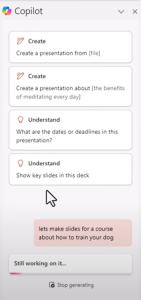

Let’s say you want to create an online course about how to train your dog. You could go into PowerPoint, create a new presentation, and command Copilot to “Create a course outline for training dogs.”
Within seconds, you’ll have a complete outline. Then, expand each chapter into a separate presentation and add value with tips, images, and videos. You can even ask Copilot to generate quiz questions or interactive activities for your students.
The result? A complete course that you can sell on platforms like Udemy, Teachable, or directly through your website.
Create High-Converting Pinterest Pins with PowerPoint

- Use Copilot for Headlines
- Set Up Your Slide in PowerPoint
- Design the Pin
- Export as an Image

Additional Features: Using Copilot for More Than Just Slides
- Create Voiceovers: Copilot can draft voiceover scripts that you can use with AI voice tools like 11 Labs. Add the generated script to your voiceover software; you have professional narration without recording anything yourself.
- Build Digital Products in Minutes: From social media guides to fitness courses, you can create multiple formats—PDFs, slideshows, videos, and more.
- Lead Generation Magnets: Use Copilot to create checklists, reports, and guides that you can offer for free in exchange for email addresses. This is a great way to build your list fast!
By using Microsoft Copilot, you’re getting access to a powerful AI tool that most people aren’t even aware of. It’s like having a digital assistant that does all the research, content creation, and design work for you.
This tool helps you transform ideas into money-making content without the stress and hassle of doing everything manually. Start small by using it for social media posts or lead magnets, and soon, you’ll see how it can become a cornerstone of your content and income strategy.
JOIN THE AI CHALLENGE HERE
Want to dive even deeper? Check out our AI Profit Scoop for niches and step-by-step guides on using Copilot to maximize your profit potential. Happy creating!
How to create a blog in 2024 / Here Is How I Would Make $100K / Year With AI
Get The Cutting Machine Site Here
Get The Pumpkin Site Here
Join Blog Profit Network Here + Get A Free Head Start Domain From Marcus

If I were to start over and build a blog that generates $100,000 a year, this is exactly what I would do—no fluff, no hype, just step-by-step guidance to make it happen. Over my 25+ years of making money online, I’ve tried countless strategies, and today I’m sharing what I’d use right now in 2024, leveraging the power of AI.
Whether you’re a beginner or have been trying to make money online for a while, stick around because I’m going to show you how to skip all the common pitfalls and get straight to building a profitable blog from scratch.
Why Is Blogging Still Profitable in the Age of AI?
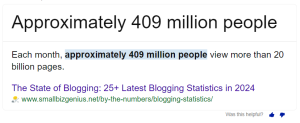
Let’s get one thing clear: Blogging is here to stay. The content marketing industry is expected to grow by over $584 billion from 2023 to 2027, and affiliate marketing is increasing at a rate of 10% per year. The numbers show that people are spending more time on blogs and social networks—over 23% of Internet users’ time! But why do most people fail at it?

The problem isn’t that blogging is unprofitable; it’s that people aren’t focused enough on what actually works. In this post, I’ll share the strategies that successful bloggers are using right now and the shortcuts that save years of wasted effort.
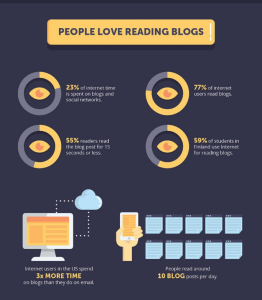
Image source: https://www.socialmediatoday.com/news/the-benefits-of-blogging-20-stats-business-owners-need-to-know-infograph/511816/
Ready? Let’s start creating the blog step-by-step:

Step 1: Choosing a Profitable Niche with a Head Start
Skip the Guesswork: Buy a Domain with Existing Traffic
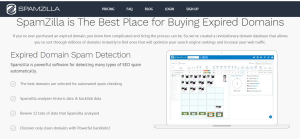
The first thing I’d do is avoid building a blog completely from scratch. Instead, I’d buy a domain at auction that already has some authority, traffic, and backlinks. Why? Because this approach gives you a head start. Think of it like taking over an established restaurant rather than building one from the ground up.
Tools like SpamZilla and GoDaddy Auctions can help you find these domains. Look for domains that are in a profitable niche—things like home improvement, financial products, or even specific household items like steamers. You’ll want something that already has a history and ranking potential.
Here’s a quick example: I found a domain related to pumpkin carving that ranked for over 5,400 keywords! All I had to do was buy it for $10 and build on that existing foundation.
Niche Selection Tips
- Choose niches with high-paying affiliate offers, like mortgages, insurance, or tech gadgets.
- Look for niches where people are ready to spend money. Avoid overly general topics.
- Utilize domain auction sites to find hidden gems that can fast-track your progress.
Step 2: Conduct Market Research with AI
After selecting a domain, the next step is market research. I use AI tools like ChatGPT and Notebook LM to dive deep into my chosen niche. This is where we want to see if the potential exists for earning $100,000 or more.
How to Do Market Research
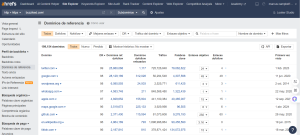
- Analyze the Domain’s History: Look at what the site used to rank for. Use tools like Ahrefs to check historical keywords and backlinks.
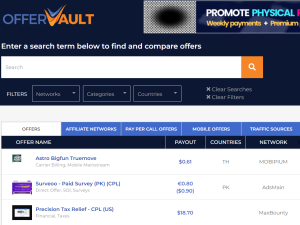
- Check for High-Paying Affiliate Programs: Sites like OfferVault or ClickBank can show you what affiliate offers are available. For example, a domain related to steamers could tie into Amazon affiliate links, cleaning products, or even drop-shipped items.
- Use AI to Generate Content Ideas: With AI, you can ask specific questions like “What are the best travel steamers?” and let it create a structured list of potential posts.
Step 3: Setting Up the Domain and Hosting
Once you’ve secured your domain, you need to set up hosting. Hosting is relatively inexpensive (about $100/year for unlimited sites), so you can easily run multiple sites if needed. This setup allows you to build multiple blogs simultaneously, maximizing your potential earnings.
Get The Cutting Machine Site Here
Get The Pumpkin Site Here
Join Blog Profit Network Here + Get A Free Head Start Domain From Marcus
Step 4: Creating High-Quality Content with AI
When it comes to content creation, quality is king. Use AI tools like ChatGPT or Perplexity to create in-depth, well-structured posts that match the domain’s niche. A few tips to make your content stand out:
- Match the Old Content: If the domain had posts that performed well, create similar but updated versions.
- Include Affiliate Links Smartly: Don’t just spam ads. Create valuable content that naturally includes your affiliate links.
- Use Tables and Lists: AI can help create comparison tables, lists of products, or detailed guides that add value.
Step 5: Adding Tools and Downloads
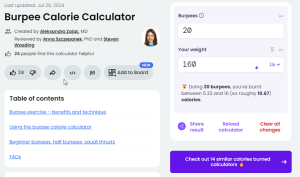
To take your site to the next level, think about what tools and downloads you can add. For example, if your blog is about steamers, create a steamer temperature calculator or a cleaning solution mix guide. These little tools give users a reason to stay on your site and share it.
Other ideas include:
- Printable guides
- PDF checklists
- Interactive tools (e.g., mortgage calculators)
Step 6: Monetizing Each Post
The key to a $100,000 blog is monetizing every piece of content. Don’t rely on just one income stream, like ads. Use affiliate offers, sponsored content, lead generation, or even your own products. Make sure each post has a clear goal and a path to conversion.
Step 7: Repurpose Content for Maximum Exposure
Lastly, once your blog is live, repurpose the content across multiple platforms—YouTube, Pinterest, Medium, and more. Take a single blog post and turn it into a video, an infographic, and a social media post to reach as many people as possible.
Quick Repurposing Tips:
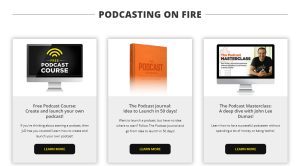
- Turn Blog Posts into YouTube Videos.
- Create Pinterest Pins from your post graphics.
- Use snippets for Shorts and Reels on Instagram and TikTok.
Building a $100,000 blog isn’t easy, but it’s also not rocket science. If you focus on picking the right niche, building on a strong domain, and creating high-quality content, you can achieve significant results faster than you might think.
Remember, results aren’t guaranteed—this takes work, but using these shortcuts will set you up for success.
Get The Cutting Machine Site Here
Get The Pumpkin Site Here
Join Blog Profit Network Here + Get A Free Head Start Domain From Marcus
Ai News: Chatgpt Voice + Notebook LM
How AI Voice Tools Can Transform Your
Online Business Strategy
Every day, it seems like there’s more AI news coming out, promising to revolutionize how we do business, connect with customers, or even create content. And the latest updates are no different! We’ve recently seen the release of OpenAI’s new ChatGPT Voice Model and Google’s Notebook LM podcast recording tool. If you’re a content creator, YouTuber, blogger, or online marketer, these tools have the potential to transform the way you approach your business, and yes, they can even help you make money.
In this post, we’re going to break down these new AI tools, explain how they work, and show you exactly how they can be used to profit online. If you’ve felt overwhelmed by the constant stream of new tools or struggled to figure out how to use them to make money, then this guide is for you!.
What Are These New AI Tools?
Let’s briefly talk a bit about each one.
OpenAI ChatGPT Voice Model: This tool enables real-time, two-way conversations where you can speak to ChatGPT and get a voice response. Imagine talking to an AI as if it were a human! This opens up tons of possibilities for customer support, interactive content, and even creating voice-based tutorials.

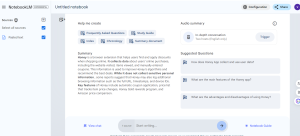
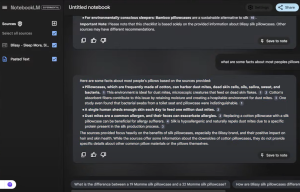
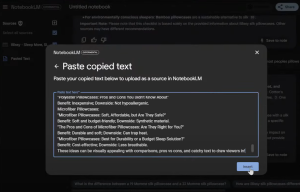
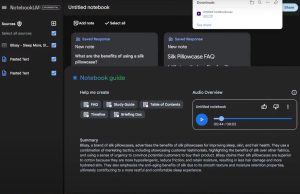
Google’s Notebook LM Podcast Tool: While many see this as a tool to create podcasts, it’s much more than that. It allows you to train the AI based on the information you provide and create customized content based on your notes and resources. This is a game changer for content creation and personalized marketing.
Let’s be honest: AI tools have been around for a while, but very few people know how to leverage them to generate actual revenue. In my 25 years of making money online, I’ve seen countless tools come and go, but I’ve never seen anything quite like the potential we have with AI voice models and tools like Notebook LM. Here’s why:

- Voice Search is Booming: With the rise of smart devices and voice search, people are more comfortable using their voice to look for information. This means you can be one of the first to create content specifically for voice-based platforms, an untapped market!
- Real Time Interactions: Whether answering customer questions or creating a podcast-style product review, AI voice tools let you interact with your audience in previously impossible ways.
- Enhanced Content Creation: You can create long-form content, YouTube scripts, or blog posts in a fraction of the time, all while ensuring it’s tailored to your audience’s needs.
Now we’re getting to the part that interests us the most about all of this…
How to Use These Tools to Make Money Online?
Now that you know what the tools are and why they’re important, let’s dive into some practical ways to put them to use:
- Create Unique Content for Your Blog or YouTube Channel:
- Use Notebook LM to compile information and generate podcast scripts, blog posts, or even video outlines.
- Test out ChatGPT Voice to create engaging tutorials or walkthroughs. You can speak through complex ideas and let the AI help you present them in a structured, easy-to-follow way.
- Leverage Voice Content for SEO:
- Optimize for voice search by answering common questions in your niche using natural language. With more users relying on voice assistants, being the “go-to” content for these searches will drive traffic to your site.
- Create Interactive Experiences:
- Use voice models to engage directly with your audience. Create quizzes, FAQs, or even interactive product demos to show how your solution is perfect for their needs.
- Sell Through Personalized Marketing:
- Notebook LM can learn from your content and help you create personalized sales letters, emails, and even podcasts. For example, you could create a mini-podcast for your email subscribers, explaining the benefits of your product in a casual, conversational way.

How to Use AI to Create Simple Calculators and Make Money Online
Click Here To Join Blog Profit Network And Get The Video Classes
If you’re looking to make money online with something super simple, you’re in the right place. I’m about to show you how to use AI (specifically ChatGPT version 1.0 Strawberry) to create basic calculators and tools that can drive tons of traffic to your site and put money in your pocket—fast! I’ve personally used this method for years, and now, with AI, it’s easier than ever.
Why Simple Calculators Work?
People are constantly searching for tools like mortgage calculators, mulch calculators, or even baby product planners to help them make decisions. And guess what? These calculators are super easy to create. Best of all, they can bring in a steady stream of visitors to your website, and more visitors mean more potential to earn from affiliate offers. I’ve built sites with tools like this for years—mortgage calculators, real estate tools, and more. And now, you can build them, too, without hiring a developer or spending a fortune.
How can I create my calculator?
Step 1: Creating Your Calculator with ChatGPT
Let’s break it down. First, we’re going to use ChatGPT to create a calculator for your site. I asked ChatGPT to create a simple mulch calculator in PHP. If you’re not familiar with PHP, don’t worry! You don’t need to be a coding expert—ChatGPT does the heavy lifting. Here’s what you do:
- Type a request in ChatGPT like: “Create a PHP mulch calculator for my website.”
- ChatGPT will write the code for you in seconds!
- Copy the code into Notepad and save it as a
.phpfile. It’s that easy.
Step 2: Uploading to Your Website
Now that you’ve got your calculator code, all you have to do is upload it to your website. If you’re using hosting like GoHubSite (which I recommend), go to your file manager, create a folder (I named mine “mulch”), and upload your PHP files. Boom! Your calculator is live on your website, and you don’t even have to touch a single line of code yourself.
Step 3: Watch the Traffic Roll In
Once your calculator is live, it’s time to get the traffic flowing. People search for tools like this all the time. A simple mulch calculator gets over 21,000 searches per month. And it’s not just mulch—think about all the other types of calculators people need: diaper calculators, real estate calculators, workout planners, and more.
You can create calculators for almost any niche. The trick is to find one that matches the interests of your target audience, and you’ll have a traffic goldmine in no time.

Niche: Finance
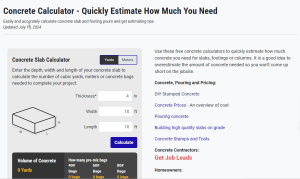
Niche: Construction
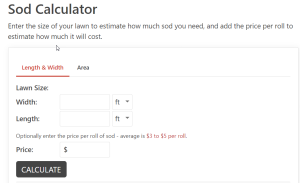
Niche: Gardening
Step 4: Monetize with Affiliate Offers
Here’s where the magic happens. Once you have your calculator up and running, you can add affiliate links that fit the tool. For example, if you have a workout planner, you could promote pre- or post-workout supplements as an affiliate. If it’s a baby product calculator, you could promote baby gear or even insurance offers like the Gerber Grow-Up Plan.
Here is a list with more ideas…